
On this page
A contractor loses money every time a tool walks off a site and nobody knows who had it last. The eight tools below run from twenty dollars a month to one hundred eighty-four dollars per admin a month, and every price was checked on the vendor site on November 27, 2026. Some bundle QR tags with the plan while others charge by the user or the admin. GoCodes is our first pick — patented QR tags bundled with GPS on every scan.
How we researched this
We started with the asset tracking tools contractors actually run, then read each price on the vendor pricing page on November 27, 2026 and noted the free plan or trial each one carries. We judged them for a construction crew whose tools move between sites and hands every day, with QR scanning, offline mobile apps and transfer records that survive the job site. We dropped Tenna and Hilti ONTrack because both sell by quote with no published price, and Asset Panda because it is quote-only with no list price.
Compare the tools
| Name | Best for | Starting price | Free plan | |
|---|---|---|---|---|
 GoCodes | Contractors who want QR-tagged tools with bundled tags and no hardware to buy | $550/year | No free plan; free trial available | Visit |
 AssetTiger | Contractors who want the cheapest asset register with unlimited users | $20/month | Free plan for up to 250 assets | Visit |
 Sortly | Contractors who want the fastest photo-first tool tracking | $49/month | Free plan with 100 items for 1 user | Visit |
 EZOfficeInventory | Contractors who track equipment by item count with unlimited users | $44.75/month | No free plan; 15-day free trial | Visit |
 ShareMyToolbox | Contractors who move tools between crews and need transfer records | $100/month | No free plan | Visit |
 Fleetio | Contractors who need fleet maintenance and work orders beside tool tracking | $4/asset/month | No free plan | Visit |
 Cheqroom | Contractors with shared gear that needs reservations and accountability | $184/admin/month | No free plan | Visit |
 MaintainX | Contractors who want maintenance and asset tracking in one mobile app | $20/user/month | Free Basic plan with core work orders | Visit |
The asset tracking software for contractors, compared
1. GoCodes
Best for: Contractors who want QR-tagged tools with bundled tags and no hardware to buy
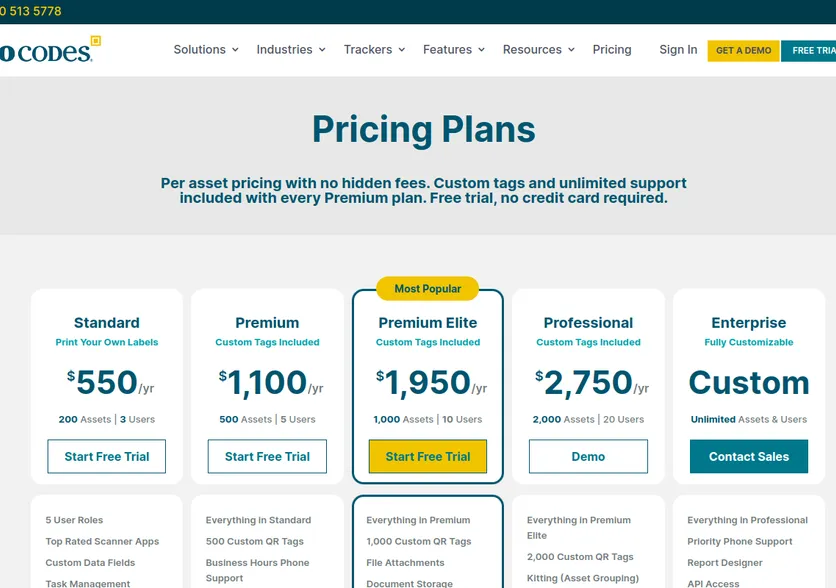
Paid tool Starting price: $550/year · Standard costs five hundred fifty dollars a year for two hundred assets and three users; Premium costs one thousand one hundred dollars a year for five hundred assets and five users; extra users cost four hundred forty dollars a year per five
Free plan: No free plan; free trial available
GoCodes is the QR tracking platform built for trades and construction teams, shipping its own patented QR tags with every plan. This GoCodes Standard plan costs five hundred fifty dollars a year for two hundred assets and three users, with GPS location recorded on every scan. A contractor can tag drills, saws and ladders, scan them out to a crew with a phone, and see the last known location on a map without buying separate hardware.
What we like
- Patented QR tags bundled with every plan
- GPS location recorded on every scan
- No separate hardware to buy or install
Watch out for
- Assets and users are bundled, so a big crew pays for user packs
- API, offline mode and kitting cost extra below the top tiers
How to try it
- Open the GoCodes pricing page and start the free trial
- Tag two hundred tools with the bundled QR tags
- Scan tools out to a crew and check the GPS location log
2. AssetTiger
Best for: Contractors who want the cheapest asset register with unlimited users
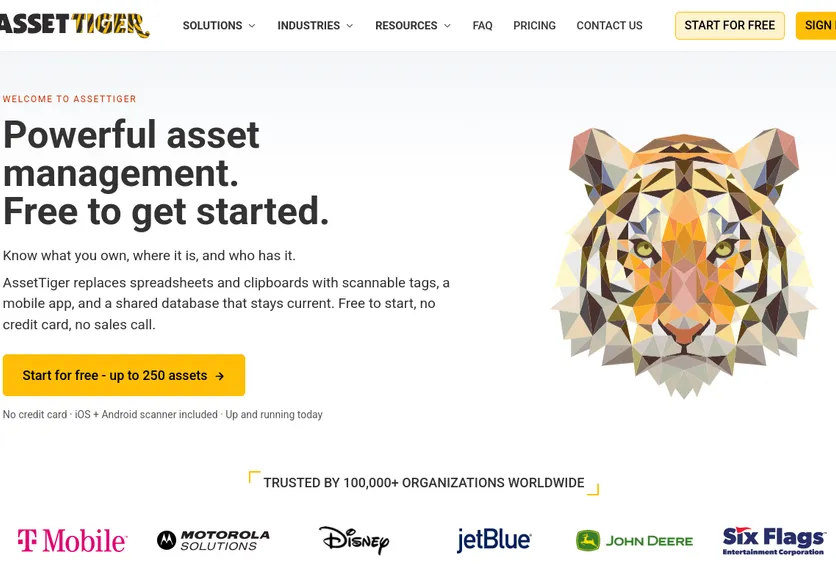
Paid tool Starting price: $20/month · Basic costs twenty dollars a month for five hundred assets; Core costs forty dollars a month for two thousand five hundred assets; annual billing gives one month free
Free plan: Free plan for up to 250 assets
AssetTiger is the budget register for contractors, with a flat monthly plan by asset count and unlimited users on every paid tier. This AssetTiger Basic plan costs twenty dollars a month for five hundred assets, and the free plan covers two hundred fifty assets for a crew that is just starting. A contractor can give every worker the mobile app, scan barcodes and QR codes offline, and never pay a per-seat fee as the crew grows.
What we like
- Twenty dollars a month for five hundred assets with unlimited users
- Free plan covers two hundred fifty assets to start
- Mobile app works offline with barcode and QR scanning
Watch out for
- No GPS hardware, so locations come from scans only
- Depreciation and maintenance features are lighter than rivals
How to try it
- Open the AssetTiger pricing page and start on the free plan
- Add your tools with the mobile app and print QR labels
- Upgrade to Basic when the fleet passes two hundred fifty assets
3. Sortly
Best for: Contractors who want the fastest photo-first tool tracking
Paid tool Starting price: $49/month · Advanced costs forty-nine dollars a month for five hundred items and two users; Ultra costs one hundred forty-nine dollars a month for five users
Free plan: Free plan with 100 items for 1 user
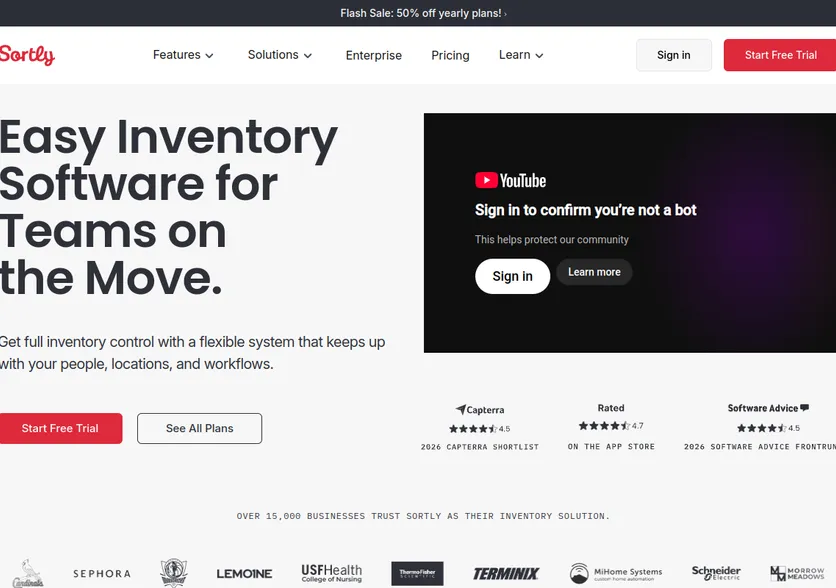
Sortly is the fastest tool here for a contractor to start using, because the workflow is photograph an item, put it in a folder, print a QR label and scan it when it moves. This Sortly Advanced plan costs forty-nine dollars a month for five hundred items and two users, with a free plan covering one hundred items for one user. A foreman can track tools, stock and equipment from a phone that works offline, with low-stock alerts when supplies run down.
What we like
- Fastest onboarding here, with photo-first item entry
- Mobile app works offline for field scanning
- Free plan covers one hundred items for testing
Watch out for
- Only two users on Advanced, so a crew of five pays triple
- No maintenance scheduling depth for heavy equipment
How to try it
- Open the Sortly pricing page and start on the free plan
- Photograph your tools and print QR labels for each one
- Upgrade to Advanced when you pass one hundred items
4. EZOfficeInventory
Best for: Contractors who track equipment by item count with unlimited users
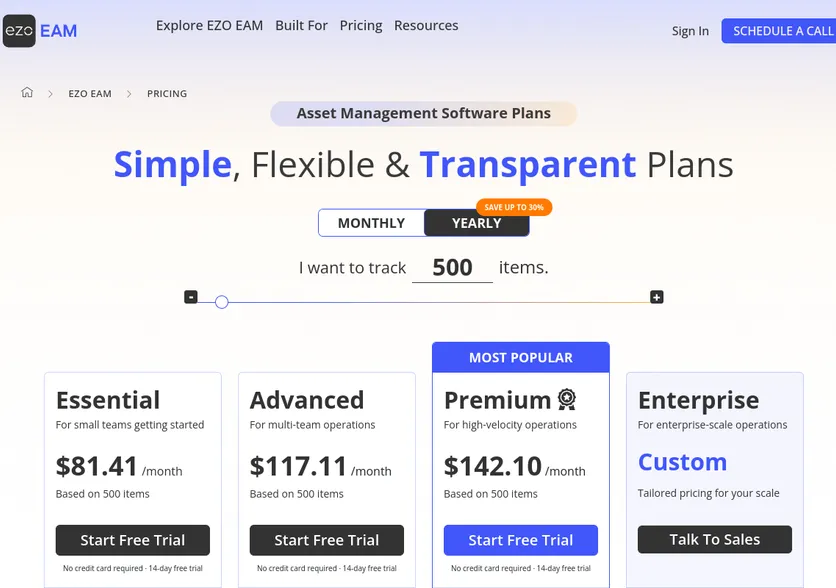
Paid tool Starting price: $44.75/month · Essential plan, $44.75 a month billed annually for 100 items ($48 billed monthly); the price rises with item count ($63.55 at 300 items, $81.41 at 500 items); Advanced and Premium are higher; priced by items, not by users, with unlimited users
Free plan: No free plan; 15-day free trial
EZOfficeInventory, now branded EZO, follows equipment from purchase through reservations, service records and retirement, with barcode, QR and RFID support. This EZOfficeInventory Essential plan starts at forty-four dollars and seventy-five cents a month billed annually for one hundred items, and every plan includes unlimited users. A contractor can let the whole crew scan and check tools out without buying more seats, and book gear in advance with the reservation system.
What we like
- Unlimited users on every plan, so the whole crew can scan
- Reservations for gear that crews book ahead
- Barcode, QR and RFID support in one subscription
Watch out for
- Price rises with item count, so growth raises the bill
- Maintenance module is an extra add-on, not included
How to try it
- Open the EZOfficeInventory pricing page and count your items
- Start the fifteen-day trial with your real equipment list
- Test reservations for gear that crews book in advance
5. ShareMyToolbox
Best for: Contractors who move tools between crews and need transfer records
Paid tool Starting price: $100/month · One hundred dollars a month for the first admin, plus ten dollars per employee in blocks of five
Free plan: No free plan
ShareMyToolbox is built for field tool transfers between crews, with QR and barcode scanning that records who took what and where it went. This ShareMyToolbox plan costs one hundred dollars a month for the first admin, with ten dollars per employee in blocks of five. A contractor can see a tool move from one crew to another with a full transfer history, which ends the argument about who had the saw last.
What we like
- Transfer history shows which crew had each tool
- Software-only with printable QR and barcode tags
- Priced by admin and employee blocks, not per asset
Watch out for
- No GPS hardware, so locations come from scans only
- Employee pricing adds up as the crew grows
How to try it
- Open the ShareMyToolbox pricing page and start a trial
- Add your first admin and your crew in blocks of five
- Scan a tool transfer between two crews to test the history
6. Fleetio
Best for: Contractors who need fleet maintenance and work orders beside tool tracking
Paid tool Starting price: $4/asset/month · Essential costs four dollars per asset per month; Premium costs ten dollars per asset per month; the tools add-on costs about fifty cents per tool per month
Free plan: No free plan
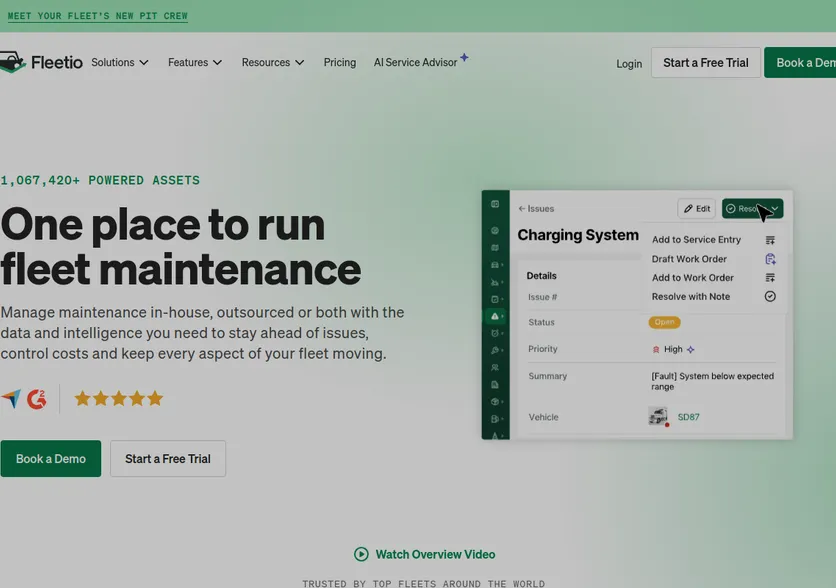
Fleetio pairs fleet maintenance with asset tracking, so a contractor can manage vehicles, equipment and work orders from one platform. This Fleetio Essential plan costs four dollars per asset per month, with a tools add-on at about fifty cents per tool per month. A contractor gets service reminders, inspections and fuel tracking beside the asset register, with GPS through integrated telematics providers rather than built-in hardware.
What we like
- Fleet maintenance and work orders beside asset tracking
- Service reminders and inspections in one platform
- GPS through integrated telematics providers
Watch out for
- Per-asset pricing climbs fast on a large fleet
- GPS needs an integrated telematics provider, not built-in hardware
How to try it
- Open the Fleetio pricing page and count your vehicles and tools
- Start a trial with your real fleet list
- Add the tools add-on to track equipment beside vehicles
7. Cheqroom
Best for: Contractors with shared gear that needs reservations and accountability
Paid tool Starting price: $184/admin/month · Core costs one hundred eighty-four dollars per admin per month billed annually; Enterprise costs three hundred sixty-seven dollars per admin per month; RFID is an add-on
Free plan: No free plan
Cheqroom manages shared equipment with reservations, check-outs and accountability, so a contractor knows who has each item and when it comes back. This Cheqroom Core plan costs one hundred eighty-four dollars per admin per month billed annually, with unlimited items on every plan. A contractor can reserve gear for a job, scan it out with QR or barcode, and hold the right person accountable when it goes missing.
What we like
- Reservations for shared gear booked by job
- Unlimited items on every plan
- Accountability trail shows who had each item last
Watch out for
- Highest price here, so only expensive gear justifies it
- RFID support costs extra as an add-on
How to try it
- Open the Cheqroom pricing page and request a trial
- Set up reservations for your most-shared equipment
- Scan an item out and back to test the accountability trail
8. MaintainX
Best for: Contractors who want maintenance and asset tracking in one mobile app
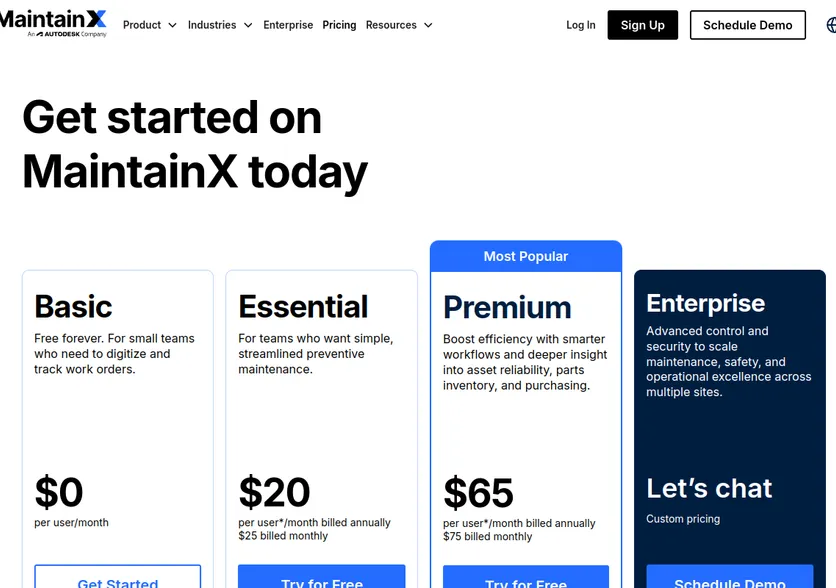
Paid tool Starting price: $20/user/month · Essential costs twenty dollars per user per month billed annually, or twenty-five dollars billed monthly; Premium costs sixty-five dollars per user per month billed annually
Free plan: Free Basic plan with core work orders
MaintainX brings maintenance and asset tracking together in a mobile-first app that field crews actually use, with work orders beside the asset register. This MaintainX Essential plan costs twenty dollars per user per month billed annually, with a free Basic plan for starting out. A contractor can raise a work order on a machine, track its service history, and message the crew from the same app, with requesters free on every plan.
What we like
- Lowest paid entry price here at twenty dollars a user
- Free Basic plan for starting without a budget
- Messaging between crew members built into the mobile app
Watch out for
- Parts and purchase orders sit on Premium, not Essential
- Per-user pricing adds up on a large crew
How to try it
- Open the MaintainX pricing page and start on the free Basic plan
- Add your machines and set up repeating work orders
- Upgrade to Essential when the free plan limits the crew
Prices above were checked on each vendor’s own website on Nov 27, 2026 and can change — the vendor’s page is the final word. Vendor links are editorial: nobody paid to be listed or ranked here. Vendors who want a featured listing can see how it works on our Get listed page.
What asset tracking software costs for a contractor in 2026
Contractor tracking pricing follows three different units, and the cheapest headline is rarely the cheapest total. Flat plans like AssetTiger at twenty dollars a month for five hundred assets suit a crew of any size, because the bill follows the fleet. Bundled plans like GoCodes at five hundred fifty dollars a year suit a small crew, because assets and users come together. Per-user plans like MaintainX at twenty dollars a user suit a small crew with a large fleet, but the bill climbs with every hire.
Start with a free plan or trial and tag a real set of tools, then scan them out to a crew and check the transfer history. Confirm the mobile app works offline where the crew actually works, and check whether QR tags are included, because buying tags separately can double the first-year cost. Pick the tool the crew will actually scan with, because a register nobody updates is a spreadsheet with better branding.
Before you buy
- Count the assets and the users together, because GoCodes bundles both while per-user plans charge again for every crew member.
- Check whether the mobile app works offline, because a tool crib with no signal still needs check-outs to work.
- Confirm QR tags are included in the plan, because buying tags separately can double the first-year cost.
- Test check-in and check-out with a real crew before paying, because a workflow the crew skips is worse than a spreadsheet.
- Ask whether GPS tracking needs separate hardware, because software-only tracking shows the last scan, not a live location.
Official websites
Official websites of the products reviewed above. Features and prices were checked against these sites when this guide was written, and they can change, so confirm on the vendor site before you buy.
Frequently asked questions
Which asset tracking software is best for contractors in 2026?
GoCodes is the best overall pick for contractors at five hundred fifty dollars a year, with patented QR tags bundled and GPS on every scan. AssetTiger is the best budget pick at twenty dollars a month for five hundred assets with unlimited users. Sortly is the best pick for fast onboarding at forty-nine dollars a month with photo-first entry and offline scanning.
How much does asset tracking software cost for contractors?
Contractor asset tracking in this list runs from twenty dollars a month for AssetTiger Basic to one hundred eighty-four dollars per admin per month for Cheqroom Core. GoCodes Standard costs five hundred fifty dollars a year, Sortly Advanced forty-nine dollars a month, and MaintainX Essential twenty dollars per user per month. The right comparison is the total for your asset count and crew size, not the headline rate.
Is there free asset tracking software for contractors?
Yes, two tools here have free plans. AssetTiger is free for up to two hundred fifty assets, Sortly is free for one hundred items, and MaintainX has a free Basic plan for core work orders. Free plans usually cap assets or users, so a contractor with a large fleet will need a paid plan within the first year.
Does asset tracking software show live GPS locations?
No, software-only tracking shows the last scan location, not a live position. GoCodes records GPS on every scan, which is enough for most tool cribs. Live GPS needs separate hardware trackers with a monthly line per device, which costs far more than the software itself. A contractor should only pay for live tracking on equipment that moves between sites unsupervised.
How should a contractor test asset tracking software before buying?
Start with a free plan or trial and tag a real set of tools, not a sample list. Scan tools out to a crew, check the transfer history, and test the mobile app where the crew actually works, including places with no signal. A tool the crew skips is worse than a spreadsheet, so adoption matters more than the feature list.
Need everyday business help too? Try Toolsvine's free business tools right in your browser.
Browse Business Tools tools


