
On this page
Small businesses lose money on equipment they cannot find, and a spreadsheet stops working once assets pass a few dozen. The tools below track what you own, where it is, and who has it, with barcode or QR scanning and maintenance alerts. Prices run from twenty dollars to one hundred eighty-four dollars an admin a month, and every figure was checked on the vendor site on November 26, 2026. Most offer a free plan or trial, so test one on a real asset list. AssetTiger is our first pick — a flat twenty-dollar monthly price with unlimited users.
How we researched this
We started with the asset tracking tools small businesses actually buy, then read each price on the vendor pricing page on November 26, 2026 and noted the free plan or trial each one carries. We judged them for a small business that needs to know where its equipment is without hiring an inventory manager. We kept only tools with a published price, and we dropped any tool whose price we could not verify on the vendor site.
Compare the tools
| Name | Best for | Starting price | Free plan | |
|---|---|---|---|---|
 AssetTiger | Small businesses that want simple asset tracking from twenty dollars a month | $20/month | 30-day free trial, no free tier | Visit |
 Sortly | Small teams that want visual asset tracking with photos | $49/month | Free plan for up to 100 items | Visit |
 UpKeep | Maintenance teams that track equipment and work orders together | $24/user/month | Free trial, no free tier | Visit |
 EZOfficeInventory | Businesses that need item-based pricing for a growing inventory | $44.75/month | 15-day free trial, no free tier | Visit |
 GoCodes | Small businesses that want QR-code asset tags at a flat yearly price | $550/year | 15-day free trial, no free tier | Visit |
| Cheqroom | Teams that loan equipment out and need checkout tracking | $184/admin/month | 14-day free trial, no free tier | Visit |
 Snipe-IT | Small businesses that want open-source flexibility with hosted support | $39.99/month | Self-hosted open-source version free | Visit |
The asset tracking software, compared
1. AssetTiger
Best for: Small businesses that want simple asset tracking from twenty dollars a month
Paid tool Starting price: $20/month · Basic plan, $20 a month for up to 500 assets; unlimited users; 30-day free trial
Free plan: 30-day free trial, no free tier
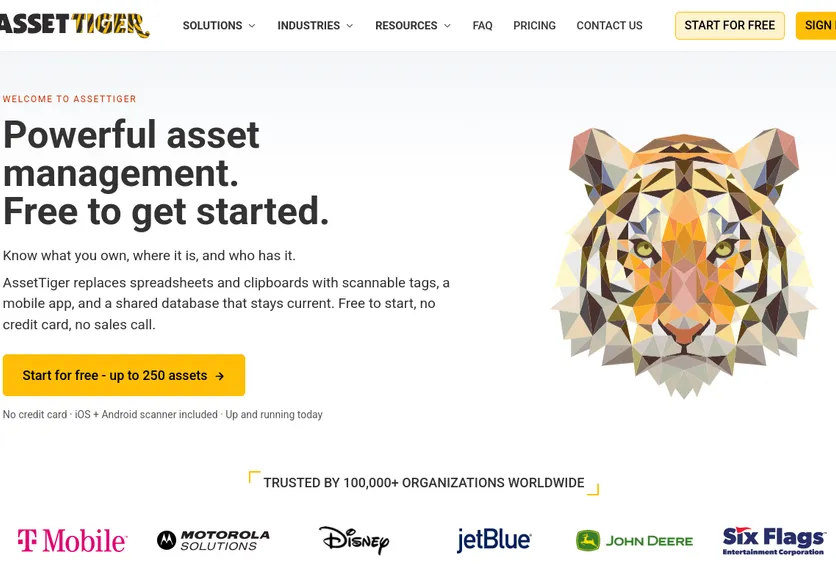
AssetTiger is the value pick in this category: a flat monthly price with unlimited users and no per-seat fees. This AssetTiger Basic plan costs twenty dollars a month for up to five hundred assets, with barcode scanning and maintenance alerts included. A small business that wants simple tracking without a per-user bill should start here.
What we like
- Flat price with unlimited users
- Barcode scanning included on Basic
- Maintenance alerts keep equipment serviced
Watch out for
- Basic covers only five hundred assets
- No permanent free plan, only a trial
How to try it
- Open the AssetTiger pricing page and start the 30-day trial
- Import your asset list and print barcode labels
- Set maintenance alerts for your key equipment
2. Sortly
Best for: Small teams that want visual asset tracking with photos
Paid tool Starting price: $49/month · Advanced plan, $49 a month billed monthly; $24 a month first-year annual promo; list price is $49
Free plan: Free plan for up to 100 items
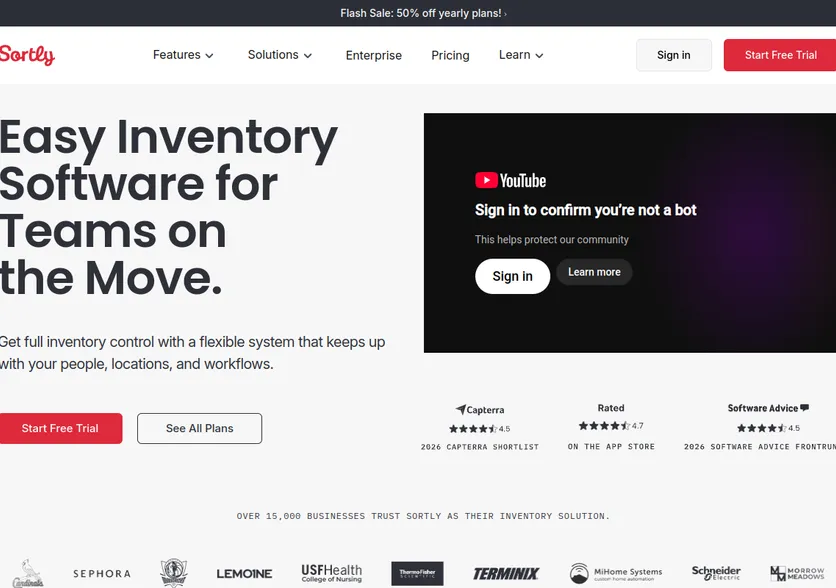
Sortly is the easiest asset tracker to start with: snap a photo, add a barcode, and the item is logged in seconds. This Sortly Advanced plan costs forty-nine dollars a month billed monthly, with custom fields and alerts. A small team that wants visual tracking with photos will find Sortly the fastest to set up.
What we like
- Fastest setup with photo and barcode entry
- Visual inventory that anyone can browse
- Free plan covers one hundred items
Watch out for
- Advanced costs forty-nine dollars a month billed monthly
- First-year promo is twenty-four dollars a month, then it rises
How to try it
- Open the Sortly pricing page and start the free plan
- Photograph an asset and add a barcode
- Upgrade to Advanced for custom fields and alerts
3. UpKeep
Best for: Maintenance teams that track equipment and work orders together
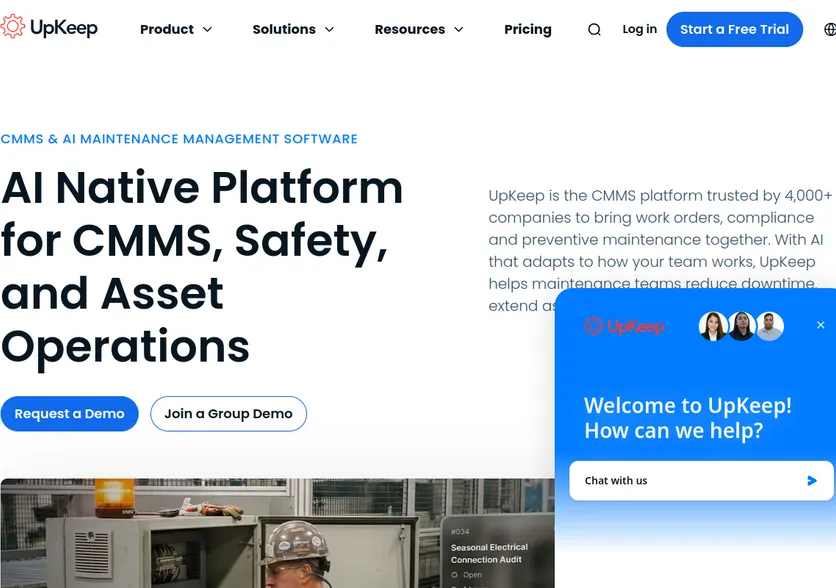
Paid tool Starting price: $24/user/month · Essential plan, $24 a user a month; Premium is $55 a user a month; Professional and Enterprise are quoted
Free plan: Free trial, no free tier
UpKeep pairs asset tracking with maintenance work orders, so a broken machine and its repair live in the same system. This UpKeep Essential plan costs twenty-four dollars a user a month with asset management and work orders included. A maintenance team that tracks equipment and repairs together will find the combined view worth the per-user price.
What we like
- Assets and work orders in one system
- Mobile app for technicians on site
- Reports show maintenance costs by asset
Watch out for
- Essential costs twenty-four dollars a user a month
- Advanced reporting needs higher plans
How to try it
- Open the UpKeep pricing page and start the free trial
- Add your assets and set up work orders
- Assign repairs and track completion
4. EZOfficeInventory
Best for: Businesses that need item-based pricing for a growing inventory
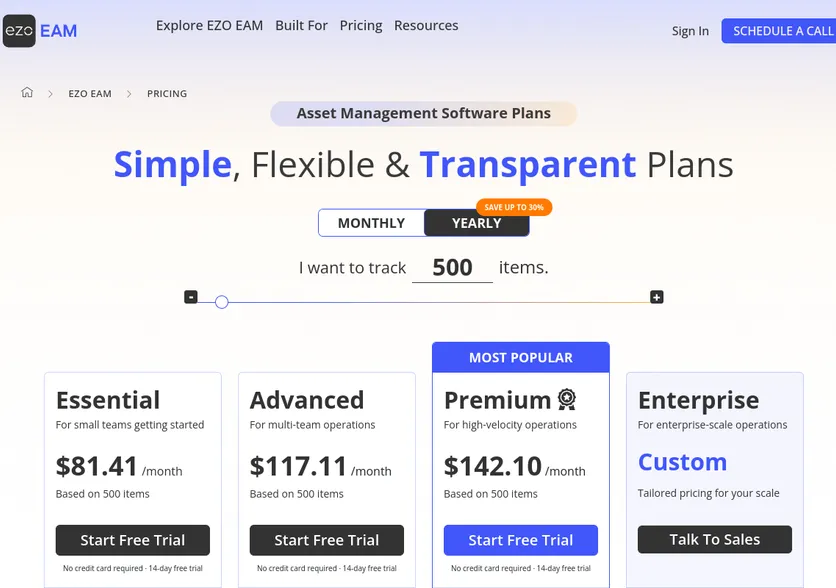
Paid tool Starting price: $44.75/month · Essential plan, $44.75 a month billed annually for 100 items ($48 billed monthly); the price rises with item count ($63.55 at 300 items, $81.41 at 500 items); Advanced and Premium are higher; priced by items, not by users, with unlimited users
Free plan: 15-day free trial, no free tier
EZOfficeInventory prices by the number of items you track, which makes it easy to budget as the inventory grows. This EZOfficeInventory Essential plan costs forty-four dollars and seventy-five cents a month billed annually for one hundred items. A business that needs item-based pricing for a growing inventory can start small and pay more only when the count rises.
What we like
- Priced by item count, easy to budget
- Barcode and QR labels included
- Check-in and checkout tracking built in
Watch out for
- Essential covers only one hundred items
- Price rises as the item count grows
How to try it
- Open the EZOfficeInventory pricing page and start the 15-day trial
- Import your items and set the item count
- Add barcode labels and track checkouts
5. GoCodes
Best for: Small businesses that want QR-code asset tags at a flat yearly price
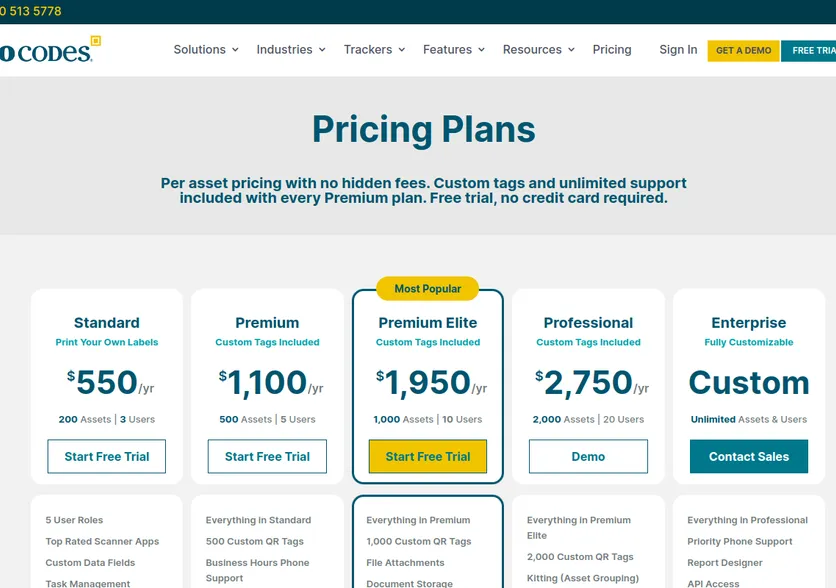
Paid tool Starting price: $550/year · Standard plan, $550 a year for 200 assets and 3 users; annual billing only
Free plan: 15-day free trial, no free tier
GoCodes uses QR-code tags that anyone can scan with a phone, with no special scanner hardware to buy. This GoCodes Standard plan costs five hundred fifty dollars a year for two hundred assets and three users. A small business that wants QR-code tags at a flat yearly price will find the annual bill easy to approve.
What we like
- QR tags work with any phone camera
- Flat yearly price, no monthly bill
- Check-in and checkout tracking included
Watch out for
- Standard covers only two hundred assets
- Annual billing only, no monthly option
How to try it
- Open the GoCodes pricing page and start the 15-day trial
- Order QR-code tags and stick them on assets
- Scan a tag with any phone to see the record
6. Cheqroom
Best for: Teams that loan equipment out and need checkout tracking
Paid tool Starting price: $184/admin/month · Core plan, $184 an admin a month billed annually; every plan starts at 3 admins, so the smallest Core bill is $552 a month
Free plan: 14-day free trial, no free tier
Cheqroom is built for teams that loan equipment out, with reservations, checkouts, and late-return alerts. This Cheqroom Core plan costs one hundred eighty-four dollars an admin a month billed annually. A team that loans equipment out and needs checkout tracking will find the reservation calendar worth the premium price.
What we like
- Reservations and checkouts built in
- Late-return alerts keep gear coming back
- Clean calendar view of who has what
Watch out for
- Core costs one hundred eighty-four dollars an admin a month
- Minimum three admins means a five-hundred-fifty-two-dollar monthly bill
How to try it
- Open the Cheqroom pricing page and start the 14-day trial
- Add your equipment and set up reservations
- Track checkouts and late returns
7. Snipe-IT
Best for: Small businesses that want open-source flexibility with hosted support
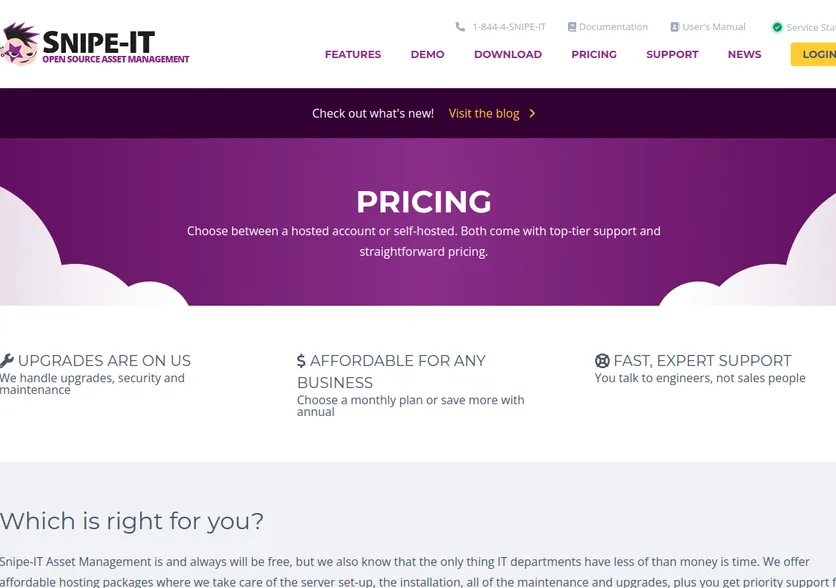
Paid tool Starting price: $39.99/month · Hosted plan, $39.99 a month; self-hosted open-source version is free
Free plan: Self-hosted open-source version free
Snipe-IT is the open-source asset manager, with a hosted plan for teams that want support without running a server. This Snipe-IT hosted plan costs thirty-nine dollars and ninety-nine cents a month, while the self-hosted version is free. A small business that wants open-source flexibility with hosted support gets both options here.
What we like
- Self-hosted version is free and open source
- Hosted plan includes support and updates
- Strong audit trail and custom fields
Watch out for
- Hosted plan costs thirty-nine dollars and ninety-nine cents a month
- Self-hosted setup needs your own server
How to try it
- Open the Snipe-IT pricing page and compare hosted and self-hosted
- Start the hosted plan or install the free version
- Import your assets and assign them to users
Prices above were checked on each vendor’s own website on Nov 26, 2026 and can change — the vendor’s page is the final word. Vendor links are editorial: nobody paid to be listed or ranked here. Vendors who want a featured listing can see how it works on our Get listed page.
What asset tracking costs a small business in 2026
Most asset tools charge per user, per admin, or per item, so the headline price is only the start and the cap decides the real bill. This list runs from about twenty dollars a month for AssetTiger to one hundred eighty-four dollars an admin a month for Cheqroom, and Cheqroom's three-admin minimum means the smallest bill is five hundred fifty-two dollars a month. The headline plan each vendor shows on its own pricing page is the number in the table above, checked on November 26, 2026.
Start with the free plan or trial on two tools and load your real asset list into both. Compare how fast check-in feels and whether the caps fit your inventory, then pick the tool your team will actually update every week. A twenty-dollar tool that stays current beats a five-hundred-fifty-two-dollar tool that goes stale.
Before you buy
- Count the assets first, because plans cap the item count and a cheap plan stops at two hundred.
- Check the user count, because some plans charge per admin and three admins triple the bill.
- Test the tool on a real asset list first, because a demo never shows how it handles your actual inventory.
- Ask whether you need barcode scanning or GPS: GoCodes covers tags, while Cheqroom tracks checkouts.
- Add up the yearly cost, because a twenty-dollar monthly plan is really two hundred forty dollars a year.
Official websites
Official websites of the products reviewed above. Features and prices were checked against these sites when this guide was written, and they can change, so confirm on the vendor site before you buy.
Frequently asked questions
Which asset tracking software is best for small business in 2026?
AssetTiger, at twenty dollars a month with unlimited users, is the safest default because it covers barcode scanning and maintenance alerts for a flat price. Sortly is better when you want photo-based tracking, at forty-nine dollars a month billed monthly. UpKeep is the pick when maintenance work orders matter, at twenty-four dollars a user a month.
What is the cheapest asset tracking software for small business?
AssetTiger starts at twenty dollars a month, and UpKeep Essential costs twenty-four dollars a user a month; AssetTiger has no per-user fee, so it stays cheaper as the team grows. Snipe-IT hosted costs thirty-nine dollars and ninety-nine cents a month, with a free self-hosted version. Sortly has a free plan for up to one hundred items.
Can I track assets for free?
Yes, Sortly has a free plan covering up to one hundred items, and Snipe-IT offers a free self-hosted open-source version. The other tools here offer free trials instead: AssetTiger gives thirty days, EZOfficeInventory gives fifteen days, and Cheqroom gives fourteen days.
Which asset tracking tool is best for a small team?
AssetTiger is the strongest pick for a small team, because it costs twenty dollars a month with unlimited users and covers up to five hundred assets. Sortly is the pick when you want the fastest setup, with photo and barcode entry from a free plan. GoCodes is the pick when you want QR-code tags that any phone can scan.
How do I choose asset tracking software for a small business?
Count your assets first, then check the plan cap: AssetTiger Basic covers five hundred, GoCodes Standard covers two hundred, and EZOfficeInventory Essential covers one hundred. Check the user count too, because Cheqroom charges per admin with a three-admin minimum, which means a five-hundred-fifty-two-dollar monthly bill before you add a single asset.
Need everyday business help too? Try Toolsvine's free business tools for quick calculations right in your browser.
Browse Business Tools tools


