
On this page
Small teams share everything — laptops, tools, cameras and keys — and the argument starts when nobody knows who has what. The seven tools below run from twenty dollars a month to a few hundred, and every price was checked on the vendor site on November 27, 2026. A free plan that covers fifty items is a real pilot for a small team, while per-user pricing can quietly double the bill. Sortly is our first pick — the visual tracker a small team can set up in an afternoon.
How we researched this
We started with the asset trackers small teams actually buy, then read each price on the vendor pricing page on November 27, 2026 and noted the free plan or trial each one carries. We judged them for a team of under twenty people that shares gear across desks, rooms and jobs. We dropped Asset Panda because its price is quoted per deployment and no list price could be verified.
Compare the tools
| Name | Best for | Starting price | Free plan | |
|---|---|---|---|---|
 Sortly | Small teams that want visual inventory with photos on every item | $49/month | Free plan for 100 items and 1 user; 14-day trial on paid plans | Visit |
 AssetTiger | Small teams that want the cheapest barcode tracking with no per-user fees | $20/month | No free plan; 30-day free trial | Visit |
 Reftab | Small teams that want lean check-in and check-out with a free start | $31.25/month | Free plan for up to 50 assets | Visit |
 GoCodes | Small teams that want flat yearly QR tracking with no per-user fees | $500/year | No free plan; free trial available | Visit |
 UpKeep | Small teams that run maintenance alongside asset tracking | $24/user/month | No free plan; free trial available | Visit |
| AssetSonar | Small IT teams that want per-asset pricing for hardware and software | $0.75/asset/month | No free plan; demo available | Visit |
| BlueTally | Small teams that want a modern tracker with a free starter tier | $199/month | Free plan for up to 50 assets | Visit |
The asset tracking software for small teams, compared
1. Sortly
Best for: Small teams that want visual inventory with photos on every item
Paid tool Starting price: $49/month · Advanced plan lists at forty-nine dollars a month; the vendor also shows fifty percent first-year promotional rates that are not the list price
Free plan: Free plan for 100 items and 1 user; 14-day trial on paid plans
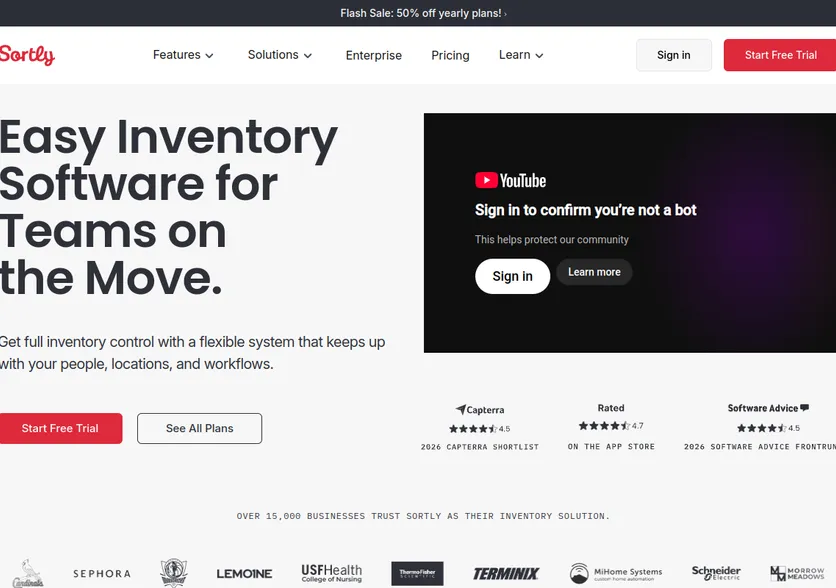
For a small team, the fastest register is a visual one, and Sortly turns each item into a photo card that anyone can find. This Sortly Advanced plan lists at forty-nine dollars a month, with a free plan covering one hundred items for one user. Staff scan barcodes at the shelf, log check-outs and keep an audit trail without a spreadsheet in sight.
What we like
- Visual inventory with photos makes items easy to find
- Free plan covers one hundred items for a genuine pilot
- Barcode scanning works from any phone
Watch out for
- Advanced features sit on the forty-nine dollar plan, not the free one
- First-year promotional rates rise sharply at renewal
How to try it
- Open the Sortly site and start with the free plan
- Photograph each shared item and add barcodes
- Set up check-out rules so gear always comes back
2. AssetTiger
Best for: Small teams that want the cheapest barcode tracking with no per-user fees
Paid tool Starting price: $20/month · Basic plan lists at twenty dollars a month for up to five hundred assets with unlimited users; larger tiers run to two hundred seventy-five dollars a month
Free plan: No free plan; 30-day free trial
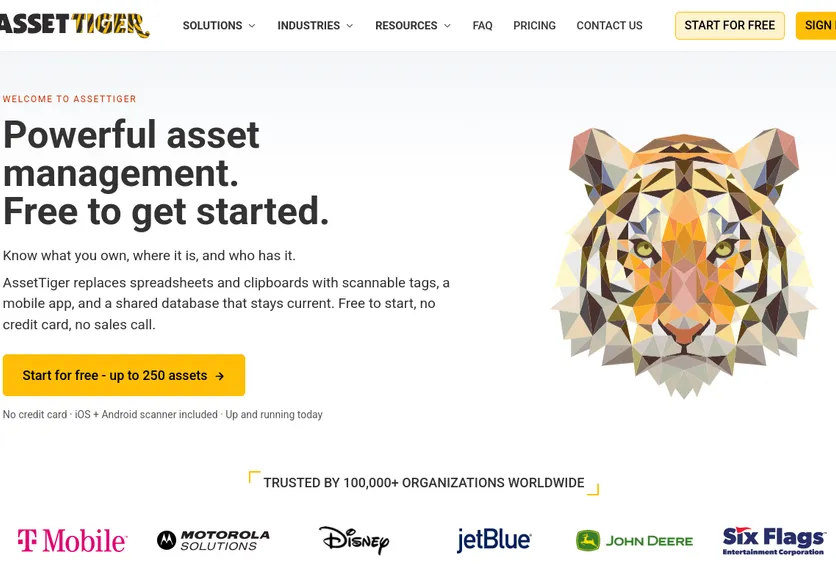
When the budget is twenty dollars a month, AssetTiger is the tracker to beat, with barcode check-in and check-out and unlimited users. This AssetTiger Basic plan lists at twenty dollars a month for up to five hundred assets. A small team can tag every laptop and tool, log who took what and run an audit count without paying per seat.
What we like
- Lowest monthly price in this comparison at twenty dollars
- Unlimited users on every plan, so the whole team can scan
- Simple barcode workflow with no learning curve
Watch out for
- No maintenance scheduling, so service reminders need another tool
- Interface looks dated next to newer trackers
How to try it
- Open the AssetTiger pricing page and start the 30-day trial
- Print barcode labels for each shared item
- Train the team to scan items out and back in daily
3. Reftab
Best for: Small teams that want lean check-in and check-out with a free start
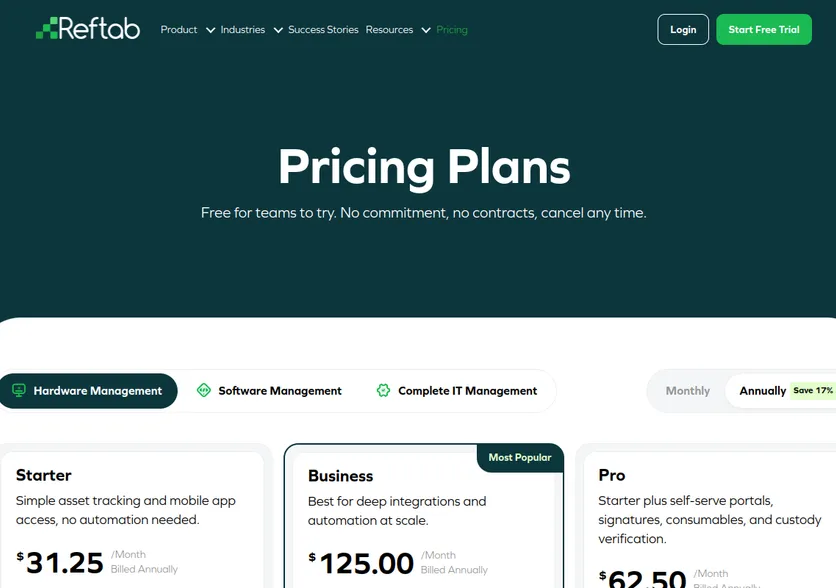
Paid tool Starting price: $31.25/month · Starter plan lists at thirty-one dollars and twenty-five cents a month on annual billing for the two hundred fifty asset tier; Pro lists at sixty-two dollars and fifty cents and Business at one hundred twenty-five dollars
Free plan: Free plan for up to 50 assets
Reftab is built for teams that want check-in and check-out and nothing else, with QR codes and a setup that takes minutes. This Reftab Starter plan lists at thirty-one dollars and twenty-five cents a month on annual billing, with a free plan for up to fifty assets. A small team can label shared gear, log who took what and run a quick audit count at month end.
What we like
- Free plan for up to fifty assets
- Lean check-in and check-out with almost no setup
- Low starting price for a small team
Watch out for
- No maintenance scheduling or work orders
- Software management costs extra per tracked user
How to try it
- Open the Reftab pricing page and start on the free plan
- Generate QR codes and label each shared asset
- Run a monthly audit count from the mobile app
4. GoCodes
Best for: Small teams that want flat yearly QR tracking with no per-user fees
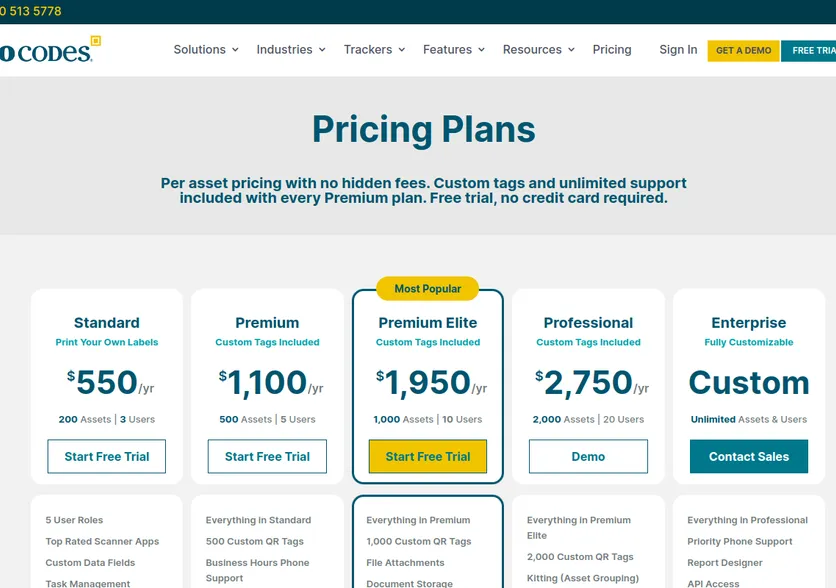
Paid tool Starting price: $500/year · Standard plan lists at five hundred dollars a year for two hundred assets and three users; Premium lists at one thousand one hundred dollars a year and billing is annual only
Free plan: No free plan; free trial available
GoCodes suits a small team that hates per-user billing, because the price is flat per year and anyone can scan. This GoCodes Standard plan lists at five hundred dollars a year for two hundred assets and three users, with annual billing only. Print QR labels, stick them on, and scan with any phone to see who has what and where it is.
What we like
- Flat yearly price with no per-user fees
- Anyone can scan with a phone, no app install needed
- Simple enough for a team to adopt in a day
Watch out for
- Annual billing only, so there is no monthly option
- Feature depth is entry level next to EZO or UpKeep
How to try it
- Open the GoCodes pricing page and start a free trial
- Order or print QR labels for each asset
- Scan items in and out with any smartphone
5. UpKeep
Best for: Small teams that run maintenance alongside asset tracking
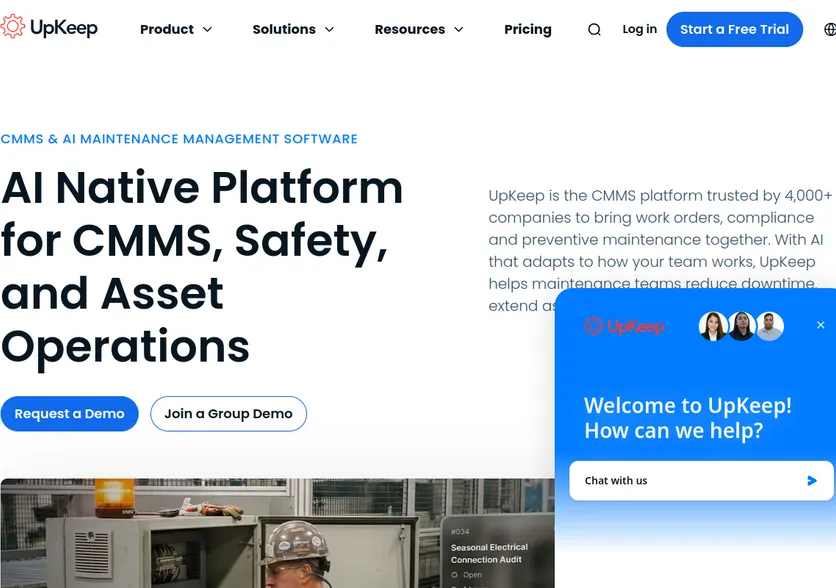
Paid tool Starting price: $24/user/month · Essential plan lists at twenty-four dollars per user a month; Premium lists at fifty-five dollars and higher tiers are quoted
Free plan: No free plan; free trial available
UpKeep is the pick when the register also has to run repairs, because the asset record and the work order live together. This UpKeep Essential plan lists at twenty-four dollars per user a month, with Premium at fifty-five dollars. A team lead can raise a repair from the asset page, assign it to a colleague and close it with photos attached.
What we like
- Work orders and asset records in one system
- Mobile app built for people on the move
- Clear per-user pricing with no hidden tiers
Watch out for
- No free plan, so every user needs a paid seat
- Deeper analytics sit on the higher tiers
How to try it
- Open the UpKeep pricing page and start a free trial
- Import assets and link each one to its maintenance schedule
- Raise the first work order from an asset record
6. AssetSonar
Best for: Small IT teams that want per-asset pricing for hardware and software
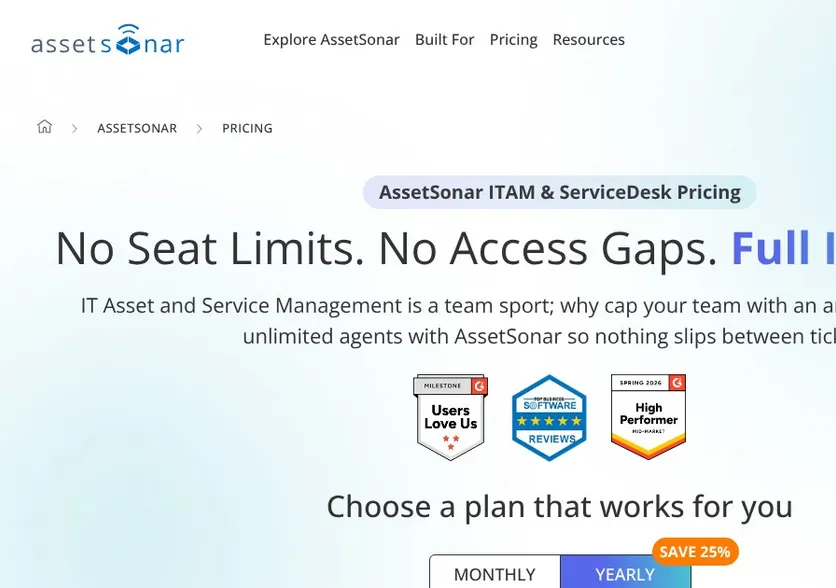
Paid tool Starting price: $0.75/asset/month · ITAM plan lists at seventy-five cents per asset a month on annual billing, with a one hundred asset minimum; ITSM lists at one dollar and eight cents and the Advanced SAM add-on at forty-two cents
Free plan: No free plan; demo available
AssetSonar is the IT-focused sibling of EZO, built for teams that track hardware and software licences together. This AssetSonar ITAM plan lists at seventy-five cents per asset a month on annual billing, with a one hundred asset minimum. A small IT team can watch licences, link assets to tickets and keep agents unlimited without paying per technician.
What we like
- Per-asset pricing suits teams with a fixed device count
- Unlimited agents, so technicians never cost extra
- Hardware and software tracking in one system
Watch out for
- One hundred asset minimum means tiny teams pay for assets they lack
- ITSM features cost extra on top of the ITAM rate
How to try it
- Open the AssetSonar pricing page and check the asset minimum
- Import hardware and link software licences to each device
- Connect the helpdesk so tickets attach to assets
7. BlueTally
Best for: Small teams that want a modern tracker with a free starter tier
Paid tool Starting price: $199/month · Core plan lists at one hundred ninety-nine dollars a month on annual billing, or two hundred thirty-two dollars month to month; Business lists at two hundred ninety-nine dollars and Corporate at four hundred ninety-nine dollars
Free plan: Free plan for up to 50 assets
BlueTally is the modern-looking tracker in this list, with a tidy interface, unlimited users and a free tier a small team can run for months. This BlueTally Core plan lists at one hundred ninety-nine dollars a month on annual billing, with a free plan for up to fifty assets. A small team can start free, learn the workflow and upgrade only when the register outgrows fifty items.
What we like
- Free plan for up to fifty assets with no time limit
- Unlimited users on every plan
- Clean modern interface that staff learn quickly
Watch out for
- Paid plans start higher than the budget trackers here
- Fewer maintenance features than UpKeep or EZO
How to try it
- Open the BlueTally site and start on the free plan
- Add up to fifty assets to test the workflow
- Upgrade to Core when the register outgrows the free tier
Prices above were checked on each vendor’s own website on Nov 27, 2026 and can change — the vendor’s page is the final word. Vendor links are editorial: nobody paid to be listed or ranked here. Vendors who want a featured listing can see how it works on our Get listed page.
What small-team asset tracking costs in 2026
A small team pays for asset tracking in three ways, and the cheapest headline is rarely the cheapest year. Per-user plans look small until the whole team needs a seat, per-asset plans look fair until the device count grows, and flat yearly plans look simple until the asset cap forces an upgrade. Add the real seat count and the real item count before you compare any two prices. A free plan that covers fifty assets is a genuine pilot for a small team, not a permanent home for a growing one.
Start with the free plan or trial on two trackers and tag twenty real items, including one thing the team shares daily. Run two weeks of check-outs, test the scan on your own labels and run an audit count at the end. Pick the tool the team actually opens, because the register only stays accurate if people use it without being chased.
Before you buy
- Count every shared item before you buy, because several plans price by asset count and a big register jumps tiers fast.
- Check whether the price is per user, per asset or flat, because the cheapest headline changes once the whole team needs access.
- Start on a free plan and run a real two-week pilot, because a tracker nobody opens is worse than a spreadsheet everyone uses.
- Confirm the mobile scan works on your own labels, because a barcode that fails in dim light slows every check-out.
- Name one person as the register owner, because a shared list without an owner drifts out of date within weeks.
Official websites
Official websites of the products reviewed above. Features and prices were checked against these sites when this guide was written, and they can change, so confirm on the vendor site before you buy.
Frequently asked questions
Which asset tracking software is best for small teams in 2026?
Sortly is the best overall pick at forty-nine dollars a month, with visual inventory, photos and barcode scanning that a small team learns fast. AssetTiger is the best budget pick at twenty dollars a month for barcode tracking with unlimited users. Reftab is the best lean pick at thirty-one dollars and twenty-five cents a month, with a free plan for up to fifty assets.
How much does asset tracking software for small teams cost?
Prices in this list run from twenty dollars a month for AssetTiger to one hundred ninety-nine dollars a month for BlueTally, with most small teams landing between twenty and fifty dollars a month. GoCodes charges a flat five hundred dollars a year, and AssetSonar charges seventy-five cents per asset a month with a one hundred asset minimum. Count seats and items before comparing, because per-user and per-asset pricing change the total fast.
Do any of these tools offer a free plan?
Yes, three of them do. Sortly offers a free plan for one hundred items and one user, Reftab offers a free plan for up to fifty assets, and BlueTally offers a free plan for up to fifty assets. AssetTiger, GoCodes and UpKeep offer free trials instead, and AssetSonar offers a demo, so you can test each one on real gear before paying anything.
Can a small team start with a free plan and upgrade later?
Yes, and that is the smartest path for most small teams. Sortly, Reftab and BlueTally all let a team run a real register on a free plan, then upgrade when the item count or the user count outgrows the cap. Start with the free tier, tag the twenty items the team shares most, and move to a paid plan only when the free limits start blocking real work.
Is QR code or barcode scanning better for a small team?
QR codes suit small teams best, because any phone can scan them without an app and each code can open a web page for the item. Barcodes suit teams that already label stock with barcodes and scan with a dedicated reader. GoCodes and Reftab lean on QR codes, Sortly and AssetTiger lean on barcodes, and AssetSonar handles IT assets, so pick the format your team already scans without thinking.
Need everyday business help too? Try Toolsvine's free business tools right in your browser.
Browse Business Tools tools


