
On this page
An electrical business runs on jobs booked tight and crews sent out fast, so a booking tool that cannot dispatch properly costs money on every call. The seven tools below run from twenty-nine dollars a month to two hundred twenty dollars a month billed annually, and every price was checked on the vendor site on November 27, 2026. Some charge per job and some charge per user, so the cheapest option depends on how many techs you run. Jobber is our first pick, with quoting, scheduling and invoicing that fit a growing electrical team.
How we researched this
We started with the field service tools that publish a price and cover scheduling, dispatch and invoicing for electricians, then read each price on the vendor pricing page on November 27, 2026 and noted the trial each plan carries. We judged them for an electrical business with two to fifteen technicians that needs online booking, dispatch boards and quotes that turn into jobs. We dropped ServiceTitan and FieldEdge because both are quote-only, and we dropped FieldPulse because its published prices are planning inputs rather than list prices.
Compare the tools
| Name | Best for | Starting price | Free plan | |
|---|---|---|---|---|
 Jobber | Electrical teams that want quotes, dispatch and invoicing in one system | $29/month | No free plan; 14-day free trial | Visit |
 ServiceM8 | Small electrical crews that want job-based pricing with unlimited users | $29/month | Free plan: $0 for 1 user and 30 jobs a month | Visit |
 Kickserv | Electrical businesses that want simple scheduling with a long free trial | $60/month | No free plan; 30-day free trial | Visit |
 Housecall Pro | Electricians that want the trade package with dispatch and estimates | $79/month | No free plan; 14-day free trial | Visit |
 RazorSync | Electrical businesses that want scheduling, dispatch and QuickBooks sync | $85/month | No free plan; trial terms on the vendor pricing page | Visit |
| mHelpDesk | Electrical teams of three or more that want a flat price by included user count | $169/month | No free plan; no free trial listed | Visit |
 Service Fusion | Larger electrical businesses that want unlimited users and no contract | $220/month | No free plan; trial terms on the vendor pricing page | Visit |
The booking software for electricians, compared
1. Jobber
Best for: Electrical teams that want quotes, dispatch and invoicing in one system
Paid tool Starting price: $29/month · Core plan twenty-nine dollars a month billed annually, or forty-nine dollars with no commitment; Connect from ninety-nine dollars; Grow from one hundred forty-nine dollars; Plus from three hundred ninety-nine dollars; extra users twenty-nine dollars a month
Free plan: No free plan; 14-day free trial
Jobber is the field service platform that electrical businesses grow into, covering quoting, scheduling, dispatch and invoicing in one place. This Jobber Core plan lists at twenty-nine dollars a month billed annually for one user, with a fourteen-day free trial and a mobile app for techs in the field. An electrical team gets the full job cycle from quote to invoice, though extra users cost twenty-nine dollars a month each and the higher plans climb fast.

What we like
- Quoting, scheduling, dispatch and invoicing in one system
- Mobile app built for technicians in the field
- Fourteen-day free trial to test the full job cycle
Watch out for
- Core covers only one user, so teams pay for extra seats
- Higher plans start at ninety-nine dollars and climb fast
How to try it
- Open the Jobber pricing page and start the fourteen-day trial
- Build a quote and dispatch it to a technician
- Count your techs, since extra users cost twenty-nine dollars a month
2. ServiceM8
Best for: Small electrical crews that want job-based pricing with unlimited users
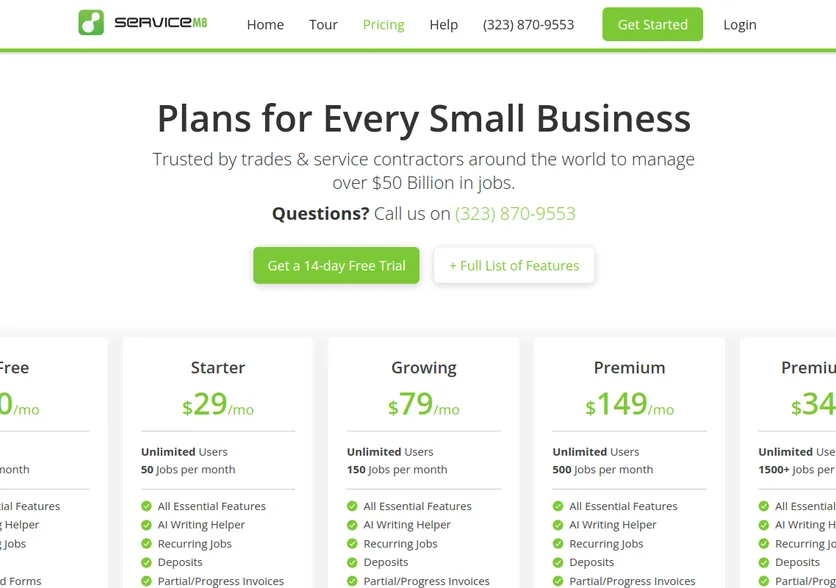
Paid tool Starting price: $29/month · Starter plan twenty-nine dollars a month for fifty jobs a month with unlimited users; Growing seventy-nine dollars for one hundred fifty jobs; Premium one hundred forty-nine dollars for five hundred jobs; Premium Plus three hundred forty-nine dollars for one thousand five hundred jobs; Free plan at zero dollars for one user and thirty jobs; monthly billing only, no annual option
Free plan: Free plan: $0 for 1 user and 30 jobs a month
ServiceM8 is the job management platform that prices by the job instead of by the user, so a growing crew does not pay more for every technician. This ServiceM8 Starter plan costs twenty-nine dollars a month for fifty jobs a month with unlimited users, and a free plan covers one user and thirty jobs. A small electrical crew gets scheduling, dispatch, quotes and invoicing without seat fees, though the job cap rises fast on a busy month.
What we like
- Pricing by job, not by user, with unlimited users
- Free plan covers one user and thirty jobs a month
- Monthly billing with no annual lock-in
Watch out for
- Starter caps at fifty jobs a month
- No annual billing option, so there is no yearly discount
How to try it
- Open the ServiceM8 pricing page and count your monthly jobs
- Start on the free plan and test a real job from quote to invoice
- Step up to Growing when you pass fifty jobs a month
3. Kickserv
Best for: Electrical businesses that want simple scheduling with a long free trial
Paid tool Starting price: $60/month · Start plan sixty dollars a month billed annually, or seventy-five dollars month to month, for up to five users; Run one hundred nineteen dollars; Scale one hundred ninety-nine dollars; twenty percent off annual billing; thirty-day free trial; no free plan
Free plan: No free plan; 30-day free trial
Kickserv is the straightforward field service platform for electrical and trade businesses, covering scheduling, dispatch, invoicing and customer records without the clutter. This Kickserv Start plan lists at sixty dollars a month billed annually for up to five users, with a thirty-day free trial and twenty percent off annual billing. A small team gets the core job workflow at a fair price, though the higher plans are the only route to advanced reporting.

What we like
- Start covers up to five users, not one
- Thirty-day free trial, the longest standard trial here
- Twenty percent off for annual billing
Watch out for
- Advanced reporting sits on the higher plans
- Smaller feature set than the big field service platforms
How to try it
- Open the Kickserv pricing page and start the thirty-day trial
- Schedule a week of jobs and test the dispatch board
- Check the user limit against your crew size before you buy
4. Housecall Pro
Best for: Electricians that want the trade package with dispatch and estimates
Paid tool Starting price: $79/month · Basic plan seventy-nine dollars a month for the electrician trade package; standard most-trades Basic is fifty-nine dollars; Essentials two hundred twenty-nine dollars individual or two hundred ninety-nine dollars team; Max three hundred forty-nine dollars individual or six hundred forty-nine dollars team
Free plan: No free plan; 14-day free trial
Housecall Pro is the home service platform with a dedicated electrician trade package, pairing dispatch, estimates, invoicing and payments with trade-specific tools. This Housecall Pro Basic plan for electricians lists at seventy-nine dollars a month, with a fourteen-day free trial and a mobile app your techs use on site. An electrical business gets online booking plus dispatch and review requests, though the electrician price runs higher than the standard most-trades rate.

What we like
- Dedicated electrician trade package with trade-specific tools
- Dispatch, estimates, invoicing and payments in one app
- Fourteen-day free trial to test the dispatch board
Watch out for
- Electrician Basic costs seventy-nine dollars, above the standard fifty-nine
- Higher plans climb steeply for teams
How to try it
- Open the Housecall Pro pricing page and pick the electrician trade view
- Set up your services and test the dispatch board
- Start the fourteen-day trial with a real week of jobs
5. RazorSync
Best for: Electrical businesses that want scheduling, dispatch and QuickBooks sync
Paid tool Starting price: $85/month · Solo plan eighty-five dollars a month billed annually, or ninety dollars month to month, for up to two users; Team one hundred ninety-five dollars for up to seven; Pro four hundred thirty-nine dollars for up to fifteen; Enterprise priced by quote; extra users fifty dollars a month
Free plan: No free plan; trial terms on the vendor pricing page
RazorSync is the field service platform for electrical and trade businesses that want scheduling, dispatch and invoicing with QuickBooks sync beside it. This RazorSync Solo plan lists at eighty-five dollars a month billed annually for up to two users, with extra users at fifty dollars a month. A small crew gets the core dispatch workflow plus optional add-ons, though the QuickBooks sync and route optimization cost extra.
What we like
- Scheduling, dispatch and invoicing with QuickBooks sync
- Solo plan covers two users at a fair price
- Route optimization and inventory as optional add-ons
Watch out for
- QuickBooks sync costs twenty dollars a month extra
- Extra users cost fifty dollars a month each
How to try it
- Open the RazorSync pricing page and compare Solo with Team
- Check whether the QuickBooks sync add-on fits your accounting
- Count your users, since extra seats cost fifty dollars a month
6. mHelpDesk
Best for: Electrical teams of three or more that want a flat price by included user count
Paid tool Starting price: $169/month · Pro plan one hundred sixty-nine dollars a month for three included users; Growth two hundred forty-nine dollars for eight users; Success three hundred seventy-four dollars for ten users; monthly billing only, no annual rate published; the rate card sits only in the vendor help center, and the marketing pricing page returns a 404
Free plan: No free plan; no free trial listed
mHelpDesk is the field service platform for service businesses that need jobs, scheduling, invoicing and QuickBooks in one established system. This mHelpDesk Pro plan lists at one hundred sixty-nine dollars a month for three included users, with monthly billing and no annual rate published. A small team gets the full job workflow with three seats included, though the price is steep for a solo operator and the rate card sits only in the vendor help center.
What we like
- Three users included on the entry plan
- Established platform with QuickBooks sync
- Month-to-month billing with no annual lock-in
Watch out for
- No free plan and no free trial listed
- Pricing page returns a 404, so the rate card is hard to find
How to try it
- Open the mHelpDesk site and ask sales for the current rate card
- Count your team against the three-user Pro limit
- Check the Growth plan if your crew runs five to eight techs
7. Service Fusion
Best for: Larger electrical businesses that want unlimited users and no contract
Paid tool Starting price: $220/month · Starter plan two hundred twenty dollars a month billed annually, or two hundred fifty-nine dollars month to month; Plus three hundred thirty-nine dollars; Pro five hundred fifty-two dollars; unlimited users and no contract
Free plan: No free plan; trial terms on the vendor pricing page
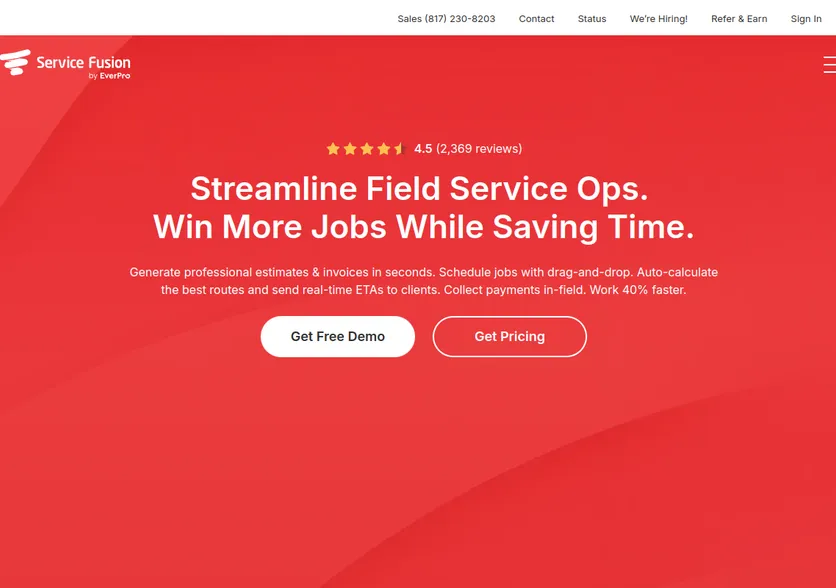
Service Fusion is the field service platform for larger electrical and trade businesses, covering scheduling, dispatch, estimates, invoicing and payments with unlimited users. This Service Fusion Starter plan lists at two hundred twenty dollars a month billed annually, with unlimited users and no contract. A bigger business gets the full workflow without seat fees, though the entry price is the highest here and the vendor raised prices in late 2026.
What we like
- Unlimited users on every plan, with no contract
- Full workflow from estimate to payment in one system
- No per-user fees as the team grows
Watch out for
- Highest entry price in this list
- Vendor raised prices in late 2026, so older reviews quote less
How to try it
- Open the Service Fusion pricing page and compare Starter with Plus
- Book a demo to see the dispatch and invoicing workflow
- Confirm the unlimited-user promise covers your whole crew
Prices above were checked on each vendor’s own website on Nov 27, 2026 and can change — the vendor’s page is the final word. Vendor links are editorial: nobody paid to be listed or ranked here. Vendors who want a featured listing can see how it works on our Get listed page.
What electrician booking software costs in 2026
Electrician software pricing splits three ways, and the split decides the bill. Per-user tools like Jobber charge for every technician, per-job tools like ServiceM8 charge for every job, and flat tools like Service Fusion charge one price no matter how big the crew grows. A busy month punishes per-job pricing, a big crew punishes per-user pricing, and a flat price punishes nobody but costs the most to start.
Start with the trial on two tools and run a real week of jobs through them. Book a call, dispatch a tech, close the job and send the invoice, then check how long each step takes. Pick the tool your technicians actually use in the field, because the best dispatch board is worthless if the crew keeps using paper.
Before you buy
- Count your technicians, because per-user pricing punishes big crews while per-job pricing punishes busy months.
- Check whether dispatch is included, because a booking tool without a dispatch board still leaves the office on the phone.
- Confirm the QuickBooks sync cost, because several tools charge twenty dollars a month extra for accounting.
- Ask how quotes turn into jobs, because a quote that needs retyping wastes the time the software should save.
- Test the mobile app with a real technician, because the crew books and closes jobs from the field, not the office.
Official websites
Official websites of the products reviewed above. Features and prices were checked against these sites when this guide was written, and they can change, so confirm on the vendor site before you buy.
Frequently asked questions
Which booking software is best for electricians in 2026?
Jobber is the best overall pick at twenty-nine dollars a month billed annually, with quoting, scheduling, dispatch and invoicing in one system. ServiceM8 is the best budget pick at twenty-nine dollars a month for fifty jobs, with unlimited users and a free plan. Housecall Pro is the best pick for electricians that want the trade package, at seventy-nine dollars a month.
How much does electrician booking software cost?
The tools here run from twenty-nine dollars a month to two hundred twenty dollars a month billed annually. The middle of the list sits near sixty to eighty-five dollars a month, which buys scheduling and dispatch for a small crew. Add-ons for QuickBooks sync, route optimization and inventory can add twenty to fifty dollars a month each.
Is there a free booking software for electricians?
ServiceM8 is the only tool here with a free plan, covering one user and thirty jobs a month at zero dollars. Kickserv offers a thirty-day free trial and Jobber and Housecall Pro offer fourteen days each. Service Fusion, RazorSync and mHelpDesk offer no free trial, so book a demo and ask for a trial account before you pay.
Per user or per job pricing?
Per-user pricing suits small crews with steady work, because the monthly bill is fixed no matter how many jobs you run. Per-job pricing suits crews that grow and shrink, because ServiceM8 charges for jobs, not seats, and unlimited users cost nothing extra. Count your technicians and your monthly jobs, then compare the yearly total for both models.
Why is ServiceTitan not in this list?
ServiceTitan is the biggest name in field service software, but it is quote-only and publishes no list price, so it cannot sit in a price comparison. The same is true of FieldEdge, which publishes no list price either. The tools here all publish a dollar price you can check on the vendor site, which is what a price comparison needs.
Need everyday business help too? Try Toolsvine's free business tools right in your browser.
Browse Business Tools tools


