
On this page
A small business does not need an enterprise chat platform, because the team is small and the budget is tight. The eight tools below run from two dollars and forty-nine cents per user a month to seven dollars and twenty-five cents, and every price was checked on the vendor site on November 27, 2026. Some charge per seat, others bundle chat with email and meetings, and most small businesses need the cheapest seat that keeps every message searchable. Slack is our first pick — the chat app staff already know, with the biggest integration library in team chat.
How we researched this
We started with the business messaging tools small businesses actually buy, then read each price on the vendor pricing page on November 27, 2026 and noted the free plan each one carries. We judged them for a small business that needs simple setup, searchable history and a price that stays low as the team grows. We dropped quote-only enterprise tools and consumer chat apps with no business admin, because a small business needs a number and a way to manage the team.
Compare the tools
| Name | Best for | Starting price | Free plan | |
|---|---|---|---|---|
 Slack | Teams that want the best-known chat with the biggest app library | $7.25/user/month | Free plan with 90 days of message history | Visit |
 Microsoft Teams | Teams already on Microsoft 365 that want cheap chat | $4/user/month | Free version of Teams available | Visit |
 Pumble | Budget teams that want unlimited message history | $2.49/user/month | Free plan with unlimited users and message history | Visit |
 Chanty | Small teams that want chat with a built-in task manager | $3/user/month | Free plan for up to 5 users | Visit |
 Flock | Small teams that want a Slack-like chat for less | $4.50/user/month | Free Starter plan with unlimited messages | Visit |
| Zoho Cliq | Businesses already on Zoho that want cheap chat | $3/user/month | Free plan with unlimited users | Visit |
 Google Workspace | Small businesses that want chat bundled with email | $7/user/month | No free plan; 14-day free trial | Visit |
| Twist | Async-first teams that prefer threads over live chat | $6/user/month | Free plan with one month of message history | Visit |
The business instant messaging software for small business, compared
1. Slack
Best for: Teams that want the best-known chat with the biggest app library
Paid tool Starting price: $7.25/user/month · Pro plan at seven dollars and twenty-five cents per user per month on annual billing, or eight dollars and seventy-five cents billed monthly; the vendor currently offers fifty percent off for three months, which is not the list price
Free plan: Free plan with 90 days of message history
For a small business, Slack is the chat app staff already know, and its integration library connects it to everything else. This Slack plan costs seven dollars and twenty-five cents per user per month on annual billing. The integration library is the reason teams stay, because alerts from the bug tracker, the deploy pipeline and the calendar all land in one place.

What we like
- The biggest app and integration library in team chat
- Channels, huddles and clips in one familiar app
- Unlimited message history on the paid plan
Watch out for
- Costs grow with every seat, including part-time staff
- AI features need the Business Plus plan
How to try it
- Open the Slack pricing page and start the Pro trial
- Create channels for each team and project
- Invite the team and connect the apps they already use
2. Microsoft Teams
Best for: Teams already on Microsoft 365 that want cheap chat
Paid tool Starting price: $4/user/month · Teams Essentials at four dollars per user per month on annual billing, or four dollars and eighty cents billed monthly
Free plan: Free version of Teams available
Microsoft Teams is the cheapest paid chat for a small business, and it bundles meetings and files with the messages. This Microsoft Teams plan costs four dollars per user per month on annual billing. For a team already on Microsoft 365, the chat, meetings and files live in one app with one login.

What we like
- Cheapest paid business chat in this comparison
- Meetings, chat and file sharing in one app
- Fits teams already paying for Microsoft 365
Watch out for
- Essentials has no desktop Office apps included
- Storage is ten gigabytes per user on Essentials
How to try it
- Open the Microsoft Teams pricing page and pick Essentials
- Create teams for each department or project
- Invite staff and set up the meeting calendar
3. Pumble
Best for: Budget teams that want unlimited message history
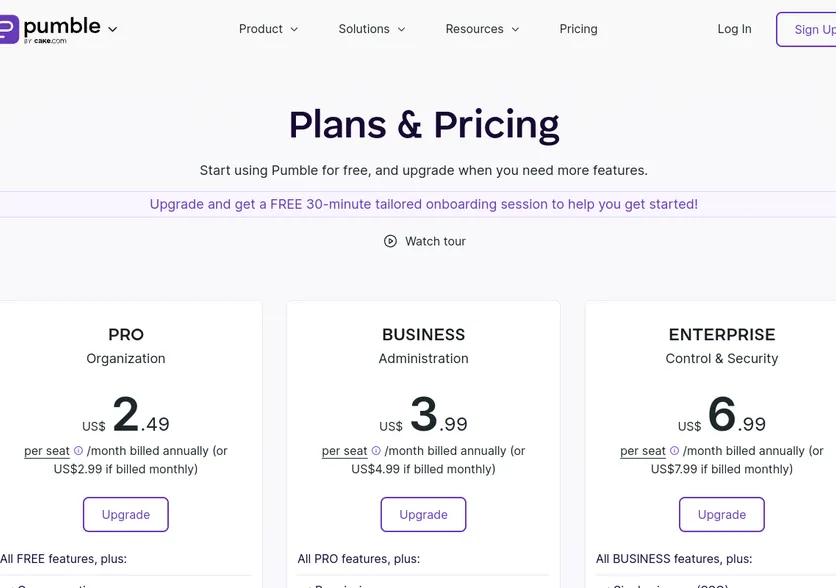
Paid tool Starting price: $2.49/user/month · Pro plan at two dollars and forty-nine cents per user per month on annual billing, or two dollars and ninety-nine cents billed monthly
Free plan: Free plan with unlimited users and message history
Pumble is the budget pick for a small business that wants full message history without paying Slack prices. This Pumble plan costs two dollars and forty-nine cents per user per month on annual billing. Unlimited message history on the free plan is the headline feature, because a decision made six months ago stays searchable.
What we like
- Cheapest paid seat in this comparison
- Free plan keeps every message searchable forever
- Group meetings and screen sharing on Pro
Watch out for
- No built-in task manager, unlike some rivals
- Smaller integration library than Slack
How to try it
- Open the Pumble pricing page and create a free workspace
- Set up channels for the team and its projects
- Upgrade to Pro when group calls are needed
4. Chanty
Best for: Small teams that want chat with a built-in task manager
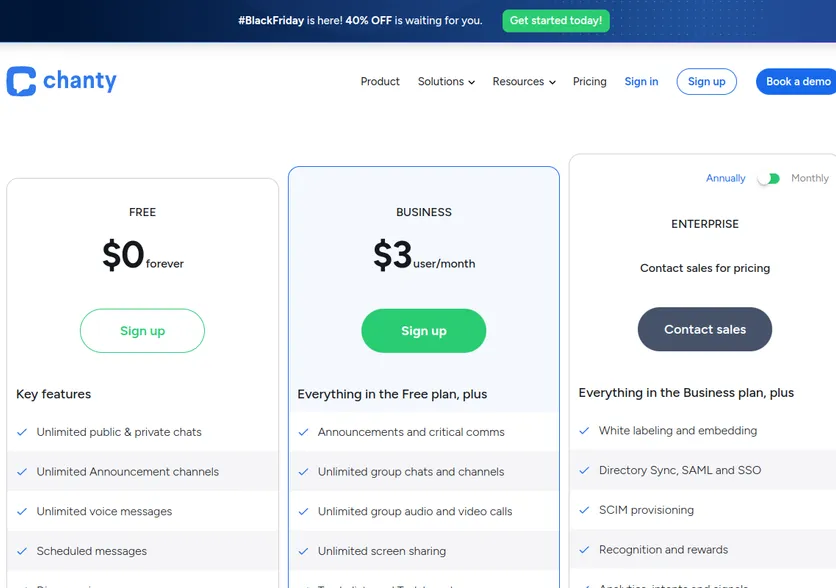
Paid tool Starting price: $3/user/month · Business plan at three dollars per user per month on annual billing, or four dollars billed monthly
Free plan: Free plan for up to 5 users
Chanty suits a small business that wants chat and a simple task manager in one app. This Chanty plan costs three dollars per user per month on annual billing. The built-in task manager turns a chat message into an assigned task, so follow-ups stop getting lost in the conversation.
What we like
- Built-in task manager beside the chat
- Simple setup that a small team learns in minutes
- Unlimited message history on the free plan
Watch out for
- Free plan stops at five users
- Small ecosystem of third-party integrations
How to try it
- Open the Chanty pricing page and create a free team
- Add tasks to the chat so work stays visible
- Upgrade to Business when the team passes five people
5. Flock
Best for: Small teams that want a Slack-like chat for less
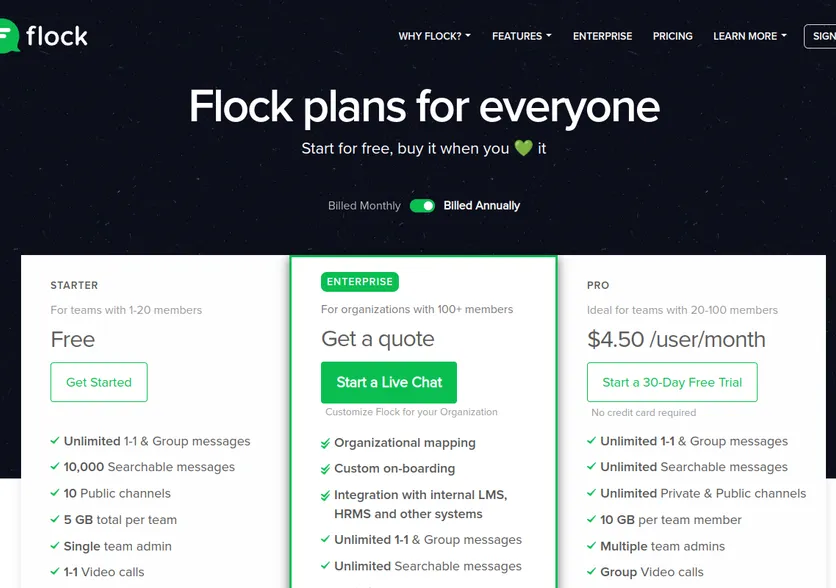
Paid tool Starting price: $4.50/user/month · Pro plan at four dollars and fifty cents per user per month
Free plan: Free Starter plan with unlimited messages
Flock gives a small business a Slack-like chat at a lower price, with video calls built in. This Flock plan costs four dollars and fifty cents per user per month on annual billing. The familiar layout means staff need no training, and the built-in polls and notes cover the small jobs a team chat handles daily.
What we like
- Slack-like interface that needs no training
- Built-in video calls and screen sharing
- Productivity apps like polls and notes included
Watch out for
- Free plan search covers only the latest ten thousand messages
- Smaller integration library than Slack or Teams
How to try it
- Open the Flock pricing page and create a free team
- Set up channels and invite the staff
- Upgrade to Pro for group video and full search
6. Zoho Cliq
Best for: Businesses already on Zoho that want cheap chat
Paid tool Starting price: $3/user/month · Unlimited plan at three dollars per user per month for smaller teams; the per-user rate falls for very large organisations, so confirm the tier for your headcount on the vendor page
Free plan: Free plan with unlimited users
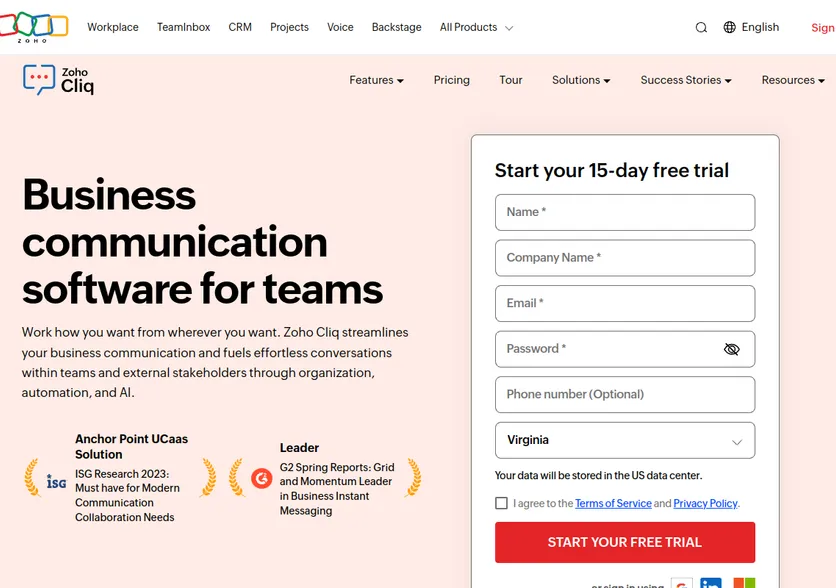
Zoho Cliq costs almost nothing for a small business already running Zoho apps. This Zoho Cliq plan costs three dollars per user per month on annual billing. For a business already on Zoho, the chat plugs into CRM and Projects, so customer records surface inside the conversation.
What we like
- Nearly free to add for teams already on Zoho
- Plugs into Zoho CRM, Projects and Books
- Unlimited searchable messages on the paid plan
Watch out for
- Interface feels plain next to Slack
- Fewer third-party integrations outside Zoho
How to try it
- Open the Zoho Cliq pricing page and pick Unlimited
- Create channels for each team and project
- Connect the Zoho apps the business already uses
7. Google Workspace
Best for: Small businesses that want chat bundled with email
Paid tool Starting price: $7/user/month · Business Starter at seven dollars per user per month on annual billing, or eight dollars and forty cents on the flexible plan; new customers may see a lower introductory rate for the first months, which is not the list price
Free plan: No free plan; 14-day free trial
Google Workspace gives a small business chat, email, Drive and Meet in one subscription. This Google Workspace plan costs seven dollars per user per month on annual billing. Chat comes bundled with business email, Drive and Meet, so a small business pays once for the whole suite.

What we like
- Gmail, Drive, Meet and Chat in one subscription
- Google Chat included with business email
- Thirty gigabytes of pooled storage per user on Starter
Watch out for
- No free plan, so every seat is paid from day one
- Chat is simpler than a dedicated messaging app
How to try it
- Open the Google Workspace pricing page and start the trial
- Set up the business domain and user accounts
- Open Google Chat and create spaces for each team
8. Twist
Best for: Async-first teams that prefer threads over live chat
Paid tool Starting price: $6/user/month · Unlimited plan at six dollars per user per month; the vendor page shows a euro symbol for some visitors with a footnote that Unlimited prices are in US dollars, so confirm the currency at checkout
Free plan: Free plan with one month of message history
Twist suits a small business that prefers calm, threaded discussion over a chat feed that never stops. This Twist plan costs six dollars per user per month on annual billing. Threads keep each topic in one place, so a team across time zones can catch up without reading a wall of chat.
What we like
- Threaded conversations that never scroll away
- Built for async work across time zones
- Calm by design, with no always-on pressure
Watch out for
- No real-time feel for teams that need instant replies
- Free plan keeps only one month of history
How to try it
- Open the Twist pricing page and create a free team
- Set up a channel per topic, not per moment
- Upgrade to Unlimited for full history and storage
Prices above were checked on each vendor’s own website on Nov 27, 2026 and can change — the vendor’s page is the final word. Vendor links are editorial: nobody paid to be listed or ranked here. Vendors who want a featured listing can see how it works on our Get listed page.
What small businesses pay for instant messaging in 2026
Small business messaging is a seat-count problem, and the bill is easy to misread if you price only the headline rate. Per-seat chat multiplies with every hire, while a bundled suite can cost less once the business also needs email and meetings, so count every seat before you compare totals. A free plan with searchable history can carry a tiny team for months, while a paid plan pays for itself when the ninety-day history wall starts hiding decisions. Add the suite to the price before you decide.
Start with a free plan on two tools and run a real week of work on each, with the same team and the same projects. Compare how fast staff find an old decision, how clear the channels look, and whether the free plan hides anything the team needs. Pick the chat whose history the team can actually search, because a cheap tool that forgets costs more than a dear one that remembers.
Before you buy
- Count every paid seat, including part-time staff, because per-seat prices multiply fast.
- Check the message history limit, because a ninety-day wall hides old decisions.
- Confirm the free plan covers the whole team before you pay for seats.
- Test the search, because a chat nobody can search is a chat nobody trusts.
- Separate the trial from the rollout, because a tool that works for three people may fail for thirty.
Official websites
Official websites of the products reviewed above. Features and prices were checked against these sites when this guide was written, and they can change, so confirm on the vendor site before you buy.
Frequently asked questions
Which business instant messaging software is best for small business in 2026?
Slack is the best overall pick for small businesses, with the chat app staff already know and the biggest integration library. Pumble is the best budget pick, with unlimited history on the free plan and Pro from two dollars and forty-nine cents. Microsoft Teams is the best choice for businesses already on Microsoft 365, at four dollars a user.
How much does business instant messaging software cost?
Tools in this list run from two dollars and forty-nine cents to seven dollars and twenty-five cents per user a month, with free plans on most of them. A five-person team pays from about twelve dollars a month on the cheapest paid plan to about thirty-six dollars on Slack Pro. Bundled suites like Google Workspace cost seven dollars a user but also cover email and meetings.
Is there a free business instant messaging tool?
Yes, several. Pumble has a free plan with unlimited users and unlimited message history, Slack has a free plan with ninety days of history, and Zoho Cliq has a free plan with unlimited users. Microsoft Teams also has a free version. Use the free plan until the history limit or the seat limit starts to bite, then pay.
What should a small business check before buying chat software?
Check the message history limit first, because a ninety-day wall hides old decisions. Count every paid seat, including part-time staff. Confirm the integrations the business already uses are included, and test the search with a real question from last month. If the tool cannot find it, the team will not trust it.
Is Slack worth it for a small business?
Slack is worth it when the team uses many other apps, because its integration library connects them all to the chat. At seven dollars and twenty-five cents per user a month, a five-person team pays about thirty-six dollars a month. If the team only needs chat and history, Pumble or Chanty cost far less and may suit the business better.
Need everyday help too? Try Toolsvine's free business tools right in your browser.
Browse Business Tools tools


