
On this page
A startup cannot afford to pay for chat twice, because the team grows fast and every seat adds to the bill. The eight tools below run from free to twenty-nine dollars a month flat, and every price was checked on the vendor site on November 27, 2026. Some are free to start, others bundle chat with email and tasks, and most startups need the cheapest seat that scales without a surprise. Slack is our first pick — the default team chat, with the app library a growing startup needs.
How we researched this
We started with the business messaging tools startups actually use, then read each price on the vendor pricing page on November 27, 2026 and noted the free plan each one carries. We judged them for a startup that needs a free start, searchable history and a price that stays fair as the team grows. We dropped quote-only enterprise tools and consumer apps with no team admin, because a startup needs a number and a way to manage the team as it scales.
Compare the tools
| Name | Best for | Starting price | Free plan | |
|---|---|---|---|---|
 Slack | Teams that want the best-known chat with the biggest app library | $7.25/user/month | Free plan with 90 days of message history | Visit |
 Pumble | Budget teams that want unlimited message history | $2.49/user/month | Free plan with unlimited users and message history | Visit |
 Chanty | Small teams that want chat with a built-in task manager | $3/user/month | Free plan for up to 5 users | Visit |
 Discord | Startups that want a free server with voice channels | $9.99/month | Free server with unlimited message history | Visit |
| Mattermost | Teams that want to self-host their messages | $10/user/month | Free self-hosted Team Edition | Visit |
| Rocket.Chat | Teams that want open source chat with omnichannel inbox | $8/user/month | Free self-hosted Community Edition | Visit |
 Basecamp | Startups that want chat, tasks and docs in one calm app | $29/month | Free plan for small teams | Visit |
 Google Workspace | Small businesses that want chat bundled with email | $7/user/month | No free plan; 14-day free trial | Visit |
The business instant messaging software for startups, compared
1. Slack
Best for: Teams that want the best-known chat with the biggest app library
Paid tool Starting price: $7.25/user/month · Pro plan at seven dollars and twenty-five cents per user per month on annual billing, or eight dollars and seventy-five cents billed monthly; the vendor currently offers fifty percent off for three months, which is not the list price
Free plan: Free plan with 90 days of message history
For a startup, Slack is the default team chat because new hires already know it and the app library covers everything. This Slack plan costs seven dollars and twenty-five cents per user per month on annual billing. The integration library is the reason teams stay, because alerts from the bug tracker, the deploy pipeline and the calendar all land in one place.

What we like
- The biggest app and integration library in team chat
- Channels, huddles and clips in one familiar app
- Unlimited message history on the paid plan
Watch out for
- Costs grow with every seat, including part-time staff
- AI features need the Business Plus plan
How to try it
- Open the Slack pricing page and start the Pro trial
- Create channels for each team and project
- Invite the team and connect the apps they already use
2. Pumble
Best for: Budget teams that want unlimited message history
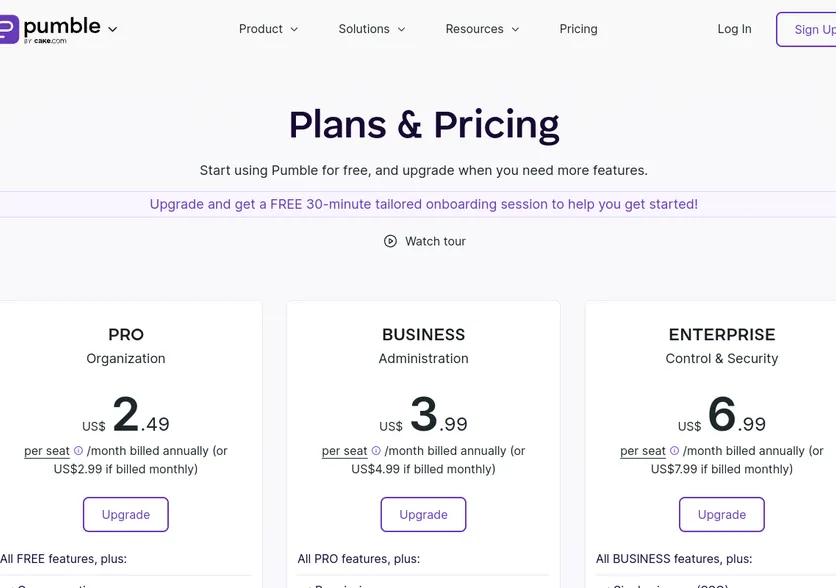
Paid tool Starting price: $2.49/user/month · Pro plan at two dollars and forty-nine cents per user per month on annual billing, or two dollars and ninety-nine cents billed monthly
Free plan: Free plan with unlimited users and message history
Pumble is the startup pick for a team that wants unlimited history on a tiny budget. This Pumble plan costs two dollars and forty-nine cents per user per month on annual billing. Unlimited message history on the free plan is the headline feature, because a decision made six months ago stays searchable.
What we like
- Cheapest paid seat in this comparison
- Free plan keeps every message searchable forever
- Group meetings and screen sharing on Pro
Watch out for
- No built-in task manager, unlike some rivals
- Smaller integration library than Slack
How to try it
- Open the Pumble pricing page and create a free workspace
- Set up channels for the team and its projects
- Upgrade to Pro when group calls are needed
3. Chanty
Best for: Small teams that want chat with a built-in task manager
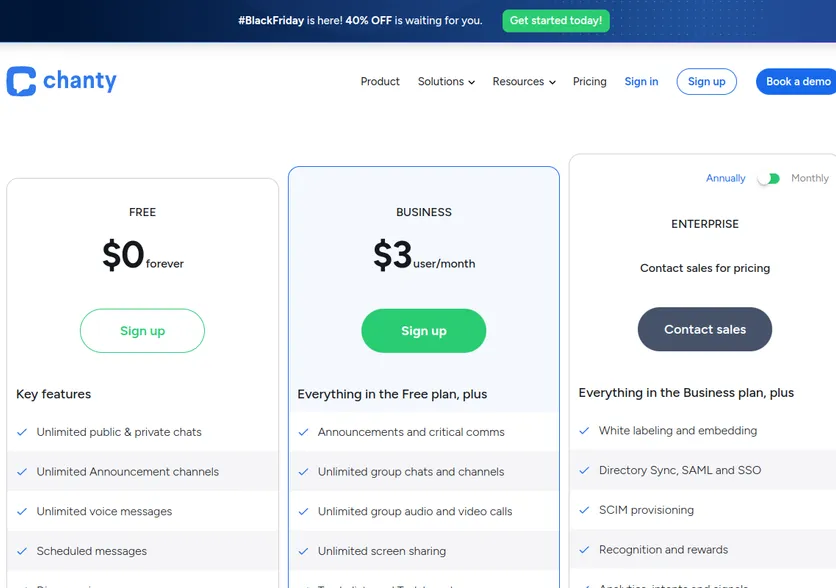
Paid tool Starting price: $3/user/month · Business plan at three dollars per user per month on annual billing, or four dollars billed monthly
Free plan: Free plan for up to 5 users
Chanty gives a startup chat plus a task manager, so a small team needs one app instead of two. This Chanty plan costs three dollars per user per month on annual billing. The built-in task manager turns a chat message into an assigned task, so follow-ups stop getting lost in the conversation.
What we like
- Built-in task manager beside the chat
- Simple setup that a small team learns in minutes
- Unlimited message history on the free plan
Watch out for
- Free plan stops at five users
- Small ecosystem of third-party integrations
How to try it
- Open the Chanty pricing page and create a free team
- Add tasks to the chat so work stays visible
- Upgrade to Business when the team passes five people
4. Discord
Best for: Startups that want a free server with voice channels
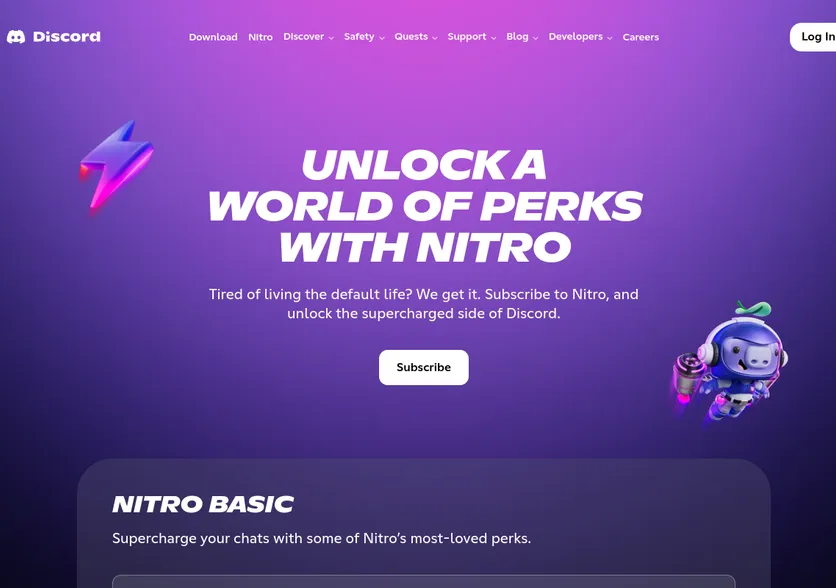
Paid tool Starting price: $9.99/month · Nitro at nine dollars and ninety-nine cents a month, or ninety-nine dollars and ninety-nine cents a year; a free server with unlimited message history costs nothing
Free plan: Free server with unlimited message history
Discord gives a startup a free home for its team and its community, with voice channels always open. This Discord Nitro plan costs nine dollars and ninety-nine cents a month for Nitro, while a server itself costs nothing, while a server itself costs nothing. Voice channels act like open rooms the team can drop into, and the free server keeps every message searchable.
What we like
- Free servers with unlimited history and voice channels
- Voice channels that feel like always-open rooms
- Huge community features for public groups
Watch out for
- Built for communities first, so business admin tools are thin
- Nitro is per person, not per team
How to try it
- Open Discord and create a free server for the team
- Set up text and voice channels for each group
- Add Nitro only for members who need the extra perks
5. Mattermost
Best for: Teams that want to self-host their messages
Paid tool Starting price: $10/user/month · Professional plan at ten dollars per user per month is the last published price; the vendor no longer lists a dollar price on its pricing page, so confirm the current figure with Mattermost before buying
Free plan: Free self-hosted Team Edition
Mattermost suits a startup that wants to own its messages, with self-hosting from day one. This Mattermost Professional plan lists at ten dollars per user per month, though the vendor no longer publishes the figure on its own page. Self-hosting keeps every message on the team's own servers, which matters when the work is sensitive.
What we like
- Self-hosted option keeps messages on your own servers
- Open source core with strong security controls
- Playbooks for incident response built in
Watch out for
- Self-hosting needs IT time to run and update
- Paid price is no longer published on the vendor page
How to try it
- Open the Mattermost pricing page and compare the plans
- Try the free self-hosted edition or the cloud trial
- Set up channels and the playbooks the team needs
6. Rocket.Chat
Best for: Teams that want open source chat with omnichannel inbox
Paid tool Starting price: $8/user/month · Pro plan at eight dollars per user per month is the last published price; the vendor no longer lists a dollar price on its pricing page, so confirm the current figure with Rocket.Chat before buying
Free plan: Free self-hosted Community Edition
Rocket Chat gives a startup open source chat plus an omnichannel inbox for customer messages. This Rocket Chat Pro plan lists at eight dollars per user per month, though the vendor no longer publishes the figure on its own page. The omnichannel inbox pulls WhatsApp, SMS and web chat into one queue, so customers reach the team however they prefer.
What we like
- Open source chat with full control over data
- Omnichannel inbox for WhatsApp, SMS and web chat
- Self-hosted option for regulated teams
Watch out for
- Self-hosting needs technical staff to maintain
- Paid price is no longer published on the vendor page
How to try it
- Open the Rocket.Chat pricing page and compare the plans
- Start with the free Community Edition or a trial
- Connect the channels customers already message on
7. Basecamp
Best for: Startups that want chat, tasks and docs in one calm app
Paid tool Starting price: $29/month · Freelancer plan at twenty-nine dollars a month flat; Pro $79; Pro Plus $99; Pro Unlimited $199 a month billed annually
Free plan: Free plan for small teams
Basecamp gives a startup chat, tasks and docs in one calm app, so the team stops buying tools. This Basecamp Freelancer plan costs twenty-nine dollars a month flat. Chat sits beside tasks, docs and schedules, so a startup can run the whole business from one calm app.

What we like
- Chat, tasks, docs and schedules in one calm app
- Flat-rate option suits teams that keep growing
- Clients get their own view without extra seats
Watch out for
- Chat is one feature among many, not the focus
- Fewer integrations than Slack or Teams
How to try it
- Open the Basecamp pricing page and start the free plan
- Create a project and turn on the chat tool
- Invite the team and the clients who need access
8. Google Workspace
Best for: Small businesses that want chat bundled with email
Paid tool Starting price: $7/user/month · Business Starter at seven dollars per user per month on annual billing, or eight dollars and forty cents on the flexible plan; new customers may see a lower introductory rate for the first months, which is not the list price
Free plan: No free plan; 14-day free trial
Google Workspace gives a startup email, chat, Drive and Meet in a single subscription. This Google Workspace plan costs seven dollars per user per month on annual billing. Chat comes bundled with business email, Drive and Meet, so a small business pays once for the whole suite.

What we like
- Gmail, Drive, Meet and Chat in one subscription
- Google Chat included with business email
- Thirty gigabytes of pooled storage per user on Starter
Watch out for
- No free plan, so every seat is paid from day one
- Chat is simpler than a dedicated messaging app
How to try it
- Open the Google Workspace pricing page and start the trial
- Set up the business domain and user accounts
- Open Google Chat and create spaces for each team
Prices above were checked on each vendor’s own website on Nov 27, 2026 and can change — the vendor’s page is the final word. Vendor links are editorial: nobody paid to be listed or ranked here. Vendors who want a featured listing can see how it works on our Get listed page.
What startups pay for instant messaging in 2026
Startup messaging is a growth problem, and the bill is easy to misread if you price only the first five seats. Per-seat chat multiplies with every hire, while a free plan with unlimited history can carry a startup for months before the first payment. A self-hosted option can cost less in seats but more in engineering time, so count the admin hours beside the subscription. Add the growth to the price before you decide.
Start with a free plan on two tools and run a real week of work on each, with the same team and the same projects. Compare how fast new hires find an old decision, how clear the channels look, and whether the free plan hides anything the team needs. Pick the chat that scales without a surprise bill, because a cheap tool that jumps in price at twenty seats costs more than a dear one that grows steadily.
Before you buy
- Check the free plan limits, because a startup outgrows seat and history caps fast.
- Count the cost at twenty seats, not five, because per-seat prices multiply as the team grows.
- Confirm the price is published, because a quote-only tool hides the real cost.
- Test the search with a decision from last month, because a chat nobody can search is a chat nobody trusts.
- Separate the trial from the rollout, because a tool that works for five people may fail for fifty.
Official websites
Official websites of the products reviewed above. Features and prices were checked against these sites when this guide was written, and they can change, so confirm on the vendor site before you buy.
Frequently asked questions
Which business instant messaging software is best for startups in 2026?
Slack is the best overall pick for startups, with the default team chat and the app library a growing team needs. Discord is the best free pick, with a free server, unlimited history and voice channels always open. Pumble is the best budget pick, with unlimited history on the free plan and Pro from two dollars and forty-nine cents.
How much does business instant messaging software cost for a startup?
Most tools in this list have free plans, and paid seats run from two dollars and forty-nine cents to twenty-nine dollars a month flat. A ten-person startup pays from about twenty-five dollars a month on the cheapest paid plan to about seventy-three dollars on Slack Pro. Self-hosted options cost nothing in seats but need engineering time to run.
Is there a free business instant messaging tool for startups?
Yes, several. Discord has a free server with unlimited message history, Pumble has a free plan with unlimited users and history, and Mattermost and Rocket.Chat have free self-hosted editions. Slack has a free plan with ninety days of history. Use the free tier until the limits start to bite, then pay.
Should a startup self-host its team chat?
Self-hosting suits a technical startup that already runs servers and cares about owning its messages. Mattermost and Rocket.Chat both offer free self-hosted editions with strong security controls. The trade-off is engineering time, because the team must update and maintain the server, so count those hours beside the subscription you save.
What should a startup check before buying chat software?
Check the free plan limits first, because a startup outgrows seat and history caps fast. Price the tool at twenty seats, not five, because per-seat costs multiply as the team grows. Confirm the price is published on the vendor page, and test the search with a real decision from last month before you commit.
Need everyday help too? Try Toolsvine's free business tools right in your browser.
Browse Business Tools tools


