
On this page
A restaurant phone rings hardest when the staff are busiest, which is exactly when a missed reservation hurts most. The eight tools below run from ten dollars a user a month to twenty dollars, and every price was checked on the vendor site on November 27, 2026. A shared number, texting and a simple menu matter more than advanced features, because the host stand has seconds, not minutes. Ooma Office is our first pick — desk phones and a receptionist menu that work during the dinner rush.
How we researched this
We started with the business phone systems restaurant owners actually buy, then read each price on the vendor pricing page on November 27, 2026 and noted the trial each plan carries. We judged them for a restaurant front of house that fields reservations and takeout calls, routes callers fast and needs a number the whole host team can answer. We dropped Talkdesk because it sells by quote with no published price, and MightyCall stayed in the list because its IVR menu suits restaurants with reservations, takeout and catering lines.
Compare the tools
| Name | Best for | Starting price | Free plan | |
|---|---|---|---|---|
 Ooma Office | Restaurants that need desk phones and a receptionist menu | $19.95/user/month | No free plan; free trial available | Visit |
 Grasshopper | Small restaurants that want one flat-rate number | $14/month | No free plan; 7-day money-back guarantee | Visit |
 Phone.com | Restaurants with moderate call volume | $15/user/month | No free plan; 30-day money-back guarantee | Visit |
 MightyCall | Restaurant groups that need an IVR menu | $20/user/month | No free plan; 7-day free trial | Visit |
 Quo | Restaurants that take reservations by text | $15/user/month | No free plan; 7-day free trial | Visit |
 Google Voice | Small restaurants already on Google Workspace | $10/user/month | Free personal plan available; business plans are paid add-ons | Visit |
 Dialpad Connect | Restaurants that want every catering call transcribed | $15/user/month | No free plan; 14-day free trial | Visit |
 Nextiva | Restaurant chains with several locations | $15/user/month | No free plan; sales demo available | Visit |
The business phone software for restaurants, compared
1. Ooma Office
Best for: Restaurants that need desk phones and a receptionist menu
Paid tool Starting price: $19.95/user/month · Office Essentials lists at nineteen dollars and ninety-five cents per user a month with no annual discount; Pro lists at twenty-four dollars and ninety-five cents and Pro Plus at twenty-nine dollars and ninety-five cents, plus a one-time activation fee of twenty-nine dollars and ninety-five cents
Free plan: No free plan; free trial available
A restaurant front of house needs desk phones that work during the dinner rush, and Ooma Office is built for that. This Ooma Office Essentials plan lists at nineteen dollars and ninety-five cents per user a month with no annual discount, while Pro lists at twenty-four dollars and ninety-five cents and Pro Plus at twenty-nine dollars and ninety-five cents. The virtual receptionist routes callers to reservations, takeout or the manager without tying up staff.
What we like
- One flat rate with no contract and no annual billing games
- Virtual receptionist and a free toll-free number on every plan
- Unlimited calling to the US, Canada, Mexico and Puerto Rico
Watch out for
- Essentials has no texting, so texting teams need Pro
- A one-time activation fee of twenty-nine dollars and ninety-five cents applies
How to try it
- Open the Ooma Office pricing page and compare the three tiers
- Check whether you need texting before you pick Essentials
- Order the base station or desk phones your office needs
2. Grasshopper
Best for: Small restaurants that want one flat-rate number
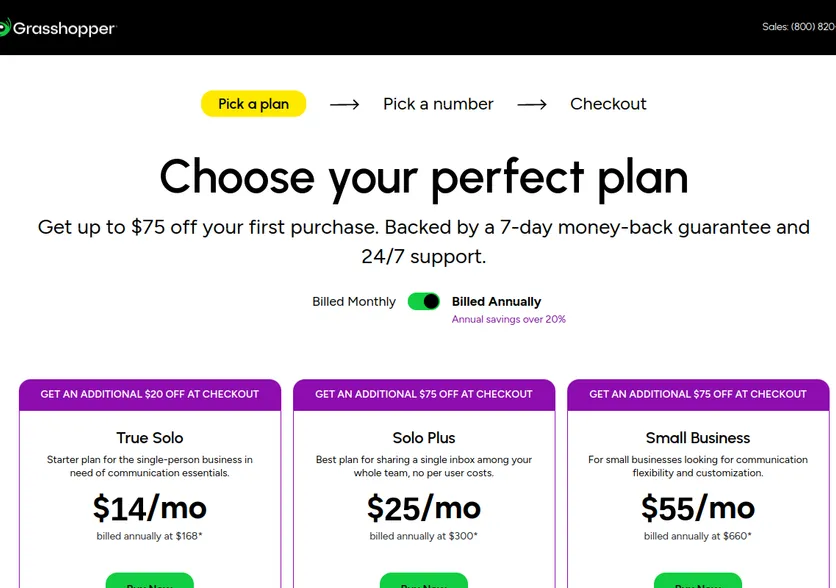
Paid tool Starting price: $14/month · True Solo lists at fourteen dollars a month on annual billing for one user, one number and one extension; Solo Plus lists at twenty-five dollars a month with unlimited users, and Small Business at fifty-five dollars a month
Free plan: No free plan; 7-day money-back guarantee
A small restaurant needs one number for reservations and takeout, and Grasshopper covers it at a flat rate. This Grasshopper True Solo plan lists at fourteen dollars a month on annual billing, while Solo Plus lists at twenty-five dollars a month and Small Business at fifty-five dollars a month. Extensions for the host stand, the kitchen and the manager keep calls moving during service.
What we like
- Flat monthly pricing with no per-user fee on Solo Plus
- Unlimited users share one number on Solo Plus
- Fast setup with no technical knowledge needed
Watch out for
- True Solo covers one user only, so a second person needs Solo Plus
- Call recording and IVR start on Solo Plus, not True Solo
How to try it
- Open the Grasshopper pricing page and count the numbers you need
- Pick True Solo for one person or Solo Plus for a shared line
- Add extra numbers at nine dollars a month each if you need more
3. Phone.com
Best for: Restaurants with moderate call volume
Paid tool Starting price: $15/user/month · Basic lists at fifteen dollars per user a month on annual billing for one to four users, or eighteen dollars billed month to month, with lower rates at larger team sizes; Plus lists at twenty-two dollars and fifty cents and Pro at thirty-three dollars and thirty-three cents
Free plan: No free plan; 30-day money-back guarantee
A restaurant with moderate call volume can save on a metered plan, and Phone Basic starts at fifteen dollars. This Phone Basic plan lists at fifteen dollars per user a month on annual billing for one to four users, or eighteen dollars billed month to month, with Plus at twenty-two dollars and fifty cents. Mixing tiers lets the host stand run unlimited calling while the office stays on Basic.
What we like
- Mix different plan tiers across users on one account
- Fifty plus calling features included on every plan
- Vanity and toll-free numbers are easy to claim
Watch out for
- Basic is metered at five hundred minutes, so heavy callers need Plus
- Call recording costs eight dollars a month extra on Basic and Plus
How to try it
- Open the Phone.com pricing page and check your team size band
- Pick Basic for light callers and Plus for unlimited calling
- Add call recording if your team needs it for training
4. MightyCall
Best for: Restaurant groups that need an IVR menu
Paid tool Starting price: $20/user/month · Core lists at twenty dollars per user a month on annual billing, or twenty-five dollars billed month to month, with a three-user minimum; Pro lists at thirty-eight dollars and Power at fifty-four dollars
Free plan: No free plan; 7-day free trial
A restaurant group needs an IVR menu for reservations, takeout and catering, and MightyCall includes it from Core. This MightyCall Core plan lists at twenty dollars per user a month on annual billing, or twenty-five dollars billed month to month, with Pro at thirty-eight dollars and Power at fifty-four dollars. Three numbers on Core separate reservations, takeout and catering lines.
What we like
- Three phone numbers included on the entry plan
- Multi-level IVR and call recording from Core
- CRM integrations and API access from the first plan
Watch out for
- A three-user minimum makes the smallest bill sixty dollars a month
- Live call monitoring and AI summaries need Pro
How to try it
- Open the MightyCall pricing page and note the three-user minimum
- Start the seven day trial and set up the IVR menu
- Test call recording and voicemail to text with a real call
5. Quo
Best for: Restaurants that take reservations by text
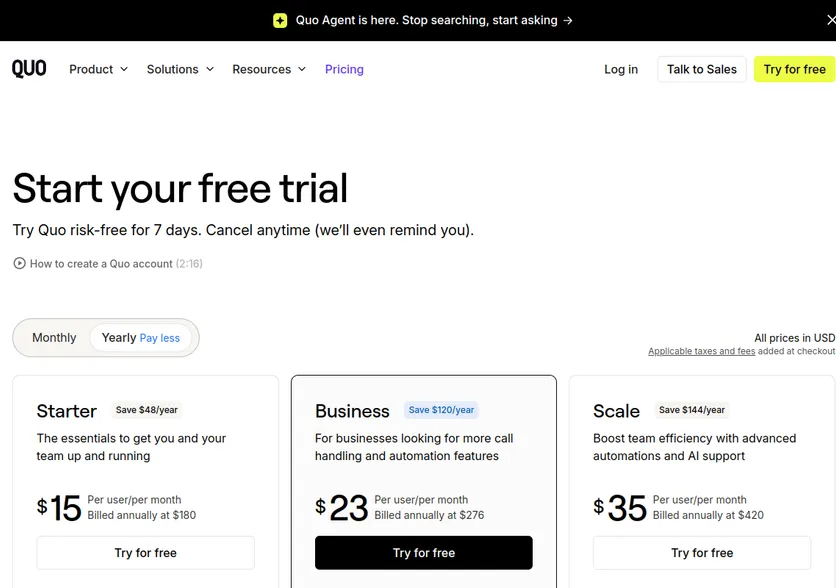
Paid tool Starting price: $15/user/month · Starter lists at fifteen dollars per user a month on annual billing, or nineteen dollars billed month to month; Business lists at twenty-three dollars and Scale at thirty-five dollars
Free plan: No free plan; 7-day free trial
Restaurant staff answer reservation texts between tables, and Quo puts calls and texts in one inbox. This Quo Starter plan lists at fifteen dollars per user a month on annual billing, or nineteen dollars billed month to month, with Business at twenty-three dollars and Scale at thirty-five dollars. Shared numbers let the host team answer reservation texts from any phone.
What we like
- Shared numbers let a whole team answer one line
- Unlimited calling and texting to the US and Canada
- AI agent Sona answers calls on every plan
Watch out for
- Phone menus and CRM integrations start on Business at twenty-three dollars
- Calling and texting cover the US and Canada only
How to try it
- Open the Quo pricing page and compare Starter, Business and Scale
- Start the seven day trial with your main business number
- Set up the shared number and snippets your team will use daily
6. Google Voice
Best for: Small restaurants already on Google Workspace
Paid tool Starting price: $10/user/month · Voice Starter lists at ten dollars per user a month as a Google Workspace add-on, with Standard at twenty dollars and Premier at thirty dollars; a paid Workspace subscription is billed separately on top
Free plan: Free personal plan available; business plans are paid add-ons
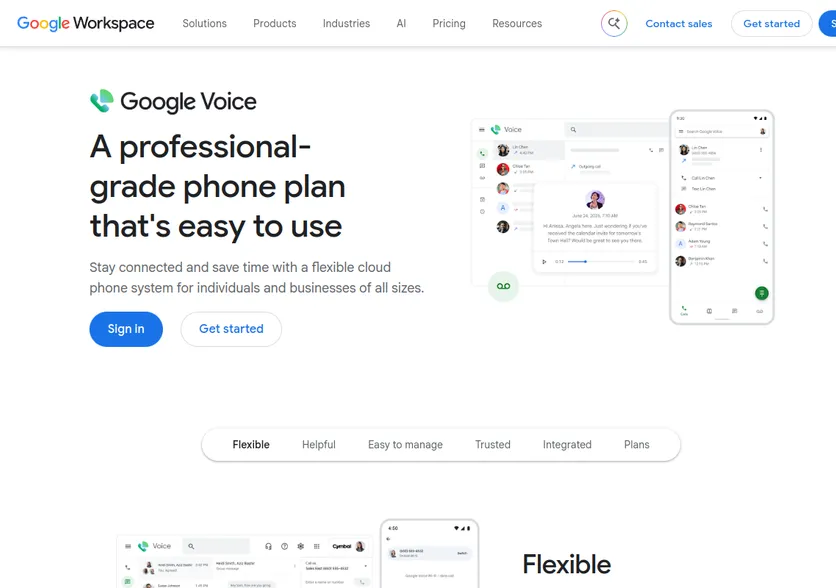
A small restaurant already on Google Workspace can add a phone line for ten dollars, and Google Voice keeps it simple. This Google Voice Starter plan lists at ten dollars per user a month as a Google Workspace add-on, with Standard at twenty dollars and Premier at thirty dollars. One number rings on the host stand phone and the manager's mobile, so no reservation is missed.
What we like
- One number that rings on every device you own
- Voicemail transcription and call forwarding included
- Fits teams already paying for Google Workspace
Watch out for
- Every business plan needs a paid Workspace subscription on top
- Starter caps at ten users and has no auto attendant
How to try it
- Open the Google Voice page and check your Workspace plan
- Pick Starter for up to ten users or Standard for routing
- Port your number and set up call forwarding rules
7. Dialpad Connect
Best for: Restaurants that want every catering call transcribed
Paid tool Starting price: $15/user/month · Connect Standard lists at fifteen dollars per user a month on annual billing, or twenty-seven dollars billed month to month; Pro lists at twenty-five dollars
Free plan: No free plan; 14-day free trial
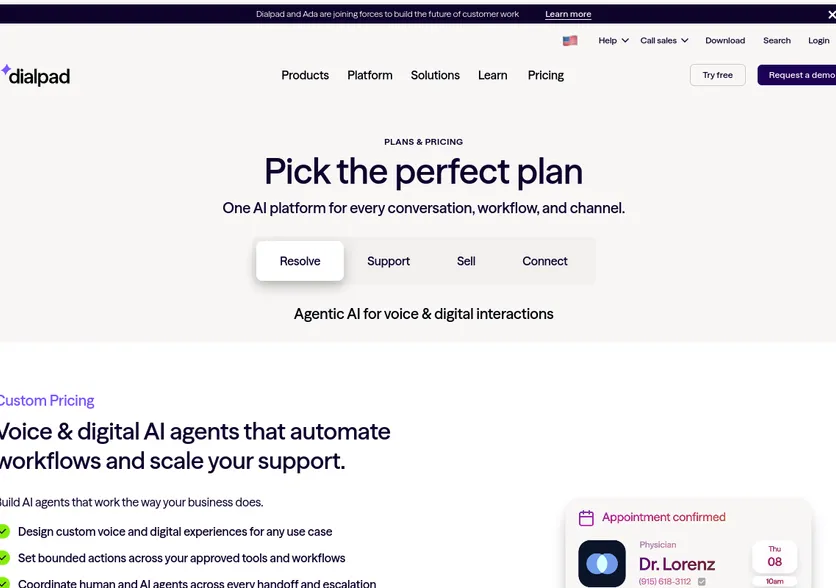
Restaurant managers want a record of catering inquiries, and Dialpad transcribes every call. This Dialpad Connect Standard plan lists at fifteen dollars per user a month on annual billing, or twenty-seven dollars billed month to month, with Pro at twenty-five dollars. AI summaries give the manager a written log of catering requests and complaints.
What we like
- Live transcription and AI call summaries on every plan
- No seat minimum on Standard, so a solo user can start
- Voice, video and messaging in one workspace
Watch out for
- CRM integrations need the Pro plan at twenty-five dollars a user
- Monthly billing nearly doubles the Standard rate
How to try it
- Open the Dialpad pricing page and pick the Connect tab
- Start the fourteen day trial and test live transcription
- Check whether your CRM needs Pro before you buy
8. Nextiva
Best for: Restaurant chains with several locations
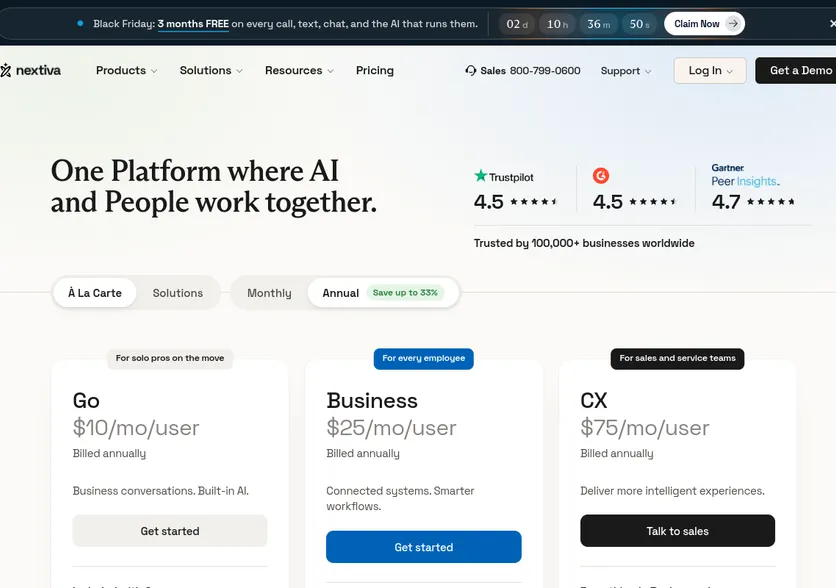
Paid tool Starting price: $15/user/month · Core lists at fifteen dollars per user a month on annual billing, or about twenty-three dollars billed month to month; Engage lists at twenty-five dollars and Scale at seventy-five dollars
Free plan: No free plan; sales demo available
A restaurant chain needs unlimited calling at every location, and Nextiva Core covers it from fifteen dollars. This Nextiva Core plan lists at fifteen dollars per user a month on annual billing, or about twenty-three dollars billed month to month, with Engage at twenty-five dollars and Scale at seventy-five dollars. Each location gets unlimited calling and video, which covers staff meetings across restaurants.
What we like
- Unlimited voice and video calling from the entry plan
- Voicemail transcription and team chat included on Core
- Strong uptime record for small business phone service
Watch out for
- The advertised rate needs an annual contract, since monthly billing costs much more
- Contact center plans start at seventy-five dollars per agent a month
How to try it
- Open the Nextiva pricing page and compare Core, Engage and Scale
- Book a demo with your call volume and team size in hand
- Check the monthly rate before you sign an annual contract
Prices above were checked on each vendor’s own website on Nov 27, 2026 and can change — the vendor’s page is the final word. Vendor links are editorial: nobody paid to be listed or ranked here. Vendors who want a featured listing can see how it works on our Get listed page.
What restaurant owners should check before they buy
A restaurant phone system gets judged during Friday dinner service, so test it at that hour. Call the number from a mobile, try the menu for reservations and takeout, and text it about a booking, then check the reply lands where the host team can see it. A system that needs staff to learn a complex app will be ignored when the dining room is full. Count the numbers you need too, because reservations, takeout and catering usually deserve separate lines.
Watch the billing model, because a per-user price punishes a restaurant with many part-time hosts. Grasshopper charges a flat rate with unlimited users on Solo Plus, which suits a large host team, while per-user tools charge for every host. Pick the tool whose shared number and menu work during the rush, because a reservation call answered late is a table that stays empty.
Before you buy
- Check that the menu routes reservations and takeout fast, because callers hang up on slow menus.
- Confirm texting is included, because guests text about reservations as often as they call.
- Test the number during dinner service, because the system must work when the dining room is full.
- Compare flat-rate and per-user pricing, because a restaurant with many part-time hosts pays more per seat.
- Check whether desk phones are supported, because a host stand needs a physical phone.
Official websites
Official websites of the products reviewed above. Features and prices were checked against these sites when this guide was written, and they can change, so confirm on the vendor site before you buy.
Frequently asked questions
Which business phone software is best for restaurants in 2026?
Ooma Office is the best overall pick at nineteen dollars and ninety-five cents per user a month, with desk phones and a virtual receptionist that route callers to reservations or takeout. Grasshopper is the best budget pick at fourteen dollars a month flat, with one number for reservations and takeout. Quo is the best pick for texting at fifteen dollars per user a month, with reservation texts in a shared inbox.
How much does business phone software cost for a restaurant?
Entry plans in this list run from ten dollars per user a month for Google Voice to twenty dollars for MightyCall, with most restaurants paying fourteen to twenty dollars a month. Grasshopper is the outlier at fourteen dollars a month flat with no per-user fee, which suits a restaurant with many part-time hosts. Add taxes and fees on top, and a one-time activation fee of twenty-nine dollars and ninety-five cents on Ooma.
Do restaurants need texting on their business phone?
Yes, guests text about reservations, takeout orders and catering as often as they call. Quo and Nextiva include texting from the entry plan, while Ooma Essentials has no texting at all and needs Pro at twenty-four dollars and ninety-five cents. Check the texting allowance too, because some plans cap monthly messages.
Is there a free business phone plan for restaurants?
No tool here offers a permanent free plan, but most offer a seven to fourteen day free trial with the full feature set unlocked. Google Voice has a free personal plan, but it is a single-user line and not a restaurant system. Use the trial to test the menu, texting and call quality during a real dinner service before you pay.
Should a restaurant pick desk phones or a mobile-only system?
Desk phones suit a host stand that takes calls all evening, because a physical phone is always charged and always in reach. Ooma and Vonage support desk phones from their entry or Premium plans. Mobile-only systems like Quo and Grasshopper suit a small restaurant where the host also works the floor. A restaurant with a busy host stand should keep at least one desk phone.
Need a free tool for restaurant admin? Try Toolsvine's free business tools right in your browser.
Browse Business Tools tools


