On this page
A visitor with a question will not wait for an email reply. The chat widget is the front desk of the website, and the tool behind it decides whether that visitor becomes a customer or leaves. LiveChat leads this list because it pairs a proven live chat widget with ticketing and automation that small teams can run. The eight tools below cover every setup, from a solo site with one agent to a support team that wants AI answering first. Every price is a live list price checked in November 2026.
How we researched this
We checked the vendor pricing page for every tool and kept only those with a published list price in US dollars. We compared live chat, AI automation, agent limits and how the widget looks to a visitor. We dropped tools with no public pricing or conflicting figures, and we noted every free plan and trial so you can test the widget on your own site before you pay.
Compare the tools
| Name | Best for | Starting price | Free plan | |
|---|---|---|---|---|
 LiveChat | Small sites that want a proven live chat widget with ticketing | $19/agent/mo | No free plan; 14-day free trial | Visit |
 Tidio | Small shops that want live chat plus an AI agent in one widget | $24/mo | Free plan available; paid plans start at twenty-four dollars a month | Visit |
 Crisp | Teams that want flat per-workspace pricing instead of per-agent billing | $45/mo | Free plan with two seats; paid plans start at forty-five dollars a month | Visit |
 Intercom | Growing sites that want chat, help center and AI agent in one inbox | $29/seat/mo | No free plan; 14-day free trial | Visit |
 Freshchat | Support teams that want chat tied to a full helpdesk | $19/agent/mo | Free plan for up to ten agents; paid plans start at nineteen dollars per agent a month | Visit |
 Olark | Small sites that want simple live chat with transcripts and shortcuts | $29/agent/mo | No free plan; 14-day free trial | Visit |
 LiveAgent | Support teams that want chat, email and calls in one agent inbox | $15/agent/mo | No free plan; 30-day free trial | Visit |
 Zendesk | Larger teams that want chat inside a full omnichannel suite | $55/agent/mo | No free plan; 14-day free trial | Visit |
The 8 best chat tools for website chatbots
1. LiveChat
Best for: Small sites that want a proven live chat widget with ticketing
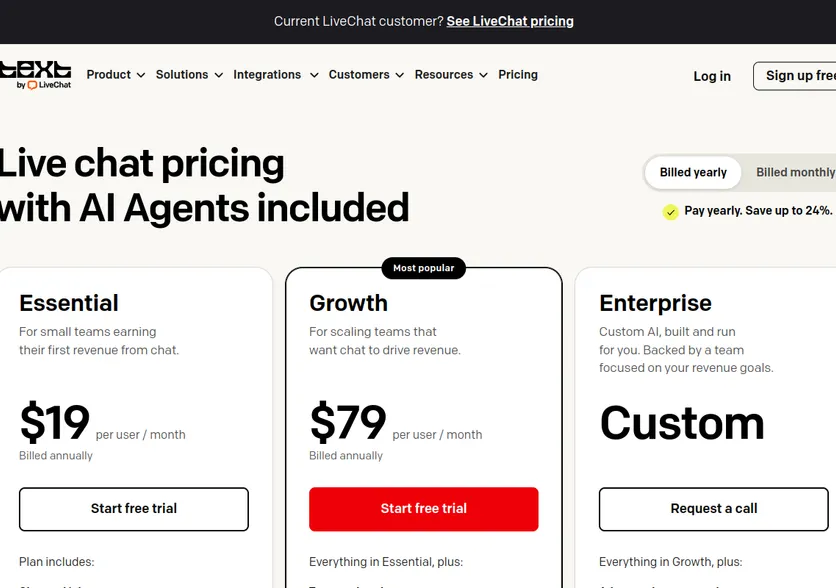
Paid tool Starting price: $19/agent/mo · Starter plan, nineteen dollars per agent a month billed annually, twenty-five dollars month to month; Team forty-nine dollars, Business seventy-nine dollars; Starter limited to one agent
Free plan: No free plan; 14-day free trial
LiveChat is the proven pick for small sites: a fast widget, ticketing built in and automation that routes chats to the right agent. The Starter plan covers one agent, which suits a solo site, while Team and Business add seats and deeper automation. The company behind it rebranded to Text in twenty twenty-three, but the product keeps the LiveChat name.
What we like
- Proven widget with fast load times
- Ticketing built into the chat
- Automation routes chats well
Watch out for
- Starter plan limited to one agent
- No free plan, only a trial
How to try it
- Install the widget on the website
- Set up greetings and routing rules
- Answer chats and follow up by ticket
2. Tidio
Best for: Small shops that want live chat plus an AI agent in one widget
Paid tool Starting price: $24/mo · Starter plan, human only, twenty-four dollars a month billed annually, twenty-nine dollars month to month; with Lyro AI, thirty-three dollars billed annually
Free plan: Free plan available; paid plans start at twenty-four dollars a month
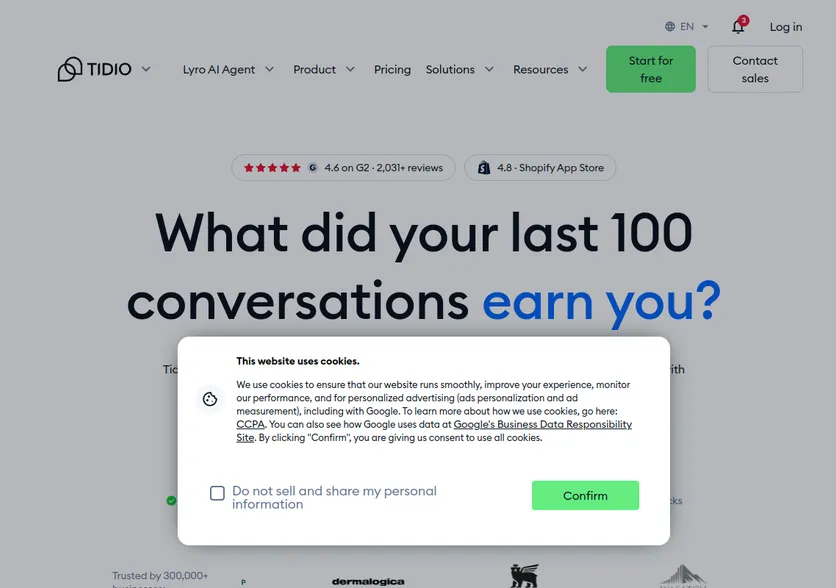
Tidio pairs live chat with an AI agent in one widget, so common questions get answered while the team sleeps. The Starter plan covers human chat, and adding Lyro AI brings automated answers with a shared conversation allowance. A free plan exists for small sites, and self-serve plans cover up to ten seats.
What we like
- AI agent answers while the team sleeps
- Free plan for small sites
- Simple setup for non-technical teams
Watch out for
- Conversation limits on Starter plans
- AI answers cost more than human-only chat
How to try it
- Install the widget and pick a chat flow
- Set up Lyro AI to answer common questions
- Hand complex chats to a human agent
3. Crisp
Best for: Teams that want flat per-workspace pricing instead of per-agent billing
Paid tool Starting price: $45/mo · Mini plan, forty-five dollars a month flat per workspace; Essentials ninety-five dollars, Plus two hundred ninety-five dollars
Free plan: Free plan with two seats; paid plans start at forty-five dollars a month
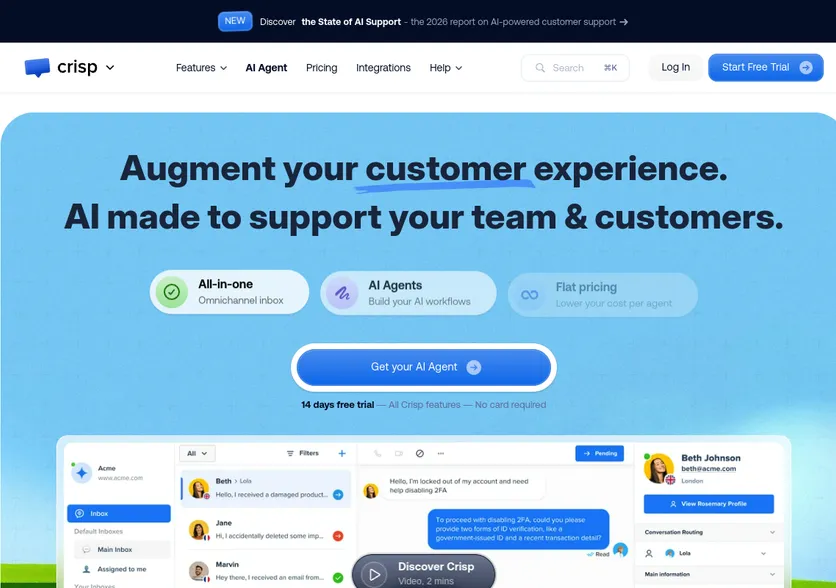
Crisp charges per workspace instead of per agent, which makes the bill predictable as the team grows. The Mini plan covers the essentials, while Essentials and Plus add automation, campaigns and deeper integrations. A free plan with two seats lets a small site start without paying, and the widget is clean and fast.
What we like
- Flat per-workspace pricing
- Free plan with two seats
- Clean, fast widget
Watch out for
- Plan names changed recently, so check the page
- Some features sit on higher tiers
How to try it
- Install the widget on the website
- Set up the shared inbox and canned replies
- Add automation and campaigns as the team grows
4. Intercom
Best for: Growing sites that want chat, help center and AI agent in one inbox
Paid tool Starting price: $29/seat/mo · Essential plan, twenty-nine dollars per seat a month billed annually, thirty-nine dollars month to month; Advanced eighty-five dollars, Expert one hundred thirty-two dollars
Free plan: No free plan; 14-day free trial
Intercom is the all-in-one pick: live chat, a help center and an AI agent share one inbox, so a visitor can move from a bot answer to a human without repeating themselves. The Essential plan starts at twenty-nine dollars per seat a month billed annually, and the AI agent charges per resolved outcome. The company renamed itself Fin in twenty twenty-six and was acquired by Salesforce in September of that year.

What we like
- Chat, help center and AI in one inbox
- AI agent resolves common questions
- Strong automation and routing
Watch out for
- No free plan, only a trial
- Per-seat price climbs with the team
How to try it
- Install the messenger on the website
- Build the help center and AI agent flows
- Route complex chats to the right team
5. Freshchat
Best for: Support teams that want chat tied to a full helpdesk
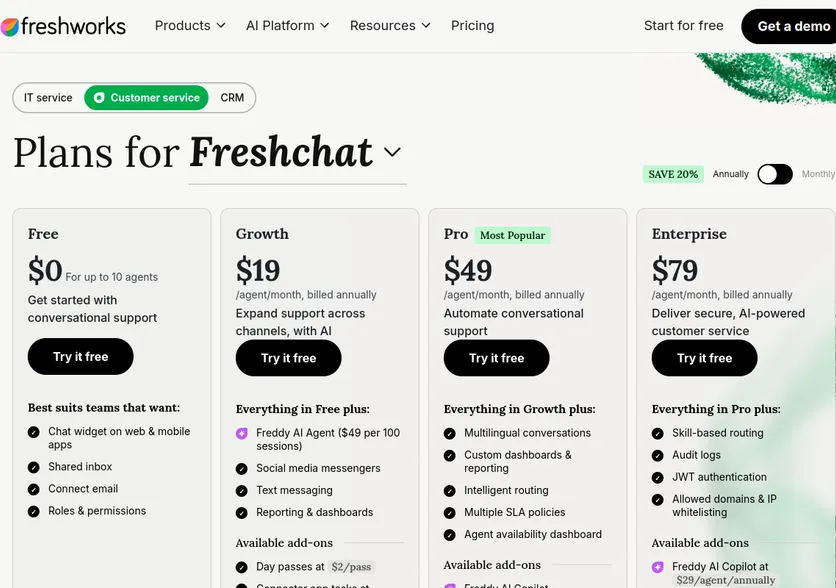
Paid tool Starting price: $19/agent/mo · Growth plan, nineteen dollars per agent a month billed annually, twenty-three dollars month to month; Pro forty-nine dollars, Enterprise seventy-nine dollars
Free plan: Free plan for up to ten agents; paid plans start at nineteen dollars per agent a month
Freshchat ties live chat to a full helpdesk, so a chat that needs follow-up becomes a ticket without losing the thread. The Growth plan starts at nineteen dollars per agent a month billed annually, and the free plan covers up to ten agents. Freddy AI can answer routine questions, with a separate charge per block of sessions.
What we like
- Chat tied to a full helpdesk
- Free plan for up to ten agents
- Low entry price for teams
Watch out for
- AI agent costs extra per session block
- Some features need higher tiers
How to try it
- Install the widget and connect the helpdesk
- Set up canned replies and routing rules
- Add Freddy AI for routine questions
6. Olark
Best for: Small sites that want simple live chat with transcripts and shortcuts
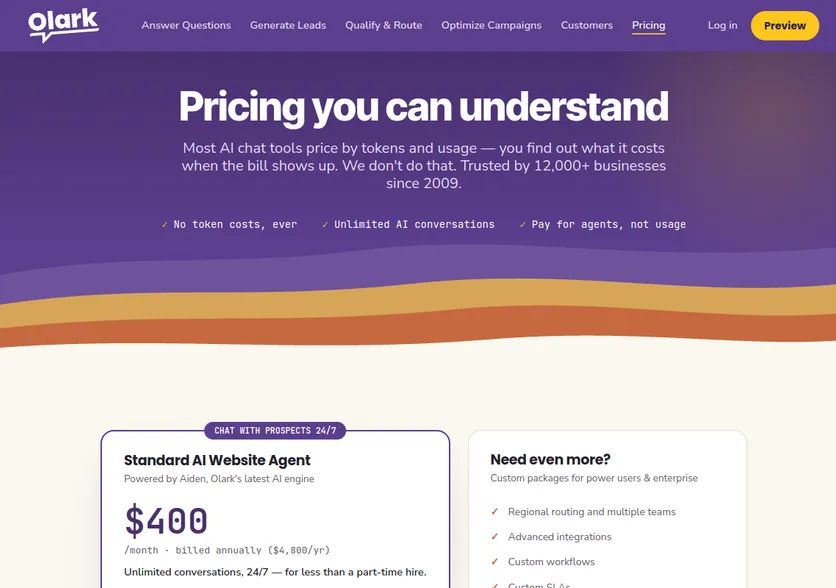
Paid tool Starting price: $29/agent/mo · Twenty-nine dollars per agent a month for human-only live chat; AI Standard plan four hundred dollars a month billed annually
Free plan: No free plan; 14-day free trial
Olark keeps live chat simple: a fast widget, transcripts, shortcuts and reports, without the weight of a full helpdesk. The human-only plan starts at twenty-nine dollars per agent a month, and the AI Standard plan adds automated answers at a much higher price. It suits small sites that want chat done well and nothing else.
What we like
- Simple, focused live chat
- Good transcripts and shortcuts
- Fast widget with no bloat
Watch out for
- No free plan, only a trial
- AI plan costs far more than chat alone
How to try it
- Install the widget on the website
- Set up shortcuts and automated greetings
- Review transcripts and reports weekly
7. LiveAgent
Best for: Support teams that want chat, email and calls in one agent inbox
Paid tool Starting price: $15/agent/mo · Starter plan, fifteen dollars per agent a month billed annually, nineteen dollars month to month; Team twenty-nine dollars, Business forty-nine dollars
Free plan: No free plan; 30-day free trial
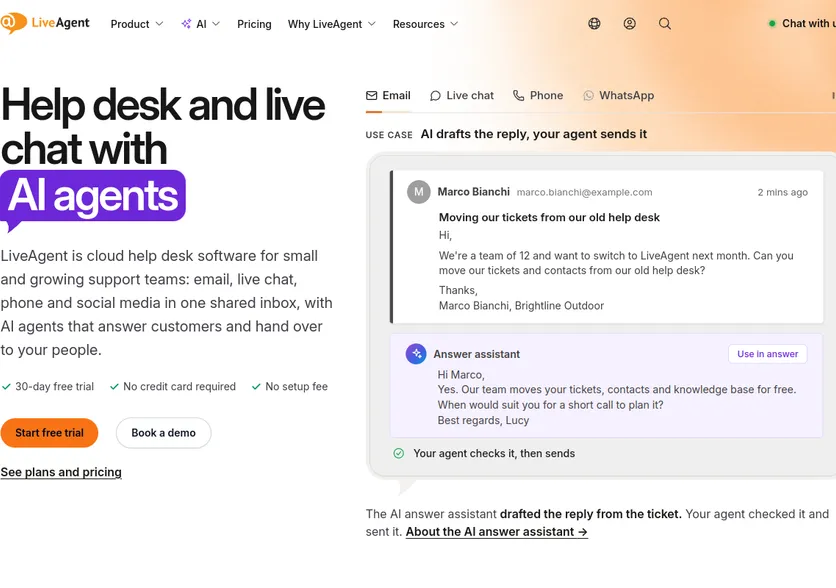
LiveAgent puts chat, email and calls in one agent inbox, so a small support team can answer every channel without switching tools. The Starter plan starts at fifteen dollars per agent a month billed annually, which is the lowest paid entry in this list. A thirty-day trial lets the team test the full inbox before paying.
What we like
- Chat, email and calls in one inbox
- Lowest paid entry in this list
- Thirty-day trial to test everything
Watch out for
- No free plan, only a trial
- Agent limits vary across sources
How to try it
- Install the chat widget on the website
- Connect email and call channels to the inbox
- Set routing rules and canned replies
8. Zendesk
Best for: Larger teams that want chat inside a full omnichannel suite
Paid tool Starting price: $55/agent/mo · Suite Team plan, fifty-five dollars per agent a month paid yearly, sixty-nine dollars month to month; Suite Professional one hundred fifteen dollars
Free plan: No free plan; 14-day free trial
Zendesk is the enterprise pick: live chat sits inside a full omnichannel suite with email, voice, social and a help center. The Suite Team plan starts at fifty-five dollars per agent a month paid yearly, which reflects the depth of the platform. It suits larger teams that need chat as one channel among many, not a standalone widget.

What we like
- Full omnichannel suite in one tool
- Strong automation and reporting
- Scales to large support teams
Watch out for
- No free plan, only a trial
- Highest entry price in this list
How to try it
- Install the chat widget on the website
- Connect email, voice and social channels
- Build macros and automation for the team
Prices above were checked on each vendor’s own website on Nov 27, 2026 and can change — the vendor’s page is the final word. Vendor links are editorial: nobody paid to be listed or ranked here. Vendors who want a featured listing can see how it works on our Get listed page.
How to pick chat software for your website
Start with the visitor. The widget has to load fast, read well on a phone and answer the common questions without a wait. Next, check the AI. A bot that answers order tracking and opening hours while the team sleeps is worth more than a chat window that sits empty at night. Then test the handover. When the bot cannot help, the chat should reach a human with the full history attached, not start over. Finally, price the team. Per-agent billing is fair for a small desk but punishes a growing one, while per-workspace pricing stays flat as seats are added.
Before you buy
- Check whether the price is per agent, per seat or per workspace, since the same team costs differently
- Confirm the AI agent is included, because a chatbot that needs a human at midnight is not a chatbot
- Test the widget on a phone, because most visitors now arrive on mobile
- Ask how chats hand over to humans, since a bot that traps visitors loses sales
- Match the agent limit to your team, because a one-agent plan blocks a growing support desk
Official websites
Official websites of the products reviewed above. Features and prices were checked against these sites when this guide was written, and they can change, so confirm on the vendor site before you buy.
Frequently asked questions
What is the best chat software for a website chatbot?
LiveChat is the strongest pick for most sites, with a proven widget, ticketing and automation. Tidio suits small sites that want an AI agent included, and LiveAgent suits teams that want chat, email and calls in one inbox. The right pick depends on team size, whether you need AI first and how many channels you support.
How much does chat software for a website cost?
Entry prices in this list run from fifteen dollars per agent a month for LiveAgent to fifty-five dollars for Zendesk Suite Team. Tidio and Crisp charge per workspace or per month instead of per agent, from twenty-four and forty-five dollars a month. Always check whether the price covers one agent or the whole team before you compare.
Is there free chat software for websites?
Yes. Tidio, Crisp and Freshchat all offer free plans, with limits on seats, conversations or agents. LiveChat, Intercom, Olark, LiveAgent and Zendesk offer free trials instead, from fourteen to thirty days. A free plan suits a small site, but a busy site will hit conversation or seat limits quickly.
Should a website use an AI chatbot or live chat?
Most sites need both. An AI chatbot answers common questions instantly, day and night, while live chat handles the complex cases that need a human. Tools like Tidio and Intercom combine the two in one widget, so the bot answers first and hands over with the full history when it cannot help.
Discover more marketing tools to turn website visitors into customers.
Browse Marketing & Ads Calculators tools