
On this page
Visitors leave a website when nobody answers their question, and live chat software puts a real conversation on the page within seconds. The eight tools below run from fifteen dollars an agent a month to about fifty-five dollars, and every price was checked on the vendor site on November 26, 2026. Most pair live chat with AI agents, chatbots and a shared inbox, so compare the whole conversation workflow rather than the widget alone. Intercom is our first pick — the strongest chat platform for websites that need AI and automation.
How we researched this
We started with the chat tools websites actually buy, then read each price on the vendor pricing page on November 26, 2026 and noted the free trial or free plan each tool carries. We judged them for a team that needs live chat, a shared inbox and basic automation on its website, and we kept only tools with a published price. We left out tools whose chat price hides inside a wider CRM bundle, because a chat buyer cannot budget for a number it cannot see.
Compare the tools
| Name | Best for | Starting price | Free plan | |
|---|---|---|---|---|
 Intercom | Websites that want the strongest chat platform with AI that clears routine questions first | $29/seat/month | No free plan; 14-day free trial | Visit |
 Zendesk | Support teams that want website chat inside a full omnichannel help desk | $55/agent/month | No free plan; 14-day free trial | Visit |
 LiveChat | Small sites that want reliable website chat without a support-suite price | $19/agent/month | No free plan; 14-day free trial | Visit |
 Freshchat | Teams that talk to customers on many channels and want a free plan for up to ten agents | $19/agent/month | Free plan for up to 10 agents; 14-day free trial of Enterprise | Visit |
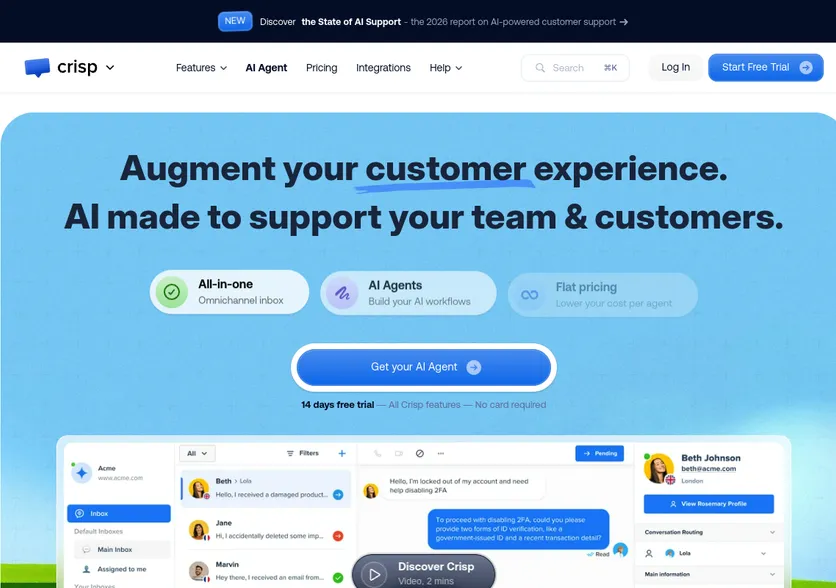
 Crisp | Small teams that want one flat chat price instead of per-seat billing | $45/month | Free plan for 2 seats; no free trial needed | Visit |
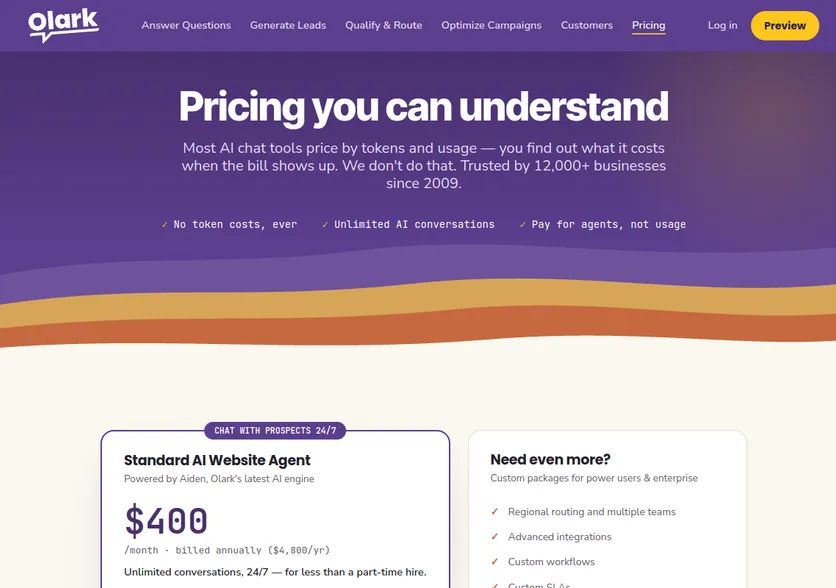
 Olark | Teams that want straightforward live chat with transcripts and shortcuts | $29/agent/month | No free plan; 14-day free trial | Visit |
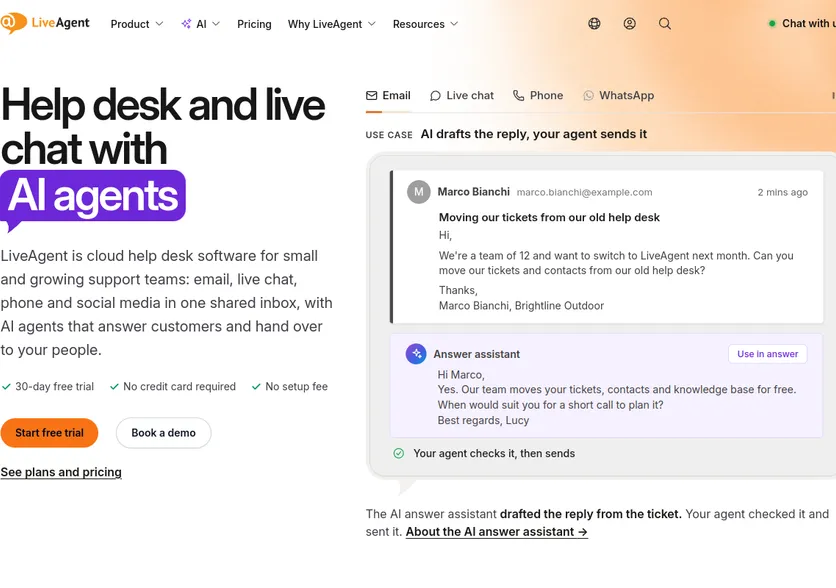
 LiveAgent | Small teams that want website chat plus a help desk at the lowest price here | $15/agent/month | No free plan; 30-day free trial | Visit |
 Tidio | Small businesses that want live chat with an AI agent and chatbot flows | $24.17/month | Free plan for 50 conversations a month; 7-day free trial | Visit |
The chat software for websites, compared
1. Intercom
Best for: Websites that want the strongest chat platform with AI that clears routine questions first
Paid tool Starting price: $29/seat/month · Essential plan, $29 per seat a month billed annually or $39 billed monthly; Advanced $85 and Expert $132 a month; Fin AI Agent is billed separately per outcome
Free plan: No free plan; 14-day free trial
Intercom is the best-known chat platform for websites, pairing live chat with the Fin AI Agent that answers common questions before a human steps in. This Intercom Essential plan starts at twenty-nine dollars a seat a month on annual billing and includes live chat, a shared inbox and basic automation. A team that wants AI to clear the easy questions and humans to handle the hard ones will find the balance here, though the AI agent is billed separately per resolved conversation.

What we like
- Strongest AI agent in this list
- Mature automation and shared inbox
- Scales from startups to large support teams
Watch out for
- AI agent is billed separately per resolved conversation
- Essential plan is twenty-nine dollars a seat a month with no free plan
How to try it
- Open the Intercom pricing page and start the fourteen-day trial
- Add the chat widget to your website and set up the inbox
- Train the Fin AI Agent on your help articles and test it
2. Zendesk
Best for: Support teams that want website chat inside a full omnichannel help desk
Paid tool Starting price: $55/agent/month · Suite Team plan, $55 per agent a month billed annually or $69 billed monthly; Suite Professional $115 a month; the $19 Support Team plan is ticketing only and has no chat
Free plan: No free plan; 14-day free trial
Zendesk Suite puts website chat next to email, voice and social messages in one agent workspace, so no conversation slips between tools. This Zendesk Suite Team plan starts at fifty-five dollars an agent a month on annual billing and is the cheapest Zendesk tier that includes chat. A team that already runs support on Zendesk will get chat without a second system, though the price is higher than chat-only rivals.

What we like
- Chat, email, voice and social in one workspace
- Deepest help desk depth in this list
- Strong reporting and automation at scale
Watch out for
- Most expensive starting price in this list
- Chat needs the Suite plan, not the cheaper ticketing plan
How to try it
- Open the Zendesk pricing page and start the fourteen-day trial
- Add the chat widget and connect it to the agent workspace
- Set up routing rules so chats reach the right team
3. LiveChat
Best for: Small sites that want reliable website chat without a support-suite price
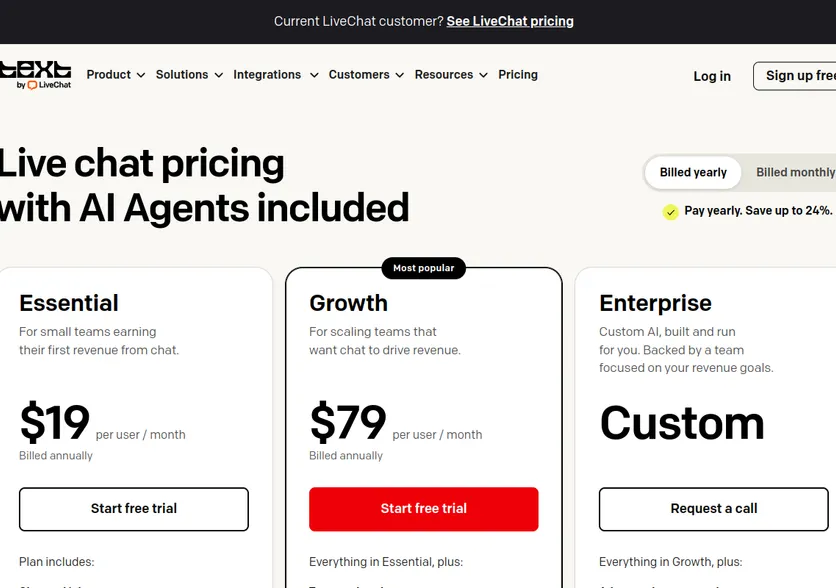
Paid tool Starting price: $19/agent/month · Starter plan, $19 per agent a month billed annually or $25 billed monthly, capped at one user; Team $49 and Business $79 a month
Free plan: No free plan; 14-day free trial
LiveChat is a focused website chat tool that keeps the widget fast and the agent dashboard simple, with ticketing and AI features as optional extras. This LiveChat Starter plan starts at nineteen dollars an agent a month on annual billing, though it covers one user only. A small site that wants reliable chat without a support-suite price will like the entry point, and real teams move to the Team plan at forty-nine dollars an agent a month.
What we like
- Fast widget and simple agent dashboard
- Starter plan is nineteen dollars an agent a month
- Ticketing and AI available as extras
Watch out for
- Starter plan covers one user only
- Real teams start at the Team plan for forty-nine dollars
How to try it
- Open the LiveChat pricing page and start the fourteen-day trial
- Install the chat widget on your website
- Set up canned responses and test a live conversation
4. Freshchat
Best for: Teams that talk to customers on many channels and want a free plan for up to ten agents
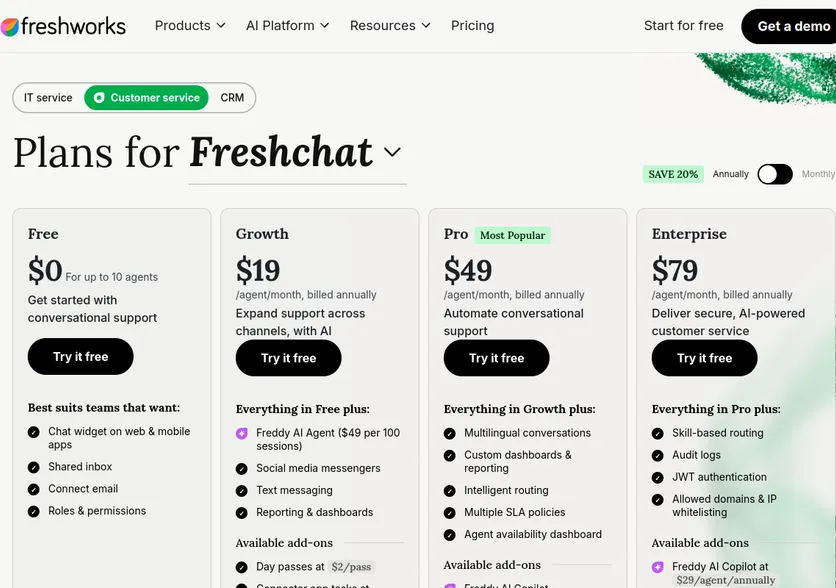
Paid tool Starting price: $19/agent/month · Growth plan, $19 per agent a month billed annually or $23 billed monthly; Pro $49 and Enterprise $79 a month; free plan covers up to ten agents
Free plan: Free plan for up to 10 agents; 14-day free trial of Enterprise
Freshchat is the messaging product from Freshworks, bringing website chat, WhatsApp, Instagram and SMS into one agent inbox. This Freshchat Growth plan starts at nineteen dollars an agent a month on annual billing and adds social messengers, text messaging and reporting. A team that talks to customers on many channels will like the breadth here, and the free plan covers up to ten agents.
What we like
- Free plan covers up to ten agents
- Chat plus WhatsApp, Instagram and SMS in one inbox
- Growth plan is nineteen dollars an agent a month
Watch out for
- AI agent sessions are billed separately as an add-on
- Free plan has no social channels or reporting
How to try it
- Open the Freshchat pricing page and claim the free plan
- Add the chat widget to your website and connect a social channel
- Test a conversation that moves from chat to WhatsApp
5. Crisp
Best for: Small teams that want one flat chat price instead of per-seat billing
Paid tool Starting price: $45/month · Mini plan, $45 a month per workspace with four seats; Essentials $95 and Plus $295 a month; extra seats $10 a month
Free plan: Free plan for 2 seats; no free trial needed
Crisp sells chat by the workspace rather than by the seat, so a small team shares one flat monthly price. This Crisp Mini plan costs forty-five dollars a month per workspace and includes four seats, live chat and a shared inbox. A team of up to four agents gets a predictable bill with no per-seat surprises, though larger teams pay more for extra seats.
What we like
- Flat price with no per-seat surprises
- Free plan covers two seats
- Shared inbox keeps every conversation in one place
Watch out for
- Flat price only covers four seats on Mini
- Extra seats cost ten dollars a month each
How to try it
- Open the Crisp pricing page and start with the free plan
- Add the chat widget to your website
- Invite your team and test the shared inbox
6. Olark
Best for: Teams that want straightforward live chat with transcripts and shortcuts
Paid tool Starting price: $29/agent/month · Live Chat plan, $29 per agent a month; the Standard AI Website Agent plan is $400 a month billed annually and includes one human seat
Free plan: No free plan; 14-day free trial
Olark is a long-running website chat tool that keeps the focus on live conversation, with transcripts, shortcuts and visitor insights built in. This Olark Live Chat plan costs twenty-nine dollars an agent a month and includes unlimited chats and the full agent toolkit. A team that wants straightforward chat without a suite of extras will find the price honest, though the AI website agent plan costs far more.
What we like
- Simple chat without suite complexity
- Unlimited chats on the Live Chat plan
- Transcripts and visitor insights built in
Watch out for
- No free plan, only a fourteen-day trial
- AI agent plan costs four hundred dollars a month
How to try it
- Open the Olark pricing page and start the fourteen-day trial
- Add the chat widget to your website
- Set up shortcuts and test a live conversation
7. LiveAgent
Best for: Small teams that want website chat plus a help desk at the lowest price here
Paid tool Starting price: $15/agent/month · Starter plan, $15 per agent a month billed annually or $19 billed monthly, capped at five agents; Team $29 and Business $49 a month
Free plan: No free plan; 30-day free trial
LiveAgent pairs website chat with a full help desk, so chat conversations can turn into tickets without leaving the same dashboard. This LiveAgent Starter plan starts at fifteen dollars an agent a month on annual billing and covers up to five agents. A small team that wants chat plus ticketing at the lowest price in this list will like the entry point, and the thirty-day trial is the longest here.
What we like
- Cheapest starting price in this list
- Chat plus help desk ticketing in one dashboard
- Thirty-day free trial, the longest here
Watch out for
- Starter plan covers five agents only
- Interface feels busier than chat-only tools
How to try it
- Open the LiveAgent pricing page and start the thirty-day trial
- Add the chat widget to your website
- Turn a chat into a ticket and test the help desk flow
8. Tidio
Best for: Small businesses that want live chat with an AI agent and chatbot flows
Paid tool Starting price: $24.17/month · Starter plan, $24.17 a month billed annually or $29 billed monthly; Growth from $59 a month; Lyro AI and Flows are billed separately
Free plan: Free plan for 50 conversations a month; 7-day free trial
Tidio combines live chat with the Lyro AI agent and visual chatbot flows, aimed at small businesses that want automation without enterprise setup. This Tidio Starter plan starts at about twenty-four dollars a month on annual billing and includes live chat for a small team. A shop that wants AI to answer routine questions overnight will like the setup, though the AI agent and flows are billed separately from the seat price.
What we like
- Lyro AI agent answers routine questions
- Visual chatbot flows need no coding
- Free plan covers fifty conversations a month
Watch out for
- AI agent and flows are billed separately
- Starter plan has a fifty-conversation free tier only
How to try it
- Open the Tidio pricing page and start the seven-day trial
- Add the chat widget to your website
- Build one chatbot flow for your most common question
Prices above were checked on each vendor’s own website on Nov 26, 2026 and can change — the vendor’s page is the final word. Vendor links are editorial: nobody paid to be listed or ranked here. Vendors who want a featured listing can see how it works on our Get listed page.
What chat software costs for a website in 2026
Most teams pay per agent, so the headline price is only the starting point, and this list runs from fifteen dollars an agent a month to about fifty-five dollars. The cheapest plans are not always the cheapest deal, because LiveChat caps its nineteen-dollar plan at one user while Crisp charges a flat forty-five dollars for four seats. The headline plan each vendor shows on its own pricing page is the number in the table above, checked on November 26, 2026.
Start with the free trial on two tools and answer real visitors through each widget for a week. Compare how fast the widget loads, how the AI handles routine questions, and whether the inbox keeps every conversation in one place. Pick the tool your visitors actually reply to, because a chat widget nobody opens is money wasted.
Before you buy
- Count the agents first, because per-agent pricing turns a nineteen-dollar plan into a large bill once five people answer chat.
- Check whether AI is in the plan you are buying, because Intercom bills its Fin AI Agent separately per resolved conversation.
- Test the widget on a slow connection, because a chat tool that loads late never gets the conversation.
- Confirm the free plan limits, because Freshchat covers ten agents free while most rivals offer trials only.
- Compare annual and monthly billing, because most tools here cut the price by a fifth on annual plans.
Official websites
Official websites of the products reviewed above. Features and prices were checked against these sites when this guide was written, and they can change, so confirm on the vendor site before you buy.
Frequently asked questions
Which chat software is best for websites in 2026?
Intercom, at twenty-nine dollars a seat a month on annual billing, is the safest default because its AI agent clears routine questions and its automation is the most mature in this list. Zendesk wins for teams that need chat inside a full help desk, while LiveAgent is the cheapest paid start at fifteen dollars an agent a month. Freshchat is the best free start, covering up to ten agents at no cost.
How much does chat software cost for a website?
Most tools in this list cost between fifteen and fifty-five dollars an agent a month for one seat, with annual billing cutting the monthly rate by roughly a fifth. Crisp is the exception, charging a flat forty-five dollars a month per workspace for four seats instead of per-agent pricing. Expect to pay more once you add agents, AI sessions or social channels.
Do I need AI chatbots or is live chat enough?
No, live chat alone is enough for a small site with a few conversations a day, and every tool here answers visitors in real time without AI. AI agents help once the volume grows, clearing routine questions so humans handle the hard ones. Start with live chat and add AI only when your team cannot keep up with the inbox.
Is there free chat software for websites?
Yes, Freshchat offers a free plan for up to ten agents with chat on web and mobile, and Crisp offers a free plan for two seats. Tidio offers a free plan for fifty conversations a month. The other tools offer free trials of fourteen to thirty days instead of a permanent free plan, which is enough to test the widget with real visitors.
What should a small business look for in website chat software?
Look for a fast widget that loads before visitors leave, a shared inbox that keeps every conversation in one place, and canned responses for common questions. Check the per-agent cost if you plan to grow the team, and test the AI agent on your own help articles before you buy. The best chat tool is the one your visitors actually reply to.
Need everyday business help too? Try Toolsvine's free business tools for your website right in your browser.
Browse Business Tools tools


