On this page
A remote hire never walks into an office, so onboarding has to work on day one from a laptop at home, with pay, training and equipment all sorted before the first meeting. The eight tools below cover remote onboarding from offer letter to first week, with prices checked on the vendor sites on November 27, 2026. Some run payroll and compliance, some run training and checklists, and some track the work itself. Gusto is our first pick — the payroll and HR platform that onboards a remote hire end to end.
How we researched this
We started with the onboarding tools remote teams actually buy, then read each price on the vendor pricing page on November 27, 2026 and noted the trial each plan carries. We judged them for a distributed team where a new hire may be in another time zone, and needs pay setup, training and equipment without an office visit. We dropped Deel for this list because its contractor and employer plans are priced per person at a much higher tier than the tools here.
Compare the tools
| Name | Best for | Starting price | Free plan | |
|---|---|---|---|---|
 Gusto | Remote teams that want payroll, benefits and onboarding in one place | $49/month + $6/person/month | No free plan; free trial available | Visit |
 Rippling | Remote teams that want HR, payroll and IT onboarding in one system | from $8/user/month + $40/month base | No free plan; demo available | Visit |
 Trainual | Remote teams that want training and onboarding in one place | $249/month | No free plan; free trial available | Visit |
 Process Street | Remote teams that want onboarding as checklists and workflows | $25/user/month | No free plan; 14-day free trial | Visit |
 Monday | Remote teams that want onboarding tracked on visual boards | $9/user/month | Free plan for up to 2 seats | Visit |
 Asana | Remote teams that want onboarding as projects with clear owners | $10.99/user/month | Free Personal plan for up to 2 users | Visit |
 Notion | Remote teams that want onboarding docs and wikis in one place | $10/user/month | Free plan available | Visit |
 ClickUp | Remote teams that want onboarding tasks, docs and chat in one place | $9/user/month | Free plan for personal use | Visit |
The client onboarding software for remote teams, compared
1. Gusto
Best for: Remote teams that want payroll, benefits and onboarding in one place
Paid tool Starting price: $49/month + $6/person/month · Forty-nine dollars a month plus six dollars per person per month for Simple; Plus lists at eighty dollars a month plus twelve dollars per person, and Premium at one hundred eighty dollars a month plus twenty-two dollars per person
Free plan: No free plan; free trial available
Gusto is the payroll and HR platform that small remote teams use to onboard a new hire, set up pay and benefits, and keep compliance in one place. This Gusto Simple plan lists at forty-nine dollars a month plus six dollars per person per month, with Plus and Premium above it. A remote team gets offer letters, tax forms, direct deposit and benefits enrollment without a separate HR system.

What we like
- Payroll, benefits and onboarding in one place
- Self-serve onboarding for remote hires
- Clear per-person pricing with no hidden fees
Watch out for
- Per-person fees add up as the team grows
- Contractor-only plan closed to new signups in 2026
How to try it
- Open the Gusto site and start the free trial
- Add your first hire and send the offer letter
- Set up pay, tax forms and benefits enrollment
2. Rippling
Best for: Remote teams that want HR, payroll and IT onboarding in one system
Paid tool Starting price: from $8/user/month + $40/month base · From eight dollars per user per month plus a forty-dollar monthly base fee; US payroll starts from eight dollars per employee per month billed annually, and other modules are priced by quote
Free plan: No free plan; demo available
Rippling is the all-in-one platform that onboards a remote hire across HR, payroll, devices and apps, so the new person has everything on day one. This Rippling platform starts from eight dollars per user per month plus a forty-dollar monthly base fee, with payroll from eight dollars per employee per month billed annually. A remote team gets offer letters, tax setup, app access and device shipping in one workflow.

What we like
- HR, payroll and IT onboarding in one system
- Device and app access on day one
- Strong compliance for distributed teams
Watch out for
- Most modules beyond payroll are priced by quote
- Base fee plus per-user rate adds up fast
How to try it
- Book a Rippling demo and map your onboarding workflow
- Add your first hire and set up pay and app access
- Turn on device shipping for remote team members
3. Trainual
Best for: Remote teams that want training and onboarding in one place
Paid tool Starting price: $249/month · Last published prices: Core two hundred forty-nine dollars a month billed annually for the first ten seats, Pro three hundred nineteen dollars and Premium three hundred ninety-nine dollars, plus a one-time implementation fee of one thousand dollars; the vendor no longer publishes prices publicly
Free plan: No free plan; free trial available
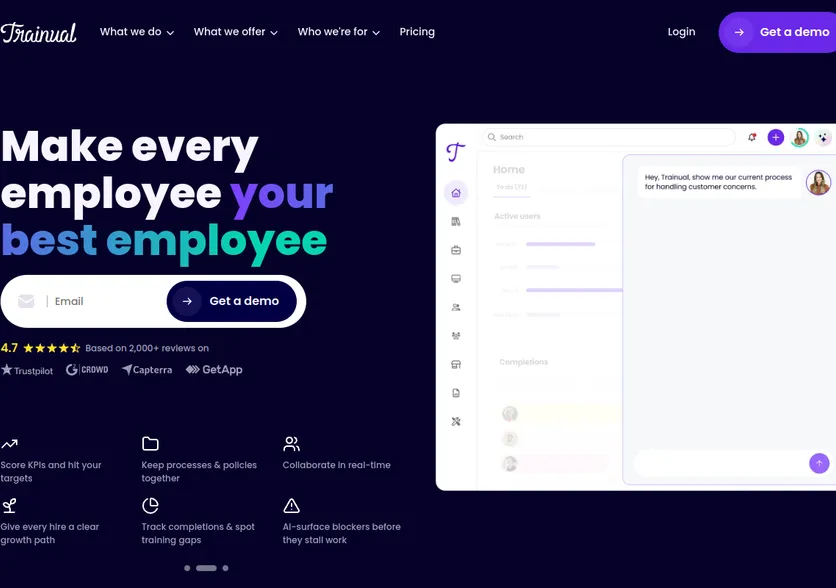
Trainual is the training platform that remote teams use to onboard new hires with playbooks, videos and checklists, so the first week runs the same for every hire. This Trainual Core plan last listed at two hundred forty-nine dollars a month billed annually for the first ten seats, with Pro and Premium above it. A remote team gets role-based training, quizzes and sign-off tracking, plus a one-time implementation fee of one thousand dollars.
What we like
- Playbooks and training built for onboarding
- Quizzes and sign-off tracking included
- Same first week for every remote hire
Watch out for
- The vendor no longer publishes prices, so confirm the rate on a call
- One-time implementation fee adds to the first bill
How to try it
- Open the Trainual site and start the free trial
- Build a playbook for your most common role
- Assign it to your next hire and track completion
4. Process Street
Best for: Remote teams that want onboarding as checklists and workflows
Paid tool Starting price: $25/user/month · Twenty-five dollars per user per month billed annually for Pro; a fourteen-day free trial is included
Free plan: No free plan; 14-day free trial
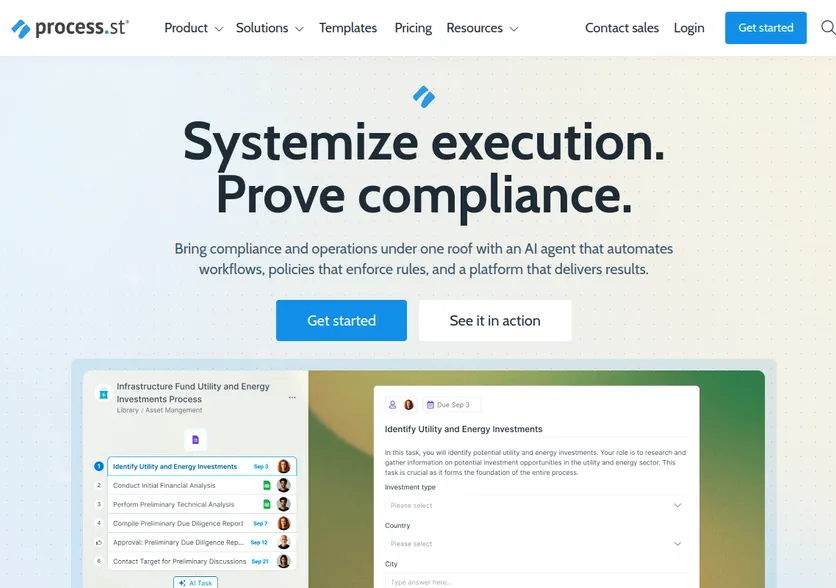
Process Street turns onboarding into checklists and workflows, so a remote hire follows the same steps, uploads the same forms and signs off in order. This Process Street Pro plan lists at twenty-five dollars per user per month billed annually, with a fourteen-day free trial. A remote team gets templates for offer letters, equipment setup and first-week tasks, with approvals built into every step.
What we like
- Onboarding as checklists anyone can follow
- Templates for offer letters and equipment setup
- Approvals built into every step
Watch out for
- Checklists only, so payroll lives elsewhere
- Per-user pricing grows with every hire
How to try it
- Open the Process Street site and start the trial
- Pick an onboarding template and add your steps
- Assign it to your next hire and track sign-off
5. Monday
Best for: Remote teams that want onboarding tracked on visual boards
Paid tool Starting price: $9/user/month · Nine dollars per user per month billed annually, with a three-seat minimum, so twenty-seven dollars a month is the real floor; Standard lists at twelve dollars and Pro at nineteen dollars per user per month billed annually
Free plan: Free plan for up to 2 seats
Monday is the work platform that remote teams use to track onboarding on visual boards, with tasks, owners and deadlines that everyone can see. This Monday Basic plan lists at nine dollars per user per month billed annually, with a three-seat minimum, so twenty-seven dollars a month is the real floor. A remote team gets onboarding boards, automations and documents in one place, with a free plan for up to two seats.

What we like
- Visual boards that show every onboarding task
- Automations for reminders and approvals
- Free plan for up to two seats
Watch out for
- Three-seat minimum means the real floor is twenty-seven dollars a month
- No payroll, so pay setup lives elsewhere
How to try it
- Open the Monday site and start the free trial
- Build an onboarding board with tasks and owners
- Add automations for reminders and approvals
6. Asana
Best for: Remote teams that want onboarding as projects with clear owners
Paid tool Starting price: $10.99/user/month · Ten dollars and ninety-nine cents per user per month billed annually, or thirteen dollars and forty-nine cents month to month; Advanced lists at twenty-four dollars and ninety-nine cents per user per month billed annually
Free plan: Free Personal plan for up to 2 users
Asana turns onboarding into a project with tasks, owners and due dates, so a remote hire and the team both know what happens on day one. This Asana Starter plan lists at ten dollars and ninety-nine cents per user per month billed annually, with Advanced above it for larger teams. A remote team gets onboarding templates, timelines and reporting in one place, with a free Personal plan for up to two users.

What we like
- Onboarding as a project with clear owners
- Templates and timelines built in
- Free Personal plan for up to two users
Watch out for
- No payroll, so pay setup lives elsewhere
- Per-user pricing grows with every hire
How to try it
- Open the Asana site and start the free trial
- Pick an onboarding template and assign owners
- Track first-week tasks on the timeline
7. Notion
Best for: Remote teams that want onboarding docs and wikis in one place
Paid tool Starting price: $10/user/month · Ten dollars per user per month billed annually, or twelve dollars month to month; Business lists at twenty dollars per user per month billed annually
Free plan: Free plan available
Notion is the docs and wiki platform that remote teams use to give a new hire everything in one place, from the handbook to the first-week checklist. This Notion Plus plan lists at ten dollars per user per month billed annually, with Business above it for larger teams. A remote team gets pages, databases and templates that a new hire can read, check off and comment on without a separate tool.

What we like
- Docs, wikis and checklists in one place
- Templates for onboarding hubs and handbooks
- Free plan for small teams
Watch out for
- Docs only, so payroll and compliance live elsewhere
- Needs setup before the first hire
How to try it
- Open the Notion site and start the free trial
- Build an onboarding hub with your handbook and checklists
- Share it with your next hire on day one
8. ClickUp
Best for: Remote teams that want onboarding tasks, docs and chat in one place
Paid tool Starting price: $9/user/month · Core plan, $9 a user a month billed annually ($12 billed monthly); Business $17 a user a month billed annually
Free plan: Free plan for personal use
ClickUp is the all-in-one platform that remote teams use to run onboarding as tasks, docs and goals, with everything a new hire needs in one login. This ClickUp Unlimited plan lists at seven dollars per user per month billed annually, with Business above it for larger teams. A remote team gets onboarding templates, docs, time tracking and chat in one place, with a free plan for personal use.

What we like
- Tasks, docs and goals in one login
- Cheapest paid start in this comparison
- Free plan for personal use
Watch out for
- No payroll, so pay setup lives elsewhere
- Feature depth can overwhelm a small team
How to try it
- Open the ClickUp site and start the free trial
- Pick an onboarding template and assign tasks
- Track first-week progress on the dashboard
Prices above were checked on each vendor’s own website on Nov 27, 2026 and can change — the vendor’s page is the final word. Vendor links are editorial: nobody paid to be listed or ranked here. Vendors who want a featured listing can see how it works on our Get listed page.
How to pick onboarding software for a remote team
Start with day one, not the software. A remote hire needs pay set up, a laptop shipped, accounts created and training assigned before the first meeting, so the tool must cover all four without a separate system for each. Pick the platform that gives the new person everything in one login.
Count the real monthly cost before you buy. Per-person plans look cheap at one hire and double when the team grows, while base fees and implementation charges add to the first bill. Add the plan that actually includes payroll and compliance, because onboarding without pay setup leaves work half done. Run a real hire through the flow, time the first week and check nothing is missed.
Before you buy
- Match the tool to your team size, because per-person pricing doubles once the whole remote team is on it.
- Check whether the plan includes payroll and compliance, because onboarding without pay setup leaves work half done.
- Confirm the system works across time zones, because a new hire in another country needs self-serve onboarding.
- Test the onboarding flow with a real new hire, because a confusing first day makes people doubt the job.
- Count the base fee as well as the per-person rate, because some vendors charge both every month.
Official websites
Official websites of the products reviewed above. Features and prices were checked against these sites when this guide was written, and they can change, so confirm on the vendor site before you buy.
Frequently asked questions
Which client onboarding software is best for remote teams in 2026?
Gusto is the best overall pick at forty-nine dollars a month plus six dollars per person per month, because it pairs onboarding with payroll, benefits and compliance in one place. Rippling is the best choice for teams that also need device and app access on day one. Monday is the best budget pick at nine dollars per user per month for teams that mainly need onboarding tracked on visual boards.
How much does client onboarding software cost for a remote team?
Remote onboarding tools in this list run from seven dollars per user per month for ClickUp to two hundred forty-nine dollars a month for Trainual Core, with most tools between nine and twenty-five dollars per user per month billed annually. Gusto lists at forty-nine dollars a month plus six dollars per person, and Rippling starts from eight dollars per user plus a forty-dollar base fee. Budget for the base fee as well as the per-person rate.
What should remote team onboarding include?
Give the new hire a clear first-week plan with tasks, owners and deadlines, plus the handbook, the equipment setup and the pay and tax forms in one place. Add a buddy or a manager check-in on day one, because remote hires need a person to ask, not just a document. End the week with a sign-off checklist so nothing is missed.
Is there a free client onboarding tool for remote teams?
Yes, with limits. Monday has a free plan for up to two seats, Asana has a free Personal plan, Notion has a free plan and ClickUp has a free plan for personal use, so a small remote team can track onboarding without paying. The free plans cap seats or features, so a growing team outgrows them fast. None of the payroll tools here has a permanent free plan.
Can onboarding software handle payroll and tax forms?
Yes, and it is one of the main reasons to buy a platform like Gusto or Rippling. Gusto handles offer letters, tax forms, direct deposit and benefits enrollment in one flow, while Rippling adds device shipping and app access. Docs tools like Notion and ClickUp track the tasks and the handbook, but the firm still needs a separate payroll system to pay the hire.
Need everyday productivity help too? Try Toolsvine's free productivity tools right in your browser.
Browse Productivity Tools tools