On this page
An architecture client wants one login for drawings, approvals, invoices and payments, not a chain of emails with attachments that get lost. The eight tools below cover architect client portals from first proposal to final payment, with prices checked on the vendor sites on November 27, 2026. Some are dedicated portals, some are all-in-one platforms, and some handle the signing and payment side. Assembly is our first pick — the portal that gives clients a modern app experience from day one.
How we researched this
We started with the portal tools architects actually buy, then read each price on the vendor pricing page on November 27, 2026 and noted the trial each plan carries. We judged them for a studio that needs one login for drawings, approvals, invoices and payments, and a portal that clients enjoy using. We dropped Procore and Buildertrend because both are quote-only, and Deltek Ajera because it publishes no price.
Compare the tools
| Name | Best for | Starting price | Free plan | |
|---|---|---|---|---|
 Assembly | Architects who want a polished client portal out of the box | $29/month | Free plan for 1 user and 5 contacts | Visit |
 SuiteDash | Architects who want a flat-rate portal with unlimited clients and staff | $19/month | No free plan; free trial available | Visit |
 HoneyBook | Architects who want onboarding, contracts and invoicing in one place | $29/month | No free plan; free trial available | Visit |
 Dubsado | Architects who want workflows, contracts and invoicing in one place | $20/month | No free plan; free trial with up to 3 clients | Visit |
 Plutio | Architects who want a simple portal for a small studio | $15/month | No free plan; 14-day free trial | Visit |
 Houzz Pro | Architects who want leads, a profile and a client portal from one platform | $65/month | Free plan available | Visit |
 PandaDoc | Architects who want proposals, contracts and e-signature in one flow | $19/user/month | Free eSign plan available | Visit |
 DocuSign | Architects who need design agreements and change orders signed online | $10/month | No free plan; 30-day free trial | Visit |
The client portal software for architects, compared
1. Assembly
Best for: Architects who want a polished client portal out of the box
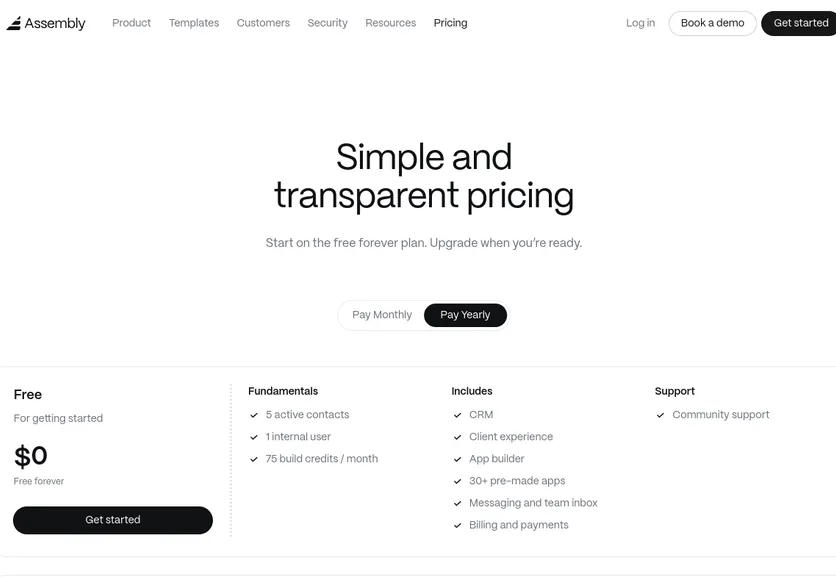
Paid tool Starting price: $29/month · Twenty-nine dollars a month billed annually, or forty-nine dollars month to month; Professional lists at ninety-nine dollars and Advanced at four hundred ninety-nine dollars a month billed annually
Free plan: Free plan for 1 user and 5 contacts
Assembly is the client portal that architects use to give clients a modern login for messages, files, forms, invoices and contracts, with the studio brand on every page. This Assembly Starter plan lists at twenty-nine dollars a month billed annually, for one internal user and fifty active contacts. A studio gets a portal that feels like a modern app, with custom domains and no Assembly branding from the Professional plan up.
What we like
- Polished portal that clients enjoy using
- Branding and custom domain from Professional
- Messaging, files and billing in one login
Watch out for
- Starter is limited to one user and fifty contacts
- Full white label needs the Professional plan
How to try it
- Open the Assembly site and start with the free plan
- Set up your portal with your studio brand and logo
- Invite your first client and share drawings and invoices
2. SuiteDash
Best for: Architects who want a flat-rate portal with unlimited clients and staff
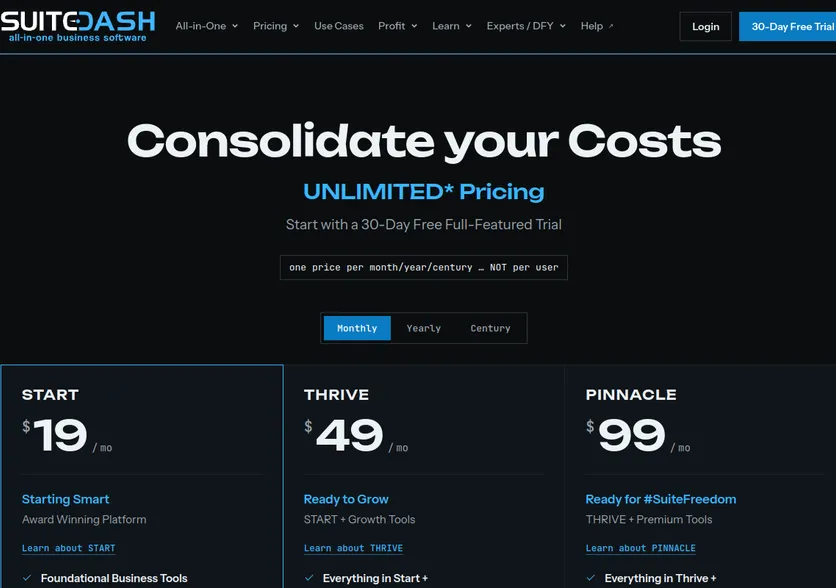
Paid tool Starting price: $19/month · Nineteen dollars a month, or one hundred eighty dollars a year (fifteen dollars a month) billed annually; Thrive lists at forty-nine dollars a month and Pinnacle at ninety-nine dollars a month
Free plan: No free plan; free trial available
SuiteDash is the all-in-one platform that architects use for client portals, CRM, invoicing and projects, with flat-rate pricing and unlimited users on every plan. This SuiteDash Start plan lists at nineteen dollars a month, or one hundred eighty dollars a year, with white labeling and a branded mobile app included. A studio gets unlimited portals, clients and staff for one flat fee, so the bill never grows with the team.
What we like
- Flat monthly price with unlimited users
- White label and branded mobile app included
- Unlimited portals, clients and staff
Watch out for
- Proposals toolkit needs the Thrive plan
- Interface takes time to set up well
How to try it
- Open the SuiteDash site and start the free trial
- Set up your white-label portal with your studio brand
- Invite clients and share drawings, invoices and schedules
3. HoneyBook
Best for: Architects who want onboarding, contracts and invoicing in one place
Paid tool Starting price: $29/month · Twenty-nine dollars a month billed annually, or thirty-six dollars month to month; Essentials lists at forty-nine dollars and Premium at one hundred nine dollars a month billed annually
Free plan: No free plan; free trial available
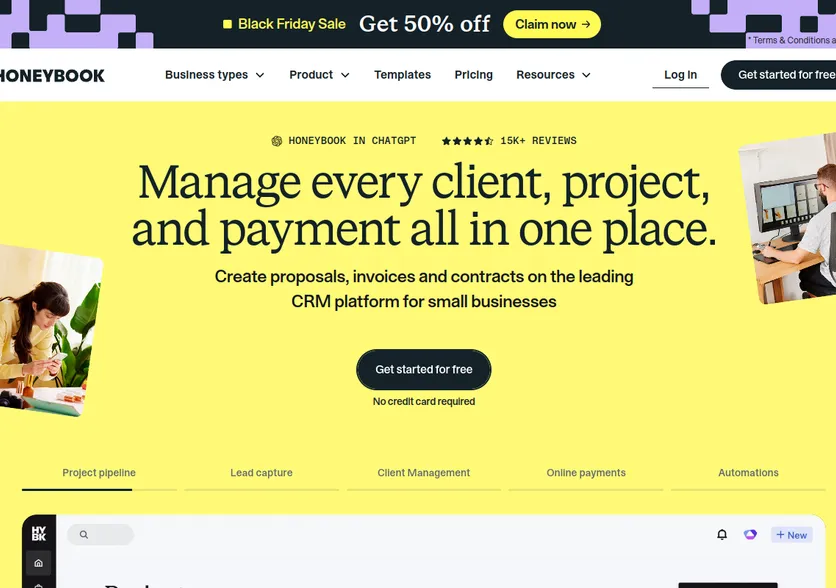
HoneyBook is the client platform that architects use to onboard a client, send a proposal and collect the first payment in one flow, with templates that make the studio look organized. This HoneyBook Starter plan lists at twenty-nine dollars a month billed annually, with Essentials and Premium above it. A studio can send a welcome packet, collect the agreement and take the first payment without switching tools.
What we like
- Onboarding, contracts and payments in one place
- Templates that make new clients feel looked after
- Automated follow up for unsigned agreements
Watch out for
- No project portal, so drawing approvals live elsewhere
- Templates need setup before the first client
How to try it
- Open the HoneyBook site and start the free trial
- Build a welcome packet with your agreement and forms
- Send it to new clients and collect the first payment
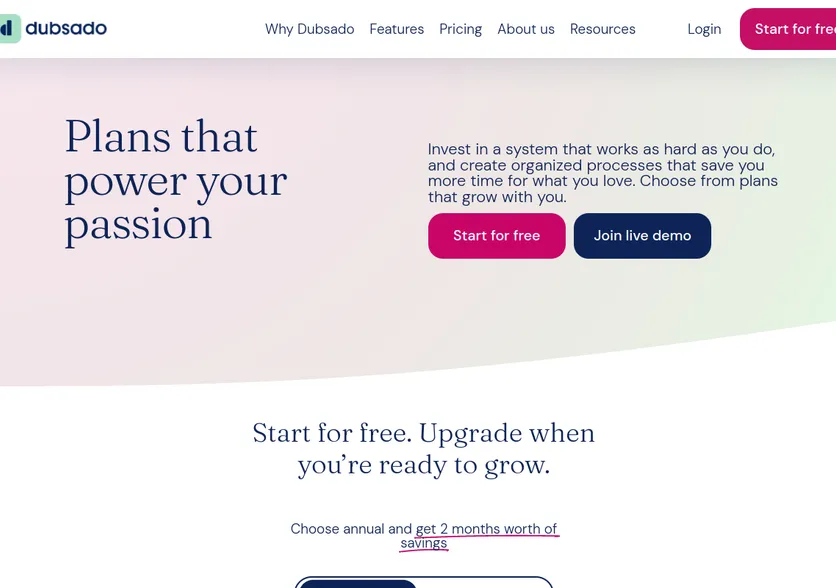
4. Dubsado
Best for: Architects who want workflows, contracts and invoicing in one place
Paid tool Starting price: $20/month · Twenty dollars a month, or two hundred dollars a year (about seventeen dollars a month); Premier lists at forty dollars a month, or four hundred dollars a year
Free plan: No free plan; free trial with up to 3 clients
Dubsado is the client platform that architects use to run the business side of a project, with workflows, contracts, forms and invoices that follow the client from first call to final payment. This Dubsado Starter plan lists at twenty dollars a month, or two hundred dollars a year, with Premier above it for larger studios. A studio gets unlimited clients and projects, with a free trial that allows up to three clients.
What we like
- Workflows that follow a project end to end
- Unlimited clients and projects on every plan
- Contracts, forms and invoices in one place
Watch out for
- No dedicated client portal for drawing approvals
- Workflows need setup before the first project
How to try it
- Open the Dubsado site and start the free trial
- Build a workflow for your design process
- Send the contract and collect the first payment
5. Plutio
Best for: Architects who want a simple portal for a small studio
Paid tool Starting price: $15/month · Fifteen dollars a month billed annually, or one hundred eighty dollars a year; Pro lists at about thirty-nine dollars and Max at about one hundred sixty-six dollars a month billed annually
Free plan: No free plan; 14-day free trial
Plutio is the simple client portal that small architecture studios use to share files, track projects and invoice clients without a big system. This Plutio Core plan lists at fifteen dollars a month billed annually, or one hundred eighty dollars a year, capped at nine active clients. A small studio gets proposals, contracts, invoicing and a client portal in one place, with Pro and Max above it for larger teams.

What we like
- Lowest monthly price in this comparison
- Proposals, contracts and invoicing in one place
- Simple enough for a solo architect to run alone
Watch out for
- Core plan is capped at nine active clients
- Smaller vendor with fewer integrations
How to try it
- Open the Plutio site and start the fourteen-day trial
- Set up your portal with your studio brand
- Invite your first clients and share drawings and invoices
6. Houzz Pro
Best for: Architects who want leads, a profile and a client portal from one platform
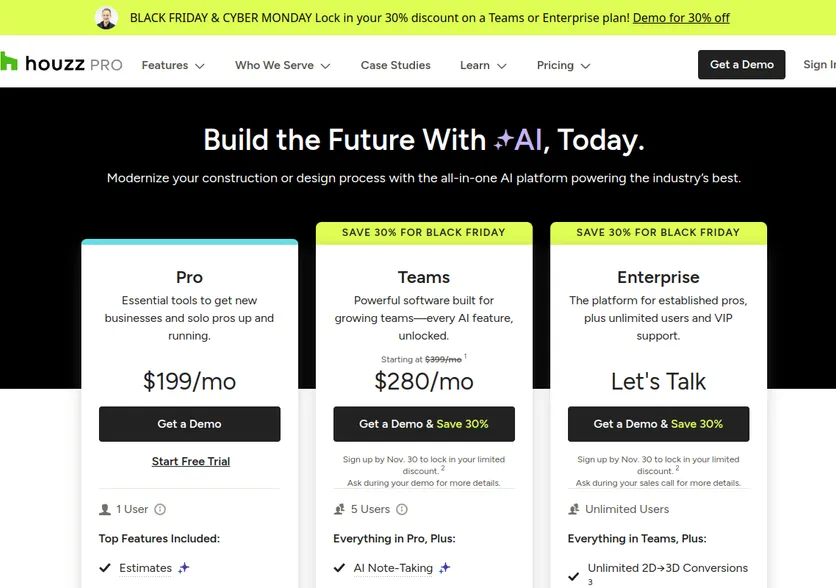
Paid tool Starting price: $65/month · Sixty-five dollars a month for Starter; Essential lists at ninety-nine dollars and Pro at one hundred forty-nine dollars a month
Free plan: Free plan available
Houzz Pro is the platform that architects use to win work from Houzz, with a professional profile, lead management and a client portal in one place. This Houzz Pro Starter plan lists at sixty-five dollars a month, with Essential and Pro above it for larger studios. A studio gets project management, estimates and client messaging beside the leads that Houzz sends.
What we like
- Leads from Houzz beside the client portal
- Professional profile that wins work
- Estimates and messaging in one place
Watch out for
- Tied to the Houzz platform, so leads come from one source
- Higher plans needed for deeper project tools
How to try it
- Open the Houzz Pro site and set up your profile
- Add your portfolio and start collecting leads
- Use the portal to message clients and share estimates
7. PandaDoc
Best for: Architects who want proposals, contracts and e-signature in one flow
Paid tool Starting price: $19/user/month · Nineteen dollars per user per month billed annually, with a two-seat maximum; Business lists at forty-nine dollars per user per month billed annually
Free plan: Free eSign plan available
PandaDoc turns a design proposal into a signed agreement in one flow, with proposals, contracts and e-signature that clients can complete from a phone. This PandaDoc Essentials plan lists at nineteen dollars per user per month billed annually, with Business above it for larger teams. A studio can send a fee proposal, track when it is opened and collect the signature without a second tool.

What we like
- Proposals and contracts in one flow
- Tracks when a client opens the document
- Free eSign plan for light use
Watch out for
- Essentials plan is capped at two seats
- No project portal, so drawing approvals live elsewhere
How to try it
- Open the PandaDoc site and start the free trial
- Build a fee proposal with your agreement attached
- Send it, track opens and collect the signature
8. DocuSign
Best for: Architects who need design agreements and change orders signed online
Paid tool Starting price: $10/month · Ten dollars a month billed annually, or fifteen dollars month to month; Standard lists at twenty-five dollars and Business Pro at forty dollars a month billed annually
Free plan: No free plan; 30-day free trial
DocuSign is the e-signature standard that architects use for design agreements, change orders and approvals, with signing that clients can do from a phone. This DocuSign Personal plan lists at ten dollars a month billed annually, with a five-envelope monthly cap. A studio can send a design agreement, get it signed the same day and keep the audit trail for the file.

What we like
- E-signature clients already trust and recognize
- Signing from any phone, no app needed
- Audit trail for every signed document
Watch out for
- Five-envelope cap on the Personal plan
- No portal, so client tracking lives elsewhere
How to try it
- Open the DocuSign site and start the free trial
- Upload your design agreement and change order templates
- Send the envelope and track signing in real time
Prices above were checked on each vendor’s own website on Nov 27, 2026 and can change — the vendor’s page is the final word. Vendor links are editorial: nobody paid to be listed or ranked here. Vendors who want a featured listing can see how it works on our Get listed page.
How to pick a client portal for an architecture studio
Start with the client, not the software. A homeowner or a developer wants to see the drawings, approve a change and pay an invoice without learning a new system, so the portal has to be simple enough to use once and remember. Pick the tool whose portal a real client can open, understand and use without a phone call.
Count the real monthly cost before you buy. Flat-rate portals stay cheap as the studio grows, while per-user plans double when the team joins and contact caps push a busy studio up a tier. Add the plan that actually includes proposals and white labeling, because both are gated on some plans. Run a real client through the portal, time the approval and check the payment lands without a second login.
Before you buy
- Match the tool to your project size, because a house extension and a commercial job need very different portals.
- Check whether the plan includes proposals and contracts, because design work stalls without a signed agreement.
- Confirm clients can approve drawings and pay invoices in the portal, because email approvals get lost.
- Test the portal with a real client, because a confusing login makes clients call instead of clicking.
- Count the real monthly cost, because per-user plans double once the whole studio is on it.
Official websites
Official websites of the products reviewed above. Features and prices were checked against these sites when this guide was written, and they can change, so confirm on the vendor site before you buy.
Frequently asked questions
Which client portal software is best for architects in 2026?
Assembly is the best overall pick at twenty-nine dollars a month billed annually, because it gives clients a polished portal for messages, files, invoices and contracts that feels like a modern app. SuiteDash is the best choice for studios that want a flat rate with unlimited users and clients. HoneyBook is the best budget pick at twenty-nine dollars a month for onboarding, contracts and payments in one place.
How much does client portal software cost for an architect?
Architect portal tools in this list run from ten dollars a month for DocuSign Personal to sixty-five dollars a month for Houzz Pro Starter, with most portals between fifteen and twenty-nine dollars a month. SuiteDash lists at nineteen dollars a month flat with unlimited users, and Assembly lists at twenty-nine dollars a month. Budget for the tier that includes proposals and white labeling, because both are gated on some plans.
What should an architect client portal include?
Give the client one login for messages, drawings, approvals, invoices and payments, so nothing gets lost in email. Add a clear project timeline with milestones, because clients want to know what happens next. End with a signed agreement and a first payment link, so the project starts with a clear scope and a clear fee.
Is there a free client portal tool for architects?
Yes, with limits. Assembly has a free plan for one user and five contacts, PandaDoc has a free eSign plan and Houzz Pro has a free plan, so a solo architect can start a portal without paying. The free plans cap users or contacts, so a busy studio outgrows them fast. SuiteDash, HoneyBook and Dubsado all offer free trials instead of a permanent free plan.
Can a client portal handle drawing approvals and payments?
Yes, and it is one of the main reasons to buy a portal tool. Assembly, SuiteDash and Plutio all let clients approve drawings and pay invoices inside the portal, while HoneyBook and Dubsado handle the agreement and payment side. DocuSign and PandaDoc cover signing only, so most studios pair a portal with an e-signature tool to cover the whole flow.
Need everyday business help too? Try Toolsvine's free business tools right in your browser.
Browse Business Tools tools