On this page
Procurement and legal teams lose weeks when contracts sit in inboxes and shared drives, waiting for someone to find the right version. The seven tools below replace that scramble with a searchable repository, approval workflows and e-signatures in one place. Every price was checked on the vendor site on November 27, 2026, and the list runs from nine dollars and fifty cents a month to four hundred and ninety-nine dollars a month. Docusign CLM is our first pick — the contract platform that pairs a searchable repository with e-signatures your counterparties already trust.
How we researched this
We started with the contract tools procurement and legal teams actually buy, then read each price on the vendor pricing page on November 27, 2026 and noted the trial each plan carries. We judged them for a team that stores hundreds of contracts and needs to find any clause in seconds, with approvals and signatures that do not stall a deal. We dropped Agiloft, Ironclad, Icertis, Sirion, Conga and SAP Ariba because none of them publishes a list price, so a buyer cannot compare them without a sales call.
Compare the tools
| Name | Best for | Starting price | Free plan | |
|---|---|---|---|---|
| Docusign CLM | Procurement and legal teams that want contract management beside the e-signatures counterparties already use | $45/user/month | No free plan; book a demo to start | Visit |
 ContractWorks | Small legal teams that want a simple repository with unlimited users at a flat monthly price | $425/month | No free plan; 14-day free trial | Visit |
 ContractSafe | Teams that want unlimited users and AI contract search at a flat monthly price | $450/month | No free plan; free trial available | Visit |
 Concord | Teams that draft, negotiate and sign contracts in one shared workspace | $499/month | No free plan; demo available | Visit |
 PandaDoc | Sales-led teams that need proposals, contracts and signatures in one flow | $19/user/month | Free eSign plan | Visit |
 GetAccept | Sales teams that want contracts, e-signatures and deal tracking in one tool | $25/user/month | No free plan; book a demo to try it | Visit |
| Diliforce | Small teams that want contract search and signatures at the lowest price here | $9.50/user/month | No free plan; 14-day free trial | Visit |
The clm software for procurement and legal teams, compared
1. Docusign CLM
Best for: Procurement and legal teams that want contract management beside the e-signatures counterparties already use
Paid tool Starting price: $45/user/month · Forty-five dollars per user a month for the IAM Starter plan on an annual commitment, or five hundred and forty dollars a year; Standard costs fifty dollars and Professional costs eighty dollars per user a month
Free plan: No free plan; book a demo to start
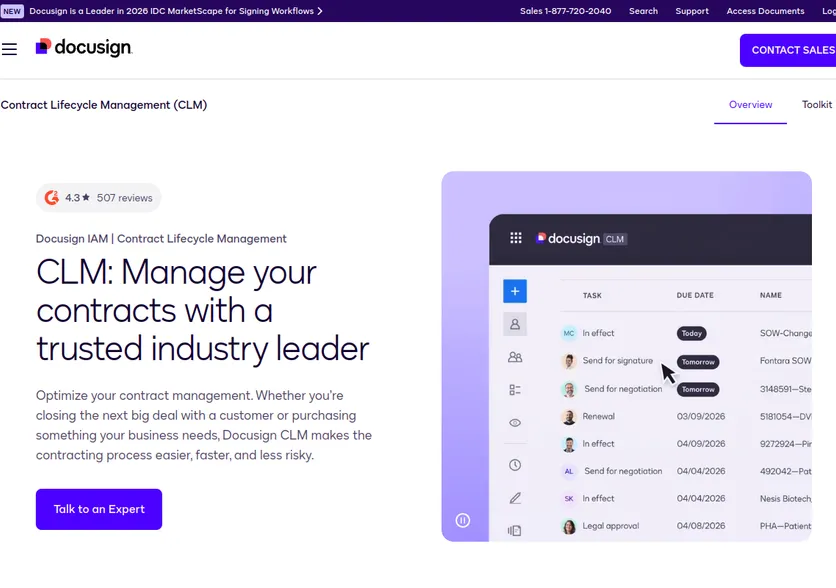
Docusign CLM is the contract platform inside Docusign IAM, pairing a searchable contract repository with the e-signatures most counterparties already accept. This Docusign CLM IAM Starter plan costs forty-five dollars per user a month on an annual commitment and adds AI contract review to the repository. A team that already sends documents for signature gets contract storage, search and approvals without teaching vendors a new tool.
What we like
- E-signatures counterparties already trust and accept
- AI review finds clauses without manual reading
- Repository, approvals and signatures in one platform
Watch out for
- No free plan, so the demo is the only way to test it
- The forty-five dollar plan is the entry tier, so advanced AI costs more
How to try it
- Open the Docusign CLM page and book a product demo
- Upload a set of existing contracts and check the AI extraction
- Set up approval steps and send a test contract for signature
2. ContractWorks
Best for: Small legal teams that want a simple repository with unlimited users at a flat monthly price
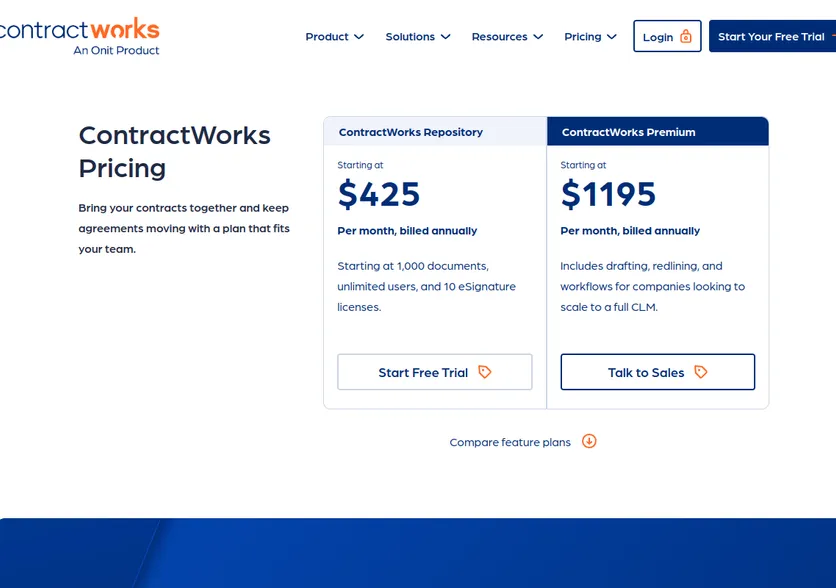
Paid tool Starting price: $425/month · Four hundred and twenty-five dollars a month billed annually for the Repository plan, covering up to one thousand documents with unlimited users and ten e-signature licenses; Premium is custom-priced by contract volume
Free plan: No free plan; 14-day free trial
ContractWorks is the straightforward contract repository built for teams that want to store, search and sign contracts without a long implementation. This ContractWorks Repository plan costs four hundred and twenty-five dollars a month billed annually and covers up to one thousand documents for unlimited users. A small team gets a searchable archive and e-signatures on day one, with no per-user meter running.
What we like
- Unlimited users on a flat monthly price
- Simple setup with no long implementation
- Renewal reminders built into the repository
Watch out for
- Repository caps at one thousand documents on the entry plan
- Only ten e-signature licenses are included before you pay more
How to try it
- Open the ContractWorks site and start the 14-day trial
- Upload your contracts and tag them by department
- Set renewal reminders and send a test document for signature
3. ContractSafe
Best for: Teams that want unlimited users and AI contract search at a flat monthly price
Paid tool Starting price: $450/month · Four hundred and fifty dollars a month billed annually for the Organize plan with unlimited users, or five hundred and forty dollars month to month; Finalize costs six hundred and sixty dollars and Maximize costs eight hundred and fifteen dollars a month
Free plan: No free plan; free trial available
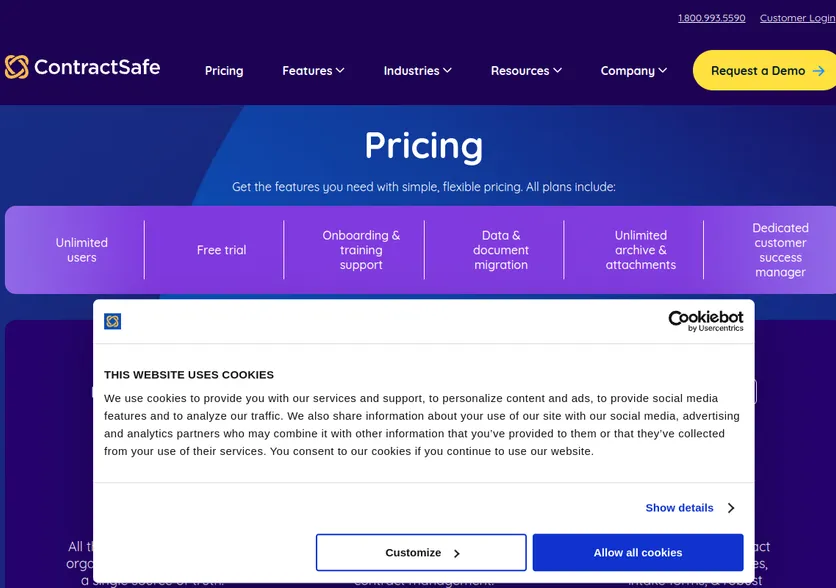
ContractSafe is the contract repository that charges by the month, not by the seat, so the whole company can search contracts without a per-user bill. This ContractSafe Organize plan costs four hundred and fifty dollars a month billed annually with unlimited users. A team that stores contracts from every department gets AI search and reminders without counting seats.
What we like
- Unlimited users with no per-seat billing
- AI search finds clauses across the whole archive
- Flat monthly price that does not grow with headcount
Watch out for
- Monthly billing costs ninety dollars more than the annual rate
- Advanced redlining needs the higher Finalize plan
How to try it
- Open the ContractSafe site and start a free trial
- Upload contracts from every department into one repository
- Test the AI search on a renewal date and a liability cap
4. Concord
Best for: Teams that draft, negotiate and sign contracts in one shared workspace
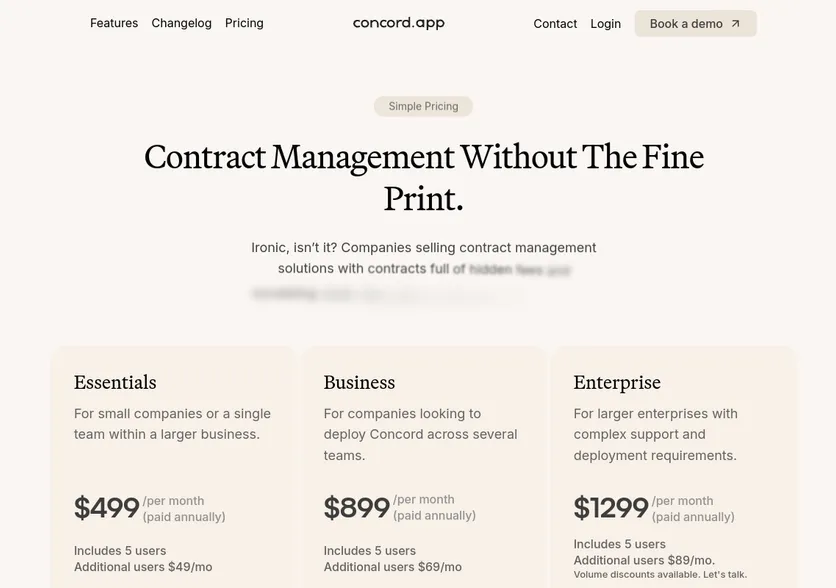
Paid tool Starting price: $499/month · Four hundred and ninety-nine dollars a month paid annually for the Essentials plan with five users included, and extra users cost forty-nine dollars a month; Business costs eight hundred and ninety-nine dollars and Enterprise costs one thousand two hundred and ninety-nine dollars a month
Free plan: No free plan; demo available
Concord is the contract workspace where drafting, internal approval and e-signature happen in the same document, so nothing gets lost between tools. This Concord Essentials plan costs four hundred and ninety-nine dollars a month paid annually and includes five users. A team that negotiates redlines over email gets version control and signatures in one place instead.
What we like
- Drafting, approval and signing in one document
- Version control that ends the redline email chain
- Clean workspace that non-lawyers use without training
Watch out for
- Essentials covers only five users before per-user fees start
- No free plan, so the demo is the only way to test it
How to try it
- Open the Concord site and book a product demo
- Draft a contract from a template and invite reviewers
- Send the finished contract for e-signature in the same workspace
5. PandaDoc
Best for: Sales-led teams that need proposals, contracts and signatures in one flow
Paid tool Starting price: $19/user/month · Nineteen dollars per user a month billed annually for the Essentials plan, or thirty-five dollars per user a month billed monthly; Business costs forty-nine dollars per user a month and a free eSign plan is available
Free plan: Free eSign plan
PandaDoc is the document platform that carries a deal from proposal to signed contract, with templates, approvals and e-signatures in one flow. This PandaDoc Essentials plan costs nineteen dollars per user a month billed annually and covers unlimited documents and templates. A team that already quotes in PandaDoc gets contract management without adding another vendor.

What we like
- Proposals, contracts and signatures in one flow
- Unlimited documents and templates on Essentials
- Free eSign plan for teams that only need signatures
Watch out for
- Contract management features sit behind the paid plans
- Monthly billing costs nearly double the annual rate
How to try it
- Open the PandaDoc site and start with the free eSign plan
- Build a contract template from your standard terms
- Send a test contract for signature and track it to completion
6. GetAccept
Best for: Sales teams that want contracts, e-signatures and deal tracking in one tool
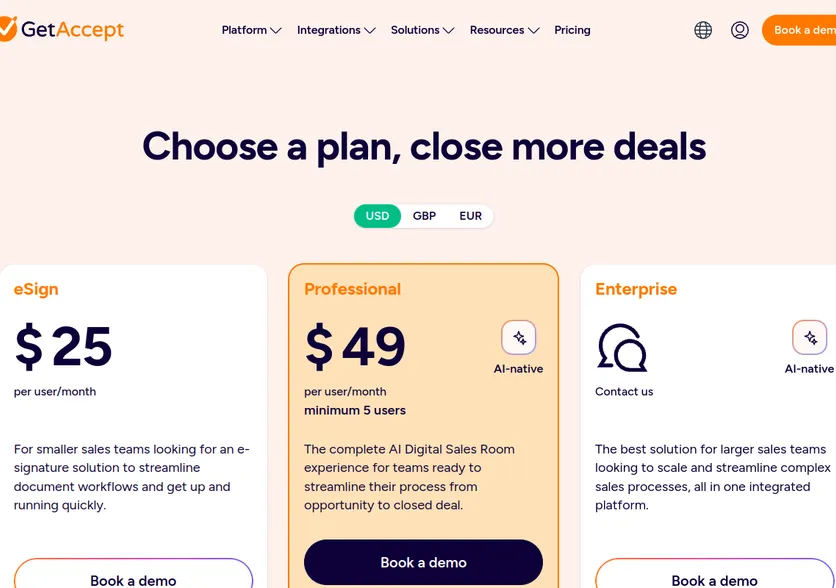
Paid tool Starting price: $25/user/month · Twenty-five dollars per user a month billed annually for the eSign plan, which includes contract management; Professional costs forty-nine dollars per user a month with a five-user minimum and Enterprise is custom-priced
Free plan: No free plan; book a demo to try it
GetAccept is the sales platform that adds contract management to e-signatures, so a signed deal flows straight into the repository. This GetAccept eSign plan costs twenty-five dollars per user a month billed annually and includes contract management. A sales team gets signatures, reminders and a contract archive without a separate CLM purchase.
What we like
- Signatures, reminders and archive in one sales tool
- Contract management included on the entry plan
- Deal tracking that shows when a contract stalls
Watch out for
- No free plan, so the demo is the only way to test it
- Professional needs at least five users before you can buy it
How to try it
- Open the GetAccept site and book a product demo
- Connect your CRM and import your active deals
- Send a test contract for signature and check the repository
7. Diliforce
Best for: Small teams that want contract search and signatures at the lowest price here
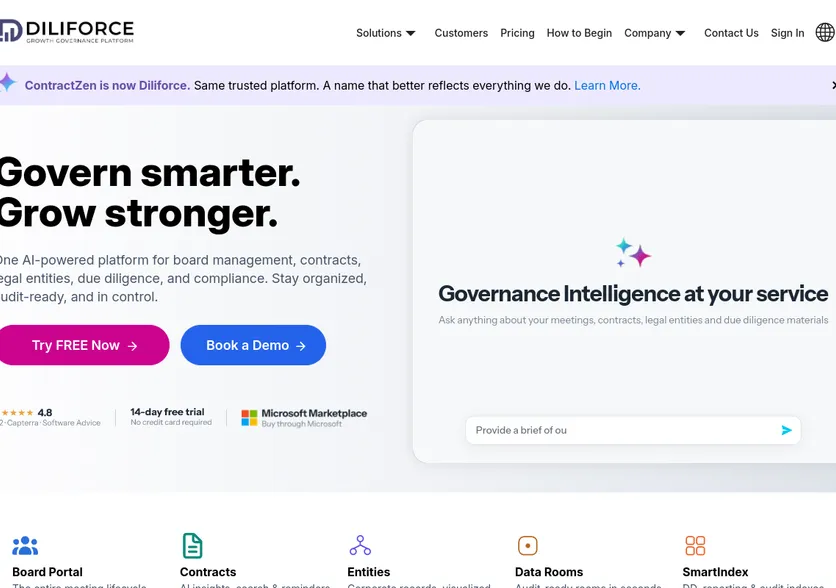
Paid tool Starting price: $9.50/user/month · Nine dollars and fifty cents per user a month billed annually for the Standard plan; Advanced costs twenty-seven dollars per user a month with a five-user minimum and Custom is priced by quote; a fourteen-day free trial is included
Free plan: No free plan; 14-day free trial
Diliforce, formerly ContractZen, is the low-cost contract manager for small teams that need a searchable repository and e-signatures without an enterprise budget. This Diliforce Standard plan costs nine dollars and fifty cents per user a month billed annually. A small team gets contract search, reminders and signatures for less than the price of a lunch per user.
What we like
- Cheapest paid plan in this comparison
- Search, reminders and signatures in one login
- Simple setup that a small team finishes in a day
Watch out for
- Advanced features need at least five users
- The brand changed from ContractZen, so older reviews use the old name
How to try it
- Open the Diliforce site and start the 14-day free trial
- Upload your contracts and check the automatic reminders
- Send a test contract for signature from the repository
Prices above were checked on each vendor’s own website on Nov 27, 2026 and can change — the vendor’s page is the final word. Vendor links are editorial: nobody paid to be listed or ranked here. Vendors who want a featured listing can see how it works on our Get listed page.
What contract software costs in 2026
A contract platform charges in one of two ways, per user or per month for the whole team, and the difference decides the bill. Per-user pricing suits a small legal team, while a flat monthly fee suits procurement teams where dozens of people only need to read contracts. The cheapest plan here costs nine dollars and fifty cents per user a month, while the most expensive costs four hundred and ninety-nine dollars a month for the whole team.
Start with a trial on two tools and load twenty real contracts into each one. Search for a renewal date, a liability cap and a termination clause, then send one contract for signature and watch how long approval takes. Pick the tool whose search finds the clause on the first try, because a repository you cannot search is just a tidier shared drive.
Before you buy
- Check how many documents the entry plan stores, because a low cap forces an upgrade in the first year.
- Confirm e-signatures are included in the price, because a per-envelope fee quietly doubles the bill.
- Test the search on your own contract wording, because keyword search misses clauses that AI extraction finds.
- Ask who approves and who signs, because a tool without approval routing leaves the bottleneck in email.
- Check the export terms before you sign, because a repository that locks your contracts behind a fee costs more later.
Official websites
Official websites of the products reviewed above. Features and prices were checked against these sites when this guide was written, and they can change, so confirm on the vendor site before you buy.
Frequently asked questions
Which CLM software is best for procurement and legal teams in 2026?
Docusign CLM is the best overall pick at forty-five dollars per user a month, pairing a searchable repository with e-signatures counterparties already trust. ContractSafe is the best pick for unlimited users at four hundred and fifty dollars a month flat. Diliforce is the best budget pick at nine dollars and fifty cents per user a month for small teams that need search and signatures without an enterprise budget.
How much does CLM software cost?
Prices in this list run from nine dollars and fifty cents per user a month for Diliforce to four hundred and ninety-nine dollars a month for Concord, with most tools landing between nineteen and four hundred and fifty dollars a month. Per-user pricing suits small legal teams, while flat monthly pricing suits procurement teams where dozens of people only read contracts. Add e-signature fees and storage caps to the subscription before you compare totals.
Do procurement teams need e-signatures in the CLM tool?
Yes, because a contract that leaves the repository for signature comes back as a new version that someone must file by hand. E-signatures inside the tool keep the signed copy in the repository with the audit trail attached. A CLM without signatures saves the search problem and leaves the signing problem exactly where it was.
Can a small team use a CLM tool, or are they only for enterprises?
Yes, a small team can use one, and Diliforce at nine dollars and fifty cents per user a month is built for exactly that buyer. The enterprise suites in this market charge by quote and need weeks of implementation, but the tools here start with a trial and a repository you fill yourself. A team of five that stores a hundred contracts already has enough volume to justify the search.
What is the difference between CLM software and e-signature software?
E-signature software signs a document and stops there, while CLM software stores the signed contract, searches its clauses and reminds you before it renews. A team that only needs signatures can buy e-signatures alone for less money. A team that needs to find a clause from three years ago, or prove what was agreed, needs the repository that CLM adds.
Need everyday business help too? Try Toolsvine's free business tools right in your browser.
Browse Business Tools tools