On this page
A sales team lives or dies on how fast a contract comes back signed. The best eSignature software removes the print-scan-chase cycle and turns a proposal into a signed deal while buyers are warm. The seven tools below run from the cheapest flat plan to the enterprise platform for regulated deals. Every price was checked on the vendor site on November 25, 2026, and every tool offers a free trial or a free plan to test before you pay. DocuSign eSignature is our first pick — the best-known signing brand, and the safest default when buyers must sign without hesitation.
How we researched this
We started with the eSignature tools sales teams actually buy, then read each price on the vendor pricing page on November 25, 2026 and noted the signing limits and free trial each plan carries. We judged them for a working sales team that sends quotes, contracts and order forms every week and needs signed paperwork back fast. We kept the list to tools with a published price or a clear sales quote path, and we dropped any tool whose price we could not verify.
Compare the tools
| Name | Best for | Starting price | Free plan | |
|---|---|---|---|---|
 DocuSign eSignature | Sales teams that want the best-known signing brand with deep CRM links | $25/user/month | 30-day free trial | Visit |
 Adobe Acrobat Sign | Teams that already live in Acrobat and edit PDFs every day | $16.99/month | Free trial | Visit |
 Dropbox Sign | Small sales teams that want unlimited sends with no envelope meter | $25/month | Free plan; 30-day free trial | Visit |
 SignNow | Budget teams that want the lowest flat monthly price with unlimited users | $8/month | 7-day free trial | Visit |
 PandaDoc | Sales teams that send proposals and contracts from one document workflow | $49/month | Free plan | Visit |
 Foxit eSign | High-volume teams that want unlimited envelopes at a flat per-user price | $25/month | Free plan | Visit |
 OneSpan Sign | Regulated sales teams that need strong security and identity checks | $22/month | 30-day free trial | Visit |
The eSignature tools, compared
1. DocuSign eSignature
Best for: Sales teams that want the best-known signing brand with deep CRM links
Paid tool Starting price: $25/user/month · Standard plan, $25 a user a month billed annually upfront ($300 a year); $30 a month on an annual commitment billed monthly; $45 month to month. Personal $10 a month billed annually upfront ($11 billed monthly); Business Pro $40 a month billed annually upfront ($45 billed monthly); Enterprise is quoted. Standard includes 100 envelopes per user a year.
Free plan: 30-day free trial
DocuSign eSignature is the signing tool most buyers already trust, and that familiarity means prospects sign without a second thought. This DocuSign eSignature plan covers reusable templates, custom branding, real-time commenting and payments collected during signing. It is the safest pick when your deals touch Salesforce or another large CRM and you need the audit trail to hold up in a dispute.

What we like
- Prospects already know and trust the name
- Huge integration library covers Salesforce and HubSpot
- Strong audit trail and branding on Standard
Watch out for
- 100-envelope yearly allowance per user can run out
- Business Pro costs about $40 a month per user
How to try it
- Open the DocuSign eSignature page and start the Standard trial
- Upload a sales contract and add signature and date fields
- Send it to a colleague and download the signed copy
2. Adobe Acrobat Sign
Best for: Teams that already live in Acrobat and edit PDFs every day
Paid tool Starting price: $16.99/month · Acrobat Standard for Teams, per user per month on annual billing; Acrobat Pro for Teams is about $24 a month and Studio for Teams is about $30 a month
Free plan: Free trial
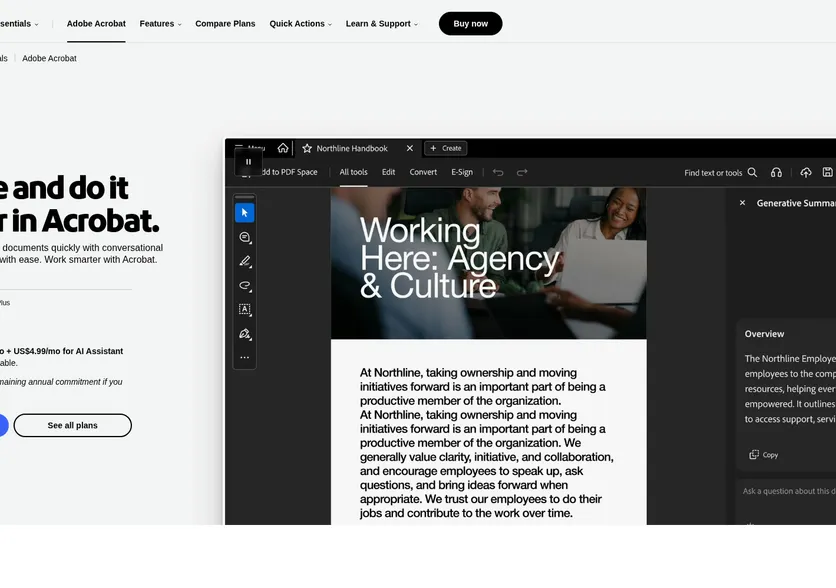
Adobe Acrobat Sign suits a sales team that already edits PDFs all day, because signing sits inside the same Acrobat workspace as the contract itself. This Adobe Acrobat Sign plan pairs e-signatures with full PDF editing, so a rep can fix a typo, add a page and send for signature without opening another app. It is the cheapest entry point here for a team that also needs real PDF tools, and the Pro tier removes the transaction cap for heavy senders.
What we like
- Signing and PDF editing in one app
- Lowest starting price for a team plan
- Admin console and shared templates included
Watch out for
- Standard caps transactions at 150 per user yearly
- Full signing features need the Pro tier
How to try it
- Open the Adobe Acrobat pricing page and pick Standard for Teams
- Open a contract in Acrobat, add signature fields and send it
- Track the response and download the completed file
3. Dropbox Sign
Best for: Small sales teams that want unlimited sends with no envelope meter
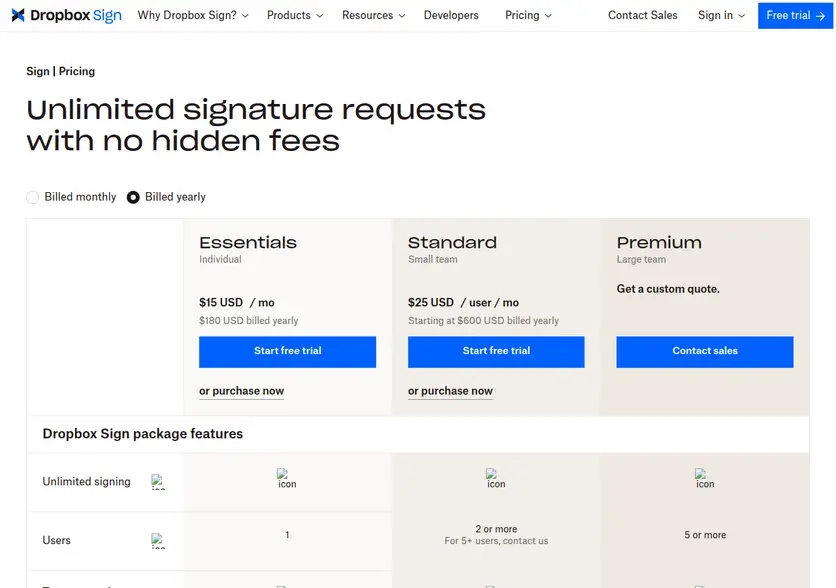
Paid tool Starting price: $25/month · Standard plan, per user per month on annual billing with a two-seat minimum; Essentials is about $15 a month for one user; Premium is quoted
Free plan: Free plan; 30-day free trial
Dropbox Sign is the simplest tool on this list, and that is exactly why small sales teams like it. This Dropbox Sign plan includes unlimited signature requests on every paid tier, so nobody on the team has to count envelopes before sending a contract. It connects with Google Drive, Microsoft Word and HubSpot, and Standard adds bulk send, branding and team controls.
What we like
- Unlimited signature requests on every paid plan
- Clean setup a new rep learns in minutes
- Works with Google Drive, Word and HubSpot
Watch out for
- Standard needs two seats, so the smallest bill is about $50 a month
- Only 15 templates on Standard
How to try it
- Open the Dropbox Sign pricing page and start the Standard trial
- Upload a sales agreement and drag signature fields onto it
- Send it to a buyer and check the audit trail
4. SignNow
Best for: Budget teams that want the lowest flat monthly price with unlimited users
Paid tool Starting price: $8/month · Business plan, billed annually; Business Premium is about $15 a month and Enterprise is about $30 a month; Site License is usage-based from $1.50 per signature invite
Free plan: 7-day free trial
SignNow is the cheapest flat-rate tool on this list, and its pricing model is the reason it wins on value. This SignNow plan charges by signature invites instead of by seat, so every rep on the team gets a login without raising the monthly bill. It covers unlimited templates, mobile apps, audit trails and automatic reminders, and Premium adds bulk send, signing links and payment collection.
What we like
- Lowest flat monthly price on this list
- Unlimited users on every paid plan
- Bulk send and payments on Premium
Watch out for
- Annual plans include only 100 invites a year, shared
- Extra invites cost extra, so watch the meter
How to try it
- Open the SignNow site and start the free trial on Business
- Turn a quote into a reusable template with signature fields
- Send it as an invite and watch the shared allowance
5. PandaDoc
Best for: Sales teams that send proposals and contracts from one document workflow
Paid tool Starting price: $49/month · Business plan, per user per month on annual billing; Starter is about $19 a month and month-to-month billing is about $65 a month; Enterprise is quoted
Free plan: Free plan
PandaDoc is more than a signing tool, because it covers the whole journey from proposal to signed contract in one workspace. This PandaDoc plan adds CRM integrations, approval workflows, a content library and deal rooms, so a rep can build a quote, win approval and collect a signature in one place. It is the strongest pick here for a team that sells with polished proposals and wants every step tracked.

What we like
- Proposals, quotes and signatures in one place
- CRM integrations and approvals on Business
- Content library keeps reps on approved language
Watch out for
- Business costs about $49 a month per user
- Every sender is a paid seat
How to try it
- Open the PandaDoc pricing page and start the Business trial
- Build a proposal from a template with pricing and signature blocks
- Send it through approval and track it until signed
6. Foxit eSign
Best for: High-volume teams that want unlimited envelopes at a flat per-user price
Paid tool Starting price: $25/month · Business plan, $300 per user per year billed annually with unlimited envelopes; Essentials is cheaper for light senders
Free plan: Free plan
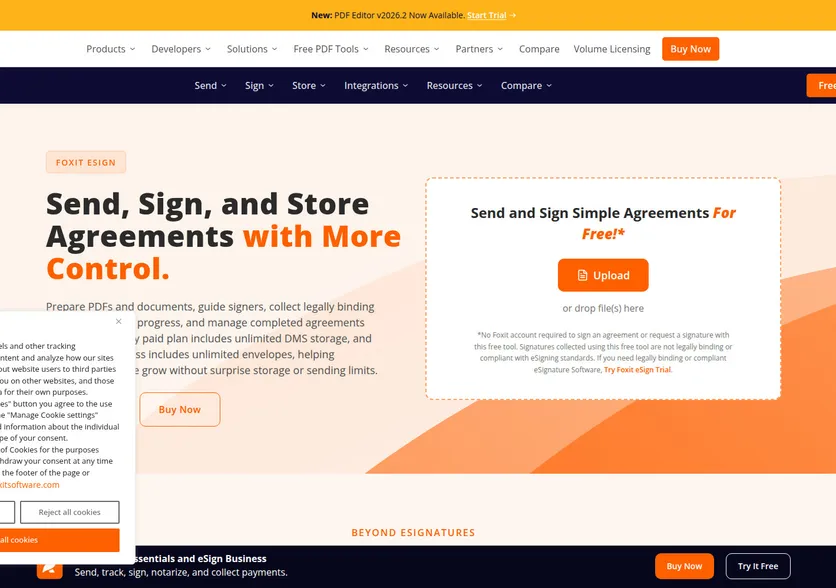
Foxit eSign is the value pick for a team that sends a lot of documents and refuses to watch an envelope meter. This Foxit eSign Business plan includes unlimited envelopes and unlimited templates, plus compliance workflows and payment collection at the same flat price. It is the right choice when signing volume is high and unpredictable, because the bill stays the same no matter how many contracts go out.
What we like
- Unlimited envelopes and templates on Business
- Compliance workflows included, no higher tier
- Payment collection built into signing
Watch out for
- Business needs five seats, so tiny teams cannot buy it
- Smaller brand may need explaining to cautious buyers
How to try it
- Open the Foxit eSign page and compare the Business plan
- Upload a contract and add signature fields and a payment request
- Send it to the buyer and confirm every step in the audit trail
7. OneSpan Sign
Best for: Regulated sales teams that need strong security and identity checks
Paid tool Starting price: $22/month · Professional plan, per user per month billed yearly; Enterprise is volume-based and quoted; 30-day free trial
Free plan: 30-day free trial
OneSpan Sign is built for deals where security and proof matter as much as speed, which makes it the pick for regulated industries. This OneSpan Sign plan covers up to a thousand transactions per user each year, with branded sessions, templates and mobile signing included. It adds identity verification, remote notarization and white-label signing on the Enterprise tier, so a bank or insurer can keep every step inside its own compliance rules.
What we like
- Strong security and audit trails for regulated deals
- Up to a thousand transactions per user yearly
- Branded sessions with your logo and colors
Watch out for
- No mid-tier between Professional and quoted Enterprise
- Stored transactions kept for 120 days only
How to try it
- Open the OneSpan Sign pricing page and start the 30-day trial
- Upload a document, add fields and set up a branded session
- Send it for signature and keep the audit trail
Prices above were checked on each vendor’s own website on Nov 25, 2026 and can change — the vendor’s page is the final word. Vendor links are editorial: nobody paid to be listed or ranked here. Vendors who want a featured listing can see how it works on our Get listed page.
What eSignature software costs in 2026
Price is the first filter, and the range on this list runs from about $8 a month to about $49 a month per user. The cheapest plans are not always the cheapest deal, because envelope caps, seat minimums and invite allowances change what a team really pays. The table below uses the headline plan each vendor shows on its own pricing page, checked on November 25, 2026.
Before you buy
- Count how many documents your team sends in a month, then check the envelope or invite allowance on the plan you like.
- Ask who counts as a paid seat: most tools here charge per user, while SignNow charges one flat rate for unlimited users.
- Test the signing experience as a buyer, because a clumsy signing page costs more deals than any monthly fee.
- Check the exact limit before you buy: DocuSign Standard includes 100 envelopes per user each year, and Adobe Standard caps transactions at 150.
- Try it on a real deal first: every tool here offers a free trial or free plan, and DocuSign links deeply with Salesforce and other CRMs.
Official websites
Official websites of the products reviewed above. Features and prices were checked against these sites when this guide was written, and they can change, so confirm on the vendor site before you buy.
Frequently asked questions
Which eSignature software is best for a sales team in 2026?
DocuSign Standard, at about $25 a month per user, is the safest default because buyers trust the name and it links deeply with Salesforce and other CRMs. SignNow is better if budget matters most, since its flat rate covers unlimited users. PandaDoc wins when your team sells through polished proposals and wants quotes, approvals and signatures in one place.
What is the cheapest eSignature software for a small sales team?
SignNow Business, at about $8 a month on annual billing, is the cheapest flat rate here and covers unlimited users, so adding reps costs nothing extra. Adobe Acrobat Sign is the cheapest per-user team plan at about $17 a month, and it also gives the team full PDF editing. Watch the sending limits, because overage fees can erase the saving.
Do I pay per user or per document for eSignature software?
It depends on the tool. DocuSign, Adobe, Dropbox Sign, PandaDoc, Foxit and OneSpan all charge per user, so the bill grows with every sender. SignNow is the exception: it charges a flat monthly rate by signature invites, so every rep gets a login at no extra cost. Count your senders first, then compare both models on your real headcount.
Can I try eSignature software before paying?
Yes, every tool here offers a free trial or a free plan. DocuSign, Dropbox Sign and OneSpan offer 30-day trials, SignNow offers a 7-day trial, and Adobe offers a free trial. Dropbox Sign, PandaDoc and Foxit also have free plans for light use. Start a trial with a real contract, not a test file, to see the signing experience your buyers will get.
What signing limit should a sales team watch before buying?
Check the envelope or invite allowance first, because that limit decides the real cost. DocuSign Standard includes 100 envelopes per user each year, Adobe Standard caps transactions at 150, and SignNow includes 100 invites a year shared across the account. Dropbox Sign, Foxit Business and OneSpan Professional have no envelope meter, which suits a high-volume team.
Need the everyday document jobs too? Convert, merge and split PDFs free on Toolsvine right in your browser.
Browse Business Tools tools