
On this page
An enterprise phone system has to serve hundreds of users across offices, with admin controls, compliance and uptime a small business never worries about. The seven tools below bring cloud calling to a large company, and every price was checked on the vendor site on November 26, 2026. Plans run from about $10 to about $30 per user a month, and most offer a free trial. RingCentral RingEX is our first pick — the most complete enterprise phone platform here, with the deepest admin and compliance tools.
How we researched this
We started with the cloud PBX platforms that large companies actually buy, then read each price on the vendor site on November 26, 2026 and noted the free trial each one carries. We judged them for an enterprise that needs hundreds of seats, multi-site calling, admin controls and compliance in one system. We kept the list to tools with a published price, and we dropped any tool whose price we could not verify.
Compare the tools
| Name | Best for | Starting price | Free plan | |
|---|---|---|---|---|
 RingCentral RingEX | Enterprises that want the most complete phone platform with deep admin tools | $20/user/month | 14-day free trial | Visit |
 Nextiva | Enterprises that want a full phone system at the lowest starting price | $10/user/month | Demo available | Visit |
 Dialpad | Enterprises that want AI transcription and coaching on every call | $15/user/month | Free trial | Visit |
 Zoom Phone | Enterprises already on Zoom that want calling in the same app | $16/user/month | Free trial | Visit |
 Aircall | Enterprises whose phone must live inside the CRM | $30/license/month | Free trial | Visit |
 Phone.com | Branch offices that want a simple phone system with no contract | $18/user/month | 30-day money-back guarantee | Visit |
 Quo | Enterprises that want a modern phone system with AI call summaries | $15/user/month | 7-day free trial | Visit |
The enterprise cloud PBX tools, compared
1. RingCentral RingEX
Best for: Enterprises that want the most complete phone platform with deep admin tools
Paid tool Starting price: $20/user/month · RingEX Core plan, per user per month on annual billing; $30 a month month-to-month; Advanced is about $25 and Ultra about $35 a month; 14-day free trial
Free plan: 14-day free trial
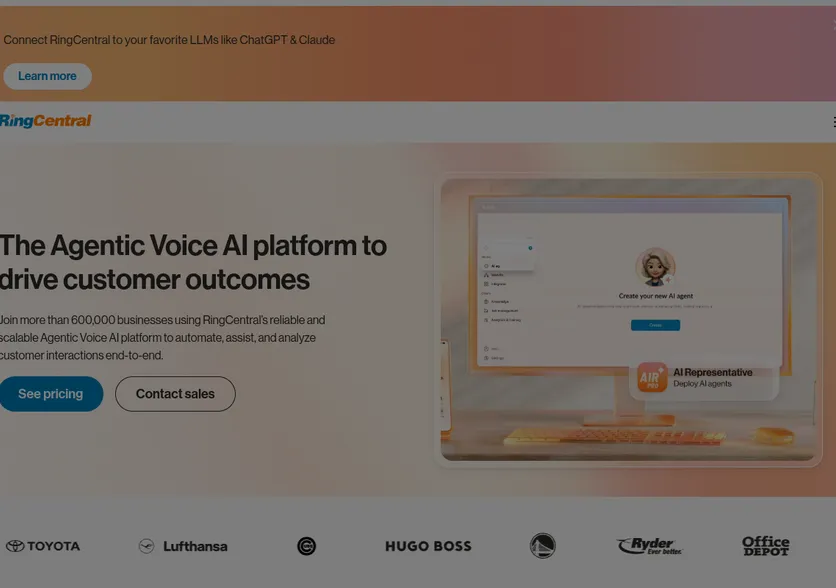
RingCentral RingEX is the enterprise-grade phone platform on this list, with the admin controls, compliance and scale a large company needs. This RingCentral RingEX plan covers unlimited calling, video meetings and team messaging on Core, with analytics and AI on higher tiers. It is the safest pick when hundreds of users must work from one phone system.
What we like
- Deepest admin and compliance tools here
- Unlimited calling, video and messaging on Core
- Scales from one office to hundreds of seats
Watch out for
- Core is about $20 per user a month on annual billing
- Monthly billing jumps to about $30 a month
How to try it
- Open the RingCentral pricing page and start the 14-day trial on Core
- Set up your first office with departments and call queues
- Roll the system out to the next office and connect the admin console
2. Nextiva
Best for: Enterprises that want a full phone system at the lowest starting price
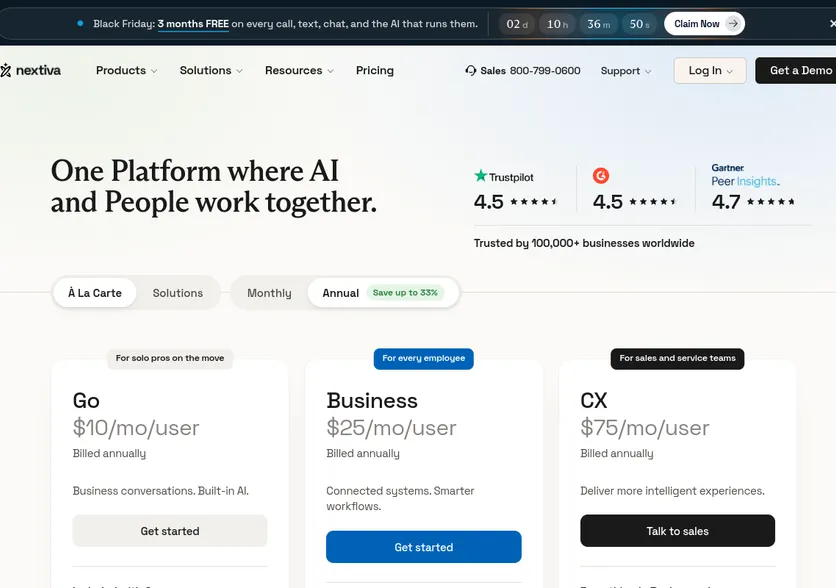
Paid tool Starting price: $10/user/month · Go plan, per user per month; Business is about $25 and CX about $75 a month; AI Super Pack adds about $10 and Messaging Super Pack about $20
Free plan: Demo available
Nextiva is the value pick for an enterprise that wants a full phone system without the enterprise price tag. This Nextiva plan covers unlimited calling, video and team messaging on Go, with CRM and analytics on higher tiers. It is the strongest choice when a large company wants solid features at the lowest starting price here.
What we like
- Lowest starting price here at $10 per user a month
- Video and messaging built into every plan
- Free toll-free number included
Watch out for
- CRM and analytics need the higher tiers
- No free trial, demo only
How to try it
- Open the Nextiva pricing page and compare the Go plan
- Set up your main number and team extensions
- Add video meetings and team messaging for the whole company
3. Dialpad
Best for: Enterprises that want AI transcription and coaching on every call
Paid tool Starting price: $15/user/month · Connect Standard plan, per user per month on annual billing; $27 a month month-to-month; Pro is about $25 and Enterprise is custom
Free plan: Free trial
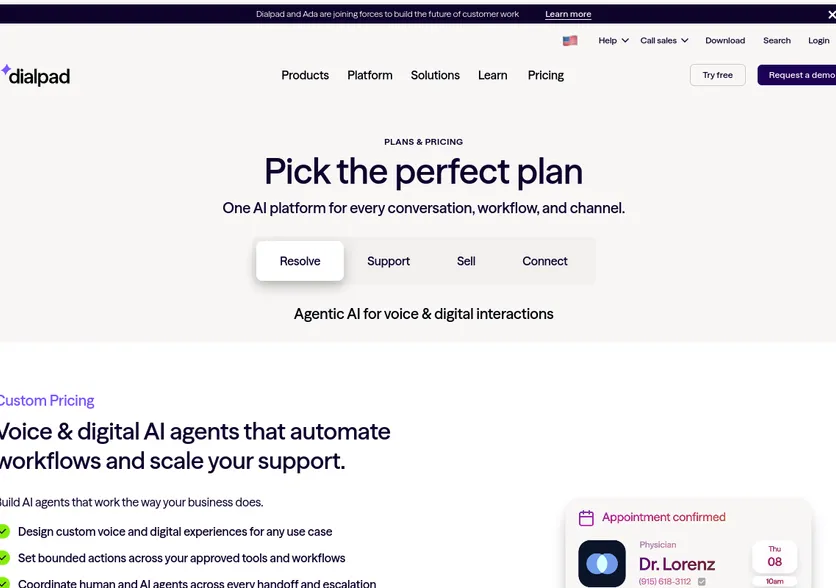
Dialpad brings AI to every call, with real-time transcription and coaching that a large team can measure. This Dialpad plan covers unlimited calling, messaging and AI meeting notes on Connect Standard, with advanced AI on Pro. It is the best pick for an enterprise that wants voice intelligence built into the phone system.
What we like
- AI notes and transcription on every call
- Strong analytics for large teams
- No hardware to install
Watch out for
- Standard is about $15 per user a month on annual billing
- Monthly billing is about $27 a month
How to try it
- Open the Dialpad pricing page and start the free trial
- Turn on AI notes and transcription for your team
- Review the call analytics and coach the slowest team
4. Zoom Phone
Best for: Enterprises already on Zoom that want calling in the same app
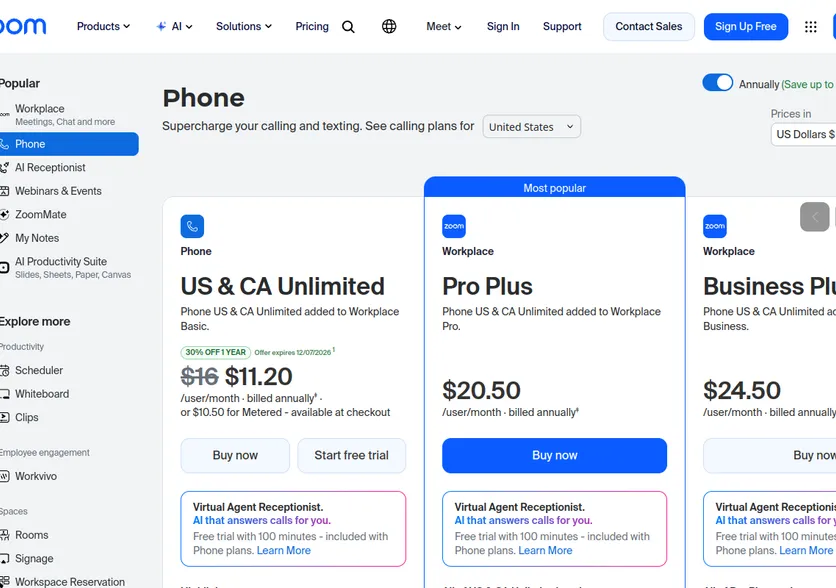
Paid tool Starting price: $16/user/month · US and Canada Unlimited plan, per user per month billed annually; $18 a month month-to-month; Pro Plus is about $20.50 and Business Plus about $24.50 a month
Free plan: Free trial
Zoom Phone is the natural choice for an enterprise already on Zoom, adding unlimited US and Canada calling to the meetings platform. This Zoom Phone plan covers unlimited domestic calling, voicemail and call queues, with AI Companion on higher tiers. It is the safest pick when the company already runs on Zoom and wants one vendor for calls and meetings.
What we like
- Calling inside the Zoom app the team already knows
- Unlimited US and Canada calling
- AI Companion on higher tiers
Watch out for
- US and Canada Unlimited is about $16 a month billed annually
- Monthly billing is about $18 a month
How to try it
- Open the Zoom Phone pricing page and compare the plans
- Add phone numbers to your existing Zoom accounts
- Set up call queues and voicemail for each department
5. Aircall
Best for: Enterprises whose phone must live inside the CRM
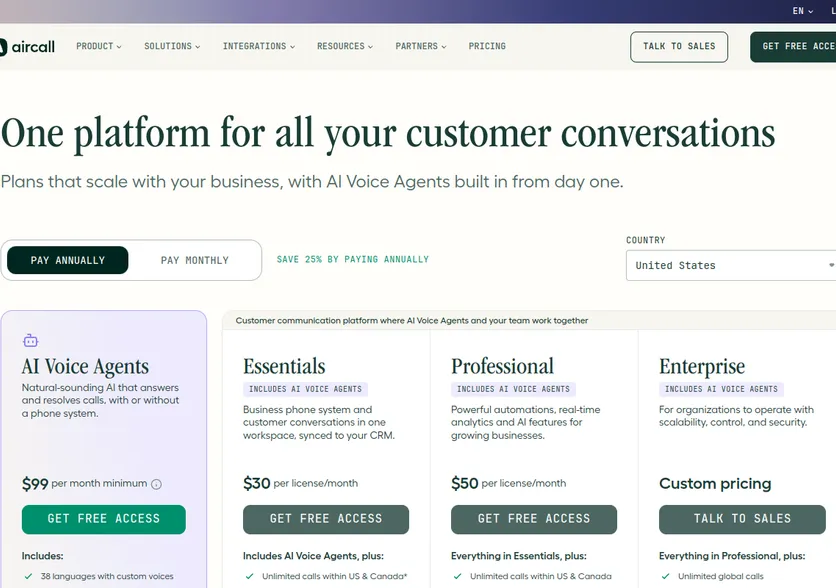
Paid tool Starting price: $30/license/month · Essentials plan, per license per month billed annually; Professional is about $50 a month; Enterprise is custom; 3-license minimum; free trial included
Free plan: Free trial
Aircall is built for support and sales teams, with a phone system that plugs into the CRM a large company already uses. This Aircall plan covers unlimited calling, call recording and 100 integrations on Essentials, with AI and analytics on Professional. It is the best pick for an enterprise whose phone must live inside its CRM.
What we like
- 100 integrations with CRMs and helpdesks
- Call recording and analytics included
- Built for support and sales teams
Watch out for
- Essentials is about $30 per license a month
- 3-license minimum on every plan
How to try it
- Open the Aircall pricing page and start the free trial
- Connect your CRM and sync contacts and call logs
- Set up call recording and analytics for the support team
6. Phone.com
Best for: Branch offices that want a simple phone system with no contract
Paid tool Starting price: $18/user/month · Basic plan, per user per month; annual billing saves about 17 percent; 30-day money-back guarantee
Free plan: 30-day money-back guarantee
For an enterprise branch office that needs a simple phone system with no contract, this Phone.com plan covers unlimited calling, a virtual receptionist and video meetings on Basic. It is the right choice when a site wants a straightforward phone system with a 30-day money-back guarantee and no long-term deal.
What we like
- No contract, month-to-month billing
- 30-day money-back guarantee
- Virtual receptionist included on Basic
Watch out for
- Basic is about $18 per user a month
- Annual billing saves about 17 percent
How to try it
- Open the Phone.com pricing page and compare the Basic plan
- Set up your main number and virtual receptionist
- Add extensions as the office grows, month to month
7. Quo
Best for: Enterprises that want a modern phone system with AI call summaries
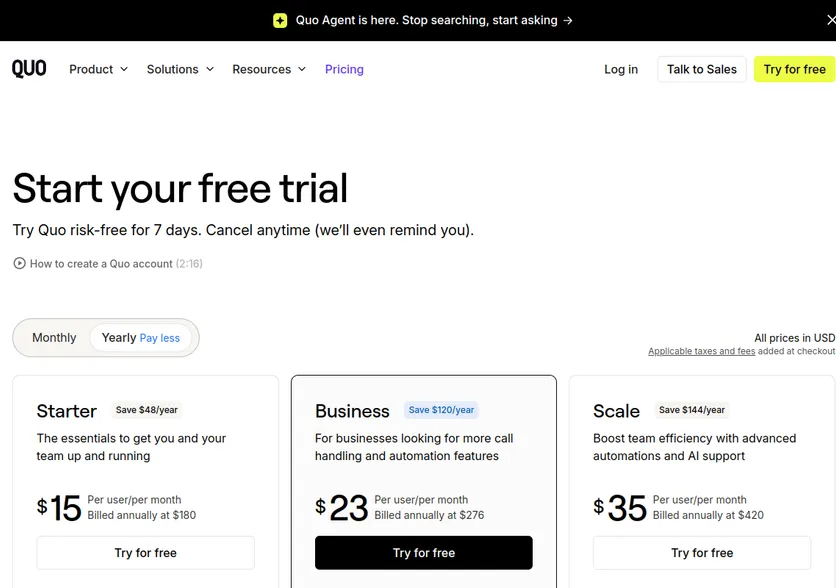
Paid tool Starting price: $15/user/month · Starter plan, per user per month billed annually ($180 a year); $19 a month month-to-month; Business is about $23 and Scale about $35 a month; 7-day free trial
Free plan: 7-day free trial
Quo, formerly OpenPhone, brings a modern business phone to an enterprise that wants simple setup and AI call summaries. This Quo plan covers unlimited calling and texting, shared numbers and AI summaries on Starter, with CRM integrations on Business. It is the pick for a large team that wants a fresh, simple phone system with AI built in.
What we like
- AI call summaries on every plan
- Shared numbers for the whole team
- Fast setup, no legacy hardware
Watch out for
- Starter is about $15 per user a month billed annually
- Monthly billing is about $19 a month
How to try it
- Open the Quo pricing page and start the 7-day trial
- Set up shared team numbers and AI summaries
- Connect your CRM on the Business plan
Prices above were checked on each vendor’s own website on Nov 26, 2026 and can change — the vendor’s page is the final word. Vendor links are editorial: nobody paid to be listed or ranked here. Vendors who want a featured listing can see how it works on our Get listed page.
What a cloud PBX costs for an enterprise in 2026
Price is the first filter, and the range here runs from about $10 to about $30 per user a month. The cheapest plans are not always the cheapest deal, because seat minimums, add-ons and annual billing change what an enterprise really pays. Most tools here offer a free trial, so test with a real office before paying. The table below uses the headline plan each vendor shows on its own pricing page, checked on November 26, 2026. Pick the platform that fits your scale and compliance needs first, then compare the price — a cheap phone system that cannot scale is no bargain at any price.
Before you buy
- Count how many seats and sites you need, then check whether the plan caps users or charges per site.
- Ask who counts as a paid seat: most platforms here charge per user, while Aircall charges per license with a 3-license minimum.
- Test the admin controls on a real office, because a phone system without good admin costs more time than it saves.
- Check the billing terms before you buy: RingCentral Core is about $20 per user a month on annual billing and about $30 month to month.
- Confirm the compliance and uptime guarantees, since an enterprise phone system carries every customer call.
Official websites
Official websites of the products reviewed above. Features and prices were checked against these sites when this guide was written, and they can change, so confirm on the vendor site before you buy.
Frequently asked questions
Which cloud PBX is best for an enterprise in 2026?
RingCentral RingEX is the safest default, at about $20 per user a month on annual billing, because it has the deepest admin, compliance and scale. Dialpad is better when a large team wants AI on every call, starting at about $15 a month. Zoom Phone wins for a company already on Zoom, at about $16 a month. Test each one with a real office before you buy.
What is the cheapest cloud PBX for an enterprise?
Nextiva Go, at about $10 per user a month, is the cheapest starting price here, with unlimited calling, video and messaging included. Dialpad and Quo both start at about $15 a month on annual billing. Watch the seat minimums and add-ons, because a cheap per-user price can grow fast across hundreds of seats.
Can an enterprise try a cloud PBX before paying?
Yes, most tools here offer a free trial. RingCentral gives 14 days, Quo gives 7 days, and Dialpad, Zoom Phone and Aircall all offer free trials. Test with a real office and real call volume, not a demo account, so you see the admin tools and call quality your team will actually get.
Do cloud PBX platforms work across multiple offices?
Yes, they are built for it. RingCentral, Nextiva and Dialpad all serve multi-site companies from one admin console, with local numbers in each office. Zoom Phone adds calling to the Zoom platform a company may already use. Before you buy, check the exact multi-site and international calling options on your plan.
What should an enterprise check before buying a cloud PBX?
Check the seat count first, then the per-user price, then the admin and compliance tools. An enterprise needs call recording policies, analytics and uptime guarantees, so confirm those are included and not add-ons. Also check the contract terms, because annual billing saves money but locks the seat count for a year.
Need the everyday business jobs too? Try the free business tools on Toolsvine right in your browser.
Browse Business Tools tools


