
On this page
A remote team has no office phone on the wall, so the phone system has to live on laptops and mobiles and still sound like one company. The seven tools below give distributed teams cloud calling, video and messaging, and every price was checked on the vendor site on November 26, 2026. Plans run from about $10 to about $30 per user a month, and most offer a free trial. RingCentral RingEX is our first pick — the strongest mobile and desktop apps for a team that works from anywhere.
How we researched this
We started with the cloud PBX platforms that remote teams actually buy, then read each price on the vendor site on November 26, 2026 and noted the free trial each one carries. We judged them for a distributed team that works from laptops and mobiles, with no office and no IT staff on site. We kept the list to tools with a published price, and we dropped any tool whose price we could not verify.
Compare the tools
| Name | Best for | Starting price | Free plan | |
|---|---|---|---|---|
 RingCentral RingEX | Remote teams that want the strongest mobile and desktop phone apps | $20/user/month | 14-day free trial | Visit |
 Nextiva | Remote teams that want one bill for calls, video and chat | $10/user/month | Demo available | Visit |
 Dialpad | Remote teams that meet on video and need every call documented | $15/user/month | Free trial | Visit |
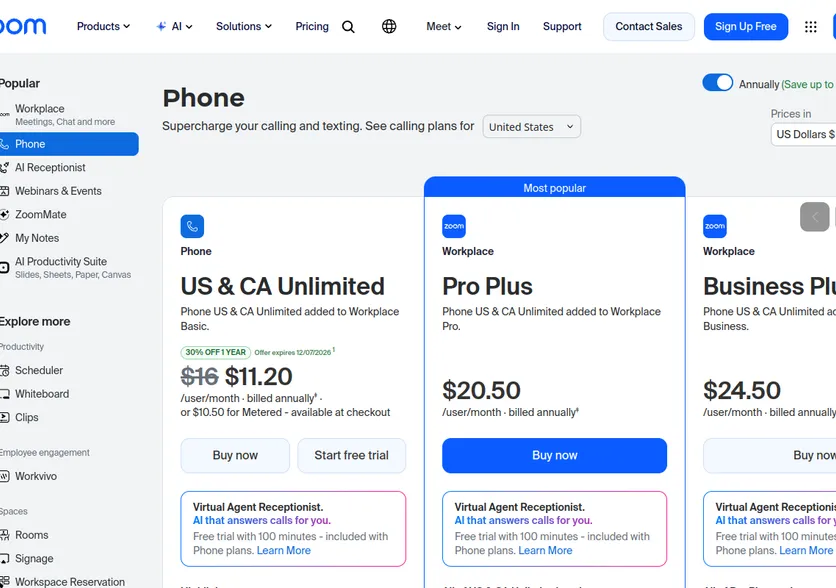
 Zoom Phone | Remote teams that already meet on Zoom every day | $16/user/month | Free trial | Visit |
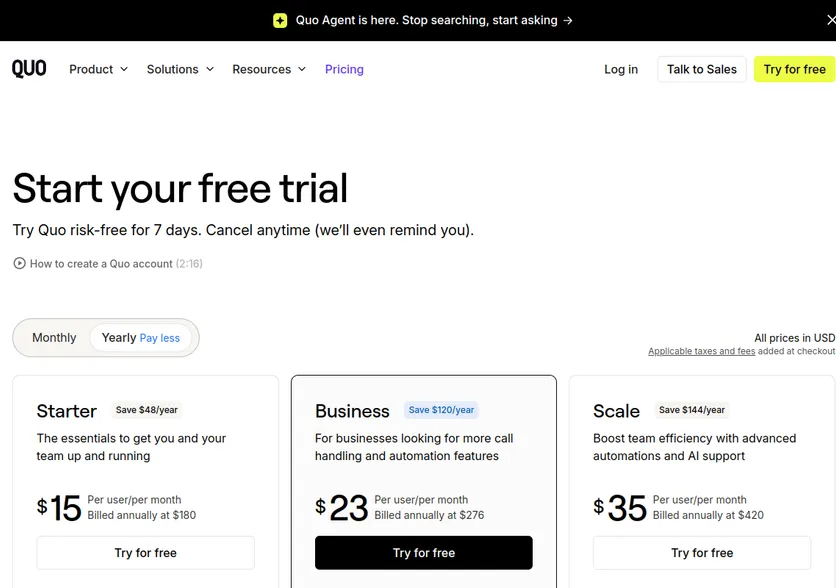
 Quo | Remote teams that want the fastest setup and AI call summaries | $15/user/month | 7-day free trial | Visit |
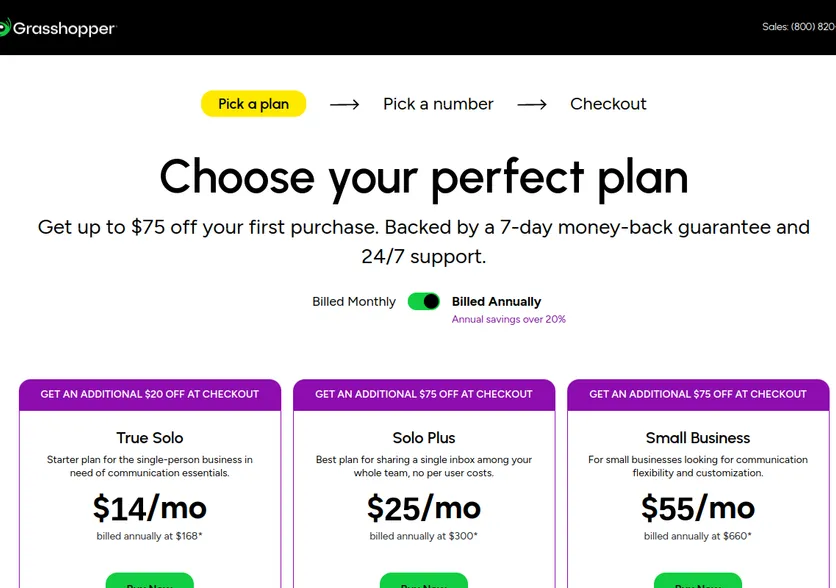
 Grasshopper | Remote workers who want a business number on their own mobile | $14/month | 7-day free trial | Visit |
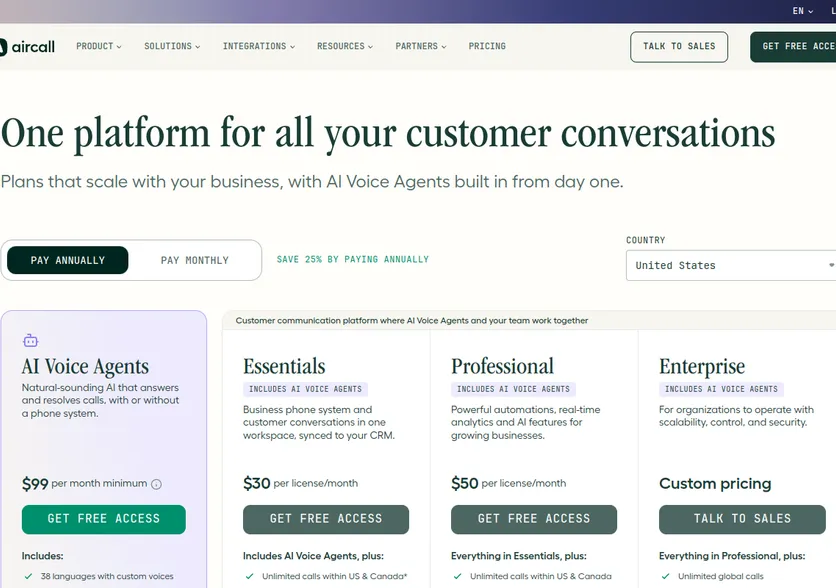
 Aircall | Remote support teams that need every call logged in the CRM | $30/license/month | Free trial | Visit |
The cloud PBX tools for remote teams, compared
1. RingCentral RingEX
Best for: Remote teams that want the strongest mobile and desktop phone apps
Paid tool Starting price: $20/user/month · RingEX Core plan, per user per month on annual billing; $30 a month month-to-month; Advanced is about $25 and Ultra about $35 a month; 14-day free trial
Free plan: 14-day free trial
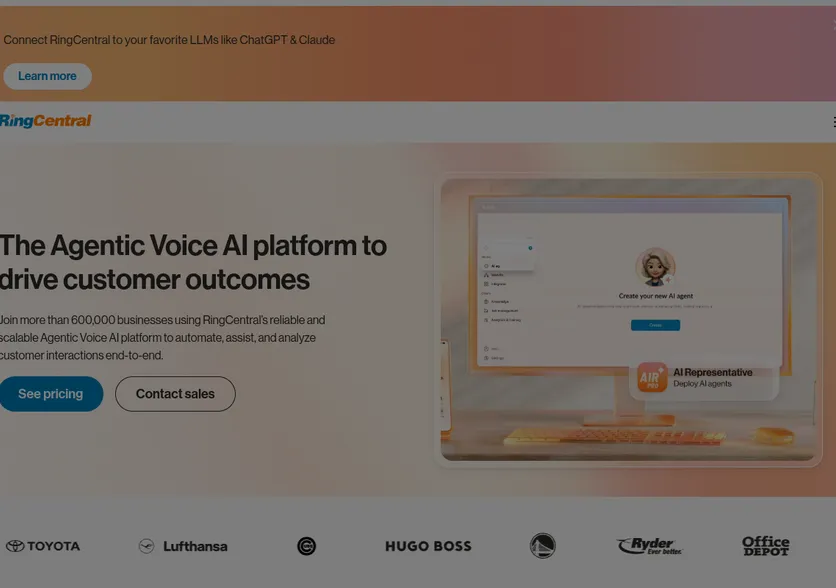
For a team spread across cities and time zones, RingCentral RingEX keeps everyone on one phone system with strong mobile apps. This RingCentral RingEX plan covers unlimited calling, video and messaging on Core, so a remote worker gets the office phone on any device. It is the strongest pick when the team never shares an office but must sound like one company.
What we like
- Strongest mobile and desktop apps here
- Unlimited calling, video and messaging on Core
- One number that follows workers anywhere
Watch out for
- Core is about $20 per user a month on annual billing
- Monthly billing is about $30 a month
How to try it
- Open the RingCentral pricing page and start the 14-day trial on Core
- Install the mobile and desktop apps for your remote workers
- Set up shared numbers and team messaging for the whole team
2. Nextiva
Best for: Remote teams that want one bill for calls, video and chat
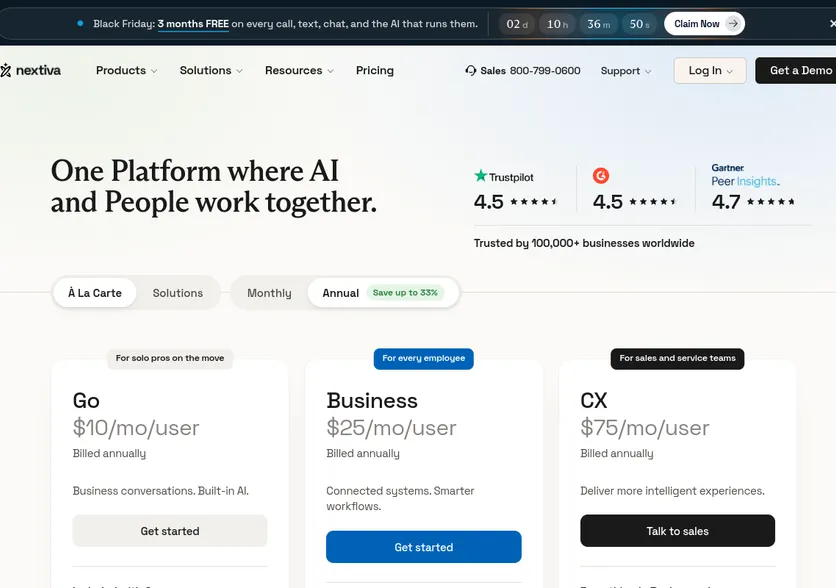
Paid tool Starting price: $10/user/month · Go plan, per user per month; Business is about $25 and CX about $75 a month; AI Super Pack adds about $10 and Messaging Super Pack about $20
Free plan: Demo available
Nextiva gives a remote team unlimited calling, video and messaging from $10 per user a month, the cheapest start on this list. This Nextiva plan covers the Go tier with team chat and video built in, so a distributed team needs no extra tools. It is the best pick for a remote team that wants one bill and one login for calls, video and chat.
What we like
- Cheapest starting price here at $10 per user a month
- Video and messaging built into every plan
- Free toll-free number included
Watch out for
- CRM and analytics need the higher tiers
- No free trial, demo only
How to try it
- Open the Nextiva pricing page and compare the Go plan
- Set up your team numbers and video meetings
- Invite remote workers and start calling the same day
3. Dialpad
Best for: Remote teams that meet on video and need every call documented
Paid tool Starting price: $15/user/month · Connect Standard plan, per user per month on annual billing; $27 a month month-to-month; Pro is about $25 and Enterprise is custom
Free plan: Free trial
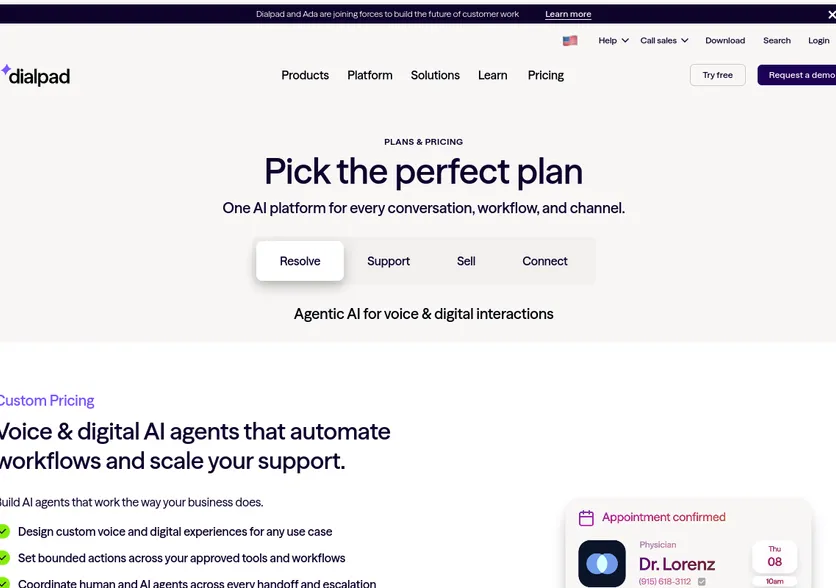
Dialpad is built for remote work, with AI notes and transcription that keep a distributed team in sync after every call. This Dialpad plan covers unlimited calling, messaging and video on Connect Standard, so nobody needs to take notes by hand. It is the strongest choice when the team meets on video and needs every call documented.
What we like
- AI notes and transcription on every call
- Video meetings built into the plan
- No hardware to install
Watch out for
- Standard is about $15 per user a month on annual billing
- Monthly billing is about $27 a month
How to try it
- Open the Dialpad pricing page and start the free trial
- Turn on AI notes for every call and meeting
- Share the notes with the team so nobody takes minutes
4. Zoom Phone
Best for: Remote teams that already meet on Zoom every day
Paid tool Starting price: $16/user/month · US and Canada Unlimited plan, per user per month billed annually; $18 a month month-to-month; Pro Plus is about $20.50 and Business Plus about $24.50 a month
Free plan: Free trial
For a remote team that already meets on Zoom, Zoom Phone adds the office phone to the same app at $16 per user a month. This Zoom Phone plan covers unlimited US and Canada calling, with video and chat in the same window. It is the best pick when the team lives in Zoom and wants calls without another login.
What we like
- Calling inside the Zoom app the team already uses
- Unlimited US and Canada calling
- AI Companion on higher tiers
Watch out for
- US and Canada Unlimited is about $16 a month billed annually
- Monthly billing is about $18 a month
How to try it
- Open the Zoom Phone pricing page and compare the plans
- Add phone numbers to your team's Zoom accounts
- Take calls from the same app as your video meetings
5. Quo
Best for: Remote teams that want the fastest setup and AI call summaries
Paid tool Starting price: $15/user/month · Starter plan, per user per month billed annually ($180 a year); $19 a month month-to-month; Business is about $23 and Scale about $35 a month; 7-day free trial
Free plan: 7-day free trial
Quo is the easiest phone system here to set up for a remote team, with shared numbers and AI call summaries from day one. This Quo plan covers unlimited calling and texting on Starter, at $15 per user a month on annual billing. It is the best pick for a distributed team that wants to be up and running in an afternoon.
What we like
- Fastest setup on this list
- AI call summaries on every plan
- Shared numbers for the whole team
Watch out for
- Starter is about $15 per user a month billed annually
- Monthly billing is about $19 a month
How to try it
- Open the Quo pricing page and start the 7-day trial
- Set up shared team numbers in an afternoon
- Turn on AI summaries and share them after every call
6. Grasshopper
Best for: Remote workers who want a business number on their own mobile
Paid tool Starting price: $14/month · Solo plan, starting at $14 a month; Partner is about $25 and Small Business about $55 a month; 7-day free trial
Free plan: 7-day free trial
Grasshopper is the simplest phone system here, giving a remote worker a business number on the phone they already carry. This Grasshopper plan covers a business number, virtual receptionist and voicemail transcription on Solo, with no hardware at all. It is the best pick for a remote team that wants a professional number without a full phone system.
What we like
- Runs entirely on the mobile you already carry
- Flat $14 a month, no per-user math
- Virtual receptionist included
Watch out for
- Solo covers one user only
- No video meetings built in
How to try it
- Open the Grasshopper pricing page and pick the Solo plan
- Choose a business number and set up the virtual receptionist
- Forward calls to your mobile and start taking business calls
7. Aircall
Best for: Remote support teams that need every call logged in the CRM
Paid tool Starting price: $30/license/month · Essentials plan, per license per month billed annually; Professional is about $50 a month; Enterprise is custom; 3-license minimum; free trial included
Free plan: Free trial
Aircall fits a remote support team, with cloud calling and CRM integrations that work from any laptop. This Aircall plan covers unlimited calling, call recording and analytics on Essentials, with a 3-license minimum. It is the right choice when the team takes calls from home and needs every call logged in the CRM.
What we like
- 100 integrations with CRMs and helpdesks
- Works from any laptop, no office needed
- Call recording and analytics included
Watch out for
- Essentials is about $30 per license a month
- 3-license minimum on every plan
How to try it
- Open the Aircall pricing page and start the free trial
- Connect your CRM and helpdesk from any laptop
- Set up call recording and shared inboxes for the team
Prices above were checked on each vendor’s own website on Nov 26, 2026 and can change — the vendor’s page is the final word. Vendor links are editorial: nobody paid to be listed or ranked here. Vendors who want a featured listing can see how it works on our Get listed page.
What a cloud PBX costs for a remote team in 2026
Price is the first filter, and the range here runs from about $10 to about $30 per user a month. The cheapest plans are not always the cheapest deal, because per-user billing, seat minimums and add-ons change what a remote team really pays. Most tools here offer a free trial, so test with your real team before paying. The table below uses the headline plan each vendor shows on its own pricing page, checked on November 26, 2026. Pick the platform that fits how your team works first, then compare the price — a cheap phone system that drops calls is no bargain at any price.
Before you buy
- Count how many remote workers you have, then check whether the plan caps users or charges per device.
- Ask what the mobile app can do: most platforms here put the full office phone on a mobile, while some limit features.
- Test call quality from a home network, because a phone system that drops calls costs more trust than any monthly fee.
- Check the billing terms before you buy: Nextiva Go is about $10 per user a month, while Aircall Essentials is about $30 per license.
- Confirm the video and messaging tools, since a remote team needs calls, video and chat in one place.
Official websites
Official websites of the products reviewed above. Features and prices were checked against these sites when this guide was written, and they can change, so confirm on the vendor site before you buy.
Frequently asked questions
Which cloud PBX is best for a remote team in 2026?
RingCentral RingEX is the safest default, at about $20 per user a month on annual billing, because its mobile and desktop apps are the strongest here. Nextiva is better on budget, starting at about $10 a month with video built in. Quo wins for the fastest setup, at about $15 a month with a 7-day trial. Test each one with your real team before you buy.
What is the cheapest cloud PBX for a remote team?
Nextiva Go, at about $10 per user a month, is the cheapest starting price here, with unlimited calling, video and messaging included. Grasshopper starts at $14 a month flat for a solo worker, and Dialpad and Quo both start at about $15 a month. Watch per-user billing, because the bill grows with every remote worker you add.
Can a remote team try a cloud PBX before paying?
Yes, most tools here offer a free trial. RingCentral gives 14 days, Quo gives 7 days, and Dialpad, Zoom Phone and Aircall all offer free trials. Grasshopper gives 7 days too. Test from a home network with real calls, not a demo account, so you see the call quality your team will actually get.
Do cloud PBX platforms work on mobile phones?
Yes, they are built for it. RingCentral, Nextiva, Dialpad, Zoom Phone and Quo all put the full office phone on iOS and Android, with the business number showing on outgoing calls. Grasshopper runs entirely on the mobile a worker already carries. Before you buy, check which features the mobile app supports on your plan.
What should a remote team check before buying a cloud PBX?
Check the mobile and desktop apps first, then the per-user price, then the video and messaging tools. A remote team needs call quality on home networks, shared numbers and AI notes, so confirm those are included and not add-ons. Also check the contract terms, because annual billing saves money but locks the seat count for a year.
Need the everyday business jobs too? Try the free business tools on Toolsvine right in your browser.
Browse Business Tools tools


