On this page
Cloud misconfigurations cause most breaches, and they hide in plain sight across thousands of resources. The seven tools below scan every cloud account, rank the exposures an attacker can actually reach and show the team what to fix first. Prices run from one tenth of a cent per check to twenty-four thousand dollars a year, and every figure was checked on the vendor site on November 27, 2026. Microsoft Defender for Cloud is our first pick — the posture service that starts free and scales with the estate.
How we researched this
We started with the posture management tools enterprises actually buy, then read each price on the vendor pricing page or the vendor's own marketplace listing on November 27, 2026 and noted the billing unit each plan uses. We judged them for an enterprise that runs more than one cloud and needs to find misconfigurations before an attacker does. We dropped Trend Micro Cloud One because it reached end of life, and we left out Prisma Cloud, Lacework and Sysdig because all three are quote-only.
Compare the tools
| Name | Best for | Starting price | Free plan | |
|---|---|---|---|---|
| AWS Security Hub CSPM | AWS-heavy teams that want posture checks priced by the check | $0.0010/check | No free plan; 30-day free trial | Visit |
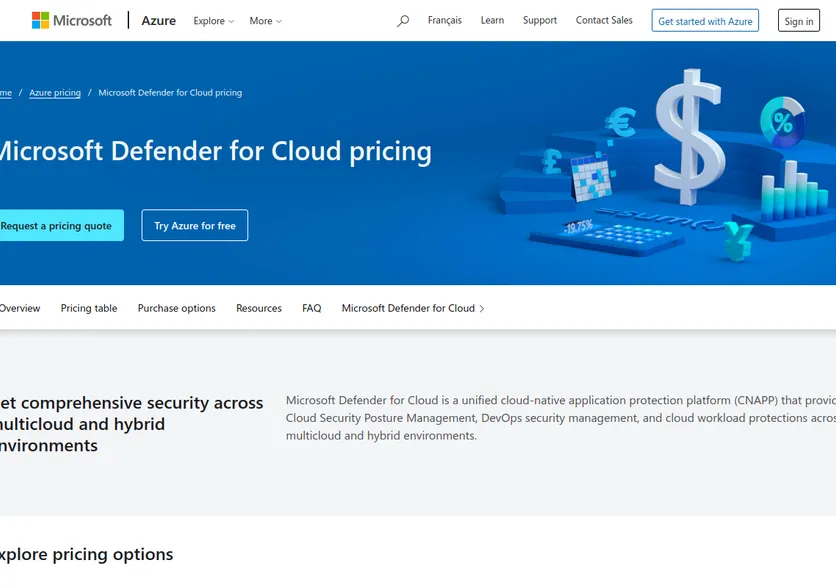
| Microsoft Defender for Cloud | Azure-heavy enterprises that want posture checks priced by the resource | $5.11/billable resource/month | Foundational CSPM free; 30-day trial on paid plans | Visit |
| Prowler Cloud | Small teams that want open-source posture checks with a paid cloud console | $79/cloud account/month | Free open-source CLI and local server | Visit |
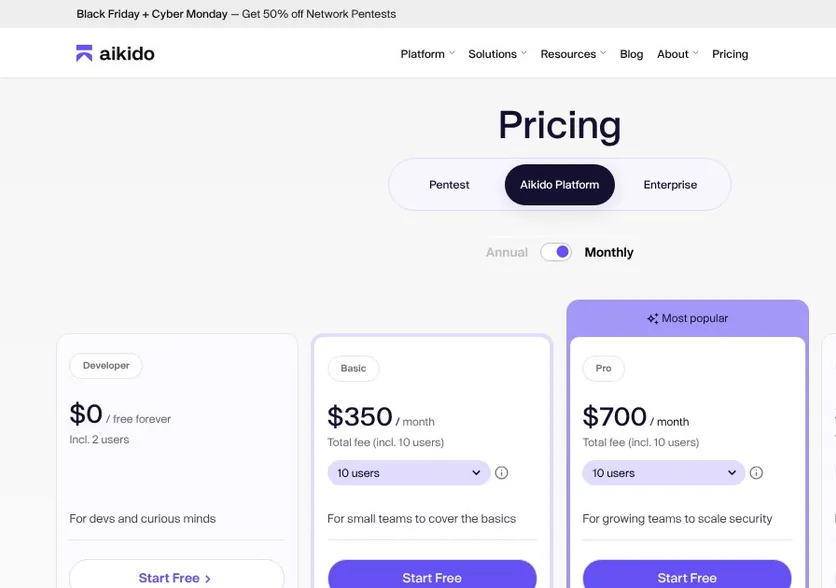
 Aikido Security | Startups that want code, cloud and container scanning in one flat fee | $350/month | Free Developer plan for 2 users | Visit |
| Orca Security | Mid-size teams that want agentless scanning with a published monthly price | $7,000/month | No free plan listed | Visit |
| Google Security Command Center | Google Cloud estates that want posture priced as a share of spend | $15,000/year | No free plan listed | Visit |
| Wiz | Multi-cloud enterprises that want attack-path prioritisation across every cloud | $24,000/year | No free plan listed | Visit |
The cloud security posture management software for enterprise, compared
1. AWS Security Hub CSPM
Best for: AWS-heavy teams that want posture checks priced by the check
Paid tool Starting price: $0.0010/check · One tenth of a cent per security check for the first one hundred thousand checks a month; the rate falls to five hundredths of a cent above five hundred thousand checks and the first ten thousand finding ingestion events a month are free
Free plan: No free plan; 30-day free trial
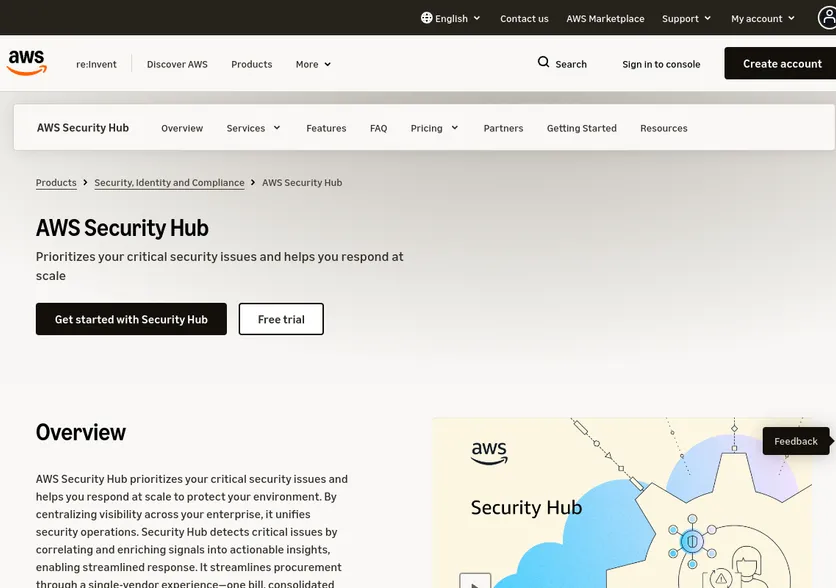
AWS Security Hub CSPM is Amazon's own posture service that runs security checks across AWS accounts and now Azure too. This AWS Security Hub CSPM costs one tenth of a cent per security check for the first one hundred thousand checks a month. A small AWS estate can run its posture checks for a few dollars a month.
What we like
- Cheapest entry price in this comparison
- One tenth of a cent per check, no subscription
- First ten thousand findings free every month
Watch out for
- No Google Cloud coverage at all
- Findings need a SIEM or ticketing tool to act on
How to try it
- Open the AWS console and enable Security Hub
- Turn on the CSPM standards for your accounts
- Review the findings and fix the highest severity first
2. Microsoft Defender for Cloud
Best for: Azure-heavy enterprises that want posture checks priced by the resource
Paid tool Starting price: $5.11/billable resource/month · Five dollars and eleven cents per billable resource a month for the Defender CSPM plan; Defender for Servers Plan 1 costs four dollars and ninety-one cents per server a month and Plan 2 costs fourteen dollars and sixty cents a month. The Foundational CSPM plan is free
Free plan: Foundational CSPM free; 30-day trial on paid plans
Microsoft Defender for Cloud is the posture service that watches Azure estates and now covers AWS and Google Cloud too. This Microsoft Defender for Cloud Defender CSPM plan costs five dollars and eleven cents per billable resource a month. An Azure-heavy enterprise gets posture checks, attack paths and compliance scores in one console.
What we like
- Foundational CSPM plan is free
- Attack path analysis on the paid plan
- Native to Azure with multi-cloud coverage
Watch out for
- Billable resources can grow fast on a big estate
- Best value comes from the Azure bundle, not standalone
How to try it
- Open the Azure portal and enable Defender for Cloud
- Turn on the Defender CSPM plan
- Review the secure score and fix the top recommendations
3. Prowler Cloud
Best for: Small teams that want open-source posture checks with a paid cloud console
Paid tool Starting price: $79/cloud account/month · Seventy-nine dollars per cloud account a month billed annually, or ninety-nine dollars a month billed monthly; the open-source CLI, SDK and local server are free under the Apache 2.0 licence and Private Cloud is quote-only
Free plan: Free open-source CLI and local server
Prowler Cloud is the paid console for the open-source Prowler scanner, which runs over two thousand five hundred checks across AWS, Azure and Google Cloud. This Prowler Cloud plan costs seventy-nine dollars per cloud account a month billed annually and adds a dashboard, reporting and a seven-day trial. A small team gets enterprise-grade checks at a startup price.
What we like
- Open-source scanner with two thousand five hundred checks
- Seventy-nine dollars per account a month, not per user
- Free CLI and local server for testing
Watch out for
- Cloud console is new, with fewer features than Wiz or Orca
- Private Cloud deployment is quote-only
How to try it
- Open the Prowler site and start the free trial
- Connect your cloud accounts
- Run the checks and fix the findings by severity
4. Aikido Security
Best for: Startups that want code, cloud and container scanning in one flat fee
Paid tool Starting price: $350/month · Three hundred fifty dollars a month for the Basic plan covering ten users; Pro costs seven hundred dollars a month and Advanced costs one thousand fifty dollars a month. Annual billing cuts each plan by ten percent, so Basic costs three thousand seven hundred eighty dollars a year
Free plan: Free Developer plan for 2 users
Aikido Security is the all-in-one scanner that covers code, dependencies, containers and cloud posture in a single flat fee. This Aikido Security Basic plan costs three hundred fifty dollars a month and covers ten users with a hundred repositories. A startup without a security team gets every scan type in one list.
What we like
- Code, cloud and container scans in one fee
- Flat price with no per-user meter
- Free Developer plan for two users
Watch out for
- Basic stops at twenty users, so bigger teams upgrade fast
- Posture is one module among many, not the whole product
How to try it
- Open the Aikido site and start the free Developer plan
- Connect your repositories and cloud accounts
- Work through the findings list by severity
5. Orca Security
Best for: Mid-size teams that want agentless scanning with a published monthly price
Paid tool Starting price: $7,000/month · Seven thousand dollars a month for the Small starter pack covering up to one hundred concurrent EC2 workloads; larger packs cost twelve thousand, seventeen thousand and thirty thousand dollars a month. The figures come from Orca's own AWS Marketplace listing, because orca.security has no pricing page
Free plan: No free plan listed
Orca Security is the agentless cloud platform that reads storage snapshots directly, so it inventories workloads without deploying any agents. This Orca Security Small starter pack costs seven thousand dollars a month and covers up to one hundred concurrent EC2 workloads. A mid-size team gets full visibility within a day of signing up.
What we like
- Agentless scanning with no agents to deploy
- Single SKU priced by workload count
- Live within a day of connecting accounts
Watch out for
- No pricing page on the vendor site itself
- Real-time protection needs the optional Sensor add-on
How to try it
- Open the Orca site and book a demo
- Connect your cloud accounts for SideScanning
- Review the risk scores and fix the top findings
6. Google Security Command Center
Best for: Google Cloud estates that want posture priced as a share of spend
Paid tool Starting price: $15,000/year · Fifteen thousand dollars a year minimum for the Premium subscription, priced at five percent of projected annual Google Cloud spend; pay-as-you-go rates include seven tenths of a cent per Compute Engine hour
Free plan: No free plan listed
Google Security Command Center is Google's own posture platform for Google Cloud estates, with threat detection beside the posture checks. This Google Security Command Center Premium subscription starts at a fifteen thousand dollar a year minimum, priced at five percent of projected annual Google Cloud spend. A Google-heavy enterprise gets posture and threat detection in one console.
What we like
- Native to Google Cloud with no agent to install
- Threat detection beside posture checks
- Pay-as-you-go rates for smaller projects
Watch out for
- Minimum subscription makes it dear for small estates
- Price depends on your cloud spend, not a flat rate
How to try it
- Open the Google Cloud console and enable Security Command Center
- Turn on the Premium subscription
- Review the findings and set up threat detection
7. Wiz
Best for: Multi-cloud enterprises that want attack-path prioritisation across every cloud
Paid tool Starting price: $24,000/year · Twenty-four thousand dollars a year for one hundred cloud workloads on the Wiz Essential plan; Advanced costs thirty-eight thousand dollars a year. The figures come from Wiz's own AWS Marketplace listing, because the pricing page on wiz.io is a quote form with no figures
Free plan: No free plan listed
Wiz is the agentless cloud security platform that maps every workload, identity and exposure across AWS, Azure, Google Cloud and more. This Wiz Essential plan costs twenty-four thousand dollars a year for one hundred cloud workloads and adds attack path analysis on the Advanced tier. A multi-cloud enterprise gets the clearest picture of what an attacker can actually reach.
What we like
- Agentless visibility across every major cloud
- Attack path analysis that ranks real risk
- Two thousand eight hundred configuration rules built in
Watch out for
- No published price on the vendor site itself
- Runtime features are paid add-ons, not included
How to try it
- Open the Wiz site and book a demo
- Connect your cloud accounts for agentless scanning
- Work through the attack paths by risk
Prices above were checked on each vendor’s own website on Nov 27, 2026 and can change — the vendor’s page is the final word. Vendor links are editorial: nobody paid to be listed or ranked here. Vendors who want a featured listing can see how it works on our Get listed page.
What enterprise posture management costs in 2026
Posture pricing hides its real cost in the billing unit. Per-check plans suit small estates with few resources, per-resource plans suit steady estates, and per-workload packs suit large teams that want one flat bill. Work out your resource count and check volume first, because a cheap per-check rate on a huge estate can cost more than a flat pack.
Start with a pilot on one cloud account and measure the alert quality before you roll out. Check that the findings are real, that the remediation steps are clear, and that the alerts route to the team that owns the resource. Pick the tool whose findings your team actually fixes, because a posture report nobody reads is the most expensive document in the company.
Before you buy
- Check the billing unit, because per-resource, per-check and per-workload pricing produce very different totals.
- Confirm what the free tier covers, because a free foundational plan can carry a small estate for months.
- Test the alert quality, because a posture tool that cries wolf gets ignored by the whole team.
- Ask which clouds it covers, because an AWS-only tool leaves Azure and Google Cloud blind.
- Check the remediation path, because finding a misconfiguration is only half the job of fixing it.
Official websites
Official websites of the products reviewed above. Features and prices were checked against these sites when this guide was written, and they can change, so confirm on the vendor site before you buy.
Frequently asked questions
Which cloud security posture management software is best for enterprise in 2026?
Microsoft Defender for Cloud is the best overall pick for Azure estates, with Foundational CSPM free and the paid plan at five dollars and eleven cents per billable resource a month. Wiz is the best multi-cloud pick at twenty-four thousand dollars a year for a hundred workloads, with attack path analysis across every cloud. Prowler Cloud is the best budget pick at seventy-nine dollars per cloud account a month.
How much does cloud security posture management software cost?
Prices in this list run from one tenth of a cent per security check for AWS Security Hub to twenty-four thousand dollars a year for Wiz Essential, because the tools charge in different units. A small estate costs tens of dollars a month on usage plans, while a large enterprise pays thousands a month for agentless scanning. Work out your resource count and check volume first, then price each tool on the same basis.
What is cloud security posture management software?
A cloud security posture management tool, or CSPM, continuously checks your cloud accounts for misconfigurations like public storage buckets, open ports and over-permissive identities. It maps the findings against frameworks like CIS, PCI DSS and HIPAA, then ranks them by risk. The best tools also show attack paths, so a team fixes the exposures an attacker can actually reach first.
Is there a free CSPM tool for enterprise?
Yes, Microsoft Defender for Cloud offers a free Foundational CSPM plan, AWS Security Hub has a thirty-day free trial, and Prowler's open-source scanner is free under the Apache 2.0 licence. Aikido also offers a free Developer plan for two users. Most enterprises move to a paid plan once they need multi-cloud coverage and remediation workflows.
What is the difference between agentless and agent-based scanning?
Agentless scanning reads cloud APIs and storage snapshots from outside, so nothing is installed on your workloads and coverage starts within a day. Agent-based scanning installs software on every machine, which gives deeper runtime data but takes longer to roll out. Wiz and Orca lead on agentless scanning, while runtime protection needs an optional sensor add-on.
Want more security help? Try Toolsvine's free security tools right in your browser.
Browse Security & Privacy tools