On this page
A research startup writes together: papers, notes, citations and drafts all live in one shared workspace. The eight tools below cover collaborative writing, reference management and AI research help, and every price was checked on the vendor site on November 26, 2026. Plans run from about $8 a month to a $60 one-time licence, and most offer a free plan or a free trial. Notion is our first pick — the best all-round workspace for a research team, with a free plan to start.
How we researched this
We started with the research writing tools that small teams and startups actually buy, then read each price on the vendor site on November 26, 2026 and noted the free plan or free trial each one carries. We judged them for a startup that writes papers and reports together and needs shared drafts, citations and references in one place. We kept the list to tools with a published price, and we dropped any tool whose price we could not verify.
Compare the tools
| Name | Best for | Starting price | Free plan | |
|---|---|---|---|---|
 Notion | Research teams that want one workspace for writing and planning | $10/user/month | Free plan | Visit |
 Overleaf | Teams that write academic papers together in LaTeX | $16.75/month | Free plan; 7-day free trial | Visit |
 Scrivener | Researchers who draft long documents and want to pay once | $59.99 one-time | 30-day free trial | Visit |
 Paperpile | Teams that need a shared library of papers and citations | $8.30/month | 30-day free trial | Visit |
 Elicit | Teams that need AI help to survey the research literature | $11/user/month | Free plan | Visit |
 SciSpace | Teams that read a lot of papers and need AI explanations | $12/month | Free plan | Visit |
 Scite | Teams that need to check whether a paper's claims hold up | $12/month | 7-day free trial | Visit |
 LitMaps | Teams that want to explore a research field as a citation map | $10/month | Free plan | Visit |
The research writing tools, compared
1. Notion
Best for: Research teams that want one workspace for writing and planning
Paid tool Starting price: $10/user/month · Plus plan, per user per month billed annually; $12 a month month-to-month; Business is about $20 a month; Free plan included; Plus is free for students and educators
Free plan: Free plan
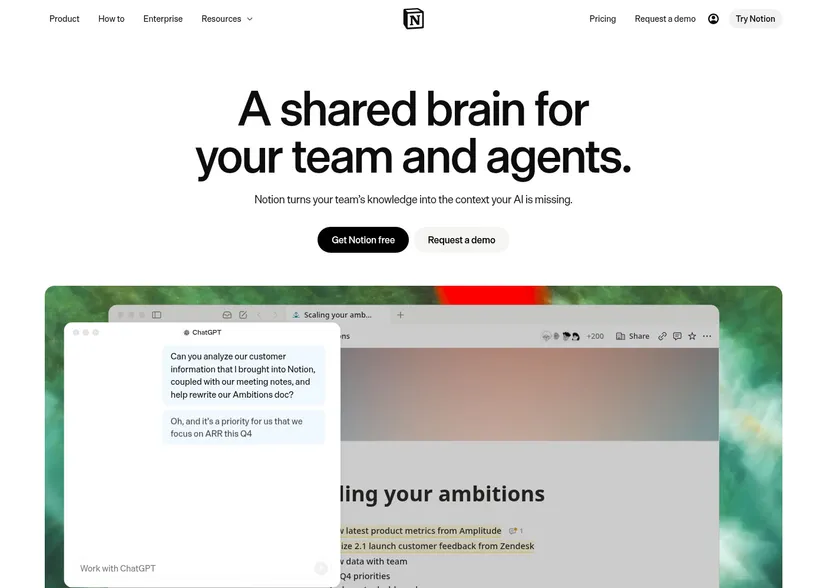
Notion is the all-round workspace where a research team can write, plan and organize in one place. This Notion plan covers unlimited blocks, collaboration and AI on Plus, with advanced admin on Business. It is the best pick for a startup that wants one workspace for notes, drafts and project tracking.
What we like
- One workspace for notes, drafts and plans
- Free plan covers real teamwork
- Plus is free for students and educators
Watch out for
- Plus is about $10 per user a month billed annually
- Monthly billing is about $12 a month
How to try it
- Open the Notion pricing page and start on the free plan
- Create a shared workspace for your research project
- Invite the team and write the first draft together
2. Overleaf
Best for: Teams that write academic papers together in LaTeX
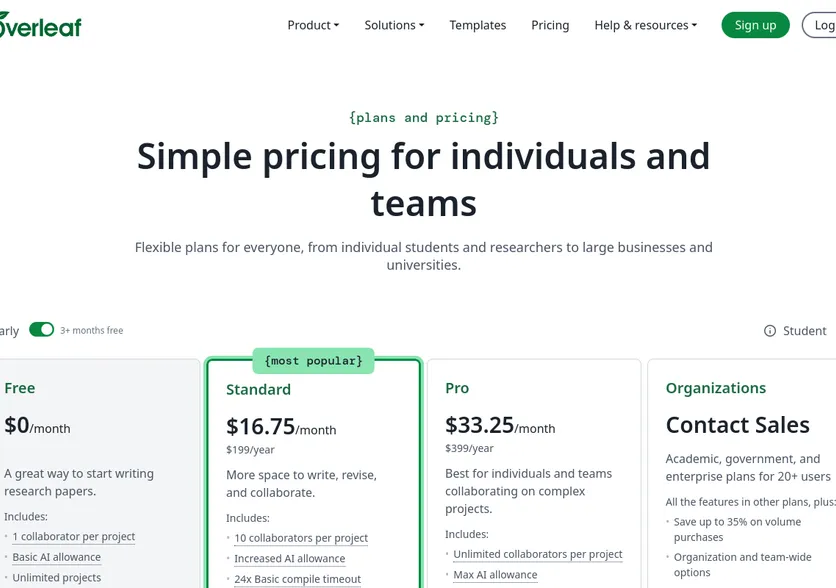
Paid tool Starting price: $16.75/month · Standard plan, per month on annual billing ($199 a year); $25 a month month-to-month; Pro is about $33.25 a month; Student Standard is about $8.25; Free plan included; 7-day free trial
Free plan: Free plan; 7-day free trial
Overleaf is the collaborative LaTeX editor where a research team writes a paper together in real time. This Overleaf plan covers real-time collaboration, track changes and sync on Standard, with more projects on Pro. It is the best pick for a team that writes academic papers in LaTeX and needs to see every edit as it happens.
What we like
- Real-time collaboration on LaTeX papers
- Track changes keeps every edit visible
- Student Standard is about $8 a month
Watch out for
- Standard is about $16.75 a month billed annually
- Monthly billing is about $25 a month
How to try it
- Open the Overleaf plans page and start on the free plan
- Create a project and invite your co-authors
- Write together in real time and compile the PDF
3. Scrivener
Best for: Researchers who draft long documents and want to pay once
Paid tool Starting price: $59.99 one-time · One-time licence for Mac or Windows; iOS is about $23.99; Mac and Windows bundle is about $95.98; educational licence about $50.99; 30-day free trial of actual use days
Free plan: 30-day free trial
Scrivener is the long-form writing tool for researchers who draft books, theses and long reports in pieces. This Scrivener plan is a one-time licence for Mac or Windows, with a corkboard, outliner and compile tools built in. It is the pick for a researcher who wants to own the tool outright and pay once, not every month.
What we like
- One-time licence, no monthly bill
- Corkboard and outliner for long drafts
- 30-day trial counts only days you use it
Watch out for
- Licence is about $60 one-time per platform
- Collaboration is not real-time like the others
How to try it
- Open the Scrivener page and start the 30-day trial
- Break your draft into scenes and chapters on the corkboard
- Compile the finished draft into a document or ebook
4. Paperpile
Best for: Teams that need a shared library of papers and citations
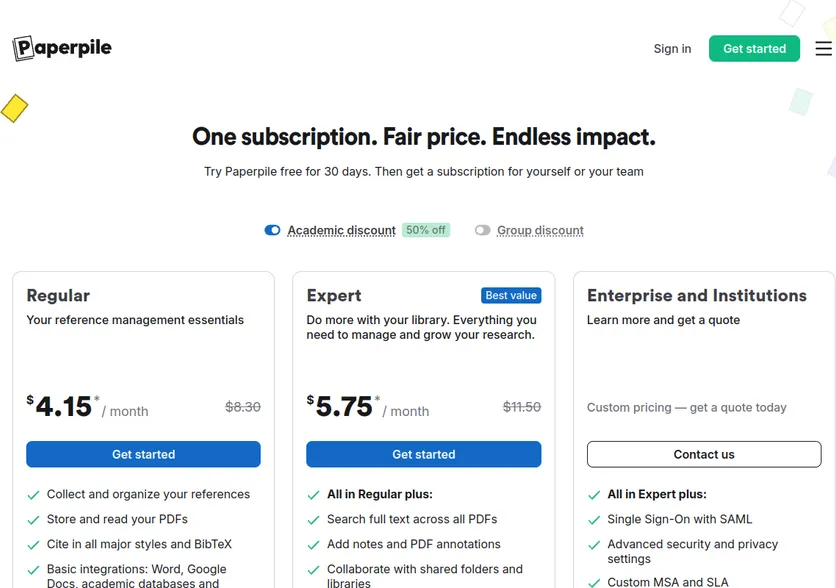
Paid tool Starting price: $8.30/month · Regular plan, per month billed annually; academic price is about $4.15 a month; Expert is about $11.50 standard and $5.75 academic; 30-day free trial; annual billing only
Free plan: 30-day free trial
Paperpile is the reference manager that keeps a research team's papers, PDFs and citations in one shared library. This Paperpile plan covers unlimited references, shared folders and Google Docs citations on Regular, with advanced features on Expert. It is the cheapest paid tool here at about $8 a month, and the best pick for a team drowning in PDFs.
What we like
- Cheapest paid tool here at about $8 a month
- Shared libraries for the whole team
- Citations in Google Docs with one click
Watch out for
- Annual billing only, no monthly option
- Academic price is about $4 a month
How to try it
- Open the Paperpile pricing page and start the 30-day trial
- Import your PDFs and build a shared library
- Cite papers in Google Docs with one click
5. Elicit
Best for: Teams that need AI help to survey the research literature
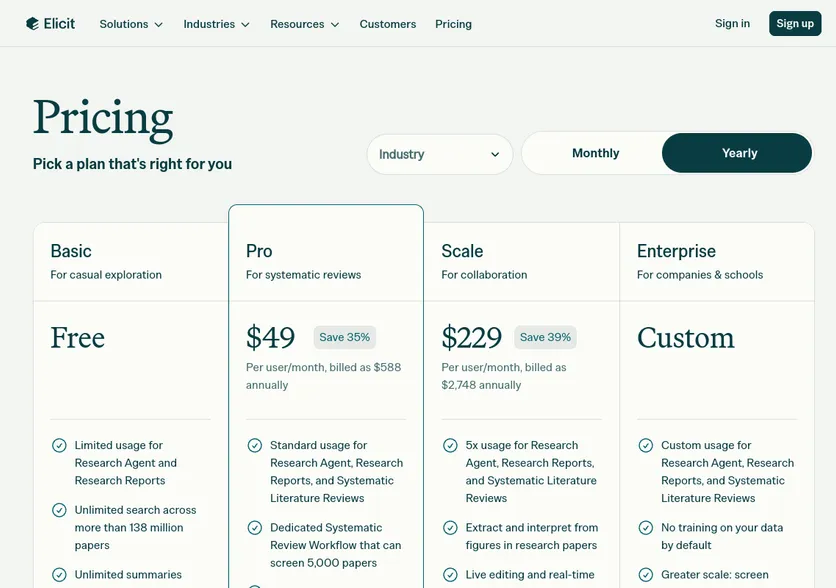
Paid tool Starting price: $11/user/month · Plus plan, per user per month billed annually ($132 a year); $19 a month month-to-month; Pro is about $39 a month and Scale about $89; Basic plan is free
Free plan: Free plan
Elicit is the AI research assistant that finds papers, summarizes them and answers questions from the literature. This Elicit plan covers unlimited searches, summaries and notebooks on Plus, with more credits on Pro and Scale. It is the best pick for a startup that needs to survey a field fast and find the papers that matter.
What we like
- Finds and summarizes papers fast
- Basic plan is free
- Notebooks keep a project organized
Watch out for
- Plus is about $11 per user a month billed annually
- Monthly billing is about $19 a month
How to try it
- Open the Elicit pricing page and start on the free Basic plan
- Ask a research question and read the paper summaries
- Save the best papers to a notebook and upgrade to Plus
6. SciSpace
Best for: Teams that read a lot of papers and need AI explanations
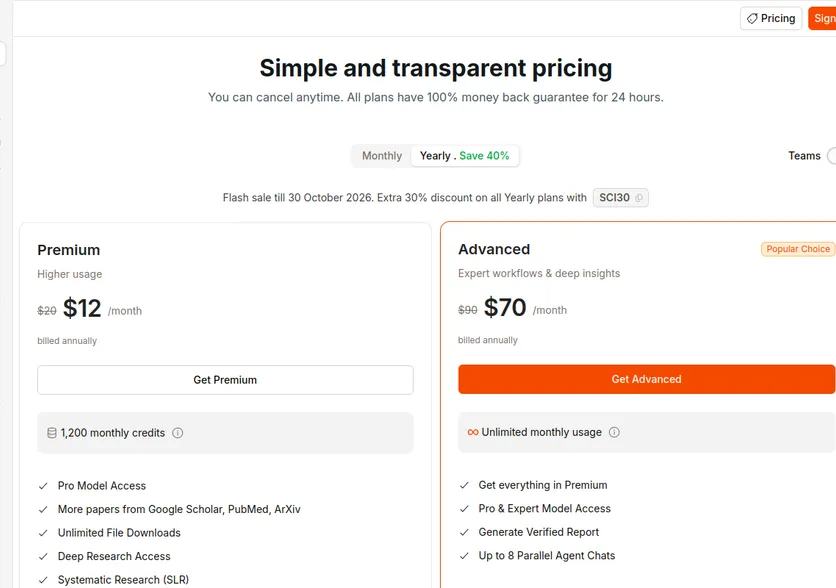
Paid tool Starting price: $12/month · Premium plan, per month billed annually; $20 a month month-to-month; Advanced is about $70 a year and Max about $160 a year; Basic plan is free
Free plan: Free plan
SciSpace helps a research team read and understand papers, with AI explanations and a writer that drafts with citations. This SciSpace plan covers AI reading, paraphrasing and citation help on Premium, with more features on Advanced and Max. It is the right choice when the team reads more papers than it writes.
What we like
- AI explains dense papers in plain words
- Writer drafts with citations included
- Basic plan is free
Watch out for
- Premium is about $12 a month billed annually
- Monthly billing is about $20 a month
How to try it
- Open the SciSpace pricing page and start on the free Basic plan
- Upload a paper and ask the AI to explain it
- Draft with citations and upgrade to Premium when ready
7. Scite
Best for: Teams that need to check whether a paper's claims hold up
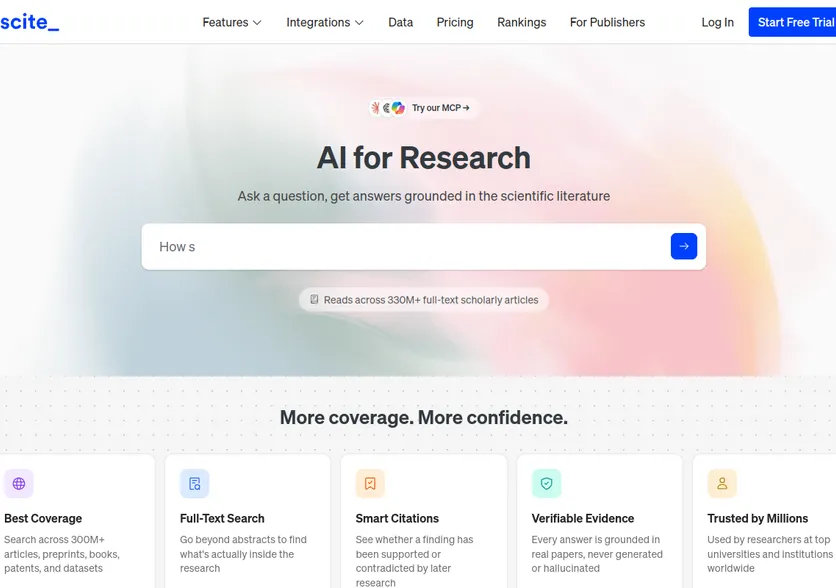
Paid tool Starting price: $12/month · Basic plan, per month billed yearly; Pro is about $40 a month billed yearly; Enterprise is custom; 7-day free trial
Free plan: 7-day free trial
Scite shows how a paper has been cited, so a research team can tell whether a claim is supported or disputed. This Scite plan covers citation checks, dashboards and reference management on Basic, with more features on Pro. It is the best pick for a team that needs to verify claims before it builds on them.
What we like
- Shows supporting and disputing citations
- Dashboards track a whole field
- Reference manager included on Basic
Watch out for
- Basic is about $12 a month billed yearly
- Pro jumps to about $40 a month
How to try it
- Open the Scite pricing page and start the 7-day trial
- Search a paper and read its supporting and disputing citations
- Save the papers that hold up and cite them in your draft
8. LitMaps
Best for: Teams that want to explore a research field as a citation map
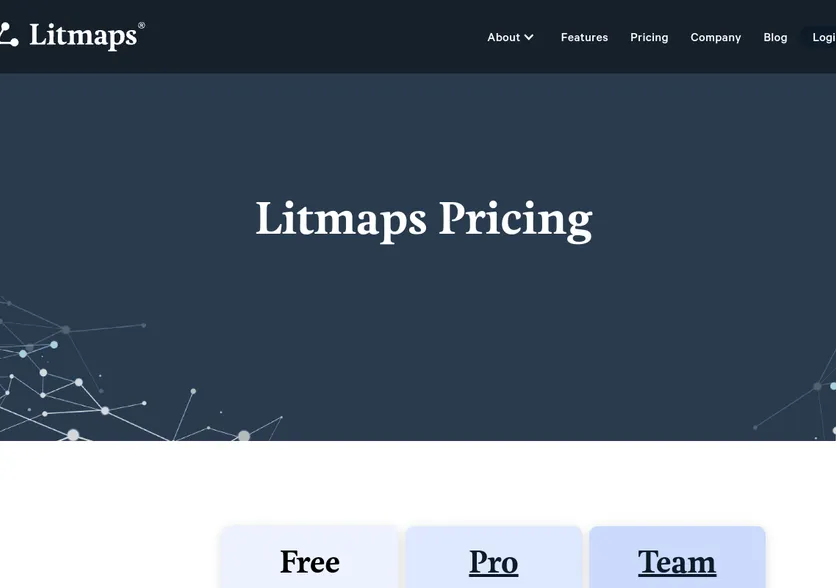
Paid tool Starting price: $10/month · Pro plan, per month on annual billing; monthly billing is higher; Free plan included
Free plan: Free plan
LitMaps draws the citation map around a paper, so a research team can see the field at a glance. This LitMaps plan covers interactive citation maps, alerts and collaboration on Pro, with a free plan for light use. It is the pick for a startup that wants to explore a new field visually before it writes a word.
What we like
- Citation maps make a field easy to explore
- Alerts track new papers in your area
- Free plan for light use
Watch out for
- Pro is about $10 a month on annual billing
- Monthly billing is higher
How to try it
- Open the LitMaps pricing page and start on the free plan
- Search a seed paper and grow its citation map
- Follow the map to the papers that matter and upgrade to Pro
Prices above were checked on each vendor’s own website on Nov 26, 2026 and can change — the vendor’s page is the final word. Vendor links are editorial: nobody paid to be listed or ranked here. Vendors who want a featured listing can see how it works on our Get listed page.
What research writing tools cost in 2026
Price is the first filter, and the range here runs from about $8 a month to a $60 one-time licence. The cheapest plans are not always the cheapest deal, because per-user billing, annual-only billing and seat limits change what a startup really pays. Most tools here offer a free plan or a free trial, so test with your real project before paying. The table below uses the headline plan each vendor shows on its own pricing page, checked on November 26, 2026. Pick the tool that fits your writing workflow first, then compare the price — a cheap tool that cannot handle your citations is no bargain at any price.
Before you buy
- Count how many people write together, then check whether the plan charges per user or one flat rate.
- Ask how citations work: some tools here manage references, while others need a separate manager.
- Test the tool on your real project, because a demo paper hides the limits that matter.
- Check the billing terms before you buy: Paperpile is about $8 a month on annual billing only, while Scrivener is a $60 one-time licence.
- Confirm the collaboration tools, since a research team needs shared drafts, comments and version history.
Official websites
Official websites of the products reviewed above. Features and prices were checked against these sites when this guide was written, and they can change, so confirm on the vendor site before you buy.
Frequently asked questions
Which collaborative research writing tool is best for a startup in 2026?
Notion is the best all-round pick, at about $10 per user a month on annual billing, because it covers writing, planning and teamwork in one place. Paperpile is better for reference management at about $8 a month. Overleaf wins for teams that write papers in LaTeX together. Test each one with your real project before you buy.
What is the cheapest research writing tool for a startup?
Paperpile Regular, at about $8 a month on annual billing, is the cheapest paid plan here. Elicit Plus and LitMaps Pro both start at about $10 or $11 a month, and Notion Plus is about $10 a month. Scrivener costs about $60 once and never bills again. Watch annual-only billing, because Paperpile has no monthly option.
Can a startup try research writing tools before paying?
Yes, most tools here offer a free plan or a free trial. Notion, Elicit, SciSpace and LitMaps all have free plans, and Overleaf gives a 7-day trial. Paperpile gives 30 days, and Scrivener gives 30 days of actual use. Test with your real project, not a demo document, so you see the workflow your team will actually use.
Do these tools handle citations and references?
Yes, most do. Paperpile manages references and cites in Google Docs, Scite checks how papers have been cited, and LitMaps draws the citation network. Elicit and SciSpace help find and summarize papers. Before you buy, check the exact citation style and export options on your plan, because a missing style can block a submission.
What is the difference between Notion and Overleaf?
Notion is a general workspace for notes, drafts and project tracking, with real-time collaboration for any document. Overleaf is a specialist LaTeX editor for academic papers, with live compilation and track changes. A research startup often uses both: Notion for planning and notes, Overleaf for the paper itself. Both have free plans to start.
Need the everyday learning jobs too? Try the free education and learning tools on Toolsvine right in your browser.
Browse Education & Learning tools