On this page
A builder juggles estimates, schedules, budgets and clients across several jobs at once, and the project software has to hold all of it without adding office work. The eight tools below run from nine dollars a user a month to two hundred sixty dollars a month, covering estimating, scheduling, daily logs and client portals. Every price was checked on the vendor site on November 27, 2026. JobTread is our first pick — the builder platform that ties the estimate to the budget, the schedule and the daily log.
How we researched this
We started with the project tools builders actually buy, then read each price on the vendor pricing page on November 27, 2026 and noted the trial each plan carries. We judged them for a builder running several jobs at once who needs estimates, schedules and budgets in one login. We dropped Buildertrend because it publishes no prices, and we left out quote-only enterprise suites that a small builder cannot price without a sales call.
Compare the tools
| Name | Best for | Starting price | Free plan | |
|---|---|---|---|---|
 JobTread | Builders that want the estimate tied to the budget, schedule and daily log | $199/month | No free plan; no free trial; 30-day money-back guarantee | Visit |
 Buildxact | Residential builders that quote many small jobs and want estimating with scheduling | $169/month | Free Go plan; 14-day free trial on paid plans | Visit |
 Houzz Pro | Home builders that want estimates, scheduling and a client portal | $199/month | Free plan available | Visit |
 Fieldwire | Builders that want the daily log tied to plans, punch lists and tasks | $39/user/month | Free Basic plan for up to 5 users and 3 projects | Visit |
| Buildern | Builders running several jobs that want estimating, scheduling and budgets together | $260/month | No free plan; 7-day free trial | Visit |
 Smartsheet | Builders that plan in sheets and want Gantt schedules with dashboards | $9/member/month | Free plan available; 30-day free trial on paid plans | Visit |
 Asana | Builders coordinating office and field teams around tasks and timelines | $10.99/user/month | Free Personal plan for up to 2 users | Visit |
 Contractor Foreman | Small builders that want daily logs inside an all-in-one management suite | $49/month | No free plan; 30-day free trial | Visit |
The construction project management software for builders, compared
1. JobTread
Best for: Builders that want the estimate tied to the budget, schedule and daily log
Paid tool Starting price: $199/month · One hundred ninety-nine dollars a month for the base plan; users two to ten cost twenty dollars each a month, or sixteen dollars each billed annually, with lower rates as the team grows
Free plan: No free plan; no free trial; 30-day money-back guarantee
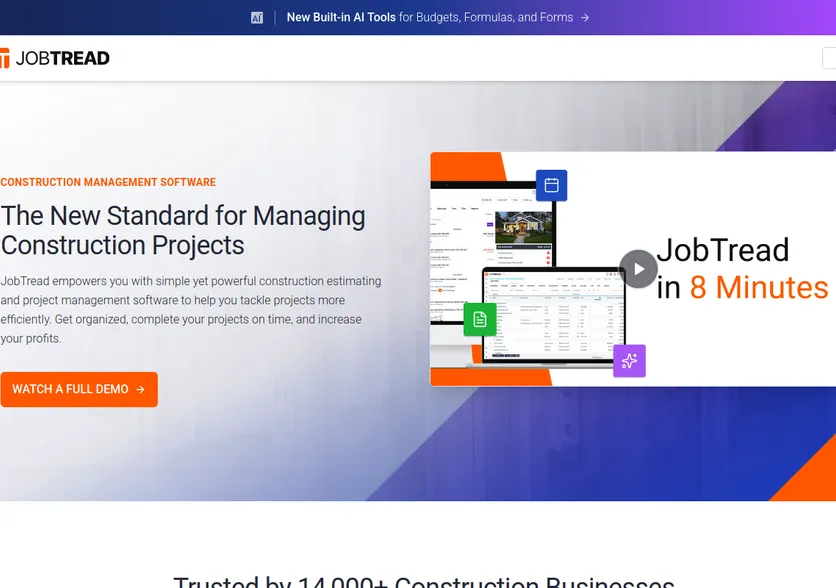
JobTread is the builder platform that carries estimating, budgeting, scheduling and job costing in one login, built for firms that want the numbers to match the field. This JobTread plan starts at one hundred ninety-nine dollars a month. A builder that estimates its own work gets the bid, the budget and the daily log in one system.
What we like
- Estimating tied to the budget and job cost
- Per-user pricing that shrinks as the crew grows
- Strong scheduling and daily logs beside the numbers
Watch out for
- No free trial, though a thirty-day money-back guarantee applies
- The headline price comes from the vendor's own comparison page and reads of the pricing page
How to try it
- Open the JobTread site and book a demo
- Set up your first job with an estimate and budget
- Run the job and check the cost against the estimate
2. Buildxact
Best for: Residential builders that quote many small jobs and want estimating with scheduling
Paid tool Starting price: $169/month · One hundred sixty-nine dollars a month billed annually for the Foundation plan, or one hundred ninety-nine dollars a month billed monthly; Pro costs three hundred ninety-nine dollars a month and Master costs five hundred ninety-nine dollars a month
Free plan: Free Go plan; 14-day free trial on paid plans
Buildxact is the estimating and job management software for residential builders, pairing takeoffs and quotes with scheduling and job costing for small firms. This Buildxact Foundation plan costs one hundred sixty-nine dollars a month billed annually. A builder that quotes a lot of small jobs gets estimating, quoting and scheduling in one login.

What we like
- Estimating and quoting built for residential work
- AI assistant Blu built into the platform
- Free Go plan for very small teams
Watch out for
- Monthly billing costs one hundred ninety-nine dollars a month, not one hundred sixty-nine
- Pro costs three hundred ninety-nine dollars a month for the fuller feature set
How to try it
- Open the Buildxact site and start the free trial
- Build your first estimate and send a quote
- Schedule the job and track costs against the quote
3. Houzz Pro
Best for: Home builders that want estimates, scheduling and a client portal
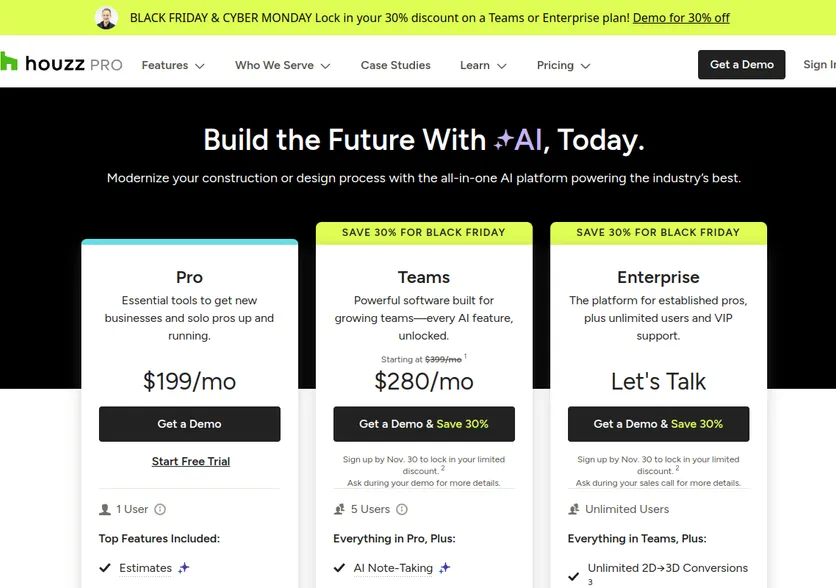
Paid tool Starting price: $199/month · One hundred ninety-nine dollars a month for the Pro plan with one user; Teams costs three hundred ninety-nine dollars a month for five users and Enterprise is custom
Free plan: Free plan available
Houzz Pro is the all-in-one platform for home builders, carrying estimates, proposals, scheduling and daily logs beside a client portal. This Houzz Pro Pro plan costs one hundred ninety-nine dollars a month for one user. A builder that works on homes gets the estimate, the schedule and the client messages in one place.
What we like
- Estimates, proposals and scheduling in one platform
- Client portal that keeps homeowners informed
- Daily logs included in the feature set
Watch out for
- Teams costs three hundred ninety-nine dollars a month for five users
- Additional users cost fifty dollars a month each
How to try it
- Open the Houzz Pro site and start with the free plan
- Build your first estimate and proposal
- Schedule the job and share progress with the client
4. Fieldwire
Best for: Builders that want the daily log tied to plans, punch lists and tasks
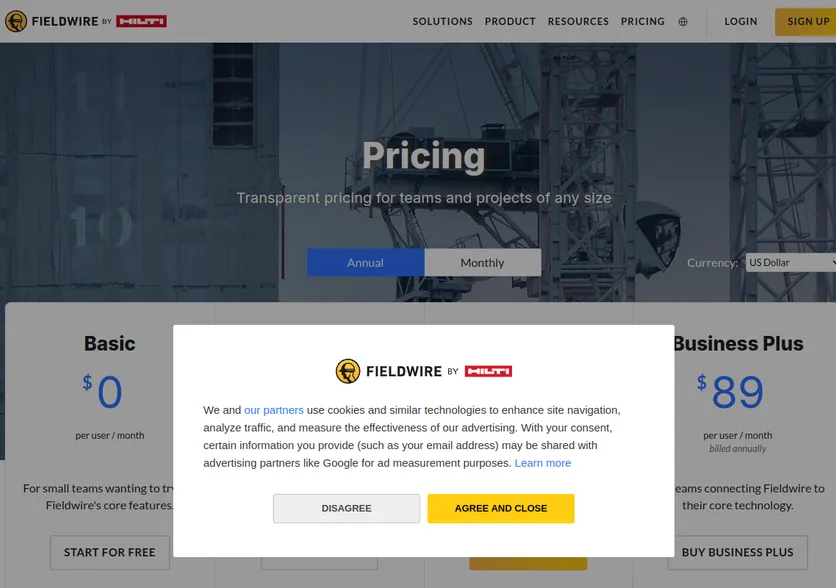
Paid tool Starting price: $39/user/month · Thirty-nine dollars per user a month billed annually for the Pro plan; Basic is free for up to five users and three projects, Business costs sixty-four dollars per user a month and Business Plus costs eighty-nine dollars per user a month
Free plan: Free Basic plan for up to 5 users and 3 projects
Fieldwire puts the daily log beside the plans, the punch list and the tasks, so a builder's crew works from one app instead of three. This Fieldwire Pro plan costs thirty-nine dollars per user a month billed annually. A builder who runs the job from the plans gets the log, the punch list and the drawings in one app.
What we like
- Daily logs tied to plans and punch lists
- Free Basic plan for small teams
- Strong mobile app for field crews
Watch out for
- Business costs sixty-four dollars per user a month for the fuller feature set
- The pricing page shows a cookie dialog over the plan cards
How to try it
- Open the Fieldwire site and start with the free Basic plan
- Upload your plans and set up daily log templates
- Log the day from the field and link entries to plan sheets
5. Buildern
Best for: Builders running several jobs that want estimating, scheduling and budgets together
Paid tool Starting price: $260/month · Two hundred sixty dollars a month billed annually for the Starter plan, or three thousand one hundred twenty dollars a year; Pro costs four hundred forty dollars a month and Advanced costs eight hundred dollars a month
Free plan: No free plan; 7-day free trial
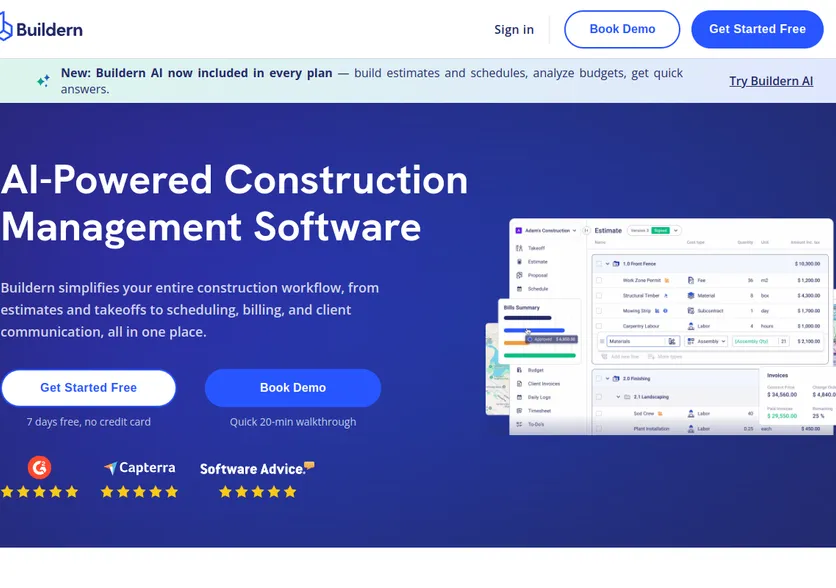
Buildern is the construction management platform for builders that carries estimating, scheduling, budgeting and client management in one login, with field workers and vendors free. This Buildern Starter plan costs two hundred sixty dollars a month billed annually. A builder that runs several jobs at once gets the whole operation in one system.
What we like
- Field workers, subs and vendors join free
- Estimating, scheduling and budgets in one login
- Two users included on the Starter plan
Watch out for
- Dearest starting price in this list at two hundred sixty dollars a month
- Extra users cost one hundred dollars a month each
How to try it
- Open the Buildern site and start the seven-day trial
- Set up your jobs, budgets and schedules
- Invite field workers and vendors, who join free
6. Smartsheet
Best for: Builders that plan in sheets and want Gantt schedules with dashboards
Paid tool Starting price: $9/member/month · Nine dollars per member a month billed annually for the Pro plan, or twelve dollars per member a month billed monthly; Business costs nineteen dollars per member a month billed annually
Free plan: Free plan available; 30-day free trial on paid plans
Smartsheet is the work platform that turns spreadsheets into project plans, pairing Gantt schedules with dashboards, forms and automations. This Smartsheet Pro plan costs nine dollars per member a month billed annually. A builder that plans in sheets gets the schedule, the budget and the reports in one grid.

What we like
- Cheapest per-user price in this comparison
- Gantt schedules with dashboards and automations
- Free plan for very small teams
Watch out for
- Business costs nineteen dollars per member a month for the fuller feature set
- Monthly billing costs twelve dollars per member a month, not nine
How to try it
- Open the Smartsheet site and start the free trial
- Build your first project sheet with a Gantt schedule
- Share the sheet with the office and the field
7. Asana
Best for: Builders coordinating office and field teams around tasks and timelines
Paid tool Starting price: $10.99/user/month · Ten dollars and ninety-nine cents per user a month billed annually for the Starter plan, or thirteen dollars and forty-nine cents per user a month billed monthly; Advanced costs twenty-four dollars and ninety-nine cents per user a month billed annually
Free plan: Free Personal plan for up to 2 users
Asana is the work management platform that turns project plans into tasks, timelines and workloads, with AI that keeps the schedule honest. This Asana Starter plan costs ten dollars and ninety-nine cents per user a month billed annually. A builder that coordinates office and field teams gets the plan, the tasks and the timeline in one login.

What we like
- Timelines and workloads that suit multi-job builders
- Free Personal plan for two users
- AI features that flag slipping tasks
Watch out for
- Advanced costs twenty-four dollars ninety-nine per user a month for the fuller feature set
- Monthly billing costs thirteen dollars forty-nine per user a month, not ten ninety-nine
How to try it
- Open the Asana site and start with the free plan
- Build your project with tasks, timelines and milestones
- Assign the work and track progress from the dashboard
8. Contractor Foreman
Best for: Small builders that want daily logs inside an all-in-one management suite
Paid tool Starting price: $49/month · Starting at forty-nine dollars a month; Standard costs one hundred five dollars a month, Plus one hundred sixty-six dollars a month, Pro two hundred twenty-one dollars a month and Unlimited three hundred thirty-two dollars a month on annual billing
Free plan: No free plan; 30-day free trial
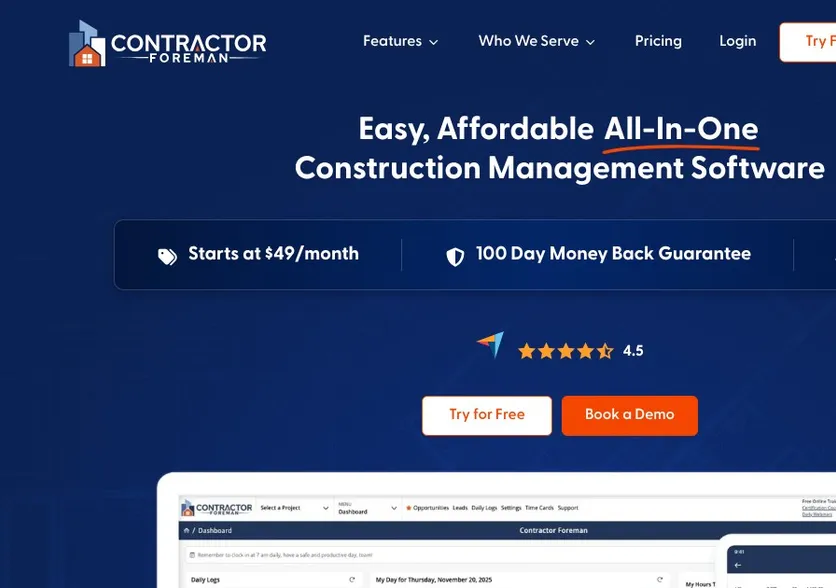
Contractor Foreman is the all-in-one construction manager for small builders, carrying daily logs beside estimates, scheduling, time cards and client management in one login. This Contractor Foreman plan starts at forty-nine dollars a month. A small builder that wants one system for the whole job gets the daily log included rather than bought separately.
What we like
- Daily logs inside a full management suite
- Starts at forty-nine dollars a month
- Thirty-day trial to test the whole system
Watch out for
- Higher tiers cost more as the user count grows
- Tier prices come from reads of the vendor page, so confirm the band at signup
How to try it
- Open the Contractor Foreman site and start the 30-day trial
- Set up your projects and daily log templates
- Log the day and check the report the owner sees
Prices above were checked on each vendor’s own website on Nov 27, 2026 and can change — the vendor’s page is the final word. Vendor links are editorial: nobody paid to be listed or ranked here. Vendors who want a featured listing can see how it works on our Get listed page.
What builder project software costs in 2026
A builder pays for project software in the subscription and in the office hours it saves or costs. A nine-dollar plan looks cheap until the team re-enters the schedule in a second system, so weigh the integrations against the sticker price. The dearest tool here costs two hundred sixty dollars a month, but it covers estimating, scheduling and client management that cheaper tools sell as add-ons.
Start with a trial on two tools and run a real job through each one, from estimate to handover. Check that the budget tracks the field, that the schedule survives a change order, and that the client sees progress without a phone call. Pick the tool the project manager actually opens every morning, because software the team skips is just another subscription.
Before you buy
- Check that the estimate feeds the budget and the schedule, because retyping numbers between tools invites errors.
- Confirm the schedule handles change orders, because a plan that ignores changes is out of date in a week.
- Match the per-user price to the team size, because a nine-dollar plan multiplies fast across the office and field.
- Test the client portal, because homeowners who see progress stop calling the office for updates.
- Ask what the accounting link costs, because the QuickBooks connection is often a paid add-on.
Official websites
Official websites of the products reviewed above. Features and prices were checked against these sites when this guide was written, and they can change, so confirm on the vendor site before you buy.
Frequently asked questions
Which construction project management software is best for builders in 2026?
JobTread is the best overall pick at one hundred ninety-nine dollars a month, with the estimate tied to the budget, the schedule and the daily log. Buildxact is the best choice for residential builders that quote many small jobs. Smartsheet is the best budget pick at nine dollars per member a month for teams that mainly need schedules and sheets.
How much does construction project management software cost for builders?
Prices in this list run from nine dollars per member a month for Smartsheet to two hundred sixty dollars a month for Buildern, with most tools landing between thirty-nine and one hundred ninety-nine dollars a month. Per-user plans multiply with the team, so add the office and field headcount to the monthly rate before you compare totals.
Do builders need estimating in their project software?
Yes, if the builder bids its own work, because an estimate that feeds the budget and the schedule saves retyping and catches overruns early. JobTread, Buildxact and Buildern all carry estimating beside scheduling. A builder that works from client-supplied plans can skip estimating and pick a schedule-first tool like Smartsheet or Asana.
Can builders manage clients in these tools?
Yes, client portals are a core feature of the builder tools here, and they show progress, selections and messages without a phone call. Houzz Pro and Buildern carry the strongest client portals, while JobTread and Buildxact keep the client beside the budget. Check that the portal shows what your homeowners actually ask about.
Is there a free project management tool for builders?
Smartsheet offers a free plan, Asana offers a free Personal plan for two users, and Fieldwire and Buildxact offer free plans too. The other tools here charge from the first month, though most offer free trials of seven to thirty days. A small builder can start free and upgrade once the job count grows.
Need everyday business help too? Try Toolsvine's free business tools right in your browser.
Browse Business Tools tools