
On this page
Project management software for contractors needs to track jobs, crews, costs and clients from the office to the job site, and the eight tools below cover that work from a one-person builder to a fifty-person firm. Prices run from nine dollars per user a month to about two hundred dollars a month, and every figure was checked on the vendor site on November 26, 2026. Most tools carry a free plan or trial, so test the daily reporting with a real job before paying. Contractor Foreman is our first pick — the cheapest dedicated tool for contractors.
How we researched this
We started with the project tools contractors actually use, then read each price on the vendor pricing page on November 26, 2026 and noted the free plan or trial each one carries. We judged them for a firm that needs job tracking, daily reports, costs and invoicing without an enterprise system, and we kept only tools with a published price.
Compare the tools
| Name | Best for | Starting price | Free plan | |
|---|---|---|---|---|
 Contractor Foreman | Small contractors who want scheduling, estimates and project tracking for one low price | $49/month | No free plan; 30-day free trial | Visit |
 Fieldwire | Field teams that need drawings, punch lists and daily reports on site | $39/user/month | Basic plan free for up to 5 users, 3 projects and 100 sheets | Visit |
 BuildBook | Small builders who want estimates, scheduling and client updates in one tool | $79/month | No free plan; free trial available | Visit |
 Houzz Pro | Design-build contractors who want leads, proposals and project management together | $199/month | Free plan with 3D floor planner, estimates and invoicing; 30-day trial on paid plans | Visit |
 Knowify | Small contractors who need job costing, change orders and invoicing | $99/month | No free plan; free trial available | Visit |
 Raken | Field teams that need daily reports, photos and time cards from the job site | $23/user/month | No free plan; no trial, recorded video tour and sales call | Visit |
 Monday | General contractors who want visual boards for schedules and subcontractors | $9/user/month | Free plan for up to 2 seats; 14-day Pro trial | Visit |
 ClickUp | Contractors who want tasks, docs and time tracking in one workspace | $9/user/month | Free Forever plan with unlimited tasks | Visit |
The project management software for contractors, compared
1. Contractor Foreman
Best for: Small contractors who want scheduling, estimates and project tracking for one low price
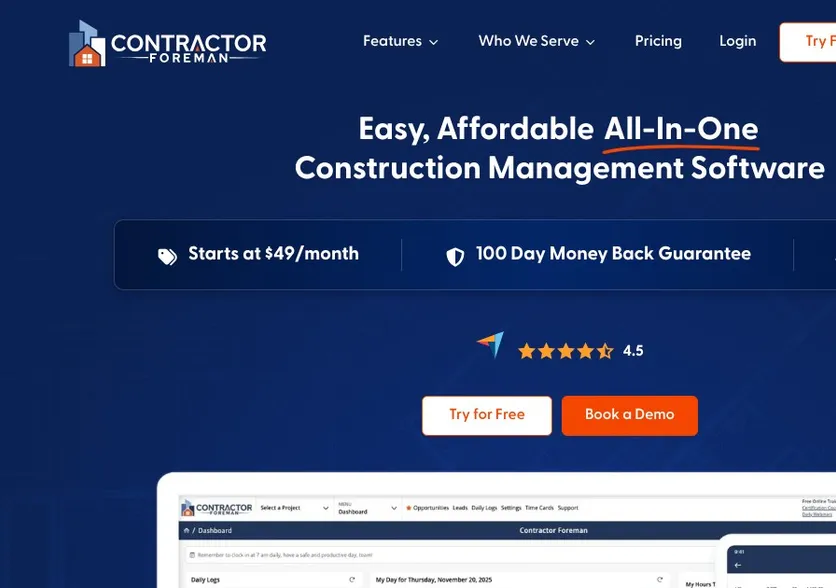
Paid tool Starting price: $49/month · Basic plan, $49 a month billed annually for 1 user, annual-only; Standard $105 annual or $139 monthly for up to 3 users; Plus $166 annual for up to 8 users
Free plan: No free plan; 30-day free trial
Contractor Foreman covers scheduling, estimates, time tracking and project management for contractors at the lowest price in this list. This Contractor Foreman Basic plan costs forty-nine dollars a month billed annually for one user, with higher plans for larger crews. A small contractor that wants the whole job in one tool gets the cheapest dedicated system here.
What we like
- Cheapest dedicated contractor tool in this list
- Scheduling, estimates and time tracking in one tool
- Thirty-day free trial on every plan
Watch out for
- Basic is annual-only with one user
- No free plan, only a thirty-day trial
How to try it
- Start the thirty-day free trial
- Set up one job with its schedule and crew
- Check the Standard plan when the second user joins
2. Fieldwire
Best for: Field teams that need drawings, punch lists and daily reports on site
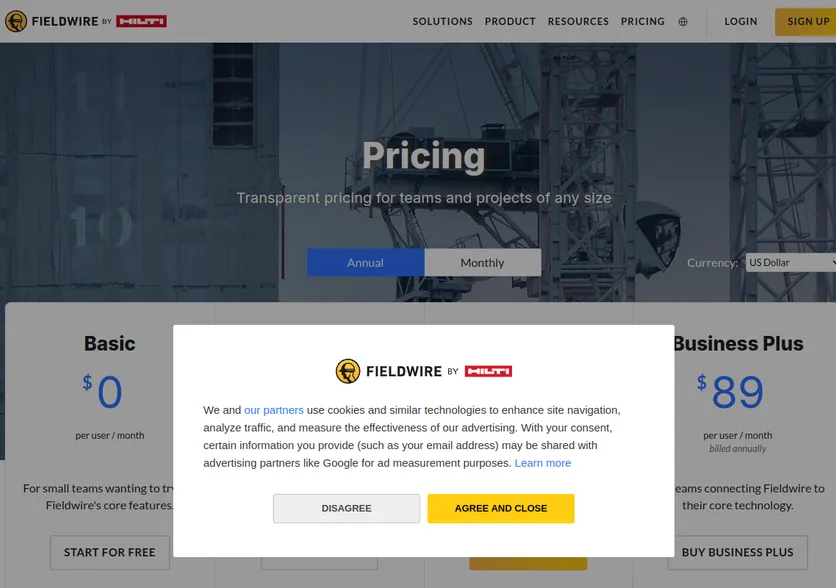
Paid tool Starting price: $39/user/month · Pro plan, $39 per user a month billed annually or $54 billed monthly; Business $64 annual and Business Plus $89 annual; Basic free for 5 users
Free plan: Basic plan free for up to 5 users, 3 projects and 100 sheets
Fieldwire puts drawings, punch lists and daily reports in the hands of the field crew, so the office and the job site stay in sync. This Fieldwire Pro plan costs thirty-nine dollars per user a month billed annually, or fifty-four dollars billed monthly. A field team that needs drawings and punch lists on site gets the best field tool in this list.
What we like
- Drawings and punch lists built for the field
- Daily reports with photos from the job site
- Basic plan free for up to five users
Watch out for
- Business plan needed for the full feature set
- Pro has no advanced reporting or integrations
How to try it
- Start with the free Basic plan for five users
- Upload drawings and set up punch lists on one job
- Upgrade to Pro when the team needs more projects
3. BuildBook
Best for: Small builders who want estimates, scheduling and client updates in one tool
Paid tool Starting price: $79/month · Solo plan, $79 a month billed annually or $99 billed monthly for 1 user; Team $149 a month annual for 2 to 9 users; Business from $249 a month annual
Free plan: No free plan; free trial available
BuildBook covers estimates, scheduling, selections and client updates for small builders in one clean tool. This BuildBook Solo plan costs seventy-nine dollars a month billed annually, or ninety-nine dollars billed monthly, for one user. A small builder that wants estimates and client updates together gets an easy tool at a fair price.
What we like
- Estimates, scheduling and client updates in one tool
- Client portal keeps homeowners in the loop
- Team plan covers two to nine users
Watch out for
- No free plan, only a free trial
- Solo plan covers one user only
How to try it
- Start a free trial on the Solo plan
- Build one estimate and send it to a client
- Upgrade to Team when the second user joins
4. Houzz Pro
Best for: Design-build contractors who want leads, proposals and project management together
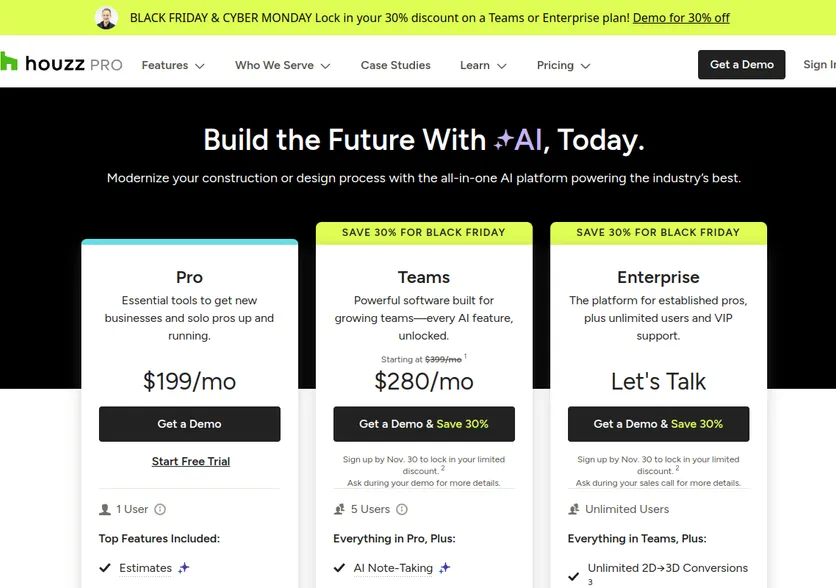
Paid tool Starting price: $199/month · Pro plan, $199 a month with 1 user included and extra users $50 a month; Teams from $399 a month for 5 users; free plan exists
Free plan: Free plan with 3D floor planner, estimates and invoicing; 30-day trial on paid plans
Houzz Pro gives design-build contractors leads, proposals and project management in one place, so the client comes in and the job stays on track. This Houzz Pro plan costs one hundred ninety-nine dollars a month with one user included and extra users at fifty dollars a month. A contractor that wants leads and project tracking together gets the only tool here with a marketplace built in.
What we like
- Lead generation built into the project tool
- Proposals and 3D floor plans included
- Free plan covers estimates and invoicing
Watch out for
- One hundred ninety-nine dollars is the highest flat price here
- Paid trial turns into an annual subscription
How to try it
- Start with the free plan and build a proposal
- Check the lead flow for the local area
- Upgrade to Pro when the team needs more users
5. Knowify
Best for: Small contractors who need job costing, change orders and invoicing
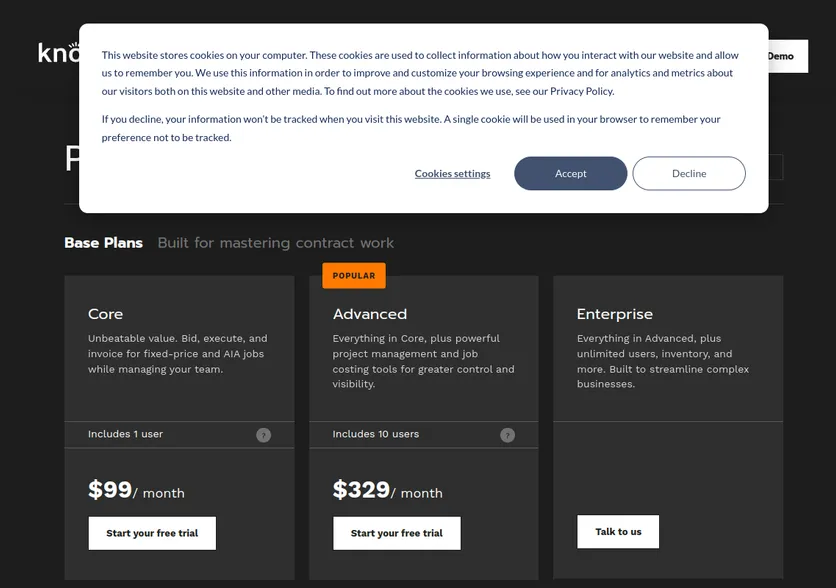
Paid tool Starting price: $99/month · Core plan, $99 a month billed annually or $149 billed monthly for 1 user; Advanced $329 annual or $399 monthly for 10 users; extra user $29 a month
Free plan: No free plan; free trial available
Knowify covers job costing, change orders, time tracking and invoicing for contractors who need to know whether a job makes money. This Knowify Core plan costs ninety-nine dollars a month billed annually, or one hundred forty-nine dollars billed monthly, for one user. A small contractor that needs job costing and change orders gets the most complete costing tool in this list.
What we like
- Job costing and change orders in one tool
- Time tracking tied to each job
- Integrates with QuickBooks for invoicing
Watch out for
- Core covers one user only, extra users cost extra
- Advanced plan needed for ten users and full features
How to try it
- Start a free trial on the Core plan
- Set up one job with its budget and costs
- Check Advanced when the crew grows past one user
6. Raken
Best for: Field teams that need daily reports, photos and time cards from the job site
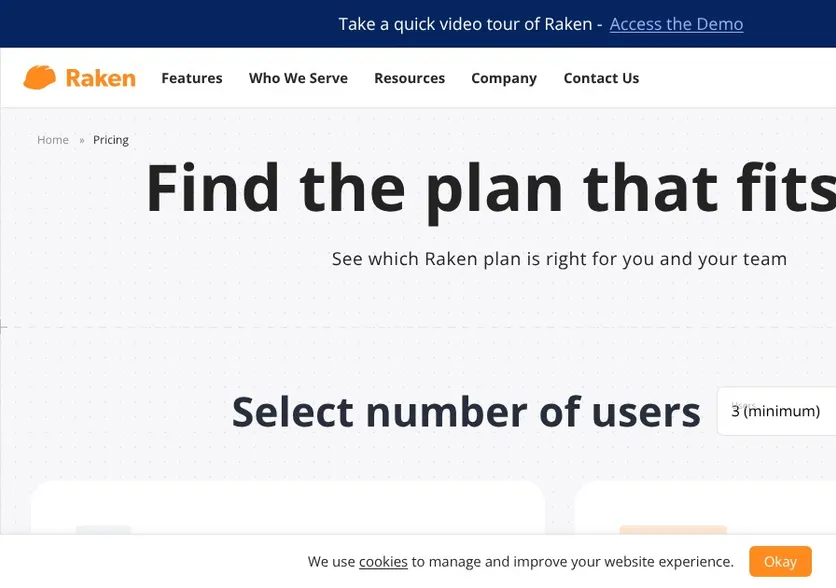
Paid tool Starting price: $23/user/month · Basic plan, $23 per user a month billed annually, 3-user minimum; Performance $59 annual with a 3-user minimum; volume discounts at 5 and 10 users
Free plan: No free plan; no trial, recorded video tour and sales call
Raken gives field crews daily reports, photos and time cards from the job site, so the office sees progress without a phone call. This Raken Basic plan costs twenty-three dollars per user a month billed annually, with a three-user minimum. A field team that needs daily reporting from the job site gets the best reporting tool in this list.
What we like
- Daily reports with photos from the job site
- Time cards tied to each project
- Volume discounts at five and ten users
Watch out for
- No free plan and no trial, only a video tour
- Performance plan needed for the full feature set
How to try it
- Watch the recorded video tour and book a sales call
- Check the three-user minimum against the crew size
- Set up daily reports on the first live job
7. Monday
Best for: General contractors who want visual boards for schedules and subcontractors
Paid tool Starting price: $9/user/month · Basic plan, $9 per user a month billed annually or $12 billed monthly, 3-seat minimum; Standard $12 and Pro $19 a month annual
Free plan: Free plan for up to 2 seats; 14-day Pro trial
Monday gives general contractors visual boards for schedules, subcontractors and budgets, with timelines and workloads in one view. This Monday Basic plan costs nine dollars per user a month billed annually, with a three-seat minimum. A general contractor that wants every job on one board gets the most flexible tool in this list.

What we like
- Visual boards for schedules and subcontractors
- Templates for project tracking and budgets
- Free plan for up to two seats
Watch out for
- Three-seat minimum on paid plans
- Time tracking needs the Standard plan or higher
How to try it
- Start the free plan with up to two seats
- Pick a project template and add the team
- Upgrade to Basic when the third seat joins
8. ClickUp
Best for: Contractors who want tasks, docs and time tracking in one workspace
Paid tool Starting price: $9/user/month · Core plan, $9 a user a month billed annually ($12 billed monthly); Business $17 a user a month billed annually
Free plan: Free Forever plan with unlimited tasks
ClickUp combines tasks, docs, goals and time tracking in one workspace, so a contracting firm can run jobs without five separate tools. This ClickUp Unlimited plan lists at twelve dollars per user a month, with a nine dollar promotional rate on the page. A contractor that wants everything in one place gets the broadest tool in this list.

What we like
- Tasks, docs and goals in one workspace
- Time tracking built into every task
- Free Forever plan with unlimited tasks
Watch out for
- Twelve dollar list price sits above the nine dollar promo rate
- Business plan needed for advanced reporting
How to try it
- Start with the Free Forever plan
- Set up one job workspace with tasks and docs
- Upgrade to Unlimited when the team needs goals and time tracking
Prices above were checked on each vendor’s own website on Nov 26, 2026 and can change — the vendor’s page is the final word. Vendor links are editorial: nobody paid to be listed or ranked here. Vendors who want a featured listing can see how it works on our Get listed page.
How to run project management software for contractors day to day
Start with one live job before moving the whole firm, because a tool that fits one job usually fits them all. Set up the budget, the crew and the schedule, then track hours and costs against the budget every week so overruns show up early. A contractor that catches a cost gap in week two fixes it cheaply, while a contractor that finds it at invoice time pays for the lesson.
Keep daily reports simple and photos regular, because a tool the crew avoids is worse than no tool at all. Check the price against the real crew size, because a three-user minimum and a per-user rate both turn expensive for a one-person builder. Review job profitability every Friday, because a red job on Friday is a fixable job on Monday.
Before you buy
- Count the crew first, because Raken and Contractor Foreman both carry minimums and BuildBook Solo covers one user.
- Check the per-user price, because Monday is nine dollars while Fieldwire Pro is thirty-nine dollars a month.
- Compare flat and per-user pricing, because Knowify Core is flat at ninety-nine dollars a month for one user.
- Test daily reporting with a real job, because most tools here offer a free plan or trial before payment.
- Check what the entry plan excludes, because Fieldwire needs Business for full features and Knowify needs Advanced for ten users.
Official websites
Official websites of the products reviewed above. Features and prices were checked against these sites when this guide was written, and they can change, so confirm on the vendor site before you buy.
Frequently asked questions
Which project management software is best for contractors in 2026?
Contractor Foreman is the safest default, because it covers scheduling, estimates and time tracking for forty-nine dollars a month. Fieldwire is the best pick for field teams, with drawings and punch lists on site. Raken is the best pick for daily reporting, with photos and time cards from the job site.
How much does project management software for contractors cost?
Prices in this list run from nine dollars per user a month on Monday Basic to one hundred ninety-nine dollars a month on Houzz Pro. Dedicated contractor tools like Contractor Foreman and BuildBook cost forty-nine and seventy-nine dollars a month, while Fieldwire Pro is thirty-nine dollars per user a month billed annually.
Is there free project management software for contractors?
Yes. Fieldwire has a Basic plan free for up to five users, three projects and one hundred sheets, and ClickUp and Monday both have free plans for small teams. Contractor Foreman, BuildBook and Knowify offer free trials, while Raken offers no free plan or trial, only a recorded video tour.
What features do contractors need in project management software?
Contractors need job tracking, daily reports, cost tracking and invoicing in one place, because a job that runs over budget is a job that loses money. Contractor Foreman and Knowify cover job costing best, while Fieldwire and Raken cover daily reports from the field. Visual boards on Monday help the office see every job at a glance.
Can Fieldwire be used for small contracting jobs?
Yes. Fieldwire has a Basic plan free for up to five users, three projects and one hundred sheets, so a small contractor can run real jobs without paying. The Pro plan costs thirty-nine dollars per user a month billed annually and adds more projects and sheets. Drawings, punch lists and daily reports work on every plan, including the free one.
Want more ways to work smarter? Try Toolsvine's free productivity tools for planning, tracking and focus right in your browser.
Browse Productivity Tools tools


