On this page
An executive assistant's day is a stream of requests from several directions at once, and the right list turns that stream into a calm order of work. The eight tools below were picked for people who run someone else's diary, travel and priorities, from a quick personal list to a board that a whole office can see. Todoist leads because it captures a task in seconds for four dollars per user a month, and the rest are ranked on how well they keep an executive's commitments visible without adding admin.
How we researched this
We checked every price on the vendor pricing page on November 29, 2026, and only included tools with a published US dollar list price. Tools that sell only by quote were left out, as were tools built for whole engineering teams rather than for the person who runs an executive's day. Prices change, so confirm the current figure on the vendor site before you buy.
Compare the tools
| Name | Best for | Starting price | Free plan | |
|---|---|---|---|---|
 Todoist | Assistants who capture tasks on the move | $4/user/month | Free plan (5 projects) | Visit |
 ClickUp | Assistants supporting several executives at once | $9/user/month | Free plan | Visit |
 Asana | Assistants managing projects with several owners | $10.99/user/month | Free plan (Personal) | Visit |
 monday.com | Assistants who want one visual board per executive | $9/seat/month | Free plan (up to 2 seats) | Visit |
 Trello | Assistants who want a simple board, not a system | $5/user/month | Free plan | Visit |
 Notion | Assistants who keep briefings, contacts and tasks together | $10/member/month | Free plan | Visit |
 TickTick | Assistants who want a personal list at a low yearly price | $35.99/year | Free plan | Visit |
 Things 3 | Apple-only assistants who want a calm personal list | $49.99 one-time (Mac) | 15-day free trial | Visit |
The task management software for executive assistants, compared
1. Todoist
Best for: Assistants who capture tasks on the move
Paid tool Starting price: $4/user/month · Four dollars per user a month on Pro billed annually (five dollars billed monthly); Business is six dollars per user a month billed annually, while monthly Business billing is listed at eight dollars in one November 2026 read and six dollars in another, so confirm at checkout
Free plan: Free plan (5 projects)
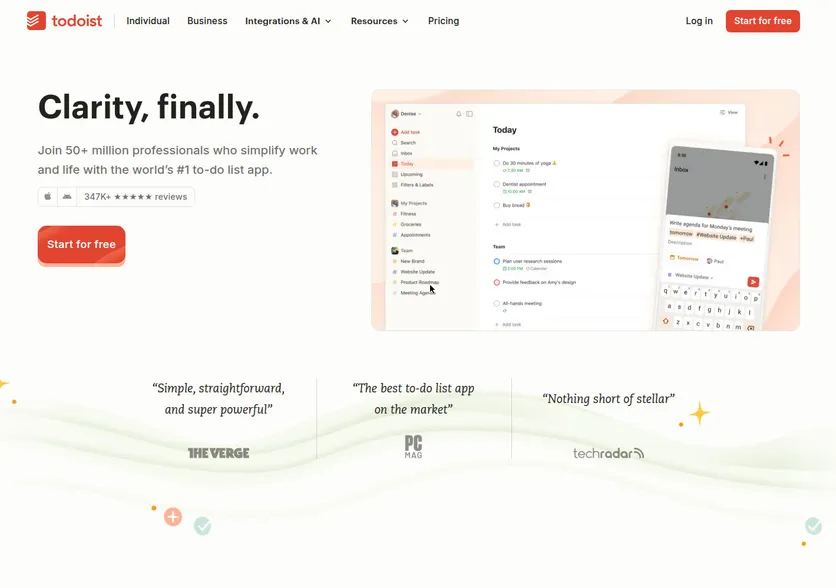
An executive assistant who lives in a fast-moving inbox needs a task list that captures in seconds, and this Todoist plan costs four dollars per user a month billed annually for exactly that kind of quick capture. Natural-language entry turns a dictated sentence into a dated task with a priority flag, and shared projects let an assistant track an executive's commitments without chasing them by email.
What we like
- Natural-language entry turns a sentence into a dated task
- Syncs instantly across phone, desktop and web
- Labels and filters sort one list by executive, project or priority
Watch out for
- The free plan caps at five projects, so several executives need Pro
- No built-in calendar view on the free plan
How to try it
- Create a project for each executive and add their recurring tasks
- Set a due date and priority on every task as it arrives
- Review the today view each morning and move anything that slipped
2. ClickUp
Best for: Assistants supporting several executives at once
Paid tool Starting price: $9/user/month · Nine dollars per user a month on Core billed annually; Business is seventeen dollars per user a month billed annually; Enterprise is quoted
Free plan: Free plan
When one assistant supports two or three executives, the work needs one home for every request, and this ClickUp plan costs nine dollars per user a month billed annually for a workspace that holds them all. Custom statuses mirror how an executive actually works, from a draft waiting on sign-off to a trip that needs booking, and the calendar and docs sit beside the tasks so nothing lives in a separate app.

What we like
- Custom statuses mirror how each executive actually works
- Docs, calendar and tasks live in one workspace
- Automations route incoming requests to the right list
Watch out for
- The free plan limits storage, so heavy file users pay sooner
- So many features that setup takes longer than simpler lists
How to try it
- Build one space per executive with a list for each workstream
- Add custom statuses for waiting on the executive and waiting on others
- Turn on automations that assign new requests to the right person
3. Asana
Best for: Assistants managing projects with several owners
Paid tool Starting price: $10.99/user/month · Ten dollars and ninety-nine cents per user a month on Starter billed annually (thirteen dollars and forty-nine cents billed monthly); Advanced is twenty-four dollars and ninety-nine cents billed annually (thirty dollars and forty-nine cents monthly)
Free plan: Free plan (Personal)
An executive's week is a chain of deadlines owned by other people, and this Asana plan costs ten dollars and ninety-nine cents per user a month billed annually to keep that chain visible. Timeline view shows when a board pack, a speech draft and a travel booking collide, and rules can chase the owner of an overdue task without the assistant sending another reminder.

What we like
- Timeline view shows when deadlines collide across executives
- Rules chase overdue owners without another reminder email
- Portfolios roll several projects into one Monday view
Watch out for
- Starter is the dearest entry plan in this list
- Guests are limited on the free plan, so outside collaborators cost seats
How to try it
- Create a project for each executive with sections for their workstreams
- Add every task with an owner and a due date
- Open the portfolio view each Monday to spot clashes early
4. monday.com
Best for: Assistants who want one visual board per executive
Paid tool Starting price: $9/seat/month · Nine dollars per seat a month on Basic billed annually (twelve dollars billed monthly); Standard is twelve dollars a seat a month billed annually and Pro is nineteen dollars; a three-seat minimum applies to paid plans
Free plan: Free plan (up to 2 seats)
At nine dollars per seat a month billed annually, this monday.com plan gives assistants who manage a principal's calendar, travel and board papers one single visual board. Colour-coded statuses show at a glance which tasks are waiting on the executive and which are waiting on someone else, and the built-in forms collect meeting requests without a chain of emails. The three-seat minimum means a solo assistant pays for seats they may not use.

What we like
- Colour-coded boards show task status at a glance
- Forms collect meeting requests without email chains
- Automations move tasks between groups as work progresses
Watch out for
- The three-seat minimum means a solo assistant pays for unused seats
- The free plan covers only two seats and basic boards
How to try it
- Create a board per executive with groups for their workstreams
- Add status columns for waiting on the executive and waiting on others
- Set up a form so meeting requests land straight on the board
5. Trello
Best for: Assistants who want a simple board, not a system
Paid tool Starting price: $5/user/month · Five dollars per user a month on Standard billed annually (six dollars billed monthly); Premium is ten dollars per user a month billed annually (twelve dollars and fifty cents monthly); Enterprise is seventeen dollars and fifty cents
Free plan: Free plan
A simple board beats a complicated system when the day is full of interruptions, and this Trello plan costs five dollars per user a month billed annually for boards that stay simple. Cards hold checklists, due dates and attachments for each errand, and Butler rules can move a card to done the moment its checklist is complete. Power-Ups add a calendar or a time tracker only when the assistant actually needs one.

What we like
- Boards stay simple enough to update between meetings
- Butler rules move cards automatically when checklists complete
- Power-Ups add a calendar or time tracker only when needed
Watch out for
- No built-in timeline on Standard, so date clashes are harder to spot
- Large boards with many cards get slow to scan
How to try it
- Make a board for each executive with lists for today, this week and waiting
- Add a card for every request with a due date and checklist
- Turn on Butler rules to move finished cards to done automatically
6. Notion
Best for: Assistants who keep briefings, contacts and tasks together
Paid tool Starting price: $10/member/month · Ten dollars per member a month on Plus billed annually (twelve dollars billed monthly); Business is twenty dollars per member a month billed annually (twenty-four dollars monthly)
Free plan: Free plan
An assistant who writes briefings, keeps contact notes and tracks tasks in the same place saves the daily hunt through apps, and this Notion plan costs ten dollars per member a month billed annually for that combined workspace. Databases can hold a contact list, a travel log and a task board that all link to each other, and templates turn a recurring board meeting into a repeatable checklist.

What we like
- One workspace holds briefings, contacts and tasks together
- Databases link a contact list, travel log and task board
- Templates turn recurring meetings into repeatable checklists
Watch out for
- A blank page needs the assistant to design their own system
- Offline access is weaker than the dedicated task apps
How to try it
- Create a database for tasks with views by executive and due date
- Build templates for recurring meetings and trips
- Link the contact database so every task shows who owns it
7. TickTick
Best for: Assistants who want a personal list at a low yearly price
Paid tool Starting price: $35.99/year · Thirty-five dollars and ninety-nine cents a year on Premium, which works out to two dollars and ninety-nine cents a month; monthly billing is three dollars and ninety-nine cents a month; the yearly figure is shown as a limited-time offer against a forty-nine dollar and ninety-nine cent list price
Free plan: Free plan
For an assistant who wants a personal list that syncs everywhere without a team price tag, this TickTick plan costs thirty-five dollars and ninety-nine cents a year for a premium list that follows them across devices. Smart lists sort by date, priority and tag, the calendar view shows the week at a glance, and the habit tracker can hold the small daily routines that keep an office running. Collaboration is lighter than the team tools here, so it suits one assistant rather than a whole office.

What we like
- Smart lists sort by date, priority and tag automatically
- Built-in calendar shows the whole week at a glance
- Habit tracker holds the small daily routines of the office
Watch out for
- Collaboration is lighter than the team tools in this list
- The yearly price is a limited-time offer against a higher list price
How to try it
- Add tasks with natural-language dates as they arrive
- Set up smart lists for each executive and for today
- Check the calendar view each evening to plan tomorrow
8. Things 3
Best for: Apple-only assistants who want a calm personal list
Paid tool Starting price: $49.99 one-time (Mac) · Forty-nine dollars and ninety-nine cents one time for the Mac app; the iPhone app is nine dollars and ninety-nine cents and the iPad app is nineteen dollars and ninety-nine cents; Apple devices only, with a fifteen-day trial
Free plan: 15-day free trial
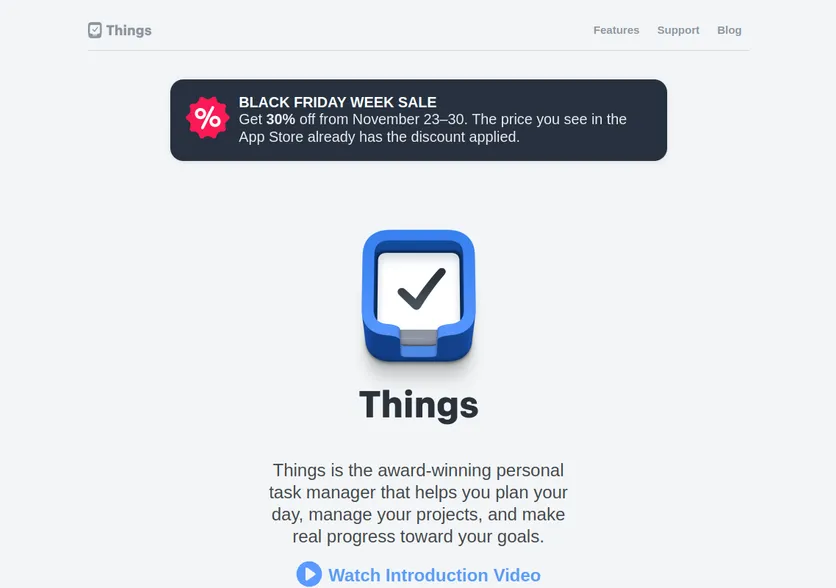
An assistant who works entirely on Apple devices gets a beautifully calm list here, and this Things 3 plan costs forty-nine dollars and ninety-nine cents one time for the Mac app. Areas separate each executive's work, projects hold the steps for a trip or an event, and the evening review shows tomorrow's list before the assistant leaves the office. The one-time price means no monthly bill, but there is no Windows or web version for a mixed-device office.
What we like
- Calm design that stays out of the way on busy days
- Areas keep each executive's work cleanly separate
- One-time purchase means no monthly subscription bill
Watch out for
- Apple devices only, so a mixed-device office cannot use it
- No shared projects for a team that works together
How to try it
- Create an area for each executive and a project for each trip or event
- Add tasks to the today list each morning
- Use the evening review to set tomorrow's list before leaving
Prices above were checked on each vendor’s own website on Nov 29, 2026 and can change — the vendor’s page is the final word. Vendor links are editorial: nobody paid to be listed or ranked here. Vendors who want a featured listing can see how it works on our Get listed page.
How an executive assistant keeps one list for several bosses
Give every executive their own area or board, and never mix their tasks in one list, because a request that looks small can hide a deadline that belongs to someone else. Start each morning by checking what is due today, then confirm the two or three items that need the executive's attention before lunch. Keep a waiting list for everything that is with someone else, and chase it once a day at the same time. End the day by moving tomorrow's list into place.
Before you buy
- Check that the tool captures a task in seconds, because an assistant cannot stop to fill in a form
- Make sure the calendar view shows every executive's deadlines in one place before the day starts
- Ask whether the tool shares a project with the executive without giving them a full licence to manage
- Confirm the mobile app is fast enough to add a task while walking between meetings
- Test the free plan with a real week of work before paying, including a day when plans change
Official websites
Official websites of the products reviewed above. Features and prices were checked against these sites when this guide was written, and they can change, so confirm on the vendor site before you buy.
Frequently asked questions
What is the best task management software for executive assistants?
Todoist is the best overall pick for most executive assistants, at four dollars per user a month on Pro, because it captures tasks in seconds and syncs across every device. Asana is the better choice when the assistant manages projects with several owners and deadlines, and Things 3 suits an assistant who works entirely on Apple devices. The right pick depends on whether the assistant needs speed, shared projects or a calm personal list.
How much does task management software cost for an executive assistant?
Prices run from four dollars per user a month for Todoist Pro to ten dollars and ninety-nine cents for Asana Starter, with most tools between five and ten dollars a month. TickTick Premium costs thirty-five dollars and ninety-nine cents a year, and Things 3 is a one-time purchase of forty-nine dollars and ninety-nine cents for the Mac app. Every tool here has a free plan or a trial, so the cost can be tested before paying.
Can an executive assistant use free task management software?
Yes, and most assistants should start there. Todoist, ClickUp, Trello, Notion and Asana all have free plans that cover personal lists and small shared projects, and TickTick is free for basic use. The free plans usually limit the number of projects or guests, so an assistant supporting several executives will likely need a paid plan once the work grows beyond a handful of lists.
Which tool is best for managing an executive's calendar and tasks together?
monday.com and Asana are the strongest picks when the calendar matters as much as the list, because both show tasks on a timeline alongside deadlines. Todoist is faster for pure capture but its calendar view is simpler, and TickTick pairs a built-in calendar with its lists at a low yearly price. Pick the tool whose calendar the assistant will actually open every morning.
Does an executive assistant need a team plan or a personal plan?
A personal plan is enough when the assistant is the only person working the list. A team plan becomes necessary when the executive, a chief of staff or other assistants all add and complete tasks in the same workspace. Start with the free plan, and move up when more than one person regularly edits the same project.
Compare the eight tools above, then start with the free Todoist plan on the list that matches how the assistant already works before paying for a full year.
Browse Productivity Tools tools