On this page
Content ops is the machinery behind publishing: briefs become drafts, drafts become reviews, and reviews become live pages on a schedule. When that workflow lives in chat threads and memory, pieces stall and deadlines slip. The right software turns the workflow into a visible pipeline with owners and handoffs, so nothing waits on a message. This comparison covers eight paid tools with prices checked on the vendor site on November 27, 2026. For most teams, monday.com is the best place to start.
How we researched this
We compared paid workflow tools that publish US dollar prices and fit how content operations teams run production: stages, owners, approvals, and publishing. Each tool was scored on how well it models a real workflow, its automation, pricing transparency, and how quickly a team can adopt it. Quote-only platforms and tools with no public price were left out.
Compare the tools
| Name | Best for | Starting price | Free plan | |
|---|---|---|---|---|
 monday.com | Content ops teams that run production as a visual, automated pipeline | $9/month | Free plan | Visit |
 ClickUp | Content ops teams that want one workspace for tasks, docs, and approvals | $9/month | Free plan | Visit |
 Asana | Content ops teams that need deadlines, dependencies, and a repeatable process | $10.99/month | Free plan | Visit |
 Wrike | Content ops teams with multi-stage approvals and strict review chains | $10/month | Free plan | Visit |
 Notion | Content ops teams that document their workflow and keep everything searchable | $10/month | Free plan | Visit |
 Airtable | Content ops teams that manage many formats and channels from one database | $20/user/month | Free plan | Visit |
| CoSchedule | Content ops teams that publish across blog, email, and social on one calendar | $29/month | Free plan (15 posts on 1 profile) | Visit |
 Content Camel | Content ops teams that share finished content with sales and partners and track what gets used | $25/active seat/month | Free Solo plan for 1 user | Visit |
The content workflow software for content ops, compared
1. monday.com
Best for: Content ops teams that run production as a visual, automated pipeline
Paid tool Starting price: $9/month · Nine dollars per seat a month for the Basic plan billed annually, or twelve dollars billed monthly; Standard costs twelve dollars per seat a month billed annually.
Free plan: Free plan
monday.com turns a content workflow into a board where every piece moves through stages with owners, dates, and automatic notifications. Basic costs nine dollars per seat a month billed annually, and automations handle the handoffs between brief, draft, and review. It is the cleanest way to see exactly where every article sits.

What we like
- Visual pipeline anyone can follow
- Automations move work between stages
- Low entry price
Watch out for
- Basic plan has limited automations
- Costs grow with each seat
How to try it
- Build a board with columns for each workflow stage.
- Set automations to notify the next owner when a stage changes.
- Review the board daily and clear any stage that is piling up.
2. ClickUp
Best for: Content ops teams that want one workspace for tasks, docs, and approvals
Paid tool Starting price: $9/month · Nine dollars per user a month for the Core plan billed annually; Business costs twelve dollars per user a month billed annually.
Free plan: Free plan
ClickUp lets a content ops team run the whole workflow in one place: tasks carry the brief, docs hold the research, and approvals move pieces forward. The Core plan costs nine dollars per user a month billed annually, and the free plan is generous enough to test properly. It suits teams that are tired of jumping between five apps to publish one article.

What we like
- Tasks, docs, and approvals in one tool
- Generous free plan
- Low price for the feature set
Watch out for
- Setup takes time to get right
- Interface can feel busy
How to try it
- Create a workflow with lists for each stage of production.
- Attach briefs and research docs to each task.
- Use approvals to sign off pieces before publishing.
3. Asana
Best for: Content ops teams that need deadlines, dependencies, and a repeatable process
Paid tool Starting price: $10.99/month · Ten dollars and ninety-nine cents per user a month for the Starter plan billed annually, or thirteen dollars and forty-nine cents billed monthly; Advanced costs twenty-four dollars and ninety-nine cents per user a month.
Free plan: Free plan
Asana is the steady pick for content workflows: templates define the stages, dependencies order the work, and timelines show what is due. Starter costs ten dollars and ninety-nine cents per user a month billed annually, and the same workflow can be reused for every campaign. It works best when publishing is a repeatable process, not a one-off.

What we like
- Templates make workflows repeatable
- Dependencies order the work correctly
- Timelines show the whole schedule
Watch out for
- Advanced features cost more than double
- Can feel heavy for tiny teams
How to try it
- Turn your workflow into a template with stages and owners.
- Set dependencies so editing starts only after the draft is ready.
- Track the timeline and fix any stage that keeps slipping.
4. Wrike
Best for: Content ops teams with multi-stage approvals and strict review chains
Paid tool Starting price: $10/month · Ten dollars per user a month for the Team plan billed annually, or twelve dollars and ninety-nine cents billed monthly; Business costs twenty-four dollars and eighty cents per user a month.
Free plan: Free plan
Wrike handles the heaviest content workflows: each piece moves through brief, draft, review, and legal, with proofing tools for feedback on the actual document. The Team plan costs ten dollars per user a month billed annually, and workload views keep the team balanced. It is the pick when the workflow itself is the product.

What we like
- Proofing and approvals built in
- Workload views show capacity
- Handles complex multi-stage work
Watch out for
- Business plan more than doubles the price
- Setup is heavier than simpler tools
How to try it
- Define your stages, including every approval gate.
- Use proofing to collect comments on drafts in one place.
- Check workload views weekly to rebalance assignments.
5. Notion
Best for: Content ops teams that document their workflow and keep everything searchable
Paid tool Starting price: $10/month · Ten dollars per user a month for the Plus plan billed annually, or twelve dollars billed monthly; the free plan covers unlimited pages for individuals.
Free plan: Free plan
Notion works as the content ops handbook: the workflow lives in databases, the briefs in pages, and the brand rules in a wiki everyone can search. Plus costs ten dollars per user a month billed annually, and the free plan is generous. It fits teams whose workflow is documented and shared rather than enforced by software.

What we like
- Workflow and docs in one workspace
- Low per-user price
- Easy to document and share process
Watch out for
- No built-in approvals or publishing
- Process depends on team discipline
How to try it
- Build a workflow database with a status for each stage.
- Link each piece to its brief and research pages.
- Share the workspace so writers and reviewers see the same process.
6. Airtable
Best for: Content ops teams that manage many formats and channels from one database
Paid tool Starting price: $20/user/month · Twenty dollars per user a month for the Team plan billed annually, or twenty-four dollars billed monthly; Business costs forty-five dollars per user a month.
Free plan: Free plan
Airtable is the database behind many content workflows: every piece gets fields for format, channel, owner, and status, and views show each team only what it needs. The Team plan costs twenty dollars per user a month billed annually, and automations nudge owners when deadlines near. It shines when content spans blog, video, and social at once.

What we like
- One database for every format
- Views tailored to each team
- Automations keep deadlines visible
Watch out for
- Priciest pick in this comparison
- Needs setup to match your process
How to try it
- Create a base with fields for format, channel, and status.
- Build a calendar view for publishing and a board view for production.
- Automate reminders when a piece is due or overdue.
7. CoSchedule
Best for: Content ops teams that publish across blog, email, and social on one calendar
Paid tool Starting price: $29/month · Twenty-nine dollars a month for the Starter plan billed annually, or thirty-nine dollars billed monthly; Professional costs forty-nine dollars a month billed annually.
Free plan: Free plan (15 posts on 1 profile)
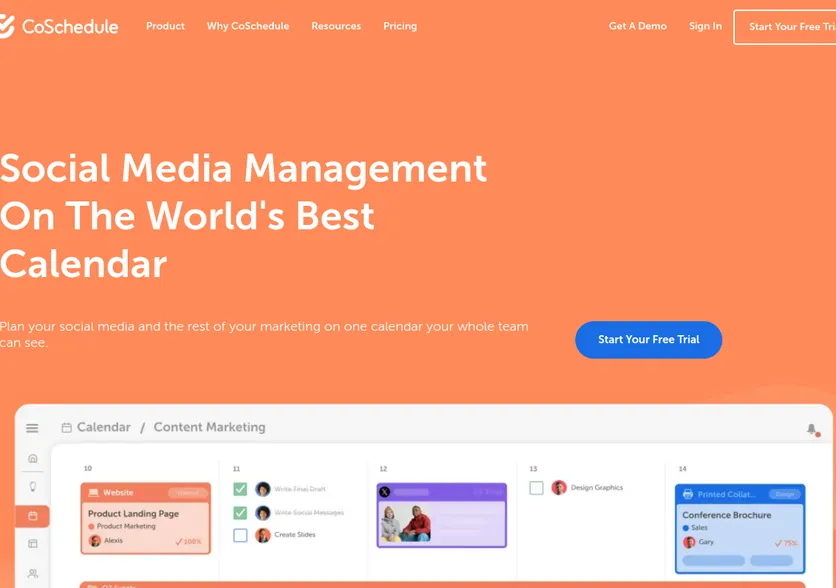
CoSchedule runs the content workflow from a single calendar: blog posts, emails, and social campaigns are planned together, with assignments and approvals attached. Starter costs twenty-nine dollars a month billed annually, and the free plan covers fifteen posts on one profile. It is the natural fit when publishing happens on several channels at once.
What we like
- One calendar for every channel
- Approvals keep publishing on track
- Low entry price
Watch out for
- No SEO research built in
- Free plan covers only 15 posts on one profile
How to try it
- Plan the quarter on the marketing calendar.
- Assign each piece to an owner with a publish date.
- Track blog, email, and social from the same board.
8. Content Camel
Best for: Content ops teams that share finished content with sales and partners and track what gets used
Paid tool Starting price: $25/active seat/month · Twenty-five dollars per active seat a month for the Team plan, with viewers free; Enterprise is custom priced.
Free plan: Free Solo plan for 1 user
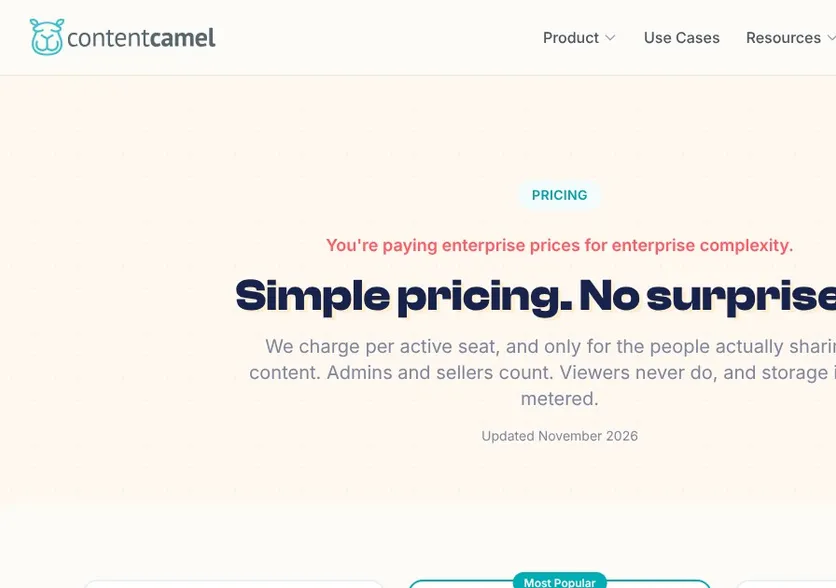
Content Camel closes the workflow loop after publishing: it organizes finished content and shows which assets the team and partners actually share and read. The Team plan costs twenty-five dollars per active seat a month, and viewers are always free. It fits content ops teams that want distribution measured, not just production.
What we like
- Viewers are free, only active seats pay
- Shows what gets shared and read
- Simple pricing with no surprises
Watch out for
- Focused on distribution, not creation
- No keyword research tools
How to try it
- Upload finished guides, decks, and case studies.
- Share tracked links with sales and partners.
- Review which assets get used and retire the ones nobody opens.
Prices above were checked on each vendor’s own website on Nov 27, 2026 and can change — the vendor’s page is the final word. Vendor links are editorial: nobody paid to be listed or ranked here. Vendors who want a featured listing can see how it works on our Get listed page.
How to build a content workflow that works
Write down your stages before you buy anything: idea, brief, draft, review, publish is enough for most teams. Give each stage one owner and a time limit, then pick the tool that enforces those rules with automations. Review the pipeline every week and ask which stage is piling up; that stage is your bottleneck, and fixing it matters more than any new feature. Measure the time each stage takes, so you can see whether briefs, drafts, or reviews are the real delay. A simple workflow everyone follows beats a perfect one nobody uses.
Before you buy
- Map your real workflow stages before buying, and check the tool supports each one.
- Confirm the tool automates handoffs between stages so work never waits on a message.
- Make sure the entry plan includes enough automations and seats for your volume.
- Check whether templates exist for your kind of content, or you will build them yourself.
- Ask how reporting works, so you can see where pieces stall.
Official websites
Official websites of the products reviewed above. Features and prices were checked against these sites when this guide was written, and they can change, so confirm on the vendor site before you buy.
Frequently asked questions
What is the best content workflow software for content ops?
monday.com is the best starting point for most content ops teams, because its boards make the workflow visible and automations handle handoffs. Asana is the better pick when you need dependencies and repeatable templates, while CoSchedule wins when publishing spans blog, email, and social.
How much does content workflow software cost?
Entry plans here run from nine dollars a month for monday.com and ClickUp to twenty-nine dollars a month for CoSchedule. Most teams spend nine to eleven dollars per person a month, plus one specialty tool for briefs or distribution if needed.
What is the difference between content workflow and content ops?
The workflow is the sequence of stages a piece passes through, from idea to published, while the ops tool is the software that runs it. A good workflow tool enforces the stages with owners, deadlines, and approvals instead of leaving them in someone's head.
Is there free content workflow software?
Yes, monday.com, ClickUp, Asana, Wrike, Notion, Airtable, and CoSchedule all offer free plans. They limit seats, automations, or views, so they work for testing the workflow but a busy team will need a paid plan for approvals and reporting. Start free to prove the workflow, then pay once the team depends on it daily.
How do I fix a content workflow that keeps stalling?
Find the stage where pieces sit longest, then fix that stage first. Often the bottleneck is review: set a forty-eight-hour review rule and a single approver per piece. A workflow tool makes the bottleneck visible, but only a process change clears it.
Want a smoother workflow? Try Toolsvine's free productivity tools right in your browser.
Browse Productivity Tools tools