On this page
Content teams write together or they write twice, and the wrong tool turns a simple edit into a week of version chaos. The eight tools below let writers, editors and reviewers draft, comment and publish in real time, with prices from three dollars a user a month to fifteen dollars. Every price was checked on November 27, 2026, and most offer a free plan. Notion is our first pick — the all-in-one workspace where docs, wikis and tasks live together.
How we researched this
We started with the editing tools content teams use every day, then read each price on the vendor pricing page on November 27, 2026. We judged them for a content team that needs real-time editing, comments and version history, and we noted where the price is per member, per Doc Maker or per seat. We dropped Quip because its price could not be verified, and we left out tools that are not built for collaborative editing.
Compare the tools
| Name | Best for | Starting price | Free plan | |
|---|---|---|---|---|
 Notion | Content teams that want docs, wikis and tasks in one workspace | $10/member/month | Free plan | Visit |
 Google Workspace | Teams that live in Google Docs and Gmail | $7/user/month | No free plan; 14-day free trial | Visit |
 ClickUp | Content teams that manage docs and tasks together | $9/user/month | Free plan | Visit |
| Superhuman Docs | Teams that want docs with tables, buttons and automations | $12/Doc Maker/month | Free plan | Visit |
| Confluence | Teams that need a wiki with docs and version history | $7.15/user/month | Free plan for up to 10 users | Visit |
 Microsoft 365 | Teams that live in Word and Outlook | $7/user/month | No free plan; 1-month free trial | Visit |
 Dropbox | Teams that edit docs and files in one shared folder | $15/user/month | Free Basic plan with 2 GB | Visit |
| Zoho Workplace | Small teams that want the cheapest office suite | $3/user/month | Free Mail plan for up to 5 users | Visit |
The collaborative editing software for content teams, compared
1. Notion
Best for: Content teams that want docs, wikis and tasks in one workspace
Paid tool Starting price: $10/member/month · Ten dollars per member a month billed annually for the Plus plan, or twelve dollars monthly; Business costs twenty dollars annual. Guests are free on every plan, and Notion AI is now bundled only in Business and Enterprise
Free plan: Free plan
Notion is the all-in-one workspace where docs, wikis and tasks live together, with real-time editing and comments on every page. This Notion Plus plan costs ten dollars per member a month billed annually and covers unlimited pages with version history and guest access. A content team gets a workspace where the draft, the brief and the task list live in one place.

What we like
- Docs, wikis and tasks in one workspace
- Guests are free on every plan
- Strong templates for content teams
Watch out for
- AI is bundled only on Business and above
- Can feel slow on very large workspaces
How to try it
- Open the Notion site and create a free account
- Build your team workspace and invite your editors
- Write your first doc and share it for comments
2. Google Workspace
Best for: Teams that live in Google Docs and Gmail
Paid tool Starting price: $7/user/month · Seven dollars per user a month billed annually for Business Starter, or eight dollars forty on flexible monthly billing; Standard costs fourteen dollars annual and Plus twenty-two dollars. A fifty percent discount on the first three months is a promo, not the list price, and Gemini is included in every business plan
Free plan: No free plan; 14-day free trial
Google Workspace is the suite behind Google Docs, with real-time editing, comments and version history built in. This Google Workspace Business Starter plan costs seven dollars per user a month billed annually and covers Docs, Sheets, Slides and Gmail with thirty gigabytes of pooled storage. A content team gets the editor most writers already know, with no learning curve at all.

What we like
- Most writers already know Google Docs
- Real-time editing with no learning curve
- Gemini included in every business plan
Watch out for
- Thirty gigabytes of pooled storage is tight
- Business plans cap at three hundred users
How to try it
- Open the Google Workspace site and start the free trial
- Set up your domain and invite your team
- Write your first doc and share it for comments
3. ClickUp
Best for: Content teams that manage docs and tasks together
Paid tool Starting price: $9/user/month · Core plan, $9 a user a month billed annually ($12 billed monthly); Business $17 a user a month billed annually
Free plan: Free plan
ClickUp is the productivity platform where docs, tasks and goals live together, with real-time editing on every doc. This ClickUp Unlimited plan costs seven dollars per user a month billed annually and covers unlimited storage with docs, tasks and goals. A content team gets docs and the task list in one place, so the brief never drifts from the work.

What we like
- Docs and tasks in one subscription
- Cheapest paid plan in this comparison
- Strong automation for content workflows
Watch out for
- Can feel busy for simple doc editing
- AI costs extra on top
How to try it
- Open the ClickUp site and create a free account
- Build your team space and invite your editors
- Write your first doc and link it to a task
4. Superhuman Docs
Best for: Teams that want docs with tables, buttons and automations
Paid tool Starting price: $12/Doc Maker/month · Twelve dollars per Doc Maker a month billed annually for the Pro plan, or fifteen dollars monthly; Business costs thirty-three dollars annual. Coda was renamed Superhuman Docs on July 8, 2026, and only Doc Makers pay, editors and viewers are free
Free plan: Free plan
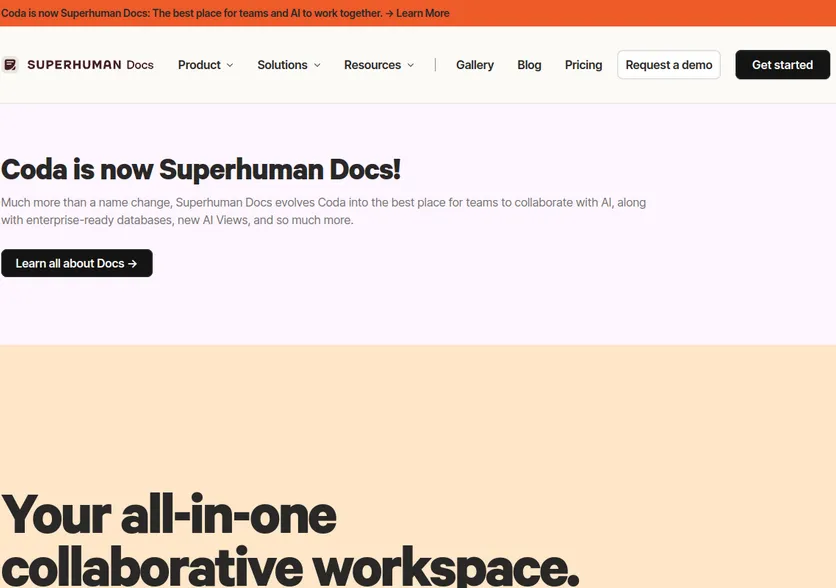
Superhuman Docs, formerly Coda, is the doc that behaves like an app, with tables, buttons and automations inside the page. This Superhuman Docs Pro plan costs twelve dollars per Doc Maker a month billed annually and covers unlimited docs with automations and integrations. A content team gets a doc that tracks, calculates and reminds, though only Doc Makers pay and editors are free.
What we like
- Only Doc Makers pay, editors are free
- Tables, buttons and automations in docs
- Strong integrations with other tools
Watch out for
- Formerly Coda; the site now shows the Superhuman Docs name
- Learning curve is steeper than Google Docs
How to try it
- Open the Superhuman Docs site and create a free account
- Build your first doc with a table and a button
- Share it with your team and set up an automation
5. Confluence
Best for: Teams that need a wiki with docs and version history
Paid tool Starting price: $7.15/user/month · Seven dollars fifteen per user a month for users one to one hundred on monthly billing for the Standard plan; annual billing is tiered, with seven hundred twenty dollars a year for up to ten users. Premium costs fourteen dollars ten per user a month, and the free plan covers up to ten users
Free plan: Free plan for up to 10 users
Confluence is the Atlassian wiki for teams, with docs, pages and version history in one shared space. This Confluence Standard plan costs seven dollars fifteen per user a month for small teams and covers unlimited pages with comments and Rovo AI credits. A content team gets a wiki where every doc has a home, with Jira integration for teams that track work there.

What we like
- Strong wiki structure for large doc sets
- Jira integration for teams that track work
- Rovo AI credits included on Standard
Watch out for
- Annual billing is tiered, so the price jumps
- Blended rate on the pricing page is not the small-team rate
How to try it
- Open the Confluence site and create a free account
- Build your team space and invite your editors
- Write your first page and share it for comments
6. Microsoft 365
Best for: Teams that live in Word and Outlook
Paid tool Starting price: $7/user/month · Seven dollars per user a month billed annually for Business Basic, after the July 1, 2026 increase from six dollars; Standard costs fourteen dollars and Premium twenty-six dollars, though the Premium figure is unconfirmed. Business plans cap at three hundred users
Free plan: No free plan; 1-month free trial
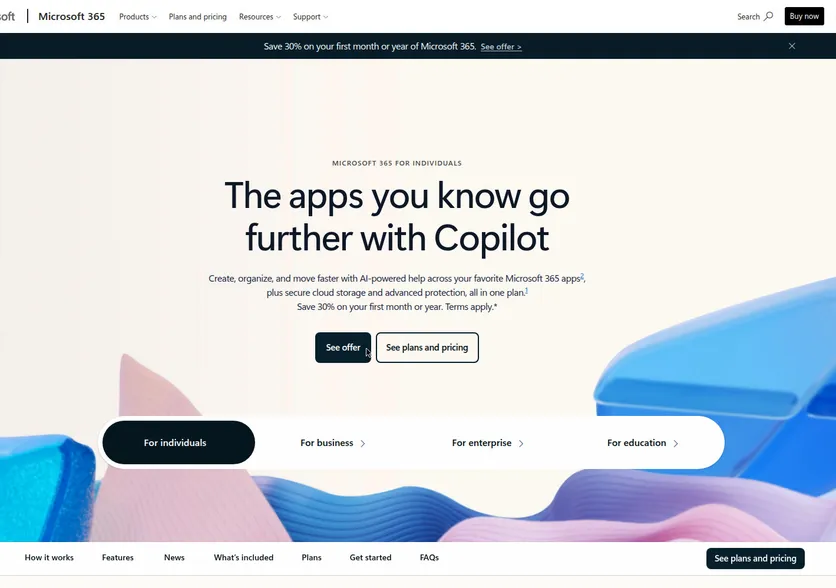
Microsoft 365 is the suite behind Word, with real-time co-authoring, comments and version history built in. This Microsoft 365 Business Basic plan costs seven dollars per user a month billed annually and covers Word, Excel and PowerPoint on the web with OneDrive storage. A content team gets the editor most businesses already use, with no learning curve at all.
What we like
- Most businesses already use Word
- Real-time co-authoring with comments
- Strong compliance and admin controls
Watch out for
- Business Basic price rose in July 2026
- Desktop apps need a higher plan
How to try it
- Open the Microsoft 365 site and start the free trial
- Set up your domain and invite your team
- Open Word and share a doc for co-authoring
7. Dropbox
Best for: Teams that edit docs and files in one shared folder
Paid tool Starting price: $15/user/month · Fifteen dollars per user a month billed annually for Business Standard, or eighteen dollars monthly; Advanced costs twenty-four dollars annual, and the individual Plus plan costs nine dollars ninety-nine a month. Standard includes three terabytes of team storage, and the Paper mobile and desktop apps were retired in October 2025
Free plan: Free Basic plan with 2 GB
Dropbox is the file platform where docs, files and Paper live together, with real-time editing on shared documents. This Dropbox Business Standard plan costs fifteen dollars per user a month billed annually and covers three terabytes of team storage with file sharing and comments. A content team gets docs and the files they reference in one shared folder.
What we like
- Docs and files in one shared folder
- Strong file sharing and permissions
- Three terabytes of team storage
Watch out for
- Paper apps were retired, web only now
- Dearest plan in this comparison
How to try it
- Open the Dropbox site and create a free account
- Set up your team folder and invite your editors
- Open a doc and share it for comments
8. Zoho Workplace
Best for: Small teams that want the cheapest office suite
Paid tool Starting price: $3/user/month · Three dollars per user a month billed annually for Workplace Standard, or four dollars monthly; Professional costs six dollars annual. The price is the United States list price, and Zoho shows different dollar figures by region, so check the United States pricing page
Free plan: Free Mail plan for up to 5 users
Zoho Workplace is the office suite with Writer, Sheet and Show, plus mail, chat and meetings in one subscription. This Zoho Workplace Standard plan costs three dollars per user a month billed annually and covers Writer with mail, chat and thirty gigabytes of mail storage per user. A small team gets a full office suite for the lowest price here, with Writer free for individuals.
What we like
- Cheapest office suite in this comparison
- Writer, mail and chat in one subscription
- Free Mail plan for up to five users
Watch out for
- Regional pricing varies, check the US page
- Smaller ecosystem than Google or Microsoft
How to try it
- Open the Zoho Workplace site and create a free account
- Set up your domain and invite your team
- Open Writer and share a doc for comments
Prices above were checked on each vendor’s own website on Nov 27, 2026 and can change — the vendor’s page is the final word. Vendor links are editorial: nobody paid to be listed or ranked here. Vendors who want a featured listing can see how it works on our Get listed page.
What collaborative editing costs a content team in 2026
Collaborative editing pricing hides in the seat type and the storage limit. Notion charges ten dollars per member while Coda charges twelve dollars per Doc Maker and lets editors work free, and Google Workspace caps Business plans at three hundred users. Count your editors and your storage before you compare, because the cheapest headline price is rarely the cheapest bill.
Start with the free plan and run a real doc through it. Check that comments work, that version history saves every edit, and that the file stays in sync when two people type at once. Pick the tool your least technical writer can use, because a doc tool that only editors understand is not collaborative.
Before you buy
- Check who pays before you compare, because Coda charges only Doc Makers while others charge every member.
- Count the storage limit, because thirty gigabytes of pooled storage fills fast with video and images.
- Test the free plan first, because a free plan that covers ten users can run a small team.
- Confirm version history is included, because a doc without versions loses work when edits clash.
- Ask whether AI costs extra, because a bundled AI assistant can save a second subscription.
Official websites
Official websites of the products reviewed above. Features and prices were checked against these sites when this guide was written, and they can change, so confirm on the vendor site before you buy.
Frequently asked questions
Which collaborative editing software is best for content teams in 2026?
Notion is the best overall pick at ten dollars per member a month, with docs, wikis and tasks in one workspace. Google Workspace is the best pick for teams that live in Google Docs at seven dollars per user a month, with no learning curve. ClickUp is the best pick for teams that manage docs and tasks together, also at seven dollars per user a month.
How much does collaborative editing software cost?
Prices in this list run from three dollars per user a month for Zoho Workplace Standard to fifteen dollars per user a month for Dropbox Business Standard, with most tools landing between seven and twelve dollars a month. Notion and ClickUp both cost seven to ten dollars a month, and Coda charges only Doc Makers at twelve dollars a month. Guests and editors are free on several tools.
Do these tools work offline?
Most of them, yes, with limits. Google Docs, Microsoft Word and Notion all offer offline modes that sync when you reconnect, and Dropbox keeps files on your device for offline access. Real-time collaboration needs an internet connection, so two people cannot edit the same doc offline at once. Check the offline mode on a trial before you rely on it.
Can two people edit the same document at once?
Yes, every tool in this list supports real-time co-editing, with live cursors, comments and version history. Google Docs, Notion, Coda, Confluence and ClickUp all show who is typing and where, and every edit is saved to version history. If two people edit the same sentence, the tool merges the changes or flags a conflict. Test it with two accounts on a trial.
What is the cheapest collaborative editing tool?
Zoho Workplace Standard is the cheapest paid plan here at three dollars per user a month, with Writer, mail and chat included. Google Workspace Business Starter and ClickUp Core both cost seven dollars per user a month, and Notion Plus costs ten dollars. Free plans cover small teams on Notion, Coda, ClickUp and Confluence, so start free and upgrade when you outgrow the limits.
Need everyday productivity help too? Try Toolsvine's free productivity tools right in your browser.
Browse Productivity Tools tools