On this page
Contracts, invoices and client files pile up fast, and a freelancer who cannot find a document cannot bill for it. The eight tools below run from about two dollars and fifty cents a user a month to about sixty five dollars a seat a month, and every price was checked on the vendor site on November 26, 2026. Most offer a free plan or trial, so you can file real documents before paying. Zoho WorkDrive is our first pick, with team file storage from two dollars and fifty cents a user a month.
How we researched this
We started with the document tools freelancers actually buy, then read each price on the vendor pricing page on November 26, 2026 and noted the free plan or trial each one carries. We judged them for one person who stores contracts, invoices and client files for several clients and needs search, sharing and e-signing without an enterprise contract. We kept only tools with a published dollar price, and we dropped DocuWare because it sells by quote only and Bitrix24 because its flat organisation pricing does not fit a solo buyer.
Compare the tools
| Name | Best for | Starting price | Free plan | |
|---|---|---|---|---|
 Zoho WorkDrive | Freelancers who want the cheapest team file storage | $2.50/user/month | Free plan with 5 GB storage for one user | Visit |
 PandaDoc | Freelancers who send proposals and contracts for signing | $19/user/month | Free plan with 5 documents a month | Visit |
 Dropbox | Freelancers who want files synced everywhere clients work | $15/user/month | Free Basic plan with 2 GB storage | Visit |
 Box | Freelancers who need compliance-grade file sharing | $5/user/month | Free plan with 10 GB storage | Visit |
 Google Workspace | Freelancers who want email, Drive and Docs in one plan | $7/user/month | 14-day free trial, no permanent free plan | Visit |
 Egnyte | Freelancers who handle regulated or project-heavy files | $10/user/month | No free tier published on the pricing page | Visit |
 Revver | Freelancers who need full document control with e-signing | $25/user/month | 14-day free trial, no permanent free plan | Visit |
 M-Files | Freelancers who file by client, matter or contract | $65/seat/month | Free trial; no permanent free plan | Visit |
The document management software, compared
1. Zoho WorkDrive
Best for: Freelancers who want the cheapest team file storage
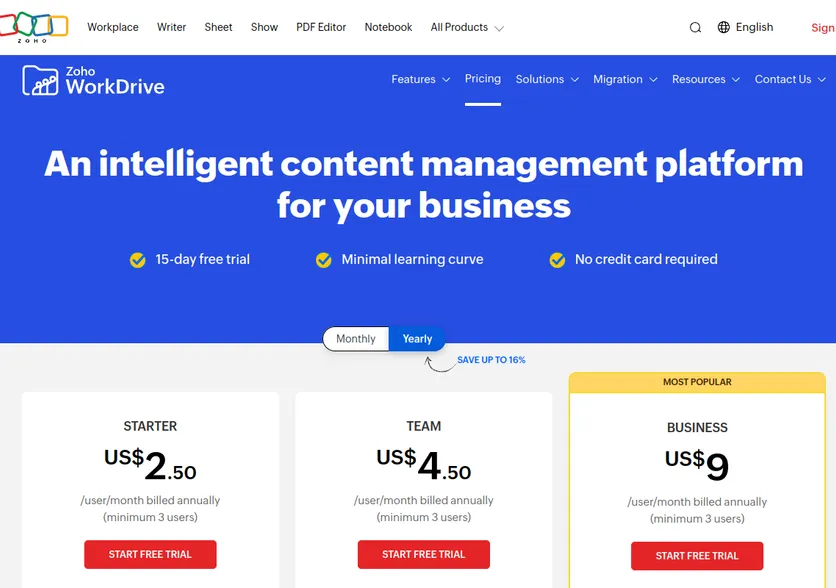
Paid tool Starting price: $2.50/user/month · Starter plan, $2.50 a user a month billed annually or $3 billed monthly; 1 TB shared team storage
Free plan: Free plan with 5 GB storage for one user
Two dollars and fifty cents a month is the lowest price in this list, and it buys a proper team file store, not a bare folder. This Zoho WorkDrive Starter plan gives one terabyte of shared storage, team folders and a free five gigabyte personal plan to start. A freelancer can file every client document in one place for less than a coffee a month.
What we like
- Cheapest paid plan in this list
- One terabyte of shared team storage
- Free personal plan with five gigabytes
Watch out for
- Starter needs a three-user minimum
- Filing rules are simpler than dedicated systems
How to try it
- Open the Zoho WorkDrive pricing page and start the free plan
- Create a team folder for each client
- Upload your contracts and set sharing permissions
2. PandaDoc
Best for: Freelancers who send proposals and contracts for signing
Paid tool Starting price: $19/user/month · Starter plan, $19 a user a month billed annually or $35 billed monthly; Business is $49
Free plan: Free plan with 5 documents a month
A proposal that a client can sign in one click closes faster than a PDF attached to an email. This PandaDoc Starter plan builds proposals and contracts with unlimited documents and e-signatures for nineteen dollars a user a month. A freelancer can send a quote in the morning and have a signed contract back by lunch.

What we like
- Unlimited documents and e-signatures on Starter
- Free plan allows five documents a month
- Tracks when clients open and sign
Watch out for
- Starter costs nineteen dollars a user a month
- CRM and approval workflows need the Business plan
How to try it
- Open the PandaDoc pricing page and start the free plan
- Build a proposal from a template and add your rates
- Send it for e-signature and track when it is opened
3. Dropbox
Best for: Freelancers who want files synced everywhere clients work
Paid tool Starting price: $15/user/month · Standard plan, $15 a user a month billed annually, 3-user minimum
Free plan: Free Basic plan with 2 GB storage
Dropbox wins on familiarity, because the client already has the app and already knows where the files go. This Dropbox Standard plan syncs five terabytes across every device, with version history, file requests and e-signing built in. A freelancer can share a project folder and trust that the client will find it without a phone call.
What we like
- Five terabytes of storage on Standard
- File requests let clients upload to you
- Version history rescues overwritten files
Watch out for
- Standard costs fifteen dollars a user a month
- Three-user minimum on the Standard plan
How to try it
- Open the Dropbox plans page and compare tiers
- Create a shared folder for your biggest client
- Turn on file requests for incoming documents
4. Box
Best for: Freelancers who need compliance-grade file sharing
Paid tool Starting price: $5/user/month · Business Starter plan, $5 a user a month billed annually; Business is $15
Free plan: Free plan with 10 GB storage
When a client asks how their files are protected, Box is the answer that satisfies a security review. This Box Business Starter plan offers unlimited storage with e-signing, admin controls and audit trails for five dollars a user a month. A freelancer can share regulated documents with expiry dates and download controls instead of open links.

What we like
- Unlimited storage on business plans
- E-signing built into the file store
- Audit trails satisfy security-conscious clients
Watch out for
- Business Starter is the cheapest paid tier
- Three-user minimum on business plans
How to try it
- Open the Box pricing page and start the free plan
- Upload a client folder and set an expiry on the share link
- Turn on e-signing for your next approval document
5. Google Workspace
Best for: Freelancers who want email, Drive and Docs in one plan
Paid tool Starting price: $7/user/month · Business Starter plan, $7 a user a month with a 1-year commitment
Free plan: 14-day free trial, no permanent free plan
Google Workspace is the default office for most freelancers, which makes it the easiest document system to adopt. This Google Workspace Business Starter plan pairs a custom email address with thirty gigabytes of Drive storage and the full Docs suite for seven dollars a user a month. A freelancer can draft, share and store every document without opening a second app.

What we like
- Email, Drive and Docs in one subscription
- Clients already know the interface
- Strong search across every file type
Watch out for
- Starter includes only thirty gigabytes per user
- Filing rules are simpler than dedicated systems
How to try it
- Open the Google Workspace pricing page and compare plans
- Set up Drive folders for each client
- Share a contract with view-only access and an expiry
6. Egnyte
Best for: Freelancers who handle regulated or project-heavy files
Paid tool Starting price: $10/user/month · Team plan, $10 a user a month on the annual plan; Business is $22
Free plan: No free tier published on the pricing page
Regulated files need ransomware detection and lifecycle rules, not just a sync folder, and that is what Egnyte sells. This Egnyte Team plan adds governance, ransomware detection and granular permissions to cloud file storage for ten dollars a user a month. A freelancer working with legal or finance clients can prove where every file lives and who touched it.

What we like
- Ransomware detection built into the plan
- Granular permissions per folder
- Lifecycle rules for regulated files
Watch out for
- Team costs ten dollars a user a month
- No free tier on the pricing page
How to try it
- Open the Egnyte pricing page and compare plans
- Upload a project folder and set granular permissions
- Turn on ransomware detection and review the alerts
7. Revver
Best for: Freelancers who need full document control with e-signing
Paid tool Starting price: $25/user/month · Basic plan averages $25 a user a month; Essentials is $67 and Full is $87
Free plan: 14-day free trial, no permanent free plan
Revver is a proper document system, not a sync folder, and it shows in the filing rules and approval workflows. This Revver Basic plan covers document control, forms and e-signing for about twenty five dollars a user a month. A freelancer who handles client paperwork all day can file, approve and sign without leaving one system.
What we like
- Full document control, not just storage
- Forms and e-signing included
- Filing rules automate the boring work
Watch out for
- Basic averages twenty five dollars a user a month
- Higher tiers jump to sixty seven dollars and more
How to try it
- Open the Revver pricing page and compare plans
- Upload a client folder and set a filing rule
- Send a document for e-signature and track it
8. M-Files
Best for: Freelancers who file by client, matter or contract
Paid tool Starting price: $65/seat/month · Essentials plan, $65 a seat a month
Free plan: Free trial; no permanent free plan
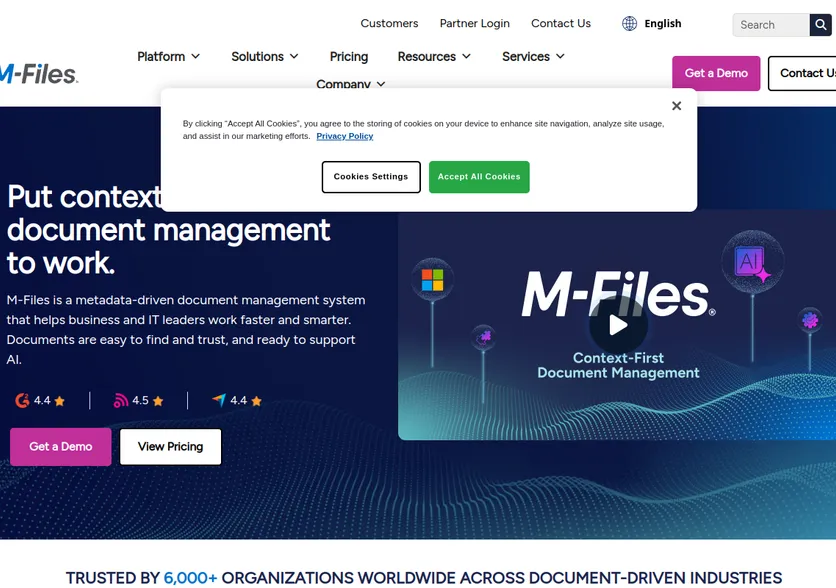
M-Files files by what a document is, not where you put it, which is a different way of thinking that pays off fast. This M-Files Essentials plan uses metadata to file, find and govern documents across every folder for sixty five dollars a seat a month. A freelancer with hundreds of client files can find any contract by searching its metadata in seconds.
What we like
- Metadata filing beats folders at scale
- Governance and approval workflows built in
- Finds any document by what it is, not where it sits
Watch out for
- Essentials costs sixty five dollars a seat a month
- No free plan on the pricing page
How to try it
- Open the M-Files pricing page and compare plans
- Define metadata for client, matter and contract
- File ten documents by metadata and test the search
Prices above were checked on each vendor’s own website on Nov 26, 2026 and can change — the vendor’s page is the final word. Vendor links are editorial: nobody paid to be listed or ranked here. Vendors who want a featured listing can see how it works on our Get listed page.
What document management costs a freelancer in 2026
Document tools split into cheap storage and serious filing, and a freelancer should buy the tier that matches their paperwork. Storage tools like Zoho WorkDrive, Box and Google Workspace run from about two dollars and fifty cents to seven dollars a user a month, while dedicated systems like Revver and M-Files run from about twenty five to sixty five dollars a seat a month. Every figure here is the list price on the vendor pricing page, checked on November 26, 2026.
Start free on a storage tool and file one real client project end to end, then try the trial on a dedicated system with the same files. Compare how fast you find a contract a month later, because search is the feature you will use every day. A two dollar plan you can search beats a sixty five dollar one you cannot.
Before you buy
- Count your storage first, because a cheap plan with thirty gigabytes costs more once you pay for extra space.
- Check the user minimum, because Zoho WorkDrive, Dropbox and Box all need at least three users on paid plans.
- Test search on a real project first, because a demo with ten files never shows how metadata behaves at scale.
- Ask whether you need e-signing, because PandaDoc and Revver include it while storage tools charge extra.
- Add up the hours saved, because a searchable filing system buys a freelancer a day a month in hunting for files.
Official websites
Official websites of the products reviewed above. Features and prices were checked against these sites when this guide was written, and they can change, so confirm on the vendor site before you buy.
Frequently asked questions
Which document management software is best for freelancers in 2026?
Zoho WorkDrive Starter, at two dollars and fifty cents a user a month, is the safest default because one terabyte of shared storage covers most client work. PandaDoc Starter, at nineteen dollars a user a month, is better when proposals and contracts need e-signing. M-Files Essentials, at sixty five dollars a seat a month, wins when strict metadata filing matters.
What is the cheapest document management software for freelancers?
Zoho WorkDrive Starter, at two dollars and fifty cents a user a month billed annually, is the cheapest paid plan here. Box Business Starter follows at five dollars a user a month, and Google Workspace Business Starter costs seven dollars a user a month with email included. All three have free plans or trials, so start free and pay only when storage runs out.
Can I manage documents for free as a freelancer?
Yes, for a small client base. Zoho WorkDrive gives five gigabytes free, Box gives ten gigabytes free, and Dropbox gives two gigabytes free. PandaDoc lets you send five documents a month free, and Google Workspace, Egnyte and Revver offer trials. A freelancer with a handful of clients can often stay free for months.
What is the difference between cloud storage and document management?
Cloud storage like Dropbox and Box keeps files safe and synced, while document management like M-Files and Revver adds metadata filing, versions, approvals and audit trails on top. A freelancer with a few folders can manage with storage alone. Once contracts need finding by client and matter, a document system pays for itself.
Do I need e-signing built into my document tool?
Not always, but it saves a step on every deal. PandaDoc and Revver include e-signing, while Box and Dropbox offer it as part of their plans. If you send more than a few contracts a month, built-in signing pays for itself in speed alone. If you rarely sign anything, a storage tool plus a free signing app is enough.
Need everyday document help too? Try Toolsvine's free document tools for freelancers right in your browser.
Browse Document & File Converters tools