

On this page
How we researched this
We picked tools that are actively sold to software teams, with prices published on the vendor's own site and checked on 2026-11-26. We favoured tools that cover the whole collaboration loop — code, review, planning and CI — rather than single-feature apps. We dropped vendors that only quote prices on request, and we ignored every promo price on the pages we read — the figures below are the list prices you will actually pay.
Compare the tools
| Name | Best for | Starting price | Free plan | |
|---|---|---|---|---|
 GitHub | Teams who want the standard place to host and review code | $4/user/month | Free plan (free for individuals and teams, unlimited repos) | Visit |
 GitLab | Teams who want code, CI and security in one platform | $29/user/month | Free plan (free for up to 5 users per top-level group) | Visit |
 Linear | Product teams who want fast, opinionated issue tracking | $10/user/month | Free plan (free, unlimited members, 2 teams, 250 issues) | Visit |
 Jira | Teams who plan work across many projects and departments | $9.70/user/month | Free plan (free for up to 10 users) | Visit |
 Azure DevOps | Microsoft shops who want the full DevOps stack cheaply | $6/user/month | Free plan (first 5 users free, Stakeholder free) | Visit |
 Bitbucket | Small teams who want Git hosting with built-in CI/CD | $3.65/user/month | Free plan (free for up to 5 users) | Visit |
 ClickUp | Teams who want one workspace for tasks, docs and sprints | $9/user/month | Free plan (Free Forever plan, unlimited tasks) | Visit |
 Asana | Teams who coordinate work across departments, not just code | $10.99/user/month | Free plan (Personal plan free for up to 2 users) | Visit |
 Monday Dev | Product teams who plan sprints on visual boards | $12/seat/month | Free trial (14-day free trial of the Pro plan) | Visit |
The 9 best collaborative software development tools
1. GitHub
Best for: Teams who want the standard place to host and review code
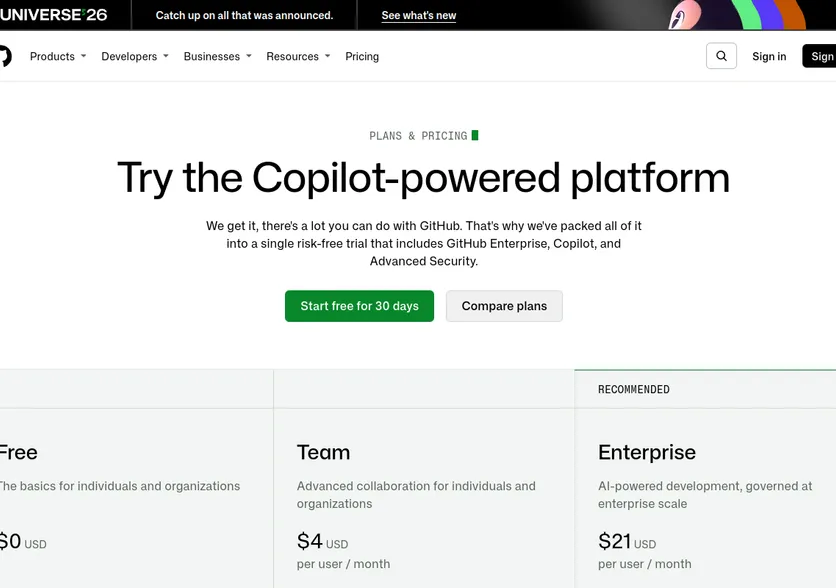
Paid tool Starting price: $4/user/month · Team plan, $4/user/month; Enterprise is $21/user/month
Free plan: Free plan (free for individuals and teams, unlimited repos)
GitHub is where most software teams collaborate: pull requests, code review, issues, projects and Actions CI/CD in one place, with 100 million developers already on the platform. The Team plan costs $4 a user a month and adds repository rules, required reviewers, draft pull requests and 3,000 CI/CD minutes a month. It is the cheapest paid plan in this roundup and the safest default for a team that just needs to ship code together.
What we like
- The default place to host and review code
- Pull requests and Actions CI/CD in one place
- Team plan is the cheapest paid tier here
Watch out for
- Copilot is a separate add-on from $10 a user a month
- Advanced security needs the Enterprise plan
How to try it
- Create a free organization and add your team
- Open a pull request and request a review
- Set up branch protection and required reviewers
2. GitLab
Best for: Teams who want code, CI and security in one platform
Paid tool Starting price: $29/user/month · Premium plan, $29/user/month billed annually; Ultimate is quote-only
Free plan: Free plan (free for up to 5 users per top-level group)
GitLab is the all-in-one alternative to stitching GitHub, Jenkins and a security scanner together: repositories, merge requests, CI/CD, container registry and security scanning all live in one product. The Premium plan costs $29 a user a month billed annually and adds 10,000 compute minutes a month, 500 GiB of storage and the Duo Agent Platform. It is the priciest option here, but it replaces several tools at once.

What we like
- Code, CI and security in one platform
- 10,000 compute minutes a month on Premium
- Self-hosting option for regulated teams
Watch out for
- Premium is the priciest plan in this roundup
- Free plan caps private groups at 5 users
How to try it
- Create a project and push your code
- Set up a CI pipeline from a template
- Open a merge request and assign a reviewer
3. Linear
Best for: Product teams who want fast, opinionated issue tracking
Paid tool Starting price: $10/user/month · Basic plan, $10/user/month billed annually; $12 month-to-month; Business is $16
Free plan: Free plan (free, unlimited members, 2 teams, 250 issues)
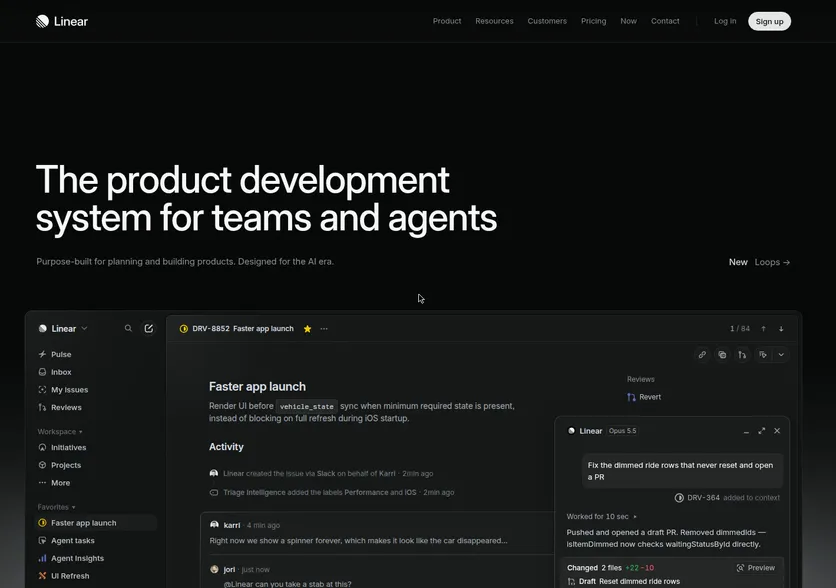
Linear is the issue tracker developers actually like using: keyboard-first, fast, and built around issues, cycles and projects rather than endless configuration. The Basic plan costs $10 a user a month billed annually and covers 5 teams with unlimited issues, unlimited file uploads and admin roles. The free plan is generous too — unlimited members, 2 teams and 250 issues — so a small team can start free and only pay when it grows.
What we like
- The fastest issue tracker in this roundup
- Generous free plan with unlimited members
- Linear Agent handles triage and bug fixes
Watch out for
- Free plan stops at 250 issues and 2 teams
- Private teams and guests need Business at $16
How to try it
- Create a workspace and your first team
- Add issues and plan a cycle
- Connect GitHub so pull requests close issues
4. Jira
Best for: Teams who plan work across many projects and departments
Paid tool Starting price: $9.70/user/month · Standard plan, $9.70 a user a month on monthly billing for 1 to 100 users (Atlassian list price after the October 13, 2026 rise); annual plans are sold in fixed user tiers ($950 a year for up to 10 users; $9,700 for up to 100); Premium $19.60 a user a month on monthly billing; free plan for up to 10 users
Free plan: Free plan (free for up to 10 users)
Jira is the workhorse of software planning: issues, sprints, roadmaps and reporting that scale from one team to an entire organisation. The Standard plan costs $9.70 a user a month on monthly billing and covers 250 GB of storage with automation and AI agents built in. It pairs naturally with Bitbucket and Confluence, so teams already on Atlassian get a connected system with no extra integration work.

What we like
- The most capable planning tool here
- Scales from one team to thousands of users
- AI agents included on every paid plan
Watch out for
- Per-user price varies with team size
- Usage-based billing starts December 3, 2026
How to try it
- Create a project and pick a Scrum or Kanban template
- Add issues to a sprint and start work
- Review the roadmap with stakeholders
5. Azure DevOps
Best for: Microsoft shops who want the full DevOps stack cheaply
Paid tool Starting price: $6/user/month · Basic plan, $6/user/month; first 5 users free; Basic + Test Plans is $52/user/month
Free plan: Free plan (first 5 users free, Stakeholder free)
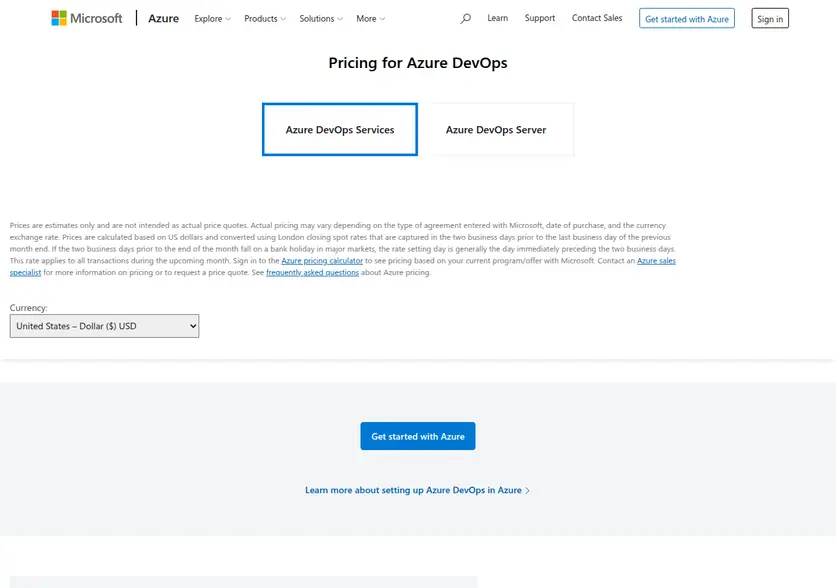
Azure DevOps gives you Boards, Repos, Pipelines, Test Plans and Artifacts for $6 a user a month, with the first 5 users free — the cheapest way into a full DevOps platform. It is the natural choice for teams on Microsoft 365 and Azure, with deep integration into Visual Studio and Entra ID. One free Microsoft-hosted pipeline with 1,800 minutes a month is included, so small teams often pay nothing at all.
What we like
- First 5 users free, then $6 a user a month
- Full DevOps stack in one subscription
- Deep Microsoft and Visual Studio integration
Watch out for
- Test Plans needs the $52 a user a month tier
- Best value only if you are already on Microsoft
How to try it
- Create an organization and add your team
- Set up a Board and a Git repo
- Add a pipeline to build and test on every push
6. Bitbucket
Best for: Small teams who want Git hosting with built-in CI/CD
Paid tool Starting price: $3.65/user/month · Standard plan, $3.65/user/month; Premium is $8/user/month; free for up to 5 users
Free plan: Free plan (free for up to 5 users)
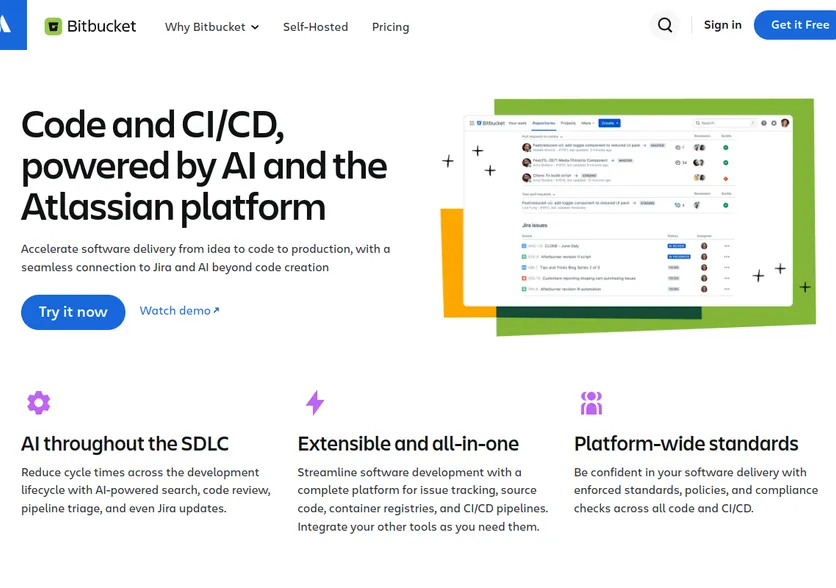
Bitbucket is Atlassian's Git hosting service, with Pipelines CI/CD built in and a Standard plan that costs under $4 a user a month — the cheapest paid plan here after GitHub Team. It is free for up to 5 users with unlimited public and private repositories, and it plugs straight into Jira so commits and pull requests show up on the issues they fix. Teams already on Jira get the most from it.
What we like
- Cheapest paid Git hosting here after GitHub
- Pipelines CI/CD built in, no extra setup
- Deep Jira integration for traceability
Watch out for
- Smaller community than GitHub
- Premium at $8 a user a month adds the useful admin controls
How to try it
- Create a workspace and push your first repo
- Turn on Pipelines for CI/CD
- Link Jira issues to pull requests
7. ClickUp
Best for: Teams who want one workspace for tasks, docs and sprints
Paid tool Starting price: $9/user/month · Core plan, $9/user/month billed annually; $12 month-to-month; Business is $17
Free plan: Free plan (Free Forever plan, unlimited tasks)
ClickUp is the all-in-one workspace: tasks, docs, goals, sprints, time tracking and chat in a single app, which suits teams that would otherwise juggle three tools. The Core plan costs $9 a user a month billed annually and adds unlimited storage, Gantt charts, automations and goals on top of a genuinely free Forever plan. It is the most flexible tool here, which is both its strength and its weakness — teams that love customising will thrive, and teams that want an opinionated workflow will drown.

What we like
- Tasks, docs, goals and chat in one app
- Free plan has no member cap
- Core plan adds Gantt and automations for $9
Watch out for
- Flexibility means more setup than Jira or Linear
- Business at $17 a user a month adds the useful dashboards
How to try it
- Create a workspace and add your team
- Set up a Sprint with your backlog
- Turn on automations for status changes
8. Asana
Best for: Teams who coordinate work across departments, not just code
Paid tool Starting price: $10.99/user/month · Starter plan, $10.99/user/month billed annually; $13.49 month-to-month; Advanced is $24.99
Free plan: Free plan (Personal plan free for up to 2 users)
Asana is the work management tool that connects engineering to the rest of the company: marketing, operations and leadership all plan in the same system. The Starter plan costs just under $11 a user a month billed annually and adds timeline and Gantt views, reporting dashboards, unlimited automations and custom fields. AI Teammates and AI Studio are included on every paid plan, which makes it the best pick for teams that want AI help across their whole workflow, not just code.

What we like
- Connects engineering to the whole company
- Timeline, Gantt and dashboards on Starter
- AI Teammates included on every paid plan
Watch out for
- Free plan caps you at 2 users
- Advanced at $24.99 a user a month adds the useful resource management
How to try it
- Create a team and add your first project
- Switch to Timeline view to plan a sprint
- Set up automations for handoffs between teams
9. Monday Dev
Best for: Product teams who plan sprints on visual boards
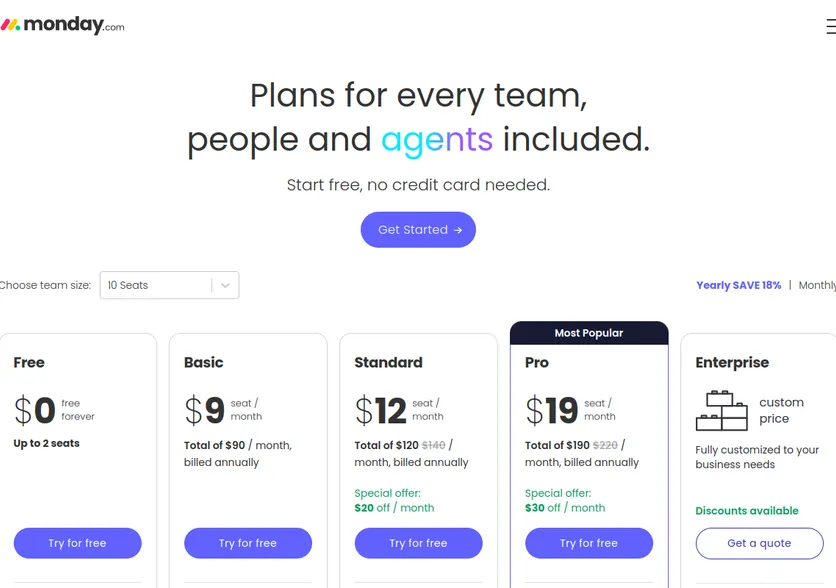
Paid tool Starting price: $12/seat/month · Basic plan, $12/seat/month; 3-seat minimum ($36/month); Standard is $14.50/seat/month
Free plan: Free trial (14-day free trial of the Pro plan)
Monday Dev is the developer-focused flavour of Monday, built for planning, tracking and shipping software with sprints, roadmaps and bug tracking on visual boards. The Basic plan costs $12 a seat a month with a 3-seat minimum, which makes it one of the more expensive entries here — but teams that already run the rest of their business on Monday get a single system for product and engineering. The 14-day Pro trial is the best way to test whether the boards fit your workflow.
What we like
- Visual boards that non-developers understand
- Sprints, roadmaps and bug tracking built in
- One system if your company already uses Monday
Watch out for
- 3-seat minimum means solo users pay for three
- Basic has no automations at all
How to try it
- Start a Pro trial and create a sprint board
- Import your backlog and assign owners
- Track bugs and releases on the roadmap
Prices above were checked on each vendor’s own website on Nov 26, 2026 and can change — the vendor’s page is the final word. Vendor links are editorial: nobody paid to be listed or ranked here. Vendors who want a featured listing can see how it works on our Get listed page.
How to pick a collaborative development tool
Start with where your code lives: GitHub and GitLab are code-first, while Jira, Linear and Asana are planning-first, and the wrong shape will fight you every day. Then check the per-seat price at your actual team size, because several tools charge more per user for small teams and Monday Dev has a 3-seat minimum. Finally, run a real sprint on your top two picks: the tool your developers actually enjoy opening is the one that will get used, and no feature list can tell you that.
Before you buy
- Check the per-seat price at YOUR team size — several tools charge more per user for small teams
- Confirm the free plan actually covers your workflow before you build on it
- Check whether code review, CI minutes and storage are included or metered
- Make sure your existing tools integrate — Jira, Slack, GitHub and GitLab hooks matter
- Test the mobile app — on-call developers review code on their phones
Official websites
Official websites of the products reviewed above. Features and prices were checked against these sites when this guide was written, and they can change, so confirm on the vendor site before you buy.
Frequently asked questions
What is the best collaborative software development tool?
GitHub Team at $4 a user a month is the cheapest paid plan and the safest default for most teams. GitLab Premium at $29 is the best value if you want code, CI and security in one platform instead of three tools. Azure DevOps at $6 a user a month with the first 5 users free is the best deal for Microsoft shops. Linear at $10 a user a month is the best pure issue tracker.
Is there free collaborative software development software?
Yes. GitHub, GitLab, Linear, Jira, Azure DevOps, Bitbucket and ClickUp all have free plans, and Asana is free for up to 2 users. Monday Dev is the only tool here with no free plan — it offers a 14-day Pro trial instead. Free plans cover the basics well, though CI minutes, storage and admin controls usually need a paid plan.
How much does GitHub Team cost per user?
GitHub Team costs $4 a user a month, with a free plan for individuals and teams. Enterprise costs $21 a user a month and adds Copilot access, SAML single sign-on, audit logs and 50,000 CI/CD minutes a month. Copilot itself is a separate add-on from $10 a user a month on the Team plan.
GitHub or GitLab — which is better for team collaboration?
GitHub is the best choice for hosting code and reviewing pull requests, with the largest developer community. GitLab is the better choice if you want an all-in-one platform that also runs your CI/CD and security scanning, or if you need to self-host. Most teams pick GitHub for collaboration and add CI separately; teams that want one tool for everything pick GitLab.
How do I choose a collaborative development tool?
Start with where your code lives: GitHub and GitLab are code-first, while Jira, Linear and Asana are planning-first. Then check the per-seat price at your team size, because several tools charge more per user for small teams. Finally, trial the top two with a real sprint — the tool your developers actually enjoy opening is the one that will get used.
Building something of your own? Try Toolsvine's free developer tools — JSON formatters, code minifiers and more — right in your browser.
Browse Developer Tools tools


