On this page
A remote team writes code together across time zones, so the place the code lives decides how smoothly reviews, releases and rollbacks run. The eight tools below host repositories, manage branches and review pull requests, from a free host for open source to a full DevOps platform. GitHub leads because it is where most remote teams already work, at four dollars a user a month, and the rest are ranked on hosting, review tools and value.
How we researched this
We checked every price on the vendor pricing page on November 29, 2026, and only included tools with a published US dollar list price. GitKraken is a Git client, not code hosting, so it is not in this list. Prices change, so confirm the current figure on the vendor site before you buy.
Compare the tools
| Name | Best for | Starting price | Free plan | |
|---|---|---|---|---|
 GitHub | Remote teams that hire often and onboard fast | $4/user/month | Free plan | Visit |
 GitLab | Teams that want one platform from commit to deploy | $29/user/month | Free plan | Visit |
 Bitbucket | Atlassian shops that use Jira daily | $3.65/user/month | Free plan (up to 5 users) | Visit |
 Perforce P4 | Game, media and hardware teams with heavy assets | $39/user/month | Free plan (up to 5 users) | Visit |
 Azure DevOps | Microsoft shops deploying to Azure | $6/user/month | Free plan (first 5 users free) | Visit |
 Beanstalk | Small teams that want flat pricing, not per-seat | $15/month | Free plan (1 user, 1 repo) | Visit |
 Assembla | Distributed teams needing tight access control | $12.50/user/month | Free trial available | Visit |
 RhodeCode | Teams that must keep code on their own servers | $6.25/user/month | Free plan (Community Edition) | Visit |
The source code management tools, compared
1. GitHub
Best for: Remote teams that hire often and onboard fast
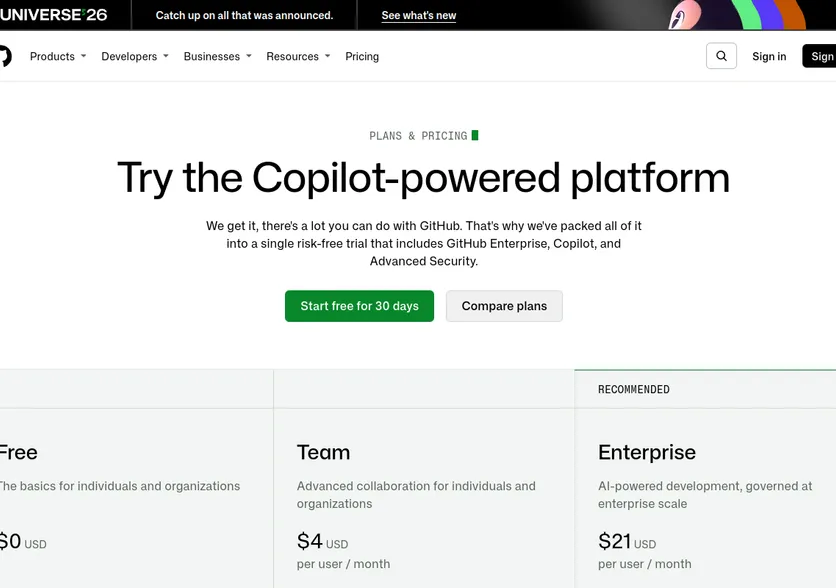
Paid tool Starting price: $4/user/month · Four dollars per user a month on Team; Enterprise is twenty-one dollars per user a month; the free plan covers unlimited public and private repositories; a first-twelve-months asterisk printed in October 2026 had gone from the pricing page by the November 2026 read
Free plan: Free plan
A remote team that wants the biggest ecosystem of tools and developers will find it here, since this GitHub plan costs four dollars per user a month on Team. Pull requests, code review, Actions automation and Copilot sit beside the repository, and nearly every developer already has an account. It is the safest pick in this list for a team that hires often and onboards fast.
What we like
- Largest ecosystem of integrations and developers
- Pull requests, Actions and code review built in
- Free plan covers unlimited repositories
Watch out for
- Advanced security needs the Enterprise tier
- Large files need Git LFS on top
How to try it
- Create an organisation and invite the team
- Set branch protection on the main branch
- Turn on Actions for tests on every pull request
2. GitLab
Best for: Teams that want one platform from commit to deploy
Paid tool Starting price: $29/user/month · Twenty-nine dollars per user a month on Premium billed annually for software as a service, or nineteen dollars for self-managed; Ultimate is ninety-nine dollars per user a month per most reads, though one October 2026 check says Ultimate is now a sales quote rather than a printed price
Free plan: Free plan
A team that wants code, CI, security and planning in one platform will find it here, because this GitLab plan costs twenty-nine dollars per user a month billed annually on Premium. Merge requests, pipelines, container registry and issue tracking share one login, so nothing is lost between tools. It is the best all-in-one pick for a team that wants one platform from commit to deploy.

What we like
- Code, CI, security and planning in one platform
- Self-managed option for teams that host their own
- Strong merge request and review tools
Watch out for
- Ultimate pricing is unclear on the current page
- The platform is heavier than a pure code host
How to try it
- Create a group and invite the team
- Set up a pipeline for tests on every merge
- Link issues to merge requests for traceability
3. Bitbucket
Best for: Atlassian shops that use Jira daily
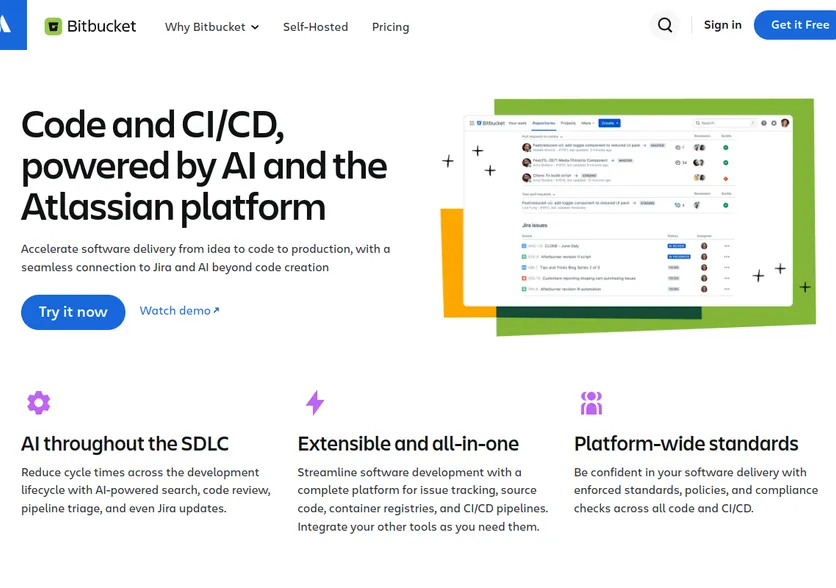
Paid tool Starting price: $3.65/user/month · Three dollars and sixty-five cents per user a month on Standard; Premium is eight dollars per user a month, up from seven dollars and twenty-five cents in October 2026; the free plan covers up to five users
Free plan: Free plan (up to 5 users)
A team that already uses Jira will keep its code beside its tickets here, since this Bitbucket plan costs three dollars and sixty-five cents per user a month on Standard. Pull requests link straight into Jira issues, Pipelines run tests in the cloud, and the price undercuts the bigger hosts. It is the best value pick for an Atlassian shop.
What we like
- Pull requests link straight into Jira issues
- Pipelines run tests in the cloud
- Lowest paid price among the big Git hosts
Watch out for
- The ecosystem is smaller than GitHub
- Premium rose in price in October 2026
How to try it
- Create a workspace and invite the team
- Link the repositories to the Jira project
- Turn on Pipelines for tests on every pull request
4. Perforce P4
Best for: Game, media and hardware teams with heavy assets
Paid tool Starting price: $39/user/month · Thirty-nine dollars per user a month on P4 Cloud for up to one hundred users with sixty-four gigabytes of storage; the free plan covers up to five users and twenty workspaces; Scale and Platform tiers are quoted
Free plan: Free plan (up to 5 users)
A team with huge binary files or a strict versioning need will find it here, since this Perforce P4 plan costs thirty-nine dollars per user a month on P4 Cloud. It versions game assets, CAD files and large binaries that Git struggles with, and it handles thousands of files in one depot. It is the best pick for game, media and hardware teams with heavy assets.
What we like
- Versions huge binary files that Git struggles with
- Handles thousands of files in a single depot
- Fine-grained access controls per file path
Watch out for
- The price is far above the Git hosts
- The workflow is unfamiliar to Git-only developers
How to try it
- Set up a depot for the project assets
- Invite the team and set file access rules
- Check in the first large assets and test a sync
5. Azure DevOps
Best for: Microsoft shops deploying to Azure
Paid tool Starting price: $6/user/month · Six dollars per user a month on Basic after the first five users are free; Basic plus Test Plans is fifty-two dollars per user a month
Free plan: Free plan (first 5 users free)
A team that builds on Microsoft tools will find its code home here, because this Azure DevOps plan costs six dollars per user a month on Basic after the first five users are free. Repos, Boards, Pipelines and Test Plans share one project, and Azure integration is built in from the start. It is the best pick for a Microsoft shop that deploys to Azure.
What we like
- Repos, Boards, Pipelines and Test Plans in one project
- First five users free, so small teams start cheap
- Deep integration with Azure services
Watch out for
- The interface is busier than the Git hosts
- Best value only inside the Microsoft stack
How to try it
- Create a project and invite the team
- Push the code to the Repos service
- Set up a Pipeline for builds and tests
6. Beanstalk
Best for: Small teams that want flat pricing, not per-seat
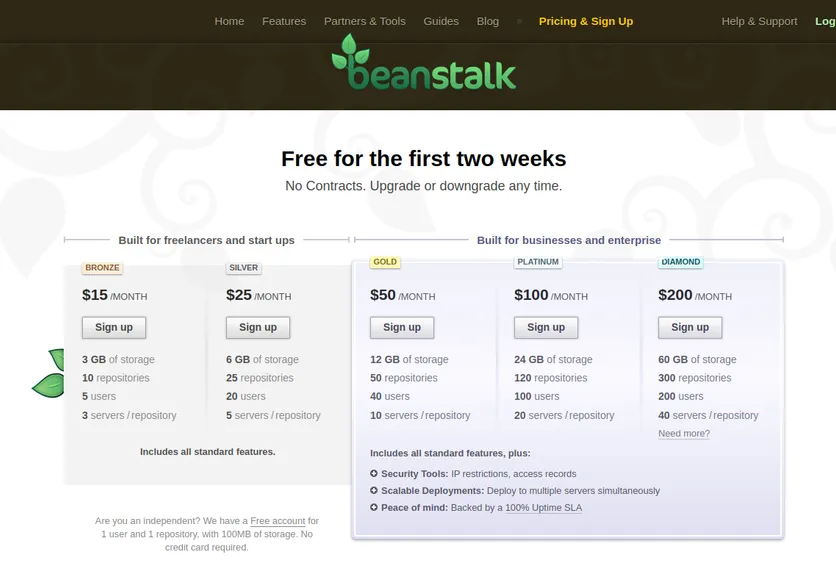
Paid tool Starting price: $15/month · Fifteen dollars a month flat on Bronze for five users, ten repositories and three gigabytes; Silver is twenty-five dollars, Gold is fifty dollars, Platinum is one hundred dollars and Diamond is two hundred dollars; the free plan covers one user, one repository and one hundred megabytes
Free plan: Free plan (1 user, 1 repo)
A small team that wants simple hosted Git with a flat bill will like this service, as this Beanstalk plan costs fifteen dollars a month flat on Bronze. It hosts Git and Subversion repositories, reviews code in the browser, and deploys to servers with one click. It is the best pick for a team that wants flat pricing instead of per-seat maths.
What we like
- Flat fifteen dollar price for five users
- Hosts Git and Subversion in one place
- One-click deployments to servers
Watch out for
- Smaller feature set than the big hosts
- Storage caps rise only on the dearer tiers
How to try it
- Create an account and invite the team
- Push the first repository to Beanstalk
- Set up a deployment to the staging server
7. Assembla
Best for: Distributed teams needing tight access control
Paid tool Starting price: $12.50/user/month · Twelve dollars and fifty cents per user a month on Starter, or eleven dollars and twenty-five cents billed annually; Growth is nineteen dollars a month or seventeen dollars and ten cents billed annually; older records list ten dollars and thirty-five cents billed annually, which appears stale
Free plan: Free trial available
A team that needs private repositories with strong access control will find it here, since this Assembla plan costs twelve dollars and fifty cents per user a month on Starter. It hosts Git and Subversion with per-branch permissions, and its project tools track tickets beside the code. It is the best pick for outsourced and distributed teams that need tight control over who sees what.
What we like
- Per-branch permissions on private repositories
- Hosts Git and Subversion together
- Tickets and code tracked in one place
Watch out for
- Older price listings do not match the current tiers
- Smaller community than GitHub or GitLab
How to try it
- Create a space and invite the team
- Set the branch permissions for each role
- Push the code and open the first pull request
8. RhodeCode
Best for: Teams that must keep code on their own servers
Paid tool Starting price: $6.25/user/month · Six dollars and twenty-five cents per user a month on Enterprise billed annually, or seventy-five dollars per user a year with a ten-user minimum in ten-packs; Cloud is eight dollars per user a month; the Community Edition is free under an open licence; the vendor pricing page itself shows no dollar figures per one November 2026 read, though vendor-supplied listings confirm the seventy-five dollar yearly rate
Free plan: Free plan (Community Edition)
A team that wants to self-host its code with enterprise controls will find it here, because this RhodeCode plan costs six dollars and twenty-five cents per user a month billed annually on Enterprise. It hosts Git, Mercurial and Subversion behind the company firewall, with code review and permissions built in. It is the best pick for a team that must keep its code on its own servers.

What we like
- Self-hosted Git, Mercurial and Subversion together
- Code review and permissions built in
- Free Community Edition under an open licence
Watch out for
- The vendor page shows no dollar figures itself
- Self-hosting needs someone to run the server
How to try it
- Install RhodeCode on the company server
- Import the repositories and set permissions
- Open the first code review in the browser
Prices above were checked on each vendor’s own website on Nov 29, 2026 and can change — the vendor’s page is the final word. Vendor links are editorial: nobody paid to be listed or ranked here. Vendors who want a featured listing can see how it works on our Get listed page.
How a remote team should pick a code host
Start with where the team already works, because moving repositories is disruptive and the host with the best integrations wins. Check the review workflow before the price, since a slow pull request process costs more than the subscription ever will. Test the permissions model with a contractor account, because a remote team needs to limit access without blocking work. Keep the free tier until the team needs private repositories at scale, and only pay when the host proves it makes reviews faster. Document the branching strategy in the wiki, because a new hire should not have to guess how releases work.
Before you buy
- Check the review workflow before the price, since slow reviews cost more
- Test the permissions model with a contractor account first
- Confirm the host supports the version control system the team uses
- Count the paid seats, since per-user pricing grows with the team
- Keep the free tier until private repositories need scale
Official websites
Official websites of the products reviewed above. Features and prices were checked against these sites when this guide was written, and they can change, so confirm on the vendor site before you buy.
Frequently asked questions
What is source code management software?
Source code management software hosts a team's code in repositories, tracks every change, and manages branches and pull requests so several developers can work on the same project without overwriting each other. It is the shared home for code, and for a remote team it is also where reviews, releases and rollbacks happen.
How much does GitHub cost for a team?
GitHub costs four dollars per user a month on Team, while Enterprise is twenty-one dollars per user a month. The free plan covers unlimited public and private repositories, so a small team can start at no cost. A ten-person team pays around forty dollars a month on Team.
Is there a free source code hosting tool?
Yes, with GitHub, GitLab, Bitbucket, Azure DevOps, Beanstalk and RhodeCode, which all offer free plans or free tiers. GitHub and GitLab offer free plans with unlimited repositories, while Bitbucket and Azure DevOps cover up to five users free. A free plan is enough for a small remote team to host real code.
Which tool is best for a remote team?
GitHub is the best pick for most remote teams at four dollars a user a month, because nearly every developer already knows it and its ecosystem is the largest. GitLab suits a team that wants code, CI and planning in one platform at twenty-nine dollars a user a month. Bitbucket is the best value for a team that already uses Jira.
Why is GitKraken not in this list?
GitKraken is a Git client that runs on a developer's computer, not a hosting service for the team's code, so it does not belong in a comparison of code hosts. Its price is also deeply conflicted across sources, with euro and dollar figures that do not agree. Every tool in this list hosts repositories for the whole team.
Compare the eight tools above, then start with a free plan on the host your team already knows and protect the main branch before the first merge.
Browse Developer Tools tools