On this page
A real estate file is only useful when someone can find the renewal date, the rent step and the termination clause without reading fifty pages. The eight tools below extract those fields from signed agreements, store them in a searchable repository and warn the team before deadlines pass. Every price was checked on the vendor site on November 27, 2026, and the list runs from nineteen dollars a month to four hundred ninety-nine dollars a month. ContractSafe is our first pick — the flat-priced platform that pulls key dates out of every lease it stores.
How we researched this
We started with the contract tools that publish a price and read each one on the vendor pricing page on November 27, 2026, then judged them for a real estate firm that lives in leases, purchase agreements and renewals. We dropped Lawmatics because its pricing page no longer shows dollar figures, and Spellbook because it publishes no price at all. We also left out the quote-only enterprise suites that a small firm cannot price without a sales call.
Compare the tools
| Name | Best for | Starting price | Free plan | |
|---|---|---|---|---|
 ContractSafe | Real estate law firms that want flat pricing and AI extraction on every plan | $450/month | No free plan; free trial available | Visit |
 Concord | Firms that want drafting, negotiation and extraction in one published-price platform | $499/month | No free plan; 14-day free trial | Visit |
 ContractWorks | Firms that mainly need a searchable home for signed leases with date alerts | $425/month | No free plan; 14-day free trial | Visit |
 Zoho Contracts | Small firms that want a low per-user price and a free start | $25/user/month | Free plan for up to 3 users and 10 contracts | Visit |
 Gavel Exec | Lawyers who review and redline leases inside Microsoft Word | $160/user/month | 25 free queries per user, no credit card required | Visit |
 Clio | Firms that want practice management beside the contract repository | $49/user/month | No free plan; 7-day free trial | Visit |
 PandaDoc | Firms that draft proposals and contracts in one document workflow | $19/user/month | Free e-sign plan | Visit |
 DocuSign | Firms that need the most recognized e-signature brand on every agreement | $25/user/month | No free plan; 30-day refund on annual plans | Visit |
The contract data extraction software for real estate law firms, compared
1. ContractSafe
Best for: Real estate law firms that want flat pricing and AI extraction on every plan
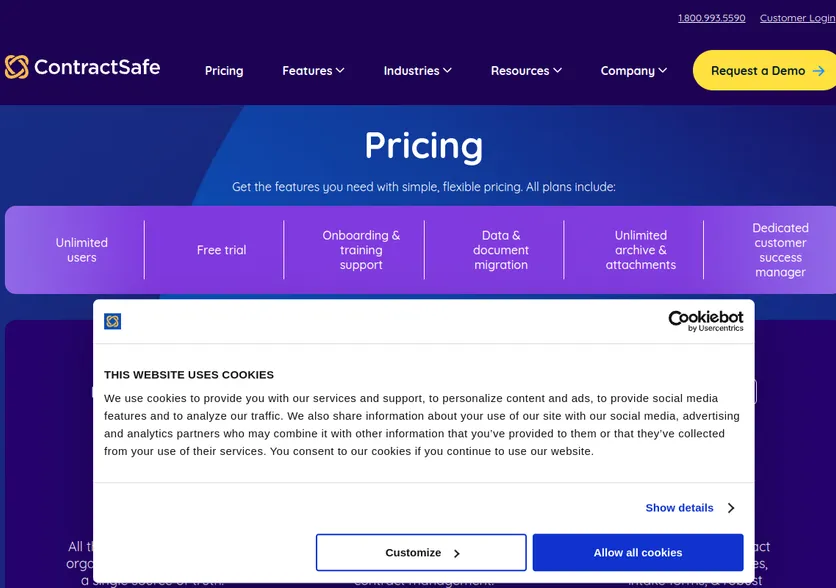
Paid tool Starting price: $450/month · Four hundred fifty dollars a month billed annually for the Organize plan, or five hundred forty dollars a month billed monthly, with unlimited users on every plan; Finalize starts at six hundred sixty dollars a month and Maximize starts at eight hundred fifteen dollars a month
Free plan: No free plan; free trial available
ContractSafe is the full-lifecycle contract platform that pulls key dates and terms out of signed agreements the moment they are uploaded, then watches renewals for the whole portfolio. This ContractSafe Organize plan costs four hundred fifty dollars a month and includes AI extraction of up to twenty-nine fields with unlimited users. A real estate firm gets a searchable repository where every lease deadline and option date is already tagged.
What we like
- AI extraction included on every plan, not just the top tier
- Flat monthly price with unlimited users on every plan
- Renewal alerts and OCR search across the whole portfolio
Watch out for
- The entry plan is priced by contract volume, so big portfolios pay more
- Approvals and e-signature need the higher Finalize plan
How to try it
- Open the ContractSafe site and start the free trial
- Upload a batch of leases and purchase agreements
- Check the extracted dates and set renewal alerts for each property
2. Concord
Best for: Firms that want drafting, negotiation and extraction in one published-price platform
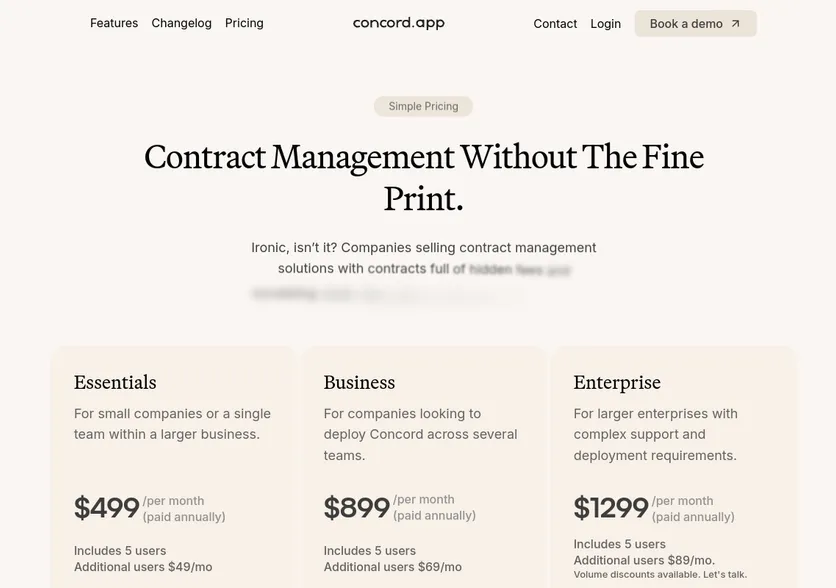
Paid tool Starting price: $499/month · Four hundred ninety-nine dollars a month billed annually for the Essentials plan with five users included, and extra users cost forty-nine dollars a month; Business costs eight hundred ninety-nine dollars a month and Enterprise costs one thousand two hundred ninety-nine dollars a month
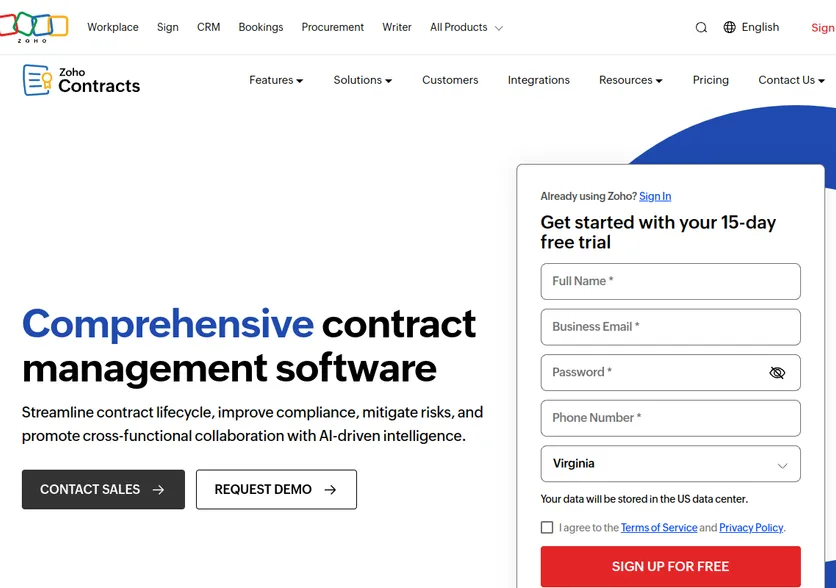
Free plan: No free plan; 14-day free trial
Concord is the contract lifecycle platform that pairs AI Copilot extraction with drafting, redlining and e-signature, so a lease moves from first draft to signed file without leaving the system. This Concord Essentials plan costs four hundred ninety-nine dollars a month and includes five users, unlimited e-signatures and AI extraction. A firm that negotiates leases in Word and tracks them in spreadsheets gets one home for both jobs.
What we like
- AI Copilot and extraction included from the entry plan
- Unlimited e-signatures and documents on every plan
- Published prices, so the budget is clear before the sales call
Watch out for
- Five users included, so larger teams pay per extra seat
- No monthly billing option is published; plans bill annually
How to try it
- Open the Concord site and book a demo or start the trial
- Import your lease templates and set up the approval flow
- Run AI extraction on a signed lease and check the pulled fields
3. ContractWorks
Best for: Firms that mainly need a searchable home for signed leases with date alerts
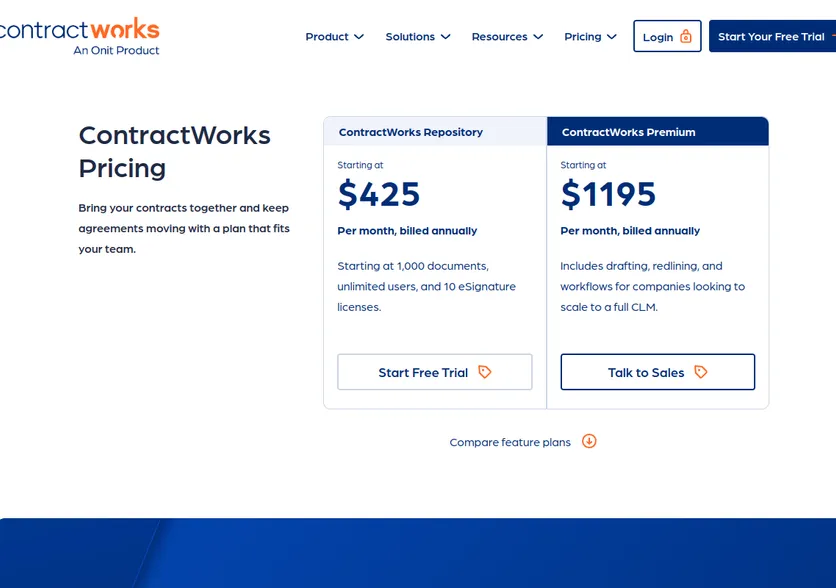
Paid tool Starting price: $425/month · Four hundred twenty-five dollars a month billed annually for the Repository plan with up to one thousand documents and unlimited users; Premium is custom-priced by contract volume and adds drafting and approval workflows
Free plan: No free plan; 14-day free trial
ContractWorks is the repository-first contract tool that tags every uploaded agreement with AI, so effective dates, renewal dates and termination dates are filled in without manual data entry. This ContractWorks Repository plan costs four hundred twenty-five dollars a month and covers up to one thousand documents with unlimited users. A firm with cabinets of signed leases gets a searchable archive with milestone alerts on every file.
What we like
- AI-powered tagging fills in dates on upload
- Unlimited users at no extra cost on every plan
- Full-text search with OCR across scanned agreements
Watch out for
- Drafting and redlining sit behind the custom-priced Premium plan
- The price rises with document count above one thousand
How to try it
- Open the ContractWorks site and start the 14-day trial
- Upload signed leases and let AI tagging fill in the key dates
- Set milestone alerts for renewals, options and expirations
4. Zoho Contracts
Best for: Small firms that want a low per-user price and a free start
Paid tool Starting price: $25/user/month · Twenty-five dollars per user a month billed annually for the Standard plan, or thirty dollars per user a month billed monthly; Professional costs forty dollars and Premium costs fifty dollars per user a month
Free plan: Free plan for up to 3 users and 10 contracts
Zoho Contracts is the budget contract lifecycle platform that covers authoring, approvals, negotiation and renewals, with Zoho Sign built in for e-signature. This Zoho Contracts Standard plan costs twenty-five dollars per user a month and allows twenty-five contracts per user each month. A small real estate firm gets a real CLM without an enterprise budget, and the free plan covers three users.
What we like
- Free plan for three users and ten contracts
- Published per-user prices with cheaper Lite seats for approvers
- Zoho Sign e-signature included at no extra cost
Watch out for
- Standard caps new contracts at twenty-five per user a month
- Obligation management starts on the Professional plan
How to try it
- Open the Zoho Contracts site and start the free plan
- Add your lease templates and counterparty contacts
- Send the first agreement for approval and signature
5. Gavel Exec
Best for: Lawyers who review and redline leases inside Microsoft Word
Paid tool Starting price: $160/user/month · One hundred sixty dollars per user a month, or one thousand seven hundred forty dollars per user a year; teams of ten or more seats get discounted pricing
Free plan: 25 free queries per user, no credit card required
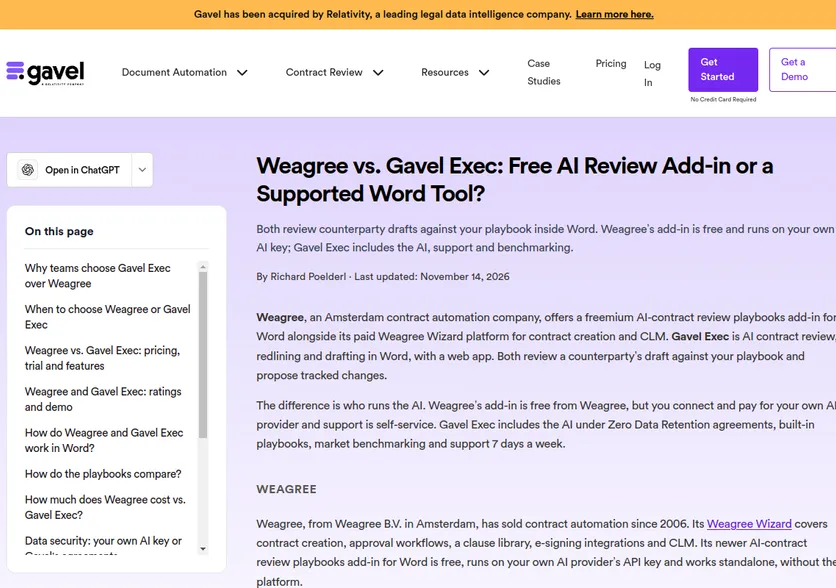
Gavel Exec is the AI contract review tool that works inside Microsoft Word, redlining counterparty leases as tracked changes against playbooks built from the firm's own precedents. This Gavel Exec plan costs one hundred sixty dollars per user a month and includes one thousand queries per user each month after twenty-five free queries. A lawyer who negotiates the other side's paper gets playbook redlines and market benchmarks without leaving Word.
What we like
- Redlines appear as tracked changes inside Word
- Playbooks can be built from the firm's own signed deals
- Published per-seat price with no sales call needed
Watch out for
- No repository or renewal tracking, so storage lives elsewhere
- Word-only workflow, with no Google Docs version
How to try it
- Open the Gavel site and start with the free queries
- Install the Word add-in and open a lease to review
- Run the playbook review and accept the tracked changes
6. Clio
Best for: Firms that want practice management beside the contract repository
Paid tool Starting price: $49/user/month · Forty-nine dollars per user a month for the Starter plan; Core, Signature and Elite plans are quote-only and priced through Clio sales
Free plan: No free plan; 7-day free trial
Clio is the practice management platform most small law firms already run, covering matters, documents, time tracking, billing and trust accounting in one login. This Clio Starter plan costs forty-nine dollars per user a month and includes document storage, e-signature and accounting integrations. A real estate firm that tracks closings as matters gets the contract files beside the billing for each deal.

What we like
- Matters, billing and trust accounting in one system
- Deep integration network with email and accounting tools
- Starter includes e-signature for routine agreements
Watch out for
- Only Starter has a published price; higher plans need a quote
- Clio AI and the client portal start on the Core plan
How to try it
- Open the Clio site and start the 7-day trial
- Add your matters and upload the related agreements
- Turn on billing and trust accounting for each closing
7. PandaDoc
Best for: Firms that draft proposals and contracts in one document workflow
Paid tool Starting price: $19/user/month · Nineteen dollars per user a month billed annually for the Essentials plan, or twenty-nine dollars per user a month billed monthly; Business costs forty-nine dollars per user a month billed annually
Free plan: Free e-sign plan
PandaDoc is the document platform that turns a proposal or agreement into a trackable file, with templates, pricing tables and unlimited e-signatures on the entry plan. This PandaDoc Essentials plan costs nineteen dollars per user a month and covers unlimited documents and e-signatures with basic templates. A firm that sends engagement letters and fee agreements gets them drafted, tracked and signed in one place.

What we like
- Cheapest paid entry in this comparison
- Unlimited documents and e-signatures on Essentials
- Free e-sign plan for occasional signing
Watch out for
- Essentials caps at two seats, so teams upgrade fast
- CRM integrations start on the Business plan
How to try it
- Open the PandaDoc site and create a free account
- Build your engagement letter from a template
- Send it for signature and watch the open and sign status
8. DocuSign
Best for: Firms that need the most recognized e-signature brand on every agreement
Paid tool Starting price: $25/user/month · Standard plan, $25 a user a month billed annually upfront ($300 a year); $30 a month on an annual commitment billed monthly; $45 month to month. Personal $10 a month billed annually upfront ($11 billed monthly); Business Pro $40 a month billed annually upfront ($45 billed monthly); Enterprise is quoted. Standard includes 100 envelopes per user a year.
Free plan: No free plan; 30-day refund on annual plans
DocuSign is the e-signature standard that counterparties already trust, with templates, reminders and a full audit trail behind every envelope. This DocuSign Standard plan costs twenty-five dollars per user a month billed annually upfront and includes one hundred envelopes per user a year. A firm that sends leases to landlords, tenants and lenders gets signatures back without chasing paper.

What we like
- The brand counterparties already recognize and trust
- Templates and reminders cut chasing time
- Full audit trail on every signed agreement
Watch out for
- Envelope caps mean heavy senders pay for extra envelopes
- No contract repository, so storage lives in another tool
How to try it
- Open the DocuSign site and choose the Standard plan
- Upload a lease and place the signature and date fields
- Send the envelope and track it to completion
Prices above were checked on each vendor’s own website on Nov 27, 2026 and can change — the vendor’s page is the final word. Vendor links are editorial: nobody paid to be listed or ranked here. Vendors who want a featured listing can see how it works on our Get listed page.
What extraction costs a real estate firm in 2026
Extraction is worth what a missed deadline costs, and one blown renewal option can wipe out years of software savings. A flat four-hundred-fifty-dollar plan looks expensive until it catches an option date that would have cost the client a lease. Per-user plans look cheap until every paralegal and assistant needs a seat, so count the whole team before comparing the sticker prices.
Start with a trial on two tools and feed each one the same messy batch of leases. Check that rent steps, options and termination dates land in the right fields, that the alerts reach the lawyer who owns the file, and that the data exports cleanly. Pick the tool whose extracted fields your team actually trusts, because a repository nobody believes in is just a prettier filing cabinet.
Before you buy
- Check which fields the AI pulls from a lease or purchase agreement, because a tool that only reads dates will miss rent steps and options.
- Test extraction on your own scanned PDFs, because clean sample files hide how the tool handles crooked scans and handwritten addenda.
- Confirm renewal alerts reach the right person, because an extracted deadline nobody sees is no better than a missed one.
- Ask who can export the extracted data, because a repository that locks fields behind a higher plan costs more later.
- Match the price to your document count, because flat plans suit big portfolios and per-user plans suit small firms.
Official websites
Official websites of the products reviewed above. Features and prices were checked against these sites when this guide was written, and they can change, so confirm on the vendor site before you buy.
Frequently asked questions
Which contract data extraction software is best for real estate law firms in 2026?
ContractSafe is the best overall pick at four hundred fifty dollars a month, with AI extraction on every plan and unlimited users. Concord suits firms that want drafting, negotiation and extraction in one system at four hundred ninety-nine dollars a month. PandaDoc is the best budget pick at nineteen dollars per user a month for firms that mostly need documents and signatures.
How much does contract data extraction software cost?
Prices in this list run from nineteen dollars per user a month for PandaDoc to four hundred ninety-nine dollars a month for Concord, with the dedicated repositories landing between four hundred twenty-five and four hundred fifty dollars a month. Flat plans suit firms with big portfolios, while per-user plans suit small teams. Add the cost of extra seats and higher tiers before you compare totals.
Do real estate firms need AI extraction, or is storage enough?
Yes, if the firm signs leases, purchase agreements or loan documents every week, because the extracted dates feed renewal alerts automatically. A tool that only stores PDFs leaves the team reading every file by hand when a deadline approaches. Extraction pays for itself the first time it catches an option date nobody remembered.
How should a firm test extraction before buying?
Yes, run the trial on your worst files, not the clean samples, because crooked scans, faxed pages and handwritten addenda are where extraction fails. Check that rent steps, options and termination dates come out correctly, and that the fields export to a spreadsheet. A tool that only reads typed text will miss half a real portfolio.
Which contract tools publish prices and which are quote-only?
ContractSafe, ContractWorks and Concord all publish prices, while Ironclad, Agiloft, LinkSquares, Juro and DocuSign CLM sell only by quote. Published prices let a small firm budget without a sales process, and the quote-only tools usually cost far more in the first year. Start with the published-price shortlist unless the firm needs enterprise controls.
Need everyday business help too? Try Toolsvine's free business tools right in your browser.
Browse Business Tools tools