
On this page
Legal teams draft, review and sign contracts, and the work slows when templates, clauses and signatures live in different places. Contract software built for legal teams keeps every agreement searchable, versioned and audited in one place. The eight tools below run from nineteen dollars a user a month to about five hundred dollars a month, and every price was checked on the vendor site on November 26, 2026. Most pair document automation with e-signatures and renewal alerts, so compare the workflow rather than storage alone. Gavel Exec is our first pick — the strongest legal document automation for teams.
How we researched this
We started with the contract management tools legal teams actually buy, then read each price on the vendor pricing page on November 26, 2026 and noted the free trial each plan carries. We judged them for a team that needs document automation, a searchable repository, a full audit trail and renewal alerts, and we kept only tools with a published price. We left out quote-only enterprise tools, because a legal team cannot budget for a number it cannot see.
Compare the tools
| Name | Best for | Starting price | Free plan | |
|---|---|---|---|---|
 Gavel Exec | Legal teams that draft the same documents again and again | $160/user/month | 25 free queries per user; no free plan | Visit |
 ContractWorks | Legal teams that need a searchable repository with audit trails | $425/month | No free plan; 14-day free trial | Visit |
 Concord | Legal teams that want approval chains on every agreement | $499/month | No free plan; 14-day free trial | Visit |
 Docusign IAM | Legal teams that already sign with DocuSign and want lifecycle management | $40/user/month | No free plan; free trial available | Visit |
 ContractSafe | Legal teams that spend hours hunting for clauses | $450/month | No free plan; 7-day free trial | Visit |
 DocuSign | Legal teams that need signatures courts and clients already trust | $25/user/month | No free plan; free trial available | Visit |
 PandaDoc | Small legal teams that send many contracts and want a low entry price | $19/user/month | Free eSign plan; 14-day free trial of paid plans | Visit |
 Oneflow | Legal teams that send the same agreements again and again | $292/month | No free plan; 14-day free trial | Visit |
The contract management software for legal teams, compared
1. Gavel Exec
Best for: Legal teams that draft the same documents again and again
Paid tool Starting price: $160/user/month · $160 per user a month, or $1,740 per user a year; twenty-five free queries per user with no credit card
Free plan: 25 free queries per user; no free plan
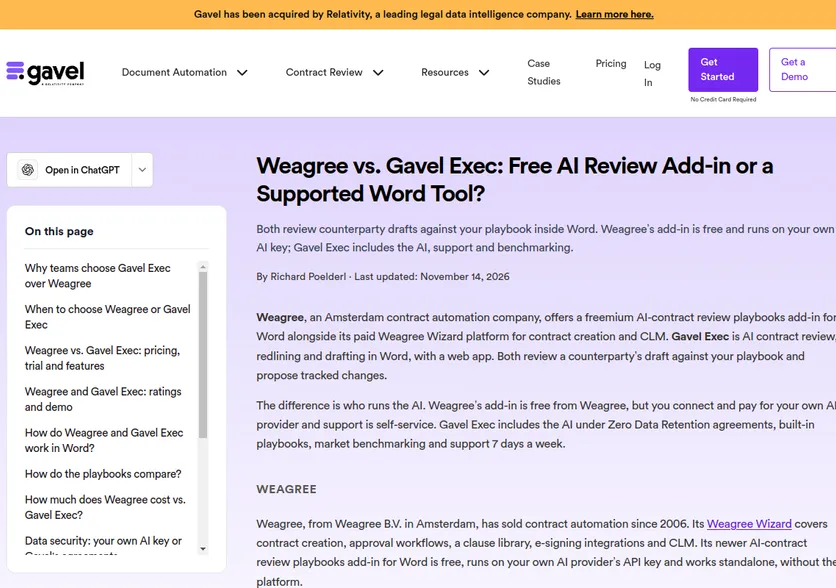
Gavel Exec is built for legal teams that draft the same documents again and again, turning a template into a guided questionnaire that builds the document from the answers. This Gavel Exec plan costs one hundred sixty dollars a user a month and includes twenty-five free queries per user with no credit card. A legal team that wants non-lawyers to generate compliant documents without errors will save hours here, though the per-user price is the highest in this list.
What we like
- Guided questionnaires cut drafting errors
- Built for legal document automation
- Twenty-five free queries with no credit card
Watch out for
- Highest per-user price in this list
- Automation only, no repository or renewal alerts
How to try it
- Open the Gavel Exec page and claim the free queries
- Turn one contract template into a questionnaire
- Generate a document and check it against your standard
2. ContractWorks
Best for: Legal teams that need a searchable repository with audit trails
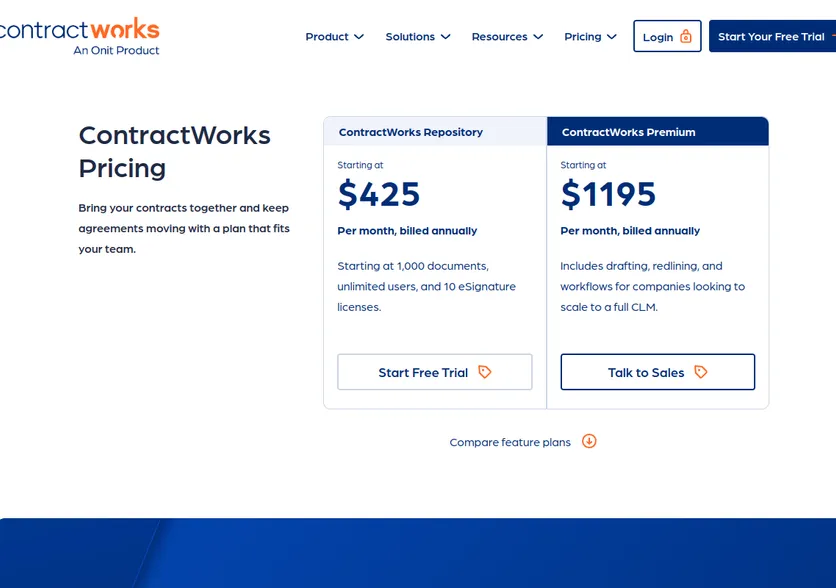
Paid tool Starting price: $425/month · Repository plan, $425 a month billed annually for up to one thousand documents with unlimited users and ten eSignature licenses; Premium from $1,195 a month
Free plan: No free plan; 14-day free trial
ContractWorks gives a legal team a searchable repository where every signed agreement, clause and renewal date is findable in seconds. This ContractWorks Repository plan starts at four hundred twenty-five dollars a month billed annually and covers up to one thousand documents with unlimited users. A legal team that answers audit questions and tracks renewals will like the depth here, though drafting tools are not included.
What we like
- Searchable vault with full audit trails
- Unlimited users on every plan
- Renewal alerts keep deadlines visible
Watch out for
- Repository plan is four hundred twenty-five dollars a month
- No drafting tools, storage and tracking only
How to try it
- Open the ContractWorks pricing page and start the fourteen-day trial
- Upload a batch of agreements and test the search
- Set up a renewal alert and check the audit trail
3. Concord
Best for: Legal teams that want approval chains on every agreement
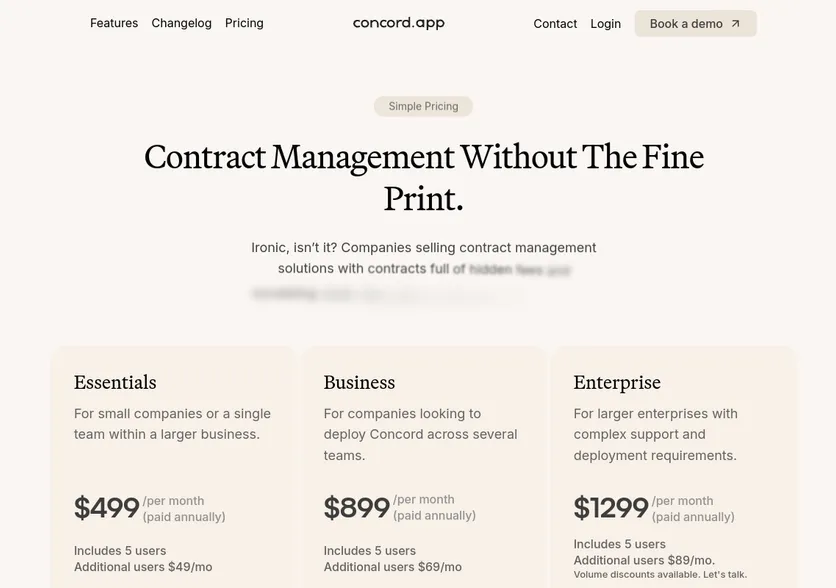
Paid tool Starting price: $499/month · Essentials plan, $499 a month for five users billed annually; Business $899 and Enterprise $1,299 a month; extra users $49 to $89 a month
Free plan: No free plan; 14-day free trial
Concord covers the contract lifecycle a legal team manages daily, from drafting and internal approvals to e-signatures, renewals and reporting. This Concord Essentials plan starts at four hundred ninety-nine dollars a month for five users billed annually and includes unlimited templates and approval workflows. A legal team that wants approval chains on every agreement will like the control here, though the entry plan covers five users only.
What we like
- Full lifecycle from draft to renewal
- Approval workflows built into every signature
- Unlimited templates on every plan
Watch out for
- Essentials plan covers five users only
- Most expensive starting price in this list
How to try it
- Open the Concord pricing page and start the fourteen-day trial
- Build an approval workflow for one agreement type
- Send an agreement for signature and watch the audit trail
4. Docusign IAM
Best for: Legal teams that already sign with DocuSign and want lifecycle management
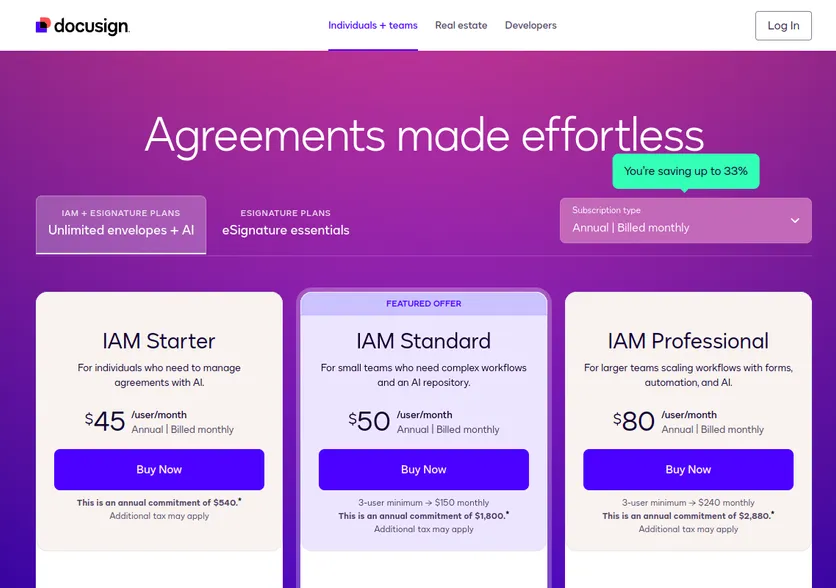
Paid tool Starting price: $40/user/month · IAM Starter plan, $40 per user a month billed annually and paid upfront, or $45 billed monthly; Standard $50 and Professional $80 a month; one hundred envelopes per user a year on Starter
Free plan: No free plan; free trial available
Docusign IAM adds a repository, approval workflows and AI clause review to the DocuSign signing flow a legal team already trusts. This Docusign IAM Starter plan starts at forty dollars a user a month billed annually and paid upfront, and includes one hundred envelopes per user a year. A legal team that already signs with DocuSign can add lifecycle management without retraining anyone, though the envelope cap limits high-volume teams.
What we like
- Builds on the DocuSign signing flow teams know
- Repository, workflows and AI clause review included
- Clear upgrade path from e-signature alone
Watch out for
- Starter plan covers one hundred envelopes a year only
- Per-user price climbs fast on larger teams
How to try it
- Open the Docusign IAM pricing page and start the trial
- Import your signed agreements into the repository
- Test the AI clause review on a real agreement
5. ContractSafe
Best for: Legal teams that spend hours hunting for clauses
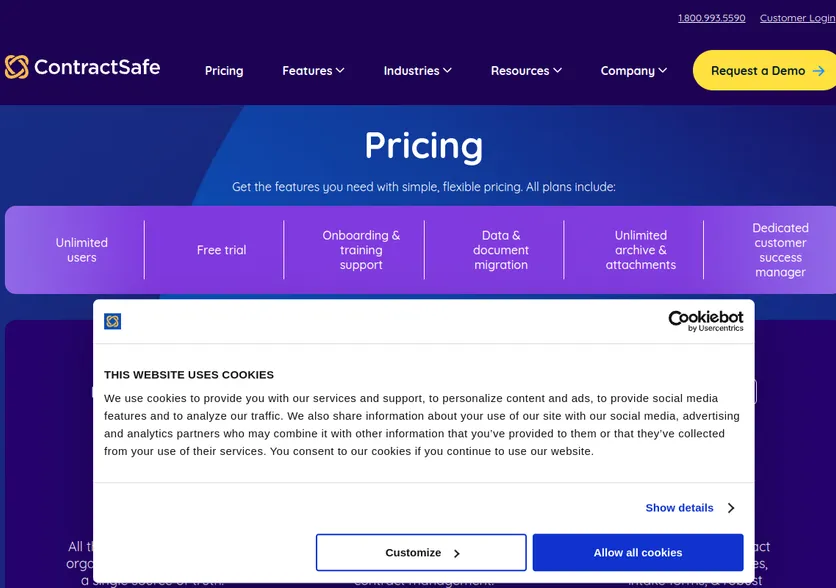
Paid tool Starting price: $450/month · Organize plan, $450 a month billed annually or $540 month to month, for up to one hundred contracts with unlimited users; Finalize $660 and Maximize $815 a month
Free plan: No free plan; 7-day free trial
ContractSafe gives a legal team AI search across every agreement, so a question about a clause gets an answer instead of a pile of documents. This ContractSafe Organize plan starts at four hundred fifty dollars a month billed annually for up to one hundred contracts with unlimited users. A legal team that spends hours hunting for clauses will get that time back fast, though the contract cap rises only on higher plans.
What we like
- AI search finds clauses in seconds
- Unlimited users on every plan
- Flat price with no per-seat surprises
Watch out for
- Organize plan covers one hundred contracts only
- No drafting tools, repository and search only
How to try it
- Open the ContractSafe pricing page and start the seven-day trial
- Upload your agreements and ask the AI search a real question
- Set a renewal reminder for your most important agreement
6. DocuSign
Best for: Legal teams that need signatures courts and clients already trust
Paid tool Starting price: $25/user/month · Standard plan, $25 a user a month billed annually upfront ($300 a year); $30 a month on an annual commitment billed monthly; $45 month to month. Personal $10 a month billed annually upfront ($11 billed monthly); Business Pro $40 a month billed annually upfront ($45 billed monthly); Enterprise is quoted. Standard includes 100 envelopes per user a year.
Free plan: No free plan; free trial available
DocuSign is the e-signature standard most legal teams already use, and its Standard plan covers the signing and tracking that every agreement needs. This DocuSign eSignature Standard plan starts at twenty-five dollars a user a month billed annually upfront on an annual commitment billed monthly, with a lower rate for paying upfront annually. A legal team that needs signatures courts and clients already trust will find the brand recognition worth it, though lifecycle tools live in the separate IAM product.

What we like
- Most trusted e-signature brand in this list
- Signing and tracking that teams rely on daily
- Lower rate when paying upfront annually
Watch out for
- Full lifecycle tools live in the separate IAM product
- Standard plan is twenty-five dollars a user a month billed annually upfront, with no free plan
How to try it
- Open the DocuSign pricing page and start the trial
- Send an agreement for signature and track its status
- Check the completed document and its certificate
7. PandaDoc
Best for: Small legal teams that send many contracts and want a low entry price
Paid tool Starting price: $19/user/month · Essentials plan, $19 per user a month billed annually or $35 billed monthly, capped at two seats; Business $49 a month; Enterprise is quoted
Free plan: Free eSign plan; 14-day free trial of paid plans
PandaDoc helps a legal team create, send and sign contracts fast, with templates, e-signatures and payment collection in one flow. This PandaDoc Essentials plan starts at nineteen dollars a user a month on annual billing and includes templates, e-signatures and document tracking. A small legal team that sends many contracts will like the low entry price, though the Essentials plan caps at two seats.

What we like
- Cheapest starting price in this list
- Templates, signatures and payments in one flow
- Free eSign plan for basic signing
Watch out for
- Essentials plan caps at two seats
- Compliance depth is thinner than repository tools
How to try it
- Open the PandaDoc pricing page and start the trial
- Build a contract template with your e-signature fields
- Send a contract and track when it is opened and signed
8. Oneflow
Best for: Legal teams that send the same agreements again and again
Paid tool Starting price: $292/month · Business plan, $292 a month for five users billed annually; Enterprise is quoted
Free plan: No free plan; 14-day free trial
Oneflow gives a legal team smart contract templates and a guided signing flow, with a full audit trail for every signature. This Oneflow Business plan starts at two hundred ninety-two dollars a month for five users billed annually and includes unlimited templates and signing. A legal team that sends the same agreements again and again will save time on templates, and the fourteen-day trial covers a full signing cycle.
What we like
- Smart templates speed up repeat agreements
- Guided signing flow cuts errors
- Fourteen-day trial covers a full cycle
Watch out for
- Business plan covers five users only
- Repository tools are deeper than Oneflow on storage
How to try it
- Open the Oneflow pricing page and start the fourteen-day trial
- Build a template and send it for signature
- Check the audit trail for every step of the signing
Prices above were checked on each vendor’s own website on Nov 26, 2026 and can change — the vendor’s page is the final word. Vendor links are editorial: nobody paid to be listed or ranked here. Vendors who want a featured listing can see how it works on our Get listed page.
What contract management software costs for legal teams in 2026
Legal tools are priced two ways in this list, and the gap is wide: per-user tools start at nineteen dollars a user a month, while flat-fee tools charge four hundred twenty-five to four hundred ninety-nine dollars a month. The flat price is not always the expensive deal, because ContractWorks and ContractSafe include unlimited users while per-user tools charge for every lawyer. The headline plan each vendor shows on its own pricing page is the number in the table above, checked on November 26, 2026.
Start with the free trial on two tools and run one real agreement through each, from draft to signature to renewal alert. Compare how fast you can find a clause, how the audit trail reads, and whether the renewal alerts reach the right person. Pick the tool your legal team trusts for the audit, because a contract system nobody searches is money wasted.
Before you buy
- Check whether document automation is included, because Gavel Exec builds documents from questionnaires while repositories only store them.
- Count the lawyers first, because per-user pricing turns a nineteen-dollar plan into a large bill once ten people need access.
- Confirm the audit trail is complete, because a legal tool without audit logs cannot prove who signed what.
- Test the search on a real agreement, because AI search that misses a clause is worse than no search at all.
- Compare annual and monthly billing, because most tools here cut the price by a fifth on annual plans.
Official websites
Official websites of the products reviewed above. Features and prices were checked against these sites when this guide was written, and they can change, so confirm on the vendor site before you buy.
Frequently asked questions
Which contract management software is best for legal teams in 2026?
Gavel Exec, at one hundred sixty dollars a user a month, is the safest default for legal teams because its guided questionnaires turn templates into compliant documents without drafting errors. ContractWorks wins for the repository at four hundred twenty-five dollars a month, with a searchable vault and full audit trails. Docusign IAM is the lifecycle pick at forty dollars a user a month for teams that already sign with DocuSign.
How much does contract management software cost for a legal team?
Repository tools in this list cost between four hundred twenty-five and four hundred ninety-nine dollars a month flat, while per-user tools start at nineteen dollars a user a month. Gavel Exec is the most expensive per-user tool at one hundred sixty dollars a user a month. Expect to pay more once you add lawyers, AI review or extra contract capacity.
Do legal teams need document automation or just a repository?
A repository is enough if your agreements already exist and you need to find, track and audit them, which is what ContractWorks and ContractSafe do best. Document automation fits teams that draft the same agreements again and again, which is what Gavel Exec does best. Pick the repository if search and audit are the job, and automation if drafting eats the most hours.
Is there free contract management software for legal teams?
PandaDoc offers a free eSign plan for basic signing, and Gavel Exec offers twenty-five free queries per user with no credit card. The other six tools offer free trials of seven to fourteen days instead of a permanent free plan. A trial is enough to upload real agreements, test the search and run one signature through the system.
What should a legal team look for in contract management software?
Look for a searchable repository where any clause can be found in seconds, a full audit trail that proves who signed what, and renewal alerts that reach the right person before a deadline passes. Check whether document automation is included if your team drafts the same agreements often, and test the search on a real agreement before you buy. The best legal tool is the one your team trusts for the audit.
Need everyday business help too? Try Toolsvine's free business tools for your team right in your browser.
Browse Business Tools tools


