On this page
Dental practices collect signatures all day, from consent forms and treatment plans to financial agreements and vendor contracts, and the right tool gets them signed without chasing paper. The eight tools below cover simple e-signature, document platforms and one full lifecycle system for vendor deals. Every price was checked on the vendor site on November 27, 2026, and the list runs from eight dollars a month to four hundred ninety-nine dollars a month. signNow is our first pick — the flat-priced signing tool that covers unlimited users for eight dollars a month.
How we researched this
We started with the signing tools that publish a price and read each one on the vendor pricing page on November 27, 2026, then judged them for a dental front desk that collects consent forms, treatment plans and financial agreements every day. We paired seven signing tools with one full lifecycle platform for vendor contracts, because most practices need both. We left out the quote-only practice suites that a small office cannot price without a sales call.
Compare the tools
| Name | Best for | Starting price | Free plan | |
|---|---|---|---|---|
 PandaDoc | Dental practices that want the cheapest document and signing workflow | $19/user/month | Free e-sign plan | Visit |
 DocuSign | Practices that need the most recognized e-signature on every form | $25/user/month | No free plan; 30-day refund on annual plans | Visit |
 signNow | Practices that want the cheapest unlimited signing | $8/month | No free plan; 7-day free trial | Visit |
 Dropbox Sign | Practices that already use Dropbox and want simple signing | $15/month | Free plan with 3 signature requests a month | Visit |
 Adobe Acrobat Sign | Practices that sign PDFs and want Acrobat in the same login | $14.99/month | No free plan; 7-day free trial | Visit |
 Concord | Practices that want full contract lifecycle management for vendor deals | $499/month | No free plan; 14-day free trial | Visit |
 Zoho Sign | Practices that want a low per-user price inside the Zoho family | $10/user/month | Free plan for 1 user and 5 documents a month | Visit |
 Signeasy | Practices that want simple signing at a low per-seat price | $10/month | No free plan; 14-day free trial | Visit |
The contract management software for dental practices, compared
1. PandaDoc
Best for: Dental practices that want the cheapest document and signing workflow
Paid tool Starting price: $19/user/month · Nineteen dollars per user a month billed annually for the Essentials plan, or twenty-nine dollars per user a month billed monthly; Business costs forty-nine dollars per user a month billed annually
Free plan: Free e-sign plan
PandaDoc is the document platform that turns a treatment plan or financial agreement into a trackable file, with templates, pricing tables and unlimited e-signatures on the entry plan. This PandaDoc Essentials plan costs nineteen dollars per user a month and covers unlimited documents and e-signatures. A practice that sends treatment plans and payment agreements gets them built, tracked and signed in one place.

What we like
- Cheapest paid entry in this comparison
- Unlimited documents and e-signatures on Essentials
- Free e-sign plan for occasional signing
Watch out for
- Essentials caps at two seats, so the front desk upgrades fast
- No practice management features of its own
How to try it
- Open the PandaDoc site and create a free account
- Build your treatment plan template with pricing tables
- Send it for signature and watch the open and sign status
2. DocuSign
Best for: Practices that need the most recognized e-signature on every form
Paid tool Starting price: $25/user/month · Standard plan, $25 a user a month billed annually upfront ($300 a year); $30 a month on an annual commitment billed monthly; $45 month to month. Personal $10 a month billed annually upfront ($11 billed monthly); Business Pro $40 a month billed annually upfront ($45 billed monthly); Enterprise is quoted. Standard includes 100 envelopes per user a year.
Free plan: No free plan; 30-day refund on annual plans
DocuSign is the e-signature standard that patients already trust, with templates, reminders and a full audit trail behind every envelope. This DocuSign Standard plan costs twenty-five dollars per user a month billed annually upfront and includes one hundred envelopes per user a year. A practice that sends consent forms and financial agreements gets signatures back without chasing paper.

What we like
- The brand patients already recognize and trust
- Templates and reminders cut chasing time
- Full audit trail on every signed agreement
Watch out for
- Envelope caps mean heavy senders pay for extra envelopes
- No practice management features of its own
How to try it
- Open the DocuSign site and choose the Standard plan
- Upload your consent form and place the signature fields
- Send the envelope and track it to completion
3. signNow
Best for: Practices that want the cheapest unlimited signing
Paid tool Starting price: $8/month · Eight dollars a month billed annually for the Business plan, or twenty dollars a month billed monthly; Business Premium costs fifteen dollars a month billed annually and Enterprise costs thirty dollars a month billed annually
Free plan: No free plan; 7-day free trial
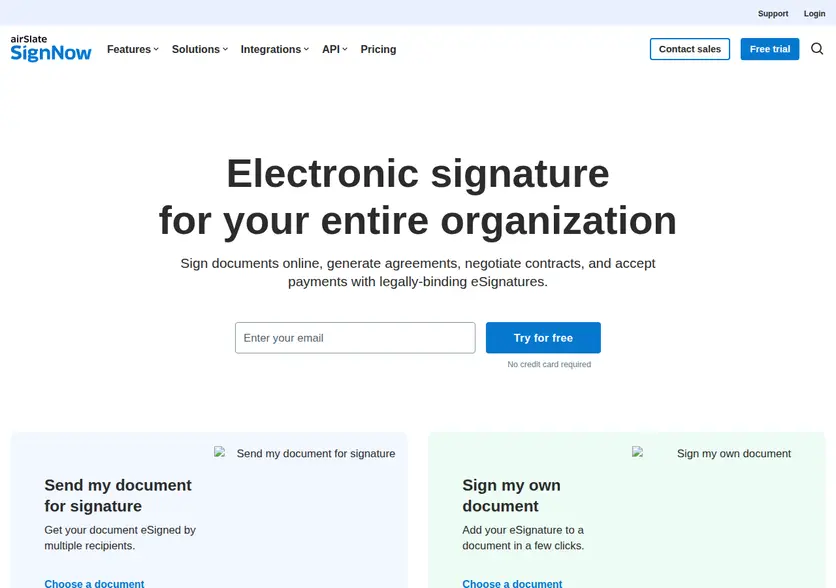
signNow is the lowest flat-priced signing tool in this list, covering unlimited users, templates and signing links on a single account. This signNow Business plan costs eight dollars a month and includes unlimited users with one hundred invites a year. A practice that sends consent forms to patients every day gets unlimited signing without paying per seat.
What we like
- Cheapest flat price in this comparison
- Unlimited users on a single account
- Signing links and templates included on Business
Watch out for
- Business caps at one hundred invites a year
- No document drafting or practice management features
How to try it
- Open the signNow site and start the free trial
- Upload your consent form template and place the fields
- Send it for signature or share a signing link
4. Dropbox Sign
Best for: Practices that already use Dropbox and want simple signing
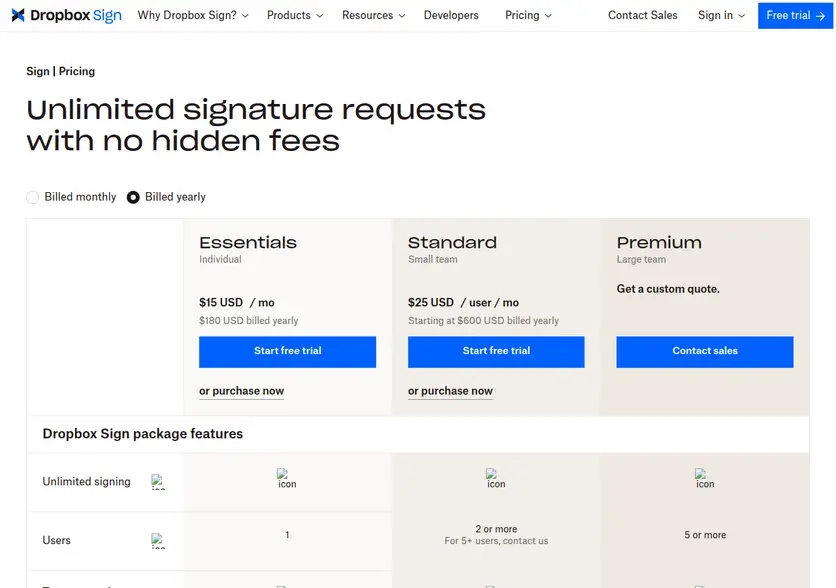
Paid tool Starting price: $15/month · Fifteen dollars a month billed annually for the Essentials plan, or twenty dollars a month billed monthly; Standard costs twenty-five dollars per user a month billed annually with a two-user minimum
Free plan: Free plan with 3 signature requests a month
Dropbox Sign is the signing tool for teams that already store files in Dropbox, with templates, reminders and a free plan for occasional signing. This Dropbox Sign Essentials plan costs fifteen dollars a month and covers one user with five templates. A practice that keeps forms in Dropbox gets them signed without moving files to another system.
What we like
- Free plan covers three signature requests a month
- Works with the Dropbox files the practice already has
- Templates and reminders included on Essentials
Watch out for
- Essentials covers one user only, so the front desk needs Standard
- No practice management features of its own
How to try it
- Open the Dropbox Sign site and create a free account
- Upload your form from Dropbox and place the fields
- Send it for signature and track it to completion
5. Adobe Acrobat Sign
Best for: Practices that sign PDFs and want Acrobat in the same login
Paid tool Starting price: $14.99/month · Fourteen dollars and ninety-nine cents a month for the Acrobat Standard individual plan on annual billing; Acrobat Standard for teams costs sixteen dollars and ninety-nine cents per user a month
Free plan: No free plan; 7-day free trial
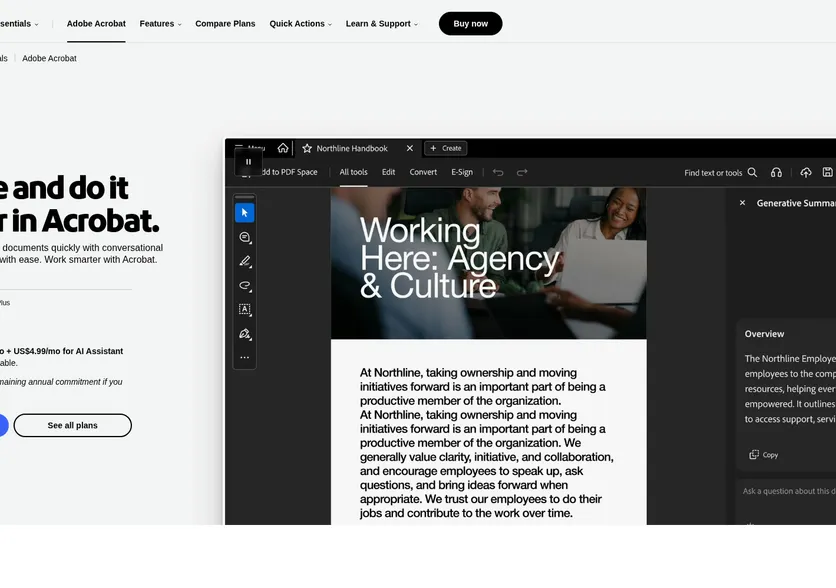
Adobe Acrobat Sign is the e-signature tool built into Acrobat, so a practice that already works in PDFs can sign them without leaving the app. This Adobe Acrobat Sign Standard plan costs fourteen dollars and ninety-nine cents a month for one user on annual billing. A practice that creates consent forms as PDFs gets them sent, signed and stored in the same workflow.
What we like
- Built into Acrobat, where the PDFs already live
- Low per-user price for a single front desk seat
- Templates and reminders included on Standard
Watch out for
- Individual plan covers one user only
- No practice management features of its own
How to try it
- Open the Adobe Acrobat site and start the free trial
- Open your consent form PDF in Acrobat
- Place the signature fields and send it for signature
6. Concord
Best for: Practices that want full contract lifecycle management for vendor deals
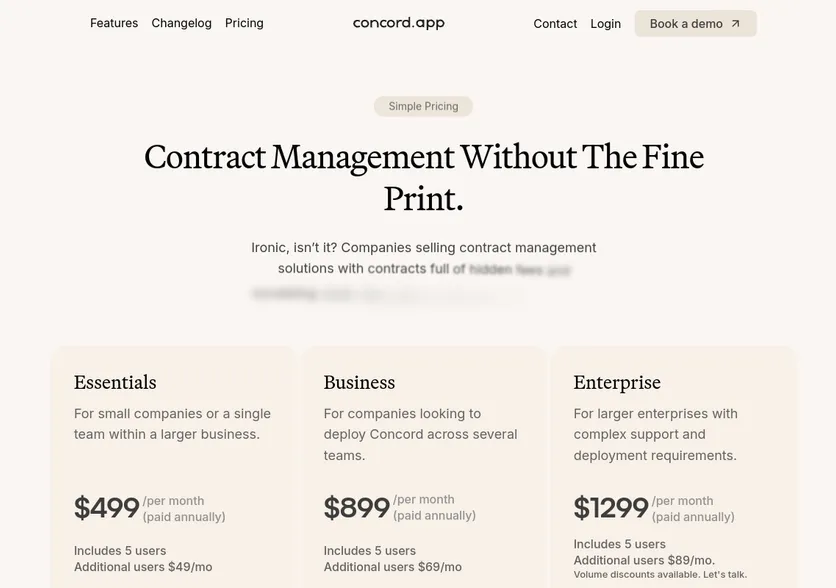
Paid tool Starting price: $499/month · Four hundred ninety-nine dollars a month billed annually for the Essentials plan with five users included, and extra users cost forty-nine dollars a month; Business costs eight hundred ninety-nine dollars a month and Enterprise costs one thousand two hundred ninety-nine dollars a month
Free plan: No free plan; 14-day free trial
Concord is the contract lifecycle platform that pairs AI Copilot extraction with drafting, redlining and signing, so a supplier agreement moves from first draft to signed file without leaving the system. This Concord Essentials plan costs four hundred ninety-nine dollars a month and includes five users, unlimited e-signatures and AI extraction. A practice that negotiates supplier and lab contracts gets one home for the whole deal.
What we like
- AI Copilot and extraction included from the entry plan
- Unlimited e-signatures and documents on every plan
- Published prices, so the budget is clear before the sales call
Watch out for
- Five users included, so larger practices pay per extra seat
- Overkill for a practice that only needs patient signatures
How to try it
- Open the Concord site and book a demo or start the trial
- Import your vendor contract templates
- Run AI extraction on a signed agreement and check the pulled fields
7. Zoho Sign
Best for: Practices that want a low per-user price inside the Zoho family
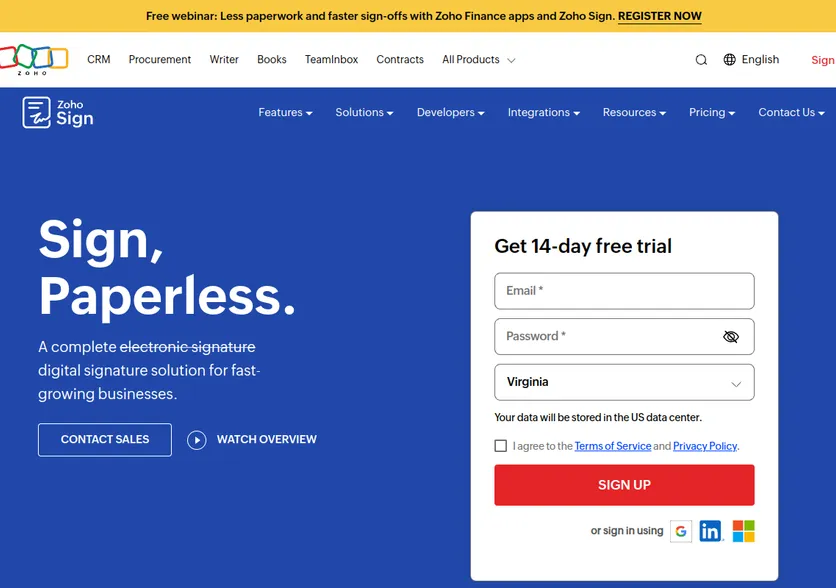
Paid tool Starting price: $10/user/month · Ten dollars per user a month billed annually for the Standard plan; Professional costs sixteen dollars per user a month and Enterprise costs twenty-two dollars per user a month
Free plan: Free plan for 1 user and 5 documents a month
Zoho Sign is the e-signature tool for practices that already run Zoho apps, with templates, reminders and a free plan for occasional signing. This Zoho Sign Standard plan costs ten dollars per user a month and allows twenty-five envelopes per user each month. A practice office that signs staff contracts and vendor agreements gets them done at one of the lowest per-user prices in this list.
What we like
- Free plan for one user and five documents a month
- Low per-user price with templates and reminders
- Fits practices already using Zoho apps
Watch out for
- Standard caps at twenty-five envelopes per user a month
- No practice management features of its own
How to try it
- Open the Zoho Sign site and create a free account
- Upload your agreement and place the signature fields
- Send it for signature and track it to completion
8. Signeasy
Best for: Practices that want simple signing at a low per-seat price
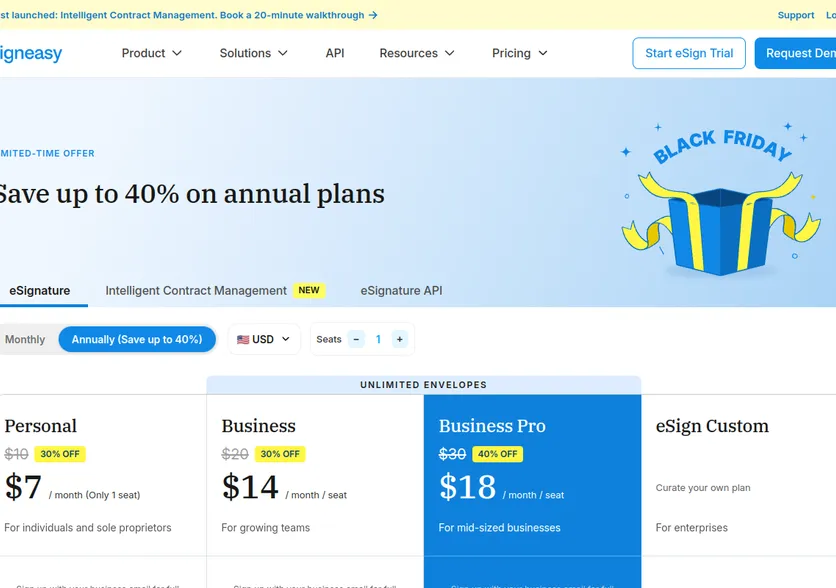
Paid tool Starting price: $10/month · Ten dollars per seat a month billed annually for the Personal plan, or fifteen dollars a month billed monthly; Business costs twenty dollars per seat a month and Business Pro costs thirty dollars
Free plan: No free plan; 14-day free trial
Signeasy is the e-signature tool built for small teams, with templates, in-person signing and a simple interface the front desk learns in minutes. This Signeasy Personal plan costs ten dollars per seat a month and allows five sends a month. A practice that sends a handful of agreements each week gets simple signing without a complex setup.
What we like
- Simple interface the front desk learns fast
- In-person signing works well on a tablet
- Low per-seat price for small practices
Watch out for
- Personal caps at five sends a month
- No practice management features of its own
How to try it
- Open the Signeasy site and start the 14-day trial
- Upload your consent form and place the fields
- Send it for signature or collect it in person on a tablet
Prices above were checked on each vendor’s own website on Nov 27, 2026 and can change — the vendor’s page is the final word. Vendor links are editorial: nobody paid to be listed or ranked here. Vendors who want a featured listing can see how it works on our Get listed page.
What contract software costs a dental practice in 2026
The cheapest tool is the one the front desk actually uses, and an eight-dollar flat plan beats a thirty-dollar per-user plan once three staff need signing. Count every seat, including hygienists who only send forms occasionally, because per-user pricing adds up fast. A flat plan suits practices with big front desks, while per-user plans suit small offices.
Run a trial on two tools with the same real form. Send a consent form to a tablet in the waiting room, check the reminder flow for unsigned treatment plans, and find the signed copy a week later. Pick the tool whose signing flow patients complete without help, because a tool that needs office support for every signature saves nothing.
Before you buy
- Check the signing flow works on a tablet in the waiting room, because patients sign most forms on the spot.
- Confirm the tool handles consent and HIPAA forms, because a dental practice needs more than a generic contract.
- Test the reminder flow, because unsigned treatment plans cost the practice real revenue.
- Ask whether the price covers your whole front desk, because per-user plans add up fast across a practice.
- Make sure signed forms export cleanly, because switching tools later should not cost you your records.
Official websites
Official websites of the products reviewed above. Features and prices were checked against these sites when this guide was written, and they can change, so confirm on the vendor site before you buy.
Frequently asked questions
Which contract management software is best for dental practices in 2026?
signNow is the best overall pick at eight dollars a month flat, because it covers unlimited users and signing links for the whole front desk. PandaDoc is the best pick for treatment plans at nineteen dollars per user a month with pricing tables built in. Adobe Acrobat Sign is the best pick for PDF-heavy practices at fourteen dollars and ninety-nine cents a month.
How much does contract management software cost for a dental practice?
Prices in this list run from eight dollars a month flat for signNow to four hundred ninety-nine dollars a month for Concord, with most signing tools landing between ten and thirty dollars a month. A practice that only needs patient signatures pays under thirty dollars a month. Add the cost of every seat before you compare totals.
Do dental practices need contract software, or are paper forms enough?
Yes, because dental practices collect consent forms, treatment plans and financial agreements every day, and paper forms get lost in the office. A signing tool sends the form, reminds the patient and stores the signed copy automatically. The cost of one unsigned treatment plan usually pays for a year of software.
How should a dental practice test a contract tool before buying?
Check that the signing flow works on a tablet in the waiting room, because patients sign most forms on the spot. Test the reminder flow for unsigned treatment plans, and confirm the data exports cleanly. A tool that only works at a desk will slow the front desk down.
Which dental tools publish prices and which are quote-only?
Yes, most of these tools publish prices, while many dental practice platforms sell by quote or by custom plan. Published prices let a practice budget without a sales process. Start with the published-price shortlist unless the practice needs enterprise controls or a custom setup.
Need everyday business help too? Try Toolsvine's free business tools right in your browser.
Browse Business Tools tools