On this page
A small business signs contracts, quotes and onboarding forms every week, and chasing paper signatures slows every deal down. The eight tools below run from about eight dollars a month to about thirty dollars per user a month, and every price was checked on the vendor site on November 26, 2026. All of them cover legal electronic signatures and templates, while the cheaper plans cap how many documents you can send. DocuSign is our first pick — the signature brand every client already trusts.
How we researched this
We started with the eSignature tools that small businesses actually buy and that publish a price on their own site, then read each price on the vendor pricing page on November 26, 2026. We kept only tools with a published list price, which ruled out the quote-only enterprise platforms, and we judged them for a small team that needs templates, reminders and an audit trail at a low monthly cost. We also noted the free plan or trial each tool offers, so you can test the signing flow before you pay.
Compare the tools
| Name | Best for | Starting price | Free plan | |
|---|---|---|---|---|
 DocuSign | Small businesses that want the signature brand every client already trusts | $25/user/month | No free plan; 30-day free trial | Visit |
 PandaDoc | Small businesses that send proposals and quotes, not just signature requests | $19/user/month | Free eSign plan for 5 documents/month | Visit |
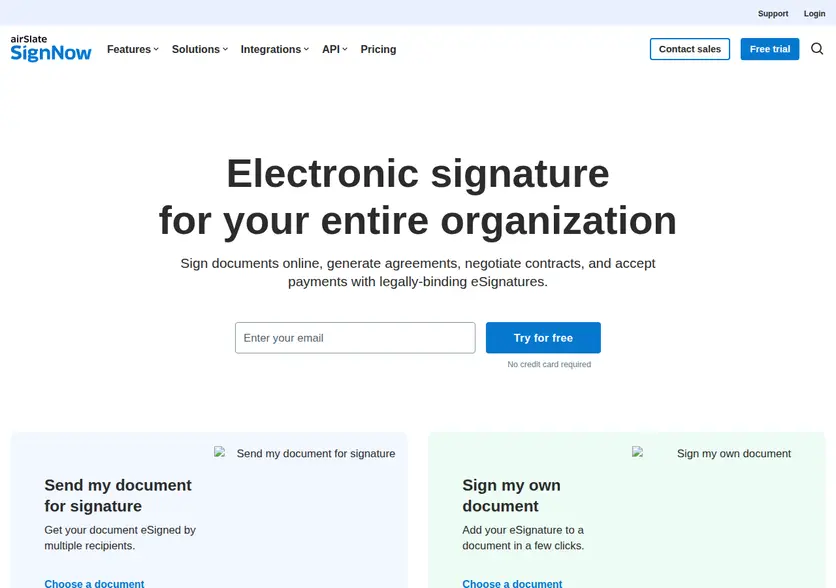
 SignNow | Small businesses that want the cheapest published plan with unlimited users | $8/month | No free plan; 7-day free trial | Visit |
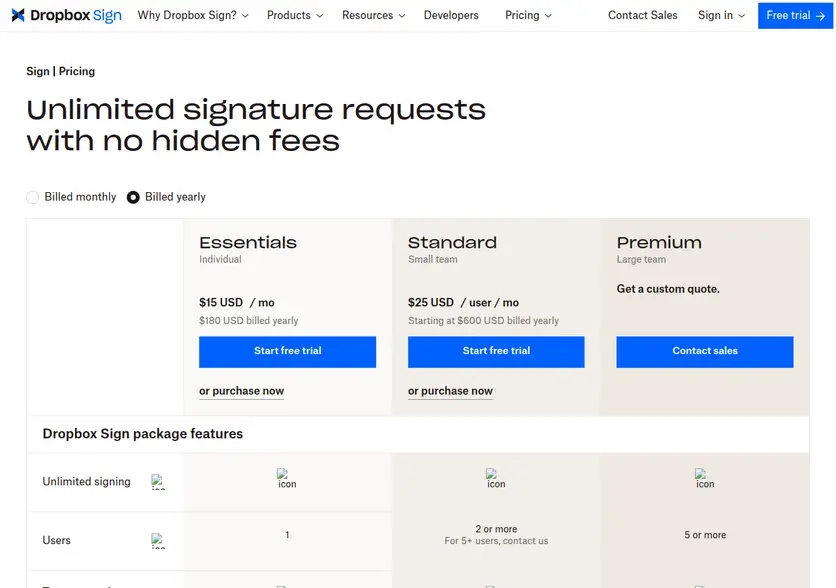
 Dropbox Sign | Small businesses on Dropbox that want signatures where their files already live | $15/month | Free plan for 3 requests/month | Visit |
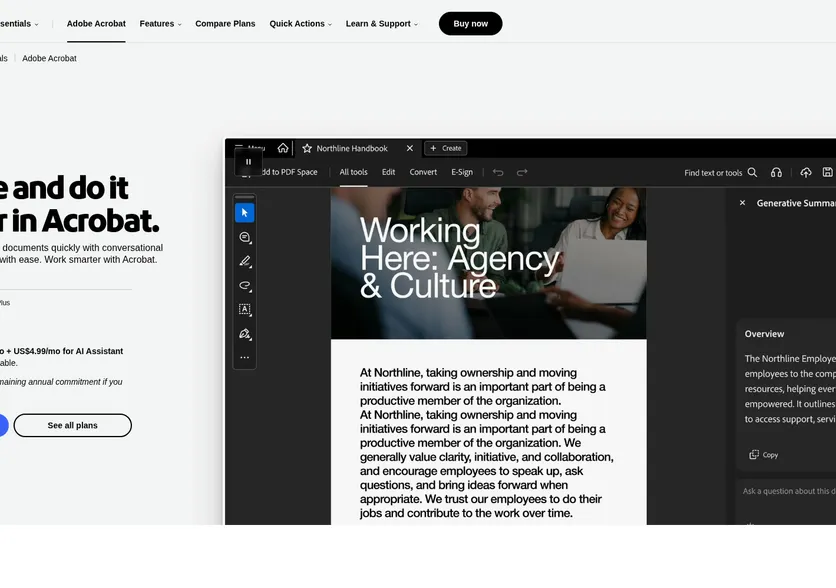
 Adobe Acrobat Sign | Small businesses already on Acrobat that want signatures inside PDF workflows | $16.99/user/month | No free plan; 30-day free trial | Visit |
 Foxit eSign | Small businesses that want a cheap plan with a generous envelope allowance | $8/user/month | No free plan; free trial available | Visit |
 Zoho Sign | Small businesses on Zoho that want signatures with bulk send at a low price | $10/user/month | Free plan for 5 envelopes/month and 1 user | Visit |
 Signeasy | Small businesses that sign on the go from a phone or tablet | $20/user/month | Free plan for 3 documents | Visit |
The eSignature software for small businesses, compared
1. DocuSign
Best for: Small businesses that want the signature brand every client already trusts
Paid tool Starting price: $25/user/month · Standard plan, $25 a user a month billed annually upfront ($300 a year); $30 a month on an annual commitment billed monthly; $45 month to month. Personal $10 a month billed annually upfront ($11 billed monthly); Business Pro $40 a month billed annually upfront ($45 billed monthly); Enterprise is quoted. Standard includes 100 envelopes per user a year.
Free plan: No free plan; 30-day free trial
DocuSign is the most widely recognised eSignature brand, so a client who gets your agreement knows the link is safe and the signature is legal. This DocuSign Standard plan costs twenty-five dollars per user a month billed annually upfront and adds templates, reminders and a full audit trail. A small business that sends contracts every week gets a tool its clients already trust.

What we like
- The most widely recognised eSignature brand
- Templates and reminders on the Standard plan
- Audit trail that holds up in court
Watch out for
- Only one hundred envelopes per user a year are included
- The dearest plan in this list per user
How to try it
- Start the thirty-day trial from the DocuSign site
- Build a template from your most common contract
- Send one real agreement and check the audit trail
2. PandaDoc
Best for: Small businesses that send proposals and quotes, not just signature requests
Paid tool Starting price: $19/user/month · Starter plan, nineteen dollars per user a month billed annually; Business is forty-nine dollars and adds bulk send and CRM integrations
Free plan: Free eSign plan for 5 documents/month
PandaDoc covers proposals, quotes and contracts in one place, so a small business can send a branded document and collect a signature without a second tool. This PandaDoc Starter plan costs nineteen dollars per user a month and adds templates, content library and payment collection. A firm that wins work with proposals will like that the document and the signature live together.

What we like
- Proposals and signatures in one workflow
- Templates and payment collection on Starter
- Free eSign plan for light use
Watch out for
- Bulk send needs the dearer Business plan
- Per-user pricing climbs as the team grows
How to try it
- Claim the free eSign plan and send five documents
- Build one proposal template with your brand
- Add payment collection to your next quote
3. SignNow
Best for: Small businesses that want the cheapest published plan with unlimited users
Paid tool Starting price: $8/month · Business plan, eight dollars a month with unlimited users; Business Premium is fifteen dollars and Enterprise is thirty dollars a month
Free plan: No free plan; 7-day free trial
SignNow is the cheapest published plan in this list, and every plan includes unlimited users, so the whole team can sign for eight dollars a month. This SignNow Business plan costs eight dollars a month and adds templates, reminders and team management. A small business that hates per-seat billing will like that the price stays flat as the team grows.
What we like
- Lowest published price in this list
- Unlimited users on every plan
- Flat monthly price with no per-seat billing
Watch out for
- Only one hundred signature invites a year are included
- The seven-day trial is short
How to try it
- Start the seven-day trial from the SignNow site
- Build a template from your most common contract
- Invite your whole team and check the user cap
4. Dropbox Sign
Best for: Small businesses on Dropbox that want signatures where their files already live
Paid tool Starting price: $15/month · Essentials plan, fifteen dollars a month for one user; Standard is twenty-five dollars per user a month and adds more templates
Free plan: Free plan for 3 requests/month
Dropbox Sign, formerly HelloSign, puts electronic signatures where Dropbox files already live, with templates and an API for simple document workflows. This Dropbox Sign Essentials plan costs fifteen dollars a month for one user and adds five templates. A team already on Dropbox gets signatures without moving a single file.
What we like
- Signatures where Dropbox files already live
- Simple pricing with no per-seat billing on Essentials
- Free plan for light use
Watch out for
- Only one user on the Essentials plan
- Only five templates included
How to try it
- Claim the free plan and send three requests
- Build a template from a document you already sign
- Upgrade to Standard when you need more templates
5. Adobe Acrobat Sign
Best for: Small businesses already on Acrobat that want signatures inside PDF workflows
Paid tool Starting price: $16.99/user/month · Standard plan for teams, sixteen dollars and ninety-nine cents per user a month on a twelve-month commitment; individual Standard is fourteen dollars and ninety-nine cents
Free plan: No free plan; 30-day free trial
Acrobat Sign puts electronic signatures inside the Acrobat PDF workflow, so a small business that already lives in PDF can sign and send without a second tool. This Adobe Acrobat Sign Standard plan for teams costs sixteen dollars and ninety-nine cents per user a month and covers one hundred fifty signature transactions a year. A small business on Acrobat gets signatures where the documents already are.
What we like
- Signatures built into the Acrobat workflow
- Thirty-day trial with no card required
- One hundred fifty transactions a year on Standard
Watch out for
- Bulk send needs the dearer Pro plan
- Per-user price climbs as the team grows
How to try it
- Start the thirty-day trial from the Adobe site
- Send a signature request from inside Acrobat
- Check the transaction cap against your real volume
6. Foxit eSign
Best for: Small businesses that want a cheap plan with a generous envelope allowance
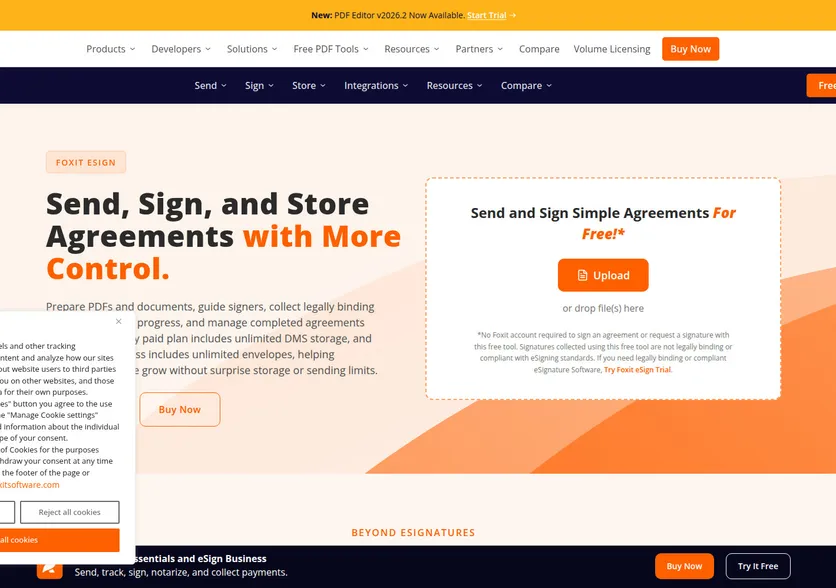
Paid tool Starting price: $8/user/month · Essentials plan, eight dollars per user a month billed annually; Business is twelve dollars per user a month with unlimited envelopes
Free plan: No free plan; free trial available
Foxit eSign is one of the cheapest published plans in this list, with two hundred fifty envelopes a year per user on the Essentials plan and a familiar PDF workflow behind it. This Foxit eSign Essentials plan costs eight dollars per user a month and covers the signing core a small business needs. A firm that sends a steady stream of documents will save real money against the bigger brands.
What we like
- One of the cheapest plans in this list
- Two hundred fifty envelopes a year per user
- Familiar PDF workflow behind it
Watch out for
- Team features need the Business plan
- Prices last verified in May 2026
How to try it
- Open the Foxit site and start a trial
- Send a batch of documents and check the envelope count
- Upgrade to Business when you need unlimited envelopes
7. Zoho Sign
Best for: Small businesses on Zoho that want signatures with bulk send at a low price
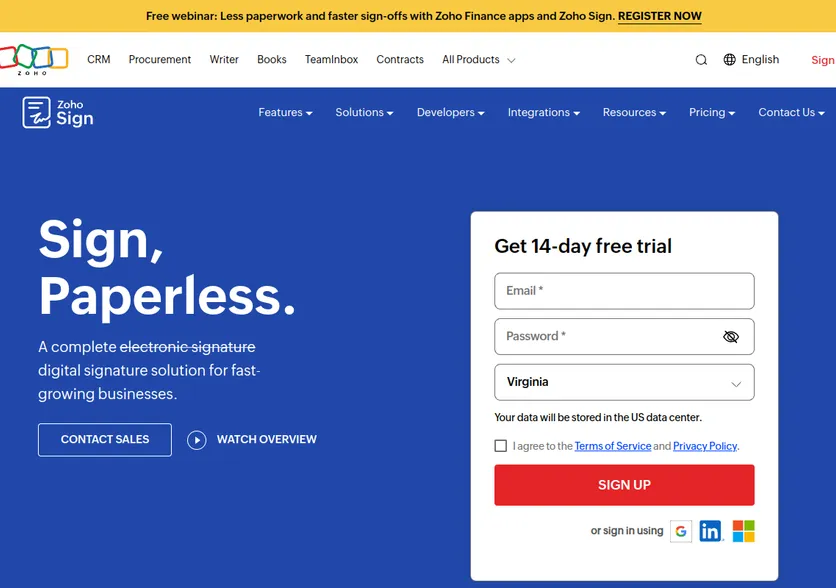
Paid tool Starting price: $10/user/month · Standard plan, ten dollars per user a month billed annually; Professional is sixteen dollars and Enterprise is twenty-two dollars per user a month
Free plan: Free plan for 5 envelopes/month and 1 user
Zoho Sign is the eSignature arm of the Zoho suite, with templates, reminders and an audit trail from ten dollars per user a month. This Zoho Sign Standard plan costs ten dollars per user a month and covers twenty-five envelopes per user a month. A small business already on Zoho gets signatures that plug straight into its CRM and document tools.
What we like
- Low price with a real envelope allowance
- Free plan for light use
- Fits naturally with the Zoho suite
Watch out for
- Bulk send needs the dearer Enterprise plan
- Best value sits inside the Zoho suite
How to try it
- Claim the free plan and send five envelopes
- Build a template from a document you send often
- Test the CRM sync on a real deal
8. Signeasy
Best for: Small businesses that sign on the go from a phone or tablet
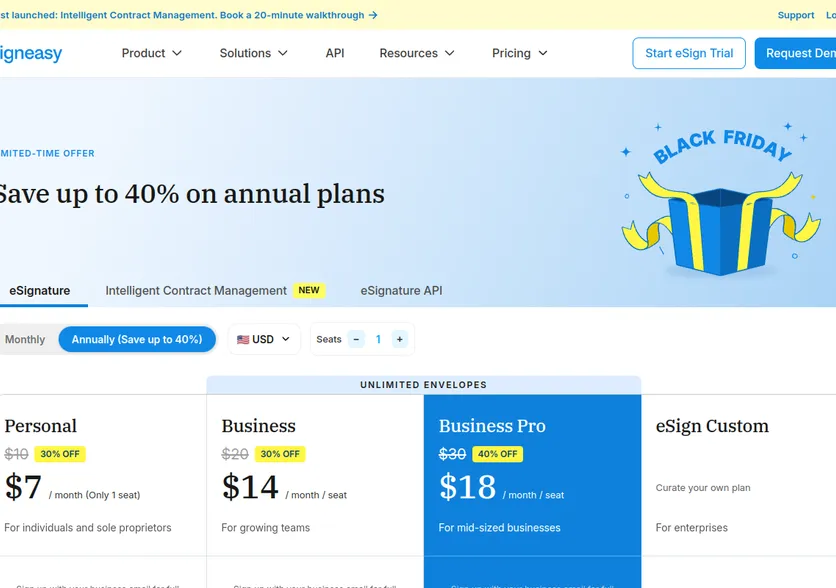
Paid tool Starting price: $20/user/month · Business plan, twenty dollars per user a month billed annually; Personal is ten dollars and Business Pro is thirty dollars per user a month
Free plan: Free plan for 3 documents
Signeasy is a mobile-first eSignature tool, so a small business owner can sign, send and track documents from a phone without opening a laptop. This Signeasy Business plan costs twenty dollars per user a month and adds templates, bulk send and team management. A firm that works in the field will like that the whole signing flow fits in a pocket.
What we like
- Mobile-first signing that works from a phone
- Bulk send on the Business plan
- Free plan for light use
Watch out for
- The vendor page currently shows promo prices, not list prices
- Per-user pricing climbs as the team grows
How to try it
- Claim the free plan and sign three documents
- Build a template from a document you send often
- Test bulk send on your next batch
Prices above were checked on each vendor’s own website on Nov 26, 2026 and can change — the vendor’s page is the final word. Vendor links are editorial: nobody paid to be listed or ranked here. Vendors who want a featured listing can see how it works on our Get listed page.
What small business eSignature software costs in 2026
Small business eSignature software in this list runs from about eight dollars a month to about thirty dollars per user a month, and the envelope allowance matters as much as the price. DocuSign caps Standard at one hundred envelopes per user a year, SignNow includes one hundred invites a year for the whole account, while Foxit eSign gives two hundred fifty envelopes a year per user on Essentials. Count how many documents your team actually signs before you compare, because a cheap plan with a low cap costs more once you pay for extra envelopes.
Start with a free plan or trial on two tools and run one real agreement through each, from template to signed audit trail. Compare how templates handle your most common contract, whether reminders chase slow signers for you, and whether the mobile app works when you are out of the office. Pick the tool your team and your clients both find easy, because a signature flow nobody uses is worse than paper.
Before you buy
- Count your monthly documents first, because free plans cap at three to five documents a month.
- Check the envelope allowance, because DocuSign caps most plans at one hundred per user a year.
- Confirm templates are included, because rebuilding every contract by hand wastes hours each week.
- Test the mobile app, because a small business owner often signs away from a desk.
- Compare annual and monthly billing, because most tools here cut the monthly rate on annual plans.
Official websites
Official websites of the products reviewed above. Features and prices were checked against these sites when this guide was written, and they can change, so confirm on the vendor site before you buy.
Frequently asked questions
Which eSignature software is best for small businesses in 2026?
DocuSign is the best-known choice at twenty-five dollars per user a month on Standard, with templates, reminders and an audit trail every client trusts. SignNow is the cheapest published plan at eight dollars a month with unlimited users, while PandaDoc suits a firm that sends proposals and contracts from nineteen dollars per user a month. The right pick depends on how many documents you send each month.
How much does eSignature software cost for a small business?
Published prices in this list run from about eight dollars a month for SignNow Business to about twenty-five dollars per user a month for DocuSign Standard, with Zoho Sign at ten dollars per user a month and Signeasy at twenty dollars per user a month. SignNow and Dropbox Sign Essentials charge a flat monthly price, while the rest charge per seat.
Are electronic signatures legally binding?
Yes, electronic signatures are legally binding in the United States under the ESIGN Act and in most other countries under similar laws. The audit trail matters most, since it records who signed, when, and from where, and a court will ask for it if a signature is challenged. Every tool in this list keeps that trail, so the risk sits in how you use it, not the tool itself.
Is there a free eSignature tool for small businesses?
PandaDoc has a free eSign plan for five documents a month, Dropbox Sign offers three free requests a month, Zoho Sign covers five envelopes a month for one user, and Signeasy lets you sign three documents free. SignNow and DocuSign offer free trials of seven to thirty days instead of a permanent free plan. A free plan is enough if you sign only a few documents a month.
What should I look for in eSignature software for a small business?
Look for templates, reminders and an audit trail at a low monthly cost, plus an envelope allowance that covers your real volume. Check the per-user cost if you plan to add staff, and confirm whether bulk send sits in the plan you buy or in a dearer tier. The best tool is the one your team and your clients both find easy to use.
Need everyday business help too? Try Toolsvine's free business tools right in your browser.
Browse Document & File Converters tools