On this page
In-house counsel live inside contracts, and the wrong system turns every renewal into a scavenger hunt through shared drives and email threads. The eight tools below cover the full range, from flat-priced repositories that simply find every signed agreement to AI reviewers that redline third-party paper inside Word. Every price was checked on the vendor site on November 27, 2026, and the list runs from nineteen dollars a user a month to four hundred ninety-nine dollars a month. ContractWorks is our first pick — the repository that gives a legal team one searchable home for every agreement.
How we researched this
We started with the contract tools in-house teams actually buy, then read each price on the vendor pricing page on November 27, 2026 and noted the trial each plan carries. We judged them for a legal team that reviews third-party paper, chases renewals and must find any signed agreement in seconds. We dropped Ironclad, Juro, Agiloft and LinkSquares because none publishes a price a team can budget against without a sales call.
Compare the tools
| Name | Best for | Starting price | Free plan | |
|---|---|---|---|---|
 ContractWorks | In-house teams that want one searchable repository for every signed agreement | $425/month | No free plan; 14-day free trial | Visit |
 Gavel Exec | In-house counsel who redline third-party contracts inside Microsoft Word | $160/user/month | 25 free queries per user; no free plan | Visit |
 PandaDoc | In-house teams that send their own paper and want fast e-signatures | $19/user/month | Free plan | Visit |
 Concord | Small legal teams that draft, negotiate and sign in one shared workspace | $499/month | No free plan; demo available | Visit |
 ContractSafe | Legal teams where many people need to look up contracts but few create them | $450/month | No free plan; free trial available | Visit |
 Docusign IAM | In-house teams that want AI agreement management with the DocuSign name | $45/user/month | No free plan; free trial available | Visit |
 Zoho Contracts | Budget-conscious legal teams already using Zoho apps | $25/user/month | Free plan for 3 users and 10 contracts | Visit |
 DocuSign | In-house teams that only need trusted e-signatures, not a full CLM | $25/user/month | 30-day free trial | Visit |
The contract management software for in-house counsel, compared
1. ContractWorks
Best for: In-house teams that want one searchable repository for every signed agreement
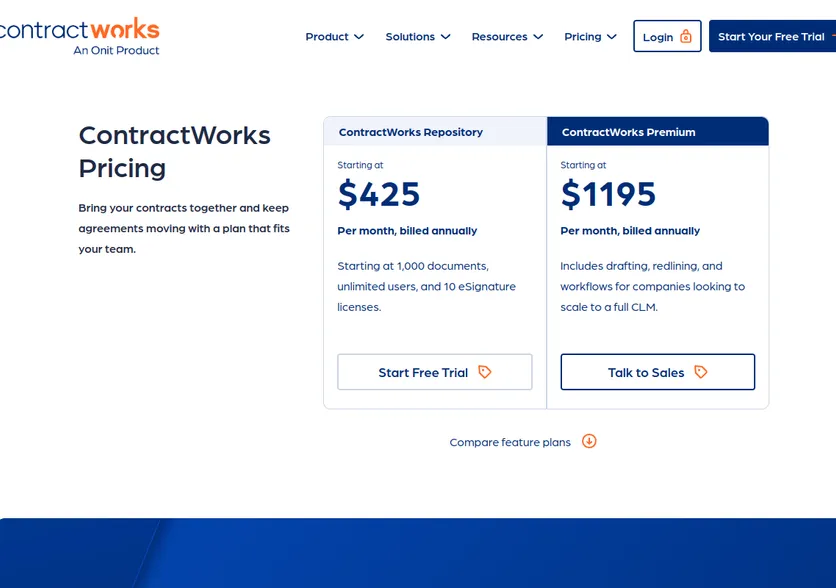
Paid tool Starting price: $425/month · Four hundred twenty-five dollars a month for the Repository plan billed annually, covering up to one thousand documents and unlimited users; Premium starts at one thousand one hundred ninety-five dollars a month
Free plan: No free plan; 14-day free trial
ContractWorks is the repository-first choice for a legal team that mainly needs to find signed agreements fast, with AI tagging that fills in dates and terms automatically. This ContractWorks Repository plan costs four hundred twenty-five dollars a month and covers up to one thousand documents for unlimited users. A counsel team that inherits a messy shared drive gets a searchable home for every contract, plus milestone alerts before renewals slip by.
What we like
- Unlimited users on a flat monthly price
- AI tagging fills in dates and key terms
- Milestone alerts catch renewals before they lapse
Watch out for
- Drafting and redlining need the Premium plan at one thousand one hundred ninety-five dollars a month
- Document count caps at one thousand on the entry plan
How to try it
- Open the ContractWorks site and start the 14-day trial
- Upload a batch of signed agreements and let the AI tagging run
- Set milestone alerts for your nearest renewal dates
2. Gavel Exec
Best for: In-house counsel who redline third-party contracts inside Microsoft Word
Paid tool Starting price: $160/user/month · One hundred sixty dollars per user a month, or one thousand seven hundred forty dollars per user a year; teams of ten or more seats get discounted team pricing
Free plan: 25 free queries per user; no free plan
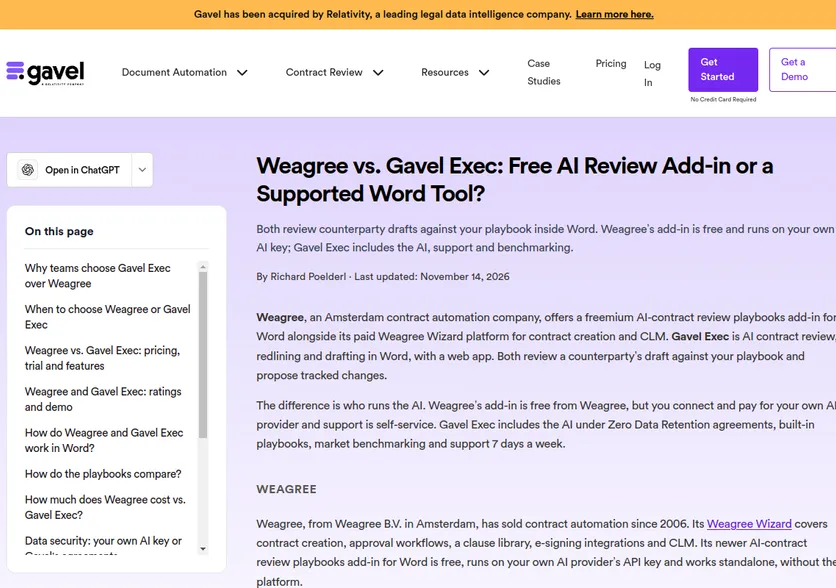
Gavel Exec is the AI reviewer built for counsel who mark up other parties' paper, running playbook checks and redlines directly inside Word. This Gavel Exec seat costs one hundred sixty dollars per user a month and includes one thousand completions a month after twenty-five free queries. A lawyer who spends the week negotiating vendor terms gets pass-or-fail answers for every playbook rule, with the reason and a proposed fix attached.
What we like
- Playbook review with pass-or-fail reasons
- Redlines land as tracked changes in Word
- No long-term contract on the monthly plan
Watch out for
- No document management system integration yet
- Per-seat pricing adds up fast for a large team
How to try it
- Open Gavel Exec and use the twenty-five free queries
- Build a playbook from your standard positions
- Run a third-party draft through it and accept the tracked changes
3. PandaDoc
Best for: In-house teams that send their own paper and want fast e-signatures
Paid tool Starting price: $19/user/month · Nineteen dollars per user a month for the Starter plan billed annually, or thirty-five dollars per user a month billed monthly; Business costs forty-nine dollars per user a month and Starter covers at most two seats
Free plan: Free plan
For a legal team that mostly sends its own contracts, PandaDoc pairs a document editor with unlimited e-signatures at the lowest starting price here. This PandaDoc Starter plan costs nineteen dollars per user a month billed annually and covers unlimited documents and e-signatures. A counsel team that issues standard agreements all week gets templates, tracking and signing in one subscription.

What we like
- Cheapest paid entry in this comparison
- Free plan covers five documents a month
- Document tracking shows when a counterparty opens the file
Watch out for
- Starter covers at most two seats, so bigger teams pay Business prices
- CRM integrations only arrive on the Business plan
How to try it
- Open the PandaDoc site and start with the free plan
- Turn your standard agreement into a reusable template
- Send a test document and watch the signing status
4. Concord
Best for: Small legal teams that draft, negotiate and sign in one shared workspace
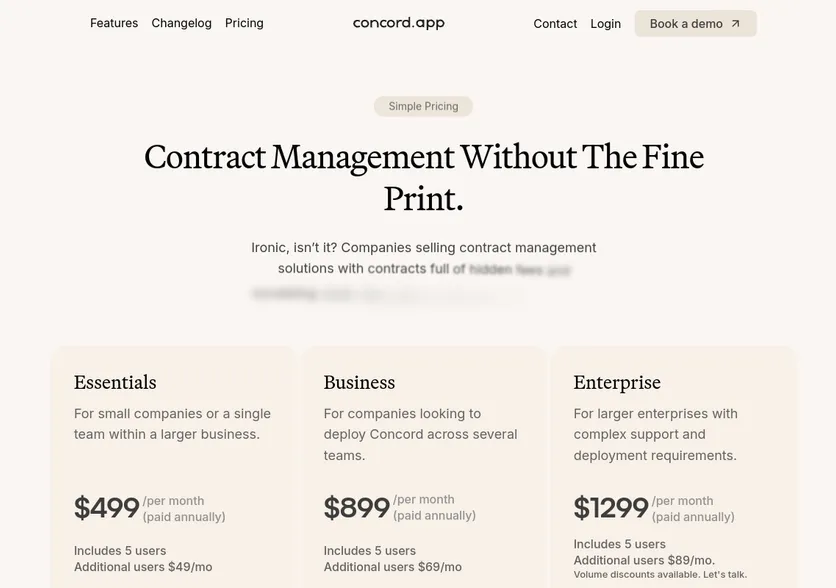
Paid tool Starting price: $499/month · Four hundred ninety-nine dollars a month for the Essentials plan billed annually, covering five users with unlimited agreements and e-signatures; extra users cost forty-nine to eighty-nine dollars a month and Business costs eight hundred ninety-nine dollars a month
Free plan: No free plan; demo available
Concord gives a small legal team one workspace where drafting, redlining, approval and signing happen without passing files between tools. This Concord Essentials plan costs four hundred ninety-nine dollars a month billed annually and covers five users with unlimited agreements and e-signatures. A team that negotiates its own paper end to end gets version control and deadline reminders built in.
What we like
- Drafting, negotiation and signing in one place
- Unlimited e-signatures on every plan
- AI review flags risky clauses before signing
Watch out for
- Five users included, so larger teams pay forty-nine to eighty-nine dollars per extra user
- Approval workflows start on the eight hundred ninety-nine dollar Business plan
How to try it
- Open the Concord site and book a demo
- Invite your five users and import your templates
- Send a first agreement and track its approval
5. ContractSafe
Best for: Legal teams where many people need to look up contracts but few create them
Paid tool Starting price: $450/month · Four hundred fifty dollars a month for the Organize plan billed annually with unlimited users; month-to-month billing costs five hundred forty dollars a month
Free plan: No free plan; free trial available
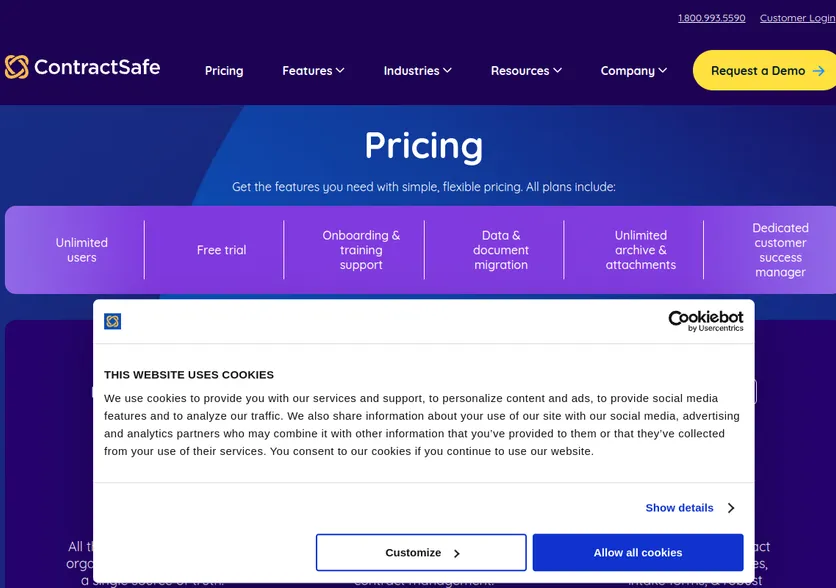
ContractSafe suits a legal department that serves the whole company, because its flat price covers unlimited users and charges by contract volume instead. This ContractSafe Organize plan costs four hundred fifty dollars a month billed annually and includes OCR search, AI data extraction and renewal alerts. A counsel team that fields constant questions about where an agreement lives gives every department read access without paying per seat.
What we like
- Unlimited users on every plan
- OCR search finds terms inside scanned contracts
- Migration and onboarding are included
Watch out for
- No drafting tools on the entry plan
- Month-to-month billing costs five hundred forty dollars a month
How to try it
- Open the ContractSafe site and start the free trial
- Upload your signed agreements and let OCR index them
- Turn on renewal alerts for your key contracts
6. Docusign IAM
Best for: In-house teams that want AI agreement management with the DocuSign name
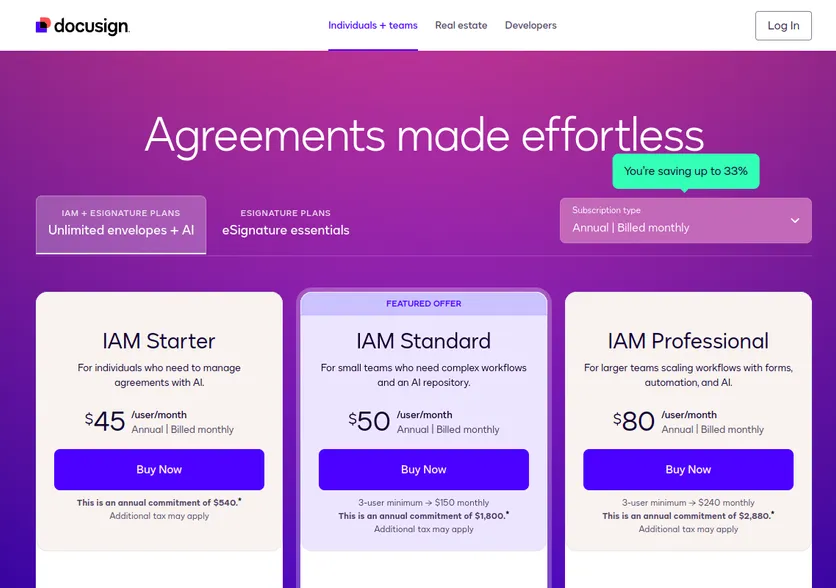
Paid tool Starting price: $45/user/month · Forty-five dollars per user a month for IAM Starter on annual billing billed monthly, or forty dollars per user a month paid upfront; Standard costs fifty dollars per user a month and Professional costs eighty dollars
Free plan: No free plan; free trial available
Docusign IAM is the agreement platform for a legal team that already trusts DocuSign and wants AI search, workflows and a repository behind the signature. This Docusign IAM Starter plan costs forty-five dollars per user a month on annual billing billed monthly and adds an AI repository to unlimited sending. A counsel team that manages agreements from intake to renewal gets one system counterparties already recognize.
What we like
- Counterparties already trust the DocuSign name
- AI repository searches across all agreements
- Unlimited envelope sending through the web app
Watch out for
- Standard and Professional require at least three users
- The full AI workflow set needs the higher tiers
How to try it
- Open the Docusign IAM pricing page and start a trial
- Import your existing agreements into the AI repository
- Build one approval workflow for vendor contracts
7. Zoho Contracts
Best for: Budget-conscious legal teams already using Zoho apps
Paid tool Starting price: $25/user/month · Twenty-five dollars per full user a month on annual billing; cheaper Lite users cover approvers and collaborators, and a free plan covers three users and ten contracts
Free plan: Free plan for 3 users and 10 contracts
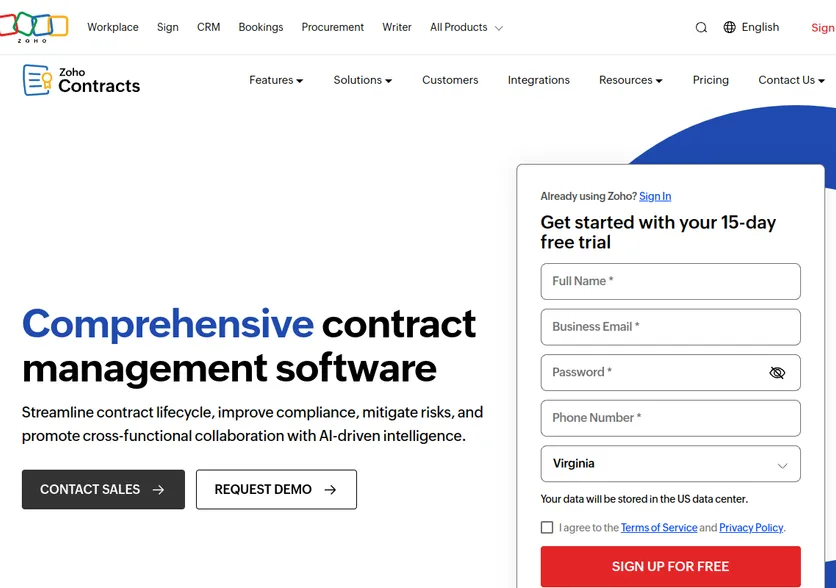
Zoho Contracts is the low-cost route into full contract lifecycle management, with drafting, approvals and e-signatures for the price of a lunch per user. This Zoho Contracts plan costs twenty-five dollars per full user a month on annual billing, and a free plan covers three users and ten contracts. A small legal team that wants the whole lifecycle without a four-figure monthly bill gets it here, especially if the company already runs Zoho.
What we like
- Full lifecycle tools at twenty-five dollars per user
- Free plan covers three users and ten contracts
- Cheaper Lite users cover approvers and collaborators
Watch out for
- Fewer AI review features than the premium CLM tools
- Best value only if the team already uses Zoho
How to try it
- Open the Zoho Contracts site and start the free plan
- Add your contract templates and approval chain
- Connect Zoho Sign and send a first agreement
8. DocuSign
Best for: In-house teams that only need trusted e-signatures, not a full CLM
Paid tool Starting price: $25/user/month · Standard plan, $25 a user a month billed annually upfront ($300 a year); $30 a month on an annual commitment billed monthly; $45 month to month. Personal $10 a month billed annually upfront ($11 billed monthly); Business Pro $40 a month billed annually upfront ($45 billed monthly); Enterprise is quoted. Standard includes 100 envelopes per user a year.
Free plan: 30-day free trial
When the job is simply getting agreements signed by people who trust the brand, DocuSign eSignature remains the default choice for legal teams. This DocuSign Standard plan costs twenty-five dollars per user a month billed annually upfront on annual billing billed monthly and includes one hundred envelopes per user a year. A counsel team that sends standard agreements to outside parties gets signatures back fast, with an audit trail nobody questions.

What we like
- The most recognized e-signature brand
- Templates and reminders cut chasing time
- Audit trail stands up in a dispute
Watch out for
- One hundred envelopes per user a year, then you pay more
- No contract repository or renewal alerts included
How to try it
- Open the DocuSign site and start the trial
- Upload a template and set your signing order
- Send a test envelope and check the audit trail
Prices above were checked on each vendor’s own website on Nov 27, 2026 and can change — the vendor’s page is the final word. Vendor links are editorial: nobody paid to be listed or ranked here. Vendors who want a featured listing can see how it works on our Get listed page.
What in-house contract software costs in 2026
An in-house team pays for contract software in two ways, the subscription and the renewals it fails to catch. A nineteen-dollar signing tool looks cheap until an auto-renewed vendor agreement costs more than a year of the dearest repository, so weigh renewal alerts and search against the sticker price. Flat-priced repositories cost the same whether five or fifty colleagues look up agreements, while per-seat tools multiply with every hire.
Start with a trial on two tools and run real agreements through each one. Check that search finds a clause inside a scanned contract, that renewal alerts arrive in time to act, and that the repository accepts the formats your company already uses. Pick the tool whose search your colleagues actually use, because a repository nobody opens is worse than a shared drive everyone knows.
Before you buy
- Match the tool to your real bottleneck, because a team drowning in renewals needs a repository, not a drafting suite.
- Check that search reads scanned contracts, because OCR is what turns a pile of PDFs into a usable archive.
- Confirm renewal alerts arrive early enough to act, because a reminder on the renewal date is already too late.
- Count the true cost per user, because per-seat pricing multiplies fast when the whole company needs read access.
- Test the tool on a real third-party contract, because a demo with your own clean template hides the hard cases.
Official websites
Official websites of the products reviewed above. Features and prices were checked against these sites when this guide was written, and they can change, so confirm on the vendor site before you buy.
Frequently asked questions
Which contract management software is best for in-house counsel in 2026?
ContractWorks is the best overall pick at four hundred twenty-five dollars a month, giving a legal team one searchable repository with AI tagging and renewal alerts for unlimited users. Gavel Exec is the best choice for reviewing third-party paper at one hundred sixty dollars per user a month, with playbook checks inside Word. PandaDoc is the best budget pick at nineteen dollars per user a month for teams that send their own agreements.
How much does contract management software cost for in-house counsel?
Prices here run from nineteen dollars per user a month for PandaDoc to four hundred ninety-nine dollars a month for Concord, with most full contract tools landing between four hundred twenty-five and four hundred fifty dollars a month. Per-seat tools look cheap until the team grows, while flat-priced repositories cost the same whether five or fifty people look up contracts. Add signing, storage and renewal alerts to the subscription before comparing totals.
Do in-house teams need AI contract review?
Yes, if the team reviews third-party paper every week, because AI review flags risky clauses and checks every rule in a playbook in minutes instead of hours. A team that mostly signs its own standard agreements gains less, since templates and e-signatures already cover the work. Start with the free queries or trial on one live agreement and compare the review against a lawyer's own markup before paying.
What is the difference between a repository and a full CLM?
A repository stores signed agreements, searches them and alerts you before renewals, which covers most in-house needs at a flat price. A full CLM adds drafting, redlining, approvals and workflows before signature, and costs more per month or per seat. Buy the repository first if missed renewals are the pain, and move to full CLM when drafting and negotiation take most of the week.
Is there a free contract management tool for in-house counsel?
PandaDoc offers a free plan for five documents a month, and Zoho Contracts has a free plan for three users and ten contracts, so a small legal team can start without paying. Free plans limit documents, users or templates, so check the caps before relying on them. Most teams move to a paid plan once the contract count grows and renewal alerts matter.
Need everyday business help too? Try Toolsvine's free business tools right in your browser.
Browse Business Tools tools