On this page
A signed contract buried in a shared drive is a renewal missed and a deadline blown. Legal teams need one searchable home where every agreement, date and obligation is easy to find. The eight tools below cover the range from simple repositories to full lifecycle platforms, with prices from ten dollars per user a month to four hundred ninety-nine dollars a month. Every price was checked on the vendor site on November 27, 2026. ContractSafe is our first pick — the straightforward repository with unlimited users and free migration.
How we researched this
We started with the contract tools legal teams actually buy, then read each price on the vendor pricing page on November 27, 2026 and noted the trial each plan carries. We judged them for a legal team that stores signed agreements, watches renewal dates and needs the whole team to find contracts fast. We dropped Juro and Ironclad because neither publishes a price, so a small team cannot budget for them without a sales call.
Compare the tools
| Name | Best for | Starting price | Free plan | |
|---|---|---|---|---|
 ContractWorks | Legal teams that need a searchable home for signed agreements | $425/month | No free plan; 14-day free trial | Visit |
 ContractSafe | Small legal teams that want fast setup and unlimited users | $450/month | No free plan; 14-day free trial | Visit |
 PandaDoc | Legal teams that draft, send and store agreements in one place | $19/user/month | Free eSign plan available | Visit |
 Zoho Contracts | Legal teams already running Zoho CRM or Zoho Books | $25/user/month | Free plan for 3 users and 10 contracts | Visit |
 Concord | Legal teams that negotiate and redline inside the platform | $499/month | No free plan; demo on request | Visit |
 DocuSign | Legal teams that sign most agreements through DocuSign already | $25/user/month | Free plan for sending a limited number of envelopes | Visit |
| Contractbook | Legal teams that automate repeat agreement types | $399/month | Free Essential plan for 1 user | Visit |
 Signeasy | Small legal teams that sign mostly from mobile | $10/user/month | Free plan for up to 3 documents; 14-day free trial | Visit |
The contract repository software for legal teams, compared
1. ContractWorks
Best for: Legal teams that need a searchable home for signed agreements
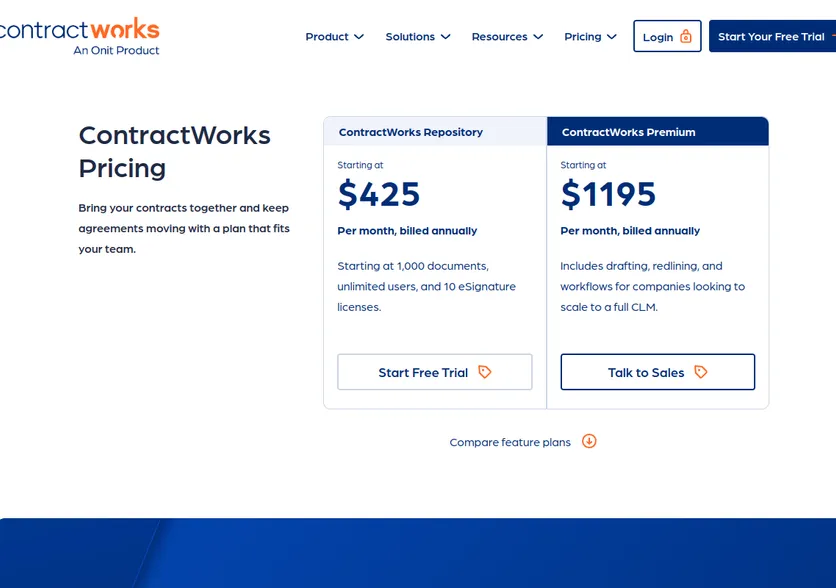
Paid tool Starting price: $425/month · Four hundred twenty-five dollars a month billed annually for the Repository plan, covering up to 1,000 documents with unlimited users and 10 e-signature licences; Premium starts at $1,195 a month. The old pricing page address now returns a 404, so the price is quoted from the vendor pricing page as read in November 2026.
Free plan: No free plan; 14-day free trial
ContractWorks is the repository-first contract tool built by Onit, made for legal teams that need signed agreements stored, searchable and watched for renewal dates. This ContractWorks Repository plan costs four hundred twenty-five dollars a month billed annually and covers up to one thousand documents with unlimited users and ten e-signature licences. A legal team that mostly manages agreements after signing gets AI tagging, full-text search and key-date alerts without paying per seat.
What we like
- Unlimited users on every plan
- AI tagging fills in parties, dates and renewal terms
- Built-in e-signatures file signed copies automatically
Watch out for
- Drafting and redlining need the Premium plan at $1,195 a month
- The plan page and the main pricing page quote slightly different yearly totals
How to try it
- Open the ContractWorks site and start the 14-day free trial
- Drag in your signed agreements and let AI tagging fill in the key dates
- Set renewal alerts and invite the whole team at no extra seat cost
2. ContractSafe
Best for: Small legal teams that want fast setup and unlimited users
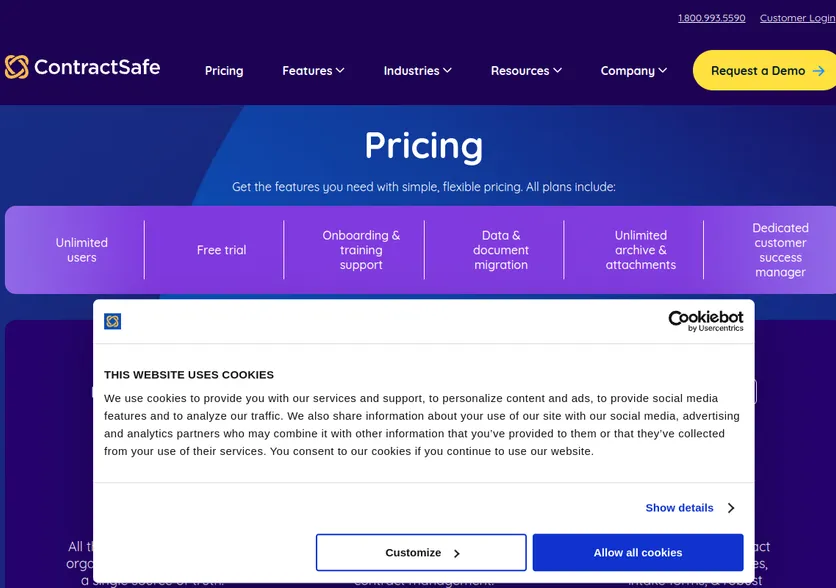
Paid tool Starting price: $450/month · Four hundred fifty dollars a month billed annually for the Organize plan, covering up to 100 contracts with unlimited users; Finalize costs $660 a month and Maximize costs $815 a month.
Free plan: No free plan; 14-day free trial
ContractSafe is the straightforward repository that legal teams pick when they want every contract searchable and every renewal flagged without a long rollout. This ContractSafe Organize plan costs four hundred fifty dollars a month billed annually and covers up to one hundred contracts with unlimited users. A small legal team gets AI extraction, custom alerts and a clean search page, plus free migration from shared drives.
What we like
- Unlimited users with free migration from shared drives
- AI extraction reads dates, parties and renewal terms
- Simple search page the whole team learns fast
Watch out for
- Organize caps at 100 contracts, so growing teams upgrade
- Drafting and approval workflows sit on higher plans
How to try it
- Open the ContractSafe site and book a demo or start the trial
- Upload your contracts and let the AI pull out dates and parties
- Set renewal alerts and invite unlimited colleagues
3. PandaDoc
Best for: Legal teams that draft, send and store agreements in one place
Paid tool Starting price: $19/user/month · Nineteen dollars per user a month billed annually for the Essentials plan, capped at two seats; Business costs $49 per user a month billed annually. One November 2026 read showed $25 in some page loads, so confirm the figure at checkout.
Free plan: Free eSign plan available
PandaDoc covers the whole path from drafting a contract to getting it signed and stored, which suits legal teams that handle agreements before and after signature. This PandaDoc Essentials plan costs nineteen dollars per user a month billed annually and adds templates, a content library and e-signatures. A team that sends client agreements every week gets polished documents, tracked opens and a repository in one subscription.

What we like
- Drafting, signing and storage in one tool
- Templates and a content library speed up routine agreements
- Free eSign plan covers occasional signing
Watch out for
- Essentials caps at two seats, so teams pay more per user
- Full contract analytics need the Business plan
How to try it
- Open the PandaDoc site and start with the free eSign plan
- Build a template from your standard agreement
- Send it for signature and store the signed copy in the repository
4. Zoho Contracts
Best for: Legal teams already running Zoho CRM or Zoho Books
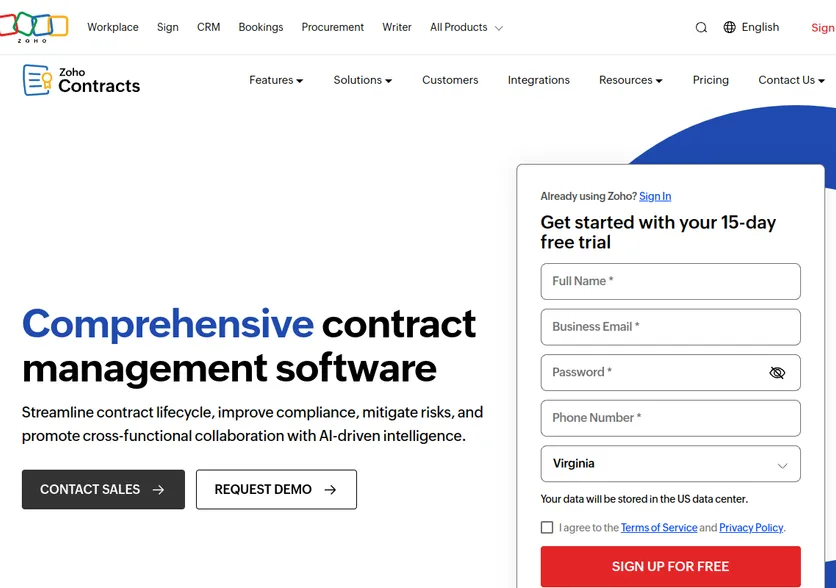
Paid tool Starting price: $25/user/month · Twenty-five dollars per user a month billed annually for the Standard plan, or $30 billed monthly; Professional costs $40 and Premium $50 per user a month billed annually.
Free plan: Free plan for 3 users and 10 contracts
Zoho Contracts is the repository and lifecycle tool for legal teams already running Zoho apps, with drafting, approvals and renewals tied to one record. This Zoho Contracts Standard plan costs twenty-five dollars per user a month billed annually and covers the full lifecycle from drafting to renewal. A team on Zoho CRM or Zoho Books gets contract data beside customer and billing records without a separate login.
What we like
- Full lifecycle from drafting to renewal in one record
- Deep links into Zoho CRM and Zoho Books
- Free plan covers three users and ten contracts
Watch out for
- Best value only if your team already uses Zoho apps
- AI extraction is stronger on higher plans
How to try it
- Open the Zoho Contracts site and start the 15-day free trial
- Import your agreements and set up approval workflows
- Turn on renewal alerts and connect your Zoho CRM records
5. Concord
Best for: Legal teams that negotiate and redline inside the platform
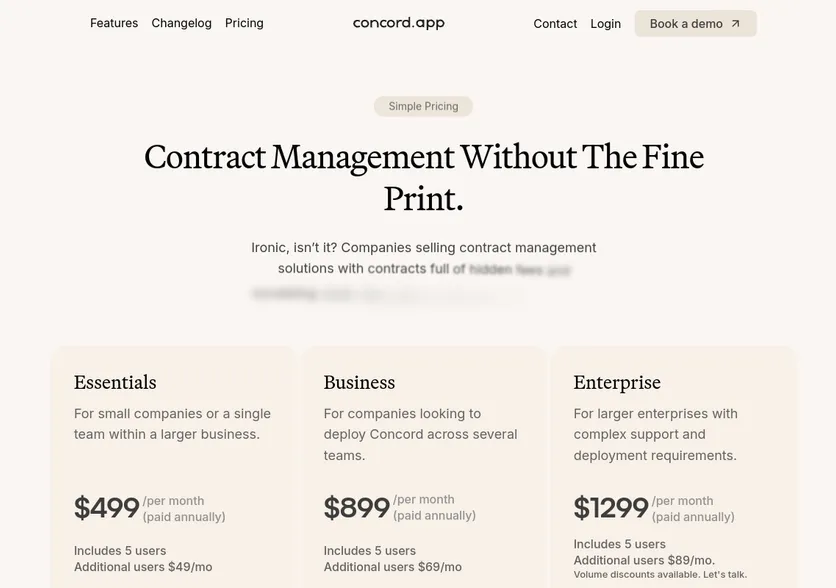
Paid tool Starting price: $499/month · Four hundred ninety-nine dollars a month billed annually for the Essentials plan, covering five users with extra users at $49 a month; Business costs $899 a month and Enterprise $1,299 a month.
Free plan: No free plan; demo on request
Concord is the full lifecycle platform for legal teams that negotiate in the document and want every version, comment and deadline in one workspace. This Concord Essentials plan costs four hundred ninety-nine dollars a month billed annually and covers five users with unlimited documents and e-signatures. A team that redlines with outside counsel gets collaboration, deadline reminders and AI extraction without per-document fees.
What we like
- Unlimited documents, e-signatures and guest viewers
- AI Copilot extracts key terms automatically
- Negotiation and redlining happen inside the platform
Watch out for
- Five users included, so the per-user cost runs high for small teams
- Annual billing only, with no monthly option published
How to try it
- Open the Concord site and book a demo
- Upload your live agreements and invite the negotiating team
- Set deadline reminders and track each version in one workspace
6. DocuSign
Best for: Legal teams that sign most agreements through DocuSign already
Paid tool Starting price: $25/user/month · Twenty-five dollars per user a month billed annually for the Standard plan, with 100 envelopes per user a year; Business Pro costs $40 per user a month billed annually.
Free plan: Free plan for sending a limited number of envelopes
DocuSign is the e-signature standard most legal teams already use, and its repository keeps signed agreements searchable beside the signing workflow. This DocuSign Standard plan costs twenty-five dollars per user a month billed annually and includes one hundred envelopes per user a year. A team that sends agreements for signature every day gets trusted signing, audit trails and a repository without changing tools.

What we like
- The most widely recognised e-signature brand
- Audit trail on every signed agreement
- Hundreds of integrations with legal and business apps
Watch out for
- Envelope caps mean heavy senders pay more
- Full lifecycle features need the higher IAM plans
How to try it
- Open the DocuSign site and start the free trial
- Upload an agreement and add signature fields
- Send it for signature and file the signed copy in the repository
7. Contractbook
Best for: Legal teams that automate repeat agreement types
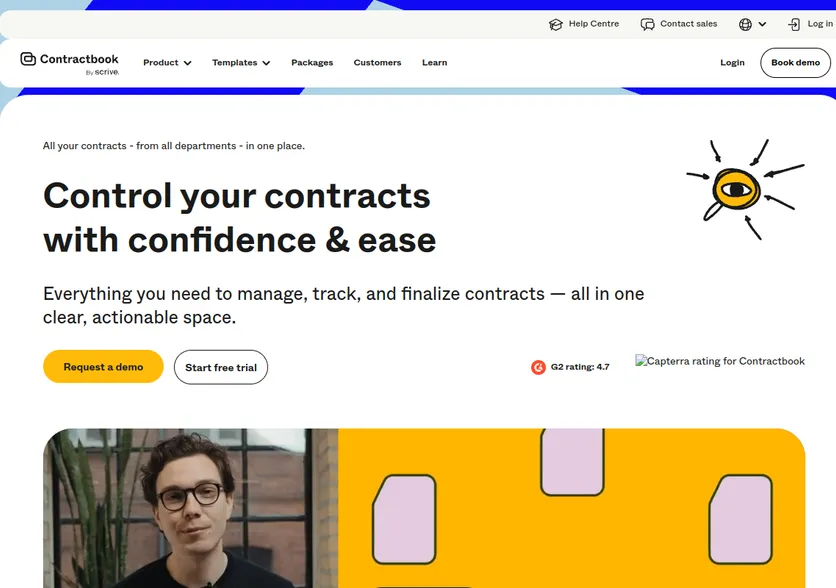
Paid tool Starting price: $399/month · Three hundred ninety-nine dollars a month billed annually for the Centralize plan, covering five users and 350 signed contracts a year; Growth costs $599 a month with unlimited users and contracts.
Free plan: Free Essential plan for 1 user
Contractbook is the contract automation platform for legal teams that want to create, sign and store agreements from one central library. This Contractbook Centralize plan costs three hundred ninety-nine dollars a month billed annually and covers five users with three hundred fifty signed contracts a year. A team that reuses the same agreement types gets conditional templates, automations and AI data extraction built in.
What we like
- Templates and automations cut drafting time
- AI data extraction reads key terms from uploads
- Free plan covers one user and five templates
Watch out for
- Signed-contract caps can force an upgrade mid-year
- Some unlimited tiers are quote-only, not published
How to try it
- Open the Contractbook site and start the 14-day free trial
- Turn your standard agreements into reusable templates
- Send contracts for signature and track them in the central library
8. Signeasy
Best for: Small legal teams that sign mostly from mobile
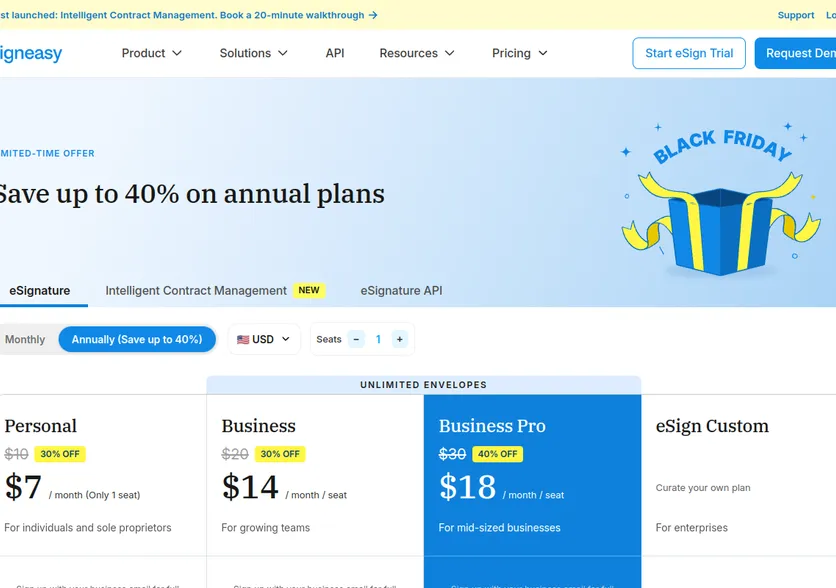
Paid tool Starting price: $10/user/month · Ten dollars per user a month billed annually for the Personal plan, limited to one user and five sends a month; Business costs $20 and Business Pro $30 per user a month.
Free plan: Free plan for up to 3 documents; 14-day free trial
Signeasy is the mobile-first signing tool for legal teams that need contracts signed on the move and stored in one place. This Signeasy Personal plan costs ten dollars per user a month billed annually and covers five signature requests a month. A small team that signs from phones and tablets gets a simple repository, renewal reminders and AI insights on higher plans.
What we like
- Best mobile signing experience in this list
- No envelope cap on higher plans
- Simple repository with renewal reminders
Watch out for
- Personal caps at five sends a month
- Free plan covers only three documents
How to try it
- Open the Signeasy site and start the 14-day free trial
- Upload a contract and add signature fields from your phone
- Send it for signature and store the signed copy
Prices above were checked on each vendor’s own website on Nov 27, 2026 and can change — the vendor’s page is the final word. Vendor links are editorial: nobody paid to be listed or ranked here. Vendors who want a featured listing can see how it works on our Get listed page.
What a contract repository costs in 2026
A repository looks cheap until the archive grows. Per-document pricing punishes teams that keep every signed agreement, while per-user pricing punishes teams that give the whole firm access, so match the billing model to how your team actually works. Unlimited-user plans suit legal teams that share contracts with finance, procurement and sales, while small teams that sign little can live on a low per-user plan.
Start with a trial on two tools and load real contracts, not samples. Check that search finds clauses inside scanned PDFs, that renewal alerts arrive before notice windows close, and that the export works if you ever leave. Pick the tool whose search your colleagues actually use, because a repository nobody searches is just a tidier shared drive.
Before you buy
- Check the document cap, because a repository that charges by volume gets expensive as the archive grows.
- Confirm renewal alerts cover notice windows, because a deadline reminder after the window closes is useless.
- Ask who can search and download, because permission controls protect sensitive agreements from the wrong eyes.
- Test full-text search on scanned PDFs, because OCR quality decides whether old contracts are findable.
- Add migration and e-signature costs, because a cheap plan with paid migration can cost more in year one.
Official websites
Official websites of the products reviewed above. Features and prices were checked against these sites when this guide was written, and they can change, so confirm on the vendor site before you buy.
Frequently asked questions
Which contract repository software is best for legal teams in 2026?
ContractSafe is the best overall pick at four hundred fifty dollars a month, with unlimited users, free migration and AI extraction on a simple search page. ContractWorks is the best repository-first choice at four hundred twenty-five dollars a month for teams that only manage signed agreements. Signeasy is the best budget pick at ten dollars per user a month for small teams that sign from mobile.
How much does contract repository software cost?
Prices in this list run from ten dollars per user a month for Signeasy to four hundred ninety-nine dollars a month for Concord, with most repository tools landing between twenty-five and four hundred fifty dollars a month. Per-user plans suit small teams, while flat plans with unlimited users suit firms that share contracts across departments. Add migration fees and e-signature limits to the subscription before you compare totals.
Do legal teams need AI extraction in a repository?
Yes, if your archive is large, because AI extraction pulls parties, dates and renewal terms from every upload without manual data entry. Without it, someone on the team has to open each contract and type the key dates by hand, which is slow and error-prone. Small teams with a few dozen contracts can manage without it, but teams with hundreds of agreements save hours every week.
Can a small law firm use PandaDoc instead of a dedicated repository?
Yes, if your team drafts and sends agreements as often as it stores them, because PandaDoc covers drafting, signing and storage in one subscription. The trade-off is a two-seat cap on the cheapest plan and lighter repository search than a dedicated tool. A team that mainly manages agreements after signing will get more from ContractSafe or ContractWorks.
Is there a free contract repository for legal teams?
Yes, Zoho Contracts has a free plan for three users and ten contracts, and Contractbook has a free Essential plan for one user with five templates. PandaDoc also offers a free eSign plan for occasional signing. Free plans limit users, contracts or sends, so check the caps before you rely on them for a live archive.
Need everyday business help too? Try Toolsvine's free business tools right in your browser.
Browse Business Tools tools