On this page
Drafting is where a legal team spends most of its hours, and the right tool either writes the first version for you or marks up the other side's paper in minutes. The eight tools below cover AI drafting inside Word, practice management with document assembly, and attorney-backed document services. Every price was checked on the vendor site on November 27, 2026, and the list runs from nineteen dollars a month to one hundred sixty dollars a month. Gavel Exec is our first pick — the Word add-in that redlines counterparty drafts against your own playbooks.
How we researched this
We started with the drafting tools that publish a price and read each one on the vendor pricing page on November 27, 2026, then judged them for a legal team that drafts and negotiates contracts every week. We dropped Lawmatics because its pricing page no longer shows dollar figures, and Spellbook because it publishes no price at all. We also left out the quote-only enterprise suites that a small team cannot price without a sales call.
Compare the tools
| Name | Best for | Starting price | Free plan | |
|---|---|---|---|---|
 Gavel Exec | Lawyers who draft and redline inside Microsoft Word | $160/user/month | 25 free queries per user, no credit card required | Visit |
 Clio | Firms that want drafting beside matters, billing and trust accounting | $49/user/month | No free plan; 7-day free trial | Visit |
 MyCase | Small firms that want case management with drafting built in | $50/user/month | No free plan; 10-day free trial | Visit |
 PracticePanther | Solo and small firms that want a fast, simple drafting workflow | $49/user/month | No free plan; 7-day free trial | Visit |
 Rocket Lawyer | Teams that want lawyer-reviewed documents without hiring counsel | $39.99/month | No free plan; 7-day free trial | Visit |
 LegalZoom | Businesses that want attorney access alongside document drafting | $39.09/month | No free plan; 30-day trial included with select packages | Visit |
 PandaDoc | Teams that draft proposals and contracts in one document workflow | $19/user/month | Free e-sign plan | Visit |
 DocuSign | Teams that need the most recognized e-signature on every draft | $25/user/month | No free plan; 30-day refund on annual plans | Visit |
The contract drafting software for legal teams, compared
1. Gavel Exec
Best for: Lawyers who draft and redline inside Microsoft Word
Paid tool Starting price: $160/user/month · One hundred sixty dollars per user a month, or one thousand seven hundred forty dollars per user a year; teams of ten or more seats get discounted pricing
Free plan: 25 free queries per user, no credit card required
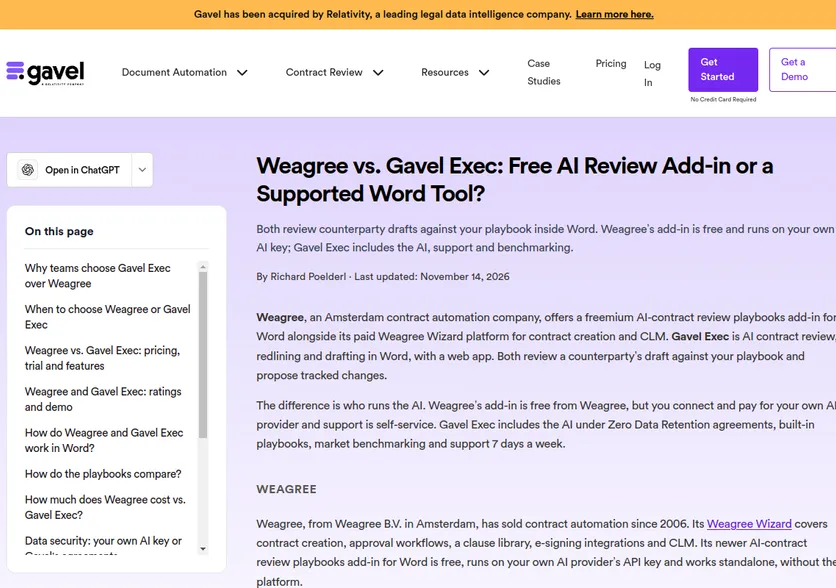
Gavel Exec is the AI drafting and review tool that lives in Microsoft Word, turning your firm's precedents into playbooks and redlining counterparty paper as tracked changes. This Gavel Exec plan costs one hundred sixty dollars per user a month and includes one thousand queries per user each month after twenty-five free queries. A team that negotiates contracts in Word gets playbook redlines and market benchmarks without changing editors.
What we like
- Redlines appear as tracked changes inside Word
- Playbooks built from your own signed deals
- Published per-seat price with no sales call needed
Watch out for
- No repository or renewal tracking, so storage lives elsewhere
- Word-only workflow, with no Google Docs version
How to try it
- Open the Gavel site and start with the free queries
- Install the Word add-in and build a playbook from your precedents
- Run the review on a counterparty draft and accept the tracked changes
2. Clio
Best for: Firms that want drafting beside matters, billing and trust accounting
Paid tool Starting price: $49/user/month · Forty-nine dollars per user a month for the Starter plan; Core, Signature and Elite plans are quote-only and priced through Clio sales
Free plan: No free plan; 7-day free trial
Clio is the practice management platform that keeps drafting next to the matter it belongs to, with document storage, e-signature and billing in the same login. This Clio Starter plan costs forty-nine dollars per user a month and includes document storage and e-signature. A team that drafts engagement letters and fee agreements gets them stored against the matter and billed without switching systems.

What we like
- Matters, billing and trust accounting in one system
- Document storage with e-signature included on Starter
- Deep integration network with email and accounting tools
Watch out for
- Only Starter has a published price; higher plans need a quote
- Clio AI and the client portal start on the Core plan
How to try it
- Open the Clio site and start the 7-day trial
- Add your matters and set up your document templates
- Draft the agreement and send it for signature from the matter
3. MyCase
Best for: Small firms that want case management with drafting built in
Paid tool Starting price: $50/user/month · Fifty dollars per user a month billed annually for the Basic plan, or sixty dollars per user a month billed monthly; Pro costs one hundred dollars and Advanced costs one hundred thirty dollars per user a month billed annually
Free plan: No free plan; 10-day free trial
MyCase is the case management platform that covers the whole small-firm workflow, from intake and document assembly through billing, payments and client messaging. This MyCase Basic plan costs fifty dollars per user a month and includes unlimited document storage and online payments. A team that drafts contracts between client calls gets the agreement stored against the case and the fee collected in the same place.

What we like
- Case, calendar, billing and payments in one system
- Online payments with clear card fees
- Client portal keeps communication in one place
Watch out for
- No AI drafting or review assistant in the current lineup
- Basic plan caps at one hundred automation workflows a month
How to try it
- Open the MyCase site and start the 10-day trial
- Add your cases and set up document templates
- Draft the agreement and share it with the client portal
4. PracticePanther
Best for: Solo and small firms that want a fast, simple drafting workflow
Paid tool Starting price: $49/user/month · Forty-nine dollars per user a month billed annually for the Solo plan, or fifty-nine dollars per user a month billed monthly; Essential costs sixty-nine dollars, Business costs eighty-nine dollars and Business Pro costs one hundred fourteen dollars per user a month billed annually
Free plan: No free plan; 7-day free trial
PracticePanther is the practice management tool that keeps drafting simple, with document assembly, e-signature and automated workflows beside time tracking and billing. This PracticePanther Solo plan costs forty-nine dollars per user a month and includes document management, e-signature and payments. A small team that drafts contracts daily gets templates that fill from matter data without a long setup.

What we like
- Clean interface that teams learn in a day
- Document assembly pulls data straight from the matter
- Two-way sync with QuickBooks Online and Outlook
Watch out for
- No AI drafting or playbook redlining
- Solo plan limits reporting and integrations
How to try it
- Open the PracticePanther site and start the 7-day trial
- Import your matters and build your document templates
- Draft the contract and send it for signature in one step
5. Rocket Lawyer
Best for: Teams that want lawyer-reviewed documents without hiring counsel
Paid tool Starting price: $39.99/month · Thirty-nine dollars and ninety-nine cents a month for the Rocket Legal membership; Rocket Legal+ costs two hundred thirty-nine dollars and eighty-eight cents a year
Free plan: No free plan; 7-day free trial
Rocket Lawyer is the online legal service that builds documents from a guided interview and includes a lawyer review on demand, with a library of contracts and forms for business and personal matters. This Rocket Lawyer membership costs thirty-nine dollars and ninety-nine cents a month and covers unlimited document creation. A team that drafts routine agreements without in-house counsel gets attorney-reviewed documents at a flat monthly price.
What we like
- Guided interviews build documents in minutes
- Lawyer review available on demand
- Huge template library for business and personal use
Watch out for
- Not a practice management system, so matters live elsewhere
- Lawyer review costs extra on some plans
How to try it
- Open the Rocket Lawyer site and start the free trial
- Answer the guided questions to build your document
- Download it or ask a lawyer to review it before sending
6. LegalZoom
Best for: Businesses that want attorney access alongside document drafting
Paid tool Starting price: $39.09/month · Thirty-nine dollars and nine cents a month for the Business Attorney Plan on a twelve-month plan billed annually at four hundred sixty-nine dollars; the six-month plan costs forty-three dollars and seventeen cents a month
Free plan: No free plan; 30-day trial included with select packages
LegalZoom is the legal services platform that pairs document drafting with access to independent attorneys, covering formation, contracts and ongoing advisory help. This LegalZoom Business Attorney Plan costs thirty-nine dollars and nine cents a month on a twelve-month plan and includes thirty-minute attorney consultations. A team that drafts agreements and wants a lawyer to check them gets both in one subscription.
What we like
- Attorney consultations included in the plan
- Well-known brand that clients recognize
- Covers formation, contracts and compliance in one place
Watch out for
- Attorneys are independent, not LegalZoom employees
- Document editing is simpler than a dedicated drafting tool
How to try it
- Open the LegalZoom site and choose the attorney plan
- Create your document from the template library
- Book a consultation to review the draft with an attorney
7. PandaDoc
Best for: Teams that draft proposals and contracts in one document workflow
Paid tool Starting price: $19/user/month · Nineteen dollars per user a month billed annually for the Essentials plan, or twenty-nine dollars per user a month billed monthly; Business costs forty-nine dollars per user a month billed annually
Free plan: Free e-sign plan
PandaDoc is the document platform that turns a draft into a trackable file, with templates, pricing tables and unlimited e-signatures on the entry plan. This PandaDoc Essentials plan costs nineteen dollars per user a month and covers unlimited documents and e-signatures. A legal team that sends engagement letters and service agreements gets them drafted, tracked and signed without a separate signature tool.

What we like
- Cheapest paid entry in this comparison
- Unlimited documents and e-signatures on Essentials
- Free e-sign plan for occasional signing
Watch out for
- Essentials caps at two seats, so teams upgrade fast
- No playbook redlining or AI contract review
How to try it
- Open the PandaDoc site and create a free account
- Build your agreement from a template
- Send it for signature and watch the open and sign status
8. DocuSign
Best for: Teams that need the most recognized e-signature on every draft
Paid tool Starting price: $25/user/month · Standard plan, $25 a user a month billed annually upfront ($300 a year); $30 a month on an annual commitment billed monthly; $45 month to month. Personal $10 a month billed annually upfront ($11 billed monthly); Business Pro $40 a month billed annually upfront ($45 billed monthly); Enterprise is quoted. Standard includes 100 envelopes per user a year.
Free plan: No free plan; 30-day refund on annual plans
DocuSign is the e-signature standard that legal teams already trust, with templates, reminders and a full audit trail behind every envelope. This DocuSign Standard plan costs twenty-five dollars per user a month billed annually upfront and includes one hundred envelopes per user a year. A legal team that drafts in another tool and signs here gets the draft back as a signed, court-ready file.

What we like
- The brand counterparties already recognize and trust
- Templates and reminders cut chasing time
- Full audit trail on every signed agreement
Watch out for
- Envelope caps mean heavy senders pay for extra envelopes
- No drafting or clause library of its own
How to try it
- Open the DocuSign site and choose the Standard plan
- Upload the draft and place the signature and date fields
- Send the envelope and track it to completion
Prices above were checked on each vendor’s own website on Nov 27, 2026 and can change — the vendor’s page is the final word. Vendor links are editorial: nobody paid to be listed or ranked here. Vendors who want a featured listing can see how it works on our Get listed page.
What drafting software costs a legal team in 2026
The cheapest tool is the one your team actually opens, and a forty-nine-dollar platform nobody uses costs more than a one-hundred-sixty-dollar tool that saves an hour a day. Count every seat that needs drafting access, because per-user pricing adds up fast across a whole firm. A tool that drafts in Word fits lawyers who already live there, while a browser editor suits teams that draft from templates.
Run a trial on two tools with the same real matter. Draft your standard agreement, redline a counterparty draft, and send it for signature, then time each step. Ask the vendor for its data policy in writing before uploading client files, and pick the tool whose first draft your lawyers trust enough to send without rewriting.
Before you buy
- Confirm the tool drafts in Word or your own editor, because a browser-only editor breaks the way lawyers actually work.
- Check the clause library covers your practice areas, because a generic library saves nothing on a specialist matter.
- Test the redline review on a real counterparty draft, because marketing demos never show the messy version.
- Ask whether the AI model keeps your documents private, because client confidentiality is not negotiable.
- Count the seats that need drafting access, because a cheap per-user price adds up fast across a whole team.
Official websites
Official websites of the products reviewed above. Features and prices were checked against these sites when this guide was written, and they can change, so confirm on the vendor site before you buy.
Frequently asked questions
Which contract drafting software is best for legal teams in 2026?
Gavel Exec is the best overall pick at one hundred sixty dollars per user a month, because it redlines counterparty drafts inside Word against your own playbooks. Clio is the best all-round practice platform at forty-nine dollars per user a month. PandaDoc is the best budget pick at nineteen dollars per user a month for teams that mostly need documents and signatures.
How much does contract drafting software cost?
Prices in this list run from nineteen dollars per user a month for PandaDoc to one hundred sixty dollars per user a month for Gavel Exec, with the practice platforms landing near fifty dollars per user a month. Attorney-access subscriptions cost about forty dollars a month. Add the cost of every seat that needs drafting access before you compare totals.
Is AI drafting worth it for a small legal team?
Yes, if the team reviews counterparty paper every week, because playbook redlining turns hours of markup into minutes. A drafting tool without review still leaves the lawyer reading every clause by hand. Teams that mostly draft their own paper from templates can skip AI review and save the money.
Is it safe to upload client contracts to AI drafting tools?
Check how the tool handles your documents, because some AI models train on user uploads and others keep them private. Ask for the vendor data policy in writing before uploading client files, and confirm whether data is stored in the United States. A tool that cannot answer plainly is not safe for client work.
Which drafting tools publish prices and which are quote-only?
Yes, most of these tools publish prices, while Ironclad, Agiloft, LinkSquares and DocuSign CLM sell only by quote. Published prices let a team budget without a sales process, and the quote-only tools usually cost far more in the first year. Start with the published-price shortlist unless the firm needs enterprise controls.
Need everyday business help too? Try Toolsvine's free business tools right in your browser.
Browse Business Tools tools