On this page
Running one job is a spreadsheet. Running fifty is a system, with crews, plans, budgets and clients all needing the same truth at the same time. The eight tools below cover enterprise contractor management, from field plans to client portals, with prices from twenty-nine dollars a month to four hundred ninety-nine dollars a month. Every price was checked on the vendor site on November 27, 2026. Buildertrend is our first pick — the full platform with unlimited users, projects and client portals.
How we researched this
We started with the contractor tools large builders actually buy, then read each price on the vendor pricing page on November 27, 2026 and noted the trial each plan carries. We judged them for a large builder that runs many projects at once, with crews on site and clients who expect updates. We dropped Procore and ServiceTitan because neither publishes a price, so a builder cannot budget for them without a sales call.
Compare the tools
| Name | Best for | Starting price | Free plan | |
|---|---|---|---|---|
 Buildertrend | Large builders that run many projects with client portals | $499/month | No free plan; demo on request | Visit |
 Fieldwire | Large field teams that run jobs from plans on site | $39/user/month | Free Basic plan for up to 5 users and 3 projects | Visit |
 JobTread | Large builders that need estimates, budgets and scheduling together | $199/month | No free plan; 30-day money-back on monthly plans | Visit |
 Jobber | Large service businesses that quote, schedule and invoice at scale | $29/month | No free plan; 14-day free trial | Visit |
 Contractor Foreman | Large crews that want the whole job system at a low price | $49/month | No free plan; 30-day free trial | Visit |
 Knowify | Large builders that track job costs beside the estimate | $99/month | No free plan; free trial on request | Visit |
 Housecall Pro | Large home-service businesses with many technicians | $59/month | No free plan; 14-day free trial | Visit |
 STACK | Large builders that want cloud takeoff and estimating together | $299/user/month | Free version with 1 project a month and 300 plan pages | Visit |
The contractor management software for enterprise, compared
1. Buildertrend
Best for: Large builders that run many projects with client portals
Paid tool Starting price: $499/month · Four hundred ninety-nine dollars a month on monthly billing for the Essential plan, or $449 a month billed annually; Advanced costs $799 a month and Complete costs $1,099 a month.
Free plan: No free plan; demo on request
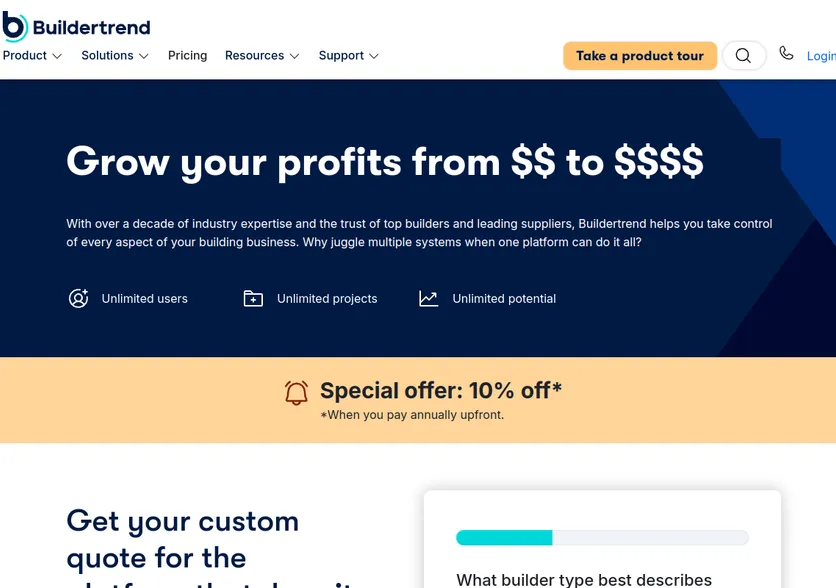
Buildertrend is the platform large builders pick when every project needs a schedule, a budget and a client who can see progress. This Buildertrend Essential plan costs four hundred ninety-nine dollars a month on monthly billing and covers unlimited users and projects. A large builder gets proposals, schedules, client updates and payments in one system instead of five separate tools.
What we like
- Unlimited users and projects on every plan
- Client portal keeps homeowners updated
- Proposals, schedules and payments in one system
Watch out for
- One-time onboarding fee reported on some plans
- Pricing is partly quote-based, so confirm the total
How to try it
- Open the Buildertrend site and book a demo
- Set up your project templates and price list
- Invite your teams and keep clients updated through the portal
2. Fieldwire
Best for: Large field teams that run jobs from plans on site
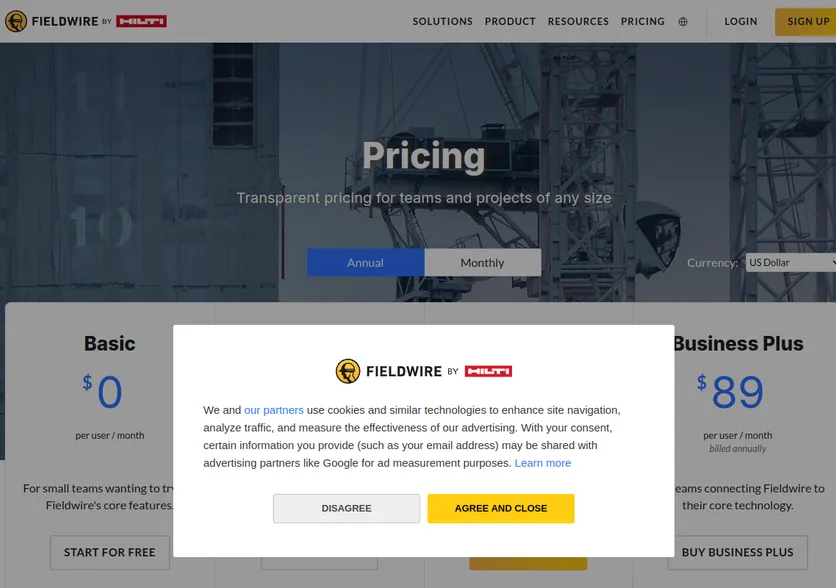
Paid tool Starting price: $39/user/month · Thirty-nine dollars per user a month billed annually for the Pro plan, or $54 billed monthly; Business costs $64 a month billed annually and Business Plus costs $89 a month.
Free plan: Free Basic plan for up to 5 users and 3 projects
Fieldwire is the field app large contractors use to run jobs from the latest plans, with tasks, photos and markups that reach the crew instantly. This Fieldwire Pro plan costs thirty-nine dollars per user a month billed annually and covers plan viewing, task tracking and checklists. A large field team gets one version of every plan on every phone, with changes pushed the moment they are made.
What we like
- Plans, tasks and photos in one field app
- Free Basic plan for small teams
- Works offline on site, then syncs back
Watch out for
- RFIs, submittals and change orders need Business Plus
- Per-user pricing adds up fast at enterprise headcount
How to try it
- Open the Fieldwire site and start with the free Basic plan
- Upload your project plans and invite the field team
- Assign tasks and track progress from the plans
3. JobTread
Best for: Large builders that need estimates, budgets and scheduling together
Paid tool Starting price: $199/month · One hundred ninety-nine dollars a month including one internal user, plus $20 a month per extra user; annual billing saves about 20 percent.
Free plan: No free plan; 30-day money-back on monthly plans
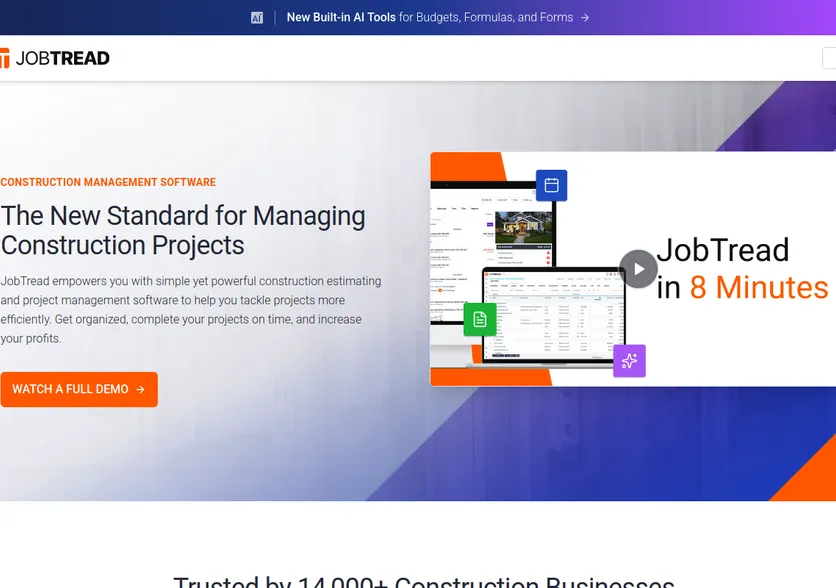
JobTread scales from a single crew to a large builder by keeping the estimate, budget and schedule in one system. This JobTread base plan costs one hundred ninety-nine dollars a month including one internal user, with extra users at twenty dollars a month. A large builder gets estimates, budgets, change orders and client selections without juggling separate tools.
What we like
- Estimating, budgets and scheduling in one tool
- Change orders and client selections built in
- Subs, vendors and customers use it free
Watch out for
- No free trial, only a money-back guarantee
- Estimating is lighter than a dedicated takeoff tool
How to try it
- Open the JobTread site and start a job
- Build the estimate from your takeoff and materials list
- Send the proposal and track the budget as the job runs
4. Jobber
Best for: Large service businesses that quote, schedule and invoice at scale
Paid tool Starting price: $29/month · Twenty-nine dollars a month billed annually for the Core plan, or $49 billed monthly; Connect costs $99 a month billed annually and Grow costs $149 a month.
Free plan: No free plan; 14-day free trial
Jobber scales from a single crew to a large service business by keeping quotes, scheduling, invoicing and client messages in one app. This Jobber Core plan costs twenty-nine dollars a month billed annually and covers quoting, scheduling and invoicing for one user. A large service team gets branded quotes, online booking and automated reminders without returning to the office.

What we like
- Quoting, scheduling and invoicing in one app
- Branded quotes clients can approve from their phone
- Strong mobile app for crews on site
Watch out for
- Estimating is lighter than a dedicated takeoff tool
- Extra users cost $29 a month each
How to try it
- Open the Jobber site and start the 14-day free trial
- Build your quote templates and price list
- Book jobs, schedule crews and invoice when work is done
5. Contractor Foreman
Best for: Large crews that want the whole job system at a low price
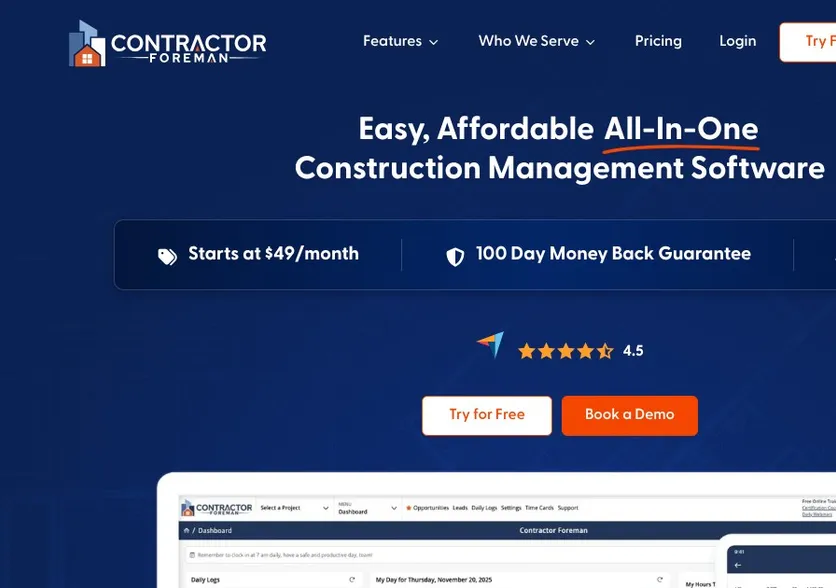
Paid tool Starting price: $49/month · Forty-nine dollars a month for the Basic plan on annual billing with one user; Standard costs $105 a month billed annually and Plus costs $166 a month.
Free plan: No free plan; 30-day free trial
Contractor Foreman gives large crews the whole job system for a fraction of enterprise prices, with estimating, scheduling and time tracking in one login. This Contractor Foreman Basic plan costs forty-nine dollars a month on annual billing with one user and covers estimates, invoices and scheduling. A builder watching costs gets project management, client records and crew scheduling without a five-figure contract.
What we like
- Whole job system for $49 a month
- Estimates, scheduling and time tracking in one login
- 30-day free trial to test it properly
Watch out for
- Basic covers one user only
- Takeoff is lighter than a dedicated tool
How to try it
- Open the Contractor Foreman site and start the 30-day free trial
- Build your estimate and send the proposal
- Schedule the crew and track time against the job
6. Knowify
Best for: Large builders that track job costs beside the estimate
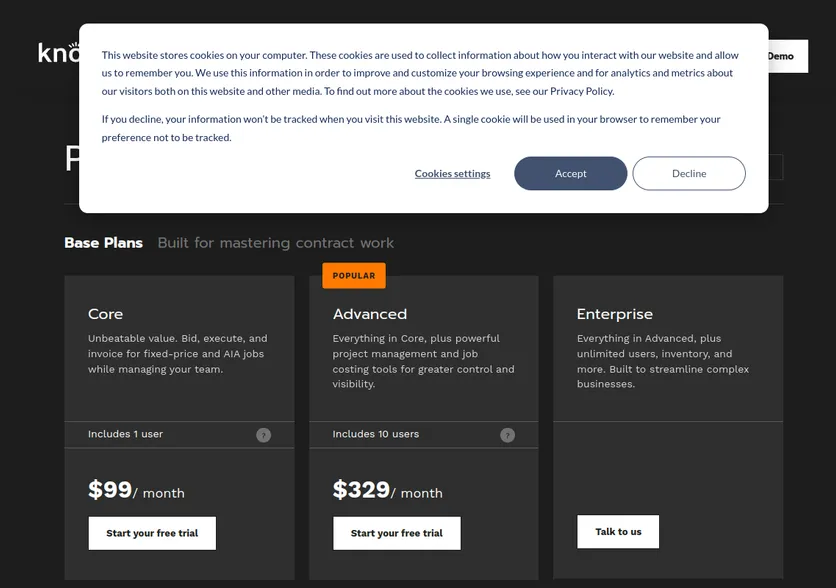
Paid tool Starting price: $99/month · Ninety-nine dollars a month billed annually for the Core plan with one user, or $149 billed monthly; Advanced costs $329 a month billed annually with ten users.
Free plan: No free plan; free trial on request
Knowify keeps large builders honest about margins by tying every estimate to job costing, purchase orders and change orders. This Knowify Core plan costs ninety-nine dollars a month billed annually with one user and covers estimating, budgets and purchase orders. A large builder gets contracts, daily logs and cost tracking beside the estimate, all in one login.
What we like
- Job costing tied straight to the estimate
- Contracts, change orders and daily logs included
- Purchase orders keep material spending visible
Watch out for
- Job costing and daily logs are not on the Core plan
- Only one user on Core, so the crew shares a login
How to try it
- Open the Knowify site and book a demo
- Build your estimate from the materials list
- Track costs against the budget as the job progresses
7. Housecall Pro
Best for: Large home-service businesses with many technicians
Paid tool Starting price: $59/month · Fifty-nine dollars a month billed annually for the Basic plan with one user, or $79 billed monthly; Essentials costs $149 a month billed annually and MAX costs $299 a month.
Free plan: No free plan; 14-day free trial
Housecall Pro runs large home-service businesses from one dashboard, with scheduling, dispatch, invoicing and payments for every technician. This Housecall Pro Basic plan costs fifty-nine dollars a month billed annually with one user and covers scheduling, invoicing and online booking. A large service team gets dispatch boards, automated reminders and card payments without a separate system.

What we like
- Scheduling, dispatch and invoicing in one dashboard
- Online booking and automated reminders included
- Card payments taken on site
Watch out for
- Prices vary by trade, so confirm your trade's rates
- Advanced dispatch and reporting need higher plans
How to try it
- Open the Housecall Pro site and start the 14-day free trial
- Add your technicians, services and price list
- Schedule jobs, dispatch the crew and take card payments
8. STACK
Best for: Large builders that want cloud takeoff and estimating together
Paid tool Starting price: $299/user/month · Two hundred ninety-nine dollars per user a month for Takeoff and Estimate; the full platform costs $348 per user a month and Build and Operate costs $49 per user a month.
Free plan: Free version with 1 project a month and 300 plan pages
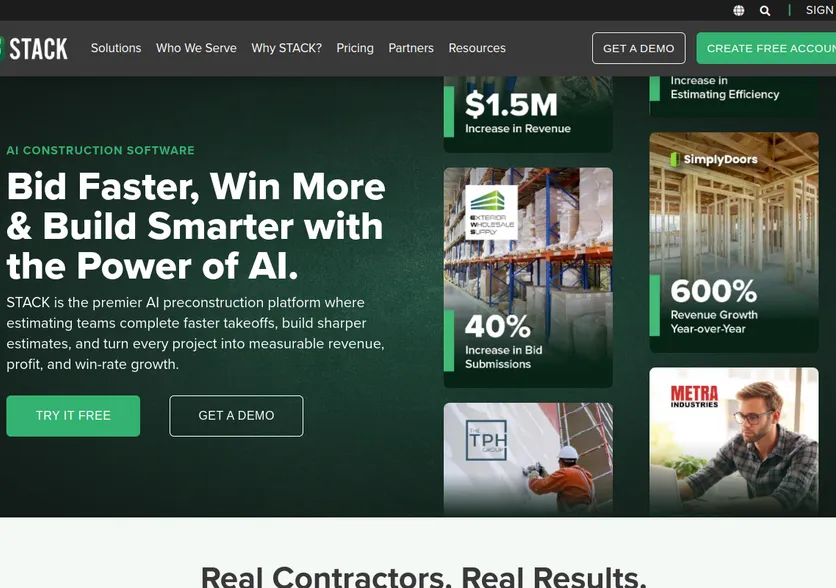
STACK gives large builders cloud takeoff and estimating in one workspace, so the plan markup and the price stay linked as the job changes. This STACK Takeoff and Estimate plan costs two hundred ninety-nine dollars per user a month and covers unlimited projects with prebuilt assemblies. A large estimating team gets plan markups, quantity lists and estimates that update when the takeoff changes.
What we like
- Takeoff and estimating in one cloud workspace
- Prebuilt assemblies speed up repeat jobs
- Free version covers one project a month
Watch out for
- Paid plans carry a 12-month commitment
- Per-user pricing adds up fast for a big crew
How to try it
- Open the STACK site and start with the free version
- Upload your plan and mark up the takeoff areas
- Build the estimate from the quantities and send the proposal
Prices above were checked on each vendor’s own website on Nov 27, 2026 and can change — the vendor’s page is the final word. Vendor links are editorial: nobody paid to be listed or ranked here. Vendors who want a featured listing can see how it works on our Get listed page.
What enterprise contractor software costs in 2026
Enterprise pricing is a headcount problem as much as a feature problem. Per-user plans look cheap at five seats and painful at fifty, while flat plans with unlimited users scale without a new bill for every hire. Watch the extras too: onboarding, training and integrations often cost as much as the first year of the subscription, and RFIs or change orders may sit on the top tier.
Start with a trial on two tools and run a real project through each one. Check that the field app works offline, that the client portal shows the right progress, and that the budget report matches your accounting. Pick the tool your crews actually open on site, because enterprise software nobody uses is just an expensive filing cabinet.
Before you buy
- Check the per-user cost at your real headcount, because a cheap plan turns expensive when fifty people need seats.
- Confirm plans, RFIs and change orders stay in one place, because scattered documents cause rework on big jobs.
- Ask about onboarding and support, because a large rollout without training stalls for months.
- Test the mobile app with your field crews, because office software that fails on site gets ignored.
- Add implementation and integration fees, because enterprise totals include far more than the subscription.
Official websites
Official websites of the products reviewed above. Features and prices were checked against these sites when this guide was written, and they can change, so confirm on the vendor site before you buy.
Frequently asked questions
Which contractor management software is best for enterprise in 2026?
Buildertrend is the best overall pick at four hundred ninety-nine dollars a month, with unlimited users and projects, client portals and payments in one system. Fieldwire is the best pick for field teams at thirty-nine dollars per user a month, with plans, tasks and photos in one offline-capable app. JobTread is the best value pick at one hundred ninety-nine dollars a month for estimating beside budgets and scheduling.
How much does contractor management software cost?
Prices in this list run from twenty-nine dollars a month for Jobber to four hundred ninety-nine dollars a month for Buildertrend, with most enterprise tools landing between forty-nine and two hundred ninety-nine dollars a month. Per-user plans cost more at enterprise headcount, while flat plans with unlimited users scale better. Add onboarding, implementation and integration fees to the subscription before you compare totals.
What should enterprise builders look for in contractor software?
Enterprise contractor software needs unlimited users, role-based permissions and a client portal, because dozens of people touch each job. It should also keep plans, RFIs, change orders and budgets in one place, and work offline on site. Tools built for small crews often lack the permissions and reporting a large builder needs.
Is Fieldwire enough for a large contractor?
Yes, if your field teams work from plans every day, because Fieldwire puts the latest plan, tasks and photos on every phone and syncs when back online. The trade-off is that RFIs, submittals and change orders need the Business Plus plan at eighty-nine dollars per user a month. Builders who manage mostly from the office get more from Buildertrend or JobTread.
Is there a free contractor management tool for enterprise?
Yes, Fieldwire has a free Basic plan for up to five users and three projects, and STACK has a free version with one project a month. Most others offer free trials of fourteen to thirty days. Free plans limit users or projects, so check the caps before you rely on them for live jobs.
Need everyday business help too? Try Toolsvine's free business tools right in your browser.
Browse Business Tools tools