On this page
Remote teams live in meetings, and the decisions made in them vanish unless someone writes them down. Conversation intelligence tools record every call, transcribe it and pull out the decisions, action items and coaching signals. The seven tools below cover the range from free notetakers to sales coaching platforms, with prices from about eight dollars a user a month to nineteen dollars a seat a month. Every price was checked on the vendor site on November 27, 2026. Fireflies is our first pick — the lowest paid price with searchable transcripts for the whole team.
How we researched this
We started with the meeting tools remote teams actually buy, then read each price on the vendor pricing page on November 27, 2026 and noted the trial each plan carries. We judged them for a remote team that meets on video all day and needs decisions, action items and coaching from those calls. We dropped Gong and Chorus because neither publishes a price, so a remote team cannot budget for them without a sales call.
Compare the tools
| Name | Best for | Starting price | Free plan | |
|---|---|---|---|---|
 Fireflies | Remote teams that want notes, transcripts and coaching in one tool | $10/seat/month | Free plan with 400 minutes of storage per team | Visit |
 Avoma | Remote sales teams that need coaching from real calls | $19/seat/month | No free plan; 14-day free trial | Visit |
 Fathom | Remote teams that want free unlimited recording and clean summaries | $15/user/month | Free plan with unlimited recording and transcription | Visit |
 Otter | Remote teams that need live transcription during the call | $8.33/user/month | Free Basic plan with 300 minutes a month | Visit |
 Read AI | Remote teams that want decisions, not just transcripts | $15/user/month | Free plan with 5 meeting reports a month | Visit |
 MeetGeek | Remote teams that want cheap transcription with a generous free plan | $9.99/user/month | Free plan with limited transcription hours | Visit |
 Grain | Remote teams that share video clips of key moments | $15/user/month | Free plan with unlimited meetings up to 45 minutes each | Visit |
The conversation intelligence software for remote teams, compared
1. Fireflies
Best for: Remote teams that want notes, transcripts and coaching in one tool
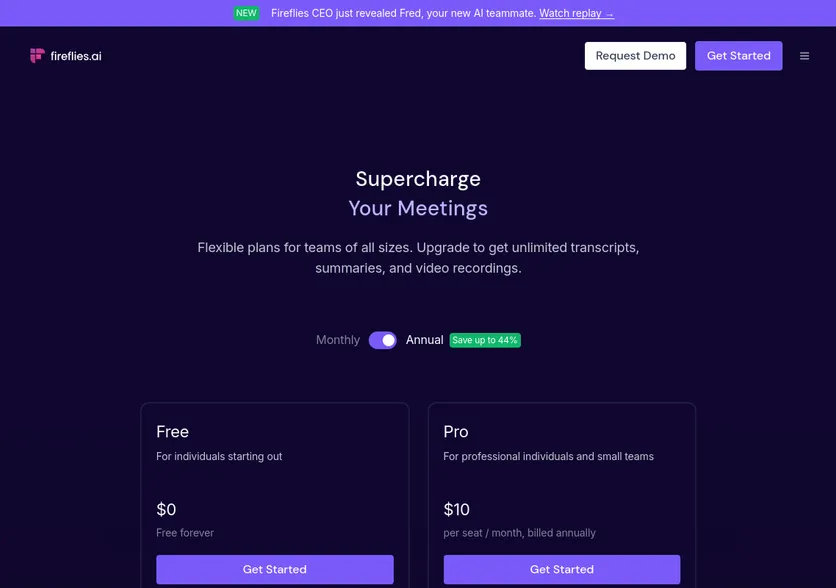
Paid tool Starting price: $10/seat/month · Ten dollars per seat a month billed annually for the Pro plan, or $18 billed monthly; Business costs $19 a month billed annually and adds conversation intelligence and talk-time analytics.
Free plan: Free plan with 400 minutes of storage per team
Fireflies is the meeting assistant remote teams pick first, because it records, transcribes and summarises every call without anyone taking notes. This Fireflies Pro plan costs ten dollars per seat a month billed annually and adds eight thousand minutes of storage per seat with searchable transcripts. A remote team gets action items, topic tracking and a meeting library everyone can search.
What we like
- Lowest paid price in this list
- Searchable transcripts across every meeting
- Works with all major meeting platforms
Watch out for
- Conversation intelligence needs the Business plan
- Free plan storage is shared across the team
How to try it
- Open the Fireflies site and connect your calendar
- Invite the Fireflies bot to your next meeting
- Search the transcript and share the summary with the team
2. Avoma
Best for: Remote sales teams that need coaching from real calls
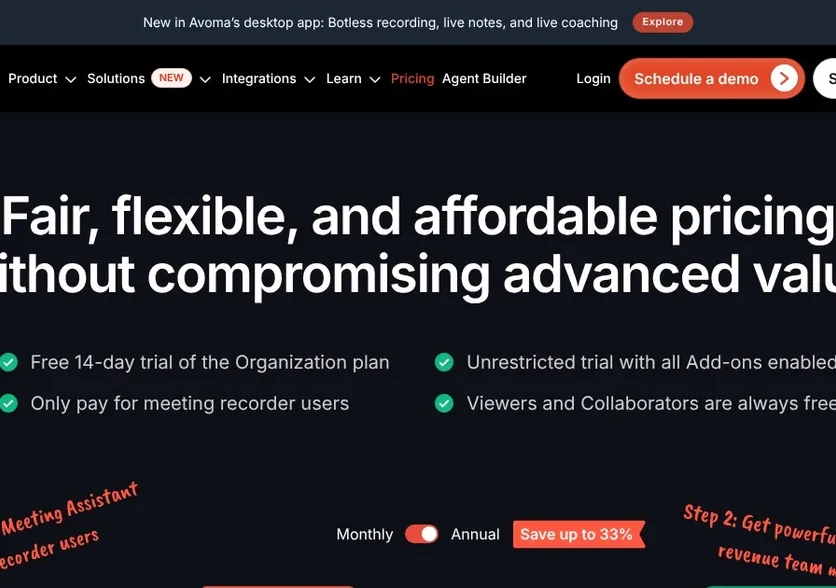
Paid tool Starting price: $19/seat/month · Nineteen dollars per recorder seat a month billed annually for the Startup plan, or $29 billed monthly; full conversation intelligence needs the $29 add-on, bringing the total to $48 a seat a month billed annually.
Free plan: No free plan; 14-day free trial
Avoma is the conversation intelligence tool for remote sales teams, turning recorded calls into coaching, deal notes and pipeline signals. This Avoma Startup plan costs nineteen dollars per recorder seat a month billed annually and covers recording, transcription and AI notes. A remote sales team gets talk-time stats, objection tracking and a searchable library of every customer call.
What we like
- Built for sales coaching, not just notes
- Talk-time and objection tracking included
- Viewers are free, so the whole team can watch
Watch out for
- Full conversation intelligence costs $48 a seat with the add-on
- Enterprise needs a 10-seat minimum
How to try it
- Open the Avoma site and start the 14-day free trial
- Connect your calendar and CRM
- Review the first calls and share coaching notes with the team
3. Fathom
Best for: Remote teams that want free unlimited recording and clean summaries
Paid tool Starting price: $15/user/month · Fifteen dollars per user a month billed annually for the Team plan, or $19 billed monthly; the Premium plan for individuals costs $16 a month billed annually and Business costs $25 a month. Fathom was acquired by Superhuman in 2026.
Free plan: Free plan with unlimited recording and transcription
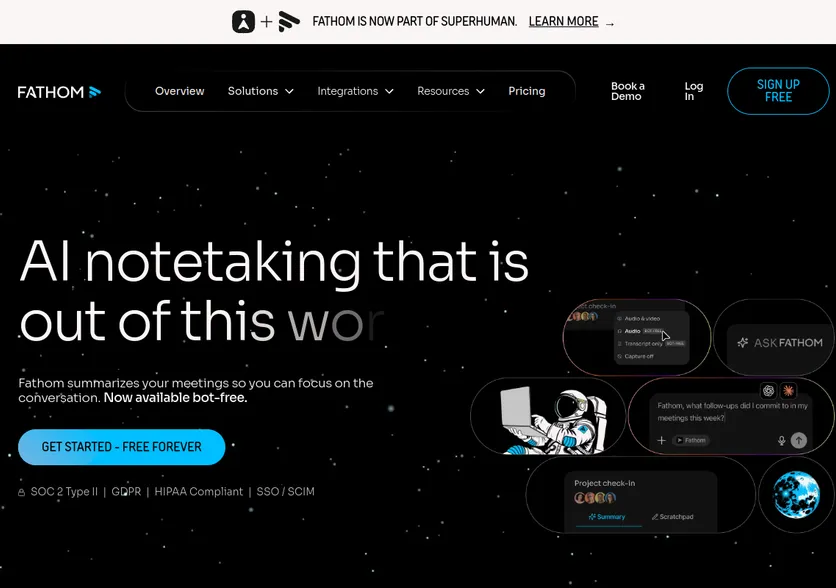
Fathom is the meeting notetaker remote teams love for its free plan, with unlimited recording and transcription that costs nothing to start. This Fathom Team plan costs fifteen dollars per user a month billed annually and adds advanced summaries, team folders and admin controls. A remote team gets clean summaries, action items and a searchable library without paying until it needs team features.
What we like
- Free plan covers unlimited recording
- Bot-free recording feels less intrusive
- Clean summaries with action items built in
Watch out for
- Advanced summaries are limited on the free plan
- Team features need the paid Team plan
How to try it
- Open the Fathom site and sign up free
- Let Fathom record your next meeting without a bot invite
- Share the summary and action items with the team
4. Otter
Best for: Remote teams that need live transcription during the call
Paid tool Starting price: $8.33/user/month · Eight dollars thirty-three cents per user a month billed annually for the Pro plan, or $16.99 billed monthly; Business costs $19.99 a month billed annually.
Free plan: Free Basic plan with 300 minutes a month
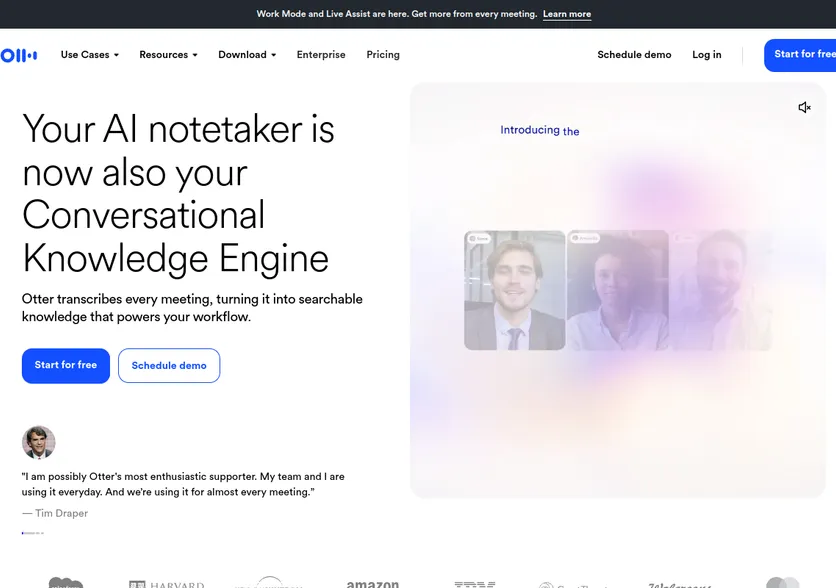
Otter is the live transcription tool remote teams use when the notes need to appear while people are still talking. This Otter Pro plan costs about eight dollars a user a month billed annually and covers twelve hundred minutes a month with real-time captions. A remote team gets live transcripts, speaker labels and a searchable record of every meeting.
What we like
- Live transcription during the call
- Cheapest paid plan in this list
- Speaker labels make long calls readable
Watch out for
- Pro caps conversations at 90 minutes each
- Only five seats on the Pro plan
How to try it
- Open the Otter site and start with the free Basic plan
- Connect your calendar so Otter joins meetings automatically
- Search the live transcript and share the notes
5. Read AI
Best for: Remote teams that want decisions, not just transcripts
Paid tool Starting price: $15/user/month · Fifteen dollars per user a month billed annually for the Pro plan, or $19.75 billed monthly; Enterprise costs $22.50 a month billed annually.
Free plan: Free plan with 5 meeting reports a month
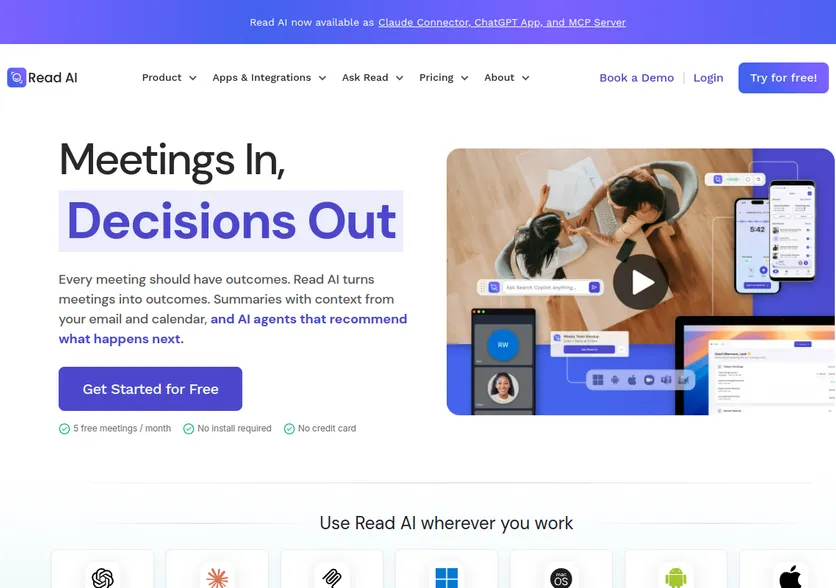
Read AI turns meetings into decisions, with summaries, action items and speaker coaching that show what was agreed and who owns it. This Read AI Pro plan costs fifteen dollars per user a month billed annually and adds unlimited transcripts and four-hour meetings. A remote team gets meeting reports, engagement scores and a record of decisions without rewatching the call.
What we like
- Summaries focus on decisions and owners
- Engagement and speaker coaching included
- Unlimited transcripts on the Pro plan
Watch out for
- Free plan caps meetings at one hour
- Reports are thinner on the free plan
How to try it
- Open the Read AI site and start with the free plan
- Connect your calendar and meeting platform
- Read the decision summary after each call
6. MeetGeek
Best for: Remote teams that want cheap transcription with a generous free plan
Paid tool Starting price: $9.99/user/month · Nine dollars ninety-nine cents per user a month billed annually for the Pro plan, or $15.99 billed monthly; Business costs $17 a month billed annually. One November 2026 source still lists $15 a month, so confirm at checkout.
Free plan: Free plan with limited transcription hours
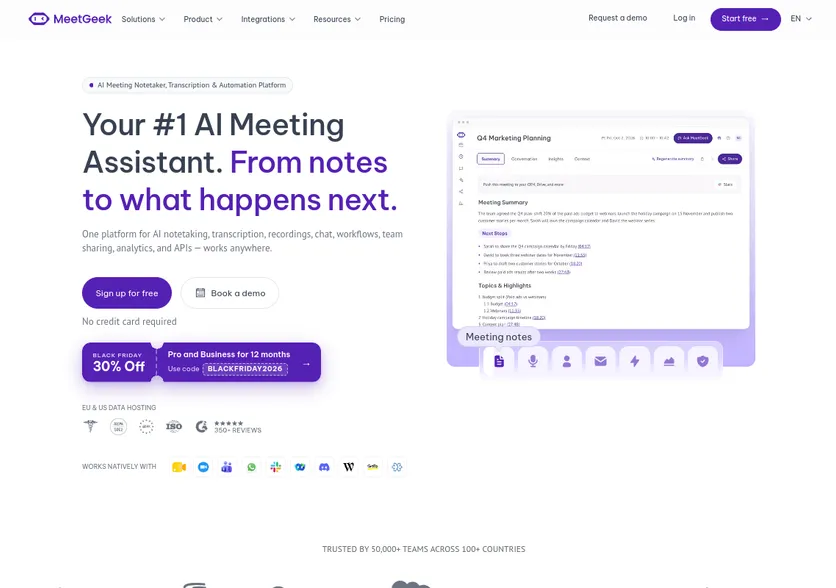
MeetGeek is the budget meeting assistant for remote teams, with transcription, summaries and a free plan that covers real use. This MeetGeek Pro plan costs under ten dollars a user a month billed annually and covers twenty hours of transcription a month. A remote team gets AI notes, action items and a searchable meeting library for less than most rivals charge.
What we like
- Cheapest Pro plan in this list
- Free plan covers real use, not just a demo
- Extra hours cost only fifty cents each
Watch out for
- Pro caps transcription at 20 hours a month
- Smaller integration list than the bigger rivals
How to try it
- Open the MeetGeek site and start with the free plan
- Connect your calendar so MeetGeek joins meetings
- Share the AI notes and action items after each call
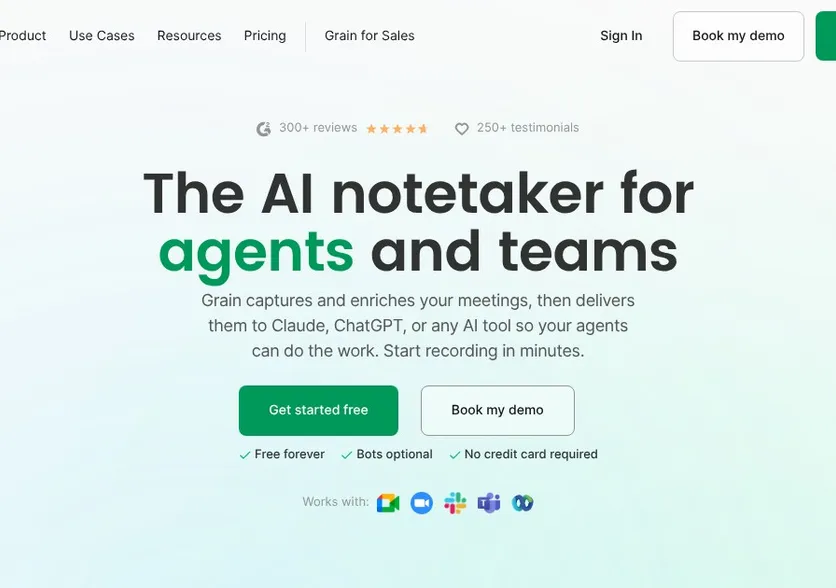
7. Grain
Best for: Remote teams that share video clips of key moments
Paid tool Starting price: $15/user/month · Fifteen dollars per user a month billed annually for the Starter plan, or $19 billed monthly; Business costs $29 a month billed annually and adds AI coaching and CRM integrations.
Free plan: Free plan with unlimited meetings up to 45 minutes each
Grain is the video-first meeting tool for remote teams, built around clipping and sharing the moments that matter from every call. This Grain Starter plan costs fifteen dollars per user a month billed annually and adds unlimited meeting duration, custom AI notes and integrations. A remote team gets shareable clips of customer quotes, objections and wins without rewatching whole recordings.
What we like
- Best video clips in this list
- Custom AI prompts and note templates
- Records without a visible bot on desktop
Watch out for
- AI coaching and CRM need the Business plan
- Free plan caps meetings at 45 minutes
How to try it
- Open the Grain site and start with the free plan
- Record your next meeting and let Grain write the notes
- Clip the key moments and share them with the team
Prices above were checked on each vendor’s own website on Nov 27, 2026 and can change — the vendor’s page is the final word. Vendor links are editorial: nobody paid to be listed or ranked here. Vendors who want a featured listing can see how it works on our Get listed page.
What conversation intelligence costs in 2026
Meeting tools look cheap until you count the seats. A remote team of twenty pays twenty times the per-seat price, so a two-dollar gap between tools becomes a real monthly difference. Free plans help, but they cap storage, meeting length or advanced summaries, and the caps hit fast when a team meets all day. Check whether the analytics you want are included or sold as an add-on, because some tools charge extra for the very features that justify the purchase.
Start with a trial on two tools and run your real meetings through each one. Check that the bot joins every call, that the transcript handles accents and crosstalk, and that the summary names owners for each action item. Pick the tool whose notes your team actually reads, because a meeting library nobody opens is just storage.
Before you buy
- Check whether conversation intelligence is included or an add-on, because some tools charge extra for the analytics that matter.
- Confirm the bot joins your meeting platform, because a notetaker that misses calls is useless.
- Ask about transcript accuracy in accents and crosstalk, because remote calls are messy by nature.
- Test the search across past meetings, because a library nobody can search is just storage.
- Add the per-seat cost at your real headcount, because remote teams grow fast and seats multiply.
Official websites
Official websites of the products reviewed above. Features and prices were checked against these sites when this guide was written, and they can change, so confirm on the vendor site before you buy.
Frequently asked questions
Which conversation intelligence software is best for remote teams in 2026?
Fireflies is the best overall pick at ten dollars per seat a month, with searchable transcripts, action items and a meeting library the whole team can use. Avoma is the best pick for sales coaching at nineteen dollars per recorder seat a month, with talk-time stats and objection tracking. Fathom is the best free pick, with unlimited recording and transcription at no cost.
How much does conversation intelligence software cost?
Prices in this list run from about eight dollars per user a month for Otter to nineteen dollars per recorder seat a month for Avoma, with most tools landing between ten and fifteen dollars a month. Free plans cover real use on several tools, while paid plans add storage, coaching and team features. Add the per-seat cost at your real headcount before you compare totals.
What is the difference between a notetaker and conversation intelligence?
Conversation intelligence is the analysis layer on top of meeting notes: talk-time stats, topic tracking, objection detection and coaching insights. A notetaker only writes down what was said, while a conversation intelligence tool tells you what it means. Teams that coach sales or support need the analysis, while teams that only need a record can live on a notetaker.
Can a remote team use a free meeting notetaker?
Yes, if your team only needs a record of what was said, because Fathom records and transcribes unlimited meetings free, and Otter gives three hundred minutes a month free. The trade-off is thinner summaries and no coaching features. Teams that coach from calls or track topics across meetings need a paid plan.
Is there a free conversation intelligence tool for remote teams?
Yes, most tools in this list have free plans or trials, and several offer unlimited recording free. Check the caps before you rely on them: free plans limit storage, meeting length or advanced summaries. A team that meets for hours every day will hit those caps fast and need a paid plan.
Need everyday AI help too? Try Toolsvine's free AI tools right in your browser.
Browse AI Tools (In-Browser, No API) tools