
On this page
Accountants juggle client deadlines, tax documents and follow-ups across dozens of firms, and a CRM built for client work keeps every engagement in one place. The eight tools below run from nine dollars a user a month to about thirty dollars a user a month, and every price was checked on the vendor site on November 26, 2026. Most include pipelines, email tracking and reporting, so compare the whole client workflow rather than the contact list alone. HubSpot is our first pick — the strongest free CRM for a growing accounting firm.
How we researched this
We started with the CRM tools accountants actually buy, then read each price on the vendor pricing page on November 26, 2026 and noted the free plan or trial each plan carries. We judged them for an accounting firm that needs client pipelines, deadline tracking and email history in one login, and we kept only tools with a published price. Quote-only enterprise suites were left out, because a firm cannot compare a price that is not published.
Compare the tools
| Name | Best for | Starting price | Free plan | |
|---|---|---|---|---|
 HubSpot | Accounting firms that want the strongest free CRM with room to grow | $20/seat/month | Free CRM for up to 2 users | Visit |
 Freshsales | Accountants who want AI-assisted pipelines at the lowest paid price here | $9/user/month | No free plan; 21-day free trial | Visit |
 Zoho CRM | Accounting firms that want a full CRM at a low per-user price | $14/user/month | Free plan for up to 3 users | Visit |
 Pipedrive | Accountants who want a visual pipeline that shows every client at a glance | $14/user/month | No free plan; 14-day free trial | Visit |
 Less Annoying CRM | Small accounting firms that want one flat price and nothing to configure | $15/user/month | No free plan; 30-day free trial | Visit |
 Capsule | Accountants who want a simple CRM with a free plan for two users | $18/user/month | Free plan for up to 2 users and 250 contacts | Visit |
 Copper | Accounting firms that live in Google Workspace and want a CRM inside Gmail | $23/user/month | No free plan; free trial available | Visit |
 Insightly | Accounting firms that want CRM plus project tracking for client engagements | $29/user/month | No free plan; 14-day free trial | Visit |
The CRM software for accountants, compared
1. HubSpot
Best for: Accounting firms that want the strongest free CRM with room to grow
Paid tool Starting price: $20/seat/month · Sales Hub Starter $20 a seat a month; Professional $90 and Enterprise $150 a seat a month billed annually; a first-year promotion is not the list price
Free plan: Free CRM for up to 2 users
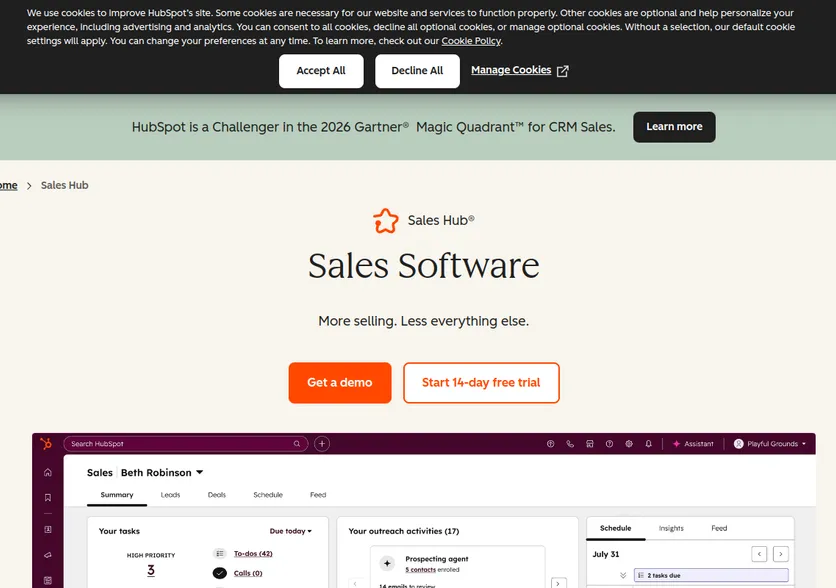
HubSpot gives an accounting firm a free CRM for up to two users, with contact records, pipelines and email tracking that cover the basics from day one. This HubSpot Sales Hub Starter plan costs twenty dollars a seat a month and adds meeting scheduling, calling and simple automation, so a small firm can track every client conversation without a spreadsheet. A firm that grows can move up the same platform instead of migrating, because the paid plans add the reporting and forecasting that partners ask for.
What we like
- Free CRM for up to two users
- Pipelines and email tracking from day one
- Same platform scales from solo firm to team
Watch out for
- Starter is twenty dollars a seat a month
- Onboarding fees apply on the higher plans
How to try it
- Open the HubSpot pricing page and claim the free CRM
- Add your clients and build a pipeline for tax season
- Connect your email and check that every conversation is tracked
2. Freshsales
Best for: Accountants who want AI-assisted pipelines at the lowest paid price here
Paid tool Starting price: $9/user/month · Growth plan $9 a user a month billed annually; Pro $39 and Enterprise $59 a user a month
Free plan: No free plan; 21-day free trial
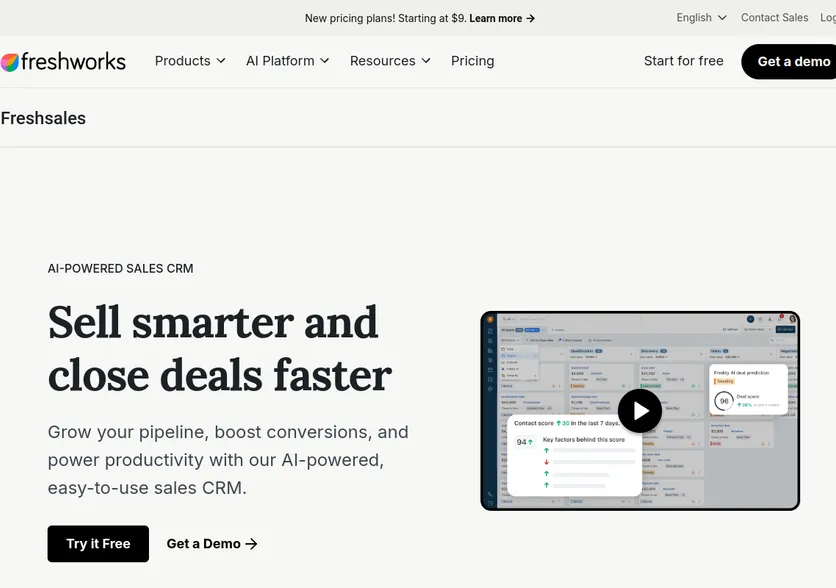
Freshsales is the cheapest paid CRM in this list, with a Growth plan at nine dollars a user a month that still includes AI insights and email tracking. This Freshsales Growth plan suits a small accounting firm that wants a modern pipeline without paying for a big platform, because the built-in phone and chat sit next to every client record. A firm that sends regular client emails will like the tracking that shows when a client opens a tax reminder.
What we like
- Cheapest paid plan in this comparison
- AI insights included on the Growth plan
- Phone and chat built into every record
Watch out for
- No free plan, so the trial is the only test
- Higher plans climb fast once you add automation
How to try it
- Open the Freshsales pricing page and start the free trial
- Import your client list and set up a tax-season pipeline
- Send a client email and check the open tracking
3. Zoho CRM
Best for: Accounting firms that want a full CRM at a low per-user price
Paid tool Starting price: $14/user/month · Standard plan $14 a user a month billed annually; Professional $23, Enterprise $40 and Ultimate $52 a user a month
Free plan: Free plan for up to 3 users
Zoho CRM covers the whole client lifecycle for fourteen dollars a user a month, from first inquiry to signed engagement letter. This Zoho CRM Standard plan includes sales forecasting, workflow rules and a free plan for up to three users, so a small firm can start without paying and upgrade when the client list grows. A firm that already uses Zoho Books will get the most from the two tools sharing client records.

What we like
- Free plan for up to three users
- Workflows and forecasting on the Standard plan
- Shares client records with Zoho Books
Watch out for
- Interface feels busier than simpler CRMs
- Some features need the higher plans
How to try it
- Open the Zoho CRM pricing page and claim the free plan
- Import your clients and set up an engagement pipeline
- Connect Zoho Books and check that client records match
4. Pipedrive
Best for: Accountants who want a visual pipeline that shows every client at a glance
Paid tool Starting price: $14/user/month · Essential plan $14 a user a month billed annually, or $24 billed monthly; higher plans rise to $99 a user a month
Free plan: No free plan; 14-day free trial
Pipedrive keeps the pipeline front and center, so an accountant can see which clients are waiting on documents and which engagements are ready to bill. This Pipedrive Essential plan costs fourteen dollars a user a month on annual billing and covers leads, deals and email sync, which is enough for a firm that lives by its pipeline. A partner who checks the board each morning will know exactly where every client stands without opening a single spreadsheet.

What we like
- Clearest visual pipeline in this list
- Email sync keeps client messages on the deal
- Quick to set up for a small firm
Watch out for
- No free plan, so the trial is the only test
- Reporting depth waits for the higher plans
How to try it
- Open the Pipedrive pricing page and start the free trial
- Build a pipeline with stages for intake, work and billing
- Sync your email and drag a client deal through the stages
5. Less Annoying CRM
Best for: Small accounting firms that want one flat price and nothing to configure
Paid tool Starting price: $15/user/month · One flat plan at $15 a user a month with monthly billing and no annual discount or tiers
Free plan: No free plan; 30-day free trial
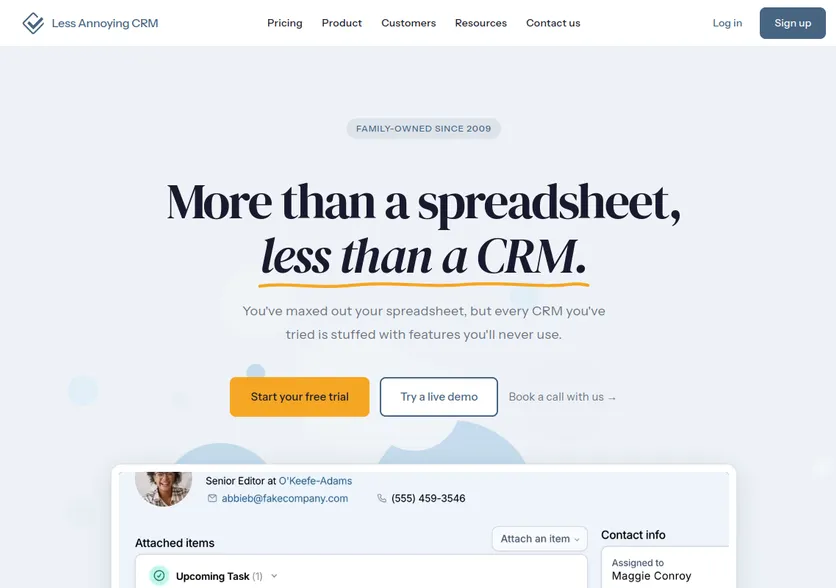
Less Annoying CRM does exactly what its name promises, with one flat plan at fifteen dollars a user a month and no tiers to compare. This Less Annoying CRM single plan includes contacts, pipelines, tasks and calendar reminders, so a small firm can track every client without learning a new system. A sole practitioner who hates software setup will be running it within the hour, because there is nothing to configure.
What we like
- One flat price with no tier decisions
- Simple enough to run within the hour
- No contracts or annual commitment
Watch out for
- No free plan, so the trial is the only test
- Fewer automations than bigger CRMs
How to try it
- Open the Less Annoying CRM pricing page and start the free trial
- Add your clients and set a follow-up task for each one
- Check the calendar view to see the week ahead
6. Capsule
Best for: Accountants who want a simple CRM with a free plan for two users
Paid tool Starting price: $18/user/month · Starter plan $18 a user a month billed annually, or $22 billed monthly; Growth $36 and Advanced $54 a user a month
Free plan: Free plan for up to 2 users and 250 contacts
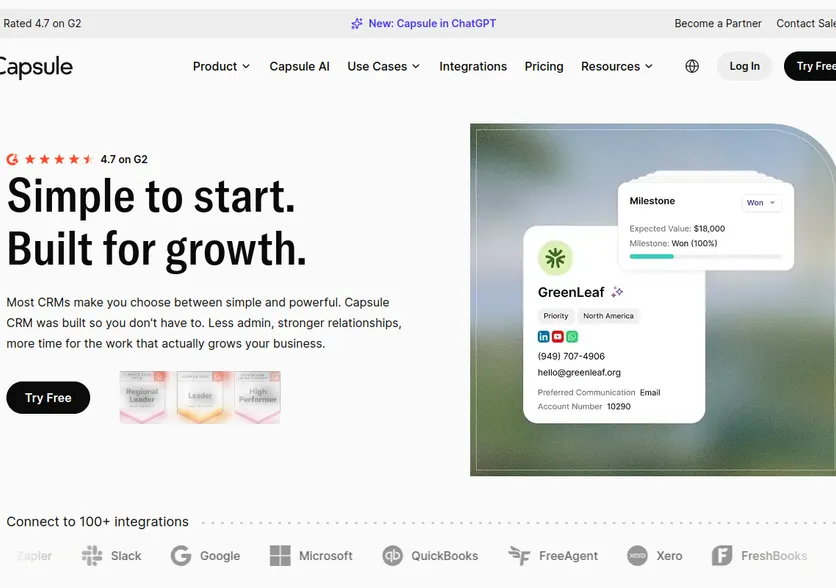
Capsule is the quiet CRM for accountants who want contacts, tasks and pipelines without the noise of a big platform. This Capsule Starter plan costs eighteen dollars a user a month on annual billing and adds custom fields and sales forecasting to the free plan, so a growing firm can shape the CRM around its own engagement process. A firm that values a clean interface over endless features will find Capsule easy to live with every day.
What we like
- Free plan for up to two users
- Clean interface that is quick to learn
- Custom fields shape the CRM to your process
Watch out for
- Starter is eighteen dollars a user a month
- Fewer built-in automations than rivals
How to try it
- Open the Capsule pricing page and claim the free plan
- Add a client and set up a pipeline for engagements
- Add custom fields for tax deadlines and billing status
7. Copper
Best for: Accounting firms that live in Google Workspace and want a CRM inside Gmail
Paid tool Starting price: $23/user/month · Basic plan $23 a user a month billed annually, or $29 billed monthly; Professional $59 and Business $99 a user a month
Free plan: No free plan; free trial available
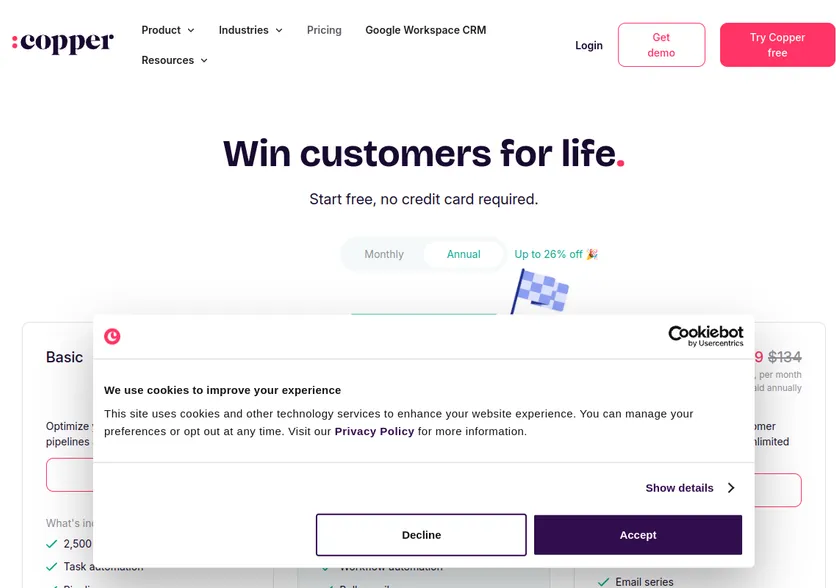
Copper is the CRM for accounting firms that live in Google Workspace, because it turns Gmail and Google Calendar into the client system. This Copper Basic plan costs twenty-three dollars a user a month on annual billing and pulls client emails, meetings and files into one record without leaving the inbox. A firm that runs its whole practice on Google will save the most time, because no one has to open a second app to find a client.
What we like
- Built into Gmail and Google Calendar
- Client emails and files land on the record
- No second app to open for client work
Watch out for
- Basic is twenty-three dollars a user a month
- Best value only for Google Workspace firms
How to try it
- Open the Copper pricing page and start the free trial
- Connect your Google account and import your clients
- Open a client email and check the record builds itself
8. Insightly
Best for: Accounting firms that want CRM plus project tracking for client engagements
Paid tool Starting price: $29/user/month · Plus plan $29 a user a month billed annually; Professional $49 and Enterprise $99 a user a month
Free plan: No free plan; 14-day free trial
Insightly pairs a CRM with project tracking, so an accounting firm can follow a client from first call through the finished engagement in one system. This Insightly Plus plan costs twenty-nine dollars a user a month on annual billing and links contacts, opportunities and projects, which suits firms that bill by the engagement. A firm that juggles tax returns, audits and advisory work will like seeing the project status next to the client record.
What we like
- CRM and project tracking in one system
- Links contacts, deals and projects together
- Good fit for firms that bill by engagement
Watch out for
- Plus is twenty-nine dollars a user a month
- No free plan, so the trial is the only test
How to try it
- Open the Insightly pricing page and start the free trial
- Add a client and link a project to the engagement
- Track the project stages until the work is billed
Prices above were checked on each vendor’s own website on Nov 26, 2026 and can change — the vendor’s page is the final word. Vendor links are editorial: nobody paid to be listed or ranked here. Vendors who want a featured listing can see how it works on our Get listed page.
What CRM software costs for accountants in 2026
Most accounting firms pay per user, so the headline price is only part of the bill, and this list runs from nine dollars a user a month at Freshsales to about thirty dollars at Insightly. The free plans matter here, because HubSpot, Zoho CRM and Capsule all let a small firm start without paying, and a two-person practice can run for months on a free plan. The headline plan each vendor shows on its own pricing page is the number in the table above, checked on November 26, 2026.
Start with the free trial on two tools and run one real tax-season workflow through each, from client intake to invoice. Compare how the pipeline shows deadlines, how fast you can find a client email, and whether invoicing needs a second app. Pick the tool your team will actually open every morning, because a CRM nobody updates is money wasted.
Before you buy
- Count the seats first, because per-user pricing doubles the bill the moment you add staff.
- Check the free plan limits, because HubSpot covers two users and Zoho CRM covers three.
- Test the pipeline with a real tax-season workflow, because a demo never shows deadline pressure.
- Confirm email tracking is included, because some tools reserve it for higher plans.
- Compare annual and monthly billing, because Pipedrive costs fourteen dollars a month billed annually and twenty-four dollars billed monthly.
Official websites
Official websites of the products reviewed above. Features and prices were checked against these sites when this guide was written, and they can change, so confirm on the vendor site before you buy.
Frequently asked questions
Which CRM software is best for accountants in 2026?
HubSpot is the safest default because its free CRM covers two users with pipelines and email tracking, and the paid plans scale with the firm. Zoho CRM wins on value at fourteen dollars a user a month with a free plan for three users, while Less Annoying CRM is the simplest start at one flat price. Pick the tool your team will open every morning, because the best CRM is the one that actually gets updated.
How much does CRM software cost for accountants?
Paid plans here run from nine dollars to about thirty dollars a user a month, with annual billing cutting the monthly rate on most tools. Three tools offer free plans, so a small firm can start without paying and upgrade when the client list grows. Expect to pay more once you add team members, automations or advanced reporting.
Do accountants need a CRM with invoicing built in?
Not always, because most firms invoice from their accounting software and use the CRM for client tracking, pipelines and communication history. Zoho CRM links with Zoho Books, which keeps client records and invoices in sync. Check that your CRM connects to the accounting tool you already use, because a broken link means double entry.
Is there a free CRM for accountants?
Yes, HubSpot offers a free CRM for up to two users, Zoho CRM covers three users, and Capsule covers two users with two hundred fifty contacts. The other five tools offer free trials of fourteen to thirty days instead of a permanent free plan. A free plan is enough to test a real client workflow before you commit to a paid tier.
What should accountants look for in a CRM?
Look for client pipelines that show deadlines, email tracking that keeps every conversation on the record, and reporting that shows which engagements are ready to bill. Check the per-user cost if you plan to add staff, and test the CRM with a real tax-season workflow before you buy. The best CRM for an accountant is the one the whole firm actually uses.
Need everyday business help too? Try Toolsvine's free business tools for accountants right in your browser.
Browse Business Tools tools


