
On this page
Customer success ops runs on health scores, playbooks and fast answers, yet most dedicated CS platforms hide their prices behind a sales call. The seven tools below are the exceptions, with published prices from nineteen dollars a user a month to seventy-nine dollars a month flat, and every price was checked on the vendor site on November 26, 2026. Three are dedicated CS platforms and four are the support desks CS teams actually run day to day. Akita is our first pick — the cheapest dedicated CS platform with a published price.
How we researched this
Most dedicated customer success platforms sell by quote, so we kept only the few with a published price and added the support platforms CS ops teams actually run every day. We read each price on the vendor pricing page on November 26, 2026 and noted the free plan or trial each one carries. We judged them for an ops team that needs health scores, playbooks and a shared inbox, and we left out every quote-only platform, because an ops budget cannot start from a sales call.
Compare the tools
| Name | Best for | Starting price | Free plan | |
|---|---|---|---|---|
 Akita | Small CS teams that want health scoring and playbooks at the lowest published price | $49/month | No free plan and no free trial | Visit |
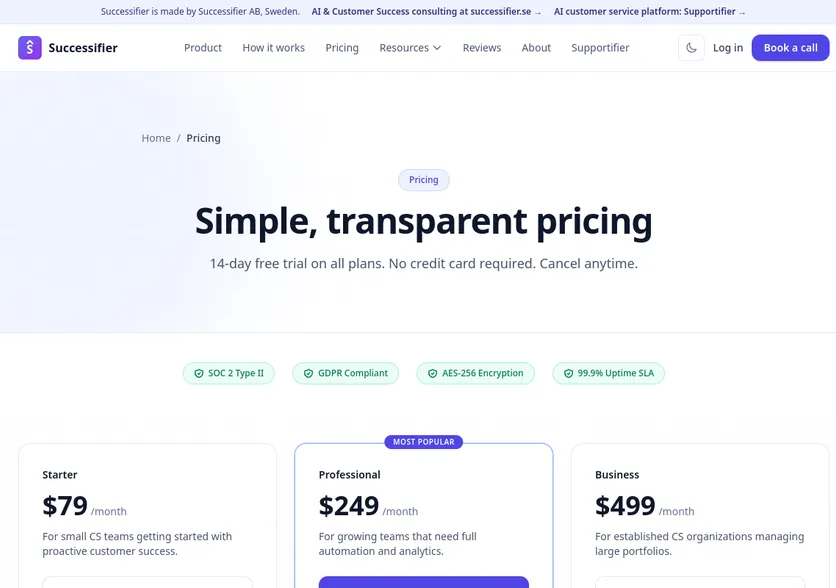
 Successifier | Small CS teams that want AI health scoring and automated onboarding portals | $79/month | No free plan; 14-day free trial | Visit |
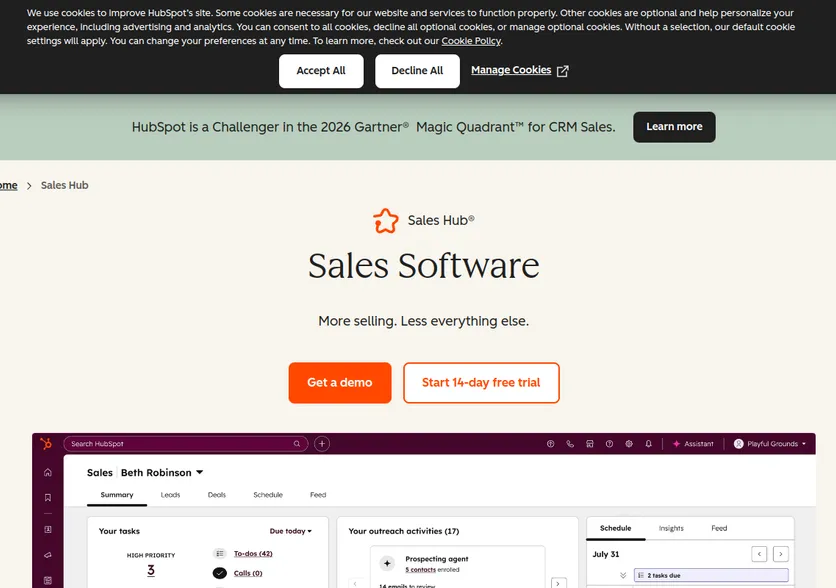
 HubSpot Service Hub | Teams already on HubSpot that want service tickets tied to the CRM | $20/seat/month | Free plan for 2 users | Visit |
 Zendesk | Support teams that want the most established help desk with CS workflows on top | $19/agent/month | No free plan; 14-day free trial | Visit |
 Intercom | Teams that want live chat, in-app messaging and AI answers in one inbox | $29/seat/month | No free plan; 14-day free trial | Visit |
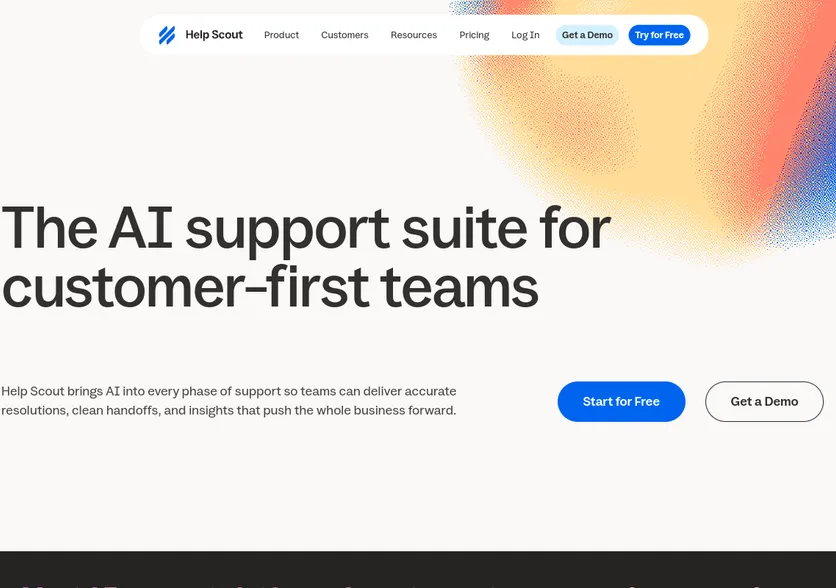
 Help Scout | Small teams that want a clean shared inbox with a real free plan | $25/user/month | Free plan for 5 users, 1 inbox and 25 contacts a month | Visit |
 Freshdesk | Teams already on Freshworks that want AI-powered ticketing at a low entry price | $19/agent/month | Free plan for up to 2 agents | Visit |
The customer success software for ops, compared
1. Akita
Best for: Small CS teams that want health scoring and playbooks at the lowest published price
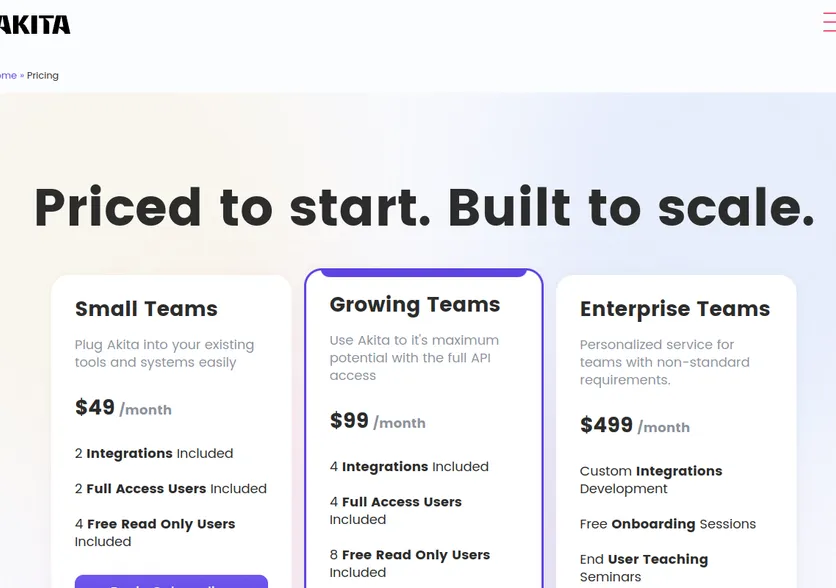
Paid tool Starting price: $49/month · Small Teams plan, $49 a month; Growing $99 and Enterprise $499 a month; annual prepay saves a fifth
Free plan: No free plan and no free trial
Akita is a dedicated customer success platform built for small teams, with health scores, playbooks and account views that flag at-risk customers before they churn. This Akita Small Teams plan costs forty-nine dollars a month and covers two full users, four read-only users and two integrations. A two-person CS team can start tracking account health the same day, because setup is a simple connect-and-go flow with no data science work required.
What we like
- Cheapest dedicated CS platform in this list
- Health scoring works out of the box
- Simple setup with no data team needed
Watch out for
- No free plan and no free trial to test first
- Small Teams plan caps at two integrations
How to try it
- Open the Akita pricing page and pick the Small Teams plan
- Connect your CRM and billing data to build health scores
- Set up one playbook that triggers when a score drops
2. Successifier
Best for: Small CS teams that want AI health scoring and automated onboarding portals
Paid tool Starting price: $79/month · Starter plan, $79 a month for up to 50 accounts and 2 team members; Professional $249 and Business $499 a month; 14-day trial
Free plan: No free plan; 14-day free trial
Successifier pairs AI health scoring with onboarding portals and playbooks, so a small CS team can watch every account and automate the routine work. This Successifier Starter plan costs seventy-nine dollars a month for up to fifty accounts and two team members, with AI account recommendations included. A team that manages a few dozen accounts will like the onboarding portal, because new customers get a guided start without a CSM holding their hand.
What we like
- AI health scoring on the entry plan
- Onboarding portals guide new customers
- Full Professional access during the trial
Watch out for
- Starter caps at fifty accounts, then the price jumps
- Annual billing saves two months but needs a call
How to try it
- Open the Successifier pricing page and start the 14-day trial
- Connect your CRM and let the AI score your accounts
- Open an onboarding portal and walk a new customer through it
3. HubSpot Service Hub
Best for: Teams already on HubSpot that want service tickets tied to the CRM
Paid tool Starting price: $20/seat/month · Starter plan, $20 a seat a month list price; the vendor also shows a lower new-customer offer that does not apply at renewal; Professional $90 and Enterprise $150 a seat a month
Free plan: Free plan for 2 users
HubSpot Service Hub turns support tickets into customer success work, because every ticket sits on the same contact record as the sales history. This HubSpot Service Hub Starter plan lists at twenty dollars a seat a month, and the free tier covers two users with ticketing and a knowledge base included. A team that already runs HubSpot CRM will feel at home, because the service tools share the same contacts, companies and reporting as the rest of the suite.
What we like
- Tickets live on the same record as sales history
- Free tier covers two users with real tools
- Knowledge base included from the start
Watch out for
- List price is twenty dollars a seat, not the new-customer offer
- Health scoring depth needs higher plans
How to try it
- Open the HubSpot Service Hub pricing page and claim the free plan
- Set up a ticketing pipeline and a simple knowledge base
- Link a ticket to a customer and check the health view
4. Zendesk
Best for: Support teams that want the most established help desk with CS workflows on top
Paid tool Starting price: $19/agent/month · Support Team plan, $19 an agent a month billed annually or $25 billed monthly; Suite Team $55 and Suite Professional $115 a month
Free plan: No free plan; 14-day free trial
Zendesk is the help desk most CS ops teams already know, with ticketing, live chat and reporting that scale from a small team to a global operation. This Zendesk Support Team plan costs nineteen dollars an agent a month on annual billing and covers email, social and voice channels in one queue. A CS team that handles renewals through support conversations will like the macros and triggers, because routine replies and escalations run themselves once set up.

What we like
- Most established help desk in this list
- Macros and triggers automate routine work
- Scales from small teams to global operations
Watch out for
- No free plan, so the trial is the only test
- Full suite pricing climbs fast with add-ons
How to try it
- Open the Zendesk pricing page and start the 14-day trial
- Set up your support channels in one shared queue
- Create a macro for the renewal question you answer most
5. Intercom
Best for: Teams that want live chat, in-app messaging and AI answers in one inbox
Paid tool Starting price: $29/seat/month · Essential plan, $29 a seat a month; Advanced $85 and Expert $132 a month; Fin AI billed per resolved outcome
Free plan: No free plan; 14-day free trial
Intercom puts live chat, in-app messages and email in one inbox, so a CS team can reach customers inside the product instead of waiting for a ticket. This Intercom Essential plan costs twenty-nine dollars a seat a month and includes the shared inbox, help center and basic automation. A SaaS team that wants to catch problems early will like the in-app messages, because a nudge inside the product reaches a customer before a missed email ever would.

What we like
- In-app messaging reaches customers where they work
- Shared inbox covers chat, email and social
- AI answers handle routine questions first
Watch out for
- No free plan, so the trial is the only test
- AI answers cost extra per outcome
How to try it
- Open the Intercom pricing page and start the 14-day trial
- Install the messenger and set up your help center
- Send an in-app message to users who have not finished setup
6. Help Scout
Best for: Small teams that want a clean shared inbox with a real free plan
Paid tool Starting price: $25/user/month · Standard plan, $25 a user a month billed annually; Plus $45 and Pro $75 a month
Free plan: Free plan for 5 users, 1 inbox and 25 contacts a month
Help Scout is the friendliest shared inbox in this list, with a clean interface that a small CS team can learn in a day and a free plan that covers five users. This Help Scout Standard plan costs twenty-five dollars a user a month on annual billing and adds workflows, reporting and more inboxes. A team that answers customers by email will like the collision detection, because two people never reply to the same customer twice.
What we like
- Free plan covers five users, the best here
- Cleanest interface in this comparison
- Collision detection stops double replies
Watch out for
- Free plan caps at one inbox and 25 contacts a month
- Fewer automations than bigger platforms
How to try it
- Open the Help Scout pricing page and claim the free plan
- Connect your support mailbox to the shared inbox
- Set up one workflow that tags renewal questions automatically
7. Freshdesk
Best for: Teams already on Freshworks that want AI-powered ticketing at a low entry price
Paid tool Starting price: $19/agent/month · Growth plan, $19 an agent a month billed annually; Pro $55 and Enterprise $89 a month; 14-day trial
Free plan: Free plan for up to 2 agents
Freshdesk is the help desk from the same vendor as Freshsales, with AI agents, ticketing and a customer portal that CS ops teams can run from day one. This Freshdesk Growth plan costs nineteen dollars an agent a month on annual billing and includes the AI agent, shared inbox and knowledge base. A team that already uses Freshworks products will like the shared data, because customer records and tickets stay in one ecosystem without extra connectors.

What we like
- AI agent included on the entry plan
- Free plan covers up to two agents
- Shares data with other Freshworks products
Watch out for
- AI agent sessions beyond the free allowance cost extra
- Free plan covers only two agents
How to try it
- Open the Freshdesk pricing page and start the 14-day trial
- Set up your ticketing pipeline and knowledge base
- Turn on the AI agent and watch it resolve routine tickets
Prices above were checked on each vendor’s own website on Nov 26, 2026 and can change — the vendor’s page is the final word. Vendor links are editorial: nobody paid to be listed or ranked here. Vendors who want a featured listing can see how it works on our Get listed page.
What customer success software costs in 2026
Customer success pricing splits in two, because dedicated platforms charge a flat monthly fee while support desks charge per user. Akita costs forty-nine dollars a month flat and Successifier seventy-nine dollars a month flat, while Zendesk and Freshdesk charge nineteen dollars per agent a month and Intercom twenty-nine dollars a seat. The headline plan each vendor shows on its own pricing page is the number in the table above, checked on November 26, 2026.
Start with the trial on two tools and score ten real accounts in each one, then run one playbook from alert to saved customer. Compare how clear the health score is, how fast the team can act on it, and whether the tool reads your billing and product data. Pick the tool that flags a churn risk first, because that warning is the whole point.
Before you buy
- Check whether the price is per user or flat, because Akita charges forty-nine dollars a month while Zendesk charges nineteen dollars per agent.
- Confirm health scoring is included, because some tools reserve it for higher plans or charge extra for it.
- Count the accounts the plan covers, because Successifier Starter caps at fifty accounts and the next tier costs far more.
- Test the onboarding flow, because a CS tool that takes weeks to set up delays the first health score.
- Compare annual and monthly billing, because most tools here cut the price by about a fifth on annual plans.
Official websites
Official websites of the products reviewed above. Features and prices were checked against these sites when this guide was written, and they can change, so confirm on the vendor site before you buy.
Frequently asked questions
Which customer success software is best for ops in 2026?
Akita is the best low-cost starting point, because it is a dedicated customer success platform at forty-nine dollars a month with health scoring and playbooks included. Successifier adds AI scoring and onboarding portals at seventy-nine dollars a month. If your team already runs HubSpot, the Service Hub at twenty dollars a seat is the natural pick, because tickets and CRM share one record.
How much does customer success software cost?
Dedicated customer success platforms mostly sell by quote, so the published prices here run from nineteen dollars per agent a month for a support desk to seventy-nine dollars a month flat for a dedicated CS platform. Akita at forty-nine dollars a month is the cheapest dedicated option with a published price. Budget for the per-user cost on support tools, because a ten-agent team pays ten times the headline rate.
Why do so few customer success tools publish prices?
Akita and Successifier are the dedicated CS platforms here with published prices, while Gainsight, Totango, ChurnZero, Planhat and Vitally sell by quote and publish no list price. That is why this list mixes dedicated CS tools with the support platforms CS ops teams actually run every day, like Zendesk, Intercom, Help Scout and Freshdesk.
Is there free customer success software?
Help Scout offers a free plan for five users with one inbox, and Freshdesk offers a free plan for up to two agents. HubSpot Service Hub is free for two users with ticketing and a knowledge base. The dedicated CS platforms offer trials instead: Successifier gives fourteen days, while Akita offers no free trial at all.
What should a CS ops team look for first?
Start with health scores, because a CS tool earns its keep when it flags at-risk accounts before they churn. Then check playbooks, onboarding tools and integrations with your CRM and billing system. A tool that cannot read product usage or payment data will only ever show half the picture, so confirm the integrations before you buy.
Need everyday business help too? Try Toolsvine's free business tools right in your browser.
Browse Business Tools tools


