On this page
A consultant juggles several clients and every question needs an owner. The eight tools below cover shared inboxes, live chat and CRM-tied support, with every price checked on the vendor site on November 27, 2026. Prices run from nine dollars per seat a month to fifty-five dollars per agent a month. HubSpot Service Hub is the best overall pick for consultants, because it ties every support ticket to the full CRM record.
How we researched this
We started with the support tools consultants actually buy, then read each price on the vendor pricing page on November 27, 2026 and noted the trial each plan carries. We judged them for a consultant who juggles several clients and needs every question tracked against the right engagement. We dropped quote-only enterprise suites that a small practice cannot price without a sales call.
Compare the tools
| Name | Best for | Starting price | Free plan | |
|---|---|---|---|---|
 Zendesk | Consultants that need a full support platform with AI triage | $55/agent/month | No free plan; free trial available | Visit |
 Freshdesk | Consultants that need a low-cost shared inbox with real automations | $15/agent/month | Free plan for up to 10 agents | Visit |
 Intercom | Consultants that need live chat with an AI agent that handles the first reply | $29/seat/month | No free plan; 14-day free trial | Visit |
 Help Scout | Consultants that need a personal shared inbox that keeps support human | $25/user/month | Free plan for up to 5 users | Visit |
 Zoho Desk | Consultants that need a low-cost help desk that fits the Zoho ecosystem | $14/agent/month | Free plan for up to 3 agents | Visit |
 Front | Consultants that need a shared inbox that works like a team workspace | $25/seat/month | No free plan; 14-day free trial | Visit |
 HubSpot Service Hub | Consultants that need support tied to the CRM | $20/seat/month | Free tools for up to 2 users | Visit |
 Monday | Consultants that need client work tracked on visible boards | $9/seat/month | Free plan for up to 2 seats | Visit |
The customer support software for consultants, compared
1. Zendesk
Best for: Consultants that need a full support platform with AI triage
Paid tool Starting price: $55/agent/month · Fifty-five dollars per agent a month for the Suite Team plan billed annually, or sixty-nine dollars month to month; the Support Team plan costs nineteen dollars per agent a month
Free plan: No free plan; free trial available
For consultants, Zendesk turns scattered client emails into one tracked queue with AI triage and a built-in help centre. This Zendesk Suite Team plan costs fifty-five dollars per agent a month billed annually, while the Support Team plan starts at nineteen dollars for lighter needs. Zendesk suits a consultant who juggles several clients and needs every question tracked against the right engagement.

What we like
- AI triage and suggested replies on every plan
- A help centre, community and knowledge base included
- Hundreds of integrations with the tools teams already use
Watch out for
- Add-ons for advanced AI and workforce tools push the bill up
- The admin setup takes a day or two to get right
How to try it
- Start the trial and connect your support email inbox
- Set up the help centre with your most-asked questions
- Turn on AI triage and route tickets to the right team
2. Freshdesk
Best for: Consultants that need a low-cost shared inbox with real automations
Paid tool Starting price: $15/agent/month · Fifteen dollars per agent a month for the Growth plan billed annually; Pro costs forty-nine dollars and the free plan covers up to ten agents
Free plan: Free plan for up to 10 agents
For consultants, Freshdesk gives a small team a tidy shared inbox with automations that actually work out of the box. This Freshdesk Growth plan costs fifteen dollars per agent a month billed annually, with Pro at forty-nine dollars and a free plan for up to ten agents. A consultant's reputation rests on responsiveness, and Freshdesk makes sure no client question slips through.

What we like
- A clean shared inbox that a new team learns in an afternoon
- Automations and collision detection stop double replies
- The free plan covers up to ten agents
Watch out for
- Reporting on the lower plans is basic
- Some AI features need the higher plans
How to try it
- Sign up for the free plan and connect your inbox
- Create ticket categories that match your services
- Turn on automations for routing and follow-ups
3. Intercom
Best for: Consultants that need live chat with an AI agent that handles the first reply
Paid tool Starting price: $29/seat/month · Twenty-nine dollars per seat a month for the Essential plan billed annually, or thirty-nine dollars month to month; Advanced costs eighty-five dollars and Expert one hundred and thirty-two dollars. The nineteen-dollar figure on some pages is a first-term discount for new customers, not the list price
Free plan: No free plan; 14-day free trial
For consultants, Intercom pairs live chat with an AI agent that resolves routine questions before a human ever sees them. This Intercom Essential plan costs twenty-nine dollars per seat a month billed annually, with Advanced at eighty-five dollars and the Fin AI agent charged per resolved conversation. For a one-person or small consulting team, Intercom keeps client work organised without adding admin overhead.

What we like
- Fin resolves routine questions without a human
- Live chat, email and help centre in one inbox
- In-product messages reach users where they already are
Watch out for
- Fin is billed per outcome on top of the seat price
- Costs climb fast once you add seats and channels
How to try it
- Start the trial and install the chat widget on your site
- Train Fin on your help centre articles
- Set up the inbox so unresolved chats reach a person
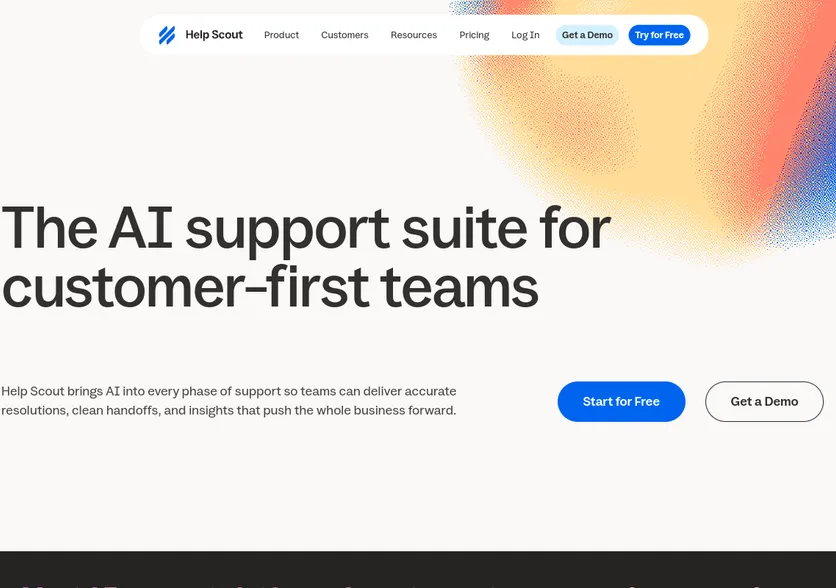
4. Help Scout
Best for: Consultants that need a personal shared inbox that keeps support human
Paid tool Starting price: $25/user/month · Twenty-five dollars per user a month for the Standard plan billed annually, or thirty dollars month to month; Plus costs forty-five dollars and Pro seventy-five dollars
Free plan: Free plan for up to 5 users
For consultants, Help Scout keeps support personal with a shared inbox built around the customer, not the ticket. This Help Scout Standard plan costs twenty-five dollars per user a month billed annually, with Plus at forty-five dollars and a free plan for up to five users. Help Scout suits a consultant who juggles several clients and needs every question tracked against the right engagement.
What we like
- A shared inbox that reads like email, not a ticket queue
- Customer profiles show every past conversation at a glance
- The free plan covers up to five users
Watch out for
- No phone channel on the lower plans
- Reporting is lighter than the big enterprise suites
How to try it
- Connect your support inbox and invite the team
- Set up saved replies for the questions you answer daily
- Add the help centre widget to your website
5. Zoho Desk
Best for: Consultants that need a low-cost help desk that fits the Zoho ecosystem
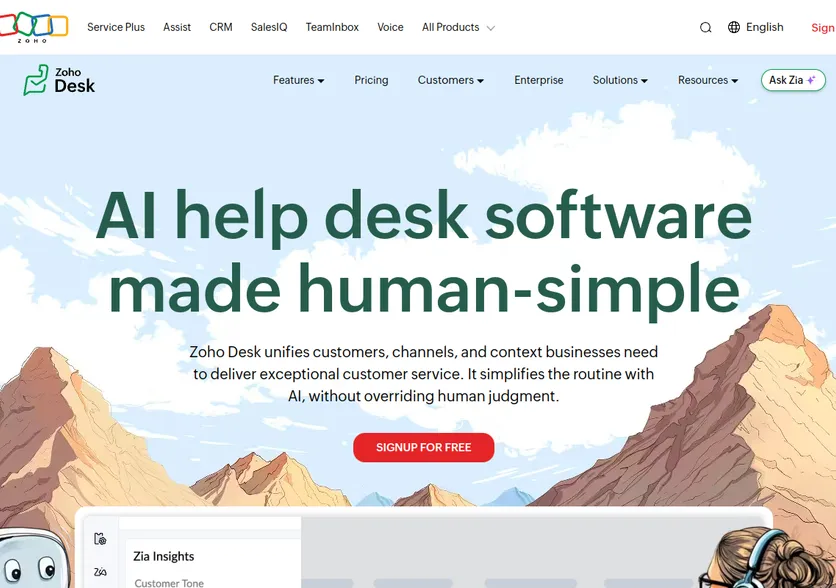
Paid tool Starting price: $14/agent/month · Fourteen dollars per agent a month for the Standard plan billed annually; Express costs seven dollars, Professional twenty-three dollars and Enterprise forty dollars
Free plan: Free plan for up to 3 agents
For consultants, Zoho Desk brings a low-cost shared inbox that plugs into the wider Zoho suite when you already use it. This Zoho Desk Standard plan costs fourteen dollars per agent a month billed annually, with Express at seven dollars and a free plan for up to three agents. A consultant's reputation rests on responsiveness, and Zoho Desk makes sure no client question slips through.
What we like
- One of the lowest entry prices in this list
- Deep links into Zoho CRM, Books and Projects
- A free plan for up to three agents
Watch out for
- The interface feels busy next to newer rivals
- Some features need other Zoho apps to shine
How to try it
- Sign up and connect your support email
- Set up departments and ticket categories
- Turn on the free plan features and add agents as you grow
6. Front
Best for: Consultants that need a shared inbox that works like a team workspace
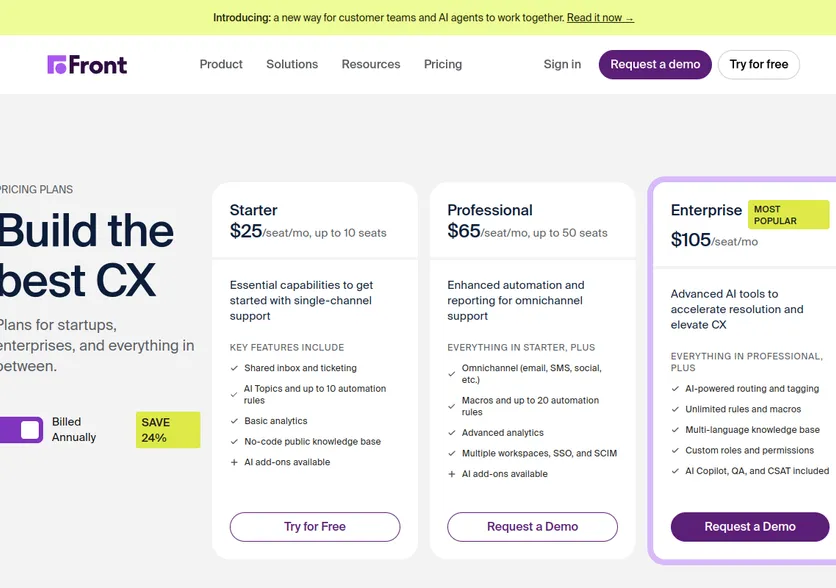
Paid tool Starting price: $25/seat/month · Twenty-five dollars per seat a month for the Starter plan billed annually, or thirty-five dollars month to month; Professional costs sixty-five dollars and Enterprise one hundred and five dollars
Free plan: No free plan; 14-day free trial
For consultants, Front runs the whole inbox as a shared workspace with internal comments, assignments and rules. This Front Starter plan costs twenty-five dollars per seat a month billed annually, with Professional at sixty-five dollars and Enterprise at one hundred and five dollars. For a one-person or small consulting team, Front keeps client work organised without adding admin overhead.
What we like
- Internal comments keep the whole team on one thread
- Rules and assignments route work without a manager
- Works for any shared inbox, not just support
Watch out for
- Starter covers one channel type and ten seats
- No free plan, only a fourteen-day trial
How to try it
- Start the trial and connect your shared inboxes
- Set up rules to assign messages to the right person
- Add internal comments and saved replies for the team
7. HubSpot Service Hub
Best for: Consultants that need support tied to the CRM
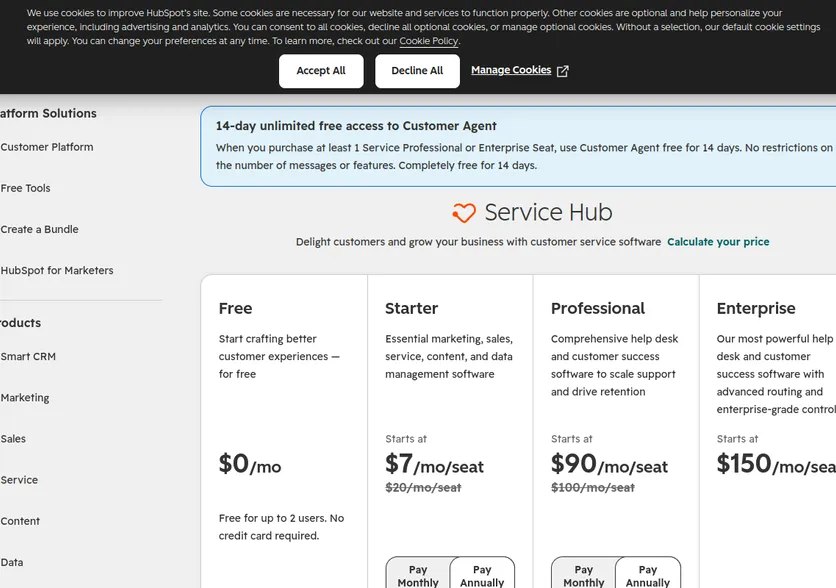
Paid tool Starting price: $20/seat/month · Twenty dollars per seat a month for the Starter plan; Professional costs one hundred dollars and Enterprise one hundred and fifty dollars. The seven-dollar Starter figure on some pages is a first-term discount for new customers, not the list price
Free plan: Free tools for up to 2 users
For consultants, HubSpot Service Hub ties support tickets to the CRM so every conversation carries the full customer history. This HubSpot Service Hub Starter plan costs twenty dollars per seat a month, with Professional at one hundred dollars and Enterprise at one hundred and fifty dollars. HubSpot Service Hub suits a consultant who juggles several clients and needs every question tracked against the right engagement.
What we like
- Tickets sit next to the full CRM record
- Free tools cover up to two users
- The help centre and feedback tools are built in
Watch out for
- Professional adds a fifteen-hundred-dollar onboarding fee
- The platform gets pricey as seats and hubs grow
How to try it
- Start with the free tools and connect your inbox
- Import contacts so tickets link to the CRM
- Set up ticket pipelines and the help centre
8. Monday
Best for: Consultants that need client work tracked on visible boards
Paid tool Starting price: $9/seat/month · Nine dollars per seat a month for the Work Management Basic plan billed annually, or twelve dollars month to month, with a three-seat minimum; Standard costs twelve dollars and Pro nineteen dollars a month
Free plan: Free plan for up to 2 seats
For consultants, Monday tracks client work, requests and follow-ups on boards the whole team can see. This Monday Basic plan costs nine dollars per seat a month billed annually, with a three-seat minimum and a free plan for up to two seats. A consultant's reputation rests on responsiveness, and Monday makes sure no client question slips through.

What we like
- Boards the whole team can read at a glance
- Templates for client work and requests
- A free plan for up to two seats
Watch out for
- It is work management, not a dedicated help desk
- The three-seat minimum sets a floor of twenty-seven dollars a month
How to try it
- Sign up and pick a client-work template
- Set up boards for requests and follow-ups
- Invite the team and turn on automations
Prices above were checked on each vendor’s own website on Nov 27, 2026 and can change — the vendor’s page is the final word. Vendor links are editorial: nobody paid to be listed or ranked here. Vendors who want a featured listing can see how it works on our Get listed page.
What customer support software costs a consultant
A consultant pays for support in two ways, the subscription and the client lost to a slow answer. A nine-dollar seat looks cheap until a missed question costs an engagement, so weigh the shared inbox and the CRM link against the sticker price. CRM-tied tools cost more because they carry the full client history as well as tickets. Start with the plan that covers your active clients, then add seats as the practice grows.
Before you buy, run a real client question through the trial: send it from one engagement, answer it from the shared inbox, and check the reply lands against the right client record. If the trial cannot keep engagements apart, it will not survive a busy month.
Before you buy
- Match the tool to your client count, because a consultant with five clients and one with fifty need different tracking.
- Check that tickets link to the CRM record, because a reply without client history wastes the consultant's time.
- Confirm the price covers every seat, because per-seat billing multiplies fast as the practice grows.
- Test the shared inbox on a phone, because consultants answer clients between meetings, not at a desk.
- Ask who owns the client data, because a tool that locks records behind an export fee costs more later.
Official websites
Official websites of the products reviewed above. Features and prices were checked against these sites when this guide was written, and they can change, so confirm on the vendor site before you buy.
Frequently asked questions
Which customer support software is best for consultants in 2026?
HubSpot Service Hub is the best overall pick at twenty dollars per seat a month, because it ties every support ticket to the full CRM record. Zendesk is the best full support platform at fifty-five dollars per agent a month, and monday.com is the best budget pick at nine dollars per seat a month for tracking client work on boards.
What is the cheapest customer support software for consultants?
monday.com is the cheapest at nine dollars per seat a month on the Basic plan, with a free plan for up to two seats and a three-seat minimum. Freshdesk is nearly as cheap at fifteen dollars per agent a month, with a free plan for up to ten agents. Both suit a small practice, though monday.com is work management rather than a help desk.
Is there free customer support software for consultants?
Yes. Freshdesk offers a free plan for up to ten agents, Help Scout covers up to five users free, and monday.com is free for up to two seats. These free plans cover a small practice's inbox and client tracking, though reporting and automations are lighter than on the paid plans.
Can a consultant switch support tools without losing client history?
Yes, most tools in this list include free importers that move tickets, contacts and help centre articles from Zendesk, Freshdesk and other help desks. Plan the move around a quiet week, import a small batch first to check the mapping, and keep the old inbox read-only until you are confident nothing was lost.
Do consultants need a CRM or a help desk?
Most consultants need both, which is why HubSpot Service Hub leads this list: it ties tickets to the CRM record so every reply carries the full client history. A help desk alone cannot track the relationship, and a CRM alone cannot run the inbox. Small practices often start with Freshdesk and add a CRM later.
Running a consulting practice? Browse Toolsvine's free business tools right in your browser.
Browse Business Tools tools