
On this page
Sales teams lose deals when a buyer cannot see the product without booking a call, and interactive demo software fixes that by letting buyers click through the real thing alone. The seven tools below run from thirty-eight dollars a month to about five hundred seventy-five dollars a month, and every price was checked on the vendor site on November 26, 2026. Most include a free plan for one demo, so compare the paid tiers rather than the free tier alone. Storylane is our first pick — the most complete self-serve demo tool for sales teams.
How we researched this
We started with the demo tools sales teams actually buy, then read each price on the vendor pricing page on November 26, 2026 and noted the free plan or trial each plan carries. We judged them for a sales team that needs buyers to explore the product alone, with lead capture and analytics, and we kept only tools with a published price. We dropped Demostack and Tourial because both sell by custom quote with no published price.
Compare the tools
| Name | Best for | Starting price | Free plan | |
|---|---|---|---|---|
 Storylane | Sales teams that want polished interactive demos with lead capture from forty dollars a seat | $40/seat/month | Free plan with 1 seat and 1 published demo | Visit |
 Arcade | Small teams that want click-through demos with AI video from the same capture | $42.50/seat/month | Free plan with 1 seat and 1 published demo | Visit |
 Supademo | Sales teams that want the cheapest credible interactive demo with a permanent free tier | $38/creator/month | Free plan for 1 creator with 5 demos | Visit |
 HowdyGo | Sales teams that want HTML demos with CRM sync and a flat price for unlimited users | $159/month | No free plan; 14-day free trial with no credit card | Visit |
 Walnut | Marketing teams that want AI-personalized demos and deal rooms at scale | $575/month | No free plan; free trial available | Visit |
 Navattic | Sales teams that want HTML demos, account identification and a dedicated success manager | $500/month | Free Starter plan with 1 seat and 1 demo | Visit |
 Reprise | Enterprise presales teams that need live data injection and application clones | $100/seat/month | Free plan with product tours and data injection | Visit |
The demo software for sales teams, compared
1. Storylane
Best for: Sales teams that want polished interactive demos with lead capture from forty dollars a seat
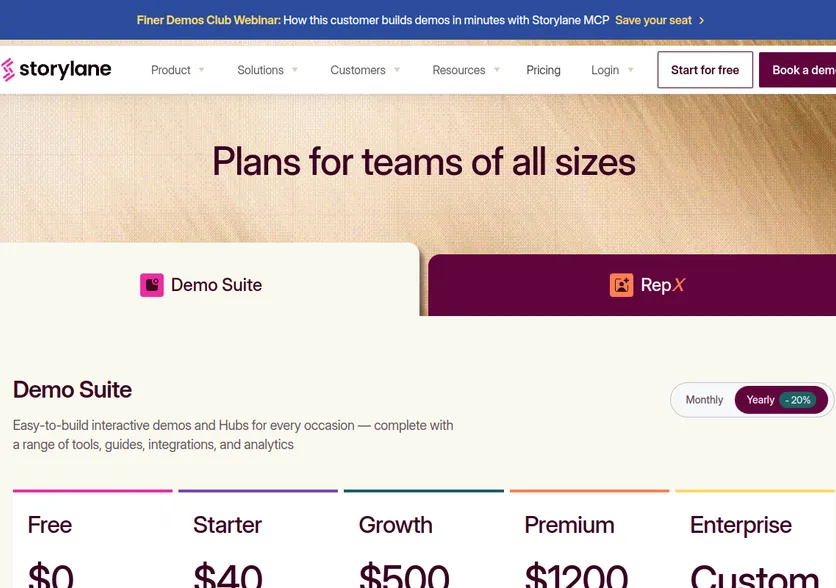
Paid tool Starting price: $40/seat/month · Starter plan, $40 per seat a month billed annually or $50 billed monthly; Growth $500 and Premium $1,200 a month
Free plan: Free plan with 1 seat and 1 published demo
Storylane turns screenshots, video and live product pages into guided demos a buyer can click through alone, with lead capture and account reveal built in. This Storylane Starter plan costs forty dollars per seat a month billed annually and includes unlimited published demos, AI avatars and translations. A sales team that needs one tool for marketing demos, sales follow-ups and live-call presenting will find Storylane the most complete self-serve option here.
What we like
- Screenshot, video and HTML demos in one tool
- Lead capture and account reveal included
- Self-serve pricing a small team can buy today
Watch out for
- HTML demos need the five hundred dollar Growth plan
- Sandbox demos are reserved for Enterprise
How to try it
- Open the Storylane plans page and start with the free plan
- Capture your product and build a guided demo with hotspots
- Share the demo link in your next sales email and watch the analytics
2. Arcade
Best for: Small teams that want click-through demos with AI video from the same capture
Paid tool Starting price: $42.50/seat/month · Growth plan, $42.50 per seat a month billed annually or $50 billed monthly, for up to 10 seats; Enterprise custom
Free plan: Free plan with 1 seat and 1 published demo
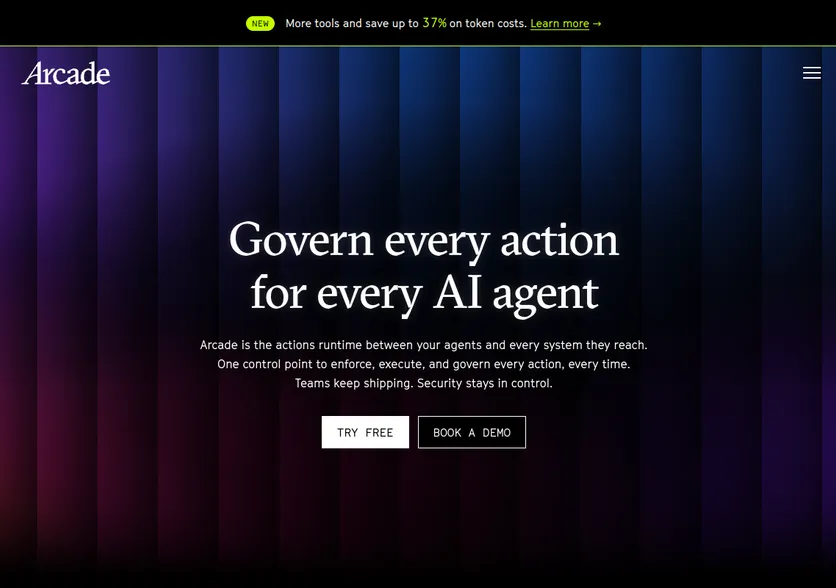
Arcade captures a product walkthrough with a browser extension or desktop app and turns it into a clickable demo, a video and a step-by-step guide from one recording. This Arcade Growth plan costs about forty-three dollars per seat a month billed annually and removes the watermark, unlocks unlimited demos and adds MP4 export. A marketer who needs demos for the website, the sales deck and social posts gets three formats from a single capture session.
What we like
- One capture becomes a demo, a video and a guide
- AI voiceover and translations included
- Fastest capture flow in this list
Watch out for
- HTML capture needs the custom Enterprise plan
- AI video credits are capped each month
How to try it
- Open the Arcade pricing page and install the browser extension
- Record a walkthrough of your best workflow
- Publish the demo and export the video version for the website
3. Supademo
Best for: Sales teams that want the cheapest credible interactive demo with a permanent free tier
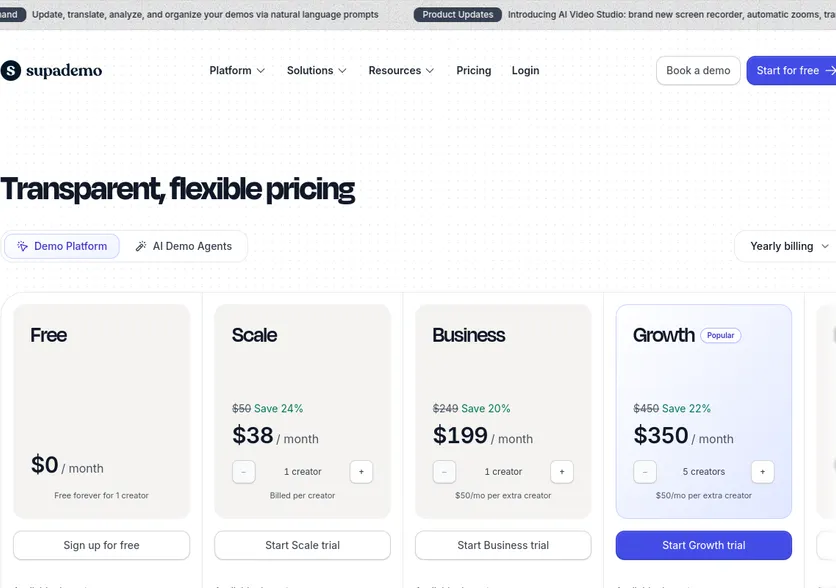
Paid tool Starting price: $38/creator/month · Scale plan, $38 per creator a month billed annually or $50 billed monthly; Business $199 and Growth $350 a month
Free plan: Free plan for 1 creator with 5 demos
Supademo turns a screen capture into a guided demo with hotspots, branching and trackable links, and its free tier never expires. This Supademo Scale plan costs thirty-eight dollars per creator a month billed annually and adds unlimited demos, desktop apps, AI voiceover and integrations with HubSpot and Salesforce. A startup that needs professional demos without a procurement process can start free and upgrade one creator at a time.
What we like
- Cheapest paid entry in this comparison
- Permanent free plan with five demos
- Per-creator pricing, so viewers are always free
Watch out for
- HTML demos need the Growth plan at three hundred fifty dollars
- The jump from Scale to Growth is the steepest here
How to try it
- Open the Supademo pricing page and create a free account
- Record a demo with the browser extension and add hotspots
- Upgrade to Scale when you need unlimited demos and no watermark
4. HowdyGo
Best for: Sales teams that want HTML demos with CRM sync and a flat price for unlimited users
Paid tool Starting price: $159/month · Starter plan, $159 a month billed annually or $199 billed monthly, for unlimited users; Pro $399 a month
Free plan: No free plan; 14-day free trial with no credit card
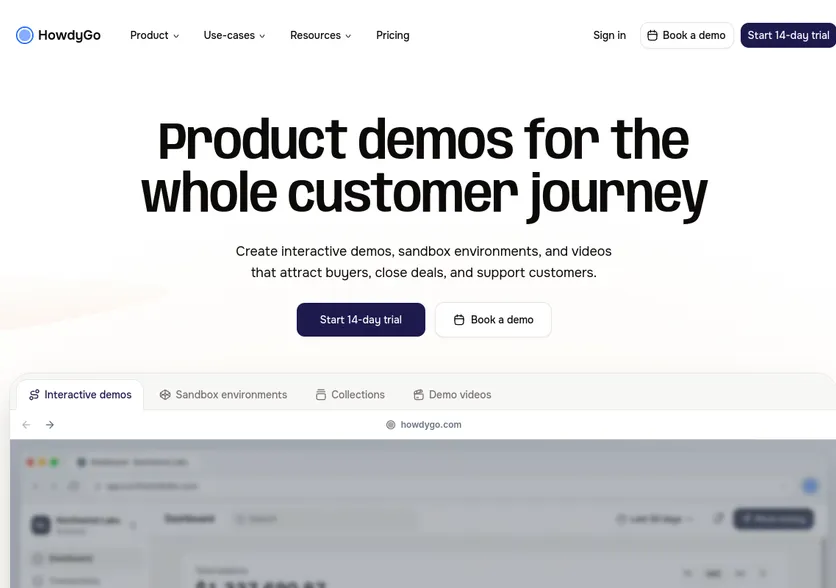
HowdyGo records a web app in Chrome and turns it into an HTML demo that buyers explore freely, with lead capture, GIF export and video export from the same recording. This HowdyGo Starter plan costs one hundred fifty-nine dollars a month billed annually and covers unlimited users and unlimited HTML demos. A go-to-market team where five or more people build demos will find the flat price cheaper than per-seat tools once the whole team is involved.
What we like
- Flat price with unlimited users on every plan
- HTML capture from the cheapest plan
- One recording exports as demo, video and GIF
Watch out for
- No free plan, so the trial is the only test
- Demo analytics and CRM sync need the Pro plan
How to try it
- Open the HowdyGo pricing page and start the 14-day trial
- Record your product and edit the captured pages
- Invite the whole team, since seats are unlimited on every plan
5. Walnut
Best for: Marketing teams that want AI-personalized demos and deal rooms at scale
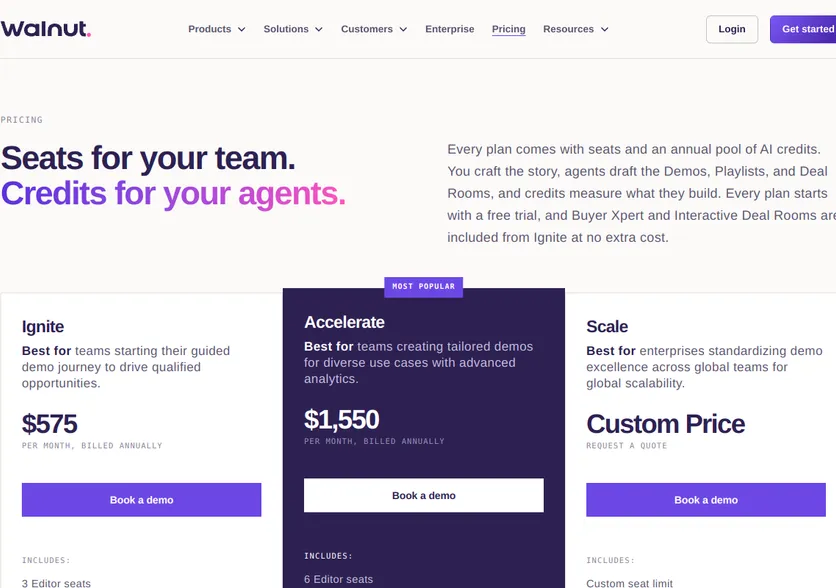
Paid tool Starting price: $575/month · Ignite plan, $575 a month billed annually, with 3 editor and 3 presenter seats; Accelerate $1,550 a month
Free plan: No free plan; free trial available
Walnut builds interactive demos with AI personalization, playlists and deal rooms, so each prospect sees a version of the product shaped around their own use case. This Walnut Ignite plan costs five hundred seventy-five dollars a month billed annually and includes three editor seats, three presenter seats and unlimited demos. A team that personalizes every demo and tracks engagement across the deal will find Walnut the most marketing-fluent tool here.
What we like
- AI personalization for every prospect
- Deal rooms keep demos and collateral together
- Unlimited demos on the entry plan
Watch out for
- No free plan and a high entry price
- Sandbox demos need the Accelerate plan
How to try it
- Open the Walnut pricing page and book a demo
- Build one demo template and personalize it for a live prospect
- Share the demo in a deal room and track who opens it
6. Navattic
Best for: Sales teams that want HTML demos, account identification and a dedicated success manager
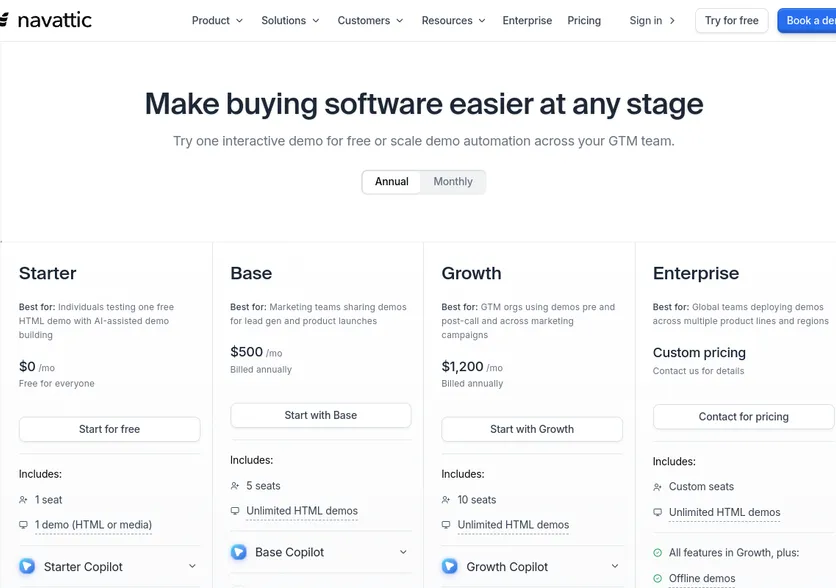
Paid tool Starting price: $500/month · Base plan, $500 a month billed annually or $600 billed monthly, with 5 seats; Growth $1,200 a month
Free plan: Free Starter plan with 1 seat and 1 demo
Navattic captures a live product into an interactive HTML demo that buyers click through, with integrations for Salesforce and Marketo and account identification built in. This Navattic Base plan costs five hundred dollars a month billed annually and includes five seats, unlimited HTML demos and a dedicated customer success manager. A B2B team that runs demos as a core part of the sales motion gets a platform built for that job, not a side feature.
What we like
- True HTML demos with live product feel
- Account identification shows which companies engage
- Dedicated success manager on the Base plan
Watch out for
- Five hundred dollars a month is a big step from free
- Sandbox demos need the Growth plan
How to try it
- Open the Navattic pricing page and start with the free Starter plan
- Capture your product and publish your first HTML demo
- Upgrade to Base when you need more demos and CRM integrations
7. Reprise
Best for: Enterprise presales teams that need live data injection and application clones
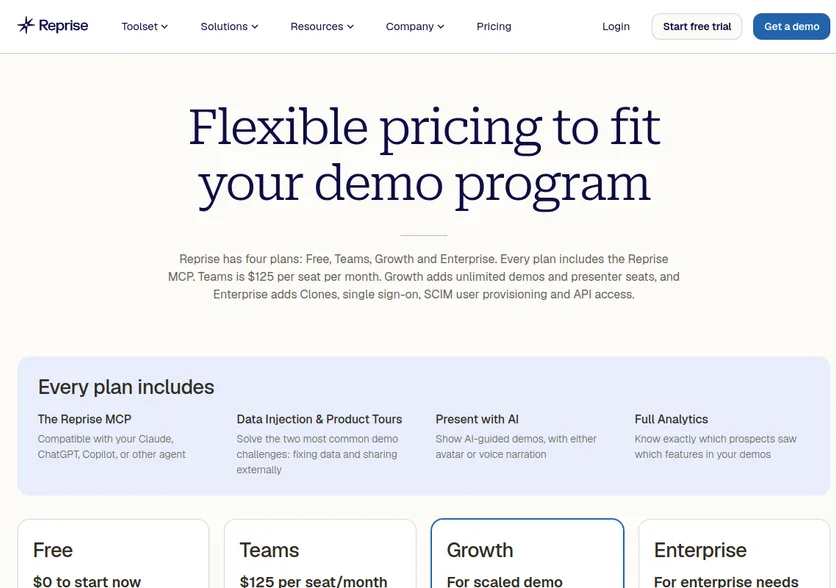
Paid tool Starting price: $100/seat/month · Teams plan, $100 per seat a month billed annually or $125 billed monthly; Growth and Enterprise by quote
Free plan: Free plan with product tours and data injection
Reprise builds guided product tours, data injection and full application clones, so a solutions engineer can show a prospect their own data inside a working copy of the product. This Reprise Teams plan costs one hundred dollars per seat a month billed annually and adds Demo Flows, Sales Rooms and builder seats for the team. A presales team selling complex software will find Reprise the only tool here that clones the application itself rather than capturing screenshots of it.
What we like
- Application clones no rival here offers
- Live data injection shows a prospect their own numbers
- Free plan includes tours and data injection
Watch out for
- Application clones need the custom Enterprise plan
- Enterprise orientation means heavier setup than lighter tools
How to try it
- Open the Reprise pricing page and start with the free plan
- Build a product tour of your core workflow
- Upgrade to Teams when you need Demo Flows and Sales Rooms
Prices above were checked on each vendor’s own website on Nov 26, 2026 and can change — the vendor’s page is the final word. Vendor links are editorial: nobody paid to be listed or ranked here. Vendors who want a featured listing can see how it works on our Get listed page.
What demo software costs a sales team in 2026
Most sales teams pay per seat, so the headline price is only part of the budget, and this list runs from thirty-eight dollars per creator a month to five hundred seventy-five dollars a month. The cheapest plans are not always the cheapest deal, because per-seat tools like Storylane charge for every builder while flat tools like HowdyGo charge one price for the whole team. The headline plan each vendor shows on its own pricing page is the number in the table above, checked on November 26, 2026.
Start with the free plan on two tools and run one real prospect through each demo, from first click to lead form. Compare how the demo feels to the buyer, how fast you can build it, and whether the analytics show which accounts engaged. Pick the tool your buyers actually finish, because a demo nobody completes is money wasted.
Before you buy
- Count the seats first, because per-seat pricing doubles the bill the moment a second sales engineer joins.
- Check whether HTML demos are included, because screenshot demos cannot show live data or let a buyer click freely.
- Confirm the free plan limits, because a single-demo free tier is a trial in all but name.
- Compare annual and monthly billing, because most tools here cut the monthly rate by about a fifth on annual plans.
- Test the demo as a buyer, because a confusing demo creates more sales calls than it saves.
Official websites
Official websites of the products reviewed above. Features and prices were checked against these sites when this guide was written, and they can change, so confirm on the vendor site before you buy.
Frequently asked questions
Which demo software is best for sales teams in 2026?
Storylane, at forty dollars per seat a month billed annually, is the safest default because it covers screenshot, video and HTML demos with lead capture in one self-serve plan. Supademo is the cheapest paid start at thirty-eight dollars per creator a month, and Arcade is the fastest capture at about forty-three dollars per seat a month.
How much does demo software cost for a sales team?
Paid plans in this list run from thirty-eight dollars per creator a month for Supademo to five hundred seventy-five dollars a month for Walnut. Most small sales teams pay between thirty-eight and one hundred sixty dollars a month, while larger teams running HTML demos at scale pay five hundred dollars a month or more.
Is there a free demo software for sales teams?
Yes, Storylane, Arcade, Supademo, Navattic and Reprise all have a free plan, though most limit you to one published demo. HowdyGo and Walnut offer a free trial instead of a permanent free plan. A free plan is enough to build and share one real demo before you commit.
What is the difference between HTML demos and screenshot demos?
HTML demos capture the live product, so buyers click real buttons and see real data, while screenshot demos show a fixed sequence of images. HTML demos feel more convincing but cost more: Storylane reserves them for its five hundred dollar Growth plan, while HowdyGo includes them from one hundred fifty-nine dollars a month.
What should a sales team look for in demo software?
Look for unlimited published demos, lead capture, CRM integration and analytics that show which accounts engaged. Check the seat math, because per-seat tools get expensive as the team grows, and test the demo as a buyer before you buy. Finally, check the free plan limits before you commit.
Need more free business help? Try Toolsvine's free business tools right in your browser.
Browse Business Tools tools


