On this page
Small businesses lose hours to copy-and-paste work between apps that never talk to each other. The seven tools below connect those apps, so a new order, a new lead or a new booking triggers the next step on its own. Some charge a few dollars a month, others charge hundreds, and every one of them offers a free plan or a free trial to test the fit. Every price was checked on the vendor site on November 27, 2026. Zapier is our first pick — the tool with the most app connections and the easiest start for a small team.
How we researched this
We started with the process automation tools a small business can buy on a card without an enterprise sales call, then read each price on the vendor pricing page on November 27, 2026 and noted the free plan each one carries. We judged them for a small team that needs busywork to disappear without hiring a developer. We dropped Process Street because it publishes no price, and Pipefy and Kissflow because their published prices suit enterprises, not small businesses.
Compare the tools
| Name | Best for | Starting price | Free plan | |
|---|---|---|---|---|
 Zapier | Small businesses that want the most app connections and the easiest start | $19.99/month | Free plan with 100 tasks a month | Visit |
 Make | Small businesses that want the most automation for the least money | $9/month | Free plan with 1,000 credits a month | Visit |
 n8n | Small businesses with a technical owner who wants full control | €20/month | Free self-hosted Community edition; 14-day cloud trial | Visit |
 Microsoft Power Automate | Small businesses already on Microsoft 365 | $15/user/month | Free seeded rights inside Microsoft 365; 30-day trial | Visit |
 Integrately | Small businesses that want one-click automations at a low price | $19.99/month | Free plan with 100 tasks a month | Visit |
 IFTTT | Small businesses that want the cheapest automation here | $2.09/month | Free plan with 1,000 credits a month | Visit |
 Pabbly Connect | Small businesses that want a low monthly price with a lifetime option | $16/month | Free plan with 100 tasks a month | Visit |
The digital process automation software for small business, compared
1. Zapier
Best for: Small businesses that want the most app connections and the easiest start
Paid tool Starting price: $19.99/month · Nineteen dollars and ninety-nine cents a month for the Professional plan, billed annually, with seven hundred and fifty tasks a month; monthly billing costs twenty-nine dollars and ninety-nine cents; the Team plan starts at sixty-nine dollars a month billed annually; a free plan covers one hundred tasks a month
Free plan: Free plan with 100 tasks a month
Zapier is the automation tool every small business knows, connecting thousands of apps with a simple trigger-and-action builder that needs no code. This Zapier Professional plan starts at nineteen dollars and ninety-nine cents a month billed annually, with seven hundred and fifty tasks a month. A small team gets the widest app library in this list, with a free plan to test the first workflow before paying.

What we like
- Widest app library in this list, with thousands of connections
- Simple trigger-and-action builder that needs no code
- Free plan covers one hundred tasks a month
Watch out for
- Tasks add up fast, so a busy team outgrows the entry plan
- Team plan starts at sixty-nine dollars a month
How to try it
- Open the Zapier site and create a free account
- Pick two apps you already use and connect them
- Build a trigger and an action, then watch the first task run
2. Make
Best for: Small businesses that want the most automation for the least money
Paid tool Starting price: $9/month · Nine dollars a month for the Core plan, billed annually, with ten thousand credits; monthly billing costs ten dollars and fifty-nine cents; the Pro plan costs sixteen dollars a month and Teams costs twenty-nine dollars; a free plan covers one thousand credits a month
Free plan: Free plan with 1,000 credits a month
Make is the visual automation builder that shows each workflow as a diagram, so a small team can see exactly what happens to every piece of data. This Make Core plan costs nine dollars a month billed annually, with ten thousand credits to spend. A small business gets more automation per dollar than any other tool here, with a free plan to learn the visual builder first.

What we like
- Best value in this list at nine dollars a month
- Visual builder shows the whole workflow at a glance
- Free plan covers one thousand credits a month
Watch out for
- Visual builder takes a day to learn
- Some vendor pages also show twelve dollars for Core, so confirm at checkout
How to try it
- Open the Make site and create a free account
- Drag two app modules onto the canvas and link them
- Run the scenario once and watch the data flow through
3. n8n
Best for: Small businesses with a technical owner who wants full control
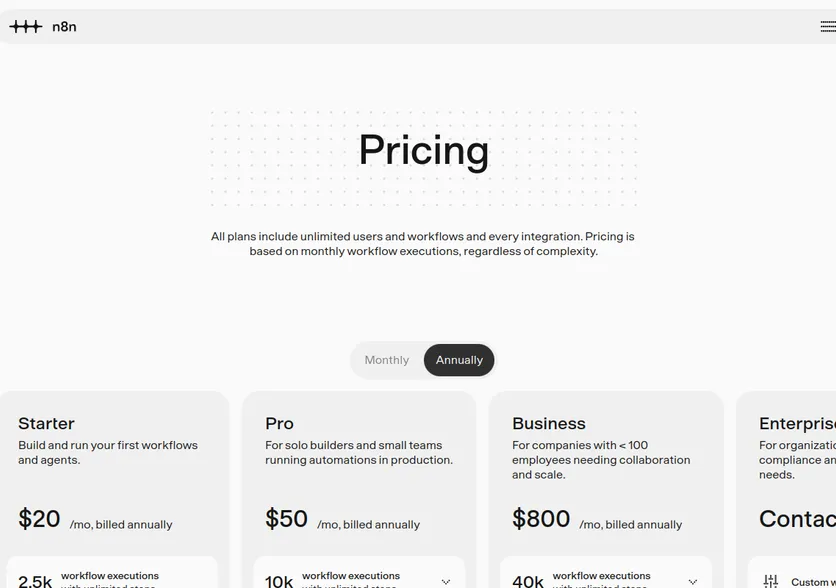
Paid tool Starting price: €20/month · Twenty euros a month for the Cloud Starter plan, billed annually, with two thousand five hundred executions; monthly billing costs twenty-four euros; Pro costs fifty euros a month and Business costs six hundred sixty-seven euros a month billed annually (eight hundred euros on monthly billing); a free self-hosted Community edition and a fourteen-day cloud trial are available
Free plan: Free self-hosted Community edition; 14-day cloud trial
n8n is the open automation tool that runs in the cloud or on your own server, with a visual builder and hundreds of app nodes that a technical owner can extend. This n8n Cloud Starter plan costs twenty euros a month billed annually, with two thousand five hundred executions. A small business gets the most control in this list, with a free self-hosted edition for teams that want to run their own infrastructure.
What we like
- Most control in this list, with self-hosting available
- Free self-hosted edition for technical teams
- Hundreds of app nodes with a visual builder
Watch out for
- Needs a technical owner to get the most from it
- Cloud Starter covers only two thousand five hundred executions
How to try it
- Open the n8n site and start the 14-day cloud trial
- Pick a workflow template that matches your first need
- Connect your apps and run the workflow once
4. Microsoft Power Automate
Best for: Small businesses already on Microsoft 365
Paid tool Starting price: $15/user/month · Fifteen dollars per user a month for the Premium plan, billed annually; the Process plan costs one hundred and fifty dollars per bot a month and the Hosted Process plan costs two hundred and fifteen dollars per bot a month; free seeded rights come inside Microsoft 365; a thirty-day trial is available
Free plan: Free seeded rights inside Microsoft 365; 30-day trial
Microsoft Power Automate is the automation tool inside Microsoft 365, connecting Outlook, Teams, Excel and SharePoint with flows a small business can build in minutes. This Microsoft Power Automate Premium plan costs fifteen dollars per user a month billed annually. A small business on Microsoft 365 gets automation that lives where its files and email already live, with seeded rights included in the suite.
What we like
- Lives inside Microsoft 365 where your files already are
- Deep links to Outlook, Teams, Excel and SharePoint
- Thirty-day trial to test the Premium plan
Watch out for
- Best only for teams already on Microsoft 365
- Seeded AI Builder credits were removed on November 1, 2026
How to try it
- Open Power Automate inside your Microsoft 365 account
- Pick a template for your most repeated task
- Run the flow once and check the result in Teams
5. Integrately
Best for: Small businesses that want one-click automations at a low price
Paid tool Starting price: $19.99/month · Nineteen dollars and ninety-nine cents a month for the Starter plan, billed annually, with two thousand tasks and one user; monthly billing costs twenty-nine dollars and ninety-nine cents; Professional costs thirty-nine dollars a month and Growth costs ninety-nine dollars; a free plan covers one hundred tasks a month
Free plan: Free plan with 100 tasks a month
Integrately is the one-click automation tool, offering ready-made workflows for popular app pairs that a small business can switch on in minutes. This Integrately Starter plan costs nineteen dollars and ninety-nine cents a month billed annually, with two thousand tasks and one user. A small business gets the fastest setup in this list, with triggers and failed actions that cost nothing.
What we like
- Fastest setup in this list, with one-click automations
- Triggers and failed actions cost nothing
- Free plan covers one hundred tasks a month
Watch out for
- Starter covers only one user and two thousand tasks
- Smaller app library than Zapier or Make
How to try it
- Open the Integrately site and create a free account
- Search for the two apps you want to connect
- Switch on a ready-made automation and test it once
6. IFTTT
Best for: Small businesses that want the cheapest automation here
Paid tool Starting price: $2.09/month · Two dollars and nine cents a month for the Starter plan, billed annually, with five thousand credits; monthly billing costs two dollars and ninety-nine cents; Pro costs five dollars and forty-nine cents a month billed annually and Pro Plus costs thirteen dollars and ninety-nine cents; a free plan covers one thousand credits a month
Free plan: Free plan with 1,000 credits a month
IFTTT is the cheapest automation tool here, connecting apps and smart devices with a credit system that charges only for the actions that actually run. This IFTTT Starter plan costs two dollars and nine cents a month billed annually, with five thousand credits. A small business gets automation for the price of a coffee, with a free plan that covers one thousand credits a month.
What we like
- Cheapest paid plan in this list at two dollars and nine cents a month
- Credits charge only for actions that actually run
- Free plan covers one thousand credits a month
Watch out for
- Credit system is new since October 2026, so old reviews quote old prices
- Fewer business apps than Zapier or Make
How to try it
- Open the IFTTT site and create a free account
- Pick an applet that matches your first task
- Connect your apps and let the applet run
7. Pabbly Connect
Best for: Small businesses that want a low monthly price with a lifetime option
Paid tool Starting price: $16/month · Sixteen dollars a month for the Standard plan, billed annually, with ten thousand tasks; monthly billing costs nineteen dollars; the Unlimited plan costs sixty-nine dollars a month billed annually; a free plan covers one hundred tasks a month; lifetime plans start at three hundred and forty-nine dollars
Free plan: Free plan with 100 tasks a month
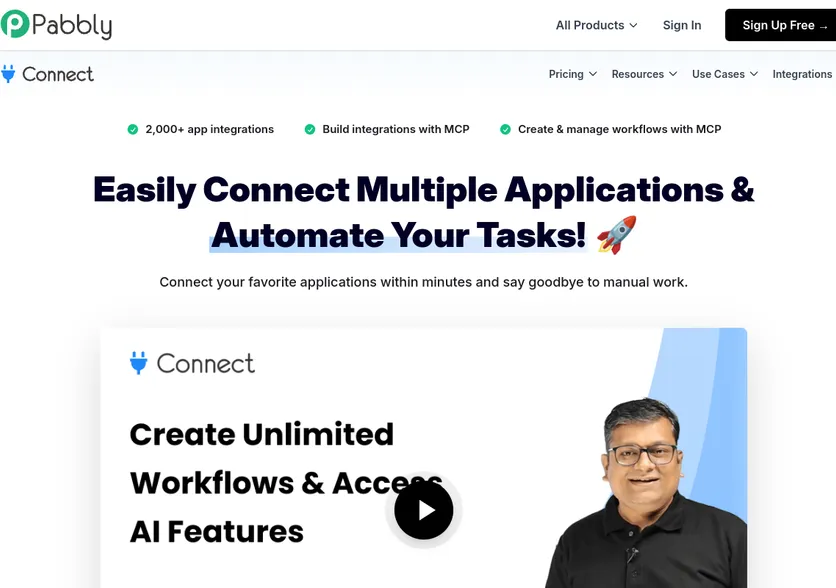
Pabbly Connect is the budget automation tool that undercuts the big names on tasks per dollar, with a lifetime plan for teams that never want another monthly bill. This Pabbly Connect Standard plan costs sixteen dollars a month billed annually, with ten thousand tasks. A small business gets a generous task allowance for the price, with a free plan to test the builder first.
What we like
- Ten thousand tasks for sixteen dollars a month
- Lifetime plan from three hundred and forty-nine dollars
- Free plan covers one hundred tasks a month
Watch out for
- Smaller app library than Zapier or Make
- Support is slower than the big names
How to try it
- Open the Pabbly Connect site and create a free account
- Pick two apps and build your first workflow
- Run it once and check the task count
Prices above were checked on each vendor’s own website on Nov 27, 2026 and can change — the vendor’s page is the final word. Vendor links are editorial: nobody paid to be listed or ranked here. Vendors who want a featured listing can see how it works on our Get listed page.
What a small business pays for process automation in 2026
Process automation charges by the task, the credit or the execution, and the unit decides the real cost for a small business. A tool that charges two dollars a month can cost more than a tool that charges twenty dollars a month if its tasks run out mid-month. The cheapest paid plan here costs two dollars and nine cents a month, while the most expensive entry plan costs twenty euros a month.
Start with the free plan on two tools and automate your most repeated task first. Count the tasks it burns in a week, then multiply by four to find your monthly need. Pick the tool whose free plan covers that number, because an automation that stops mid-month is worse than no automation at all.
Before you buy
- Check what the plan counts, because a task, a credit and an execution are not the same unit.
- Confirm the free plan limit, because a free plan that runs out on day ten is no free plan.
- Test the automation on your busiest day, because a quiet-week test hides the real task burn.
- Ask what happens when the limit hits, because some tools stop while others charge overage fees.
- Check the app library before you buy, because an automation tool without your apps is a dead end.
Official websites
Official websites of the products reviewed above. Features and prices were checked against these sites when this guide was written, and they can change, so confirm on the vendor site before you buy.
Frequently asked questions
Which process automation software is best for a small business in 2026?
Zapier is the best overall pick, starting at nineteen dollars and ninety-nine cents a month billed annually with the widest app library. Make is the best value pick at nine dollars a month, and IFTTT is the cheapest at two dollars and nine cents a month. All seven prices were checked on the vendor site on November 27, 2026.
How much does process automation cost for a small business?
Prices in this list run from two dollars and nine cents a month for IFTTT Starter to twenty euros a month for n8n Cloud Starter, with most entry plans landing between nine and nineteen dollars and ninety-nine cents a month billed annually. Every tool here offers a free plan, so a small business can automate its first workflow before spending anything.
What is the difference between a task, a credit and an execution?
A task is one action a workflow runs, a credit is a unit IFTTT charges for each action, and an execution is one full run of an n8n workflow. The unit decides the real cost, so count how many actions your busiest workflow runs in a week before you compare prices. A cheap plan with a small task limit can cost more than a dearer plan with a generous one.
Can a small business automate without hiring a developer?
Yes, and every tool in this list is built for that. Zapier, Make, Integrately, IFTTT and Pabbly Connect all offer ready-made templates and no-code builders, so a small team can connect its apps in an afternoon. Only n8n rewards a technical owner, and even it offers templates that need no code to start.
Should a small business pick a monthly plan or a lifetime plan?
A monthly plan wins for most teams, because automation needs change as the business grows and a lifetime plan locks you to one tool. Pabbly Connect offers lifetime plans from three hundred and forty-nine dollars, which suits a team that knows its workflows will not change. Start monthly, prove the value, and only then consider a lifetime deal.
Want more ways to save time? Try Toolsvine's free productivity tools right in your browser.
Browse Productivity Tools tools