
On this page
A law firm runs on documents, and a matter file scattered across email and shared drives costs billable hours every week. The seven tools below combine document management with case files, billing and client portals, from thirty nine to fifty nine dollars a user a month, and every price was checked on the vendor site on November 26, 2026. Most offer a free trial, so you can test document storage and search before paying. Clio is our first pick — the most complete practice platform from forty nine dollars a user a month.
How we researched this
We started with the practice management tools law firms actually buy, then read each price on the vendor pricing page on November 26, 2026 and checked which plan includes document management. We judged them for a small firm that needs matter files, document templates and secure client sharing in one place. We kept only tools with a published price, and we dropped quote-only tools such as Lawmatics, Filevine and NetDocuments because their prices are not published.
Compare the tools
| Name | Best for | Starting price | Free plan | |
|---|---|---|---|---|
 Clio | Law firms that want the most complete practice platform | $49/user/month | Free trial available | Visit |
 MyCase | Small firms that want an affordable all-in-one practice tool | $50/user/month | Free trial available | Visit |
 PracticePanther | Solo lawyers and tiny firms that need documents plus billing | $49/user/month | Free trial available | Visit |
 CosmoLex | Firms that want accounting and documents in one system | $49/user/month | Free trial available | Visit |
| Rocket Matter | Firms that want strong document automation and billing | $59/user/month | Free trial available | Visit |
 Lawcus | Small firms that want a visual, Kanban-style matter board | $39/user/month | Free trial available | Visit |
 TimeSolv | Firms that bill by the hour and want documents with time tracking | $43/user/month | Free trial available | Visit |
The document management software for law firms, compared
1. Clio
Best for: Law firms that want the most complete practice platform
Paid tool Starting price: $49/user/month · Manage Starter plan, starting at $49 a user a month; Core, Signature and Elite tiers are quoted, not published
Free plan: Free trial available
Clio is the best-known practice management platform for law firms, and document management sits at the center of it. This Clio Manage Starter plan stores matter documents, builds templates and tracks time and billing in one workspace. A small firm can move every case file into Clio and stop hunting through shared drives for the latest version.

What we like
- Matter files, billing and documents in one place
- Document templates speed up routine filings
- Client portal keeps sharing secure
Watch out for
- Starter costs forty nine dollars a user a month
- Higher tiers are quoted, so the full price is unclear
How to try it
- Open the Clio pricing page and start a trial
- Create a matter and upload its documents and templates
- Share a file with a client through the secure portal
2. MyCase
Best for: Small firms that want an affordable all-in-one practice tool
Paid tool Starting price: $50/user/month · Basic plan, $50 a user a month billed annually or $60 billed monthly; Pro $100 and Advanced $130 sit above it
Free plan: Free trial available
MyCase gives a small firm case management, document storage and client communication for a lower bill than the biggest names. This MyCase Basic plan stores documents by matter, shares files with clients and tracks time and billing. A firm that wants one login for cases, documents and payments will find the price easy to justify.

What we like
- Case files and documents in one affordable plan
- Client portal and payments included
- Easy to learn for a small team
Watch out for
- Basic costs fifty dollars a user a month billed annually
- Document automation is lighter than Clio
How to try it
- Open the MyCase pricing page and start a trial
- Set up a case and add its documents and contacts
- Invite a client to the portal and share the first file
3. PracticePanther
Best for: Solo lawyers and tiny firms that need documents plus billing
Paid tool Starting price: $49/user/month · Solo plan, $49 a user a month billed annually or $59 billed monthly; Essential $69, Business $89 and Business Pro $114 sit above it
Free plan: Free trial available
PracticePanther is built for solo lawyers and tiny firms, with documents, time tracking and billing in a clean interface. This PracticePanther Solo plan stores matter documents, generates invoices and accepts online payments. A solo practitioner can run the whole practice from one dashboard without hiring office help.

What we like
- Built for solos, so nothing feels oversized
- Billing and payments built into the same tool
- Clean interface with a short learning curve
Watch out for
- Solo costs forty nine dollars a user a month billed annually
- Solo plan limits some advanced features
How to try it
- Open the PracticePanther pricing page and start a trial
- Create your first matter with its documents
- Send an invoice and accept the payment online
4. CosmoLex
Best for: Firms that want accounting and documents in one system
Paid tool Starting price: $49/user/month · Launch plan, $49 a user a month; Core $99 and Pro $129 sit above it
Free plan: Free trial available
CosmoLex stands out by pairing document management with full legal accounting, including trust accounting that many tools skip. This CosmoLex Launch plan stores matter documents, tracks time and keeps the books compliant in one system. A firm tired of syncing a separate accounting tool will like having everything in one place.

What we like
- Trust accounting built in, not bolted on
- Documents and billing share one matter file
- No separate accounting subscription needed
Watch out for
- Launch costs forty nine dollars a user a month
- The interface feels busier than simpler tools
How to try it
- Open the CosmoLex pricing page and start a trial
- Set up a matter and import its documents
- Run a trust accounting report to check the setup
5. Rocket Matter
Best for: Firms that want strong document automation and billing
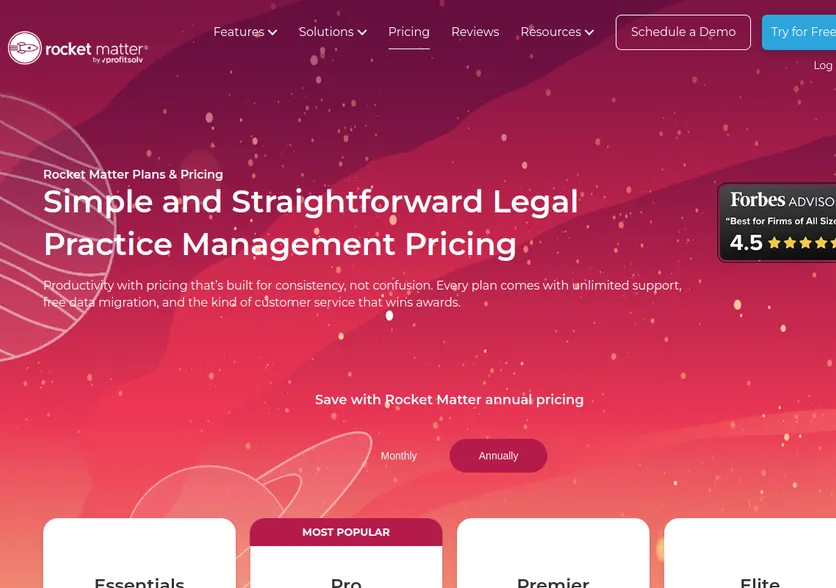
Paid tool Starting price: $59/user/month · Essentials plan, $59 a user a month billed annually; Pro $95, Premier $115 and Elite $145 sit above it; the vendor FAQ mentions plans starting at $49
Free plan: Free trial available
Rocket Matter combines document management with billing and practice tools, and it has served small firms for years. This Rocket Matter Essentials plan stores documents by matter, automates routine documents and tracks billable time. A firm that drafts the same documents every week will save hours with the templates and automation.
What we like
- Document automation saves hours on routine filings
- Time tracking and billing in the same tool
- Long track record with small firms
Watch out for
- Essentials costs fifty nine dollars a user a month billed annually
- The interface looks older than newer rivals
How to try it
- Open the Rocket Matter pricing page and start a trial
- Build a document template for a routine filing
- Track time on a matter and generate the invoice
6. Lawcus
Best for: Small firms that want a visual, Kanban-style matter board
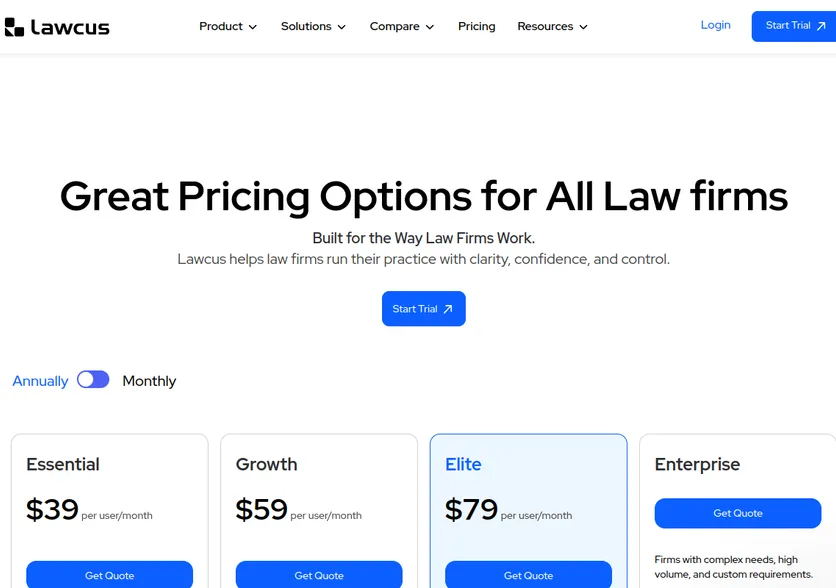
Paid tool Starting price: $39/user/month · Essential plan, $39 a user a month billed annually or $49 billed monthly; Growth $59 and Elite $79 sit above it
Free plan: Free trial available
Lawcus brings a visual Kanban board to law practice, so a matter moves across the screen like a card through a pipeline. This Lawcus Essential plan stores documents, tracks matters on the board and automates intake and billing steps. A visual thinker will love seeing every case at a glance instead of digging through lists.
What we like
- Kanban board shows every matter at a glance
- Cheapest entry on this list
- Automation covers intake and billing steps
Watch out for
- Essential costs thirty nine dollars a user a month billed annually
- Smaller ecosystem than Clio or MyCase
How to try it
- Open the Lawcus pricing page and start a trial
- Create a matter and drag it onto the board
- Attach the case documents and set an automation
7. TimeSolv
Best for: Firms that bill by the hour and want documents with time tracking
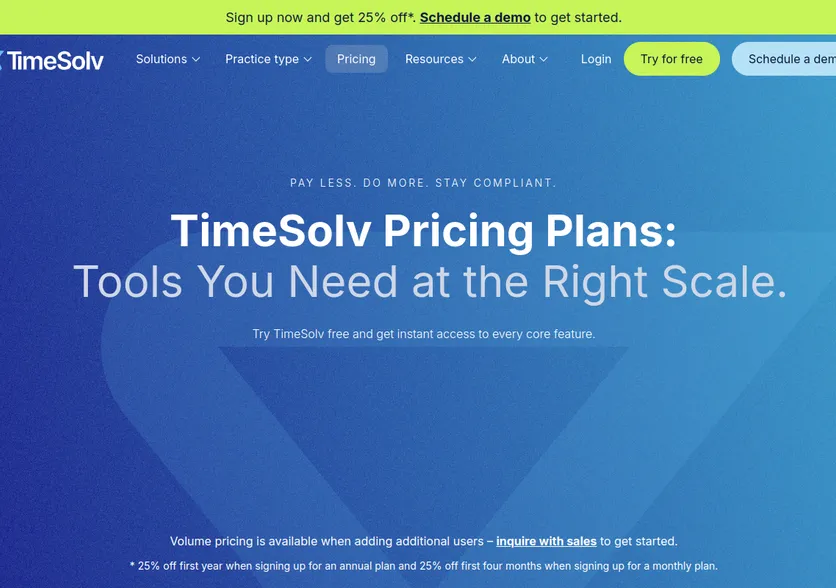
Paid tool Starting price: $43/user/month · Pro plan, $43 a user a month; Legal $58 sits above it; one third-party read of the vendor page reports pricing from $49, so confirm at checkout
Free plan: Free trial available
TimeSolv is built around time and billing, with document storage tied to the matters you bill for. This TimeSolv Pro plan stores matter documents, tracks hours and expenses, and turns tracked time into invoices. A firm that lives on billable hours will like how naturally documents and time sit together.
What we like
- Time tracking and documents share one matter file
- Invoicing flows straight from tracked hours
- Simple to learn for a billing-focused firm
Watch out for
- Pro costs forty three dollars a user a month
- Document tools are simpler than dedicated systems
How to try it
- Open the TimeSolv pricing page and start a trial
- Create a matter and upload its documents
- Track an hour and turn it into an invoice
Prices above were checked on each vendor’s own website on Nov 26, 2026 and can change — the vendor’s page is the final word. Vendor links are editorial: nobody paid to be listed or ranked here. Vendors who want a featured listing can see how it works on our Get listed page.
What document management software for law firms costs in 2026
Every tool here charges per user, so the bill grows with the firm and the cheapest plan is not always the cheapest deal. This list runs from thirty nine dollars a user a month to fifty nine dollars a user a month, and the plan that unlocks document management is usually the entry plan, which keeps budgeting simple. The headline plan each vendor shows on its own pricing page is the number in the table above, checked on November 26, 2026.
Start with the free trial on two tools and run a real matter through both. Compare the document search, the templates and the client portal, then pick the tool your team will actually open every day. A tool that finds the right document in seconds pays for itself the first time a deadline is tight.
Before you buy
- Count the seats first, because every plan here charges per user and a growing firm feels every extra seat.
- Check what the plan includes, because document automation and client portals often sit on higher tiers.
- Test the search on your own files first, because a demo library never shows how it handles your matter folders.
- Ask about trust accounting, because a firm that holds client funds needs compliant books built in.
- Add up the hours saved, because a tool that finds documents fast buys a lawyer billable time every week.
Official websites
Official websites of the products reviewed above. Features and prices were checked against these sites when this guide was written, and they can change, so confirm on the vendor site before you buy.
Frequently asked questions
Which document management software is best for law firms in 2026?
Clio Manage, from forty nine dollars a user a month, is the safest default because it pairs document storage with case files, billing and a client portal in one platform. MyCase is better when budget matters, at fifty dollars a user a month billed annually for a similar all-in-one set. PracticePanther wins for solo lawyers, at forty nine dollars a user a month for documents, billing and payments in a clean interface.
What is the cheapest document management software for law firms?
Lawcus Essential, at thirty nine dollars a user a month billed annually, is the cheapest entry here and adds a visual matter board with document storage and automation. TimeSolv Pro, at forty three dollars a user a month, is the next cheapest and suits firms that bill by the hour. Both offer trials, so test each one on a real matter before choosing.
Can I try law firm document management software for free?
Most of them, yes. Clio, MyCase, PracticePanther, CosmoLex, Rocket Matter, Lawcus and TimeSolv all offer free trials from their pricing pages. Start with the trial on two tools and run a real matter through each one, so you can compare document search, templates and client sharing on your own files before paying.
Do I need separate document management software if I use Clio?
Not usually. Clio Manage stores matter documents, builds templates and shares files through a secure client portal, which covers most small firms. Separate document software makes sense when you need deep version control, e-signature workflows or large-scale document automation, which is where dedicated tools and the higher Clio tiers earn their keep.
What is the difference between Clio and MyCase for a small firm?
Both cover documents, cases and billing, but Clio starts at forty nine dollars a user a month with a larger app ecosystem and more integrations, while MyCase starts at fifty dollars a user a month billed annually with a simpler interface and a lower learning curve. Clio wins on depth and integrations, MyCase wins on simplicity and price. Try both trials with a real matter.
Running a law firm? Try Toolsvine's free business tools right in your browser.
Browse Business Tools tools


