On this page
New users churn when onboarding is a welcome email and silence, and the product never gets a second chance. The eight tools below send the right tip, checklist and nudge at the right moment, with drip sequences that guide a new user to the first win. Every price was checked on the vendor site on November 27, 2026, and the list runs from eight dollars and eight cents a month to one hundred dollars a month. ActiveCampaign is our first pick — the automation platform that follows what each new user does and answers with the next step.
How we researched this
We started with the drip email tools teams actually onboard with, then read each price on the vendor pricing page on November 27, 2026 and noted the trial or free plan each one carries. We judged them for a team that needs behavior-based sequences, with onboarding steps that adapt to what each new user does. We dropped Intercom and Userlist because neither publishes a list price for the drip plan, so a buyer cannot compare them without a sales call.
Compare the tools
| Name | Best for | Starting price | Free plan | |
|---|---|---|---|---|
 Kit | Teams that want onboarding sequences that feel personal to each subscriber | $33/month | Free plan for up to ten thousand subscribers | Visit |
 Mailchimp | Small teams that want drip journeys at the lowest price in this list | $13/month | Free plan for up to two hundred and fifty contacts | Visit |
 ActiveCampaign | Teams that want onboarding sequences that change with each new user | $15/month | No free plan; 14-day free trial | Visit |
| Drip | Teams that want onboarding tied to revenue and purchase behavior | $39/month | No free plan; 14-day free trial | Visit |
 MailerLite | Small teams that want clean automations at a low price | $10.80/month | Free plan for up to two hundred and fifty subscribers | Visit |
 GetResponse | Teams that want drip email plus webinars and landing pages in one login | $15.58/month | Free plan for up to five hundred contacts | Visit |
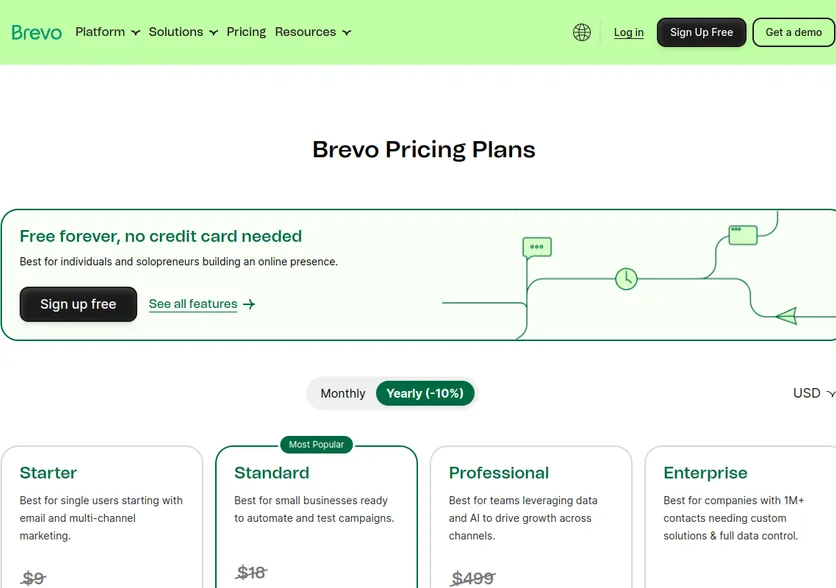
 Brevo | Small teams that send targeted sequences and want the lowest price here | $8.08/month | Free plan with three hundred emails a day | Visit |
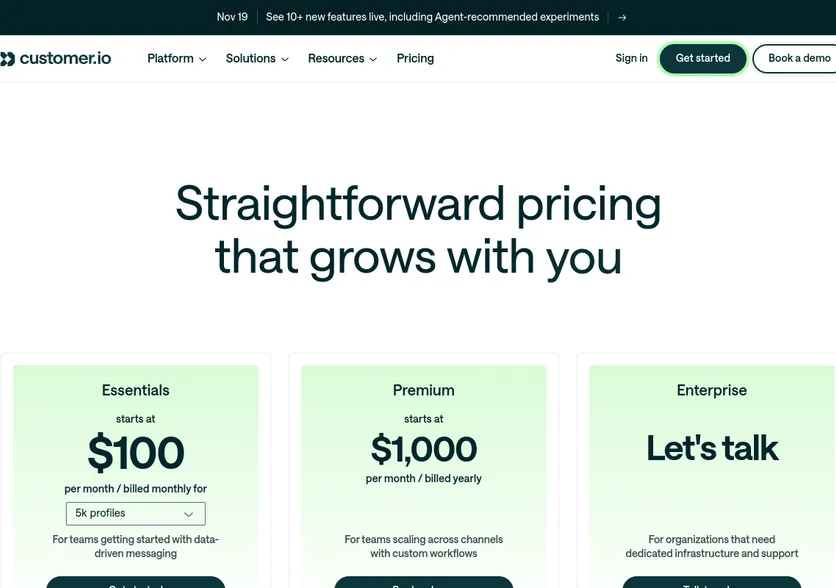
 Customer.io | Teams that want onboarding driven by real product data | $100/month | No free plan; free trial available | Visit |
The drip email software for onboarding sequences, compared
1. Kit
Best for: Teams that want onboarding sequences that feel personal to each subscriber
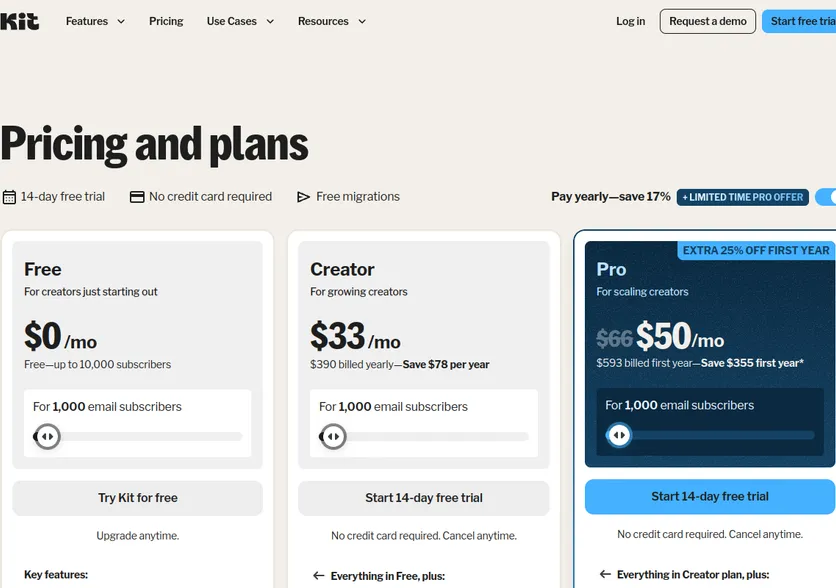
Paid tool Starting price: $33/month · Thirty-three dollars a month billed annually for the Creator plan at one thousand subscribers, or thirty-nine dollars month to month; Pro costs sixty-six dollars a month billed annually
Free plan: Free plan for up to ten thousand subscribers
Kit sends onboarding sequences that feel personal, because the automations follow what each subscriber does. This Kit Creator plan costs thirty-three dollars a month billed annually at one thousand subscribers and includes visual automations. A team gets drip sequences, landing pages and segmentation in one place, with a free plan that covers up to ten thousand subscribers.
What we like
- Automations that follow what each subscriber does
- Free plan for up to ten thousand subscribers
- Landing pages and segmentation included
Watch out for
- Automations need the paid Creator plan
- Free plan has no automations at all
How to try it
- Open the Kit site and start with the free plan
- Import your new users and build a welcome sequence
- Add a landing page and test the first three emails
2. Mailchimp
Best for: Small teams that want drip journeys at the lowest price in this list
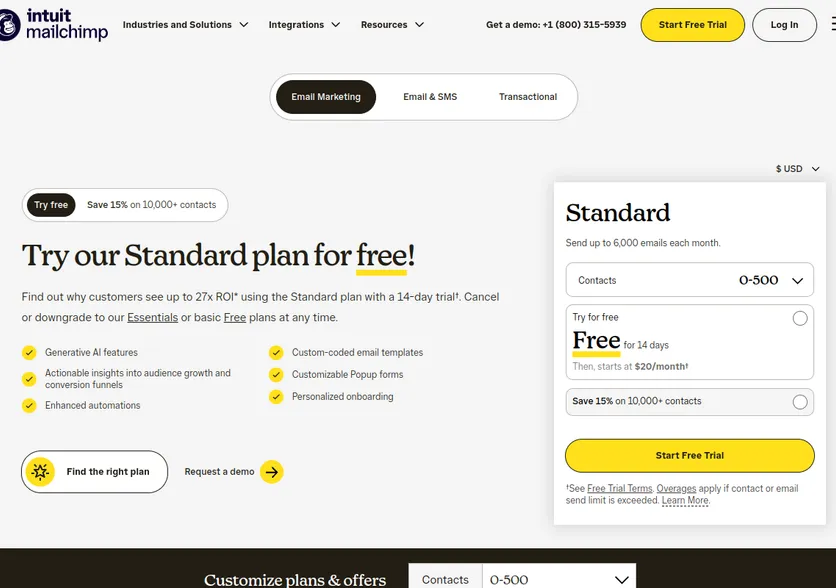
Paid tool Starting price: $13/month · Thirteen dollars a month for the Essentials plan at five hundred contacts; Standard costs twenty dollars a month and Premium starts at three hundred and fifty dollars a month
Free plan: Free plan for up to two hundred and fifty contacts
Mailchimp gives a small team drip journeys and landing pages at the lowest price in this list. This Mailchimp Essentials plan costs thirteen dollars a month for five hundred contacts and includes customer journeys. A team gets email, automation and a landing page builder in a tool every marketer already knows how to use.
What we like
- Cheapest paid plan after Brevo in this list
- Customer journeys included on Essentials
- Landing page builder built in
Watch out for
- Free plan covers only two hundred and fifty contacts
- Advanced automation needs the Standard plan
How to try it
- Open the Mailchimp site and start with the free plan
- Import your contacts and build a customer journey
- Add a landing page and send the first campaign
3. ActiveCampaign
Best for: Teams that want onboarding sequences that change with each new user
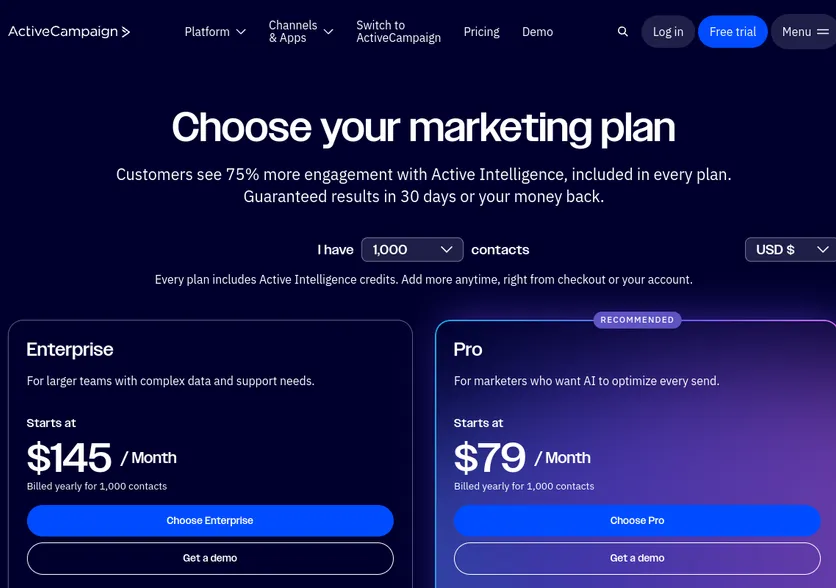
Paid tool Starting price: $15/month · Fifteen dollars a month billed annually for the Starter plan at one thousand contacts, or nineteen dollars month to month; Plus costs forty-nine dollars and Pro costs seventy-nine dollars a month billed annually
Free plan: No free plan; 14-day free trial
ActiveCampaign builds onboarding sequences that change with each user, because the automations watch clicks, logins and purchases. This ActiveCampaign Starter plan costs fifteen dollars a month billed annually at one thousand contacts and includes email automation. A team gets visual workflows, site tracking and segmentation that follow what each new user does.
What we like
- Behavior-based sequences that follow each user
- Visual workflows with site tracking built in
- Segmentation that targets users by what they do
Watch out for
- No free plan beyond the fourteen-day trial
- Powerful builder takes time to learn
How to try it
- Open the ActiveCampaign site and start the free trial
- Import your new users and build a visual workflow
- Turn on site tracking and test a behavior trigger
4. Drip
Best for: Teams that want onboarding tied to revenue and purchase behavior
Paid tool Starting price: $39/month · Thirty-nine dollars a month for up to two thousand five hundred people with unlimited sends; the same plan costs eighty-nine dollars at five thousand people and one hundred and fifty-four dollars at ten thousand, with no annual discount
Free plan: No free plan; 14-day free trial
Drip turns onboarding into a revenue workflow, with sequences that follow what each new user buys and clicks. This Drip plan costs thirty-nine dollars a month for up to two thousand five hundred people with unlimited sends. A team gets visual workflows, revenue tracking and behavior-based sequences in one place, with no annual discount to chase.
What we like
- Visual workflows that follow user behavior
- Revenue tracking on every email
- Unlimited sends on the single plan
Watch out for
- No free plan beyond the fourteen-day trial
- Single plan means the price grows with the list
How to try it
- Open the Drip site and start the free trial
- Import your list and build a visual workflow
- Turn on revenue tracking and test a sequence
5. MailerLite
Best for: Small teams that want clean automations at a low price
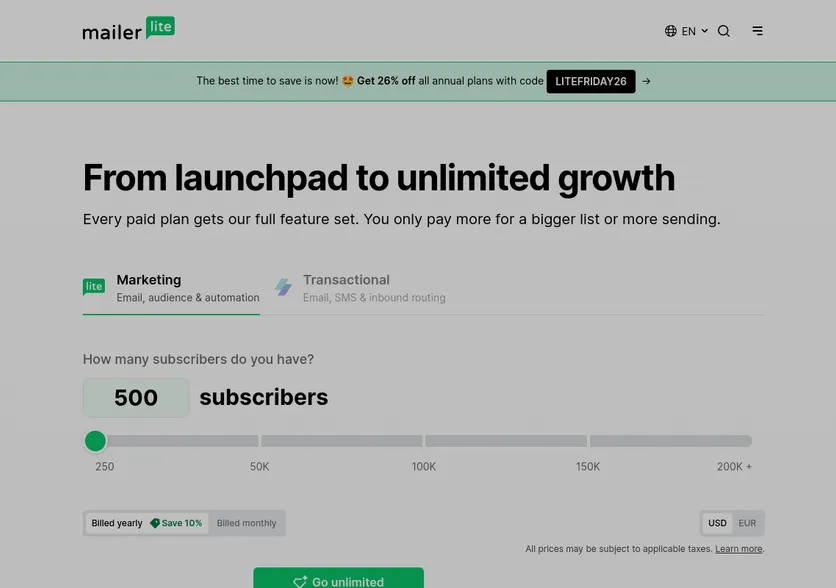
Paid tool Starting price: $10.80/month · Ten dollars and eighty cents a month billed annually for the Comfort plan at five hundred subscribers, or twelve dollars month to month; Power costs twenty-two dollars and fifty cents a month billed annually
Free plan: Free plan for up to two hundred and fifty subscribers
MailerLite gives a small team clean automations and landing pages at a price that stays low as the list grows. This MailerLite Comfort plan costs ten dollars and eighty cents a month billed annually at five hundred subscribers. A team gets drip sequences, signup forms and a website builder in a tool that keeps the interface simple.
What we like
- Clean interface a small team learns fast
- Drip sequences and landing pages included
- Price stays low as the list grows
Watch out for
- Comfort covers only five hundred subscribers at entry
- Advanced features need the Power plan
How to try it
- Open the MailerLite site and start with the free plan
- Import your subscribers and build an automation
- Add a signup form and test the first three emails
6. GetResponse
Best for: Teams that want drip email plus webinars and landing pages in one login
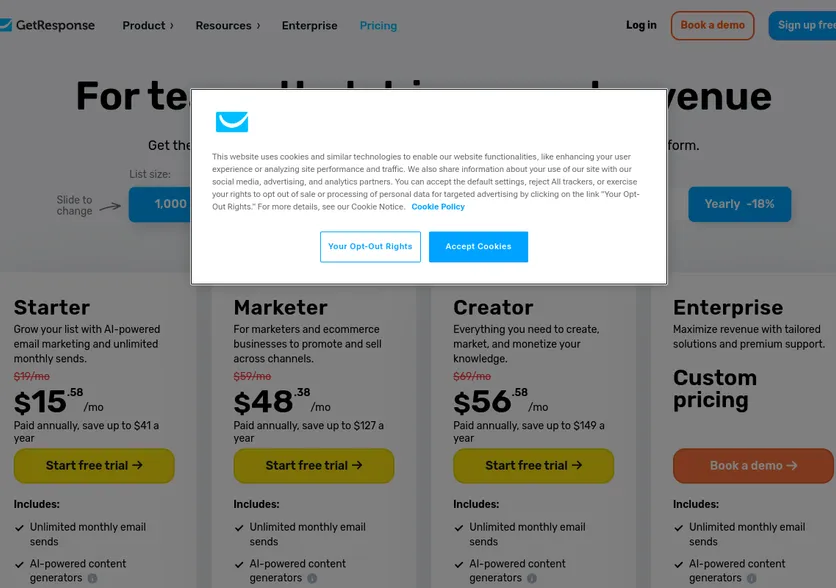
Paid tool Starting price: $15.58/month · Fifteen dollars and fifty-eight cents a month billed annually for the Starter plan at one thousand contacts, or nineteen dollars month to month; Marketer costs forty-eight dollars and thirty-eight cents and Creator costs sixty-nine dollars a month
Free plan: Free plan for up to five hundred contacts
GetResponse pairs drip email with webinars and landing pages, so onboarding can teach as well as nudge. This GetResponse Starter plan costs fifteen dollars and fifty-eight cents a month billed annually at one thousand contacts. A team gets email automation, landing pages and a webinar tool in one login, with a free plan for up to five hundred contacts.
What we like
- Webinars and landing pages in the same login
- Email automation that teaches as well as nudges
- Free plan for up to five hundred contacts
Watch out for
- Starter covers only one thousand contacts at entry
- Webinar seats are limited on the lower plans
How to try it
- Open the GetResponse site and start with the free plan
- Import your contacts and build an automation
- Add a landing page and schedule a webinar
7. Brevo
Best for: Small teams that send targeted sequences and want the lowest price here
Paid tool Starting price: $8.08/month · Eight dollars and eight cents a month billed annually for the Starter plan with five thousand emails a month, or nine dollars month to month; Standard costs sixteen dollars and seventeen cents a month billed annually
Free plan: Free plan with three hundred emails a day
Brevo charges by email volume instead of contacts, so a team with a small list pays the lowest price here. This Brevo Starter plan costs eight dollars and eight cents a month billed annually for five thousand emails a month. A team gets drip automation, SMS and a CRM in one place, with a free plan that covers three hundred emails a day.
What we like
- Cheapest paid plan in this comparison
- Charges by email volume, not contacts
- SMS and CRM in the same login
Watch out for
- Starter covers only five thousand emails a month
- Prices by email volume, so heavy senders pay more
How to try it
- Open the Brevo site and start with the free plan
- Import your contacts and build an automation
- Test a sequence and check the email volume limit
8. Customer.io
Best for: Teams that want onboarding driven by real product data
Paid tool Starting price: $100/month · One hundred dollars a month for the Essentials plan with five thousand profiles and one million emails a month; Premium starts at one thousand dollars a month billed yearly and Enterprise is custom-priced
Free plan: No free plan; free trial available
This automation platform is built for teams that want onboarding sequences driven by product data, not just email opens. This Customer.io Essentials plan costs one hundred dollars a month for five thousand profiles and one million emails a month. A team gets workflows that trigger on real user actions, with data pipelines and segmentation that scale as the product grows.
What we like
- Workflows that trigger on real user actions
- Data pipelines and segmentation that scale
- Built for product teams, not just marketers
Watch out for
- Highest entry price in this comparison
- Needs product data connected to work well
How to try it
- Open the Customer.io site and start the free trial
- Connect your product data and build a workflow
- Test a trigger on a real user action
Prices above were checked on each vendor’s own website on Nov 27, 2026 and can change — the vendor’s page is the final word. Vendor links are editorial: nobody paid to be listed or ranked here. Vendors who want a featured listing can see how it works on our Get listed page.
What drip email software costs in 2026
Drip email tools charge in one of two ways, per subscriber or per email sent, and the difference decides the bill. Per-subscriber pricing suits a team with a small list that grows slowly, while per-email pricing suits a team that sends a few targeted sequences instead of blasting the whole list. The cheapest plan here costs eight dollars and eight cents a month, while the most expensive costs one hundred dollars a month.
Start with a trial on two tools and build one real onboarding sequence in each, with the same welcome email, checklist and nudge. Send it to a test group and check the open rate, the click rate and the time it took to build. Pick the tool whose automation you can set up in an afternoon, because a sequence that takes a week to build never ships.
Before you buy
- Check how many subscribers the entry plan covers, because a growing list forces an upgrade sooner than you expect.
- Confirm the sequences trigger on user behavior, because a time-based drip cannot answer what a user just did.
- Test the automation builder on your own welcome sequence, because a visual builder that fights you wastes hours.
- Ask whether email volume is capped, because a plan that limits sends stops onboarding mid-week.
- Check the free plan limits before you rely on it, because a free tier without automations cannot run a drip sequence.
Official websites
Official websites of the products reviewed above. Features and prices were checked against these sites when this guide was written, and they can change, so confirm on the vendor site before you buy.
Frequently asked questions
Which drip email software is best for onboarding sequences in 2026?
ActiveCampaign is the best overall pick at fifteen dollars a month, with behavior-based sequences that follow what each new user does. Brevo is the best budget pick at eight dollars and eight cents a month for a small team that sends targeted sequences. MailerLite is the best pick for simplicity at ten dollars and eighty cents a month with clean automations and landing pages.
How much does drip email software cost?
Prices in this list run from eight dollars and eight cents a month for Brevo Starter to one hundred dollars a month for Customer.io Essentials, with most tools landing between ten and thirty-nine dollars a month. Per-subscriber pricing suits a team with a small list, while per-email pricing suits a team that sends a few targeted sequences. Add extra email and contact fees to the subscription before you compare totals.
What is a drip email onboarding sequence?
A drip onboarding sequence is a series of emails sent over days or weeks that guide a new user from signup to the first win. The first email welcomes them, the next shows the key feature, and a later one nudges them to finish setup. A good sequence adapts to behavior, so a user who already finished setup skips the reminder and gets the next tip instead.
What should a team check before choosing drip email software?
Start with behavior triggers, because a time-based drip cannot answer what a user just did. Then check the subscriber cap and the email volume limit, because a plan that caps either stops onboarding mid-week. A team should build one real sequence during the trial, because a builder that fights you wastes the hours meant for the product itself.
Can drip emails reduce churn for a new product?
Yes, because most churn happens in the first week, when a new user has not reached the first win yet. A drip sequence that teaches the key feature, answers the common objection and nudges the user to finish setup keeps more people past day seven. A team should measure activation before and after the sequence, because a drip that nobody opens cannot save a user who never returns.
Need everyday marketing help too? Try Toolsvine's free marketing tools right in your browser.
Browse Marketing & Ads Calculators tools