On this page
Good courses take hours to build and minutes to abandon when the tool fights the creator. Articulate 360 is the pick that gets out of the way: Storyline for interactive lessons, Rise for fast responsive courses, and a template library that saves hours. This guide compares nine e-learning software and authoring tools, from $10 a month to $1,449 a seat a year, with live 2026 prices, free plans and trials, so a creator can pick by budget and course style instead of by sales pitch.
How we researched this
We checked the pricing page of every vendor on this list on November 26, 2026, and kept only tools that publish a real dollar price. Each tool had to author or deliver online courses, not just host videos. We compared entry prices, free plans, trial length and how the bill scales as authors and learners grow.
Compare the tools
| Name | Best for | Starting price | Free plan | |
|---|---|---|---|---|
 Articulate 360 | Course creators who want the industry-standard authoring suite | $1,449/seat/yr | 30-day free trial, no free plan | Visit |
 Adobe Captivate | Course creators who want Adobe tools with AI features built in | $39.99/mo | 30-day free trial, no free plan | Visit |
 iSpring Suite | Teams that build courses in PowerPoint and want them to play anywhere | $970/author/yr | 14-day free trial, no free plan | Visit |
 Easygenerator | Teams that want simple drag-and-drop course authoring | $125/mo | Free plan | Visit |
 TalentLMS | Small businesses that want a learning platform with courses included | $119/mo | Free plan | Visit |
 LearnDash | WordPress course creators who want full control of their site | $350/yr | No free plan | Visit |
 Thinkific | Creators who sell courses with a hosted platform and no setup | $54/mo | Free plan | Visit |
 Teachable | Creators who sell video courses with coaching and community | $59/mo | Free plan | Visit |
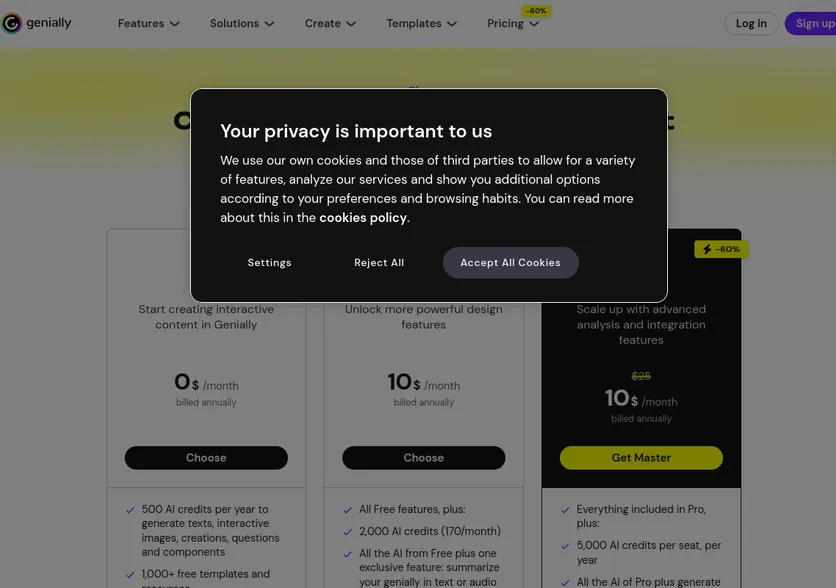
 Genially | Creators who want interactive visual content without a learning curve | $10/mo | Free plan | Visit |
The e-learning software and authoring tools, compared
1. Articulate 360
Best for: Course creators who want the industry-standard authoring suite
Paid tool Starting price: $1,449/seat/yr · Personal is $1,449 a seat a year; Teams is $1,749 a seat a year; Frontline starts at $500 a year; annual billing only
Free plan: 30-day free trial, no free plan
Articulate 360 is the standard authoring suite for e-learning, with Storyline for interactive courses and Rise for fast responsive lessons. This Articulate 360 Personal plan costs $1,449 a seat a year and includes the full suite with templates, stock media and review tools. The Teams plan adds collaboration and admin controls, while the Frontline plan covers deskless workers at a lower rate.
What we like
- Storyline and Rise cover every course style
- Template and stock libraries save hours
- Review tools speed up approvals
Watch out for
- Steepest price on this list
- Annual billing only, no monthly option
How to try it
- Open the Articulate pricing page and start the free trial
- Build a lesson in Rise with a template
- Publish it as SCORM and test it in your platform
2. Adobe Captivate
Best for: Course creators who want Adobe tools with AI features built in
Paid tool Starting price: $39.99/mo · Individual is $39.99 a month on an annual commitment, with 100 GB of storage and 25 generative credits a month; older $33.99 figures are stale
Free plan: 30-day free trial, no free plan
Adobe Captivate is the Adobe authoring tool for interactive courses, with AI assistance, templates and responsive design built in. This Adobe Captivate individual plan costs about $40 a month on an annual commitment and includes the new Captivate plus Captivate Classic with cloud storage. Team and enterprise plans are sold through Adobe sales for larger organizations.
What we like
- AI assistance speeds up course building
- Includes both new Captivate and Classic
- Templates cover common lesson types
Watch out for
- Annual commitment is required
- Team pricing needs a sales conversation
How to try it
- Open the Adobe Captivate page and start the free trial
- Build an interactive lesson with a template
- Publish it and test it in your learning platform
3. iSpring Suite
Best for: Teams that build courses in PowerPoint and want them to play anywhere
Paid tool Starting price: $970/author/yr · Suite is $970 an author a year; Suite AI is $1,290 an author a year; Cloud AI is $720 an author a year; annual billing only
Free plan: 14-day free trial, no free plan
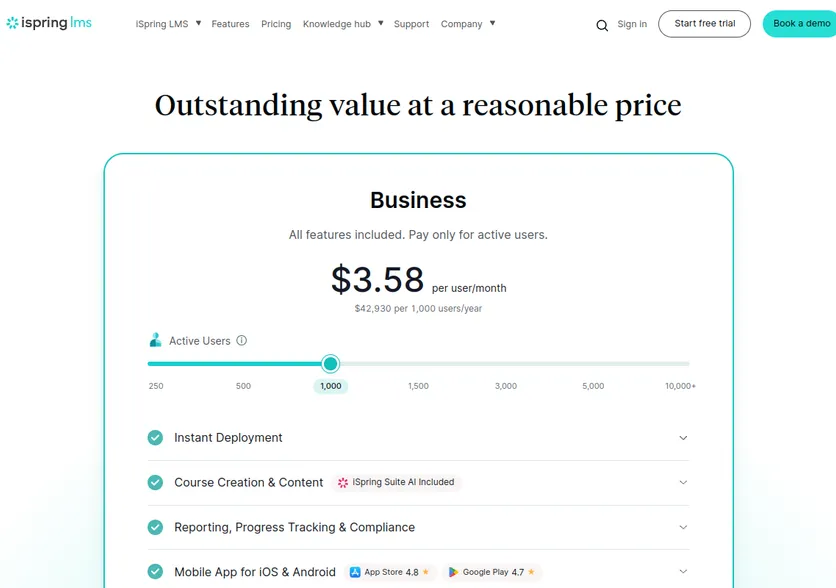
iSpring Suite turns PowerPoint slides into interactive e-learning courses, with quizzes, simulations and video lessons built in. This iSpring Suite plan costs $970 an author a year and covers the full authoring toolkit for one author. The Suite AI tier adds AI assistance, while the Cloud AI plan covers hosting and collaboration for teams that publish online.
What we like
- PowerPoint workflow feels familiar
- Quizzes and simulations are built in
- Courses publish to SCORM and xAPI
Watch out for
- Per-author pricing adds up on teams
- Annual billing only, no monthly option
How to try it
- Open the iSpring pricing page and start the free trial
- Open a PowerPoint deck in iSpring Suite
- Add a quiz and publish the course
4. Easygenerator
Best for: Teams that want simple drag-and-drop course authoring
Paid tool Starting price: $125/mo · Pro is $125 a month, or $1,499 a year, for 1 author, 10 courses and 100 learners; Team is $625 a month from 5 authors
Free plan: Free plan
Easygenerator is a cloud authoring tool that turns documents and slides into interactive courses with drag-and-drop editing. This Easygenerator Pro plan costs $125 a month and covers one author with 10 courses and 100 learners. Annual billing applies, and the Team plan adds more authors and learners for organizations that publish at scale.
What we like
- Drag-and-drop editing is genuinely simple
- Documents become courses in minutes
- Free plan covers a first course
Watch out for
- One author caps the Pro plan
- Learner limits cap the course catalog
How to try it
- Open the Easygenerator pricing page and start the free plan
- Upload a document and turn it into a course
- Share the course link with your first learners
5. TalentLMS
Best for: Small businesses that want a learning platform with courses included
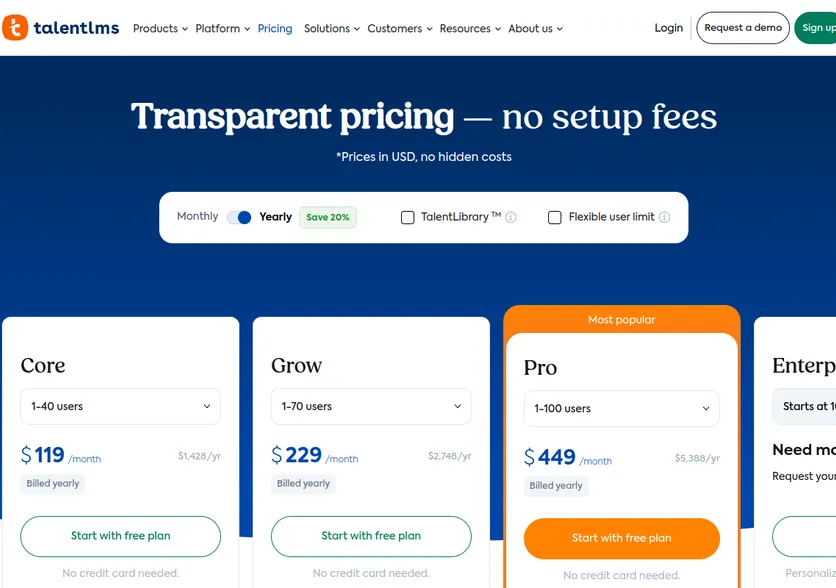
Paid tool Starting price: $119/mo · Core is $119 a month billed annually, or $149 billed monthly, for up to 40 users; Grow is $229 a month and Pro is $449 a month billed annually
Free plan: Free plan
TalentLMS is a cloud learning platform that hosts courses, tracks learners and reports on progress without extra software. This TalentLMS Core plan costs $119 a month on annual billing and covers up to 40 users with course authoring built in. Monthly billing costs more, and the Grow and Pro tiers add more users, branches and automation for larger teams.
What we like
- Hosting and authoring share one platform
- Reports show learner progress clearly
- Free plan covers a first course
Watch out for
- User caps force an upgrade as learners grow
- Advanced automation needs the higher tiers
How to try it
- Open the TalentLMS pricing page and start the free plan
- Upload a course and invite your first learners
- Check the progress report after a week
6. LearnDash
Best for: WordPress course creators who want full control of their site
Paid tool Starting price: $350/yr · LearnDash is $350 a year for 1 site; 10 sites are $599, 25 are $799 and 100 are $999; sold only inside a 4-plugin package since October 2026
Free plan: No free plan
LearnDash is the learning management plugin for WordPress, turning a site into a full course platform with lessons, quizzes and certificates. This LearnDash plan costs $350 a year for one site and includes the core plugin with course building and learner management. Larger site bundles cost more, and LearnDash is now sold inside a four-plugin package through Liquid Web.
What we like
- Full control over your own course site
- Quizzes and certificates are built in
- Works with the WordPress tools you know
Watch out for
- No free plan or trial
- Old Essentials and Pro tiers no longer exist
How to try it
- Open the LearnDash pricing page and pick a site bundle
- Install the plugin on your WordPress site
- Build a first course with lessons and a quiz
7. Thinkific
Best for: Creators who sell courses with a hosted platform and no setup
Paid tool Starting price: $54/mo · Basic is $54 a month billed monthly, or $40 billed annually; Start is $109 a month and Grow is $219 a month; prices rose about 10% in August 2026
Free plan: Free plan
Thinkific is a hosted course platform that lets creators build, sell and deliver courses without touching a server. This Thinkific Basic plan costs $54 a month and covers a first course catalog with a website, payments and student management. Annual billing drops the rate, and the Start and Grow tiers add more courses, communities and advanced selling tools.
What we like
- Hosted platform needs no setup
- Selling tools are built in
- Free plan covers a first course
Watch out for
- Prices rose about 10 percent in August 2026
- Advanced selling needs the higher tiers
How to try it
- Open the Thinkific pricing page and start the free plan
- Build a first course with the drag-and-drop builder
- Set a price and publish the course page
8. Teachable
Best for: Creators who sell video courses with coaching and community
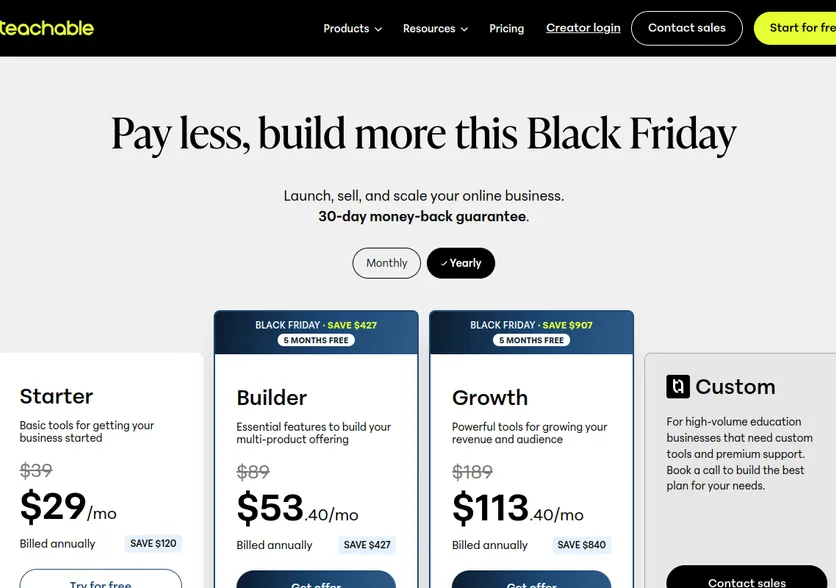
Paid tool Starting price: $59/mo · Basic is $59 a month billed monthly, or $39 billed annually, with a 5% transaction fee; Pro is $159 a month; list prices used, not sale prices
Free plan: Free plan
Teachable is a hosted course platform for creators who sell video courses, coaching and memberships from one storefront. This Teachable Basic plan costs $59 a month and covers a first course catalog with payments and student management. Annual billing drops the rate, and the Pro tier adds more courses, affiliates and advanced reporting for busier creators.
What we like
- Coaching and courses share one platform
- Payments and payouts are handled for you
- Free plan covers a first course
Watch out for
- Transaction fee applies on the Basic plan
- Sale prices on the site are not the list price
How to try it
- Open the Teachable pricing page and start the free plan
- Upload a first video lesson
- Set a price and publish the school page
9. Genially
Best for: Creators who want interactive visual content without a learning curve
Paid tool Starting price: $10/mo · Pro is $10 a month billed annually; Master is $20 a month; the US list was $25 crossed out; EU list is 6 euros a month
Free plan: Free plan
Genially is a visual content platform for interactive presentations, infographics and learning materials that learners can click through. This Genially Pro plan costs $10 a month on annual billing and unlocks premium templates, more storage and downloads for course creators. A free plan covers basic creation, while the Master tier adds team features and analytics for organizations.
What we like
- Interactive templates look polished fast
- Free plan covers basic creation
- No design skill needed to start
Watch out for
- Not a full course platform on its own
- Annual billing for the listed rate
How to try it
- Open the Genially plans page and start the free plan
- Pick a template and add interactive hotspots
- Publish the material and share the link
Prices above were checked on each vendor’s own website on Nov 26, 2026 and can change — the vendor’s page is the final word. Vendor links are editorial: nobody paid to be listed or ranked here. Vendors who want a featured listing can see how it works on our Get listed page.
How to read the price before you commit
Prices on this list run from $10 a month to $1,449 a seat a year, and the billing unit is the whole story: per-author tools punish a team with many creators, while per-learner tools punish a popular course. A $10 plan looks cheap until it caps your course catalog, and a $1,449 plan looks steep until it saves a week of work on every course. Before paying, build a real lesson with real content in the trial and check how it publishes to your platform. Check whether AI features, templates and stock media are included or priced separately.
Before you buy
- Count the authors and learners you actually need, because per-seat pricing punishes a growing course catalog.
- Check whether the tool publishes to the format your platform needs, such as SCORM or xAPI.
- Run the trial on a real lesson with real content, not on a demo course.
- Ask whether AI features, templates and stock media are included or cost extra.
- Confirm the plan exports your courses, because rebuilding lessons in a new tool is slow work.
Official websites
Official websites of the products reviewed above. Features and prices were checked against these sites when this guide was written, and they can change, so confirm on the vendor site before you buy.
Frequently asked questions
What is the cheapest e-learning authoring tool here?
Genially is the cheapest paid plan here, at $10 a month on annual billing, with a free plan for basic creation. Easygenerator, TalentLMS, Thinkific and Teachable also have free plans. For a full authoring suite, iSpring Suite at $970 an author a year is the cheapest serious option.
Is Articulate 360 worth the price?
Articulate 360 is the industry standard, with Storyline for interactive courses and Rise for fast lessons. It costs $1,449 a seat a year, which is steep, but the template library and review tools save hours on every course. Teams that publish often will earn the price back in time saved.
What is the difference between an authoring tool and a course platform?
Use an authoring tool like Articulate, iSpring or Easygenerator when you need interactive lessons with quizzes and branching. Use a course platform like Thinkific or Teachable when you need to sell and deliver courses without setup. Many creators use both: author in one, sell in the other.
Do I need a course platform to sell courses?
Yes, if you sell courses. Thinkific and Teachable handle payments, student management and delivery, so you can focus on content. LearnDash fits creators who already run WordPress and want full control. All three have free plans for a first course.
How should I choose between these tools?
Start with the free plan or trial on two tools and build the same lesson in both. Compare how long the lesson takes, how it looks on a phone, and whether it publishes cleanly to your platform. The right tool is the one that makes a good lesson fast, not the one with the longest feature list.
Teaching something of your own? Try the free education tools on Toolsvine right in your browser.
Browse Education & Learning tools