On this page
A content blog lives or dies on its email list, because search traffic can vanish overnight while subscribers come back every week. The right capture tool has to ask at the right moment, load fast on a phone and hand the address straight to your mailing list. We compared eight tools on published price, free plans and how they treat readers. Kit is our first pick, built for creators with capture, sequences and paid newsletters in one place.
How we researched this
We started with capture tools that publish a real price and work on a content blog, not just a store. We read each price on the vendor site on November 27, 2026, and used the renewal price where the vendor advertises a cheaper first year. We judged them for a blogger with no store, a growing list and readers who arrive on phones, and we dropped tools that were delisted or had conflicting prices.
Compare the tools
| Name | Best for | Starting price | Free plan | |
|---|---|---|---|---|
 Kit | Bloggers who want a full creator platform, not just a popup | $33/month | Free plan available | Visit |
 Mailchimp | Bloggers starting out with a small list | $13/month | Free plan available (250 contacts) | Visit |
| OptinMonster | Bloggers who want advanced popup targeting | $210/year | No free plan | Visit |
| Thrive Leads | Bloggers on WordPress who want forms and landing pages | $199/year | No free plan | Visit |
| Poptin | Bloggers who want cheap popups with a free plan | $20/month | Free plan available (1,000 visitors a month) | Visit |
| Sleeknote | Bloggers who want polished popups with behaviour targeting | $49/month | No free plan; 14-day free trial | Visit |
 MailerLite | Bloggers who want simple forms at a low price | $9/month | Free plan available (500 subscribers) | Visit |
| Hello Bar | Bloggers who want a cheap top bar and popup combo | $29/month | Free plan available (5,000 lifetime views) | Visit |
The email capture software for content blogs, compared
1. Kit
Best for: Bloggers who want a full creator platform, not just a popup
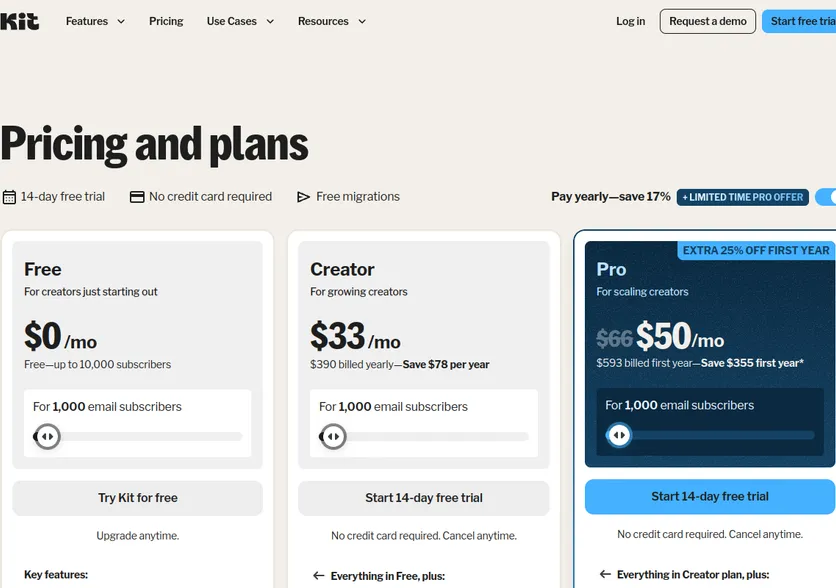
Paid tool Starting price: $33/month · Thirty-three dollars a month billed yearly for the Creator plan at one thousand subscribers, three hundred and ninety dollars a year; thirty-nine dollars a month on monthly billing; the Pro plan costs sixty-six dollars a month billed yearly
Free plan: Free plan available
This Kit plan costs thirty-three dollars a month billed yearly for the Creator tier at one thousand subscribers, with a free Newsletter plan up to ten thousand subscribers. Kit is built for creators: the capture form, the email sequence and the paid newsletter all live in one place. Some 2026 reports say new sign-ups no longer get the free plan, so check the current offer before you rely on it.
What we like
- Free Newsletter plan up to ten thousand subscribers
- Capture, sequences and paid newsletters in one place
- Built for creators rather than stores
Watch out for
- Price rises with the subscriber count
- Some 2026 reports say the free plan ended for new accounts
How to try it
- Open the Kit pricing page and check the free plan offer
- Add a Kit form to your most-read post
- Set up one welcome sequence for new subscribers
2. Mailchimp
Best for: Bloggers starting out with a small list
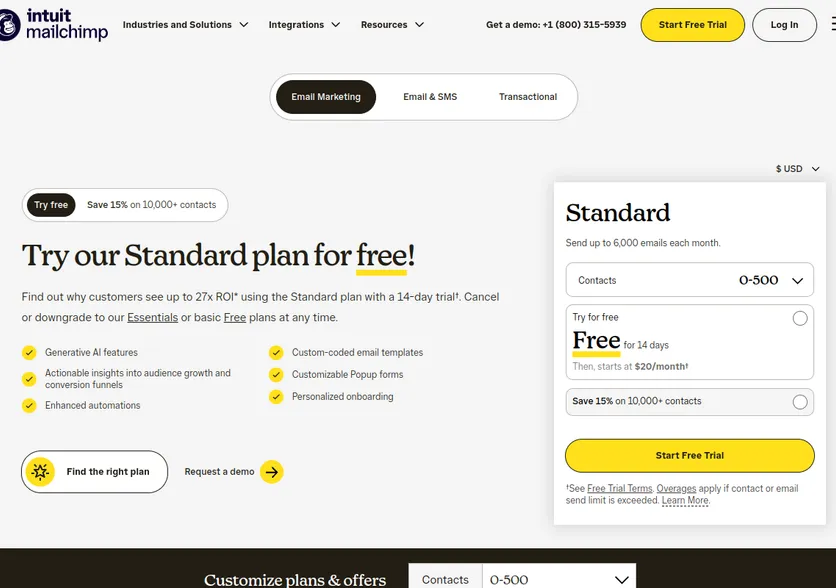
Paid tool Starting price: $13/month · Thirteen dollars a month for the Essentials plan at five hundred contacts on annual billing; the Standard plan costs twenty dollars a month and Premium costs three hundred and fifty dollars a month at the same contact count; monthly billing costs more
Free plan: Free plan available (250 contacts)
This Mailchimp plan costs thirteen dollars a month for Essentials at five hundred contacts. Mailchimp is the best-known name in email, so its forms and popups are familiar to readers and easy to install on any blog platform. The free plan now covers two hundred and fifty contacts, which is enough to test capture before you pay.
What we like
- Best-known name in email, so forms feel familiar
- Free plan covers two hundred and fifty contacts
- Works with every major blog platform
Watch out for
- Price rises fast as the contact count grows
- Free plan shrank from one thousand to two hundred and fifty contacts
How to try it
- Open the Mailchimp pricing page and check the Essentials tier
- Add a Mailchimp popup to your most-read post
- Connect the form to your list so new sign-ups flow in
3. OptinMonster
Best for: Bloggers who want advanced popup targeting
Paid tool Starting price: $210/year · Two hundred and ten dollars a year for the Basic plan, the renewal price; the first year costs one hundred and eight dollars as an introductory price, and monthly billing costs twenty-one dollars a month
Free plan: No free plan
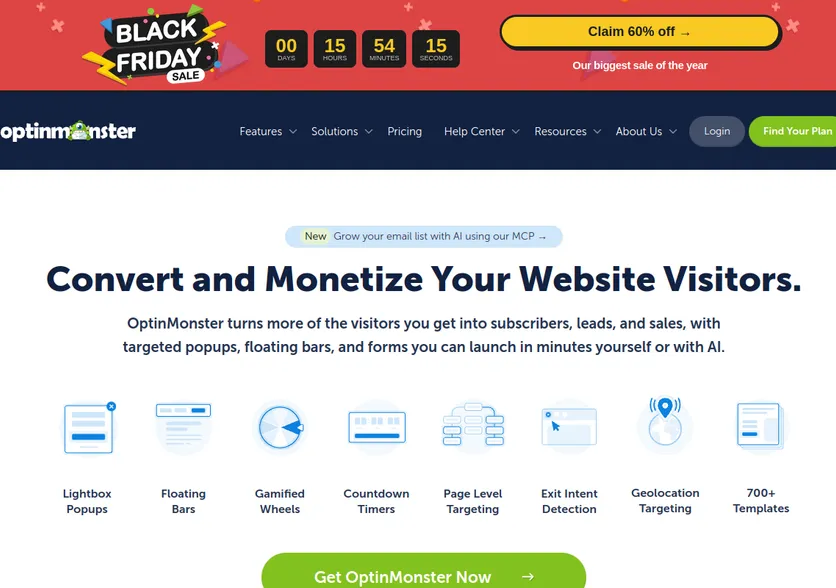
This OptinMonster plan costs two hundred and ten dollars a year for Basic, the renewal price after a one hundred and eight dollar first year. OptinMonster is the most powerful popup builder here, with exit-intent triggers, page-level targeting and A/B testing built in. It is a popup specialist, so it pairs with whatever email service you already use.
What we like
- Most powerful targeting and exit-intent triggers here
- A/B testing built into every plan
- Works with any email service you already use
Watch out for
- First-year price is much lower than the renewal price
- No free plan, so you pay from day one
How to try it
- Open the OptinMonster pricing page and check the renewal price
- Build an exit-intent popup for your most-read post
- Test two headlines against each other before you publish
4. Thrive Leads
Best for: Bloggers on WordPress who want forms and landing pages
Paid tool Starting price: $199/year · One hundred and ninety-nine dollars a year, the renewal price; the first year costs ninety-nine dollars as an introductory price; Thrive Suite costs two hundred and ninety-nine dollars in the first year and five hundred and ninety-nine dollars on renewal
Free plan: No free plan
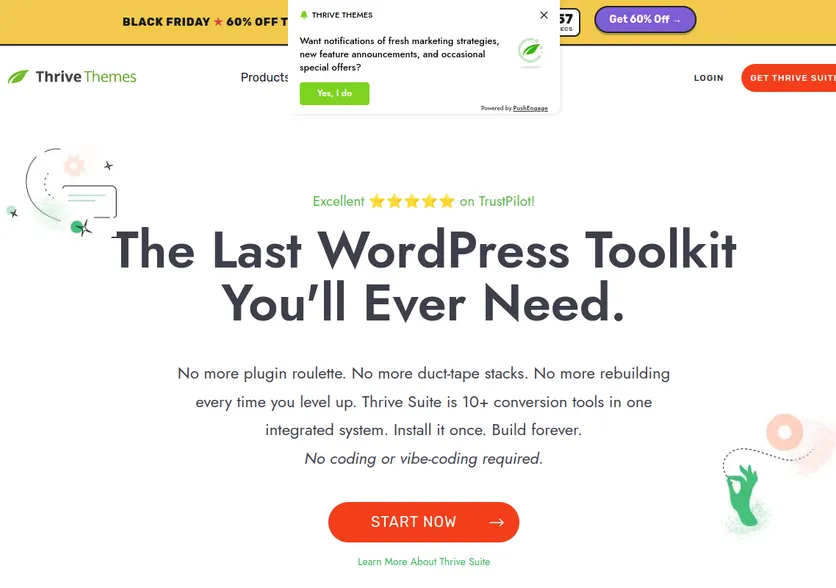
This Thrive Leads plan costs one hundred and ninety-nine dollars a year, the renewal price after a ninety-nine dollar first year. Thrive Leads is built for WordPress, with inline forms, slide-ins, two-step opt-ins and content upgrades that match each post. The full Thrive Suite costs two hundred and ninety-nine dollars in the first year and five hundred and ninety-nine dollars on renewal.
What we like
- Built for WordPress, with forms that match each post
- Content upgrades and two-step opt-ins included
- One licence covers every form type
Watch out for
- First-year price is half the renewal price
- WordPress only, with no standalone hosted option
How to try it
- Open the Thrive Themes site and check the renewal price
- Add an inline form to your most-read post
- Build one content upgrade matched to that post
5. Poptin
Best for: Bloggers who want cheap popups with a free plan
Paid tool Starting price: $20/month · Twenty dollars a month billed annually for the Basic plan, two hundred and forty dollars a year; twenty-five dollars a month on monthly billing; the Pro plan costs forty-seven dollars a month billed annually
Free plan: Free plan available (1,000 visitors a month)
This Poptin plan costs twenty dollars a month billed annually for Basic, or two hundred and forty dollars a year. Poptin builds popups, slide-ins and embedded forms with a drag-and-drop editor, and the free plan covers one thousand visitors a month. Use the popups-only pricing ladder, since the emails-and-popups ladder costs more for the same capture job.

What we like
- Free plan covers one thousand visitors a month
- Drag-and-drop editor with no code needed
- Cheapest paid popup plan in this comparison
Watch out for
- Two pricing ladders, so check you are on the popups-only one
- Free plan caps at one thousand visitors a month
How to try it
- Open the Poptin pricing page and pick the popups-only ladder
- Build a slide-in form for your most-read post
- Check the conversion rate after one week before you upgrade
6. Sleeknote
Best for: Bloggers who want polished popups with behaviour targeting
Paid tool Starting price: $49/month · Forty-nine dollars a month for the Lite plan with twenty-five thousand sessions; the Basic plan costs sixty-nine dollars a month and annual billing saves twenty percent
Free plan: No free plan; 14-day free trial
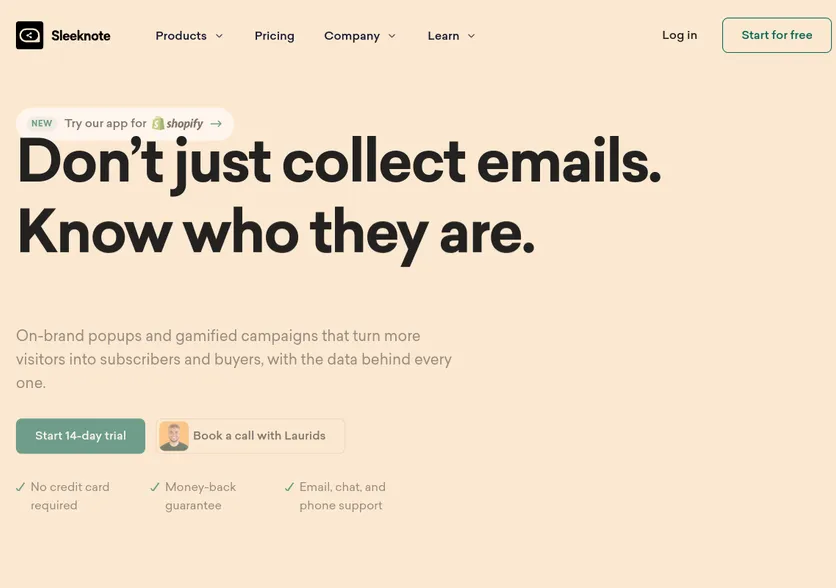
This Sleeknote plan starts at forty-nine dollars a month for Lite, covering twenty-five thousand sessions. Sleeknote builds polished slide-ins and popups with behaviour triggers, so the form appears when a reader has shown real interest instead of the moment they arrive. Annual billing saves twenty percent, and there is a fourteen-day trial with no free plan.
What we like
- Behaviour triggers show the form at the right moment
- Polished designs that fit a professional blog
- Annual billing saves twenty percent
Watch out for
- Most expensive starting price in this comparison
- No free plan, only a fourteen-day trial
How to try it
- Open the Sleeknote site and check the Lite plan session limit
- Build a slide-in that triggers after a reader scrolls halfway
- Test the form on a phone before you publish it
7. MailerLite
Best for: Bloggers who want simple forms at a low price
Paid tool Starting price: $9/month · Nine dollars a month billed annually for the Growing Business plan at five hundred subscribers, one hundred and eight dollars a year; ten dollars a month on monthly billing; the Advanced plan costs twenty dollars a month
Free plan: Free plan available (500 subscribers)
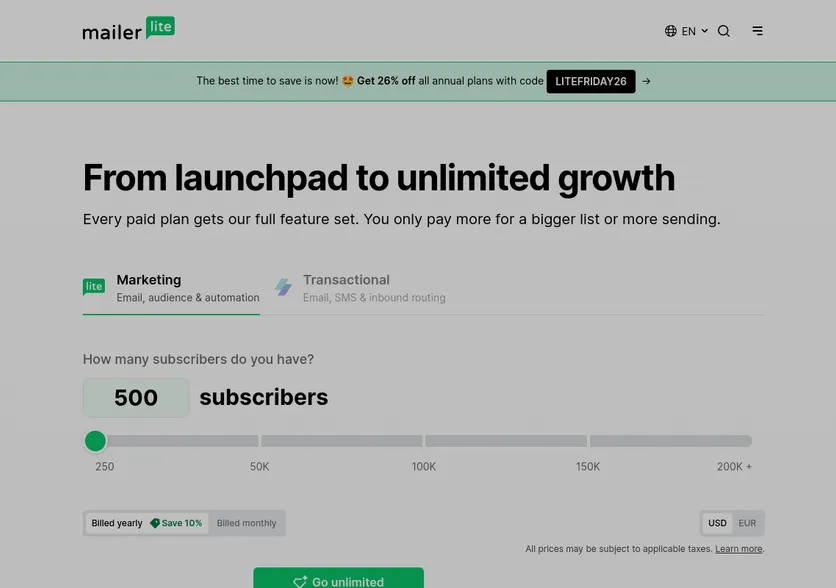
This MailerLite plan costs nine dollars a month billed annually for Growing Business at five hundred subscribers, or one hundred and eight dollars a year. MailerLite pairs simple capture forms with a full email service, so the list and the emails live in one place. The free plan covers five hundred subscribers with twelve thousand emails a month, which is generous for a new blog.
What we like
- Free plan covers five hundred subscribers
- Capture forms and email sending in one place
- Cheapest paid email plan in this comparison
Watch out for
- Free plan dropped from one thousand to five hundred subscribers
- Plan name may change, since some sources report a rename
How to try it
- Open the MailerLite pricing page and check the free plan
- Add a MailerLite form to your most-read post
- Send one welcome email to new subscribers automatically
8. Hello Bar
Best for: Bloggers who want a cheap top bar and popup combo
Paid tool Starting price: $29/month · Twenty-nine dollars a month billed annually for the Growth plan; thirty-nine dollars a month on monthly billing; the Premium plan costs forty-nine dollars a month and Elite costs ninety-nine dollars a month
Free plan: Free plan available (5,000 lifetime views)
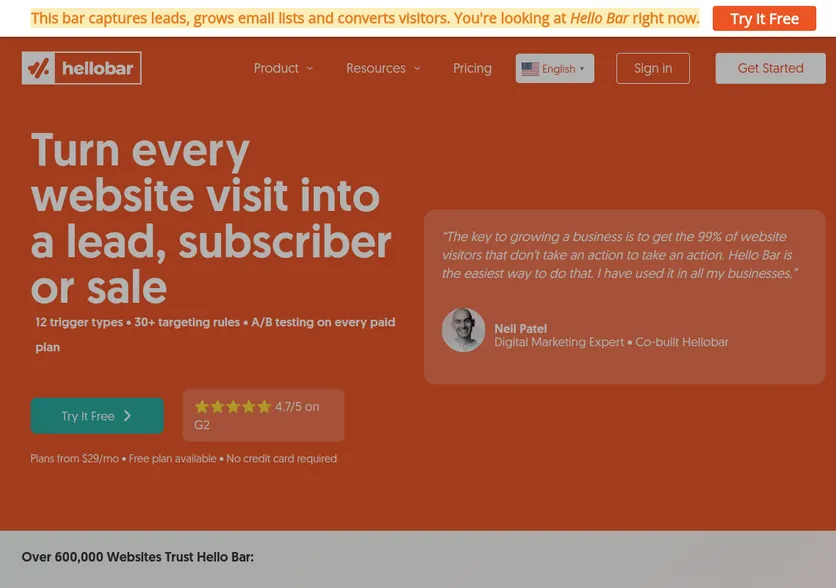
This Hello Bar plan costs twenty-nine dollars a month billed annually for Growth, or thirty-nine dollars on monthly billing. Hello Bar adds a top bar, a popup and a slide-in from one tool, so a blog can capture readers without covering the whole page. The free Starter plan gives five thousand lifetime views, which is enough to test the tool on one popular post.
What we like
- Top bar, popup and slide-in in one tool
- Free Starter plan with five thousand lifetime views
- Quick to install with no code needed
Watch out for
- Free plan counts lifetime views, not monthly views
- Growth tier is the cheapest paid plan, not the entry plan
How to try it
- Open the Hello Bar pricing page and check the Growth tier
- Add a top bar to your most-read post first
- Try a popup on the same post after one week
Prices above were checked on each vendor’s own website on Nov 27, 2026 and can change — the vendor’s page is the final word. Vendor links are editorial: nobody paid to be listed or ranked here. Vendors who want a featured listing can see how it works on our Get listed page.
How a content blog should capture emails
Put the form where readers already trust you: at the end of your most-read post, after they have finished the article, not in a popup that blocks the first paragraph. Offer something matched to that post, such as a checklist or a template, instead of a generic newsletter promise. One field is enough, the email address, because every extra field cuts the conversion rate.
Test the form on a phone before you publish it, since most blog readers arrive on mobile and a form that covers the screen will be closed, not filled in. Check the page speed after you install the tool, because a slow form can cost you search rankings. Watch the conversion rate for one week, then move the form to the next most-read post.
Before you buy
- Check the free plan subscriber limit before you grow past it
- Test the popup on a phone, since most blog readers are mobile
- Make sure the form loads fast enough not to slow the page
- Check whether the tool charges per subscriber or per visitor
- Confirm the emails sync to your mailing list without manual export
Official websites
Official websites of the products reviewed above. Features and prices were checked against these sites when this guide was written, and they can change, so confirm on the vendor site before you buy.
Frequently asked questions
How do I capture emails without annoying my readers?
A popup that appears the moment a reader arrives annoys more people than it converts. Set the trigger for exit intent or for a reader who has scrolled halfway down the post, so the form reaches people who already like the content. Keep the form to one field, the email address, and offer something specific to that post, such as a checklist or a template, instead of a generic newsletter promise.
How much does email capture software cost for a blog?
Capture tools in this comparison run from nine dollars to forty-nine dollars a month, with MailerLite cheapest at nine dollars a month billed annually. Kit costs thirty-three dollars a month for the Creator plan, and Mailchimp Essentials costs thirteen dollars a month. Most blogs can start free: Kit, Mailchimp, Poptin, MailerLite and Hello Bar all offer a free plan, so pay only when the list outgrows the free tier.
Do I need a popup builder or a full email service?
A popup builder such as OptinMonster or Poptin only captures the address, and the emails live in a separate service. A full email service such as Kit, Mailchimp or MailerLite captures the address and sends the emails from the same place. If you already pay for an email service, a popup builder is cheaper; if you are starting from zero, a full service is simpler and usually cheaper overall.
What should I check before I pay for a capture tool?
Count subscribers, not visitors, because that is what most tools charge for. Kit and Mailchimp charge per subscriber or contact, while Poptin and Sleeknote charge per visitor or session. A blog with ten thousand readers and five hundred subscribers pays far less on a per-subscriber plan than on a per-visitor plan. Check the free plan limit too, since outgrowing it is the moment the bill starts.
Can I capture emails for free?
Yes, and most bloggers should. Start with the free plan from Kit, Mailchimp, Poptin, MailerLite or Hello Bar and run it on your most-read post for a month. If the list grows past the free limit, upgrade to the cheapest paid plan that covers your subscriber count. A paid popup builder only makes sense once the free forms are already converting and you want better targeting or testing.
Compare the eight tools above, then test one popup on your most-read post before you roll it out across the blog.
Browse Marketing & Ads Calculators tools