On this page
Fintech customers expect numbers inside the product, not in a separate report they have to download. The eight tools below embed dashboards, charts and KPIs directly in a finance app, with white-labelling and row-level security so each customer sees only their own data. Metabase is our first pick, the friendliest embedded analytics platform here, with a free open-source edition and a Pro plan that covers ten users. Prices run from $14 a user a month to $2,495 a month, so a young fintech and a scaling one will land on different tools.
How we researched this
We started with embedded reporting tools that publish a real dollar price and support white-labelling, row-level security and embedding in a customer-facing app. We read each price on the vendor site or a corroborating listing on November 26, 2026 and judged them for a fintech team that must keep customer data separate and audits clean. We kept only tools a team can buy without a sales call, and dropped eleven well-known names, including Looker, Sigma and Domo, because none of them publishes a price.
Compare the tools
| Name | Best for | Starting price | Free plan | |
|---|---|---|---|---|
| Metabase | Fintech apps that want open dashboards with a low entry price | $500/month | Open Source edition free, self-hosted | Visit |
| Bold BI | Fintech apps that need pixel-perfect branded dashboards | $999/month | 15-day free trial | Visit |
| Luzmo | Fintech apps that embed analytics for thousands of customers | $2,495/month | No free tier — 14-day free trial | Visit |
| Power BI | Fintech apps already running on Microsoft 365 | $14/user/month | Free plan (personal use, no sharing) | Visit |
| Tableau | Fintech apps that need the most polished visual analytics | $75/user/month | 14-day free trial | Visit |
| Qlik Sense | Fintech apps that need governed self-service analytics | $30/user/month | 30-day free trial | Visit |
| Amazon QuickSight | Fintech apps on AWS that need cheap reader access | $24/user/month | 30-day free trial | Visit |
| Zoho Analytics | Fintech apps that want strong analytics at a mid-range price | $115/month | Free plan (2 users, 10,000 rows) | Visit |
The embedded reporting tools, compared
1. Metabase
Best for: Fintech apps that want open dashboards with a low entry price
Paid tool Starting price: $500/month · Pro plan includes 10 users with $10 per extra user a month; Starter is $85 a month for 5 users and annual Pro is $5,400 a year
Free plan: Open Source edition free, self-hosted
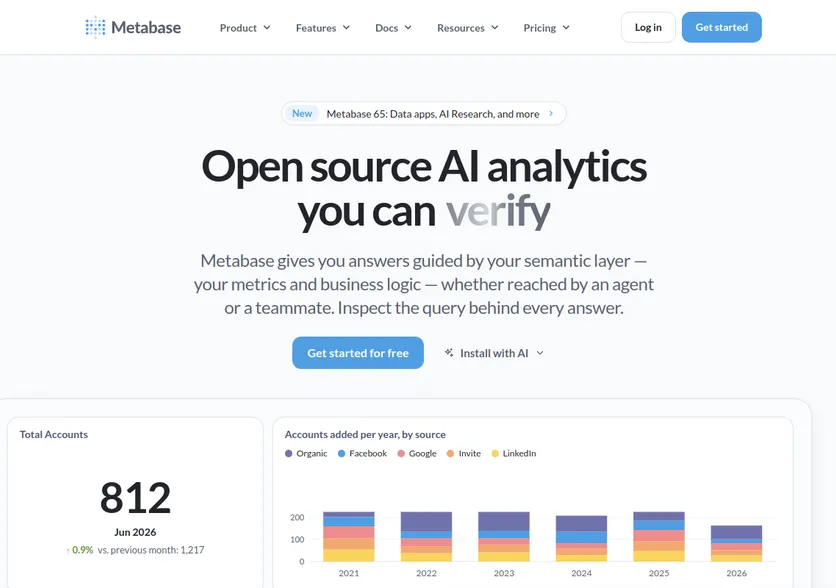
Metabase is the friendly face of embedded analytics: a business user can build a dashboard by asking questions in plain language, and a developer can embed it in a fintech app with a signed URL. This Metabase Pro plan includes ten users and adds white-labelling, so your customers see your brand on every chart. The open-source edition is free to self-host, which makes it the cheapest serious option here for a team that can run its own server.
What we like
- Plain-language questions build dashboards fast
- Open-source edition is free to self-host
- White-labelling included on Pro
Watch out for
- Embedding at scale needs the higher tiers
- Self-hosting means you run the server yourself
How to try it
- Connect Metabase to your product database
- Build a dashboard with the question builder
- Embed it in your app with a signed URL
2. Bold BI
Best for: Fintech apps that need pixel-perfect branded dashboards
Paid tool Starting price: $999/month · Cloud Edition for 100 users with $5 per extra user; On-Premises starts at $499 a month for 100 users
Free plan: 15-day free trial
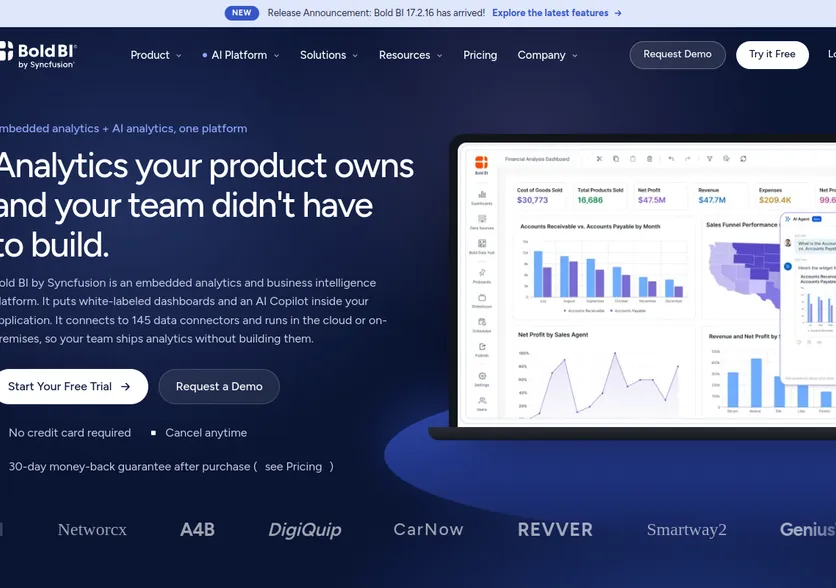
Bold BI is the embedded analytics platform from Syncfusion, built for apps that need dashboards to look exactly like the product around them. This Bold BI Cloud plan covers one hundred users and includes white-labelling, row-level security and a JavaScript SDK for deep embedding. It suits fintech teams that want a dashboard designer their own developers can extend, with support that answers quickly when a customer report breaks.
What we like
- Dashboards match your product design exactly
- Row-level security is built in
- JavaScript SDK allows deep embedding
Watch out for
- Entry price is high for a young fintech
- Cloud plan is the only option with full support
How to try it
- Connect Bold BI to your data warehouse
- Design a dashboard in the drag-and-drop designer
- Embed it with the JavaScript SDK and row-level security
3. Luzmo
Best for: Fintech apps that embed analytics for thousands of customers
Paid tool Starting price: $2,495/month · Embedded Everywhere plan billed annually; AI and Warp usage billed separately
Free plan: No free tier — 14-day free trial
Luzmo is built for one job, embedding analytics inside software products, and it does that job better than any general BI tool here. This Luzmo Embedded Everywhere plan is priced for products that show dashboards to thousands of end users, with white-labelling, AI-assisted chart building and usage-based extras. It is the dearest option on this list, and it makes sense when embedded analytics is the feature your customers pay for.

What we like
- Purpose-built for embedding in products
- AI helps users build their own charts
- Handles thousands of end users smoothly
Watch out for
- Highest price on this list by a wide margin
- No free tier, only a 14-day trial
How to try it
- Connect Luzmo to your product data
- Build an embeddable dashboard with the designer
- Embed it in your app with single sign-on
4. Power BI
Best for: Fintech apps already running on Microsoft 365
Paid tool Starting price: $14/user/month · Pro plan paid yearly; Premium Per User is $24 a user a month
Free plan: Free plan (personal use, no sharing)
Power BI is the cheapest way to embed serious analytics in a fintech app that already lives in the Microsoft world, because most of the team already knows it. This Power BI Pro plan costs less per user than any other tool here and includes sharing, scheduled refresh and the full desktop authoring app. Embedding works through the JavaScript API, and the price per user makes it easy to budget as the team grows.
What we like
- Cheapest per-user price on this list
- Most teams already know the interface
- Deep integration with Microsoft 365
Watch out for
- Sharing needs a paid licence for every viewer
- Embedding capacity costs extra at scale
How to try it
- Build your report in Power BI Desktop
- Publish it to the Power BI service
- Embed it in your app with the JavaScript API
5. Tableau
Best for: Fintech apps that need the most polished visual analytics
Paid tool Starting price: $75/user/month · Creator plan, Standard edition; Explorer is $42 and Viewer is $15 a user a month
Free plan: 14-day free trial
Tableau is the visual analytics standard, and its dashboards are the ones customers notice first when they open a fintech app. This Tableau Creator plan includes the desktop authoring tool and the full visual grammar, from maps to forecasting, with embedding through the JavaScript API and connected apps. It is the pick for a fintech team that wants analytics to feel like a flagship feature, not a bolt-on report.
What we like
- Best-looking dashboards on this list
- Huge community and learning resources
- Strong mapping and forecasting built in
Watch out for
- Creator price is high for large teams
- Embedding needs care with licensing and capacity
How to try it
- Build your dashboard in Tableau Desktop
- Publish it to Tableau Cloud
- Embed it in your app with connected apps
6. Qlik Sense
Best for: Fintech apps that need governed self-service analytics
Paid tool Starting price: $30/user/month · Business plan billed annually with a 5-user minimum; Enterprise is custom at around $70 a user a month
Free plan: 30-day free trial
Qlik Sense pairs a powerful associative engine with governed self-service, so analysts can explore freely while the business keeps control of the data model. This Qlik Sense Business plan covers five users minimum and includes the full analytics engine, with embedding through mashups and the capability API. It suits fintech teams where compliance matters as much as insight, because every metric can be traced back to its source.
What we like
- Associative engine finds hidden relationships
- Governance keeps metrics trustworthy
- Strong audit trail for regulated teams
Watch out for
- Vendor does not publish this price on its own page
- Learning curve is steep for new analysts
How to try it
- Connect Qlik Sense to your data sources
- Build an app with the associative engine
- Embed the visualisations in your product
7. Amazon QuickSight
Best for: Fintech apps on AWS that need cheap reader access
Paid tool Starting price: $24/user/month · Author plan per user per month; Reader is $3, Reader Pro is $20 and Author Pro is $40, plus a $250 monthly account fee with Pro users
Free plan: 30-day free trial
Amazon QuickSight is the AWS-native way to embed dashboards, and its reader pricing is the cheapest way to show charts to thousands of customers. This Amazon QuickSight Author plan covers the people who build dashboards, while readers pay only a few dollars a month, which is the model that makes embedded analytics affordable at fintech scale. It connects to every AWS data source natively, so a team already on AWS can embed a first dashboard in a day.
What we like
- Reader pricing is the cheapest here
- Native to every AWS data source
- Pay-per-session option for occasional readers
Watch out for
- Account fee applies once any Pro user exists
- Visual polish lags Tableau and Luzmo
How to try it
- Connect QuickSight to your AWS data sources
- Build a dashboard with the authoring tool
- Embed it for readers with the embedding SDK
8. Zoho Analytics
Best for: Fintech apps that want strong analytics at a mid-range price
Paid tool Starting price: $115/month · Premium plan billed annually for 15 users and 5 million rows; Basic is $24, Standard is $48 and Enterprise is $455 a month
Free plan: Free plan (2 users, 10,000 rows)
Zoho Analytics is the value pick for a fintech app that needs real dashboards without an enterprise bill. This Zoho Analytics Premium plan covers fifteen users and five million rows, with white-labelling, scheduled email reports and an embedding API. It integrates with the rest of Zoho, which suits a fintech team that already runs its CRM and support there, and the price stays flat while the team grows.
What we like
- Strong value for fifteen users
- White-labelling included on Premium
- Integrates with the wider Zoho suite
Watch out for
- Embedding is less deep than Luzmo or Bold BI
- Row limits can force an upgrade as data grows
How to try it
- Connect Zoho Analytics to your product database
- Build a dashboard with the drag-and-drop designer
- Embed it in your app with white-labelling on
Prices above were checked on each vendor’s own website on Nov 26, 2026 and can change — the vendor’s page is the final word. Vendor links are editorial: nobody paid to be listed or ranked here. Vendors who want a featured listing can see how it works on our Get listed page.
What embedded reporting costs a fintech app in 2026
Price the embedding by the viewer, not the builder. A tool that charges per user looks cheap until a thousand customers open a dashboard, while a flat-rate plan looks dear until the same thousand arrive. Row-level security is non-negotiable for finance data, so check it is included on the tier you buy rather than gated behind an enterprise plan. Pilot with real customer data and two test accounts, verify that each account sees only its own numbers, and only then roll the dashboard out to everyone.
Before you buy
- Confirm white-labelling is included on your tier, so your brand replaces the vendor logo
- Check row-level security, because one customer must never see another customer data
- Verify the price at your real user count, since per-user billing multiplies fast
- Ask whether embedding needs code or works with a simple iframe and token
- Read the data residency and compliance options, because finance data rarely leaves its region
Official websites
Official websites of the products reviewed above. Features and prices were checked against these sites when this guide was written, and they can change, so confirm on the vendor site before you buy.
Frequently asked questions
Which embedded reporting tool is best for a fintech app?
Metabase Pro is the best starting point at $500 a month for ten users, because it is easy to embed and the open-source edition is free to self-host. Power BI Pro is the cheapest per user at $14 a month and the right pick when the team already runs on Microsoft 365. Luzmo is the best choice when embedded analytics is the feature customers pay for, at $2,495 a month.
Is embedded reporting secure enough for finance data?
Yes, if the vendor supports row-level security and your embedding uses signed tokens, not public links. Every tool here except the cheapest tiers supports row-level security, which filters data per user so one customer never sees another customer numbers. Test it with two test accounts before launch, because a security mistake in embedded analytics is a compliance incident, not a bug.
How should a fintech app budget for embedded reporting?
Per-user tools such as Power BI and Tableau multiply with headcount, while flat-rate tools such as Metabase, Zoho Analytics and Bold BI stay predictable as the team grows. Reader-based tools such as QuickSight are cheapest when thousands of customers view dashboards but few build them. Model the cost at twice your current size, because the cheapest tier rarely survives growth.
Is there a free embedded reporting tool for a fintech app?
Yes. Metabase has a free open-source edition you can self-host, Zoho Analytics has a free plan for two users, and Power BI has a free plan for personal use. The free tiers are enough to build and test a dashboard, but embedding with white-labelling and row-level security needs a paid plan on every tool here.
Can embedded dashboards carry our own brand?
Most tools here offer white-labelling on paid plans: Metabase on Pro, Bold BI on Cloud, Luzmo on Embedded Everywhere, Zoho Analytics on Premium and Tableau through connected apps. White-labelling replaces the vendor logo with yours and hides the vendor domain, so customers see your brand on every chart. Confirm it is included on the tier you buy, because it is often the feature that forces an upgrade.
Put live numbers inside your finance app — browse the full set of finance tools, free and running on your device.
Browse Finance Calculators tools