On this page
A mid-size firm has outgrown email as its intranet, but it does not need an enterprise platform that takes a year to launch. The tools below were picked for companies of roughly fifty to five hundred people, where half the staff may never sit at a desk. We compared nine platforms on published price, ease of launch and how well they reach frontline workers. Blink is our first pick, because it puts news, chat and knowledge in one mobile app that frontline staff will actually open.
How we researched this
We started with intranet platforms that publish a per-person or flat monthly price and work for desk and frontline staff alike, then read each price on the vendor site on November 27, 2026. We judged them for a mid-size firm that needs news, documents and chat in one place, without a dedicated IT team to run it. We dropped quote-only enterprise intranets, because a mid-size firm needs a price it can budget and a tool that goes live in weeks, not quarters.
Compare the tools
| Name | Best for | Starting price | Free plan | |
|---|---|---|---|---|
 Blink | Mid-size firms with frontline staff and no company email | $3.75/user/month | No free plan; free trial available | Visit |
 Jostle | Mid-size firms that want a structured intranet with an org chart | $2.77/user/month | No free plan; free trial available | Visit |
 Connecteam | Mid-size firms that want chat and intranet in one mobile app | $29/month per hub | Free Small Business plan for up to 10 users | Visit |
 Notion | Mid-size firms that want a flexible wiki they can shape themselves | $10/user/month | Free plan with limited blocks | Visit |
 Confluence | Mid-size firms that want a shared knowledge base with templates | $7.15/user/month | Free plan for up to 10 users | Visit |
 SharePoint | Mid-size firms already paying for Microsoft 365 | $7/user/month | No free plan; free trial available | Visit |
 MangoApps | Mid-size firms with frontline staff across sites | $4.50/employee/month | No free plan; demo available | Visit |
 Bitrix24 | Mid-size firms that want one flat price for everything | $99/month | Free plan with unlimited users | Visit |
| Zoho Connect | Small mid-size firms that want the cheapest intranet | $0.34/user/month | Free plan for up to 5 users | Visit |
The employee intranet software for mid-size firms, compared
1. Blink
Best for: Mid-size firms with frontline staff and no company email
Paid tool Starting price: $3.75/user/month · Three dollars and seventy-five cents per user a month billed annually for Core, or four dollars and fifty cents billed monthly; Pro is five dollars billed annually, and Enterprise is a custom quote.
Free plan: No free plan; free trial available
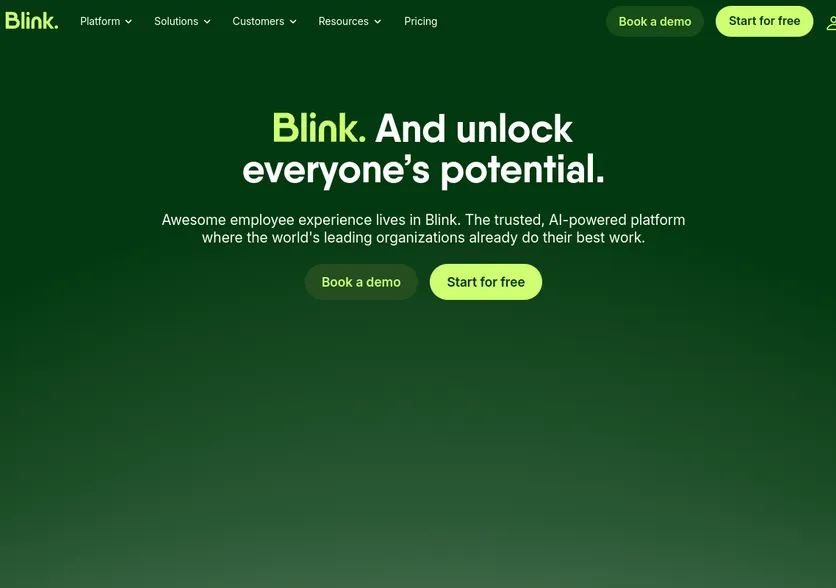
This Blink plan puts internal communications, chat and a knowledge hub in one mobile app built for frontline teams. Staff can read news, find documents and message colleagues without a company email, which suits a firm where half the team never sits at a desk. Core starts at three dollars and seventy-five cents per user a month billed annually, with Pro adding automations, translations and an AI assistant.
What we like
- Built for frontline teams with no company email
- News, chat and knowledge in one app
- Pro adds translations and an AI assistant
Watch out for
- No free plan, only a free trial
- Enterprise features wait for a custom quote
How to try it
- Start a free trial with one department
- Brand the app and publish the first news post
- Add the handbook and key documents to the hub
2. Jostle
Best for: Mid-size firms that want a structured intranet with an org chart
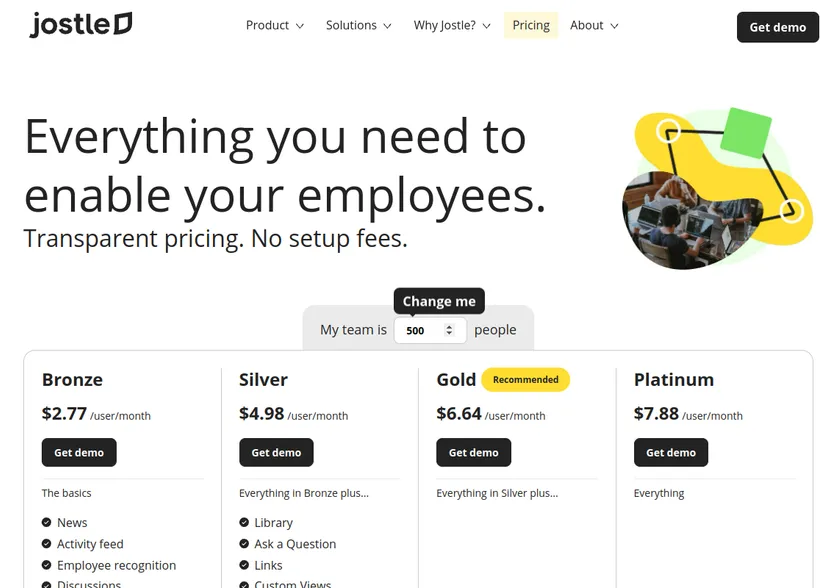
Paid tool Starting price: $2.77/user/month · Two dollars and seventy-seven cents per user a month for Bronze at five hundred users on a prepaid annual plan; the same plan is five dollars at twenty-five to fifty users and seven dollars and fifty cents at ten users, and monthly billing adds fifteen percent.
Free plan: No free plan; free trial available
This Jostle platform organises a firm around news, a library, teams and an org chart, so staff can find people and documents without asking around. Bronze is the entry plan, and Silver, Gold and Platinum add features such as events, tasks and listings. Pricing is per user and falls as headcount rises, so a firm of five hundred pays far less per person than a team of ten.
What we like
- Clear structure around news, library and teams
- Price per user falls as headcount rises
- Onboarding and full support are included
Watch out for
- Entry price depends heavily on headcount
- Monthly billing adds fifteen percent
How to try it
- Book a demo and ask for the price at your headcount
- Set up the news feed and org chart first
- Add one add-on, such as events or tasks
3. Connecteam
Best for: Mid-size firms that want chat and intranet in one mobile app
Paid tool Starting price: $29/month per hub · Twenty-nine dollars a month per hub for the Basic plan, billed annually for the first thirty users, or thirty-five dollars billed monthly; Advanced is forty-nine dollars and Expert is ninety-nine dollars, with extra users from fifty cents a month.
Free plan: Free Small Business plan for up to 10 users
This Connecteam plan bundles chat, updates, surveys and a knowledge base in one mobile app, which suits a firm with staff on the move. The Communications hub covers the intranet basics, while the HR and Skills hub adds courses, documents and onboarding. Pricing is per hub, so a firm that wants all three hubs should budget for three subscriptions rather than one.

What we like
- One mobile app for chat, updates and surveys
- Knowledge base and help desk are included
- Free Small Business plan covers ten users
Watch out for
- Hubs are priced separately, so three hubs cost three times as much
- Extra users add a small per-person charge
How to try it
- Start with the Communications hub Basic plan
- Publish the first company update and survey
- Add the HR hub for courses and onboarding
4. Notion
Best for: Mid-size firms that want a flexible wiki they can shape themselves
Paid tool Starting price: $10/user/month · Ten dollars per user a month billed annually for Plus, or twelve dollars billed monthly; Business is twenty dollars billed annually and includes the full Notion AI suite, and Enterprise is a custom quote.
Free plan: Free plan with limited blocks
This Notion plan turns a workspace into a wiki, a knowledge base and a project hub that any team can shape without code. Plus adds unlimited file uploads, longer page history and more guests, while Business adds the full AI suite and advanced permissions. The free plan now limits the number of blocks, so a firm that writes a lot should budget for Plus from the start.

What we like
- Flexible wiki, docs and projects in one workspace
- Business includes the full AI suite
- Guests are free on paid plans
Watch out for
- Free plan now limits the number of blocks
- Not a dedicated intranet, so news needs building
How to try it
- Start on the free plan with one team wiki
- Upgrade to Plus for unlimited uploads
- Build a home page with links to every team space
5. Confluence
Best for: Mid-size firms that want a shared knowledge base with templates
Paid tool Starting price: $7.15/user/month · Seven dollars and fifteen cents per user a month for Standard on monthly billing for teams of one to one hundred users; the page calculator shows a blended five dollars and seventy-eight cents for larger teams, and Premium is fourteen dollars and ten cents.
Free plan: Free plan for up to 10 users
This Confluence plan gives a firm a shared space for pages, decisions and documentation, with templates that make it easy to start. Standard covers most teams, while Premium adds unlimited storage, a stronger uptime promise and round-the-clock support. The free plan covers ten users, so a small firm can test it before paying, and the page calculator shows a lower blended rate for larger teams.

What we like
- Templates make it easy to start a knowledge base
- Free plan covers ten users
- Premium adds unlimited storage and 24/7 support
Watch out for
- Standard rate varies by team size on the calculator
- AI usage billing starts in December 2026
How to try it
- Start on the free plan with ten users
- Create a home page with templates for each team
- Upgrade to Standard when you pass ten users
6. SharePoint
Best for: Mid-size firms already paying for Microsoft 365
Paid tool Starting price: $7/user/month · Seven dollars per user a month paid yearly for Microsoft 365 Business Basic, or eight dollars and forty cents billed monthly; Business Standard is fourteen dollars and Premium is twenty-two dollars, and a version without Teams is five dollars and forty cents.
Free plan: No free plan; free trial available
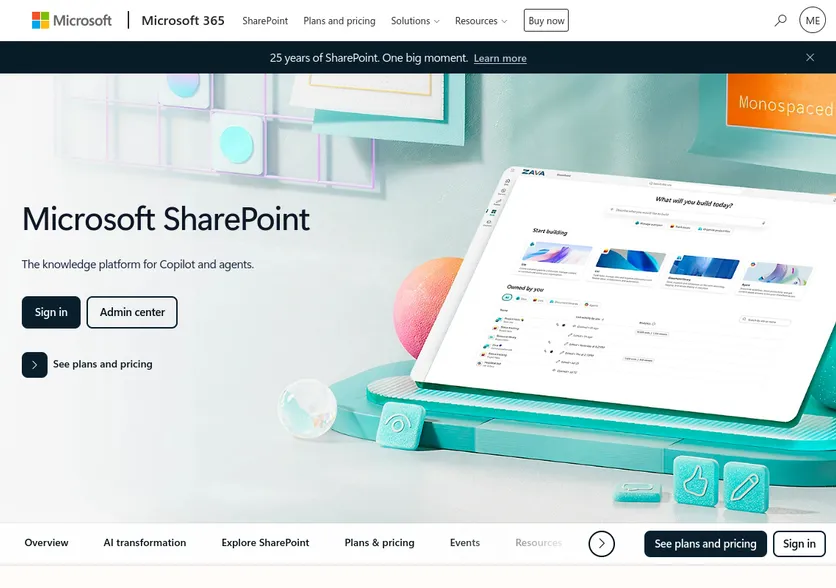
This SharePoint plan builds intranet sites, document libraries and team pages inside Microsoft 365, which suits a firm already paying for it. Business Basic at seven dollars per user a month paid yearly covers web and mobile Office apps, Teams and one terabyte of storage. The catch is that every user needs a Microsoft 365 licence, so a firm with staff who never had one must buy a seat for each of them.
What we like
- Intranet sites and document libraries in one place
- Included in Microsoft 365 Business Basic
- Deep integration with Teams and Office apps
Watch out for
- Every user needs a Microsoft 365 licence
- Standalone SharePoint plans ended sale in June 2026
How to try it
- Check whether your Microsoft 365 plan already includes it
- Build one team site with a news page
- Set permissions by site before you invite staff
7. MangoApps
Best for: Mid-size firms with frontline staff across sites
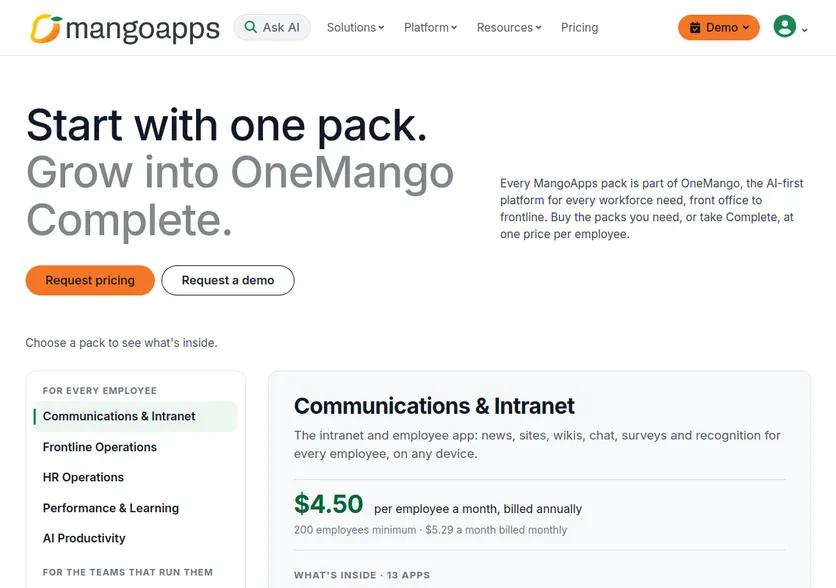
Paid tool Starting price: $4.50/employee/month · Four dollars and fifty cents per employee a month billed annually for Communications and Intranet, from two hundred employees; monthly billing is five dollars and twenty-nine cents, and other suites cost extra.
Free plan: No free plan; demo available
This MangoApps platform is built for frontline teams, with news, knowledge and answers on the phone staff already carry. Employees sign in with a phone number or an employee ID, and posts translate into thirty-nine languages. Communications and Intranet costs four dollars and fifty cents per employee a month billed annually, from two hundred employees, which makes it a strong pick for a larger mid-size firm.
What we like
- Built for frontline staff with phone sign-in
- Posts translate into thirty-nine languages
- Adoption guarantee on enterprise contracts
Watch out for
- Two hundred employee minimum for the published price
- Other suites cost extra per employee
How to try it
- Book a demo and ask for the price at your headcount
- Publish the first must-read post to one team
- Add recognition and surveys once news is live
8. Bitrix24
Best for: Mid-size firms that want one flat price for everything
Paid tool Starting price: $99/month · Ninety-nine dollars a month billed annually for Essentials Standard, or one hundred and forty-four dollars billed monthly, covering up to fifty users; Basic is forty-nine dollars and Professional is one hundred and ninety-nine dollars billed annually.
Free plan: Free plan with unlimited users
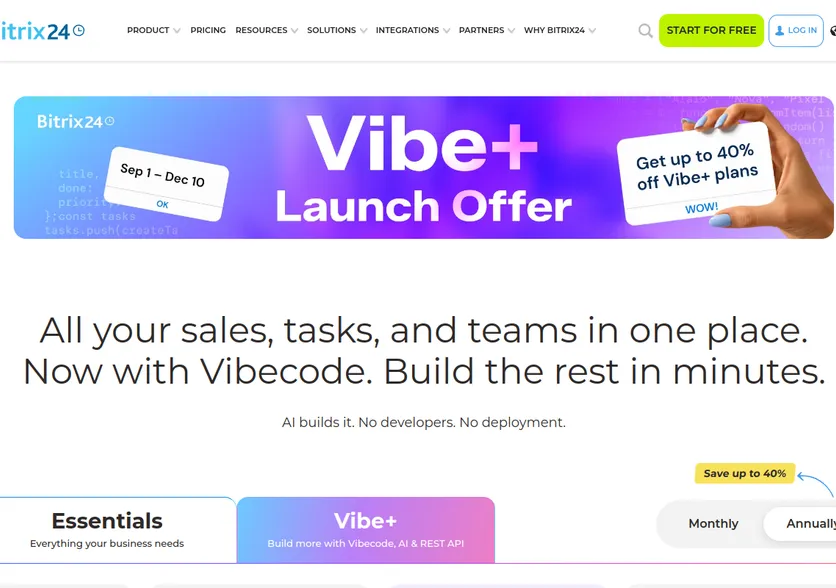
This Bitrix24 plan charges one flat rate for the whole firm, so the price never grows when you add people within the plan limit. Standard covers fifty users and includes CRM, tasks, time tracking, video calls and a website builder alongside the intranet tools. The free plan covers unlimited users, so a firm can test the whole platform before paying anything.
What we like
- One flat rate no matter how many users join
- CRM, tasks and calls in the same platform
- Free plan covers unlimited users
Watch out for
- Standard caps at fifty users
- New Vibe plans change the offer until December 2026
How to try it
- Start on the free plan with your whole team
- Set up the intranet, tasks and CRM in one workspace
- Upgrade to Standard when you need the paid limits
9. Zoho Connect
Best for: Small mid-size firms that want the cheapest intranet
Paid tool Starting price: $0.34/user/month · Thirty-four cents per user a month billed annually for Starter, for twenty-five users; Enterprise is eighty-four cents and Ultimate is two dollars and fifty cents, and monthly billing is forty cents, one dollar and three dollars.
Free plan: Free plan for up to 5 users
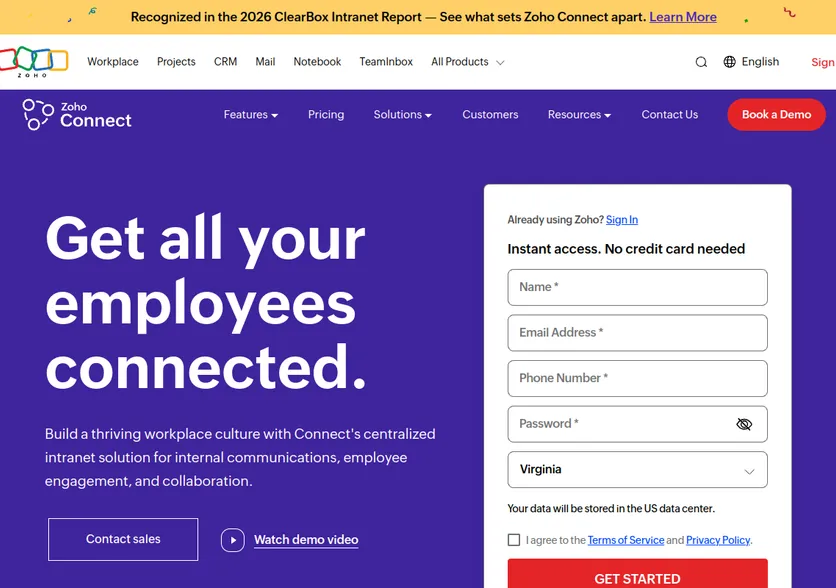
This Zoho Connect plan gives a firm a private social network with feeds, forums, manuals, tasks and events for under a dollar a user. The Starter plan costs thirty-four cents per user a month billed annually for twenty-five users, while Enterprise and Ultimate add more features at eighty-four cents and two dollars and fifty cents. The free plan covers five users, so a tiny team can try it before paying.
What we like
- Cheapest paid intranet in this comparison
- Feeds, forums and manuals in one place
- Free plan covers five users
Watch out for
- Starter is fixed at twenty-five users
- Advanced features wait for Enterprise or Ultimate
How to try it
- Start on the free plan with five users
- Set up feeds, groups and the manual library
- Upgrade to Starter when you pass five users
Prices above were checked on each vendor’s own website on Nov 27, 2026 and can change — the vendor’s page is the final word. Vendor links are editorial: nobody paid to be listed or ranked here. Vendors who want a featured listing can see how it works on our Get listed page.
How a mid-size firm should launch an intranet that staff actually open
Start with news and one directory, not every feature at once. Pick the five things staff ask for most, such as the holiday calendar, the handbook and the shift rota, and put those on the home page first. Launch to one department, fix what confuses people, and then roll out to the rest. A tool that launches to everyone on day one usually launches to nobody, because nobody was taught how to use it.
Make it work without a desk or a company email. Frontline staff need to sign in with a phone number or an employee ID, and they need news in their own language. Check whether the plan charges per user or a flat rate, because a flat rate is often cheaper once you pass fifty people. Give one person ownership of the home page, because an intranet with no editor turns into a noticeboard of last year's news within a month.
Before you buy
- Check whether frontline staff can sign in without a company email
- Count every employee, including part-time and frontline staff, before you buy
- Make sure news and documents work on a phone, not just a desktop
- Ask whether the price is flat or per user at your headcount
- Pick a tool with a free trial so one department can test it first
Official websites
Official websites of the products reviewed above. Features and prices were checked against these sites when this guide was written, and they can change, so confirm on the vendor site before you buy.
Frequently asked questions
What is the cheapest intranet software for a mid-size firm?
Zoho Connect Starter costs thirty-four cents per user a month billed annually for twenty-five users, which makes it the cheapest paid intranet here. Jostle Bronze costs two dollars and seventy-seven cents per user a month at five hundred users, and Blink Core costs three dollars and seventy-five cents. Bitrix24 Standard costs ninety-nine dollars a month flat for up to fifty users, which beats every per-user plan once you pass about thirty people.
Do we need Microsoft 365 to run an intranet?
No, unless you pick SharePoint, which lives inside Microsoft 365 and needs a licence for every user. Notion, Blink, Jostle, MangoApps, Bitrix24 and Zoho Connect all run on their own, with no Microsoft account needed. MangoApps even works alongside SharePoint, reaching the frontline staff that SharePoint cannot, so a firm can keep SharePoint for desk workers and add MangoApps for the rest.
How do intranets reach frontline staff?
Use a mobile app with sign-in by phone number or employee ID, so staff never need a company email or a desktop. Blink and MangoApps are built for this, with news, chat and documents on the phone staff already carry, and Connecteam signs people in with a phone number. Push notifications and SMS reach people who never open email, which is most of a frontline team.
Flat rate or per-user pricing: which is cheaper?
It depends on headcount. Bitrix24 Standard costs ninety-nine dollars a month flat for up to fifty users, so a firm of fifty pays about two dollars a person, while a firm of ten pays nearly ten dollars a person. Per-user plans like Zoho Connect or Blink are cheaper for small teams, but a flat rate wins once the team grows. Do the maths at your exact headcount before you choose.
How long does it take to launch an intranet?
Weeks, not quarters, for the tools in this comparison. Blink, Connecteam and Zoho Connect can go live in days with news and a directory, while MangoApps quotes eight to twelve weeks for a full rollout. The content matters more than the features: a firm that launches with a handbook, a holiday calendar and a shift rota will see people return, while a firm that launches empty pages will not.
Compare the nine tools above, then start with a free trial in one department before you roll the intranet out to the whole firm.
Browse Business Tools tools