On this page
An architecture studio runs on a rota that mixes design time, site visits and client meetings, and a spreadsheet rota breaks the moment a project deadline moves. The right tool builds the week around workload, tracks hours against projects, and lets staff swap shifts from their phones. We compared eight tools on published price, free starting options and how they handle project-based work. Deputy is our first pick — auto-scheduling with labor cost control at five dollars per user a month.
How we researched this
We started with scheduling tools a small architecture studio can run without an operations manager, then read each price on the vendor site on November 27, 2026 and noted the free plan or trial each one carries. We judged them for a studio that splits time between design work, site visits and client meetings. We dropped quote-only enterprise workforce platforms because a studio needs a published price it can budget around.
Compare the tools
| Name | Best for | Starting price | Free plan | |
|---|---|---|---|---|
 Deputy | Architecture studios that want auto-scheduling with labor cost control | $5/user/mo | No free plan; 30-day free trial | Visit |
 Homebase | Small studios that want a free start and flat per-location pricing | $24/location/mo | Free Basic plan for one location and up to 10 employees; 14-day trial of All-in-One | Visit |
 When I Work | Studios that want the cheapest per-user scheduling with auto-scheduling | $2.50/user/mo | No free plan; 14-day free trial | Visit |
 Connecteam | Studios that also need tasks, forms and team chat in one app | $29/mo | Free Small Business Plan for up to 10 users, all hubs included; 14-day free trial | Visit |
 Sling | Studios that want free scheduling for up to thirty people | $1.70/user/mo | Free plan for up to 30 users; 15-day free trial on paid plans | Visit |
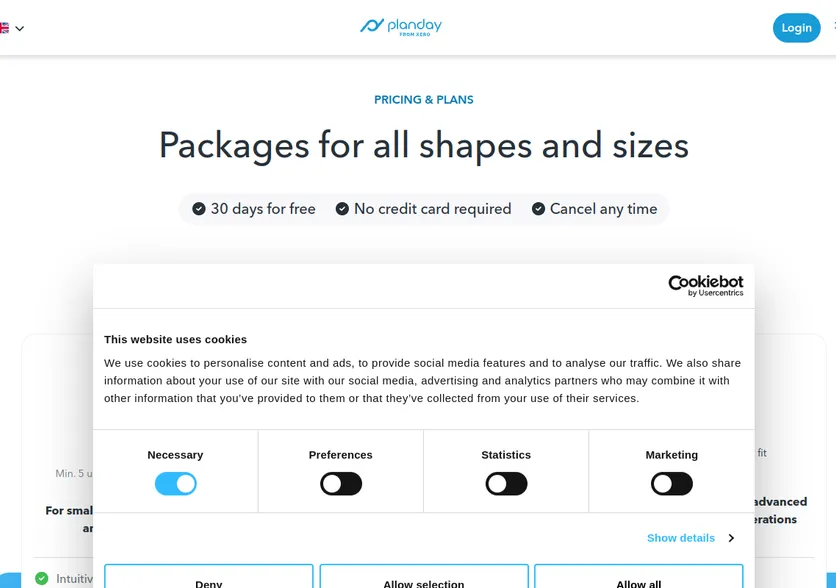
 Planday | Studios that need working-time rules and compliance warnings | $2.99/user/mo | No free plan; 30-day free trial | Visit |
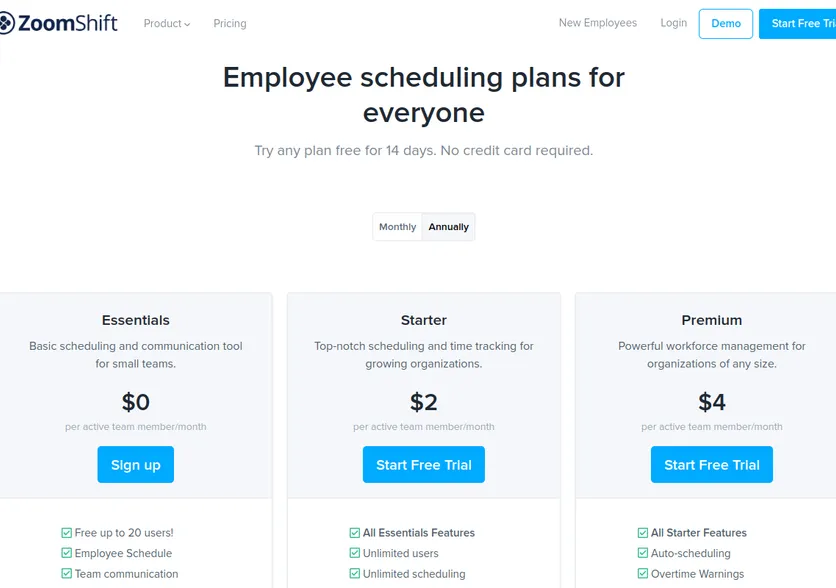
 ZoomShift | Small studios that want free scheduling for up to twenty people | $2/user/mo | Free Essentials plan for up to 20 users at one location; 14-day free trial | Visit |
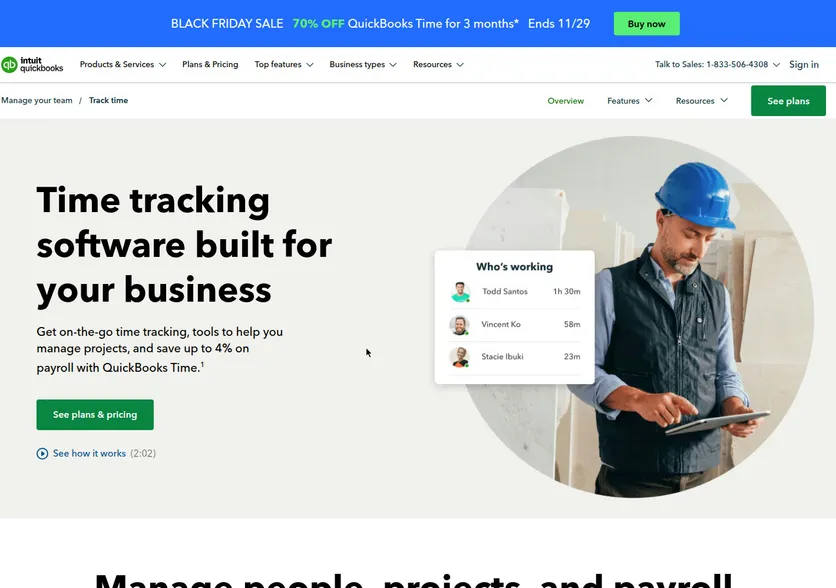
 QuickBooks Time | Studios that bill clients by the hour and run QuickBooks payroll | $20/mo + $10/user/mo | No free plan; 30-day free trial | Visit |
The employee scheduling software for architects, compared
1. Deputy
Best for: Architecture studios that want auto-scheduling with labor cost control
Paid tool Starting price: $5/user/mo · Five dollars per user a month billed annually for the Lite plan, or five dollars and fifty cents month to month; Core costs six dollars and fifty cents billed annually and Pro nine dollars, with a thirty-dollar monthly minimum on monthly plans
Free plan: No free plan; 30-day free trial
This Deputy scheduling tool fits an architecture studio that juggles project deadlines, site visits and studio hours in one rota. Auto-scheduling and demand forecasting build the week around workload instead of copy-pasting last week, while labor law compliance flags overtime before it happens. The Lite plan covers scheduling and time tracking for five dollars per user a month, with payroll and HR integrations for the studio back office.

What we like
- Auto-scheduling builds the week around real workload
- Labor law compliance flags overtime before it happens
- One per-user price covers scheduling and time tracking
Watch out for
- No free plan, so even a tiny studio pays from day one
- Monthly plans carry a thirty-dollar minimum invoice
How to try it
- Open the Deputy pricing page and start the thirty-day trial
- Add the studio team and set each person's role and pay rate
- Turn on auto-scheduling for the next project week and review the draft
2. Homebase
Best for: Small studios that want a free start and flat per-location pricing
Paid tool Starting price: $24/location/mo · Twenty-four dollars per location a month billed annually for the Essentials plan, or thirty dollars month to month; Plus costs fifty-six dollars billed annually and All-in-One ninety-six dollars, each with unlimited employees
Free plan: Free Basic plan for one location and up to 10 employees; 14-day trial of All-in-One
This Homebase platform gives a small architecture studio a free Basic plan for one location and up to ten people, which covers many boutique practices outright. Paid plans charge per location with unlimited employees, so a growing studio pays the same flat fee as the team grows. Advanced scheduling, GPS time tracking and team messaging sit in the Essentials plan, with an AI scheduling assistant on Plus.

What we like
- Free plan covers a small studio outright
- Flat per-location price with unlimited employees
- AI scheduling assistant on the Plus plan
Watch out for
- Per-location pricing multiplies if the studio opens a second office
- Payroll is an add-on with its own base fee and per-person charge
How to try it
- Open the Homebase pricing page and start the free Basic plan
- Add the studio team and build the first week rota
- Upgrade to Essentials when the team passes ten people
3. When I Work
Best for: Studios that want the cheapest per-user scheduling with auto-scheduling
Paid tool Starting price: $2.50/user/mo · Two dollars and fifty cents per user a month for the Essentials plan; Pro costs five dollars and Premium eight dollars, with no separate annual rate published and a five percent discount for annual billing at checkout
Free plan: No free plan; 14-day free trial
This When I Work app costs two dollars and fifty cents per user a month on Essentials, the cheapest per-user entry in this comparison. Auto scheduling, multi-week rotas, shift swaps and team messaging are included from the entry plan, which covers how a studio actually runs. Payroll and point-of-sale integrations are listed too, and the interface is simple enough that architects spend minutes on the rota, not hours.

What we like
- Cheapest per-user entry in this comparison
- Auto scheduling included from the entry plan
- Simple interface that takes minutes a week to run
Watch out for
- No free plan since the old free tier was discontinued
- Time tracking is a paid add-on, not part of the base price
How to try it
- Open the When I Work pricing page and start the fourteen-day trial
- Add the studio team and set availability for the week
- Turn on auto scheduling and let staff swap shifts in the app
4. Connecteam
Best for: Studios that also need tasks, forms and team chat in one app
Paid tool Starting price: $29/mo · Twenty-nine dollars a month billed annually for the Operations hub Basic plan covering the first thirty users, or thirty-five dollars month to month; Advanced costs forty-nine dollars and Expert ninety-nine dollars, with per-user fees above thirty users
Free plan: Free Small Business Plan for up to 10 users, all hubs included; 14-day free trial
This Connecteam platform runs scheduling inside an Operations hub that also handles time clocks, forms and task management, which suits a studio that wants site checklists next to the rota. The Small Business plan is free for up to ten users with all hubs included, so a boutique practice may never pay. Above ten users, the Operations hub costs a flat twenty-nine dollars a month for the first thirty users.

What we like
- Free for up to ten users with every hub included
- Flat hub price covers the first thirty users
- Forms and tasks sit beside the rota in one app
Watch out for
- Hubs are sold separately, so three hubs cost three subscriptions
- Scheduling depth is thinner than on scheduling-first tools
How to try it
- Open the Connecteam pricing page and start the free Small Business plan
- Add the studio team and build the rota in the Operations hub
- Add site checklists and forms once scheduling is running
5. Sling
Best for: Studios that want free scheduling for up to thirty people
Paid tool Starting price: $1.70/user/mo · One dollar and seventy cents per user a month billed annually for the Premium plan, or two dollars month to month; Business costs three dollars and forty cents billed annually and adds a kiosk clock, reports and paid time off management
Free plan: Free plan for up to 30 users; 15-day free trial on paid plans
This Sling app covers scheduling and messaging free for up to thirty users, which handles most architecture studios without a bill. The paid Premium plan adds a mobile time clock, timesheets, geofencing and labor cost tracking for one dollar and seventy cents per user a month on annual billing. Owned by Toast, it also connects to point-of-sale systems for studios that run a shop or cafe alongside the practice.

What we like
- Free scheduling and messaging for up to thirty users
- Cheapest paid time clock in this comparison
- Geofencing and labor cost tracking on Premium
Watch out for
- Reports and paid time off management wait for the Business plan
- Scheduling views are simpler than on Deputy or Homebase
How to try it
- Open the Sling pricing page and start the free plan
- Add the studio team and publish the first rota
- Upgrade to Premium when you need the mobile time clock
6. Planday
Best for: Studios that need working-time rules and compliance warnings
Paid tool Starting price: $2.99/user/mo · Two dollars and ninety-nine cents per user a month for the Starter plan with a five-user minimum, billed monthly or quarterly with no annual discount; Plus costs four dollars and forty-nine cents plus a fifteen-dollar monthly fee with a ten-user minimum, and users are billed in bundles of five
Free plan: No free plan; 30-day free trial
This Planday workforce platform is built around working-time rules, warning managers when a rota breaks rest or hour limits. Starter costs two dollars and ninety-nine cents per user a month with a five-user minimum, covering scheduling, simple time tracking and basic payroll reporting. Now part of Xero, it suits a studio that wants the rota to respect labor rules without a compliance officer on staff.
What we like
- Working-time warnings catch illegal rotas before publishing
- Low per-user price with a five-user minimum
- Payroll reporting included from the Starter plan
Watch out for
- No free plan, only a thirty-day trial
- Users are billed in bundles of five, so eight staff pay for ten
How to try it
- Open the Planday pricing page and start the thirty-day trial
- Add the studio team and set the working-time rules
- Build the rota and review the compliance warnings before publishing
7. ZoomShift
Best for: Small studios that want free scheduling for up to twenty people
Paid tool Starting price: $2/user/mo · Two dollars per user a month billed annually for the Starter plan, or two dollars and fifty cents month to month; Premium costs four dollars billed annually and adds auto-scheduling, overtime warnings and a geofence time clock
Free plan: Free Essentials plan for up to 20 users at one location; 14-day free trial
This ZoomShift tool keeps scheduling deliberately simple, with a free Essentials plan for up to twenty users at one location. The Starter plan adds unlimited users and locations, timesheets, a time clock and shift swaps for two dollars per user a month on annual billing. For a studio that finds other tools bloated, the plain rota, reminders and shift confirmations are the whole point.
What we like
- Free for up to twenty users at one location
- Cheapest paid ladder in this comparison
- Plain rota with reminders and shift confirmations
Watch out for
- Free plan schedules only two weeks ahead
- No payroll or deep reporting on any plan
How to try it
- Open the ZoomShift pricing page and start the free Essentials plan
- Add the studio team and publish the first two-week rota
- Upgrade to Starter when you need a time clock or more locations
8. QuickBooks Time
Best for: Studios that bill clients by the hour and run QuickBooks payroll
Paid tool Starting price: $20/mo + $10/user/mo · Twenty dollars a month base fee plus ten dollars per user a month for the Time Premium plan, including one admin; Time Elite costs forty dollars plus twelve dollars per user and adds mileage and project tracking, with the base fee half price for the first three months
Free plan: No free plan; 30-day free trial
This QuickBooks Time tool, formerly TSheets, ties scheduling and time tracking straight into QuickBooks payroll, so hours flow to invoices without a spreadsheet in between. Premium costs a twenty-dollar monthly base fee plus ten dollars per user a month, covering GPS clock-ins, geofencing reminders, scheduling and timesheet approvals. For a studio already on QuickBooks, it is the shortest path from a rota to a billable hour.
What we like
- Hours flow straight into QuickBooks payroll and invoicing
- GPS clock-ins and geofencing for site visits
- Scheduling by job or shift with timesheet approvals
Watch out for
- Requires a QuickBooks Online subscription to use
- Base fee plus per-user rate makes it the priciest tool here for small teams
How to try it
- Open the QuickBooks Time pricing page and start the thirty-day trial
- Connect your QuickBooks Online account and add the team
- Build the rota by project and approve timesheets each week
Prices above were checked on each vendor’s own website on Nov 27, 2026 and can change — the vendor’s page is the final word. Vendor links are editorial: nobody paid to be listed or ranked here. Vendors who want a featured listing can see how it works on our Get listed page.
How an architecture studio should pick a rota tool
Start by listing everyone who needs a seat on the rota, including part-time and contract staff, because per-user tools charge for every name. Then check whether the tool records hours against projects, since billable hours are the point of a studio rota. A mobile app matters too: architects check the rota on site, not at a desk, so the app has to work away from the office.
Run a trial on one live project week before you commit the whole studio. Build the rota, let staff swap a shift, and approve a timesheet, because those three actions reveal more than a feature list. When you compare prices, cost the tool at your twelve-month headcount, not today's, since per-user billing grows with every hire.
Before you buy
- Count part-time and contract staff, since per-user tools charge for every seat
- Check whether project or job costing is included or needs a higher tier
- Make sure the mobile app works on site, where architects check the rota
- Confirm time-off and overtime rules match your state before you commit
- Ask whether the price includes a time clock or charges it as an add-on
Official websites
Official websites of the products reviewed above. Features and prices were checked against these sites when this guide was written, and they can change, so confirm on the vendor site before you buy.
Frequently asked questions
What is the cheapest employee scheduling software for architects?
ZoomShift is free for up to twenty users at one location, and Sling is free for up to thirty users, so many studios pay nothing at all. Homebase is free for one location and up to ten employees, and Connecteam is free for up to ten users. The cheapest paid step is Sling Premium at one dollar and seventy cents per user a month billed annually.
Do architecture studios need scheduling software with project costing?
Yes, if the studio bills clients by the hour or by project. A rota that records site hours against projects turns into accurate invoices and shows which projects run over budget. QuickBooks Time is the strongest fit here because hours flow into QuickBooks, while Deputy and Homebase cover labor costs on the rota itself.
Which tool handles overtime and working-time rules best for architects?
Deputy and Planday are the strongest on rules. Deputy flags overtime and labor law issues on the Lite plan, while Planday warns when a rota breaks working-time rules before you publish it. Both beat a spreadsheet, where an illegal rota is only discovered after the hours are worked.
How should a small architecture studio start with scheduling software?
Start with the free plan that fits your headcount, then add the team and publish one real week. Sling, ZoomShift and Homebase all offer free tiers that cover a small studio, so you can test the rota, the mobile app and shift swaps without paying. Move to a paid plan only when you need a time clock or the free cap runs out.
Is per-location or per-user pricing better for a growing studio?
Homebase charges per location with unlimited employees, so a studio with forty staff pays the same twenty-four dollars a month as a studio with twelve. Deputy and When I Work charge per user, so the bill grows with every hire. A studio expecting fast growth should price both models at its twelve-month headcount, not its current one.
Compare the eight tools above, then trial the top two on one project team before you move the whole studio onto a rota.
Browse Business Tools tools