
On this page
Hourly schedules live in group chats and spreadsheets until someone calls in sick and the whole week falls apart. 7shifts is the pick that ends that chaos: shifts, time off and swaps in one app that staff actually open. This guide compares eight employee scheduling tools for freelancers, from $2 a user a month to $70 a location a month, with live 2026 prices, free plans and trials, so a solo scheduler can pick by client type and budget instead of by sales pitch.
How we researched this
We checked the pricing page of every vendor on this list on November 26, 2026, and kept only tools that publish a real dollar price. Each tool had to schedule hourly staff for a freelancer client, not just track time. We compared entry prices, free plans, trial length and whether payroll and time tracking are included or sold separately.
Compare the tools
| Name | Best for | Starting price | Free plan | |
|---|---|---|---|---|
 7shifts | Freelancers who schedule restaurant and hospitality teams | $44.99/location/mo | Free Comp plan (up to 15 employees) | Visit |
 Homebase | Freelancers who schedule hourly teams and want payroll in one place | $70/location/mo | Free plan | Visit |
 When I Work | Freelancers who want the simplest per-user scheduling for one site | $2.50/user/mo | 14-day free trial, no free plan | Visit |
 Deputy | Freelancers who schedule shifts and track time in one tool | $4.50/user/mo | 31-day free trial, no free plan | Visit |
 Connecteam | Freelancers who manage frontline teams across several hubs | $35/mo | Free plan (up to 10 users) | Visit |
 Findmyshift | Freelancers who want a simple team schedule with a free tier | $27/team/mo | Free plan (up to 5 members) | Visit |
 Sling | Freelancers who want the cheapest per-user scheduling with a free tier | $2/user/mo | Free plan (up to 30 users) | Visit |
 Planday | Freelancers who schedule shift teams and want payroll-ready hours | $2.99/user/mo | 30-day free trial, no free plan | Visit |
The employee scheduling tools for freelancers, compared
1. 7shifts
Best for: Freelancers who schedule restaurant and hospitality teams
Paid tool Starting price: $44.99/location/mo · Essentials is $44.99 a location a month billed monthly, or $39.99 billed annually, for up to 30 employees; Pro is $89.99 a month and Premium is $149.99 a month
Free plan: Free Comp plan (up to 15 employees)
7shifts is a scheduling platform built for restaurants, cafes and hospitality teams, with shift planning, time off and team messaging built in. This 7shifts Essentials plan costs about $45 a location a month and covers up to 30 employees with scheduling and basic reporting. Annual billing drops the rate, and the Pro and Premium tiers add labor cost tools, advanced reporting and more integrations.

What we like
- Built for restaurants and shift work
- Staff can swap shifts in the app
- Free Comp plan covers up to 15 employees
Watch out for
- Priced per location, so multi-site clients cost more
- Labor cost tools need the higher tiers
How to try it
- Open the 7shifts pricing page and start the free Comp plan
- Add the client staff list and build a first schedule
- Publish the schedule and let staff swap shifts in the app
2. Homebase
Best for: Freelancers who schedule hourly teams and want payroll in one place
Paid tool Starting price: $70/location/mo · Plus is $70 a location a month billed monthly, or $56 billed annually; Essentials is $30 a month and All-in-One is $120 a month
Free plan: Free plan
Homebase is a team management platform for hourly workers, with scheduling, time tracking, hiring and payroll in one place. This Homebase Plus plan costs $70 a location a month and covers unlimited employees with scheduling, time tracking and team messaging. Annual billing drops the rate, and the All-in-One tier adds payroll and HR tools for clients who want everything in one system.

What we like
- Scheduling, time tracking and payroll share one tool
- Free plan covers basic scheduling
- Unlimited employees on paid tiers
Watch out for
- Priced per location, so multi-site clients cost more
- Payroll needs the All-in-One tier
How to try it
- Open the Homebase pricing page and start the free plan
- Add the client team and build a first schedule
- Turn on time tracking and review the timesheet
3. When I Work
Best for: Freelancers who want the simplest per-user scheduling for one site
Paid tool Starting price: $2.50/user/mo · Essentials is $2.50 a user a month for a single location; Pro is $5 and Premium is $8 a user a month; multi-location is $5 a user a month
Free plan: 14-day free trial, no free plan
When I Work is a simple scheduling app for hourly teams, with drag-and-drop shifts, time off requests and team messaging built in. This When I Work Essentials plan costs about $3 a user a month and covers scheduling for a single location with basic reporting. The Pro and Premium tiers add labor forecasting, advanced reporting and multi-location support for freelancers with bigger clients.

What we like
- Simplest scheduling on this list
- Per-user pricing suits a single location
- Staff messaging is built in
Watch out for
- No free plan beyond the trial
- Multi-location costs double per user
How to try it
- Open the When I Work pricing page and start the free trial
- Add the client staff and build a first schedule
- Let staff request time off in the app
4. Deputy
Best for: Freelancers who schedule shifts and track time in one tool
Paid tool Starting price: $4.50/user/mo · Scheduling is $4.50 a user a month billed monthly, or $3.50 billed annually; Premium bundle is $6 a month; $30 a month minimum spend applies
Free plan: 31-day free trial, no free plan
Deputy is a workforce platform for scheduling, time tracking and task management, built for shift-based teams. This Deputy Scheduling plan costs about $5 a user a month and covers shift planning, leave management and team communication. Annual billing drops the rate, and the Premium bundle adds time tracking and more features for clients who want one system for everything.

What we like
- Scheduling and time tracking share one tool
- Mobile app is strong for field staff
- Free trial runs for 31 days
Watch out for
- Minimum monthly spend of $30 applies
- Some reads show a restructured plan set from $3.50
How to try it
- Open the Deputy pricing page and start the free trial
- Add the client team and build a first schedule
- Turn on time tracking for the first shift
5. Connecteam
Best for: Freelancers who manage frontline teams across several hubs
Paid tool Starting price: $35/mo · Operations Basic is $35 a month billed monthly, or $29 billed annually, for the first 30 users per hub; extra users are $1.00 a month each; Advanced is $59 a month
Free plan: Free plan (up to 10 users)
Connecteam is an all-in-one platform for frontline teams, with scheduling, time tracking, forms and communication in separate hubs. This Connecteam Operations Basic plan costs $35 a month and covers the first 30 users in one hub with scheduling and time tracking. Annual billing drops the rate, and the Advanced and Expert tiers add more users, automation and reporting for larger teams.

What we like
- One app covers scheduling, forms and chat
- Free plan covers up to 10 users
- Hubs let you pay only for what you use
Watch out for
- Each hub is priced separately
- Per-user fees kick in above 30 users
How to try it
- Open the Connecteam pricing page and start the free plan
- Add the client team to the Operations hub
- Build a first schedule and publish it to the app
6. Findmyshift
Best for: Freelancers who want a simple team schedule with a free tier
Paid tool Starting price: $27/team/mo · Starter is $27 a team a month billed monthly, or $24 billed annually, for 20 team members and 1 manager; Business is $43 a month; a November 2026 read shows $28
Free plan: Free plan (up to 5 members)
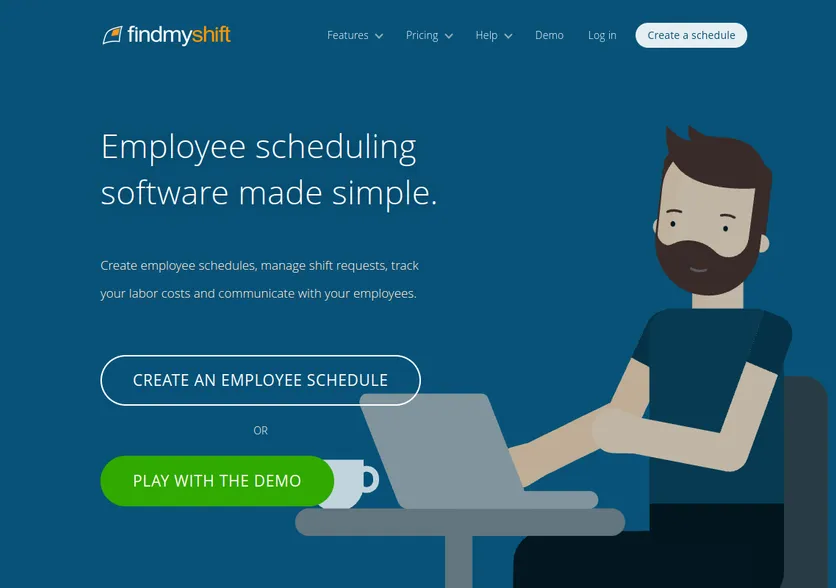
Findmyshift is a straightforward staff scheduling tool with drag-and-drop shifts, time off and reminders for small teams. This Findmyshift Starter plan costs $27 a team a month and covers 20 team members with one manager for a freelancer with a few clients. Annual billing drops the rate, and the Business and Enterprise tiers add more members, managers and features for larger teams.
What we like
- Flat team pricing is easy to predict
- Free plan covers up to 5 members
- Setup takes minutes, not days
Watch out for
- One manager caps the Starter plan
- Fewer integrations than the bigger tools
How to try it
- Open the Findmyshift pricing page and start the free plan
- Add the client team members and their roles
- Drag shifts onto the weekly schedule
7. Sling
Best for: Freelancers who want the cheapest per-user scheduling with a free tier
Paid tool Starting price: $2/user/mo · Premium is $2 a user a month billed monthly, or $1.70 billed annually; Business is $4 a month; free plan covers up to 30 users
Free plan: Free plan (up to 30 users)
Sling is a scheduling and communication app for shift teams, with drag-and-drop shifts, time off and team chat built in. This Sling Premium plan costs $2 a user a month and covers scheduling with time tracking and reporting for a freelancer with hourly clients. Annual billing drops the rate, and the Business tier adds labor cost tools and advanced features for larger teams.
What we like
- Cheapest per-user price on this list
- Free plan covers up to 30 users
- Team chat is built into the app
Watch out for
- Labor cost tools need the Business tier
- Reporting is basic on Premium
How to try it
- Open the Sling pricing page and start the free plan
- Add the client team and build a first schedule
- Turn on time tracking for the first shift
8. Planday
Best for: Freelancers who schedule shift teams and want payroll-ready hours
Paid tool Starting price: $2.99/user/mo · Starter is $2.99 a user a month with a 5-user minimum, billed in bundles of 5; Plus is $4.49 a user a month plus a $15 monthly base fee
Free plan: 30-day free trial, no free plan
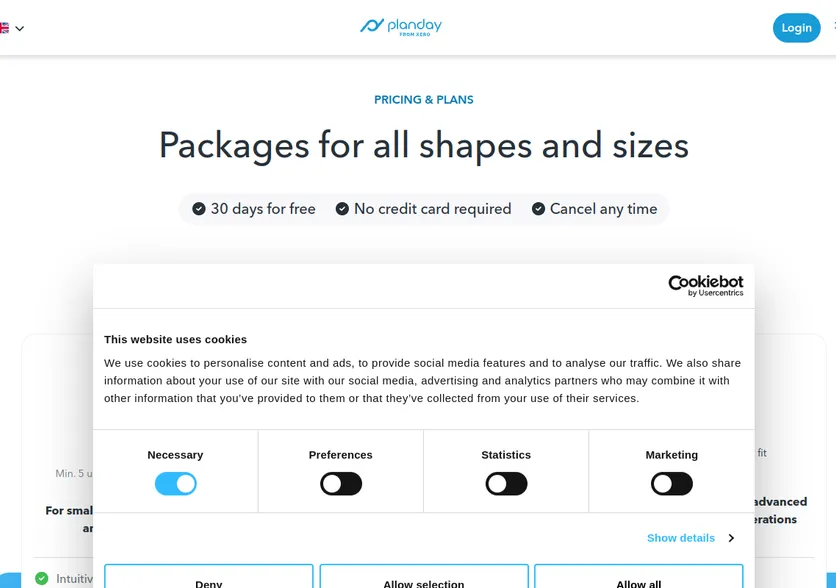
Planday is a workforce platform for scheduling, time tracking and payroll preparation, now part of Xero. This Planday Starter plan costs about $3 a user a month and covers scheduling with time tracking for a freelancer with shift clients. A five-user minimum applies and users are billed in bundles of five, while the Plus tier adds payroll tools and a monthly base fee.
What we like
- Payroll-ready timesheets save hours
- Scheduling and time tracking share one tool
- Xero integration suits accounting clients
Watch out for
- Users are billed in bundles of five
- No free plan beyond the trial
How to try it
- Open the Planday pricing page and start the free trial
- Add the client team and build a first schedule
- Export the timesheet for payroll at month end
Prices above were checked on each vendor’s own website on Nov 26, 2026 and can change — the vendor’s page is the final word. Vendor links are editorial: nobody paid to be listed or ranked here. Vendors who want a featured listing can see how it works on our Get listed page.
How to read the price before you commit
Prices on this list run from $2 a user a month to $70 a location a month, and the billing unit is the whole story: per-location tools punish a freelancer with many client sites, while per-user tools punish a freelancer with many staff. A $2 plan looks cheap until a five-user minimum and bundle billing raise the real cost, and a $70 plan looks steep until it covers unlimited employees at one site. Before paying, run the trial on a real client roster for two weeks and count the true cost at your real staff and location numbers. Check whether payroll, time tracking and messaging are included or priced separately.
Before you buy
- Count the staff and locations you actually schedule, because per-location pricing punishes a freelancer with many clients.
- Check whether shift swaps, time off and messaging are included or cost extra.
- Run the trial on a real client roster with real shifts for two weeks.
- Ask whether payroll and time tracking are included or need a separate plan.
- Confirm the plan exports schedules and timesheets, because clients need records they can keep.
Official websites
Official websites of the products reviewed above. Features and prices were checked against these sites when this guide was written, and they can change, so confirm on the vendor site before you buy.
Frequently asked questions
What is the cheapest employee scheduling software for freelancers?
Sling is the cheapest per-user option, at $2 a user a month, with a free plan for up to 30 users. When I Work is next at about $3 a user a month, and Planday is about $3 a user a month with a five-user minimum. For a whole team, Findmyshift at $27 a team a month is the cheapest flat rate.
Should I pay per location or per user?
Per-location tools like 7shifts and Homebase charge one price per site, which suits a freelancer with one or two client locations. Per-user tools like Sling and When I Work charge per person, which suits a freelancer with one location and many staff. Count both before you compare prices.
Do freelancers need scheduling software?
Yes, if you schedule hourly staff for clients. A spreadsheet breaks the moment someone swaps a shift or calls in sick, and the freelancer ends up rebuilding the week by hand. A $2 to $3 a user a month plan pays for itself the first time a published schedule updates itself.
Which tools include payroll?
Homebase and Deputy cover scheduling plus time tracking and payroll tools in one place. Planday exports payroll-ready timesheets and integrates with Xero. If payroll matters, pick one of these three over a pure scheduling tool like Sling or Findmyshift for your clients.
How should I choose between these tools?
Start with the free plan or trial on two tools and run a real client roster through each for two weeks. Compare how fast a schedule goes from draft to published, and whether staff can swap shifts without your help. The right tool is the one that shortens that loop.
Running the business on spreadsheets? Try the free business tools on Toolsvine right in your browser.
Browse Business Tools tools


