On this page
Employment contracts are the paperwork a litigation firm cannot afford to lose: the agreement itself, the signature, the audit trail and the renewal date all have to be in one place. Some firms need a full contract repository with redlining and expiry alerts, while others just need a fast way to send an agreement for signature and prove it was signed. We compared eight tools on published price, signature limits and how well they fit a litigation workflow. ContractWorks is our first pick — the only tool here built around managing contracts after they are signed.
How we researched this
We started with contract and e-signature tools that litigation firms actually use, then read each price on the vendor site on November 27, 2026 and noted the trial each plan carries. We judged them for a firm that drafts employment agreements, collects signatures and tracks contract renewals. We dropped quote-only enterprise platforms and tools with no published price, because a firm needs a number to budget around before talking to sales.
Compare the tools
| Name | Best for | Starting price | Free plan | |
|---|---|---|---|---|
 ContractWorks | Litigation firms that want a contract repository with redlining built in | $425/month | No free plan; 14-day free trial | Visit |
 PandaDoc | Litigation firms that want documents, signatures and payments in one flow | $19/user/month | Free plan available; 14-day free trial on paid plans | Visit |
 Docusign | Litigation firms that want the most widely recognised e-signature | $25/user/month | No free plan; 30-day free trial | Visit |
 Adobe Acrobat Sign | Firms already using Adobe Acrobat that want signatures inside it | $23.99/user/month | No free plan; 7-day free trial | Visit |
 SignNow | Litigation firms that want the cheapest full-featured e-signature | $8/user/month | No free plan; 7-day free trial | Visit |
 Dropbox Sign | Small litigation firms that want simple signing with a free start | $15/month | Free plan for 3 signature requests a month; 30-day free trial | Visit |
 Clio | Litigation firms that want practice management plus contract signing | $49/user/month | No free plan; 7-day free trial, no credit card | Visit |
 MyCase | Litigation firms that want practice management with billing built in | $50/user/month | No free plan; 10-day free trial, no credit card | Visit |
The employment contract software for litigation firms, compared
1. ContractWorks
Best for: Litigation firms that want a contract repository with redlining built in
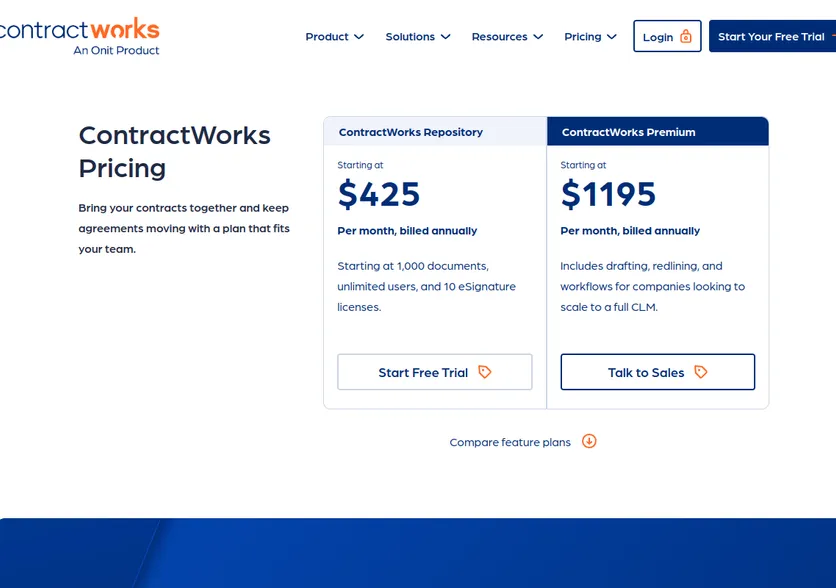
Paid tool Starting price: $425/month · Four hundred and twenty-five dollars a month for the Repository plan, billed annually. Fourteen-day free trial, no free plan.
Free plan: No free plan; 14-day free trial
This ContractWorks Repository plan stores every employment agreement in a searchable vault for four hundred and twenty-five dollars a month on annual billing. A litigation firm can track expiry dates, renewal deadlines and the full version history of each contract, with redlining and e-signatures built in rather than bolted on. It is the only tool here built specifically around managing contracts after they are signed, not just getting them signed.
What we like
- Searchable contract repository with expiry and renewal alerts
- Redlining and e-signatures built into the same platform
- Full version history for every contract in the vault
Watch out for
- Priciest tool here at four hundred and twenty-five dollars a month
- Built for contract management, not for running the whole firm
How to try it
- Import your existing employment agreements into the repository
- Set renewal alerts for every contract with an expiry date
- Use the redlining tool to negotiate terms inside the platform
2. PandaDoc
Best for: Litigation firms that want documents, signatures and payments in one flow
Paid tool Starting price: $19/user/month · Nineteen dollars per user a month for the Starter plan, billed annually. Business is forty-nine dollars per user a month. A free plan is available, and paid plans carry a fourteen-day free trial.
Free plan: Free plan available; 14-day free trial on paid plans
This PandaDoc Starter plan costs nineteen dollars per user a month and covers proposals, quotes, contracts and e-signatures in a single document flow. A litigation firm can send an employment agreement, collect the signature and take payment without switching tools, and the template library covers the common business documents. The free plan is genuinely useful for a small firm that only signs a few documents a month.

What we like
- Documents, signatures and payments in one flow
- Free plan is genuinely useful for a small firm
- Template library covers the common business documents
Watch out for
- The Starter plan limits the number of documents you can send
- Advanced workflow features wait for the Business plan
How to try it
- Start on the free plan with your most used agreement
- Build a template for your standard employment contract
- Add payment collection to the document for retainer fees
3. Docusign
Best for: Litigation firms that want the most widely recognised e-signature
Paid tool Starting price: $25/user/month · Twenty-five dollars per user a month for the Standard plan, billed annually, or three hundred dollars a year, covering one hundred envelopes per user a year. Business Pro is forty dollars per user a month and Personal is ten dollars a month. Thirty-day free trial, no free plan.
Free plan: No free plan; 30-day free trial
This Docusign Standard plan costs twenty-five dollars per user a month and covers one hundred envelopes per user a year. It is the e-signature name most clients and counterparties already trust, which means fewer questions about whether a signed document is valid. The platform also offers agreement templates, conditional routing and a full audit trail for every signature.

What we like
- The most widely recognised e-signature brand
- One hundred envelopes per user a year on the Standard plan
- Full audit trail for every signed document
Watch out for
- One hundred envelopes a year is a real cap for a busy firm
- The Standard plan lacks the advanced workflow tools
How to try it
- Start the thirty-day trial and upload your standard agreement
- Set up conditional routing for multi-party signatures
- Check the audit trail on a signed document before filing it
4. Adobe Acrobat Sign
Best for: Firms already using Adobe Acrobat that want signatures inside it
Paid tool Starting price: $23.99/user/month · Twenty-three dollars and ninety-nine cents per licence a month for the Acrobat Pro plan for teams, billed annually. Standard is sixteen dollars and ninety-nine cents and Studio is twenty-nine dollars and ninety-nine cents. Individual plans are fourteen dollars and ninety-nine cents for Standard, nineteen dollars and ninety-nine cents for Pro, and twenty-four dollars and ninety-nine cents for Studio. A first-year promotion of twenty-two dollars and nineteen cents for Pro teams is a discount, not the list price. Seven-day free trial, no free plan.
Free plan: No free plan; 7-day free trial
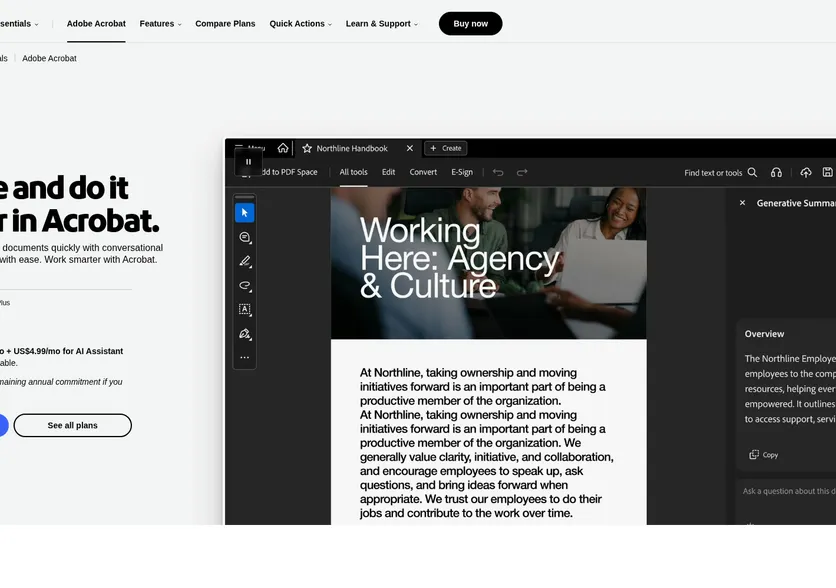
This Adobe Acrobat Sign plan sits inside Acrobat, so a firm that already edits PDFs in Acrobat can sign and send them without opening another tool. The Pro plan for teams costs about twenty-four dollars per licence a month on annual billing and includes unlimited transactions under fair use, which suits a firm that signs employment agreements daily. It also connects with Microsoft and Google tools most firms already use.
What we like
- Lives inside Acrobat, so no second tool to open
- Unlimited transactions on the Pro plan under fair use
- Connects with Microsoft and Google tools firms already use
Watch out for
- The Standard plan caps at one hundred and fifty transactions a year
- The Acrobat interface feels heavy for simple signing tasks
How to try it
- Start the seven-day trial inside your existing Acrobat
- Send your standard employment agreement for signature
- Set up the Microsoft or Google integration your firm uses
5. SignNow
Best for: Litigation firms that want the cheapest full-featured e-signature
Paid tool Starting price: $8/user/month · Eight dollars per user a month for the Business plan, billed annually; twenty dollars a month on monthly billing. Business Premium is twenty dollars a month on annual billing and thirty dollars monthly. Enterprise is thirty dollars a month on annual billing and fifty dollars monthly. Site Licence is one dollar and fifty cents per invite. Seven-day free trial, no free plan.
Free plan: No free plan; 7-day free trial
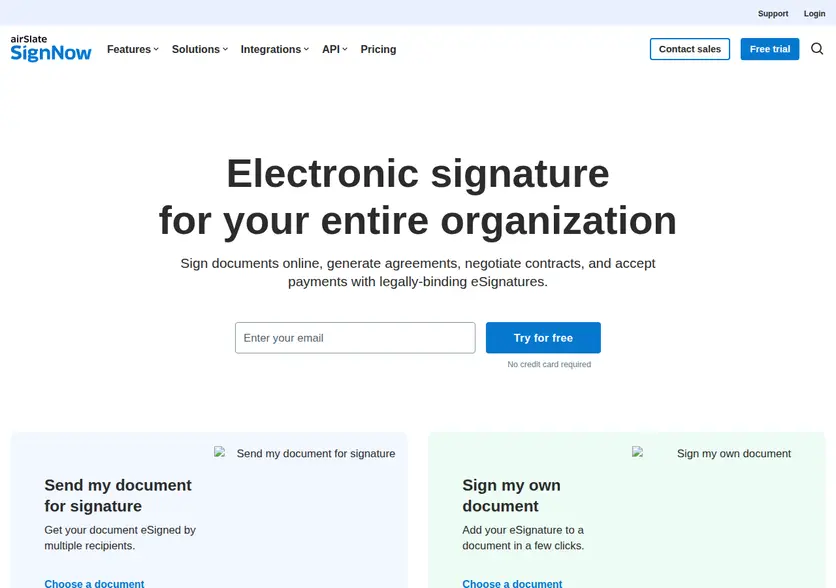
This SignNow Business plan costs eight dollars per user a month on annual billing, which makes it the cheapest full-featured e-signature in this comparison. A litigation firm gets unlimited templates, bulk sending and conditional routing for a fraction of what the bigger names charge. The Business Premium plan at twenty dollars a month adds in-person signing and a few workflow tools for firms that need them.
What we like
- Cheapest full-featured e-signature here at eight dollars a month
- Unlimited templates and bulk sending on the Business plan
- Conditional routing included without paying for the top tier
Watch out for
- Fewer integrations than the bigger e-signature names
- The interface is simpler and less polished than Docusign
How to try it
- Start the seven-day trial and upload your standard agreement
- Build a template for each employment contract you send often
- Set up bulk sending for the cases that need many signatures
6. Dropbox Sign
Best for: Small litigation firms that want simple signing with a free start
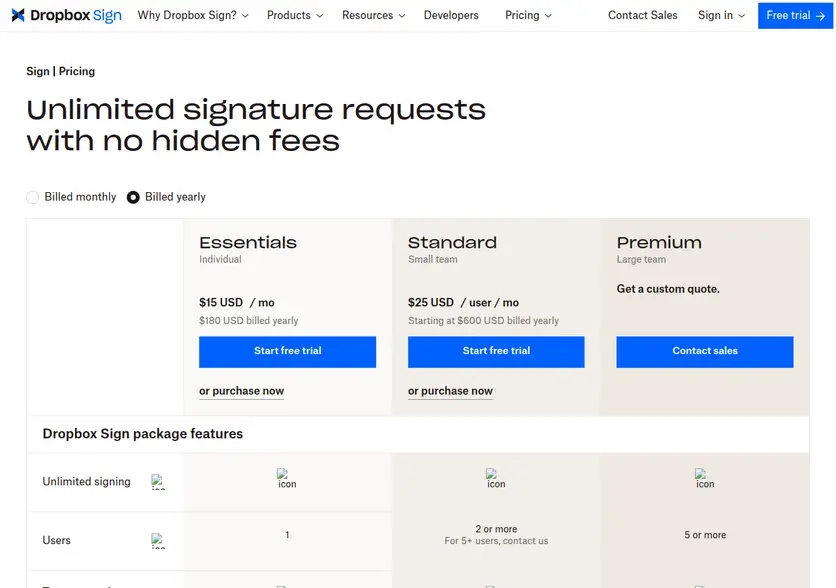
Paid tool Starting price: $15/month · Fifteen dollars a month for the Essentials plan covering one user, billed annually; twenty dollars on monthly billing. Standard is twenty-five dollars per user a month on annual billing with a two-user minimum, and Premium is quote-only. The free plan covers three signature requests a month. Thirty-day free trial.
Free plan: Free plan for 3 signature requests a month; 30-day free trial
This Dropbox Sign Essentials plan costs fifteen dollars a month for one user and covers the basics a small firm needs: templates, reminders and an audit trail. A firm already storing files in Dropbox can send a document for signature without moving it anywhere else. The free plan covers three signature requests a month, which is enough for a solo practitioner who signs only a few documents.
What we like
- Free plan covers three signature requests a month
- Works directly with files already stored in Dropbox
- Simple interface with templates and reminders built in
Watch out for
- Essentials covers only one user, so a team needs the Standard plan
- Fewer workflow features than the dedicated e-signature tools
How to try it
- Start on the free plan with your next three agreements
- Build a template for your standard employment contract
- Set up automatic reminders for unsigned documents
7. Clio
Best for: Litigation firms that want practice management plus contract signing
Paid tool Starting price: $49/user/month · Forty-nine dollars per user a month for the Starter plan. Plans are now Starter, Core, Signature and Elite, with AI included from Core up. The older thirty-nine dollar EasyStart price is stale. Seven-day free trial with no credit card, no free plan.
Free plan: No free plan; 7-day free trial, no credit card
This Clio Starter plan costs forty-nine dollars per user a month and runs the whole firm: matters, documents, billing and e-signatures in one place. A litigation firm can draft an employment agreement, send it for signature and track the billable time on the same matter without switching tools. AI features are included from the Core plan up, which helps a firm that wants drafting help as well as signing.

What we like
- Practice management and e-signatures in one place
- Matters, documents and billing stay together
- AI features included from the Core plan up
Watch out for
- E-signatures are part of a bigger system, not the focus
- The Starter plan lacks the AI features on higher tiers
How to try it
- Start the seven-day trial and set up your first matter
- Draft an employment agreement from a Clio template
- Send it for signature and log the time on the same matter
8. MyCase
Best for: Litigation firms that want practice management with billing built in
Paid tool Starting price: $50/user/month · Fifty dollars per user a month for the Basic plan, billed annually; sixty dollars on monthly billing. Pro is one hundred dollars a month on annual billing and Advanced is one hundred and thirty dollars. Ten-day free trial with no credit card, no free plan. Now branded as 8am MyCase. Older reads of thirty-nine dollars a month from April 2026 are stale.
Free plan: No free plan; 10-day free trial, no credit card
This MyCase Basic plan costs fifty dollars per user a month on annual billing and covers case management, documents, billing and client communication. A litigation firm can manage employment disputes from intake to invoice, with the client portal keeping clients updated without phone calls. The ten-day free trial needs no credit card, so a firm can test the whole system before committing.

What we like
- Case management, billing and client portal in one place
- Client portal cuts down on status-update phone calls
- Ten-day trial needs no credit card to start
Watch out for
- Costs more than a standalone e-signature tool
- The Basic plan lacks the advanced automation features
How to try it
- Start the ten-day trial with no credit card
- Set up a matter for your next employment case
- Invite the client to the portal and share the first document
Prices above were checked on each vendor’s own website on Nov 27, 2026 and can change — the vendor’s page is the final word. Vendor links are editorial: nobody paid to be listed or ranked here. Vendors who want a featured listing can see how it works on our Get listed page.
How a litigation firm should run employment contracts without losing track
Keep the contract, the signature and the audit trail in the same system. When an employment agreement is signed, store the signed copy together with the record of who signed it, when they signed and what version they signed, so the whole file is ready if the agreement is ever disputed. A repository tool like ContractWorks does this automatically, while a pure e-signature tool needs the signed copy filed into your matter system by hand.
Use templates for every agreement you send more than once. A standard employment contract, a non-disclosure agreement and a severance letter should each exist as a template with the variable fields marked, so the firm sends the same terms every time. Set renewal alerts for every contract with an expiry date, and review the alerts monthly so no agreement lapses quietly.
Before you buy
- Check that the contract repository stores the signed copy and the audit trail together
- Confirm the signature tool supports the number of envelopes your firm sends each month
- Make sure templates cover employment agreements, not just generic contracts
- Ask whether the price rises when the first year ends
- Check that the tool exports to your practice management system without manual retyping
Official websites
Official websites of the products reviewed above. Features and prices were checked against these sites when this guide was written, and they can change, so confirm on the vendor site before you buy.
Frequently asked questions
What is the cheapest employment contract software for litigation firms?
SignNow is the cheapest full-featured e-signature here at eight dollars per user a month on annual billing. Dropbox Sign costs fifteen dollars a month for one user and has a free plan for three signature requests a month. PandaDoc starts at nineteen dollars per user a month with a free plan. For a firm that needs a contract repository rather than just signatures, ContractWorks costs four hundred and twenty-five dollars a month.
Should a litigation firm pick ContractWorks or Docusign?
ContractWorks is the strongest pick when the contract itself is the work, because it stores every agreement in a searchable repository with expiry alerts, redlining and a full version history. Docusign and SignNow are better when you only need signatures, because they are cheaper and faster for sending documents. Pick ContractWorks when you manage hundreds of contracts, and pick an e-signature tool when you mostly send documents out for signing.
Are electronic signatures legally binding for employment contracts?
Yes, e-signatures from Docusign, Adobe Acrobat Sign, SignNow and the other tools here are legally binding in the United States under the ESIGN Act and state UETA laws, provided the signer consents and the process creates an audit trail. Employment agreements signed this way hold up in court when the platform records who signed, when they signed and what they signed. Keep the audit trail with the signed copy in your matter file.
How much should a litigation firm budget for contract software?
A small litigation firm should budget roughly twenty-five to seventy-five dollars per user a month. SignNow costs eight dollars per user a month, Docusign costs twenty-five dollars, and Clio costs forty-nine dollars for practice management plus signatures. A firm that needs a contract repository should budget four hundred and twenty-five dollars a month for ContractWorks on top of the signature tool, or pick a practice management system that includes both.
Can I send the same employment agreement to many employees at once?
Yes, if the tool supports templates and bulk sending. SignNow includes unlimited templates and bulk sending on its eight-dollar Business plan, which suits a firm sending the same agreement to many employees. Docusign supports bulk sending on its Business Pro plan at forty dollars per user a month. Check the envelope limit first, because the Standard plan on Docusign caps at one hundred envelopes per user a year.
Compare the eight tools above, then start a free trial with the one that fits your caseload and your contract volume. Need everyday business help too? Try Toolsvine's free business tools right in your browser.
Browse Business Tools tools