
On this page
A freelancer who sells products needs stock, orders and invoices in one place, and an ERP should bring order rather than adding admin. The seven tools below start at fifty dollars a month flat, and one of them is free to self-host for a team with technical help. Every price here was checked on the vendor pricing page on November 26, 2026. ERPNext is our first pick, because fifty dollars a month flat covers the whole team with no per-user bill.
How we researched this
We started with the ERP tools small product businesses actually buy, then read each price on the vendor pricing page on November 26, 2026 and noted the user limits and free plan each one carries. We judged them for a freelancer or small team that needs stock, orders, invoices and accounts in one system. We kept only tools with a published price, and we dropped any tool whose price we could not verify on the vendor site.
Compare the tools
| Name | Best for | Starting price | Free plan | |
|---|---|---|---|---|
 ERPNext | Product businesses who want a full ERP with no per-user fees at all | $50/month | Free to self-host; 14-day free trial on Frappe Cloud | Visit |
 Odoo | Small businesses who want one app per job with a single login | $31.10/user/month | Free with one app; free trial available | Visit |
 MRPeasy | Small manufacturers who want production planning without enterprise pricing | $49/user/month | Free trial available | Visit |
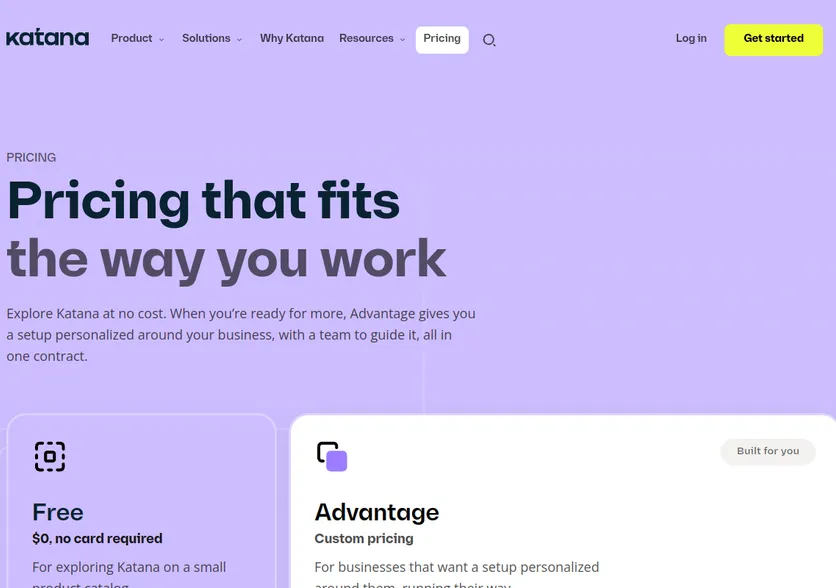
 Katana | Makers and small manufacturers who want visual inventory with no per-user fees | $299/month | Free plan for up to 30 SKUs | Visit |
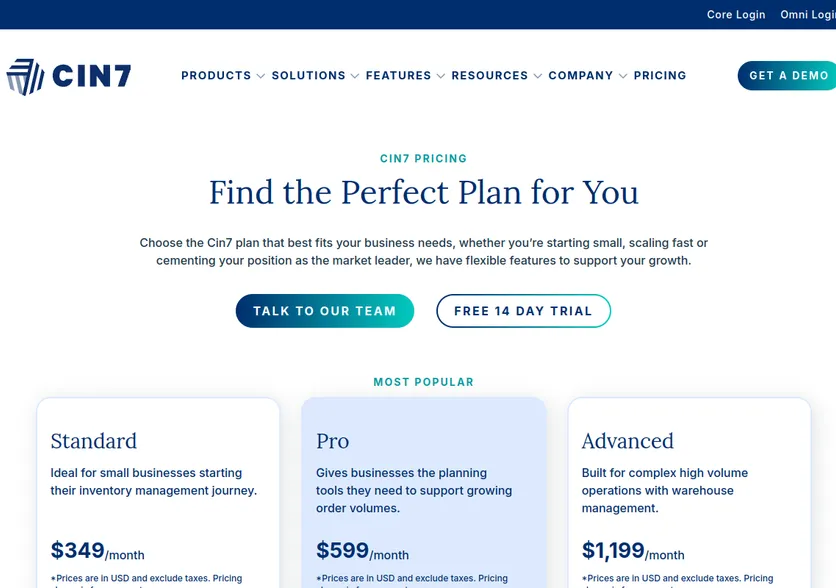
 Cin7 Core | Multichannel sellers who need stock synced across shops and marketplaces | $349/month | 14-day free trial; no free plan | Visit |
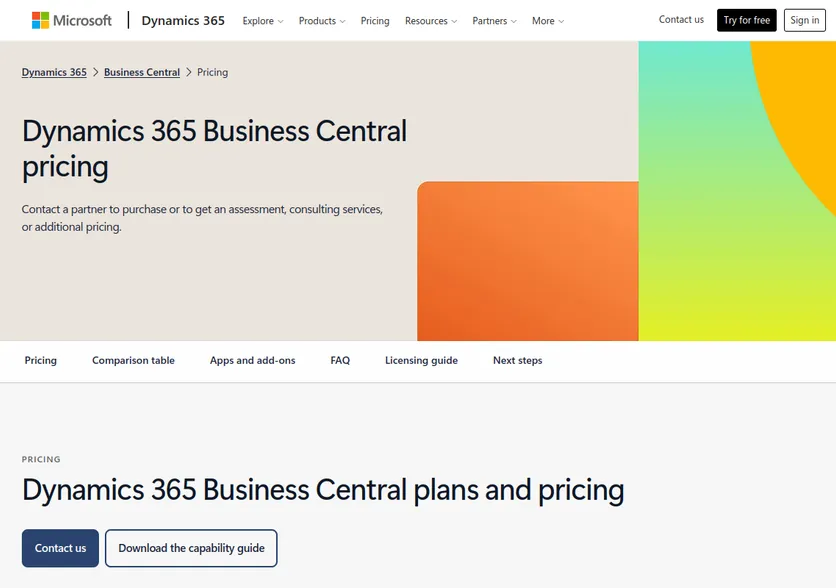
 Dynamics 365 Business Central | Businesses already on Microsoft 365 who want ERP inside that world | $80/user/month | Free trial available | Visit |
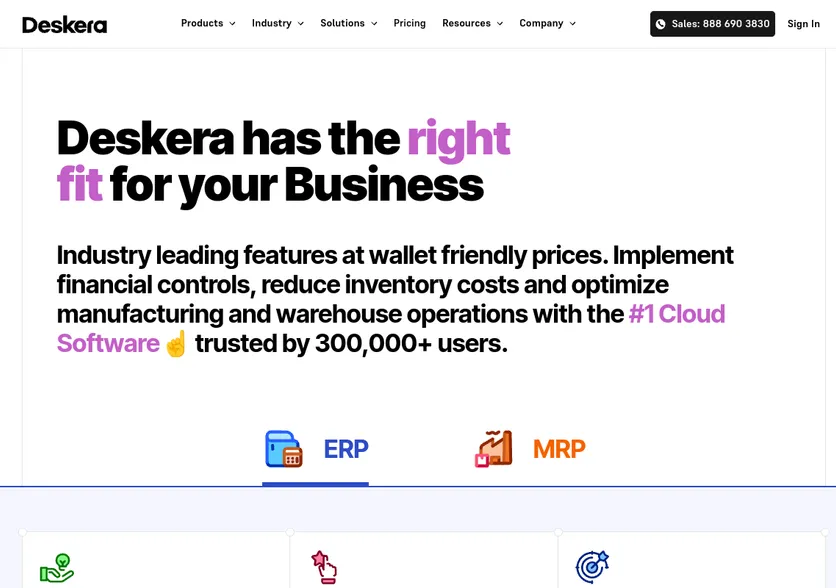
 Deskera | Growing product businesses who want ERP plus CRM in one subscription | $199/user/month | Free trial available | Visit |
The ERP software, compared
1. ERPNext
Best for: Product businesses who want a full ERP with no per-user fees at all
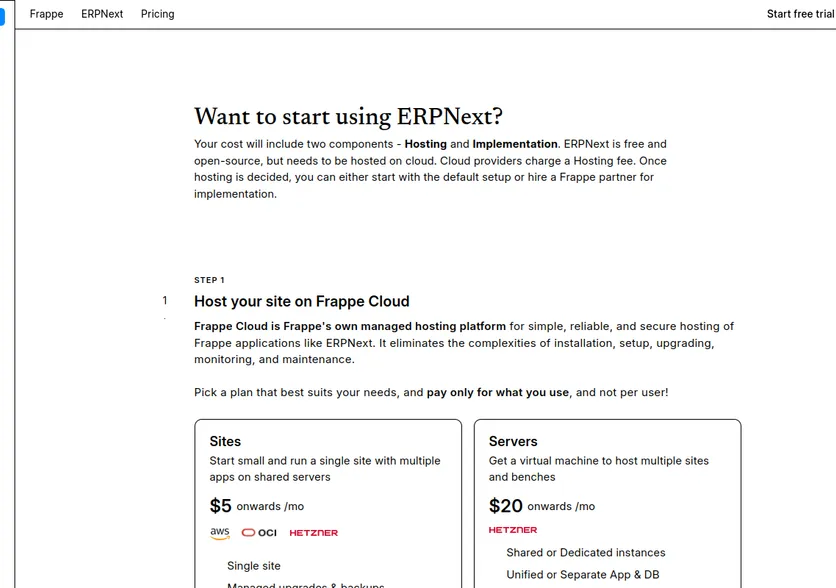
Paid tool Starting price: $50/month · Frappe Cloud managed hosting from $5 a month per site for the smallest shared site, rising to $50 a month for the plan with database access and product warranty; the software itself is free and open source to self-host
Free plan: Free to self-host; 14-day free trial on Frappe Cloud
No per-user fee at all is the promise of ERPNext, because Frappe Cloud charges by the site while the software stays free and open source. This ERPNext hosted plan covers accounts, stock, manufacturing, projects and HR for fifty dollars a month flat per site. A freelancer with a technical friend can self-host it for nothing, or pay the flat hosting fee and skip the server work.
What we like
- No per-user fee on any plan
- Full ERP free to self-host
- Flat hosting fee per site, not per person
Watch out for
- Self-hosting needs technical help
- Support beyond bug fixes costs extra
How to try it
- Open the ERPNext pricing page and start the free trial
- Set up your company, chart of accounts and first items
- Run a sales order through stock and invoicing
2. Odoo
Best for: Small businesses who want one app per job with a single login
Paid tool Starting price: $31.10/user/month · Standard plan list price, $31.10 a user a month; first-year price is $24.90 a user a month; Custom is $61 a user a month list
Free plan: Free with one app; free trial available
One app per job is the Odoo idea, with sales, stock, accounting and a website that all share one login. This Odoo Standard plan covers every Odoo app for about thirty-one dollars a user a month at list price. A freelancer can start with invoicing alone and switch on inventory only when the orders demand it.
What we like
- Every app shares one login
- Start with one app and add more later
- Free plan covers a single app
Watch out for
- List price is about thirty-one dollars a user a month
- First-year price rises on renewal
How to try it
- Open the Odoo pricing page and start the free trial
- Pick the apps you need and set up your company
- Create a sales order and watch stock move
3. MRPeasy
Best for: Small manufacturers who want production planning without enterprise pricing
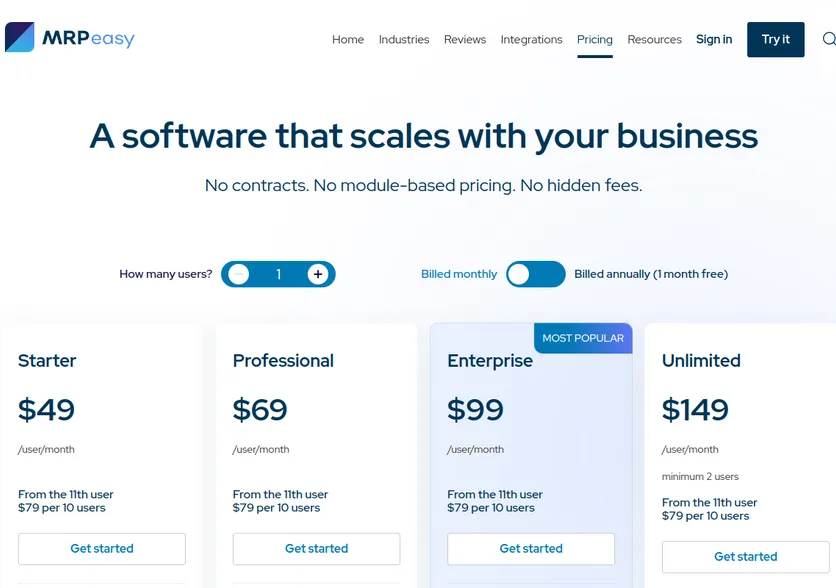
Paid tool Starting price: $49/user/month · Starter plan, $49 a user a month; Professional is $69, Enterprise is $99 and Unlimited is $149; two-user minimum
Free plan: Free trial available
Small manufacturers usually pay enterprise money for production planning, and MRPeasy is built to break that pattern. This MRPeasy Starter plan covers stock, production planning, purchasing and sales for forty-nine dollars a user a month. A freelancer making products in small batches can plan a production run and track every part without a consultant.
What we like
- Production planning at a small-business price
- Bills of materials built in
- Stock, sales and purchasing in one place
Watch out for
- Two-user minimum on every plan
- Starter costs forty-nine dollars a user a month
How to try it
- Open the MRPeasy pricing page and start the free trial
- Add your products and bills of materials
- Plan a production run and track the stock
4. Katana
Best for: Makers and small manufacturers who want visual inventory with no per-user fees
Paid tool Starting price: $299/month · Core plan, $299 a month flat with unlimited users; free plan covers up to 30 SKUs; manufacturing, traceability and warehouse add-ons cost $149 to $249 a month each
Free plan: Free plan for up to 30 SKUs
Visual inventory is the Katana promise, with a drag and drop board that shows raw materials, production and finished stock at a glance. This Katana Core plan covers unlimited users, unlimited SKUs and one location for about three hundred dollars a month flat. A maker can watch a batch move from raw material to shipped order without opening a spreadsheet.
What we like
- Flat price with unlimited users
- Visual board shows stock at a glance
- Free plan covers up to 30 SKUs
Watch out for
- Add-ons push the real cost higher
- Sales orders are billed by usage on top
How to try it
- Open the Katana pricing page and create a free account
- Add your products and raw materials
- Plan a production run on the visual board
5. Cin7 Core
Best for: Multichannel sellers who need stock synced across shops and marketplaces
Paid tool Starting price: $349/month · Core Standard plan, $349 a month for 5 users, 2 integrations and 6,000 sale orders a year; Pro is $599 and Advanced is $1,199
Free plan: 14-day free trial; no free plan
Selling on three channels with three stock counts is how overselling happens, and Cin7 Core keeps one true number everywhere. This Cin7 Core Standard plan covers 5 users, two integrations and 6,000 sale orders a year for three hundred forty-nine dollars a month. A freelancer selling on Shopify and Amazon can watch stock sync itself instead of counting boxes at midnight.
What we like
- Stock syncs across every channel
- 700 plus integrations on higher plans
- Order caps keep the price predictable
Watch out for
- Standard covers 6,000 orders a year
- Higher order volumes force a pricier plan
How to try it
- Open the Cin7 pricing page and start the free trial
- Connect your sales channels and import stock
- Watch orders sync and set reorder points
6. Dynamics 365 Business Central
Best for: Businesses already on Microsoft 365 who want ERP inside that world
Paid tool Starting price: $80/user/month · Essentials plan, $80 a user a month; Premium is $110 and Team Members is $8; some directories still list the older $70 rate
Free plan: Free trial available
An ERP that lives inside Microsoft 365 is the appeal of Business Central, because finance, sales and inventory sit next to Outlook and Excel. This Dynamics 365 Business Central Essentials plan covers finance, sales, purchasing, inventory and projects for eighty dollars a user a month. A small business on Microsoft tools gets one system instead of a pile of spreadsheets.
What we like
- Lives inside Microsoft 365
- Finance, sales and inventory in one system
- Team Members plan costs only eight dollars
Watch out for
- Essentials costs eighty dollars a user a month
- Custom work usually needs a partner
How to try it
- Open the Microsoft pricing page and start the free trial
- Set up your company and chart of accounts
- Connect Outlook and start raising invoices
7. Deskera
Best for: Growing product businesses who want ERP plus CRM in one subscription
Paid tool Starting price: $199/user/month · Growth plan, $199 a user a month billed annually with a 5-user minimum; Mid-Market is $249 and Enterprise is quoted
Free plan: Free trial available
Deskera is the premium pick here, an ERP with CRM, HR and accounting that aims at businesses outgrowing starter tools. This Deskera Growth plan covers finance, inventory, CRM and people management for about two hundred dollars a user a month billed annually. A freelancer whose shop is scaling fast gets one subscription instead of four separate tools.
What we like
- ERP, CRM and HR in one subscription
- Built for businesses outgrowing starter tools
- Five-user minimum suits a growing team
Watch out for
- Growth costs about two hundred dollars a user a month
- Five-user minimum puts the floor near a thousand a month
How to try it
- Open the Deskera pricing page and start the free trial
- Set up your company and import your products
- Run a sales order through inventory and invoicing
Prices above were checked on each vendor’s own website on Nov 26, 2026 and can change — the vendor’s page is the final word. Vendor links are editorial: nobody paid to be listed or ranked here. Vendors who want a featured listing can see how it works on our Get listed page.
What ERP software costs a freelancer in 2026
Most ERP tools charge per user, so the bill follows headcount, but two tools here break that rule with flat pricing. This list runs from fifty dollars a month flat to about two hundred dollars a user a month, and the free plans at ERPNext, Odoo and Katana mean you can run a real business before paying. The headline plan each vendor shows on its own pricing page is the number in the table above, checked on November 26, 2026.
Start with the free plan or trial on two tools and run the same ten orders through both. Compare how long invoicing takes and whether stock stays right, then pick the tool your team will actually use every day. A fifty-dollar flat tool you run daily beats a two-hundred-dollar platform you avoid.
Before you buy
- Count your users first, because most ERP tools charge per person and a growing team raises the bill fast.
- Check the order limits, because a cheap plan with a small order cap forces an upgrade in a busy month.
- Test invoicing on a real order, because a clumsy flow turns a ten-minute job into an afternoon.
- Ask what implementation costs, because some ERP tools need a partner to set up and that bill dwarfs the licence.
- Confirm stock syncs across channels, because a shop that oversells loses the customer and the review.
Official websites
Official websites of the products reviewed above. Features and prices were checked against these sites when this guide was written, and they can change, so confirm on the vendor site before you buy.
Frequently asked questions
Which ERP software is best for a freelancer in 2026?
ERPNext, at fifty dollars a month flat, is the best value because the whole team uses one site with no per-user bill. Odoo is the best all-rounder at about thirty-one dollars a user a month, with one app per job. Katana wins for makers at about three hundred dollars a month flat, with visual inventory and unlimited users.
What is the cheapest ERP software for a freelancer?
ERPNext is the cheapest honest answer, with free self-hosting for a team with technical help and managed hosting from five dollars a month per site. Odoo offers a free plan with one app, and Katana offers a free plan for up to 30 SKUs. For a small shop that wants support, ERPNext at fifty dollars a month flat is the cheapest paid plan here.
Is Odoo really thirty-one dollars a user a month?
Yes, that is the list price for the Standard plan. Odoo shows a first-year price of about twenty-five dollars a user a month, which rises to about thirty-one on renewal, so budget for the list price rather than the intro rate. The Custom plan lists at about sixty-one dollars a user a month. Always read the renewal price before you commit, because first-year discounts hide the real cost.
Do I need an ERP as a freelancer?
Yes, once stock and orders outgrow a spreadsheet. An ERP keeps inventory, sales, purchasing and accounts in one place, so a sale updates stock and an invoice in the same step. A freelancer selling products will feel the difference at ten orders a week, when manual counting starts to lose items. Start with a free plan and move to paid only when the orders demand it.
What is the difference between Katana and MRPeasy?
Katana charges a flat monthly price with unlimited users, while MRPeasy charges per user per month. Katana suits makers who want visual inventory and a simple board, with add-ons for manufacturing and traceability. MRPeasy suits small manufacturers who want production planning and bills of materials built in. Count your team first, because the cheaper model flips once you pass a handful of users.
Need business help too? Try Toolsvine's free business tools for small teams right in your browser.
Browse Business Tools tools


