On this page
A healthcare practice sends the same forms every day: consent, intake, releases and payment agreements. Paper forms slow the front desk and sit in a pile until someone files them, while a good e-signature tool gets the signature before the patient reaches the exam room. The catch is compliance: the vendor must sign a Business Associate Agreement before patient data moves. We compared eight tools on published price, envelope limits and signing simplicity. DocuSign is our first pick — the most recognised brand, with team controls at twenty-five dollars per user a month.
How we researched this
We started with the e-signature tools healthcare practices actually use, then read each price on the vendor site on November 27, 2026 and noted the free trial each plan carries. We judged them for a practice that sends consent forms, intake packets and releases, and needs a signed Business Associate Agreement before any patient data moves. We dropped quote-only enterprise platforms, because a small practice needs a published price it can budget around.
Compare the tools
| Name | Best for | Starting price | Free plan | |
|---|---|---|---|---|
 DocuSign | Healthcare practices that need the most recognised e-signature brand | $10/month | No free plan; 30-day free trial | Visit |
 Adobe Acrobat Sign | Practices that edit PDFs and collect signatures in one subscription | $16.99/user/month | No free plan; 7-day free trial | Visit |
 PandaDoc | Practices that build intake packets, quotes and consent forms in one place | $19/user/month | Free plan with 60 documents a year | Visit |
 Dropbox Sign | Practices that want simple team signing with no envelope counting | $15/month | Free plan with 3 signature requests a month | Visit |
 signNow | Practices that want the lowest per-user price with unlimited users | $8/month | No free plan; 7-day free trial | Visit |
 Zoho Sign | Budget-conscious practices that already use Zoho products | $10/user/month | Free plan for one user with 5 envelopes a month | Visit |
 Signeasy | Practices that want the simplest setup with a strong mobile app | $10/month | No free plan; 14-day free trial | Visit |
 Foxit eSign | Practices that handle high volumes and already use Foxit PDF tools | $120/year | No free plan; 14-day free trial | Visit |
The esignature software for healthcare practices, compared
1. DocuSign
Best for: Healthcare practices that need the most recognised e-signature brand
Paid tool Starting price: $10/month · Personal plan, $10 a month billed annually upfront ($120 a year); $11 a month on an annual commitment billed monthly; $15 month to month. Five envelopes a month; one user.
Free plan: No free plan; 30-day free trial
This DocuSign Personal plan is the entry point to the most recognised e-signature brand in healthcare, at ten dollars a month on an annual commitment. A practice that needs team controls moves to Standard at twenty-five dollars per user a month, which adds shared templates, reminders and reporting. Recipients rarely need help to sign, which matters when patients complete consent forms and intake paperwork from their phones.

What we like
- Most recognised e-signature brand, so patients trust the signing link
- Standard adds shared templates, reminders and reporting
- Business Associate Agreement available for healthcare customers
Watch out for
- Personal allows only five envelopes a month for one sender
- Standard and Business Pro cap envelopes at one hundred per user a year
How to try it
- Open the DocuSign pricing page and start the thirty-day trial
- Upload one consent form and add signature fields for the patient
- Send a test envelope to a staff phone and check the signing flow
2. Adobe Acrobat Sign
Best for: Practices that edit PDFs and collect signatures in one subscription
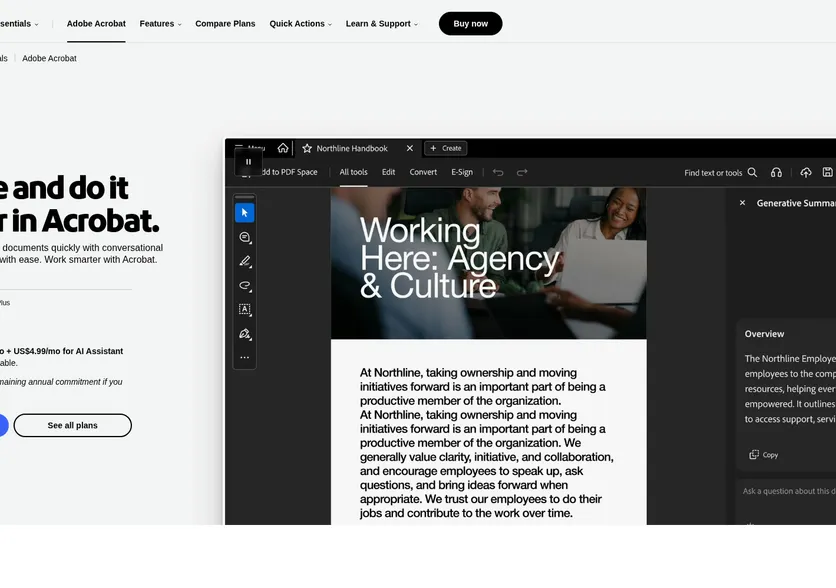
Paid tool Starting price: $16.99/user/month · Sixteen dollars and ninety-nine cents per license a month on an annual plan for Acrobat Standard for teams, including PDF editing plus signing; Pro costs twenty-three dollars and ninety-nine cents and Studio twenty-nine dollars and ninety-nine cents
Free plan: No free plan; 7-day free trial
This Adobe Acrobat Sign plan comes inside Acrobat Standard for teams, at sixteen dollars and ninety-nine cents per license a month on an annual plan. A practice that already edits PDFs gets signing in the same subscription, with unlimited signatures on the team plan and a one-hundred-and-fifty-transaction annual cap per user. It suits a clinic that prepares its own forms in Acrobat and wants patients to sign without a second tool.
What we like
- Signing and PDF editing in one subscription
- Unlimited signatures on the team plan
- Strong fit for practices already paying for Acrobat
Watch out for
- No standalone Acrobat Sign plan is sold; it comes with Acrobat
- API access and advanced identity checks need a quoted Sign Solutions plan
How to try it
- Open the Adobe Acrobat pricing page and pick Standard for teams
- Prepare one intake form in Acrobat and add signature fields
- Send the form to a test patient and check the audit trail
3. PandaDoc
Best for: Practices that build intake packets, quotes and consent forms in one place
Paid tool Starting price: $19/user/month · Nineteen dollars per user a month billed annually for Starter, with unlimited e-signatures and the document builder; Business costs forty-nine dollars per user a month and adds workflow automation and CRM integrations
Free plan: Free plan with 60 documents a year
This PandaDoc Starter plan is the pick for a practice that builds documents as well as signing them, at nineteen dollars per user a month billed annually. It combines a document builder with unlimited e-signatures, so intake packets, treatment plans and consent forms come from one template library. The Business plan at forty-nine dollars adds workflow automation and CRM integrations for practices that track patients through a pipeline.

What we like
- Document builder plus unlimited e-signatures in one plan
- Template library covers intake packets, quotes and consent forms
- Business plan adds workflow automation and CRM integrations
Watch out for
- Per-document charges can apply past the plan limit
- Healthcare compliance features need checking against the plan you buy
How to try it
- Open the PandaDoc pricing page and start the free plan
- Build one intake packet from a template and add signature fields
- Connect your CRM so signed forms land in the patient record
4. Dropbox Sign
Best for: Practices that want simple team signing with no envelope counting
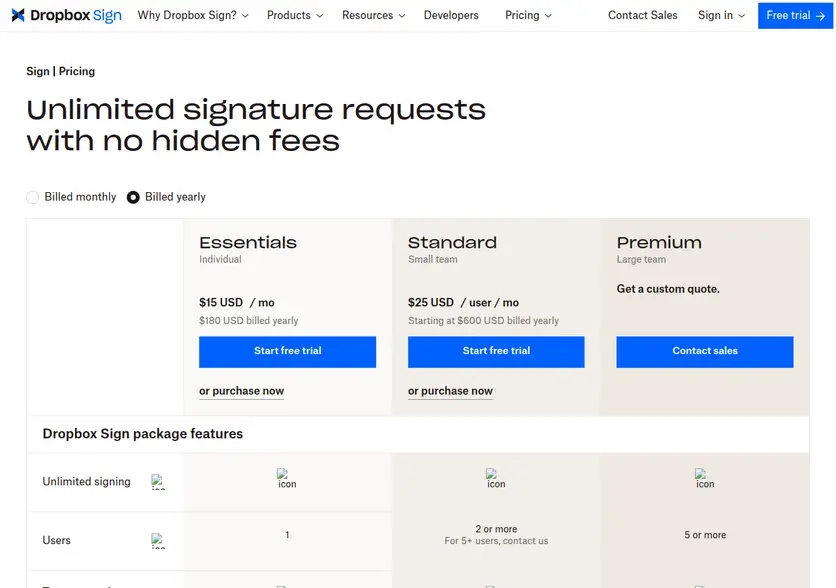
Paid tool Starting price: $15/month · Fifteen dollars a month billed annually for Essentials, or one hundred and eighty dollars a year, for one user with unlimited signature requests and five templates; Standard costs twenty-five dollars per user a month
Free plan: Free plan with 3 signature requests a month
This Dropbox Sign Essentials plan is the simplest signing tool here for a small practice, at fifteen dollars a month billed annually for one user. It puts no cap on signature requests, so a busy front desk can send consent forms all day without counting envelopes. The Standard plan at twenty-five dollars per user a month adds more templates and team controls for practices where several staff members send documents.
What we like
- No cap on signature requests on the Essentials plan
- Simplest sending flow in this comparison
- Free plan available for occasional signing
Watch out for
- No built-in document creation, so forms must be prepared elsewhere
- Essentials covers one user only; teams need the Standard plan
How to try it
- Open the Dropbox Sign pricing page and start the free plan
- Upload one consent form and add signature fields
- Send the form to a test patient and check the completion tracking
5. signNow
Best for: Practices that want the lowest per-user price with unlimited users
Paid tool Starting price: $8/month · Eight dollars a month billed annually for Business, with unlimited users and one hundred signature invites per account per year; Business Premium costs fifteen dollars a month and Enterprise thirty dollars
Free plan: No free plan; 7-day free trial
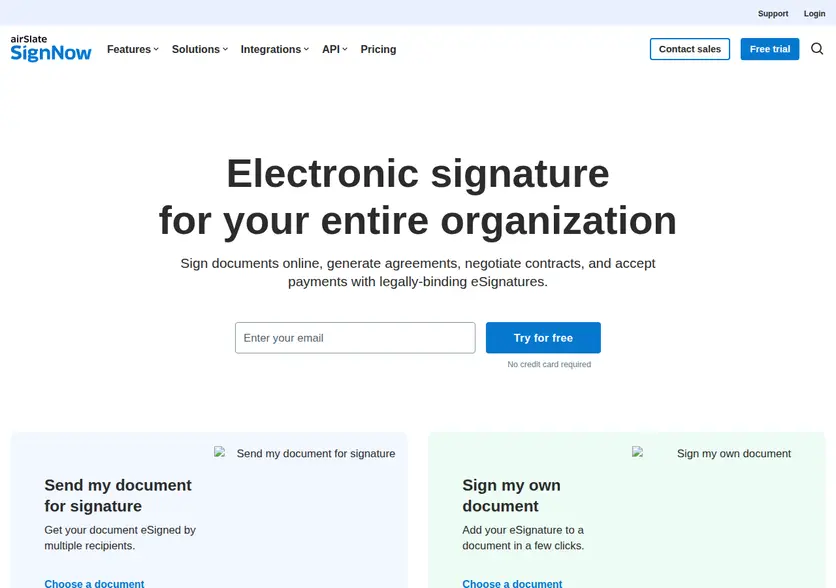
This signNow Business plan gives a healthcare practice the lowest per-user price here, at eight dollars a month billed annually with unlimited users on the account. Every staff member can send documents without another seat charge, which suits a clinic where the front desk, nurses and billing all send forms. The trade-off is a cap of one hundred signature invites per account per year on annual plans, so count your volume before you commit.
What we like
- Lowest per-user price here at eight dollars a month
- Unlimited users on the account, so every staff member can send
- SMS delivery included for patients who sign by phone
Watch out for
- Annual plans include only one hundred signature invites per account
- No free plan, and the trial lasts only seven days
How to try it
- Open the signNow pricing page and start the seven-day trial
- Upload one intake form and invite every staff sender
- Count your annual signature invites against the one-hundred cap
6. Zoho Sign
Best for: Budget-conscious practices that already use Zoho products
Paid tool Starting price: $10/user/month · Ten dollars per user a month billed annually for Standard, covering twenty-five envelopes per user a month; Professional costs sixteen dollars and Enterprise twenty-two dollars, with unlimited envelopes from Professional
Free plan: Free plan for one user with 5 envelopes a month
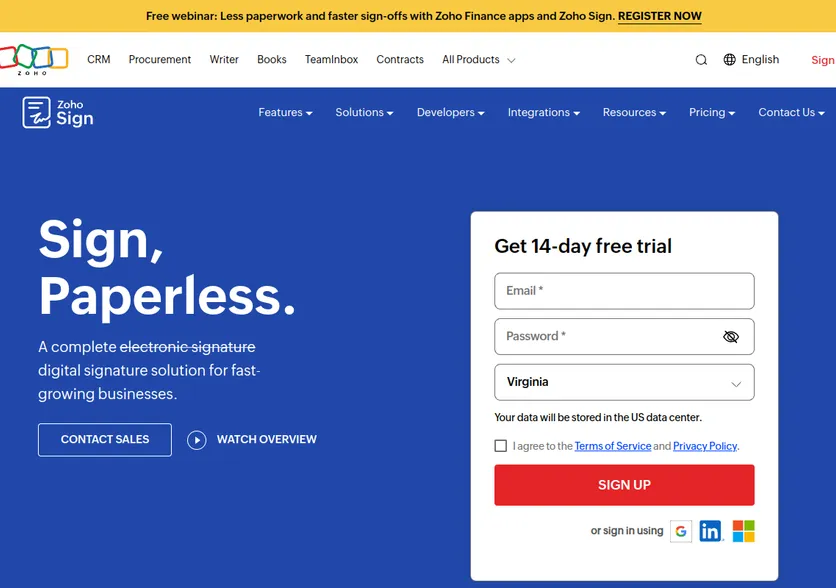
This Zoho Sign Standard plan is the low-cost pick for a practice already running Zoho CRM or Zoho Books, at ten dollars per user a month billed annually. It covers twenty-five envelopes per user a month, with bulk send and in-person signing on higher tiers. A free plan covers one user and five envelopes a month, which is enough for a solo practice to test the signing flow on real patients.
What we like
- Low per-user price with a free plan for solo practices
- Links with Zoho CRM, Books and Forms in one account
- Bulk send and in-person signing on higher tiers
Watch out for
- Free plan allows only one user and five envelopes a month
- Template tools are simpler than PandaDoc on the entry plan
How to try it
- Open the Zoho Sign pricing page and start the free plan
- Connect your Zoho CRM so patient contacts sync automatically
- Upgrade to Standard when monthly envelopes pass five
7. Signeasy
Best for: Practices that want the simplest setup with a strong mobile app
Paid tool Starting price: $10/month · Ten dollars a month billed annually for Personal, covering five documents a month; Business costs twenty dollars per user a month with unlimited sending, and Business Pro adds more team controls
Free plan: No free plan; 14-day free trial
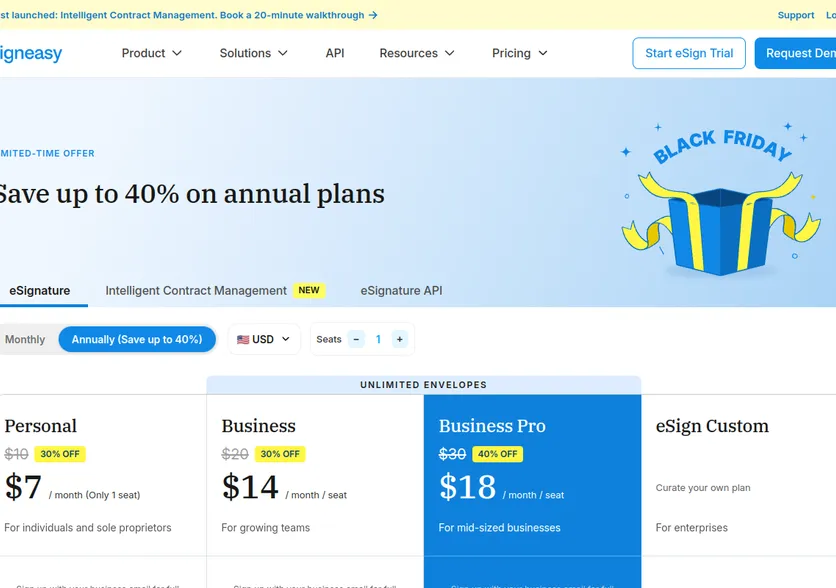
This Signeasy Personal plan is the simplest setup here for a practice that signs on the go, at ten dollars a month billed annually. It started as a mobile-first signing tool and now adds contract management, so a clinician can send a consent form from a phone between appointments. Business plans add unlimited signature requests, which suits a practice where several staff members send documents every day.
What we like
- Cleanest mobile signing experience in this comparison
- Simple setup with no training needed for front-desk staff
- Contract management added on top of core signing
Watch out for
- Personal allows only five documents a month
- No free plan, and the trial lasts fourteen days
How to try it
- Open the Signeasy pricing page and start the fourteen-day trial
- Send one consent form from the mobile app to a test patient
- Upgrade to Business when you need unlimited signature requests
8. Foxit eSign
Best for: Practices that handle high volumes and already use Foxit PDF tools
Paid tool Starting price: $120/year · One hundred and twenty dollars a year for Essentials, covering one dedicated user, two hundred and fifty envelopes and ten templates a year; Business costs three hundred dollars per user a year with a five-license minimum and unlimited envelopes
Free plan: No free plan; 14-day free trial
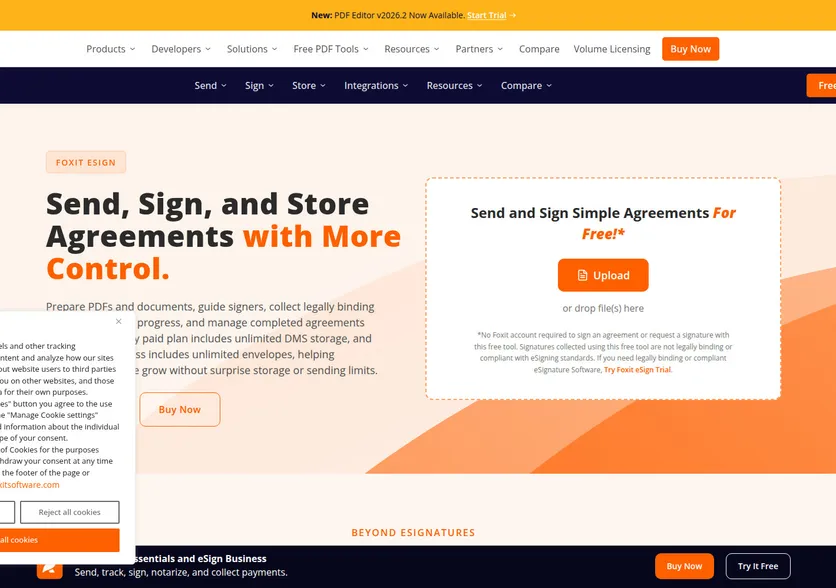
This Foxit eSign Essentials plan is the budget pick for a healthcare practice that already uses Foxit PDF software, at one hundred and twenty dollars a year for one dedicated user. It covers two hundred and fifty envelopes a year with ten reusable templates, audit trails and payment fields inside agreements. The Business plan at three hundred dollars per user a year adds unlimited envelopes, custom branding and bulk sending, with HIPAA compliance for teams of five or more.
What we like
- Lowest annual cost here for a single user at one hundred and twenty dollars
- Fits inside the Foxit PDF workflow the practice may already use
- Business plan adds unlimited envelopes with HIPAA compliance
Watch out for
- Essentials licence is tied to one dedicated user and cannot be reassigned
- Essentials caps sending at two hundred and fifty envelopes a year
How to try it
- Open the Foxit eSign pricing page and start the fourteen-day trial
- Prepare one consent form in Foxit PDF Editor and add signature fields
- Check the two-hundred-and-fifty-envelope annual cap against your volume
Prices above were checked on each vendor’s own website on Nov 27, 2026 and can change — the vendor’s page is the final word. Vendor links are editorial: nobody paid to be listed or ranked here. Vendors who want a featured listing can see how it works on our Get listed page.
How a healthcare practice should pick e-signature software
Start with the Business Associate Agreement, not the price. A signing tool that will not sign a BAA cannot legally handle your patient forms, no matter how cheap it is. Ask for the agreement before the trial, and check whether it is included in the plan you buy or only on a higher tier. Then count your annual volume: consent forms, intake packets and releases add up fast, and an envelope cap of one hundred per user a year can run dry by autumn.
Test the patient experience on a phone before you commit. Send one intake form to a staff phone and watch how long it takes to complete, because a form that is hard to read on a small screen slows the whole front desk. Pick the tool whose signing link patients actually finish, and make sure templates cover every form your practice sends every week.
Before you buy
- Ask for a signed Business Associate Agreement before you send any patient forms
- Check whether the plan caps envelopes or signature requests per user per year
- Confirm signers can complete forms on a phone without creating an account
- Make sure templates and reminders cover consent forms, intake and releases
- Check whether SMS delivery and identity verification cost extra on your plan
Official websites
Official websites of the products reviewed above. Features and prices were checked against these sites when this guide was written, and they can change, so confirm on the vendor site before you buy.
Frequently asked questions
What is the cheapest e-signature software for a healthcare practice?
DocuSign Personal costs ten dollars a month on an annual commitment, and Standard costs twenty-five dollars per user a month with team controls. signNow Business costs eight dollars a month billed annually with unlimited users, which is the lowest per-user price here. Zoho Sign Standard costs ten dollars per user a month. The cheapest option depends on volume: signNow wins on price, but its annual plan caps signature invites at one hundred per account.
Is e-signature software HIPAA compliant?
Yes, but only when the vendor signs a Business Associate Agreement with your practice. DocuSign, Adobe Acrobat Sign and Foxit eSign all offer a BAA on the right plan, and Foxit eSign Business includes HIPAA compliance for teams of five or more. Never send patient forms through a signing tool until the BAA is signed, because the agreement is what makes the vendor a covered business associate under the law.
What is an envelope limit, and why does it matter?
Most signing tools count envelopes or signature requests, and the cap is the number that decides your real bill. DocuSign Standard allows one hundred envelopes per user a year, Dropbox Sign puts no cap on signature requests, and signNow annual plans allow one hundred invites per account a year. Count how many consent forms, intake packets and releases your practice sends in a year before you pick a plan.
Can patients sign forms on their phones?
Yes, every tool here lets patients sign on a phone or tablet without creating an account. Signeasy started as a mobile-first tool and has the cleanest phone experience, while DocuSign and Dropbox Sign both send a link the patient opens in a browser. Check that your consent forms render clearly on a small screen, because a form that is hard to read on a phone slows the whole intake process.
What is a Business Associate Agreement, and do I need one?
A Business Associate Agreement is a contract between your practice and the software vendor, required by HIPAA whenever the vendor handles protected health information. It makes the vendor responsible for safeguarding patient data and reporting breaches. Ask for the BAA before you send the first patient form, and check whether it is included in your plan or only on a higher tier.
Compare the eight tools above, then trial DocuSign and signNow on one real intake form before you move the whole practice.
Browse Document & File Converters tools